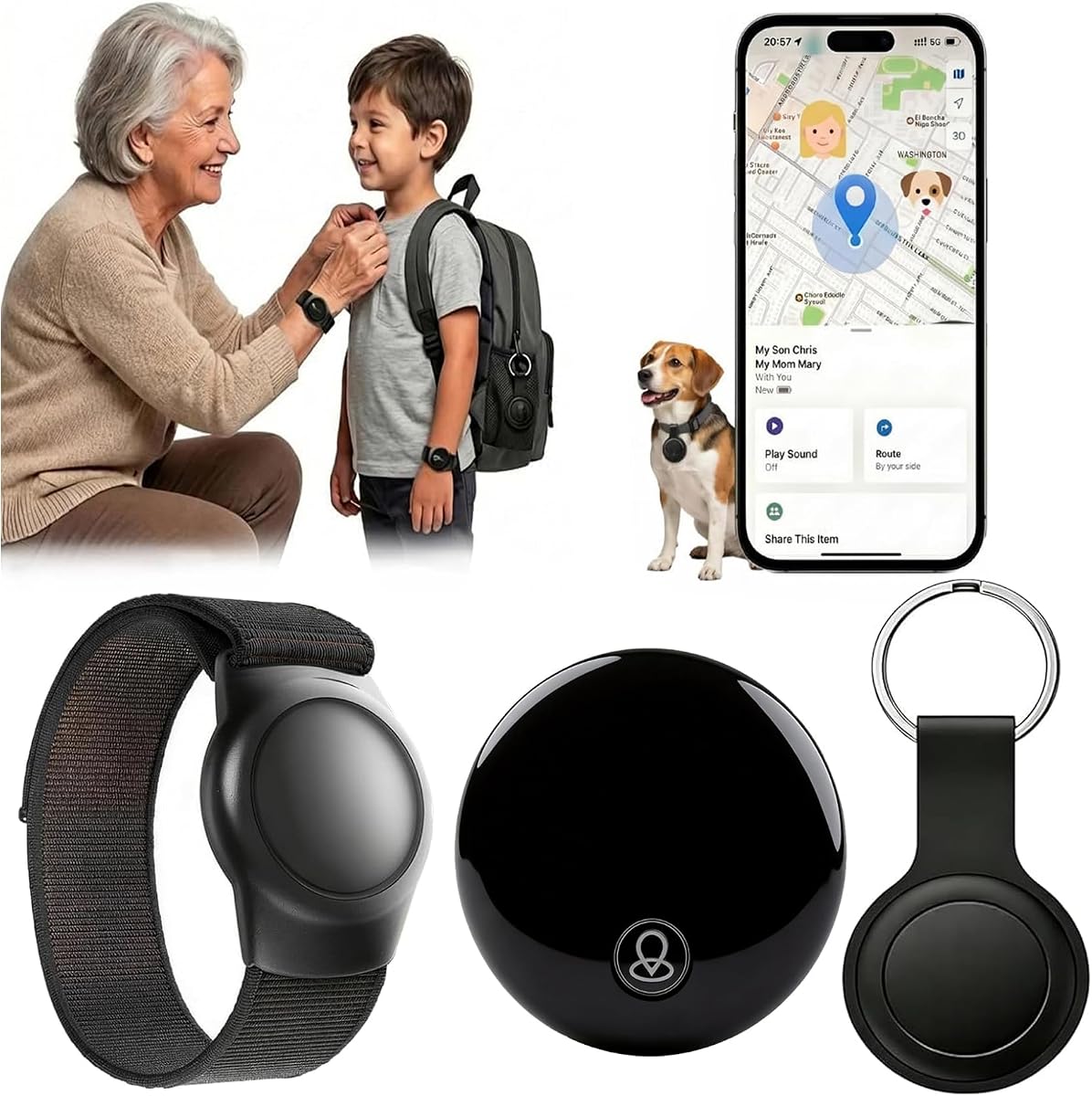
Apple Find My Wristband Tracker
4.6Editor score
No monthly subscription
Adjustable silicone wristband
One-year stated battery life
Best GPS trackers for elderly compared in 2026 for location sharing, fall alerts, two-way calls, battery life, wearability, subscriptions, and ease of use.
GPS trackers for elderly adults can provide location visibility, emergency communication, and reassurance for both wearers and family caregivers. The best device depends on whether the priority is simple location sharing, automatic fall detection, two-way calling, secure wearing, or avoiding recurring service charges.
This guide compares ten trackers across location accuracy, battery life, alert capabilities, wear options, platform compatibility, subscription requirements, and ease of everyday use. It covers compact Apple Find My accessories, magnetic vehicle trackers, caregiver-oriented medical alert systems, and dedicated safety wristbands and pendants.
Each pick highlights the feature that best suits a particular need, from no-fee location monitoring to hands-free communication and automatic fall alerts. Product features, availability, and pricing can change, so readers should confirm current details and service coverage before purchasing.
4.6Editor score

5.0Editor score

4.1Editor score
The comparison below highlights each product's core form, location service, safety communication, battery claim, and major compatibility or subscription consideration to help families narrow the field quickly.


The Mini Magnetic GPS Tracker is a compact location accessory designed for vehicles, personal items, children, pets, and elderly family members. Its listed rating is 5.0, making it the highest-rated tracker in this guide. The strongest attraction is the combination of real-time location updates and the absence of a monthly fee, subscription, or SIM card requirement.
We may earn a commission when you buy through this link, at no additional cost to you.
The tracker works with both iOS and Android, giving households more flexibility than products limited to the Apple ecosystem. Its small 1.3-inch form and 0.5-ounce weight make it easy to carry in a pocket, attach to an item, or place in a vehicle. The built-in magnet is designed to resist vibration and dislodgement, which is especially useful for tracking a car rather than attaching the device to a person.
The listing also advertises a battery life of up to 720 days and a replaceable lithium battery. That figure is far longer than the service-driven alternatives in this roundup, although actual runtime depends on use and connectivity. For a lost item, the device can also emit a sound through the associated app when it is nearby, making it easier to find a misplaced key bundle or small accessory.
This is a strong choice for caregivers who mainly want location visibility without paying a recurring service charge. It is less appropriate for someone who needs emergency calling, automatic fall detection, or caregiver-key removal of a worn device. Within its narrower purpose, it combines a useful platform-neutral design with simple setup and flexible placement.
Because the tracker uses no SIM card or paid app, families can monitor a vehicle, handbag, or other carried item without managing an ongoing cellular plan. It is particularly helpful for independent seniors who want a small way to locate belongings or travel in a car.
The magnetic attachment allows the tracker to be moved between compatible vehicles or carried in a pocket. Its compact size and low weight support discreet everyday use, while the anti-vibration design helps preserve placement in a vehicle.
We may earn a commission when you buy through this link, at no additional cost to you.
AngelSense is a dedicated safety tracker built around the needs of children, adults with special needs, and older adults living with dementia or other cognitive challenges. It carries a 4.1 rating and offers more proactive oversight than a basic item finder. Families can view a live location, full daily routes, and historical location information through the caregiver app.
We may earn a commission when you buy through this link, at no additional cost to you.
Its most distinctive feature is AI-powered monitoring of normal patterns. The system can notify caregivers about unexpected departures, unfamiliar locations, or late arrivals, giving families context that a plain map may not provide. A built-in speakerphone auto-answers caregiver calls, allowing a family member to check in, offer reassurance, or guide the wearer without requiring the wearer to press a button.
Secure wearing is another major strength. The magnetic securing sleeve can only be removed with a caregiver key, and the available sensory-sensitive options are intended to remain in place. This reduces the risk of a confused or wandering wearer removing the tracker. The trade-off is a required one-year subscription contract for the service that supplies tracking, alerts, calling, and related features.
AngelSense is best for families that need more than location history and are willing to pay for continuous monitoring and caregiver tools. It is especially relevant when wandering, missed arrivals, or unfamiliar behavior are genuine concerns. Buyers should review the contract, supported regions, and service terms carefully, but the device offers an unusually complete safety-oriented design.
The AI feature compares activity with established patterns and surfaces unusual departures, unfamiliar areas, or late arrivals. That can help caregivers investigate a concerning change rather than merely inspect a dot on a map.
The auto-answer speakerphone lets a caregiver initiate a hands-free conversation with the wearer. The feature is useful for reassuring someone who may be confused, unable to operate a conventional phone, or separated from their usual support.
We may earn a commission when you buy through this link, at no additional cost to you.
The Apple Find My Wristband is a lightweight tracker that combines the Apple Find My network with a soft, adjustable silicone wristband. Its 4.6 rating is the highest among the products that rely on Apple's device network. It is designed for children and seniors and needs no SIM card or recurring subscription.
We may earn a commission when you buy through this link, at no additional cost to you.
The wristband is intended for continuous wear, with a skin-friendly, adjustable design that is less conspicuous than a conventional smartwatch. It also works as a keychain-style accessory, giving the wearer or caregiver a choice about how to carry it. The listed IP68 rating provides dust and water resistance suitable for rain, sweat, and handwashing.
Location features are handled through the Find My app, including an anti-loss alert when the tracker disconnects from the paired phone and a Lost Mode that uses nearby Apple devices to update the position. Within Bluetooth range, the Play Sound function emits an alert tone, which is helpful for finding a tracker hidden in a pocket or between household cushions. Battery status can also be checked in the app.
This tracker is a good value for an Apple household that wants simple location monitoring without another subscription. It is not a complete medical alert system: there is no automatic fall detection or two-way calling. Even so, the stated one-year battery life, waterproof construction, and comfortable wristband make it a practical choice for a low-maintenance elderly tracker.
Using the Find My app reduces the learning curve for anyone already comfortable with Apple devices. The tracker can support daily location checks, lost-item sound alerts, separation notifications, and shared family visibility without a separate cellular plan.
The soft silicone band is adjustable and intended to remain unobtrusive on the wrist. Its water resistance and long stated battery life reduce the need for frequent charging or removal during showers and household activities.
We may earn a commission when you buy through this link, at no additional cost to you.
The Mini Locator Watch Band is a basic Apple Find My accessory intended for children, teens, people with special needs, and elderly adults. It has a 3.4 rating and operates without a monthly subscription. The product is positioned as a straightforward wearable for families that want location visibility through an app they may already use.
We may earn a commission when you buy through this link, at no additional cost to you.
The main benefit is simplicity. Users can open the Find My app on an iOS device to view the tracker's position without installing an additional application. The included waterproof watch band makes the device suitable for continuous wear, while its watch-like form may be easier to include in an everyday routine than a small tag hidden in a pocket.
The trade-offs are substantial. The supplied listing provides much less detail about battery life, geofencing, separation alerts, update frequency, and security than the better-documented Find My products in this guide. It also lists real-time tracking, but Apple-network accessories are generally not equivalent to continuously updating cellular GPS, so buyers should confirm expected behavior.
The device is best for a straightforward need: checking a family member's location in the Find My app without another subscription. It does not offer fall detection, two-way calling, or caregiver-key removal, making it less suitable as a primary medical safety device.
Using the built-in Find My app can be convenient for households already invested in iPhones and iPads. It reduces setup friction and keeps location viewing in a familiar interface.
The watch-style band is intended for routine use and is described as waterproof. That makes it more practical than an unsecured loose tag for anyone who showers, exercises, or spends time outdoors.
We may earn a commission when you buy through this link, at no additional cost to you.
Optimus 2.0 is a real-time GPS tracker focused on cars, assets, and equipment rather than personal wearing. Its 4.4 rating reflects a capable vehicle-oriented device. The magnetic case provides a secure, discreet way to attach the unit and is designed to help protect it during travel.
We may earn a commission when you buy through this link, at no additional cost to you.
Its alert system is one of the strongest in this roundup. Users can receive email or text notifications for movement, speeding, entering or leaving a designated area, a low battery condition, and use of the SOS button. Position updates can be customized as frequently as every 10 seconds, allowing families to balance visibility against battery use.
At the standard reporting frequency of one minute, the listing states a battery life of up to two weeks. This makes the device more practical for continuous vehicle monitoring than many compact accessories, although the desired update frequency will affect actual performance. It is not intended to be placed inside a closed metal box truck, container, or trailer because those environments can block GPS signals.
Optimus 2.0 is a strong fit for families tracking a senior's vehicle, a vehicle used for caregiving appointments, or another mobile asset. It should not be confused with a wearable medical alert device: it has no wristband, no automatic fall detection, and no elder-focused speaking function. Its strength is detailed, event-driven vehicle and asset reporting.
Speed, movement, and geofence notifications can alert caregivers when a vehicle changes activity or leaves an expected area. These event-based alerts are often more actionable than checking a location map constantly.
Customizable reporting intervals let the owner choose how often the tracker reports. Shorter intervals provide a closer view of movement, while less frequent updates can help extend operating time.
We may earn a commission when you buy through this link, at no additional cost to you.
Trak-4 is a rechargeable tracker intended for vehicles, assets, and equipment. It carries a 4.1 rating and offers a long operating period when configured for daily reports. Rather than function as a wearable band or pendant, it is a durable tracking unit for situations where an elderly person's car or valuable equipment needs monitoring.
We may earn a commission when you buy through this link, at no additional cost to you.
Location combines GPS with Wi-Fi-based positioning. The cellular connection provides worldwide 4G LTE coverage with a fallback to 2G networks, while Wi-Fi assistance can help provide a more precise estimate when GPS signals are weak or unavailable inside buildings. This combination makes it more flexible than a tracker that depends exclusively on satellite positioning.
The robust internal lithium-polymer battery is listed as delivering 12 to 18 months of operation per charge when reports are issued daily. Its waterproof, durable construction suits vehicles and equipment exposed to weather. A subscription is required, so families should compare the ongoing service against the long battery interval and coverage benefits.
Trak-4 is best for tracking a vehicle used by an older adult, especially when indoor location accuracy and long battery life are priorities. It does not offer fall detection, direct elderly check-in calling, or a comfortable method for continuous body wear, so it works best as a complementary vehicle and asset tracker.
The stated 12–18 month runtime applies to daily reporting rather than continuous real-time updates. That distinction matters and should guide how a family configures the tracker for a vehicle or asset.
Wi-Fi-assisted location can supplement GPS when a vehicle or asset is inside a building. The LTE connection and 2G fallback also support tracking across a broad geographic area.
We may earn a commission when you buy through this link, at no additional cost to you.
The SecuLife SOS Wristband is a dedicated senior safety wearable with a screen-free design and a single-button operating concept. It has a 3.4 rating. Unlike a general-purpose location tag, it is built to combine GPS monitoring, automatic fall detection, geofencing, and two-way calling in a device worn on the wrist.
We may earn a commission when you buy through this link, at no additional cost to you.
The band can automatically detect a fall or allow the wearer to call preset emergency contacts by pressing the button. Alerts go directly to family members rather than relying on a call center, according to the listing. It also supports live tracking, custom safe zones, location history, and hands-free auto-answer calls for caregivers.
Its lightweight, screen-free construction may appeal to seniors who prefer not to interact with a smartwatch. The waterproof IP67 rating is designed to withstand rain, splashes, and handwashing. A caregiver-oriented app allows relatives or professional caregivers to manage location, safety zones, battery information, and contacts through one interface.
The main drawback is the required monthly service plan, which provides the cellular tracking, unlimited alerts, live tracking, calling, and customer support. Families should review the contract and confirm compatibility with their local cellular network. For a senior who needs both location and active communication, this wristband offers a more complete safety package than a simple Find My accessory.
Fall detection can initiate contact after an apparent fall, while the physical button provides a direct manual option. Combining both methods offers a useful backup when automatic detection needs confirmation or the wearer is able to ask for help.
The lack of a screen reduces the number of visual controls the wearer must manage. One-button access, automatic answering, and a lightweight wrist form make the device approachable for older adults.
We may earn a commission when you buy through this link, at no additional cost to you.
The SecuLife Medical Alert Pendant is a senior-focused safety device with automatic fall detection, GPS tracking, and two-way calling. It has a 3.8 rating and is worn around the neck. The pendant format makes it particularly appropriate for people who do not want or cannot consistently wear a wristband.
We may earn a commission when you buy through this link, at no additional cost to you.
The display gives the wearer a clear view of the time, battery status, and signal, while a large SOS button supports manual calls to preset contacts. A detected fall can automatically initiate calls and SOS notifications. The device also accepts hands-free calls, allowing a family member or caregiver to speak with the wearer without handling a separate phone.
Location features include live tracking, custom safe zones, and alerts when the wearer enters or leaves designated areas. The listing states that one year of location history is available. Its IP67 construction is designed for 24-hour wear and exposure to showering, rain, and splashes, while a battery life of up to six days is claimed with 24-hour interval tracking.
A monthly subscription is required for unlimited fall alerts, live tracking, calling, intelligent alerts, and support. The main practical concern is that a pendant can be removed, hidden under clothing, or forgotten. It is best for seniors who reliably wear a necklace and want clear controls without a smartwatch screen.
Visible battery and signal indicators help the wearer know whether the device is ready to use. The large SOS button offers a straightforward manual path to contact a caregiver or emergency contact.
A pendant can remain close to the body and is less likely to be forgotten than a loose item. Geofencing helps caregivers detect departures from familiar areas, while live location provides context during an alert.
We may earn a commission when you buy through this link, at no additional cost to you.
Utag is a four-pack of hidden tracking tags designed around the Apple Find My network. It has a 4.0 rating and requires no subscription. Each tag is intended for discreet attachment to clothing, a jacket, a suitcase, or another item, making it useful when an elderly adult dislikes a conspicuous wristband or pendant.
We may earn a commission when you buy through this link, at no additional cost to you.
The anti-removal pin design is especially relevant for people with sensory sensitivities, autism, dementia, or a tendency to remove conventional wearables. The included magnetic unlocker allows a caregiver to detach the tag when appropriate. A four-piece set also gives families flexibility to track several belongings or distribute tags among family members.
Each tag includes a pre-installed CR2032 battery stated to last a year, with additional batteries included. The battery compartment is designed to be difficult for children to open. Family members can view and share locations through the native Find My app, and left-behind alerts are triggered when the tag disconnects from Bluetooth.
This product is not a real-time GPS tracker in the continuous cellular sense. The listing specifically states that location updates occur about every 15 minutes under Apple's privacy standards, and it is compatible only with the Apple ecosystem. It is best for discreet item and clothing tracking without recurring costs, not for immediate emergency monitoring.
The tag can be secured under clothing or inside a bag rather than displayed on the wrist. Its caregiver-controlled release helps preserve tracking when removal by the wearer could compromise the safety plan.
The four-pack allows tags to be placed on clothing, luggage, bicycles, strollers, or other gear. This makes the set useful for a household monitoring several items at once without separate service plans for each tag.
We may earn a commission when you buy through this link, at no additional cost to you.
The Seculife GPS Tracker Necklace is a medical alert device designed specifically for elderly users. No customer rating is provided in the supplied listing, so its performance is not represented by a numeric score here. Its defining features are automatic fall detection, an SOS button, two-way calling, GPS tracking, and geofence alerts.
We may earn a commission when you buy through this link, at no additional cost to you.
When a fall is detected, the device can automatically call preset emergency contacts. The SOS button can also be held for three seconds to initiate contact, while two-way calling allows a family member to communicate directly with the wearer. Unknown callers are blocked, and approved family members or emergency services can be included in the contact list.
The caregiver app provides live location, safe-zone configuration, emergency notifications, contact management, and battery and signal status. The lightweight device can be worn as a necklace, clipped to a belt, or attached to a keychain, giving the family more flexibility than a single-form wearable. Its IP67 rating is intended to protect against dust, rain, and spills.
This model requires a flexible subscription plan that includes cellular service in the United States. Battery life is listed as three to five days, which requires regular charging but is a meaningful advantage over trackers that need attention every day. It is best for a senior who wants an alert device with location context and direct caregiver communication.
Automatic detection provides assistance after an apparent fall, while the hold-to-activate SOS button lets a conscious wearer request help. Together they provide two routes for obtaining assistance.
The unit can function as a necklace, belt clip, or keychain attachment. This lets the care team choose a placement that matches the wearer's habits and reduces the chance that the device will be left behind.
We may earn a commission when you buy through this link, at no additional cost to you.
The right elderly GPS tracker depends on the person's mobility, cognitive needs, comfort with technology, smartphone platform, and the response plan a family can realistically maintain.
Real-time cellular GPS can provide frequent updates, which is valuable when a senior is walking, traveling, or missing an expected arrival. Apple Find My accessories use a combination of Bluetooth and a crowdsourced network of Apple devices, so their updates may occur less frequently and should not be treated as equivalent to a continuously reporting cellular tracker. A family monitoring someone with dementia, a history of wandering, or frequent missed appointments may prioritize live location, route history, and instant geofence notifications over a lower-maintenance item finder.
Choose a system that matches the urgency of the situation. For routine belongings tracking, a Find My tag may be sufficient, but for time-sensitive whereabouts, a dedicated GPS and cellular service is generally more appropriate.
Automatic fall detection can alert a caregiver when a device detects a fall, potentially reducing the time a senior remains unattended. It should be considered alongside manual SOS controls because automatic detection is not a substitute for emergency planning. Pendant and wristband models commonly combine both approaches, while basic location tags do not offer either feature. Families should determine who is responsible for responding, whether the alerts reach multiple people, and what happens if nobody immediately acknowledges the notification.
Prioritize devices with a clear physical SOS method and direct family alerts when a prompt response is essential.
Two-way calling allows a caregiver to speak with the wearer and provide reassurance or instructions without relying on the senior to initiate a conventional phone call. Hands-free auto-answer is particularly useful for someone with limited dexterity, cognitive impairment, or difficulty operating a smartphone. A medical alert wearable is therefore more than a tracker when it includes calling, speakerphone functionality, and direct contact controls.
Check how calls are initiated, whether approved contacts can auto-answer, and whether unknown callers are blocked.
A tracker is useful only if the wearer keeps it on and does not become distressed by it. Wristbands are familiar and easy to check, while pendants may be preferred by people who dislike watches. A hidden anti-removal tag can be discreet but may be uncomfortable if positioned poorly. Caregiver-key sleeves or anti-removal pins offer stronger security, although they require responsible handling so the wearer can still remove the device when appropriate.
Choose a form that the senior accepts, while balancing tamper resistance with comfort and personal autonomy.
Battery claims should be interpreted carefully because operating time changes with update frequency, cellular signal strength, alert volume, and feature use. A one-year accessory battery suits low-maintenance Find My tags, while cellular medical alert devices may need charging every few days. A tracker with a shorter stated battery life can still be a good choice if it offers stronger fall alerts and calling, provided the family can maintain a charging routine. Rechargeable devices should be kept in a consistent, visible location.
Match battery life to the family's ability to check and charge the device consistently.
Apple Find My accessories and several compact trackers do not require a recurring service, while cellular GPS devices and medical alert systems commonly do. A subscription may support live tracking, nationwide cellular coverage, fall alerts, calling, customer support, and location history. It is not automatically a disadvantage, because the service enables features that a standalone accessory cannot provide. Buyers should review the contract duration, included minutes, alert limits, cancellation terms, and coverage before relying on a device for safety.
Choose the model whose service level matches the protection level your family will actually use.
Find My-based trackers require compatible Apple devices and generally do not work with Android. Cell-based services need reliable cellular coverage in the areas where the senior lives and travels, and some products are specifically limited to the United States. Before buying, confirm that the family's current smartphone, service provider, region, and intended roaming areas support the tracker. Compatibility should also extend to the caregiver's app and shared location features.
Verify both the wearer's service coverage and the caregiver's device platform before ordering.
Even a straightforward tracker requires initial pairing, contact authorization, safe-zone configuration, and a clear response plan. Caregivers should know how to distinguish a low-battery notification from an emergency alert, locate the device when it is offline, and grant the required location permissions. Testing the SOS or call function and walking through a missed-location scenario can reveal configuration problems before they become urgent. A shared checklist also helps when several relatives need access.
Set up the device with the whole care team and rehearse the actions each person should take when an alert arrives.
Begin by explaining the purpose of the tracker in simple terms and asking the senior to wear or carry it consistently. Complete the initial pairing, update the associated app, designate emergency contacts, and grant necessary location and notification permissions. For a wearable, adjust the strap or necklace so it is secure but comfortable, and explain the meaning of any physical buttons or audible alerts.
Configure safe zones based on realistic daily locations, such as a home, workplace, care center, or regular walking route. Avoid creating so many boundaries that routine alerts become confusing. Caregivers should agree on who monitors location, when they will check in, and what action follows an unexpected departure, missed arrival, prolonged loss of connection, or emergency notification.
For upkeep, follow the charging and battery replacement instructions, keep the device clean and dry, and inspect the strap, clasp, or necklace regularly. Test calls and alerts periodically, update the phone and app, and confirm that the service remains active. Replace the battery or charger if damage or reduced performance appears, and remove the tracker cleanly if the wearer no longer needs it or will not tolerate wearing it.
A caregiver should use a tracker openly and obtain the senior's informed consent whenever possible, especially for a device worn continuously. Legal requirements can vary by location, but tracking without knowledge may create ethical, relationship, or legal concerns. The product should also be configured to limit access to trusted family members and use the device only for agreed safety and caregiving purposes.
A basic GPS tracker reports location, while a medical alert device may also provide automatic fall detection, an SOS button, two-way calling, and caregiver alerts. An Apple Find My tag can be excellent for locating belongings, but it generally does not replace a dedicated medical alert system when rapid response after a fall is the primary concern.
It depends on the product. Apple Find My accessories and certain compact trackers work without a recurring service, while cellular trackers and medical alert wristbands and pendants generally require an active plan. The plan may pay for continuous location reporting, fall alerts, calls, geofencing, and customer support, so compare features and service terms rather than focusing only on the absence of a fee.
The wearer usually does not need to operate a smartphone for a cellular medical alert device because it can call and auto-answer hands-free. The caregiver does need a compatible phone and app to manage contacts, location, and alerts. Apple Find My accessories are different: they depend on an Apple device and network for location sharing, and the tracking interface is primarily intended for the caregiver.
Accuracy and frequency depend on the tracker, update setting, cellular coverage, and environment. Dedicated cellular GPS devices can report live position and may offer configurable intervals, while Apple Find My tags update through Bluetooth and nearby Apple devices and are not equivalent to continuous GPS reporting. Families should check the expected update behavior before relying on a device for urgent monitoring.
The caregiver should establish a charging routine and treat a low-battery notice as a maintenance issue rather than an emergency. Medical alert systems may provide low-battery notifications through the app, while accessory trackers may display battery status in the Find My app. Keeping the device charged is especially important when a senior relies on it for fall detection or emergency calling.
No. Automatic fall detection can support a response plan, but it may generate false alerts and cannot guarantee that a fall will always be detected or that a caregiver will answer immediately. Families should still maintain emergency contacts, decide how alerts are handled, keep phone devices available, and know what to do if the wearer cannot respond.
A caregiver-secured device with live location, pattern-based alerts, route history, and hands-free communication may be the strongest fit. AngelSense is specifically designed around wandering, dementia, and caregiver needs, while a hidden anti-removal tag may help when a visible wearable causes distress. The best choice also depends on the person's comfort and the caregiver's ability to monitor the service.
The Mini Magnetic GPS Tracker stands out for flexible, no-fee real-time monitoring across iOS and Android, while the Apple Find My Wristband offers comfortable wear, long battery life, and simple location management. AngelSense represents the more premium safety-focused choice, adding pattern alerts, secure wearing, and hands-free caregiver communication for seniors with significant wandering or cognitive-support needs.
Prioritize the capability that directly addresses the main concern: continuous location for a vehicle or active travel, concealed tracking for someone who resists wristbands, or fall detection and calling for independent living. Also verify compatibility, charging demands, service coverage, response responsibilities, and the senior's comfort before making a final selection.
Prices, promotions, features, apps, and service plans can change, and the information in this guide reflects the supplied product listings. Review the current listing and service terms before purchasing, then pair the tracker with a clear family response plan so the device becomes a useful part of everyday safety rather than simply another notification source.