
Dexpt 65W Charger
4.5Editor score
65W maximum output
Three connector sizes
One-year warranty
ASUS Vivobook and Zenbook Power Cord guide comparing 65W, 45W and 90W adapters, connector types, cord lengths, warranties and model compatibility.
An ASUS Vivobook and Zenbook power cord is only useful when its connector, voltage and wattage match the laptop exactly. The right replacement can restore dependable charging, provide a compact backup, and avoid carrying the original bulky adapter. Because ASUS uses several charging standards across these families, connector size and power requirements matter more than the product name alone.
This guide compares ten replacement chargers and AC power cords based on the supplied specifications, including output wattage, connector options, input voltage, cable length, safety certifications, warranty coverage, and stated laptop compatibility. The list includes round-barrel models for common Vivobook and Zenbook systems as well as USB-C options for newer machines and select compatible part numbers.
Each review highlights the charger’s strongest use case and its important limitations, with particular attention to excluded high-power, gaming, Pro, and USB-C models. The award labels identify the three most compelling choices across budget, overall versatility, and premium performance. As with all buying guides, product availability and prices can change, so shoppers should verify the adapter specifications and laptop charging port before ordering.
4.5Editor score

4.4Editor score
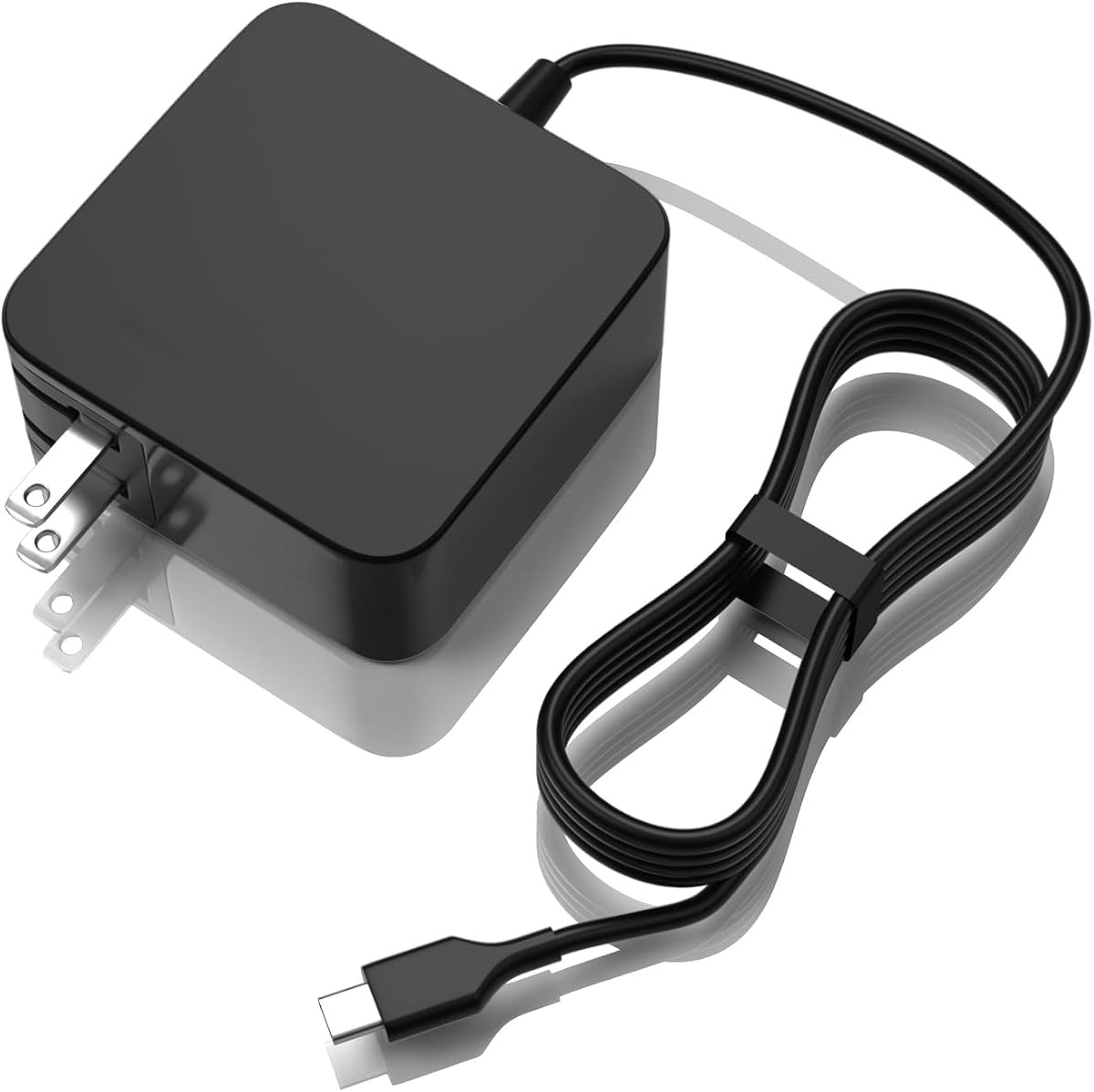
4.8Editor score
The table below places all ten chargers side by side, emphasizing connector type, rated output, power requirements, and the physical features that distinguish a round-barrel replacement from a USB-C adapter.


The Powseed Laptop Charger 65W Replacement for Asus VivoBook Zenbook Power Cord is a broad round-barrel charging solution with a 4.4 rating. Its main appeal is the combination of four interchangeable DC tips, support for 65W, 45W, and 33W output levels, and an unusually long list of compatible Vivobook, Zenbook, ExpertBook, and Chromebook families.
We may earn a commission when you buy through this link, at no additional cost to you.
The adapter accepts 100–240V input and provides a maximum of 19V 3.42A, or 65W. Interchangeable tips measure 4.5 by 3.0mm, 4.0 by 1.35mm, 3.0 by 1.0mm, and 5.5 by 2.5mm. That selection makes it easier to cover several ASUS notebooks without depending on a single fixed connector. A six-foot power cable, short-circuit protection, FCC certification, and CE certification add practical value.
The trade-off is that this is not a USB-C solution, and its compatibility list should be treated as a guide rather than a guarantee for every newer notebook. Its stated coverage includes popular Vivobook models such as the X540, X541, F510, F512, F515, M515, and X515 series, as well as several ZenBook 13, 14, and S-series models. Checking the original adapter label remains essential.
It is a strong choice for a household that owns more than one compatible ASUS notebook or wants one round-barrel charger with multiple tips. Buyers who need USB-C, require a 90W rating, or use a Pro, gaming, ROG, or other higher-power model should choose a more specialized adapter instead.
The four-tip system is the defining feature. It reduces the need to order a separate replacement whenever two supported ASUS laptops use different round barrel sizes, while the stated 65W, 45W, and 33W compatibility supports common power requirements across mainstream families.
Short-circuit protection, FCC certification, CE certification, and a two-year warranty make this package more reassuring than a basic replacement. The six-foot cord also provides enough reach for many desks without taking up excessive space.
We may earn a commission when you buy through this link, at no additional cost to you.
The Superer 65W Laptop Charger for ASUS VivoBook ZenBook, Chromebook carries a 4.4 rating and focuses on the most common circular charging socket used by many mainstream ASUS laptops. It is a practical replacement for users who need 65W, 45W, or 33W performance and want multiple connector sizes in one package.
We may earn a commission when you buy through this link, at no additional cost to you.
Its maximum output is 19V 3.42A, and the 100–240V input range suits use in regions with different mains voltage. The package contains the power adapter and four switchable round connectors. A major advantage is the 24-month manufacturer warranty, which is longer than the one-year coverage listed for several competing products.
Compatibility is not universal. The stated exclusions include TUF Gaming, ROG Strix, ROG Zephyrus, Flow, ProArt, Vivobook Pro, and Zenbook Pro families, along with several other models and connector formats. The charger is intended for round connectors and is explicitly unsuitable for USB-C, 7.4 by 5.0mm, and 6.0 by 3.7mm connections.
This is a sensible pick for a compatible Vivobook, Zenbook, Chromebook, Transformer, EeeBook, ImagineBook, or ExpertBook owner who values a long warranty and several connector tips. It is not appropriate for high-performance ASUS laptops, and buyers should compare the replacement tip with the original charger before purchase.
The 24-month manufacturer warranty stands out in this category. It provides more reassurance than the typical one-year coverage and makes the charger a practical long-term backup for a compatible household.
Four switchable round connectors cover common circular sockets while the 65W maximum accommodates several mainstream laptop generations. USB-C owners and users of high-power models should move to one of the specialized options in this guide.
We may earn a commission when you buy through this link, at no additional cost to you.
The Dexpt Charger Compatible with ASUS Laptop Round Port has a 4.4 rating and distinguishes itself with a 7.5-foot power cord and visible LED indicator. It is intended for standard Vivobook and Zenbook systems that use a round power connector and need no more than 65W.
We may earn a commission when you buy through this link, at no additional cost to you.
The charger supplies up to 19V 3.42A and is also presented as suitable for 45W and 33W devices. Four different detachable round connectors are included, while 100–240V input provides broad international compatibility. The long cable is useful when the outlet is far from the desk, while the LED provides a quick visual indication that the adapter is active.
There are meaningful exclusions. The product is not intended for gaming laptops or high-performance models requiring more than 65W. TUF Gaming, ROG Strix, Flow, Zephyrus, Vivobook Pro, Zenbook Pro, Chromebook Flip, and several ExpertBook configurations are specifically excluded. It also does not serve USB-C-charged devices.
This Dexpt adapter suits a standard ASUS notebook user who prioritizes reach and visible power status. The included tips make it a flexible household option, but it should be purchased only after confirming that the laptop uses a supported round socket and remains within the stated 65W limit.
At 7.5 feet, the cord is among the longer options here. That can reduce dependence on an awkwardly placed outlet and create more freedom when arranging a workspace, bedroom, or shared charging area.
The LED indicator is a small but useful feature. It lets the user confirm that the wall adapter is receiving power without repeatedly reconnecting the cable or inspecting the laptop.
We may earn a commission when you buy through this link, at no additional cost to you.
The 90W Charger Compatible with Asus Vivobook USB C earns a 4.6 rating by serving newer USB-C-powered ASUS notebooks with a higher rated output than conventional 65W replacements. It is especially relevant to owners of compatible Vivobook S, Vivobook 16X, and Zenbook 14X OLED systems.
We may earn a commission when you buy through this link, at no additional cost to you.
It accepts 100–240V at 50–60Hz and delivers up to 20V 4.5A, with a maximum output of 90W. The fixed Type-C connector eliminates the need to select a barrel tip. FCC, CE, and RoHS certifications are stated, along with overvoltage, short-circuit, and overcharge protection. The package contains the USB-C charger and an AC power cable.
Compatibility is tied closely to the laptop’s USB-C charging design and the original ASUS part number. Listed matching part numbers include ADP-90RB E, A21-090P2A, and related adapters, while the stated model list includes several Vivobook S, Flip OLED, K-series, M-series, and Zenbook 14X OLED systems. A USB-C port alone is not enough to guarantee compatibility.
Choose this option for a compatible modern ASUS notebook that uses a 90W USB-C charging standard and needs more headroom than a 65W adapter. Do not choose it for a laptop with a round barrel socket, and confirm both the port shape and original part-number requirements before ordering.
The 20V 4.5A rating delivers up to 90W, giving compatible newer machines more power headroom than a conventional 65W replacement. This makes the adapter more relevant for larger VivoBook and Zenbook configurations that support USB-C charging.
FCC, CE, and RoHS certifications accompany multiple stated safeguards. These details are particularly useful when selecting a third-party replacement for a computer used regularly at home, school, or work.
We may earn a commission when you buy through this link, at no additional cost to you.
The 90W USB C Fast Charger Compatible with Asus Vivobook Zenbook Laptops has the highest listed rating in the group at 4.8. It combines a 90W maximum output with multi-voltage USB-C charging, making it one of the strongest premium choices for compatible modern ASUS laptops.
We may earn a commission when you buy through this link, at no additional cost to you.
Output is listed at 5V 3A, 9V 3A, 15V 3A, and 20V 4.5A, while input covers 100–240V at 50–60Hz. The compatibility description includes multiple Vivobook S, 14X, 16X, and OLED systems, several Zenbook 14X models, and selected ExpertBook configurations. It also references ASUS part numbers A21-090P2A, 0A001-00059500, ADP-90RE BA, and ADP-90RE B.
Protection against short circuits, overvoltage, overcurrent, and internal overheating is stated. The package includes the 90W USB-C charger and a power cord. As with every replacement adapter, the detailed model list must still be checked because similar product names can conceal different charging protocols or connector requirements.
This is a compelling choice for a user with a compatible USB-C Vivobook, Zenbook, or ExpertBook who wants broad power profiles and a high-output adapter. It is unsuitable for round-barrel models and should not be assumed to work with every ASUS notebook merely because it has a USB-C port.
The four listed output settings allow the charger to negotiate an appropriate mode with a compatible device. Supporting up to 20V 4.5A is the key feature for laptops designed around the 90W USB-C standard.
The stated model coverage extends across several Vivobook, Zenbook, and ExpertBook lines, with additional matching part numbers. That breadth gives it more relevance for owners of newer USB-C systems than a basic fixed-voltage replacement.
We may earn a commission when you buy through this link, at no additional cost to you.
The USB-C 65W 45W AC Adapter Laptop Charger for Asus Chromebook ZenBook has a 4.4 rating and focuses on portable USB-C charging. It supports devices requiring up to 65W, including suitable 33W and 45W configurations, and works with any compatible device using the appropriate USB-C charging standard.
We may earn a commission when you buy through this link, at no additional cost to you.
Its input range is 110–240V at 50–60Hz, while the output is listed from 5 to 20V with a maximum current of 3.25A. The 5.9-foot cord is designed to fold at the wall plug, reducing bulk in a laptop bag. The stated model list includes many ASUS Chromebooks, several ZenBook series, ExpertBook B9 configurations, and the Vivobook S435.
The product is certified to CE, FCC, and RoHS standards and includes built-in protection. The manufacturer also states eligibility for a 30-day replacement or refund and provides an additional 12-month warranty. Those support terms are useful when buying a third-party electrical accessory for a compatible computer.
This adapter is best for a USB-C user who values portability and broad device support without needing 90W. It is less suitable for a modern ASUS notebook that requires a higher 90W charging profile, and it cannot serve a laptop with a round barrel connector.
The foldable wall plug and 5.9-foot cord balance reach with packability. The adapter is therefore more convenient for school, business trips, and shared workspaces than a bulky fixed-plug power brick.
Because the output supports 33W, 45W, and 65W devices, the charger can cover more than one compatible USB-C computer. That flexibility is valuable when the goal is a single adapter for a mixed device collection.
We may earn a commission when you buy through this link, at no additional cost to you.
The Nicpower 65W 45W Laptop Charger has a 4.4 rating and offers a straightforward replacement for compatible ASUS laptops with a round connector. It is presented as a one-for-many solution for mainstream Vivobook, Zenbook, EeeBook, and ExpertBook systems that stay within a 65W power limit.
We may earn a commission when you buy through this link, at no additional cost to you.
The output is 19V 3.42A, and the product is described as working with 45W and 33W laptops as well. The stated fit includes common Vivobook 14, 15, 16, and 17 families, Flip 14 and 15 models, S-series systems, Go models, and compatible Zenbook devices. A one-year manufacturer warranty is included.
Its detailed exclusions are important. USB-C, 7.4 by 5.0mm, 6.0 by 3.7mm, and 4.0 by 1.7mm connectors are unsupported. The listing also excludes numerous specific Vivobook and Zenbook model numbers, including many USB-C-equipped models such as UX325, UX3404, UX363, UX370, UX371, and several OLED series.
Buyers with an older or mainstream round-port ASUS notebook will find this a simple solution, especially if they want one fixed charger rather than a multi-tip adapter. It is not the best fit for modern USB-C systems, and the physical connector must be compared with the original charger before purchase.
The fixed round connector keeps the setup uncomplicated. For one known compatible laptop, this can be cleaner than carrying an adapter and several interchangeable tips that will never be used.
The compatibility range centers on established Vivobook, Flip, Go, Zenbook, EeeBook, and ExpertBook families. Buyers should still identify their exact model and inspect the original tip before considering this adapter.
We may earn a commission when you buy through this link, at no additional cost to you.
The 45W Laptop Charger Compatible with Asus VivoBook and ZenBook carries a 4.5 rating and is a focused replacement for lower-power ASUS notebooks. Instead of claiming broad 65W compatibility, it states a clear 19V 2.37A output and a fixed 4.0 by 1.35mm round connector.
We may earn a commission when you buy through this link, at no additional cost to you.
The charger is backward compatible with systems requiring 19V 1.75A, or 33W, and is listed for selected VivoBook E, L, X, and F series models, including the E402, X540, and F512. It also covers select ZenBook models such as UX305 and UX330 series, as well as the ASUS Chromebook C202SA. A six-foot attached cable and folding US two-prong plug support use at home, school, or while traveling.
Compatibility is intentionally narrow. It will not fit models requiring a 5.5mm outer-diameter tip, including certain X550 and X551 systems, and it cannot serve laptops with a 3.0mm tip or a USB-C port. The product is also not designed for phones, tablets, Kindles, or other mobile devices.
This charger is most appropriate for a known 33W or 45W ASUS laptop with the exact 4.0 by 1.35mm socket. It is a sensible targeted replacement, but users with a 65W requirement should select a higher-rated option rather than relying on this adapter.
The fixed 19V 2.37A rating makes this an appropriate choice for 45W notebooks and supports backward use with 33W models. It is better viewed as a precise replacement for a known specification than a general-purpose adapter.
The folding two-prong plug reduces the chance of damage or snagging in a bag. Combined with the six-foot cable, it provides a practical balance between portability and desk reach.
We may earn a commission when you buy through this link, at no additional cost to you.
The Dexpt 65W Laptop Charger Replacement for ASUS VivoBook ZenBook Chromebook has a 4.5 rating and offers a compact three-tip solution for common circular charging ports. It is designed for 65W, 45W, and 33W ASUS laptops whose current draw is no greater than 3.42A.
We may earn a commission when you buy through this link, at no additional cost to you.
Maximum output is 19V 3.42A, and input covers 100–240V. The included connector sizes are 4.5 by 3.0mm, 5.5 by 2.5mm, and 4.0 by 1.35mm, allowing the user to identify the appropriate tip for a compatible laptop. A one-year manufacturer warranty provides basic coverage.
The charger does not include USB-C, 6.0 by 3.7mm, or square-tip support. It should also be used only where the device accepts a 19V round-barrel connection and does not require more than 65W. As with every tip-based replacement, the physical socket and original output label are the most reliable compatibility checks.
This is a good value-oriented choice for a standard Vivobook, Zenbook, or compatible Chromebook owner who wants 65W capability and three likely tip sizes without paying for a premium 90W design. It is not appropriate for newer USB-C systems, Pro or gaming models, or users who specifically need a long attached cord.
The included 4.5 by 3.0mm, 5.5 by 2.5mm, and 4.0 by 1.35mm options cover several widely used round connectors. Testing each supplied tip before ordering can save the inconvenience of returning an unsuitable adapter.
A 65W maximum is sufficient for many mainstream ASUS notebooks, while stated support for 45W and 33W broadens its usefulness. The simple 19V profile makes it less complicated than a full multi-voltage USB-C adapter.
We may earn a commission when you buy through this link, at no additional cost to you.
The EERSY 65W Laptop Charger for Asus Vivobook 14 15 17 ZenBook Chromebook has a 4.8 rating and stands out for its exceptional range of round connectors. Five socket sizes are supported, giving it more potential coverage than most multi-tip alternatives in the guide.
We may earn a commission when you buy through this link, at no additional cost to you.
Its maximum output is 19V 3.42A, or 65W, and it is also stated to work with 19V 2.37A 45W and 19V 1.75A 33W laptops. The tips accommodate 4.0 by 1.35mm, 4.5 by 3.0mm, 3.0 by 1.1mm, 4.0 by 1.7mm, and 5.5 by 2.5mm sockets. The included cord measures 8.8 feet.
The compatibility information covers many Vivobook, Zenbook, Flip, Chromebook, and other ASUS families, plus a long list of original part numbers. Nevertheless, the presence of a similar round socket is not enough by itself; output requirements and the manufacturer’s supported list should both be checked.
This charger is a strong option for a household with several compatible round-port ASUS computers or for a user who wants a long cable. It should not be selected for a USB-C-only laptop, and its broad list of historical model references should be checked against the exact computer and original adapter.
The broad tip selection makes the adapter especially useful for owners of multiple compatible ASUS notebooks. It can accommodate five listed round socket sizes and three common output levels.
At 8.8 feet, the cord is the longest in this group. It offers considerable placement flexibility in offices, classrooms, and living spaces where the wall outlet may be far from the primary work area.
We may earn a commission when you buy through this link, at no additional cost to you.
Choosing a safe replacement requires matching the laptop’s charging port, voltage, current, and wattage rather than relying on the family name. The following factors explain the distinctions that matter most when comparing these chargers.
Begin by looking directly at the laptop’s power socket or the label and tip of the original adapter. Some ASUS Vivobook and Zenbook models use circular barrel connectors in several sizes, including 4.0 by 1.35mm, 4.5 by 3.0mm, and 5.5 by 2.5mm. Newer systems may instead use USB-C, sometimes identified by a small oval interface. A charger with multiple tips is useful only if one of those tips matches the device, and a USB-C charger cannot be inserted into a round socket.
The adapter’s maximum wattage should meet or exceed the laptop’s required power while its voltage and current remain compatible. A 65W charger commonly supports 65W, 45W, and 33W configurations in this round, while the two 90W USB-C choices are intended for higher-output USB-C models. A lower-wattage adapter may fail to charge properly or may not support the laptop while it is operating under heavier load. Compatibility with the voltage alone is not enough to establish that a charger is suitable.
Most of the round-barrel products in this guide provide up to 19V, commonly at 3.42A for 65W or 2.37A for 45W. The stated lower amperage models are intended for compatible 33W and 45W notebooks. USB-C adapters use multiple output profiles, allowing the laptop and charger to negotiate an appropriate mode. Reviewing the original adapter’s output line is one of the most reliable ways to avoid assumptions based solely on screen size or generation.
ASUS families contain exceptions. Gaming, ROG, TUF, Vivobook Pro, Zenbook Pro, Flow, and ProArt systems often have different power demands or connector formats. Some otherwise compatible series also include USB-C members that must be excluded from a round-tip charger’s list. The model exclusions supplied for each product are therefore as important as its positive compatibility claims. Use the exact model number, the physical charging port, and the original part number to make a final determination.
Cord length determines how freely a laptop can be positioned relative to an outlet. The options here extend from about five and a half feet to 8.8 feet, while some include a detachable power cable and others appear to rely on an attached wall plug. A shorter cord is easier to pack, while a longer cable can prevent the need for an extension cord. Buyers should also consider whether a folding plug and detachable connector would make storage easier.
Interchangeable connectors can make one charger useful across several compatible laptops. Powseed supplies four tips, while EERSY supports five listed sizes and Dexpt offers three. The additional tips are valuable in shared households, but they are not a substitute for checking the original socket. Models with a fixed connector are simpler for a single known device and often reduce the number of loose pieces that need to be carried.
The listed products include combinations of FCC, CE, and RoHS certification, along with protections such as short-circuit, overvoltage, overcurrent, overcharge, and overheating safeguards. These features indicate attention to safety, although certification claims should always be checked against the specific product rather than assumed from the brand alone. A reputable warranty and accessible customer support can provide additional confidence when a replacement is purchased outside the original manufacturer’s channel.
USB-C offers a compact, modern connector and increasingly high power ratings, but it is only relevant when the laptop supports the appropriate USB-C charging protocol. Round-barrel adapters remain useful for many older and mainstream Vivobook, Zenbook, and Chromebook systems. Some users may keep one of each as a home and travel setup. The right choice is determined by the device, not by whether USB-C appears more modern.
Before connecting the replacement, compare its output label with the label on the original ASUS adapter. Confirm that the voltage is appropriate, the maximum current and wattage are sufficient, and the connector matches the laptop. For a multi-tip model, inspect the tip carefully, attach the correct one, and avoid forcing it into the socket. The connector should enter smoothly without excessive looseness or resistance.
Connect the charger to a suitable wall outlet and then to the laptop. Keep the power brick uncovered and away from liquids, excessive heat, carpets, bedding, and cramped spaces where airflow is poor. Do not bend the barrel plug sharply or pull the cable from the connector. Route the cord so it cannot be crushed by furniture, caught in a door, or exposed to a sharp edge.
Unplug the adapter when it is not in use, especially before long trips or extended storage. Inspect the plug, socket, and cable for cracks, discoloration, heat damage, or a loose connection, and stop using a damaged charger. Store the cord loosely in a dry location, protect the connector from dust, and retain the tips in a small labeled pouch. For uncertain compatibility or a damaged laptop charging port, consult the laptop manufacturer or a qualified repair professional.
A 65W adapter should not be assumed to be suitable for a laptop that requires 90W. Even if the voltage and connector appear correct, the lower current may be insufficient for safe operation or full charging under heavy load. Check the original adapter label and the manufacturer’s requirements, and choose a 90W USB-C charger when the laptop is designed for that standard.
No. Round-barrel and USB-C connectors have different physical shapes and are not interchangeable. A round-tip charger cannot enter a USB-C port, and a USB-C plug cannot enter a round barrel socket. Some USB-C ports also support only data or a different charging profile, so the laptop’s charging specification must be confirmed.
Measure the outer diameter and inner opening of the round metal tip, not the cable or plastic housing. Common sizes in this category include 4.5 by 3.0mm, 4.0 by 1.35mm, and 5.5 by 2.5mm. Use calipers for an accurate result and compare both measurements with the replacement’s listed dimensions before ordering.
Only when the manufacturer identifies the lower-wattage adapter as compatible with that exact laptop. Some 45W replacements are stated to support 33W models, but that does not mean they are suitable for a 65W or 90W computer. Voltage, connector, current, and model support all need to align.
A compatible USB-C adapter with an output profile supported by that Zenbook is the correct choice. The 90W KAQIAR and 90W USB-C options provide higher power for compatible modern systems, while the LAP POW adapter supports up to 65W devices. Verify the exact Zenbook model and original part number before ordering.
Most of the 65W round-barrel products explicitly exclude gaming, ROG, TUF, and other high-performance families. Their power and connector requirements differ from those of mainstream Vivobook and Zenbook systems. A buyer with a gaming notebook should follow the charger specification supplied with that computer rather than relying on a broad family-name match.
The listed coverage ranges from one year to 24 months, with Powseed offering two years and Superer offering 24 months. Warranty length is only one consideration; compatibility, certifications, and the accuracy of the included model list remain more important. Keep the receipt and retain the original packaging in case support is required.
A multi-tip charger can support several compatible ASUS laptops that use the same voltage and fall within its power rating. Powseed includes four tips, EERSY supports five listed sizes, and Dexpt includes three. The laptop’s connector, output requirements, and exclusions must still be checked individually before using a shared charger.
The Powseed 65W Charger is the strongest all-around choice for a compatible round-barrel laptop because four tips, broad family coverage, safety certifications, and a two-year warranty add flexibility. The Dexpt 65W Charger is a practical budget-oriented option with three common connector sizes, while the KAQIAR 90W Charger leads the USB-C group for compatible modern Vivobook, Zenbook, and ExpertBook systems.
Connector type and output requirements should determine the selection before any other feature. A 65W multi-tip charger suits many mainstream notebooks, a targeted 45W adapter can be appropriate for a known 33W or 45W system, and 90W USB-C options serve compatible newer models that need greater output. Always check the original charger label, exact model number, and manufacturer exclusions.
Product listings and prices can change, so shoppers should recheck current availability, ratings, warranty terms, and specifications before purchasing. The goal is not simply an adapter carrying the right brand name, but one that matches the laptop’s port, voltage, current, wattage, and approved charging profile.