
Anyuse Portable Monitor
4.2Editor score
Lightweight 1.37-pound design
Dual full-featured USB-C ports
Built-in stereo speakers
A small second monitor can transform a crowded laptop workspace, a shared hotel desk, or a remote-work setup by adding room for documents, messages, charts, and video calls. The most useful model balances a compact footprint with a sharp display, straightforward connectivity, and enough portability to fit comfortably into a daily routine.
This guide compares ten small second monitor options across screen technology, resolution, port selection, speakers, viewing angles, stands, dimensions, and device compatibility. It includes slim portable displays designed for travel as well as a larger Dell model that may be better suited to a permanent desktop arrangement, so readers can choose by use case rather than size alone.
Each review explains the product's strongest features, practical limitations, and ideal buyer. Ratings and specifications reflect the supplied product information, while availability and pricing can change over time. The list is designed to help you identify the right second-screen format before comparing the latest offers.
4.2Editor score
4.8Editor score

4.4Editor score
As an Amazon Associate we earn from qualifying purchases.
The comparison below covers nine 15.6-inch portable monitors and one 23.8-inch desktop display, with a focus on resolution, connectivity, portability, and practical features. Because one model is materially larger, consider the suggested use cases rather than treating screen size as the only selection criterion.


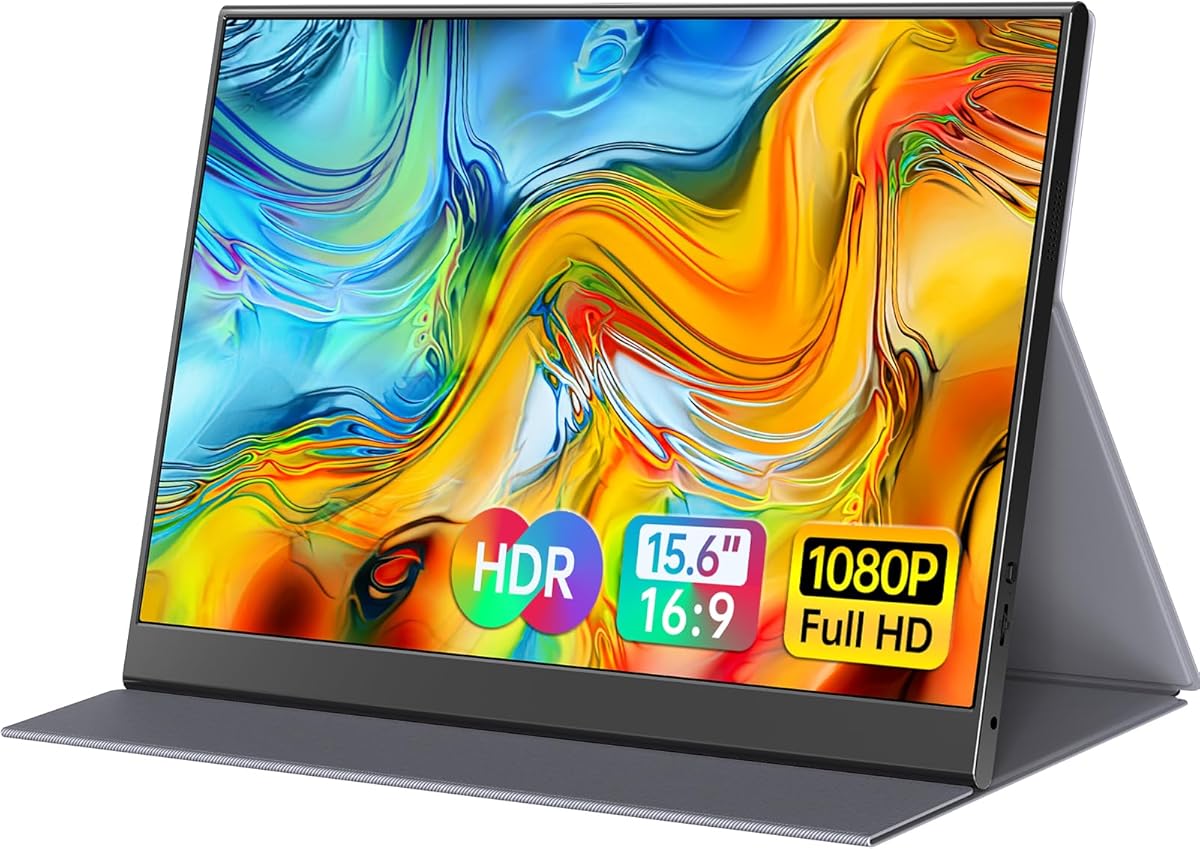


The MNN 15.6-inch Portable Monitor is a versatile second-screen option for people who want one display to follow them between a home office, meeting room, and travel bag. Its supplied rating is 4.3, and the strongest combination is a Full HD IPS panel, 60Hz refresh rate, HDR support, and multiple connection options. The glossy screen is designed to deliver bright, vivid imagery and broad viewing angles.
We may earn a commission when you buy through this link, at no additional cost to you.
Two full-featured USB-C ports simplify connections, with one cable able to carry both display output and power when the source device supports the required USB-C DisplayPort Alt Mode. Compatibility extends to laptops, phones, MacBooks, and several game consoles, although not every USB-C port supports video. Copy, extended, second-screen, and portrait modes give the display flexibility for presentations, document comparison, and narrow workspaces.
The main trade-off is the glossy finish, which can be more vulnerable to reflections than a matte display. Its 60Hz refresh rate also makes it better suited to office productivity, media viewing, and casual gaming than to competitive fast-motion gaming. Even so, the smart cover doubles as a stand, while landscape and portrait positioning makes the panel practical for frequent repositioning.
Choose the MNN if you want a single portable display that can handle several source devices and viewing orientations. It is especially useful for students, hybrid workers, and travelers who need more screen area without carrying a separate power supply. For buyers who prioritize a less reflective surface, the ForHelp is a more specialized alternative.
The full-featured USB-C connection can transmit both power and display signal, reducing cable clutter on a café table or in a shared meeting room. Confirm that your computer's USB-C port supports DisplayPort Alt Mode before expecting a completely single-cable setup.
Copy mode is useful for presenting, extended mode expands a desktop, and portrait mode makes the 15.6-inch panel useful for reading long documents, web pages, or chat conversations. These modes make the monitor more versatile than a simple mirrored display.
We may earn a commission when you buy through this link, at no additional cost to you.
The InnoView 15.6-inch Portable Monitor combines a 4.4 supplied rating with a feature set aimed at travelers, students, and office users. Its 1920 by 1080 IPS panel, 178-degree viewing angle, HDR support, low-blue-light features, and flicker-free presentation make it a straightforward choice for extending a laptop or displaying documents during meetings.
We may earn a commission when you buy through this link, at no additional cost to you.
Connectivity is handled by two full-featured USB-C ports and one HDMI port. A compatible USB-C source can receive both video and power through one cable, with reverse power pass-through support, while HDMI offers a useful alternative for devices without USB-C video output. The product is designed to work without applications or drivers, which reduces setup friction after arriving at a new workspace.
The durable protective cover doubles as a stand and uses grooves to provide some viewing-angle adjustment. Landscape and portrait modes are supported, making the display suitable for side-by-side research, shared presentations, or a narrow vertical workspace. One limitation is that the listed audio hardware is a single built-in speaker rather than a stereo pair, and the power cable is not included.
Overall, InnoView suits buyers who prioritize a balanced travel package and simple USB-C operation. It is a good choice for remote workers and students who need a reliable Full HD second display without a complicated setup. Anyone wanting stereo speakers and a more compact stated weight may find the Anyuse or MNN more aligned with those priorities.
The monitor's no-app, no-driver approach is valuable when productivity depends on a quick setup. Once the source device supports the correct USB-C video mode or an HDMI connection, the display can become an extended desktop with minimal configuration.
The scratch-resistant PU leather cover protects the panel in transit and folds into a stand for use. Its viewing grooves provide a degree of angle adjustment, while portrait support makes the screen useful for reading and vertical application layouts.
We may earn a commission when you buy through this link, at no additional cost to you.
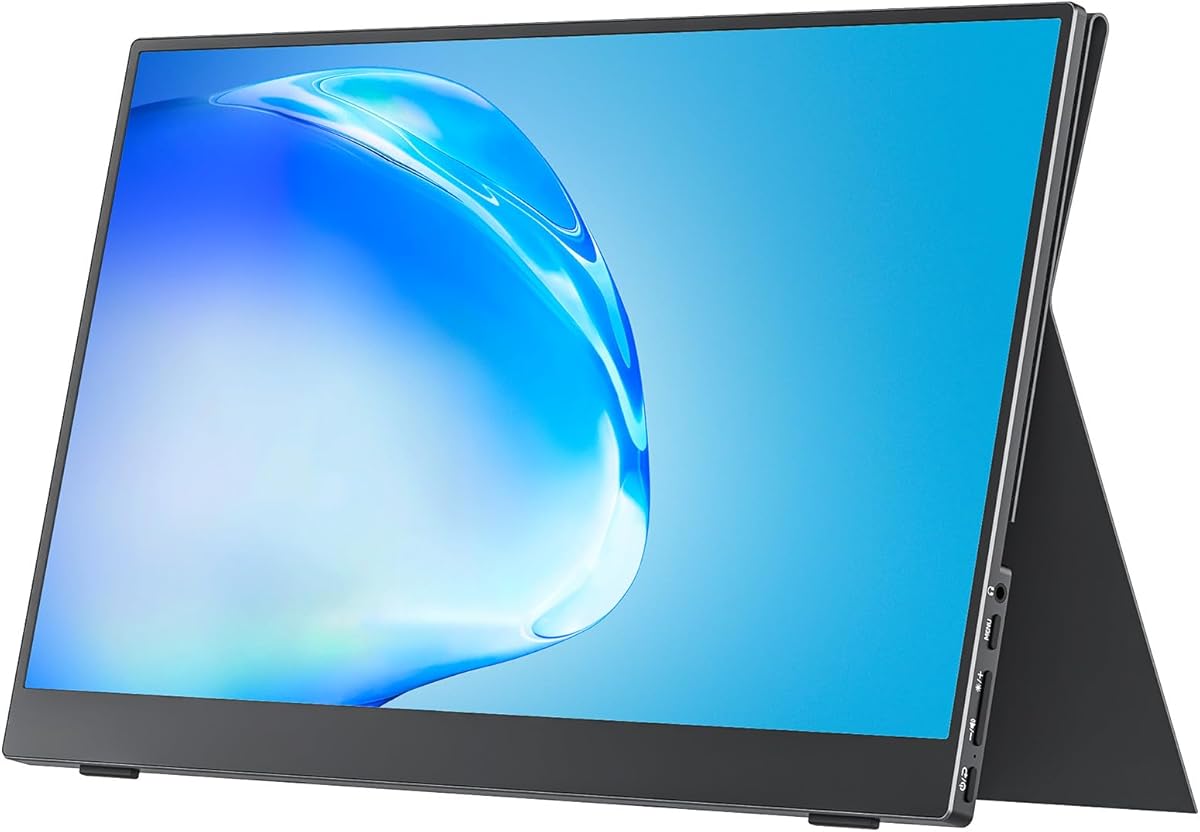
The Anyuse 15.6-inch Portable Monitor is a value-oriented travel display with a supplied rating of 4.2. It combines a Full HD A-grade IPS panel, 178-degree viewing angle, HDR support, and low-blue-light features, making it useful for general productivity, presentations, video viewing, and casual gaming without requiring a permanent desktop setup.
We may earn a commission when you buy through this link, at no additional cost to you.
Its most notable physical specifications are the listed 1.37-pound weight and 0.04-inch thickness. That slim profile should be easier to fit into a tight laptop bag than a conventional monitor. Two full-featured USB-C ports and one mini HDMI port provide several source options, while two built-in speakers add basic audio for a travel workspace.
Copy, extension, and second-screen modes support presentations and multi-task layouts. The mini HDMI port is smaller than a full-size HDMI connector, so owners of devices without that form factor may need an appropriate cable or adapter. As with the other USB-C-centric portable monitors, video operation depends on the source supporting USB-C DisplayPort Alt Mode.
The Anyuse is a strong choice for buyers who prioritize weight, simplicity, and useful extras over the highest supplied rating. It suits students, travelers, and hybrid workers who want to carry a second screen regularly. For buyers wanting a more established brand or extended warranty coverage, the ASUS ZenScreen is the premium-oriented alternative in this list.
A stated thickness of only 0.04 inches and weight of 1.37 pounds make this one of the most travel-conscious options shown. The low profile reduces bulk in a laptop sleeve, although the included cables and any protective solution should also be considered when packing.
The built-in stereo speakers can handle presentations, tutorials, and casual media viewing without requiring another device. They are not described as a replacement for a dedicated audio system, but they reduce the number of accessories needed for a temporary workstation.
We may earn a commission when you buy through this link, at no additional cost to you.
The ForHelp 15.6-inch Portable Monitor stands out for its matte IPS screen, aluminum alloy body, and supplied 4.4 rating. The 1920 by 1080 resolution and 178-degree viewing angle make it a practical dual-screen option for work, study, presentations, and entertainment in locations where reflections would otherwise be distracting.
We may earn a commission when you buy through this link, at no additional cost to you.
Two full-featured USB-C ports and one mini HDMI port provide flexible connectivity. Compatible laptops, phones, PCs, and gaming consoles can use the display without a separate application, while a USB-C cable can handle both power and video. Two built-in speakers add more audio capability than models offering only a single speaker.
The listed dimensions are 1.52 pounds and 0.3 inches, making the monitor thin but not quite as lightweight as the Anyuse. The smart cover protects the display, folds into a stand, and provides grooves for different viewing angles. One easily missed detail is that the HDMI connection is positioned on the left side, which can matter in constrained desk layouts.
ForHelp is best for buyers who work in bright offices, cafés, or shared spaces and prefer a matte screen. It also suits anyone wanting stereo speakers and an aluminum body in a portable package. Those who place the highest priority on minimum weight should compare the Anyuse and Yxk models instead.
The matte finish is especially helpful under overhead lighting or near windows. It can make text and interfaces easier to read while sharing a workspace, although brightness specifications are not provided in the supplied information.
The aluminum alloy construction gives the display a more substantial design, while the magnetic smart cover protects the panel and creates a stable stand. Grooves in the base allow a selection of viewing angles for different working positions.
We may earn a commission when you buy through this link, at no additional cost to you.
The Yxk 15.6-inch Portable Monitor is a slim travel display with a 1080p IPS panel, HDR support, and a 178-degree viewing angle. Its defining physical feature is the included VESA kickstand, which adds more placement flexibility than many folding-cover designs and makes the monitor easier to align with a laptop.
We may earn a commission when you buy through this link, at no additional cost to you.
The listed 1.43-pound weight and 0.31-inch thickness support its travel positioning. Two full-featured USB-C ports and a mini HDMI connection cover compatible laptops, PCs, Macs, phones, and several game consoles. Two built-in speakers and multiple display modes make it suitable for presentations, casual gaming, and expanded desktop work.
There is no numerical customer rating in the supplied product data, so this recommendation relies on its documented specifications and feature set rather than a rating comparison. Mini HDMI may require the correct cable or an adapter, and compatibility with USB-C video still depends on DisplayPort Alt Mode support on the source device.
The Yxk is a good match for buyers who want a VESA-style kickstand and stereo audio in a slim travel monitor. It works well for hybrid workers, students, and console users who need a second screen away from a desk. If a warranty or numerical rating is a more important purchasing signal, the InnoView or ASUS may offer clearer advantages.
The included VESA kickstand offers a practical way to raise, tilt, and position the display near a laptop screen. It can be more adaptable for different desks than a fixed cover, although it may take up slightly more space than a folding folio design.
At a listed 1.43 pounds, the Yxk is light enough for a mobile kit while retaining a sturdy kickstand and stereo speakers. USB-C and mini HDMI connectivity cover many source configurations, with no app or driver installation described.
We may earn a commission when you buy through this link, at no additional cost to you.
The Yodoit 15.6-inch Portable Monitor is among the more thoroughly specified models in this roundup, with a 4.4 supplied rating and clear details about brightness, response time, and portability. Its 1920 by 1080 IPS display combines 300 nits, a matte anti-glare coating, a 178-degree viewing angle, and a stated 2ms response time.
We may earn a commission when you buy through this link, at no additional cost to you.
It is designed for coding, study, presentations, media review, and light creative work. The anti-glare finish is intended to remain visible in bright sunlight, while dual speakers provide audio for presentations and quick previews. A smart cover supports protection and likely portability, complementing the supplied emphasis on a travel-oriented form factor.
USB-C provides a one-cable option for compatible MacBooks, Windows laptops, and USB-C phones. Mini HDMI paired with USB-C power supports game consoles and older devices. The description refers to both a 0.43-inch thickness and a 1.5-pound weight, then separately mentions 2.08 pounds and 943 grams including the case, so the final package weight wording is inconsistent and should be checked.
Yodoit is a strong consideration for buyers who prioritize a clearly stated brightness level, matte finish, and fast response time. It suits professionals who need a consistent second screen in bright locations. The weight discrepancy is the main reason to verify package specifications before ordering for frequent travel.
A specified 300-nit brightness and matte anti-glare surface address two common problems with portable displays: weak visibility and distracting reflections. These features are particularly relevant to outdoor work, bright rooms, and shared presentation spaces.
The stated 2ms response time is designed to support video playback and photo editing with reduced motion blur. It is not the same as a gaming-focused refresh-rate specification, but it adds useful responsiveness for everyday creative work.
We may earn a commission when you buy through this link, at no additional cost to you.
The cocopar Portable Monitor is the strongest all-around choice in this guide, combining the highest supplied rating, 4.8, with a broad collection of travel-friendly features. Its 15.6-inch 1920 by 1080 IPS display runs at 60Hz, offers a 178-degree viewing angle, and covers 85% of the sRGB color gamut.
We may earn a commission when you buy through this link, at no additional cost to you.
Two full-featured USB-C ports and an HDMI connection give the monitor flexible source options. A single USB-C cable can handle both power and display for compatible computers, while power pass-through supports reverse charging. The smart cover protects the display and becomes a stand, and two VESA holes allow mounting on a separate stand in landscape or vertical orientation.
At just under 4mm at the slimmest point and 1.5 pounds without the magnetic cover, the cocopar is designed to fit into a travel bag. Its stated 2.4-pound weight with the cover reflects the complete mobile kit. The 85% sRGB gamut is sufficient for general office and media use, though color-critical creative work may call for a wider-gamut panel.
This monitor is ideal for users who want a complete second-screen solution rather than a bare panel. It works especially well for remote work, business travel, virtual meetings, gaming, and content creation. Choose it when the combination of a protective cover, flexible stand options, broad connectivity, and strong supplied rating matters more than color-critical accuracy.
The magnetic smart cover serves as both protection and a flexible stand, reducing the need for a separate accessory. Its compatibility with VESA mounting adds another option for users who want a more permanent setup at a hotel or home desk.
Extend and mirror modes support productive multitasking and presentations, while the stated 60Hz panel and broad viewing angle suit everyday entertainment. The monitor also works with common laptops, consoles, and other compatible devices.
We may earn a commission when you buy through this link, at no additional cost to you.
The VILVA 15.6-inch Portable Monitor emphasizes material quality and straightforward connectivity. Its supplied rating is 4.3, and the main product features include a Full HD IPS screen, a textured metal body, dual stereo speakers, and a magnetic leather smart cover. Together, these details suit a polished travel and home-office setup.
We may earn a commission when you buy through this link, at no additional cost to you.
USB-C and HDMI connectivity allow the display to work with laptops, PCs, Macs, tablets, phones, Xbox consoles, PlayStation systems, and Nintendo Switch models when the source and cable configuration are compatible. The built-in stereo speakers are useful for travel entertainment, presentations, or a temporary workstation where carrying separate speakers would be inconvenient.
The cover provides whole-screen protection and folds into a stand. Included USB-C-to-USB-C and mini-HDMI-to-HDMI cables help with initial setup, though buyers using other port types should verify their cable requirements. Compared with several competitors, the supplied information gives less detail about refresh rate, brightness, viewing angle, and supported display modes.
VILVA is a good option for someone who values a metal finish, stereo audio, and a coordinated cover. It is appropriate for work, travel, and casual gaming, provided the available connection types suit your devices. Buyers who need exact brightness, response-time, or color-gamut information may prefer the more fully specified Yodoit or cocopar.
The high-strength metal body and fine texture create a more premium appearance, while the magnetic leather cover protects the screen and acts as a stand. This is a practical design for a display that moves between a home desk and a travel bag.
USB-C and HDMI provide two familiar connection routes, and the included cables simplify common laptop setups. Dual stereo speakers add useful sound without requiring an additional speaker, making the display practical for media and presentations.
We may earn a commission when you buy through this link, at no additional cost to you.
The ASUS ZenScreen MB16AHV is the premium choice for buyers who value refined portability, software integration, and warranty coverage. It has a supplied rating of 4.4 and pairs a 15.6-inch 1920 by 1080 anti-glare IPS display with a 10mm-thick body and listed weight of 0.9 kilograms.
We may earn a commission when you buy through this link, at no additional cost to you.
Its dual USB-C and mini-HDMI connections cover modern mobile workstations and other compatible sources. One USB-C cable can carry power and video while providing 15W power delivery, keeping a travel desk less cluttered. A fold-out kickstand offers angle adjustment, and a tripod socket provides another mounting option for buyers who want more precise positioning.
The key premium feature is ASUS DisplayWidget software, which can automatically rotate the image between portrait and landscape orientations. That is particularly useful when reading long documents or switching to a vertical workspace. The panel also has an ionic silver treatment stated to inhibit 99.9% of bacteria, along with flicker-free and low-blue-light technology for extended viewing.
The ZenScreen is a strong fit for digital nomads, developers, travelers, and professionals who will use the display repeatedly. Its three-year warranty and advanced replacement service add reassurance beyond the physical design. The tradeoff is that automatic rotation depends on compatible software, and buyers should verify that their device supports the required USB-C video mode.
DisplayWidget can automatically switch the screen when the physical orientation changes, removing the need to adjust display settings manually. This is especially useful for reading long pages, reviewing narrow documents, or viewing vertically oriented content.
A three-year warranty with advanced replacement and repair service makes the ZenScreen attractive for regular travel use. The ionic silver coating is also designed for shared workspaces, supplementing the anti-glare panel and eye-care technologies.
We may earn a commission when you buy through this link, at no additional cost to you.
The Dell S2425HSM is the conventional desktop alternative in this list. Its 23.8-inch Full HD panel, supplied 4.6 rating, 144Hz refresh rate, and 1ms moving-picture response time make it a strong choice for a permanent workspace where smooth motion and screen size matter more than portability.
We may earn a commission when you buy through this link, at no additional cost to you.
Unlike the 15.6-inch portable monitors, it provides height, tilt, pivot, and swivel adjustment, allowing a more precise and ergonomic setup. Two integrated 3W speakers deliver a wider range of frequencies than the smaller speaker arrangements common on travel displays, while HDMI provides straightforward computer connectivity.
AMD FreeSync support, a 1500:1 contrast ratio, and a four-star TÜV-certified eye-care feature set target a mix of entertainment and daily productivity. The supplied information also mentions Dell Display and Peripheral Manager, an application intended to optimize a broader Dell workspace. It should not be confused with a portable monitor: its larger footprint and stand are designed for a desk.
Choose the Dell if your definition of a second monitor prioritizes a larger viewing area, smooth motion, and ergonomic adjustment over a travel-friendly design. It is a better match for a home office or shared workstation than a laptop bag. If your priority is truly small and portable, the cocopar, ASUS ZenScreen, or another 15.6-inch model is the more appropriate category.
The 144Hz refresh rate and stated 1ms moving-picture response time provide a noticeable specification advantage over 60Hz portable displays. This makes the Dell more appropriate for high-frame-rate console or desktop use when the connected source supports the required output.
Height, tilt, pivot, and swivel controls make it easier to align the 23.8-inch panel with a laptop or primary desktop display. The adjustable stand is a meaningful advantage for a permanent second screen, though it sacrifices the packability of the smaller travel-oriented models.
We may earn a commission when you buy through this link, at no additional cost to you.
The best small second monitor depends on where it will be used, which devices you need to connect, and how much screen space you require. Resolution, source compatibility, physical dimensions, stand design, and eye-care features deserve careful attention before purchase.
For frequent carrying, prioritize low weight, a slim body, and a folding cover or compact stand. For occasional use in one location, a larger screen with better stand adjustment may be more valuable.
Choose IPS for consistent viewing angles and a matte finish for bright rooms, or glossy for a more reflective but potentially vivid presentation. Check color-gamut figures when accurate creative work is a priority.
Verify your computer's video-output capability before buying. Keep HDMI or the appropriate adapter available for devices that cannot send display signals through USB-C.
Extended and portrait modes are essential for reading-heavy workflows. Automatic rotation is a convenience worth considering if you frequently switch the monitor's physical orientation.
Choose a cover for a compact travel bundle, a kickstand for quick everyday positioning, or mounting hardware for a more permanent setup. Check the included accessories before ordering extra stands.
For regular media use, favor stereo speakers and adequate power. For serious listening, continue to use headphones or external speakers regardless of the monitor's built-in audio.
Low-blue-light and flicker-free claims can improve comfort, while an anti-glare surface is especially useful in bright rooms. Arrange the display at a comfortable distance and angle regardless of the listed eye-care features.
Long-term warranty coverage and useful management software can outweigh a small specification difference. Confirm warranty terms, included accessories, and software compatibility before making the final choice.
Before connecting the display, inspect the USB-C and HDMI ports and confirm that your source device supports the required video mode. For USB-C operation, look for Thunderbolt 3.0 or 4.0 or USB 3.1 Type-C with DisplayPort Alt Mode. Connect the appropriate cable, power the monitor if required, and select the matching input on the display. Then choose extended, copy, or portrait mode in your computer's display settings.
Position the screen directly in front of you rather than placing it far to one side, which can cause neck strain. Use the folding cover, kickstand, VESA mount, or tripod socket to stabilize the panel and adjust its angle. For a permanent desktop arrangement, raise the second screen so its top edge is close to eye level and align it with the primary display to reduce visual eye movement.
Clean the screen with a soft, lint-free cloth slightly dampened with water, and avoid harsh cleaners or spraying liquid directly onto the panel. Do not press too firmly against the display or use abrasive materials. When traveling, fold the smart cover over the screen, secure the cables, and place the monitor in a padded compartment to prevent scratches and pressure damage.
A 15.6-inch portable monitor is the most practical small format for most laptop users because it provides a Full HD workspace without requiring substantial desk space. Smaller displays are easier to carry but can make document editing and multitasking less comfortable. A larger desktop monitor may be preferable when portability is not important.
Yes, when both the monitor and source device support the appropriate USB-C video mode. Most models in this guide use full-featured USB-C ports that can carry display video and power over one cable. Your computer must support Thunderbolt 3.0 or 4.0, or USB 3.1 Type-C with DisplayPort Alt Mode, and some phones may have more limited video-output support.
No. A USB-C port can provide data, charging, video, or a combination depending on the device. A charger-only or data-only port will not drive the portable display. Check the manufacturer's specifications for DisplayPort Alt Mode, Thunderbolt, or USB-C video-output support before purchasing.
A matte display is usually better in bright offices, cafés, and shared workspaces because it reduces reflections and preserves text readability. A glossy panel can look more vibrant in controlled lighting but may create distracting reflections. The MNN uses a glossy finish, while the ForHelp and Yodoit specify matte surfaces.
It can be useful for casual gaming, console play, and a larger viewing area than a laptop provides. Models with 60Hz panels, such as the cocopar and MNN, are not optimized for competitive high-refresh-rate gaming. The Dell S2425HSM offers 144Hz and a 1ms moving-picture response specification for a smoother permanent desktop alternative.
Many can receive both power and video through a compatible USB-C cable, allowing a genuinely single-cable setup. Some source configurations, especially through HDMI, may require separate power. The InnoView description specifically notes that its power cable is not included, so check the package contents before traveling.
Most of the 15.6-inch models in this guide support portrait orientation directly or through their cover and stand arrangements. The cocopar also offers VESA holes for vertical mounting, and the ASUS can rotate automatically through DisplayWidget. Device support and compatible mounting accessories should be confirmed before setup.
They are generally sufficient for video-call audio, presentations, and light media use. Models with dual speakers, including the Anyuse, ForHelp, Yodoit, VILVA, MNN, and Yxk, offer more flexibility than a single-speaker design. For music or call clarity in a noisy environment, headphones or external speakers remain preferable.
The cocopar Portable Monitor is the strongest all-around recommendation, combining the highest supplied rating with a Full HD IPS display, USB-C and HDMI connectivity, a protective smart cover, VESA mounting, and a highly portable profile. The Anyuse is the best budget-oriented choice for anyone who prioritizes minimal weight, an extremely thin body, and built-in stereo speakers.
Choose the ASUS ZenScreen MB16AHV when software convenience, automatic rotation, premium construction, and a three-year warranty are priorities. For lighter travelers, the MNN, InnoView, ForHelp, Yxk, and VILVA each offer different combinations of covers, stands, matte or glossy finishes, and connectivity. The Dell is best reserved for a permanent desk because its larger size and extensive adjustment options suit gaming and sustained office use.
Before ordering, confirm the source device's USB-C video support, identify which cables and adapters you already own, and consider the lighting in your typical workspace. Product ratings, availability, and pricing can change, so check the latest listing and current offer before making a final purchase.