
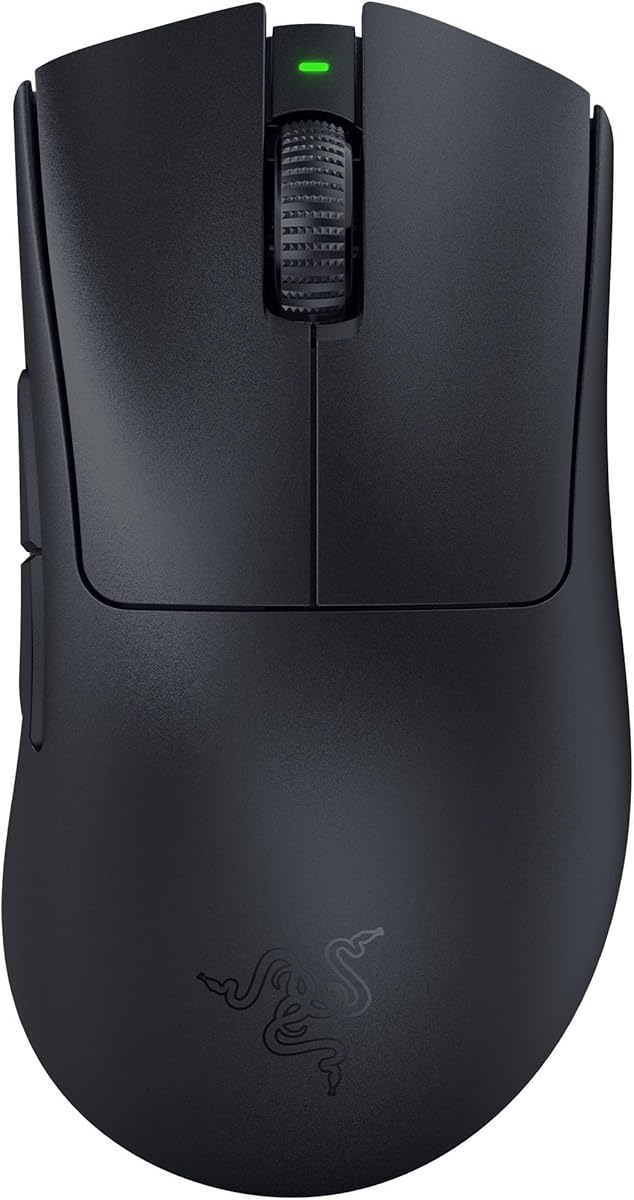
Razer Cobra Wired Gaming Mouse
4.5Editor score
58g lightweight wired design
0.2ms optical actuation
Adjustable 50-DPI increments
Our expert guide compares the 10 best Mouse for FPS Aiming options, evaluating sensors, switches, weight, wireless latency, grip, and customization for
A mouse built for FPS aiming must translate small corrections into clean, immediate movement while remaining stable during rapid turns, clicks, and long matches. Sensor precision, switch response, weight, grip compatibility, wireless stability, and build quality all influence how naturally a mouse supports your aim.
This guide compares ten gaming mice using the supplied specifications, customer ratings, connectivity options, physical design, and advertised performance features. It covers lightweight esports shells, ergonomic wired models, wireless competition mice, adjustable-weight designs, high-polling systems, and configurable controls for different playstyles.
Each pick highlights a distinct approach to competitive aiming, from a value-focused wired mouse to ultra-lightweight wireless options and premium rapid-trigger technology. Ratings and specifications reflect the available product information, while prices and availability can change, so confirm current details before purchasing.
4.5Editor score

4.6Editor score

4.5Editor score
The table below compares the ten recommendations across their most important aiming attributes, including sensor performance, switch response, weight, connectivity, and control features.



The Razer Basilisk V3 is a feature-rich wired gaming mouse that combines an ergonomic thumb-rest shape with precise sensor performance and extensive customization. Its 4.6 rating reflects a well-regarded feature set, while the 26,000-DPI Focus Plus sensor, zero-smoothing tracking, and 0.2ms optical switch actuation make it well suited to demanding FPS sessions.
We may earn a commission when you buy through this link, at no additional cost to you.
The Basilisk V3 particularly appeals to players who want more controls than a conventional competitive mouse provides. Eleven programmable buttons can carry secondary functions, macros, communications commands, and weapon or skill shortcuts. The Hyperscroll tilt wheel can free-spin for rapid movement or provide tactile feedback when players need finer scrolling control, while 11 Chroma RGB lighting zones add visual customization without changing core aiming behavior.
Its primary compromise is that the ergonomic, fully equipped form is not as light or narrowly focused as many esports shells. The wired connection eliminates battery management and potential wireless interference, which can benefit players who want a stable, always-ready desktop setup. However, those who prioritize the lightest possible hand movement or a completely uncluttered button layout may prefer a more specialized competition mouse.
This is a strong recommendation for FPS players who value precise tracking, plentiful controls, and a supported shape over minimal weight. It is especially suitable for hybrid gaming sessions in which an MMO, MOBA, or tactical shooter benefits from customizable side controls. For a lightweight, button-light competitive alternative, consider the Razer Cobra or SteelSeries Prime.
The Focus Plus 26K optical sensor is designed to register movement without smoothing, supporting crisp micro-adjustments and controlled flicks. Razer also recommends disabling Windows pointer enhancement and optimizing settings through Synapse for the most consistent behavior.
Eleven programmable buttons and the dual-mode Hyperscroll wheel make this mouse useful when an FPS includes inventory management, communication shortcuts, or ability commands. The thumb rest also provides a stable anchor for broad aiming movements.
We may earn a commission when you buy through this link, at no additional cost to you.
The Razer Viper V3 HyperSpeed is a 4.4-rated wireless mouse designed around consistent movement, efficient tracking, and dependable operation. Its 82g chassis is not the lightest option in this guide, but the centralized mass distribution is intended to create smooth, balanced swipes rather than a noticeably weighty feel.
We may earn a commission when you buy through this link, at no additional cost to you.
The FOCUS Pro 30K optical sensor is positioned toward the front of the mouse and supports tracking on a wider variety of surfaces, including glass. This can be valuable for players who move between desks, mats, and unconventional surfaces. The mouse also provides five DPI stages accessible from a top-mounted button, allowing sensitivity changes without leaving the game, plus mechanical Gen-2 switches rated for 60 million clicks.
Wireless performance is the defining attraction. Razer emphasizes a low-latency HyperSpeed connection that remains stable in noisy wireless environments, while the stated battery life reaches up to 280 hours on one AA battery. That makes the Viper V3 HyperSpeed a practical tournament mouse because it avoids frequent charging. It does not list the extreme 8,000Hz polling or rapid-trigger options found on more specialized premium models.
Choose this mouse if you want a proven wireless ecosystem, long battery life, and a shape designed to support consistent swipes. It is well suited to players who value a balance of features rather than the absolute minimum weight or the most aggressive click customization. Those seeking a 49g shell or tunable trigger may find the Razer Viper V4 Pro more aligned with their needs.
HyperSpeed wireless is designed to maintain a smooth, stable connection in congested wireless environments. Combined with the long advertised battery life, it reduces the practical interruptions associated with charging or changing batteries during competitive play.
A top-mounted control lets players cycle through five DPI stages or remap that control to another command. This can be useful when switching between a scoped view and a wider aiming sensitivity without searching for a separate configuration panel.
We may earn a commission when you buy through this link, at no additional cost to you.
The Logitech G PRO X2 SUPERSTRIKE is a high-performance wireless mouse built around trigger control, accurate tracking, and fast polling. It carries a 4.6 rating, and its most distinctive feature is the Haptic Inductive Trigger System, which provides real-time feedback while allowing ten actuation levels and five rapid-trigger reset levels.
We may earn a commission when you buy through this link, at no additional cost to you.
The HERO 2 sensor tracks at more than 888 IPS, 88 g-force, and up to 44,000 DPI. Those specifications place it among the most ambitious sensors featured in this guide, while LIGHTSPEED Wireless supports an advertised lag-free 8 kHz polling rate. A rechargeable design provides 60–90 hours of battery life, and the included USB-A-to-USB-C cable supports wired use.
Logitech designed the mouse alongside esports athletes, and the 0.7mm thin-wall case keeps the structure lightweight without abandoning durability. Extra-large UHMWPE feet are intended to reduce glide resistance. The advanced trigger configuration requires G HUB, while the optional POWERPLAY 2 system is sold separately, so buyers should consider both software and accessory requirements before committing.
This is our top choice for players who want unusually deep click customization alongside premium tracking and high-frequency wireless communication. It is particularly relevant to competitive shooters where trigger behavior can influence firing rhythm and accidental shots. The Razer Viper V4 Pro is a lighter alternative, while the Corsair M65 RGB ULTRA offers a more conventional wired experience with an 8,000Hz polling rate.
Ten actuation points and five rapid-trigger reset levels let players tune how early a click registers. Haptic feedback provides confirmation that the trigger has actuated, helping the user understand the configured behavior without relying on visual cues.
The combination of LIGHTSPEED Wireless and an advertised 8 kHz polling rate targets rapid communication between mouse and computer. The HERO 2 sensor adds high-speed tracking specifications for players making large corrections across the screen.
We may earn a commission when you buy through this link, at no additional cost to you.
The Corsair NIGHTSWORD RGB is a 4.5-rated FPS and MOBA mouse distinguished by its unusually thorough weight and balance adjustment system. Rather than offering one fixed handling feel, it lets players move the mouse's center of gravity and vary its total mass to match personal preferences.
We may earn a commission when you buy through this link, at no additional cost to you.
Corsair's software automatically detects the center of gravity in real time, and two sets of weights across six mounting locations create 120 advertised weight and balance combinations. Total weight can be adjusted from 119g to 141g. This makes the NIGHTSWORD particularly attractive to players who feel some mice are too light, too heavy, or improperly balanced during flicks.
The native 18,000-DPI Pixart PMW3391 sensor supports sensitivity changes in one-DPI increments, giving serious players exceptional granularity. Ten fully programmable buttons support macros and remaps, while the contoured shell and high-performance rubber grips are intended to remain comfortable across a range of grips. The tradeoff is that this is a heavier, wired design, not an ultralight wireless tournament shell.
The NIGHTSWORD RGB is recommended for players who actively fine-tune their setup and can identify a meaningful difference between balance configurations. It is less compelling for someone seeking minimal weight or battery-free operation. Those priorities are better met by the Razer Cobra, SteelSeries Prime, or one of Razer’s Viper models.
The ability to relocate weights in six positions changes more than total mass; it can shift how the mouse feels during a flick. The software-guided center-of-gravity detection helps players compare configurations and settle on a balance that suits their movement style.
One-DPI resolution steps allow extremely small sensitivity changes compared with conventional presets. This is useful for players who want to fine-tune a proven setup rather than repeatedly moving between broad sensitivity ranges.
We may earn a commission when you buy through this link, at no additional cost to you.
The Razer Cobra is a 4.5-rated wired gaming mouse that offers a focused mix of low weight, fast switches, and straightforward aiming performance. At 58g, it is among the lighter products in this guide, while its shape is designed to fit most grip styles and support quick corrections during competitive play.
We may earn a commission when you buy through this link, at no additional cost to you.
The Gen-3 optical switches advertise a 0.2ms actuation time, no debounce delay, and a 90-million-click lifecycle. Sensitivity can be adjusted in 50-DPI increments, which is less granular than the NIGHTSWORD but sufficient for regular tuning. A flexible SpeedFlex cable is designed to minimize drag, and 100% PTFE feet cover the front, rear, and sensor ring to support smooth movement.
The Cobra does not offer wireless operation or a rapid-trigger system, so it is not aimed at players who need those features. However, the wired connection avoids battery management and keeps the design comparatively simple. Chroma gradient underglow provides visual personalization, though it is not central to aiming performance and can be turned off through the appropriate software controls.
This is a strong choice for an FPS player seeking a light, responsive wired mouse without moving into the premium wireless category. It is also easy to recommend to players who dislike narrow, right-handed esports shells and want a shape designed for several grip approaches. The SteelSeries Prime offers a similar lightweight focus with a more explicitly esports-oriented design.
The 58g shell is easy to move across a pad without the deliberate effort often required by heavier ergonomic mice. Its general-purpose shape also gives players who alternate between palm, claw, and fingertip grips more options than a narrowly sculpted competition shell.
The SpeedFlex cable and full PTFE foot coverage support free movement, while the optical switches provide a short stated actuation time. Together, these features target the consistency required for rapid clicking and repeated aiming corrections.
We may earn a commission when you buy through this link, at no additional cost to you.
The NSYCA G11 is a 4.4-rated wireless mouse aimed at FPS, MOBA, MMO, and competitive play, with particular attention to flexible connectivity. It supports Bluetooth 5.1, 2.4GHz wireless, and USB-C wired modes, allowing it to move between a gaming PC, laptop, Mac, and productivity setup.
We may earn a commission when you buy through this link, at no additional cost to you.
Its PAW3311 optical sensor is adjustable up to 22,000 DPI, and the mouse offers a stated 1,000Hz polling rate. A dedicated Fast Trigger Button is designed to improve rapid clicking without complicated initial setup. Six programmable buttons, three independent side buttons, DPI controls, macro support, and RGB customization are managed through the supplied driver software.
The hollow honeycomb shell promotes airflow and reduces hand fatigue, while the rechargeable 500mAh battery supports play while charging. Its primary limitation relative to premium competition mice is the 1,000Hz polling rate, which is below the 8,000Hz options offered by the Logitech G PRO X2 SUPERSTRIKE, Razer Viper V4 Pro, and Corsair M65 RGB ULTRA. The driver download is also an extra setup step.
The G11 makes sense for players who need one mouse across gaming and non-gaming devices or who want physical controls beyond standard DPI selection. It provides more connectivity flexibility than the wired recommendations. For tournament-level high-frequency polling, however, a premium wireless model is the stronger choice.
Bluetooth, 2.4GHz, and wired USB-C modes make the G11 adaptable to different computers and use cases. The 2.4GHz mode is the appropriate choice for the intended gaming connection, while Bluetooth offers a convenient option for general desktop work.
The dedicated Fast Trigger Button gives players a direct way to modify click behavior, and the side controls can be assigned to abilities, weapons, or communication functions. These physical inputs are useful once players learn their positions without looking away from the game.
We may earn a commission when you buy through this link, at no additional cost to you.
The Corsair M65 RGB ULTRA is a 4.2-rated wired FPS mouse that combines an established ergonomic shape with a high polling rate and advanced tracking features. Its anodized aluminum frame gives it a substantial construction, while the Marksman 26,000-DPI optical sensor is rated to track at up to 650 IPS.
We may earn a commission when you buy through this link, at no additional cost to you.
Its standout technical feature is native 8,000Hz polling through AXON Hyper-Processing Technology. That frequency is designed to transmit movement and click data more frequently than conventional gaming mice, which can benefit players who want highly responsive inputs. The sensor fusion system combines a six-axis gyroscope and accelerometer to support a very low lift-off distance when the mouse is repositioned.
The left and right clicks use optical switches for fast, precise responses, and the familiar M65 shape is designed for players who prefer a more ergonomic grip than a minimal esports shell. The trade-offs are the cable and the additional weight associated with the aluminum frame. It also does not provide the advanced trigger actuation options highlighted by the Logitech G PRO X2 SUPERSTRIKE.
The M65 RGB ULTRA is recommended for FPS players who prioritize polling frequency, a durable frame, and accurate lift-off behavior. It works especially well as a stable wired mouse for a fixed gaming station. Players who need mobility and a lighter shell may prefer the Razer Viper V3 HyperSpeed or Razer Viper V4 Pro instead.
An 8,000Hz polling rate is the M65 RGB ULTRA's defining advantage. It is intended to keep movement and clicks current between the mouse and computer, supporting players who value rapid input updates on a wired connection.
Sensor fusion supports an ultra-low lift-off distance, reducing unwanted cursor movement when the mouse is lifted and reset. The Marksman sensor's 650 IPS capability complements this focus on accurate placement and movement.
We may earn a commission when you buy through this link, at no additional cost to you.
The SteelSeries Prime is a 4.3-rated esports mouse developed with input from more than 100 professional players. Its 69g weight and specialized right-handed shape place it firmly in the competitive FPS category, while the TrueMove Pro sensor emphasizes predictable tracking with true 1-to-1 lift and tilt behavior.
We may earn a commission when you buy through this link, at no additional cost to you.
Its magnetic optical switches are advertised as delivering faster click response and a 100-million-click lifespan. The sensor offers 18,000 CPI, 450 IPS, and 50G of acceleration, providing plenty of tracking headroom for common competitive settings. Five programmable buttons and RGB lighting allow some personalization without turning the mouse into a productivity device.
SteelSeries states that the shape works with fingertip, palm, and claw grip styles, although it was engineered specifically for right-handed players. The mouse is considerably lighter than the Basilisk V3, NIGHTSWORD RGB, and M65 RGB ULTRA, yet it does not match the 49g weight or 8,000Hz polling of the Razer Viper V4 Pro. It is also wired.
The Prime is a strong recommendation for right-handed FPS players who want a proven esports form and a lightweight build. Its sensor specification and switch durability are appealing for competitive use. Players who prefer wireless, left-handed layouts, or exceptionally low weight should explore other options in this guide.
The Prime's right-handed sculpt is intended to remain comfortable during demanding FPS play while supporting common grip styles. Its low weight helps players move through repeated corrections without creating excess resistance on the pad.
True 1-to-1 lift and tilt tracking is designed to keep sensor output aligned with actual mouse movement. This focus on consistency makes the Prime relevant for players who frequently lift, reposition, or make quick changes in direction.
We may earn a commission when you buy through this link, at no additional cost to you.
The Razer Viper V4 Pro is a 4.5-rated wireless esports mouse built around a 49g chassis, true 8,000Hz polling, and high-speed tracking. It represents the most aggressively performance-focused combination of low weight and high-frequency wireless communication in this guide.
We may earn a commission when you buy through this link, at no additional cost to you.
The Focus Pro 50K optical sensor tracks at up to 930 IPS and 90G of acceleration, while Frame Sync aligns sensor data with the computer to reduce latency. HyperSpeed Wireless Gen-2 promises improved speed, reliability, power efficiency, and 55% lower latency. The optical scroll wheel uses optical rather than mechanical actuation for consistent tracking, durability, and tactile feedback.
Battery life depends on the selected polling mode: up to 180 hours at 1,000Hz or 45 hours at 8,000Hz. That distinction is important because maximum polling and maximum endurance cannot both be maintained simultaneously. Gen-4 optical switches provide a tactile click feel and a stated 100-million-click lifespan, while Synapse 4 supports detailed sensitivity and 1-DPI adjustments on PC and Mac.
This mouse is ideal for competitive players who want minimal hand resistance, wireless freedom, and very high polling in one package. It is our premium recommendation for ultra-lightweight aiming. The Logitech G PRO X2 SUPERSTRIKE may appeal more to players who prioritize trigger customization, while the DeathAdder V3 Pro offers a roomier ergonomic shape.
At 49g, the Viper V4 Pro is the lightest recommendation here. The streamlined design is intended to let the hand redirect quickly, which can benefit players who favor quick flicks and frequent course corrections.
Players can prioritize a long battery life at 1,000Hz or maximum polling performance at 8,000Hz. This flexibility allows the mouse to suit long practice sessions as well as short, high-intensity competitive matches.
We may earn a commission when you buy through this link, at no additional cost to you.
The Razer DeathAdder V3 Pro is a 4.3-rated wireless mouse that combines a 63g weight with the familiar DeathAdder ergonomic shape. Developed in partnership with esports professionals, it offers a roomer hand position than many competition shells while retaining a focused button layout.
We may earn a commission when you buy through this link, at no additional cost to you.
The FOCUS Pro 30K optical sensor supports accurate tracking on a wider variety of surfaces, including glass. Gen-3 optical switches advertise a 90-million-click lifecycle, zero double-clicking issues, and 0.2ms actuation without debounce delay. These characteristics make the mouse suitable for players who want quick clicking in a shape that supports longer sessions.
HyperSpeed Wireless is designed to remain smooth and stable in noisy wireless environments, while the rechargeable battery provides up to 90 hours of continuous play. The mouse does not state an 8,000Hz polling rate, adjustable rapid-trigger levels, or a battery figure as high as the Viper V4 Pro. Its 63g weight is also heavier than the 49g Viper V4 Pro but lighter than most ergonomic alternatives.
The DeathAdder V3 Pro is a strong all-around recommendation for players who want wireless freedom, low weight, and a proven ergonomic form. It is a sensible middle ground between the extremely light Viper V4 Pro and the feature-heavy Basilisk V3. Players who need advanced trigger tuning may prefer the Logitech G PRO X2 SUPERSTRIKE.
The DeathAdder form provides a more substantial hand position than ultra-slim esports shells, yet the stated 63g weight keeps it relatively light. This balance can suit players who want agility without an extremely minimal shape.
The Gen-3 optical switches combine short actuation with a long advertised lifespan. Their no-debounce design is intended to make rapid repeated clicks more consistent, while the sensor supports tracking across multiple surfaces.
We may earn a commission when you buy through this link, at no additional cost to you.
FPS aiming depends on the interaction between the mouse, grip style, sensitivity, surface, and game settings. The following factors help narrow the field according to the kind of competitive experience you want.
A responsive optical sensor should translate physical movement into consistent cursor movement, including slow corrections and fast flicks. The recommendations here range from 18,000 to 50,000 DPI, but the maximum figure alone does not determine quality. Tracking speed, acceleration behavior, lift-off handling, and surface support also influence real-world aiming. Forward sensor placement, as featured in the Razer Viper V3 HyperSpeed, can be useful when the player needs a predictable relationship between hand movement and cursor position.
Fast optical switches can reduce mechanical delay and provide a consistent click. Several models advertise 0.2ms actuation, while the Logitech G PRO X2 SUPERSTRIKE goes further with ten actuation levels and haptic trigger feedback. If your game rewards deliberate trigger control, configurable actuation may be more useful than a conventional binary click. If you switch between games, confirm that the mouse software is compatible with the titles and applications you use.
A lighter mouse generally requires less effort to redirect, while a heavier or more balanced model can feel planted during slow tracking. The guide includes options from 49g to adjustable configurations between 119g and 141g. Weight should be considered alongside shape: a poorly balanced lightweight mouse can still feel awkward. Players who enjoy tuning their equipment may appreciate the NIGHTSWORD RGB's multiple weight positions, while competitive players seeking rapid flicks may prefer the Viper V4 Pro or Cobra.
A comfortable mouse should fit the way you hold it. Palm grip favors a broad, supported shape, fingertip grip benefits from a compact profile and distinct control points, and claw grip balances both. The Razer Cobra is designed for most grip styles, while the SteelSeries Prime is a right-handed esports shape that supports fingertip, palm, and claw approaches. The Basilisk V3 and DeathAdder V3 Pro provide more sculpted ergonomic positioning for players who prefer a fuller hand support.
Wireless mice now offer strong performance, but polling rate remains an important distinction. The Logitech G PRO X2 SUPERSTRIKE, Razer Viper V4 Pro, and Corsair M65 RGB ULTRA feature 8,000Hz polling, although the first two are wireless and the M65 is wired. The G11 uses 1,000Hz polling, while the Razer Viper V3 HyperSpeed emphasizes connection stability and battery life. Consider the entire system: receiver placement, USB port, interference, and battery mode can all influence the practical experience.
Battery life determines how much planning a mouse requires. The Viper V3 HyperSpeed advertises up to 280 hours on an AA battery, the Viper V4 Pro offers up to 180 hours at 1,000Hz or 45 hours at 8,000Hz, and the DeathAdder V3 Pro provides up to 90 hours through a rechargeable design. The Logitech G PRO X2 SUPERSTRIKE states 60–90 hours and can also be used with its included cable. Consider match length, practice schedules, recharge habits, and whether playing while charging fits your routine.
A focused FPS mouse keeps essential actions close to the hand, while a feature-rich model can assign weapons, abilities, communication commands, and macros. Side buttons should be configured with care because accidental presses can disrupt an aim routine. Razer Synapse, Logitech G HUB, and the G11's dedicated driver provide varying levels of control, including DPI stages, lighting, button mapping, and sensitivity options. Look for one-DPI or fine increment steps if you prefer precise adjustments, and confirm operating-system support before buying.
The mouse and pad form a single movement system. PTFE feet, as found on the Razer Cobra, are designed for smooth gliding, while the SteelSeries Prime's extra focus on lift and tilt behavior may benefit frequent repositioning. Wired models should also be assessed for cable drag: the Cobra uses a flexible SpeedFlex cable, and the M65's aluminum frame provides a very different feel from a lightweight plastic shell. For wireless models, receiver placement and usable desk space can be just as important as the mouse specifications.
Begin by installing the appropriate mouse software and creating a dedicated profile for your main competitive game. Set sensitivity using the in-game adjustment first, then make small changes in the mouse utility. A DPI stage that feels accurate at one sensitivity may produce an entirely different feel at another, so adjust the two together rather than repeatedly changing only DPI. Use button assignments for deliberate actions and remove any shortcut that could be pressed during a flick.
Give the mouse time to acclimate to your grip. Keep your hand relaxed, avoid squeezing the shell, and use the mousepad space needed for the wrist and forearm movement that suit your sensitivity. Check the sensor window occasionally for dust, and clean the feet so they continue gliding evenly. If tracking appears inconsistent, test on a clean, flat surface before changing sensitivity or assuming the sensor has failed.
For wireless models, keep the receiver close to the computer and away from crowded USB ports or interference-producing equipment. Follow the stated battery guidance and avoid using maximum polling when long battery life matters more than peak communication frequency. For wired models, route the cable so it does not pull against the mouse. Periodically update the software, review button mappings, and reset custom settings if an update changes expected behavior.
No. Lower weight can reduce the effort required to move the mouse quickly, but shape, balance, grip, feet, and sensor performance also determine how a mouse feels. Some players prefer the steadiness and support of a heavier ergonomic model. Choose a weight that lets you make smooth corrections without forcing or overmoving your hand.
Both can affect the experience, but they serve different purposes. DPI determines how far the cursor travels for a given physical movement, while polling rate determines how frequently the mouse reports movement and clicks to the computer. A very high polling rate cannot compensate for an uncomfortable shape or poorly tuned sensitivity.
Rapid trigger allows a configured point on the mouse button to register a shot before the entire press is completed. This can permit faster firing and reduce unwanted shots when a click is only partially completed. The Logitech G PRO X2 SUPERSTRIKE is the featured model with explicit actuation and reset levels, but support varies by game and mouse software.
Modern wireless mice can provide stable, low-latency performance, and their freedom of movement may be advantageous. A wired mouse avoids battery management and keeps the connection simple. Consider wireless reliability at your preferred polling rate, receiver placement, and the convenience of a consistent wired connection for your setup.
There is no universally superior grip style. Fingertip players often prefer compact shapes and low weight, palm players benefit from broad support, and claw players may want a shape with clearly defined front and rear support. The SteelSeries Prime and Razer Cobra are designed to accommodate multiple approaches, but personal comfort and hand placement should determine the final choice.
Several Razer models recommend disabling the Windows setting labeled Enhance pointer precision because it can alter the intended movement relationship. Then use the mouse software to configure DPI, polling, and button behavior consistently. Avoid repeatedly changing sensitivity during a match, and test the final setup in the game with short practice sessions before applying it to ranked play.
Cleaning frequency depends on the environment, but regular inspection helps maintain smooth tracking and reliable clicks. Gently remove dust from around the sensor and glide feet, and clean buildup from buttons or wheel areas without forcing liquid into the shell. If the mouse behaves inconsistently, test it on a clean surface before making major software or sensitivity changes.
The Razer Cobra is the most accessible lightweight wired option, the Logitech G PRO X2 SUPERSTRIKE is the standout choice for configurable trigger behavior and high-frequency wireless polling, and the Razer Viper V4 Pro delivers the strongest ultra-lightweight premium combination. Each offers a different route to precise, responsive aiming without asking every player to use the same sensitivity or grip.
Before purchasing, prioritize the features you can feel during normal play. Comfort and shape should come first, followed by dependable tracking, a comfortable weight, and the connection style that suits your schedule. Advanced polling, rapid triggers, programmable buttons, and RGB lighting are useful only when they complement an established control routine rather than distract from it.
Finally, check the current product details, software compatibility, battery information, and availability before ordering. Product specifications and customer ratings can change over time, and the competitive mouse market evolves quickly. Use the comparison to shortlist the right design, then verify that the final configuration supports your game, grip, and preferred setup.