
Acer Nitro V 15.6
4.3Editor score
165Hz Full HD IPS display
RTX 5050 with 8GB GDDR7
16GB DDR4 and 512GB SSD
A laptop with an RTX 5050 GPU combines a modern NVIDIA graphics platform with the flexibility to game, create, stream, and handle demanding productivity work. The RTX 5050 adds AI-accelerated features such as DLSS, ray tracing, and frame generation, but the overall experience still depends heavily on the processor, display, cooling, memory, and build quality.
This guide compares ten RTX 5050 laptops spanning traditional gaming rigs, creator-oriented notebooks, and portable designs. We examined the supplied processor, GPU, display, memory, storage, connectivity, cooling, portability, and feature details, looking for configurations that balance performance with practical everyday use rather than considering the GPU alone.
The list reveals several distinct approaches: some prioritize high-refresh gaming, others emphasize premium OLED visuals, and a smaller group focuses on portability. The top recommendations reflect the strongest combinations of specifications and user-focused features. Product details and pricing can change, so readers should verify the current listing before purchasing.
4.3Editor score

4.6Editor score
4.5Editor score
As an Amazon Associate we earn from qualifying purchases.
The comparison below places all ten RTX 5050 laptops side by side, highlighting their processors, displays, memory, storage, and most important practical differentiators.


The Alienware 16 Aurora combines an Intel Core 7 240H processor with the NVIDIA GeForce RTX 5050 Laptop GPU, giving it a credible foundation for modern gaming, streaming, and general creative work. Its 4.1 rating reflects a mixed but practical overall package. The standout feature is not a single specification but the balance between screen size, cooling design, and support.
We may earn a commission when you buy through this link, at no additional cost to you.
Its 16-inch WQXGA display offers a higher working resolution than many competing models and a 120Hz refresh rate that should suit fast-paced games and everyday fluidity. The RTX 5050 benefits from NVIDIA Blackwell architecture and AI capabilities, while the Cryo-Chamber structure directs airflow toward core components. This approach is particularly relevant because a capable GPU still needs a cooling system that can sustain performance.
The trade-offs are the 300-nit brightness rating and a 120Hz refresh rate that trails the 144Hz, 165Hz, and 180Hz panels found elsewhere in this list. That may matter in bright rooms or for competitive players who value motion clarity. Some buyers may also want more detailed information about the exact memory and storage configuration, which is not provided in the supplied listing details.
This is a good option for someone who wants a large, well-cooled gaming laptop without committing to the most specialized display. The onsite service from Dell adds convenience for eligible hardware issues, while the restrained physical design should appeal to users who do not want a heavily stylized gaming chassis. It is best suited to gamers and creators who prioritize screen area and thermal design over maximum refresh rate.
The Cryo-Chamber structure is a meaningful strength because it focuses airflow around the components that generate the most heat. That helps the RTX 5050 and Core 7 processor operate within a more deliberate cooling system rather than relying on a generic description of powerful laptop performance.
One year of onsite service can reduce the inconvenience of a qualifying hardware problem, especially for a large desktop replacement. The streamlined chassis also avoids an aggressive rear thermal shelf, making the Aurora easier to place on a desk or use in a shared space.
We may earn a commission when you buy through this link, at no additional cost to you.
The Acer Nitro V 15.6 is one of the most approachable RTX 5050 gaming laptops in this guide, pairing a Core i5-13420H processor with 8GB of dedicated GDDR7 graphics memory. Its 4.3 rating suggests a generally positive reception, and the supplied specifications provide a clear gaming focus. The 165Hz Full HD IPS display is particularly attractive for a value-oriented configuration.
We may earn a commission when you buy through this link, at no additional cost to you.
The Core i5-13420H has eight cores and 12 threads, with boost speeds reaching up to 4.6GHz according to the supplied details. Combined with the RTX 5050, it should handle mainstream gaming, streaming, and everyday productivity without moving into the more expensive processor tiers used by several competitors. DDR4 memory is dated compared with DDR5 alternatives, but 16GB is still a useful amount for a mixed workload.
The 512GB PCIe Gen4 SSD provides fast loading times, although it may be the first specification to fill as a growing game library and installed creative software consume available capacity. Users who expect extensive storage should investigate the exact upgrade configuration. The supplied details also do not list the full port selection, so buyers should confirm the connections they need before ordering.
For value-conscious gamers, this Nitro V is easy to recommend because it includes a high-refresh panel, GDDR7 VRAM, and a Thunderbolt 4-capable USB-C port. Its 15.6-inch size is also more manageable than a 16-inch model. It is best for players seeking the essentials of an RTX 5050 laptop without paying for premium chassis materials, an OLED display, or a higher-tier CPU.
The 165Hz IPS panel gives the Nitro V a stronger visual specification than many similarly positioned systems. Fast movement should appear smoother than on a standard 60Hz display, while Full HD resolution can also reduce the rendering burden on the RTX 5050.
Eight gigabytes of dedicated GDDR7 VRAM is an important benefit for modern games and graphics workloads. A USB-C port supporting DisplayPort, Thunderbolt 4, and charging also simplifies connections to compatible monitors, docks, and accessories.
We may earn a commission when you buy through this link, at no additional cost to you.
The Acer Nitro V 16 stands out as the most complete overall configuration in the guide, earning a 4.6 rating and pairing the Core 7 240H with the RTX 5050. Its 180Hz 16:10 display is the fastest listed refresh rate among these ten models, while 1TB of PCIe Gen4 storage removes one of the constraints that holds back the smaller Nitro V.
We may earn a commission when you buy through this link, at no additional cost to you.
The supplied feature set gives unusual depth for a buying guide. DLSS 4 includes Multi Frame Generation, Ray Reconstruction, and Super Resolution, while the RTX 5050 provides 440 AI TOPS and fourth-generation RT Cores for supported games and creative applications. The 16:10 WUXGA panel also offers more vertical workspace than a conventional 16:9 screen, which is useful for documents, web pages, and creative timelines.
Connectivity is another major strength. Thunderbolt 4, HDMI 2.1, multiple USB ports, Ethernet, Wi-Fi 6, a card reader, and a Kensington lock slot make this laptop suitable for a desk-based setup. Its dual-fan, quad-intake, quad-exhaust cooling system and NitroSense controls show attention to sustained performance, although the 5.29-pound weight is substantial for frequent travel.
This is the strongest all-around recommendation for a gamer who wants a fast screen, modern graphics features, generous storage, and broad connectivity. It can also serve content creators and multitaskers well. The main compromise is portability, followed by the need to consider whether 16GB will remain sufficient over a long ownership period.
At 180Hz with a 3ms overdrive response time, the 16-inch WUXGA display is the strongest gaming-screen choice here. Its 16:10 proportions also make it more versatile for everyday productivity without moving to the heavier visual processing demands of a high-resolution OLED panel.
The dual-fan cooling layout uses four intake and four exhaust paths to move heat away from major components. NitroSense adds fan and performance controls, while HDMI 2.1, Ethernet, Wi-Fi 6, and abundant USB connectivity make the system easy to integrate with a full gaming setup.
We may earn a commission when you buy through this link, at no additional cost to you.
The MSI Cyborg A15 AI offers a notable balance of portability and gaming capability, combining an AMD Ryzen 7 260 processor with an RTX 5050 in a chassis weighing approximately 4.3 pounds. Its 3.9 rating places it below the strongest-rated products, but the supplied specifications still make it an interesting option for users who regularly move between locations.
We may earn a commission when you buy through this link, at no additional cost to you.
The 15.6-inch Full HD display has a 144Hz refresh rate, which is a useful balance for competitive and story-driven games. The RTX 5050 adds DLSS and other AI-powered tools, while 16GB of DDR5 memory and a 1TB SSD cover common gaming and productivity needs. Wi-Fi 6E support is also appropriate for fast contemporary wireless networks.
The supplied information does not provide the laptop's exact port arrangement, GPU power limit, memory configuration, or detailed battery specifications. Those omissions make it harder to compare performance against rivals with a power-focused Core i7 or Core i9. Its translucent backlit keyboard also places the design firmly in enthusiast-gaming territory rather than a conservative professional aesthetic.
Buyers who regularly carry a gaming laptop between home, school, or work will appreciate the relatively low weight and modest 15.6-inch footprint. It is best suited to mobile gamers who value a discrete GPU, 144Hz display, and modern processor without expecting a workstation-class display. Check the live listing for detailed ports and component options before finalizing the purchase.
The approximately 4.3-pound design is considerably easier to carry than many 16-inch gaming laptops. Pairing that portability with discrete RTX 5050 graphics and a 144Hz panel gives the Cyborg A15 a useful role for students and commuters who want a single device for work and play.
The translucent keycaps and integrated backlighting give the Cyborg A15 a recognizable gaming appearance while still allowing useful screen visibility at night. It suits users who want their graphics laptop to look like a gaming system rather than a generic productivity notebook.
We may earn a commission when you buy through this link, at no additional cost to you.
The ASUS ROG Strix G16 combines the Core i5-14450HX with an RTX 5050 powered by NVIDIA Blackwell architecture, positioning it as a feature-rich enthusiast gaming laptop. No customer rating is supplied for this particular configuration, so the available specification data and ROG feature set offer the clearest basis for evaluating it.
We may earn a commission when you buy through this link, at no additional cost to you.
Its 16-inch 16:10 FHD+ screen runs at 165Hz with a 3ms response time. The anti-glare AGLR film is designed to reduce glare while improving contrast, and Dolby Vision HDR adds richer color and brightness where supported content is available. A 360-degree RGB light bar synchronizes with the keyboard and compatible ROG peripherals, while Stealth Mode can disable the lighting for professional settings.
Thermals receive considerable attention through an end-to-end vapor chamber, tri-fan design, and Conductonaut extreme liquid metal on the chipset. Tool-free access is another practical benefit because the bottom latch allows RAM, SSD, and fan customization without a screwdriver. The trade-off is 512GB of storage, which may feel modest for a high-end gaming system with a large game library.
The Strix G16 is best for a buyer who values a complete gaming ecosystem, strong thermals, and flexible display and graphics switching. Advanced Optimus can move between integrated and discrete graphics for efficiency, while the MUX Switch can route frames directly to the dGPU. It is less ideal for buyers prioritizing maximum storage or seeking a long list of established customer feedback.
The MUX Switch, Advanced Optimus, customizable lighting, and ROG peripheral synchronization create a coherent gaming platform. These details are particularly useful for users who already use other ROG accessories or want more control over how the laptop switches between integrated and discrete graphics.
The vapor chamber, three fans, and liquid-metal chipset cooling form an advanced thermal package for a machine that also offers a high-refresh 16:10 panel. Tool-free access allows experienced users to improve memory or storage configurations, although buyers unfamiliar with laptop maintenance should follow the included instructions carefully.
We may earn a commission when you buy through this link, at no additional cost to you.
The Lenovo IdeaPad Pro 5-2025 is the most creator-focused laptop in the group, combining the Ryzen AI 7 350 with discrete RTX 5050 graphics and a 16-inch 2880 x 1800 OLED display. Its 4.0 rating indicates a broadly capable package, but its strengths are better aligned with design, editing, and professional productivity than with competitive gaming.
We may earn a commission when you buy through this link, at no additional cost to you.
The OLED panel has a 16:10 aspect ratio, 120Hz refresh rate, and variable refresh rate support. At this resolution, it is ideal for detailed photo work, video editing, and media consumption, where color clarity and pixel density matter more than maximizing frames per second. Dolby Atmos speakers, an IR and FHD webcam with a privacy shutter, and dual microphones further support a professional workflow.
Connectivity is unusually thoughtful: two USB-C ports with USB4, DisplayPort, and power delivery, two USB-A ports, HDMI 2.1, an SD card reader, and a 3.5mm audio jack. TPM 2.0 and Microsoft Pluton support add security features for professional users, while MIL-STD-810H testing addresses durability. The trade-off is a gaming focus that is less aggressive than the dedicated gaming laptops here.
This is the strongest recommendation for a creative professional or advanced student who wants discrete graphics without buying a visibly gaming-oriented machine. The RTX 5050 can support graphics rendering and video editing while integrated graphics handle routine tasks. It is also compelling for people who enjoy games but prioritize a superior display when working or watching media.
The 2880 x 1800 OLED panel provides substantially more detail than the Full HD gaming displays in this list. Its 16:10 format, VRR support, and 120Hz rate make it comfortable for creative applications, while the higher resolution can place a greater rendering load on games than a 1080p panel.
USB4, dual USB-C, HDMI 2.1, an SD card reader, and a privacy-equipped webcam support a productive desk setup. TPM 2.0 and Microsoft Pluton add hardware-backed security, and the military-standard durability testing supports the IdeaPad Pro 5's professional positioning.
We may earn a commission when you buy through this link, at no additional cost to you.
The GIGABYTE Gaming A16 seeks to combine a 16-inch form factor with a relatively slim 19.45mm chassis. It pairs the Intel Core i7-13620H with an RTX 5050 and earns a 3.9 rating, placing it among the lower-rated products here. Its main appeal is the balance between gaming hardware, multimedia capability, and physical portability.
We may earn a commission when you buy through this link, at no additional cost to you.
The Core i7-13620H is described as capable of streaming, recording gameplay, and running multiple applications, while the RTX 5050 brings Blackwell architecture, DLSS 4, and NVIDIA Studio features. A 180-degree hinge lets the display fold flat for different uses, which can make the laptop easier to share, display, or use in a media-heavy setup. The slim profile also improves everyday portability.
The main limitation is a lack of detailed display information in the supplied data. There is no stated resolution, refresh rate, brightness, or color coverage, making direct comparisons with the clearly specified 144Hz, 165Hz, and 180Hz alternatives difficult. Its rating is also the lowest in the group, which means potential buyers should examine verified customer feedback and the complete listing carefully.
The Gaming A16 makes sense for a buyer who prioritizes a slim chassis, a Core i7 processor, and modern NVIDIA features without needing the most aggressive gaming display specification. It may also appeal to creators because of the wide-opening hinge. For competitive gamers, however, a model with a documented high-refresh panel may offer a more transparent and persuasive buying proposition.
A 19.45mm body is thinner than many conventional gaming laptops, making the Gaming A16 more attractive for commuting and office use. Discrete RTX 5050 graphics and a Core i7 processor preserve the fundamentals needed for modern games, streaming, and content work.
The 180-degree hinge allows the screen to lay nearly flat, which can be useful for sharing media, presenting information, or changing the laptop's position. That flexibility complements the relatively slim enclosure and broadens its appeal beyond traditional desk-bound gaming.
We may earn a commission when you buy through this link, at no additional cost to you.
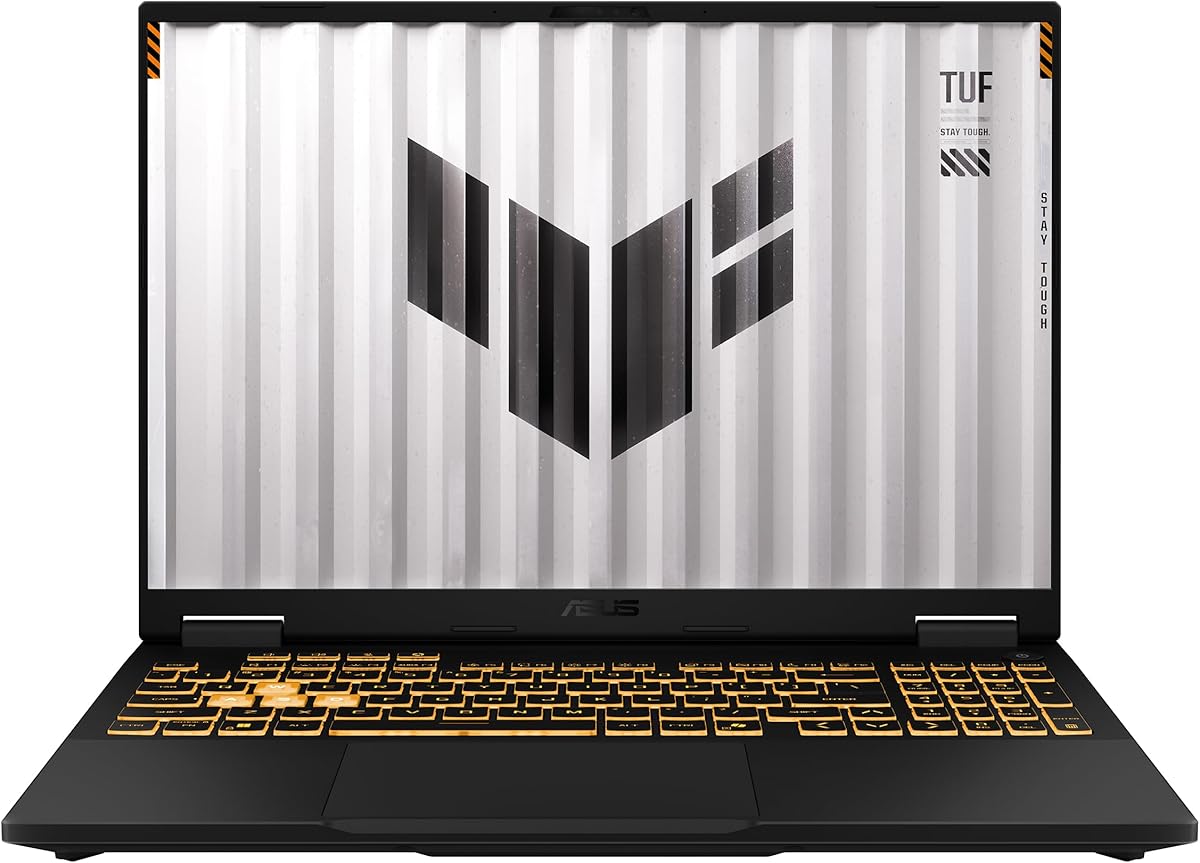
The ASUS TUF Gaming F16 is a polished all-around gaming option, combining the Core i5-13450HX with an RTX 5050 configured for up to 115 watts. Its 4.5 rating is among the strongest in the guide. The combination of a 16:10, 165Hz display, 100% sRGB color, and a high GPU power target makes this a particularly convincing configuration for modern gaming.
We may earn a commission when you buy through this link, at no additional cost to you.
Adaptive-Sync helps reduce visual tearing, lag, and stuttering, while the 16:10 panel provides more room than a standard 16:9 display. The RTX 5050's 115W maximum TGP indicates a performance-oriented power allocation, and NVIDIA Advanced Optimus can help manage the transition between integrated and discrete graphics. These details make the F16 appealing to users who want serious gaming hardware without a ROG price and feature level.
Its 512GB PCIe Gen4 SSD and 16GB of DDR5 memory provide a sound starting point, but both may need attention for a long-lived high-end system. The supplied listing does not describe the full port array or battery capacity, so buyers should confirm those details. It also does not include some of the more theatrical lighting and customization features found on the ROG Strix G16.
This laptop is best for gamers who value a documented refresh rate, accurate color, efficient graphics switching, and a substantial GPU power budget. TUF's restrained styling and MIL-STD-810H durability testing also make it suitable for buyers who want a gaming notebook that can function in professional or shared environments.
A 115W maximum TGP indicates that the RTX 5050 is being given a substantial power allowance. For gamers, that can be a more meaningful indicator of potential sustained performance than the GPU name alone, particularly when comparing laptops with different cooling systems and unspecified power limits.
The 165Hz FHD+ panel is supported by Adaptive-Sync for smoother variable frame delivery, while 100% sRGB coverage is useful for both games and media. The 16:10 format also offers additional vertical space without moving to a much heavier high-resolution OLED configuration.
We may earn a commission when you buy through this link, at no additional cost to you.
The Lenovo LOQ AI combines the Core i7-13650HX with an RTX 5050, a 144Hz Full HD IPS display, 16GB of memory, and 1TB of storage. Its 4.4 rating makes it one of the better-reviewed configurations here. It targets gamers who want a powerful CPU, a large storage allowance, and adaptive display technology in a 15.6-inch form factor.
We may earn a commission when you buy through this link, at no additional cost to you.
NVIDIA G-Sync is designed to eliminate screen tearing, stuttering, and input lag by coordinating the display refresh with compatible frame delivery. Lenovo AI Engine+ adds automatic CPU, GPU, and system tuning, while the Hyperchamber cooling system uses turbo fans and copper heat pipes to move heat away from internal components. Together, these features support smoother gameplay and easier performance management.
The white-backlit full-size keyboard uses soft-landing switches for everyday typing, chat, and streaming, while the aluminum cover adds a durable yet restrained appearance. Smart Battery Technology is designed to reduce unnecessary drain, and Rapid Charge Pro is claimed to reach 70% in under 30 minutes. As with the LOQ's other claims, real charging results can depend on the adapter, power state, and usage conditions.
This is a strong recommendation for a gamer who values CPU power, G-Sync, 1TB storage, and practical management features. The 144Hz panel is not the fastest in the comparison, but it remains well suited to fast games. The LOQ may also appeal to users who want a gaming laptop with a less flamboyant design and useful AI-assisted optimization.
Lenovo AI Engine+ automatically adjusts CPU, GPU, and system settings according to the workload. This can be useful for users who want an easy way to optimize performance without manually monitoring every setting, although manual tuning can still be valuable for demanding games.
Rapid Charge Pro can restore a useful amount of capacity in a relatively short period, which is helpful between sessions. The soft-landing keyboard, clean white backlighting, and durable aluminum cover make the LOQ suitable for work, communication, and entertainment as well as gaming.
We may earn a commission when you buy through this link, at no additional cost to you.
The MSI Katana 15.6 combines the Core i7-14650HX with an RTX 5050 featuring 8GB of GDDR7 memory, creating a straightforward gaming specification with strong CPU and GPU credentials. Its 3.9 rating places it behind several alternatives, but the detailed processor, memory, storage, display, battery, and wireless specifications make it straightforward to assess.
We may earn a commission when you buy through this link, at no additional cost to you.
The 15.6-inch Full HD thin-bezel IPS display runs at 144Hz, which is a useful target for fast-paced games and a more manageable size than a 16-inch panel. The Core i7-14650HX is suited to demanding applications, while 16GB of DDR5 memory and a 512GB NVMe SSD provide a conventional amount of memory and quick file access.
The 75Wh lithium-polymer battery is a worthwhile specification for a gaming notebook, although endurance will depend on display brightness, graphics mode, workload, and power settings. The supplied information does not state the RTX 5050's power limit, cooling design, port selection, or whether memory can be upgraded. Those details are important when comparing it with more comprehensively documented systems.
The Katana is best for a buyer who wants a recognizable MSI gaming design, a Core i7 processor, modern dedicated graphics, and a 144Hz display without moving to a larger chassis. It may suit players who prioritize CPU performance and a familiar brand ecosystem. Buyers seeking stronger battery specifications, more storage, or clearly documented thermal performance may prefer another option.
The Core i7-14650HX and RTX 5050 offer a capable pairing for gaming, streaming, and content creation. Eight gigabytes of GDDR7 VRAM gives the graphics card dedicated memory for modern titles, while the processor's higher tier is useful when game logic, multitasking, and streaming workloads compete for system resources.
Wi-Fi 6E and Bluetooth 5.3 provide current wireless standards for compatible networks and accessories. The listed 75Wh battery gives the Katana a useful capacity specification, though actual runtime varies significantly depending on the selected graphics mode, display, and workload.
We may earn a commission when you buy through this link, at no additional cost to you.
Choosing an RTX 5050 laptop requires balancing the graphics card with the processor, display, cooling, memory, storage, and portability. The following factors help narrow the field before you compare the final specifications.
The processor affects game loading, physics, multitasking, streaming, and creative work. This guide includes Core 7 240H, Core i5-13420H, Core i5-14450HX, Core i5-13450HX, Core i7-13620H, Core i7-13650HX, Core i7-14650HX, Ryzen 7 260, and Ryzen AI 7 350 processors. They cover different performance tiers, so a stronger GPU cannot compensate for every possible CPU limitation. For example, the Core i7-14650HX in the MSI Katana and the Ryzen AI 7 350 in the IdeaPad Pro 5 are positioned above the Core i5-13420H in the smaller Nitro V.
Choose a processor that comfortably meets the demands of your games and applications. Higher-end CPUs are especially useful for simulation games, content creation, video editing, and simultaneous streaming.
A laptop with an RTX 5050 is only as satisfying as the panel attached to it. The options here range from Full HD at 120Hz to a WUXGA panel at 180Hz, with several 144Hz and 165Hz models between them. Higher refresh rates make fast movement and camera motion appear smoother, while a higher resolution provides more detail but increases the rendering workload. The 2.8K OLED IdeaPad Pro 5 is ideal for visual work, whereas the 180Hz Nitro V 16 is better aligned with smooth gaming.
Match the resolution and refresh rate to your priorities rather than treating one as universally superior. Competitive players may favor refresh rate, while creators may value pixel density and color quality.
The RTX 5050 brings Blackwell architecture, DLSS, ray-tracing support, and AI-accelerated features to this laptop class. Several listings specifically identify 8GB of dedicated GDDR7 VRAM, while the others identify the RTX 5050 Laptop GPU without listing the memory capacity in the supplied information. Dedicated VRAM helps modern games, rendering, and other GPU-intensive applications, but the exact amount matters when comparing the models. AI features such as Multi Frame Generation, Super Resolution, and Ray Reconstruction can also improve supported games when the game, settings, and system conditions cooperate.
Verify the graphics configuration in the current listing and consider whether your preferred games support the AI features you value. Hardware features do not create identical results in every title.
Gaming laptops generate considerable heat, and a capable RTX 5050 can lose performance if the cooling system cannot sustain its target power. The Alienware 16 Aurora uses a Cryo-Chamber, the Nitro V 16 uses dual fans with four intakes and four exhausts, the ROG Strix G16 combines a vapor chamber and tri-fan system, and the TUF F16 uses second-generation Arc Flow fans. These are meaningful differentiators because they affect how consistently the laptop can perform during long sessions. Additional tools such as NitroSense, Max-Q, Advanced Optimus, and AI Engine+ can help control the balance between output, noise, and efficiency.
Look for a cooling design that matches your expected session length. A well-ventilated surface, responsible fan settings, and sensible game settings can make a larger difference than a small specification difference.
The laptops in this guide generally provide 16GB of system memory, with several using DDR5 and one Nitro V using DDR4. Sixteen gigabytes remains useful for modern games, streaming, and multitasking, although demanding applications and heavy browser use can consume it quickly. The Acer Nitro V 16 specifies two DDR5 slots and support for up to 32GB, while the ROG Strix G16 offers tool-free access to RAM and storage. Other models do not provide enough upgrade information in the supplied details, making verification important.
Check the memory type, maximum capacity, and accessibility before buying. Upgradable memory can extend the useful life of a laptop more effectively than a small processor or graphics difference.
Storage choices range from 512GB PCIe Gen4 or NVMe drives to 1TB PCIe Gen4 configurations. PCIe Gen4 is a fast interface, reducing waiting during game installation, project loading, and general file transfers. A 1TB drive provides more room for modern game libraries, creative assets, and applications, while 512GB may fill quickly and require external storage or an upgrade. Several models with 512GB are otherwise excellent gaming choices, so capacity should be weighed against the rest of the configuration rather than treated as an automatic disqualification.
Estimate your current library and future storage needs. Check whether the SSD is replaceable and whether the manufacturer provides a convenient installation process before making a final choice.
The most portable option in the group is the approximately 4.3-pound MSI Cyborg A15 AI, while several 16-inch models trade weight for larger displays and more roomy layouts. The 19.45mm GIGABYTE Gaming A16 also prioritizes a slim profile. Connectivity can be equally important: the Nitro V 16 includes Thunderbolt 4, HDMI 2.1, Ethernet, Wi-Fi 6, a card reader, and numerous USB ports, while the IdeaPad Pro 5 includes USB4, dual USB-C, HDMI 2.1, and an SD reader. The ROG Strix adds Wi-Fi 7, and the Katana supports Wi-Fi 6E and Bluetooth 5.3.
Choose the model that fits your desk, bag, monitor setup, and accessory ecosystem. A larger screen is not automatically better if the laptop must travel frequently or connect to a fixed workstation every day.
Start by updating the operating system, graphics driver, firmware, and chipset or system drivers. Create a clean user profile, confirm that Windows or your preferred operating system recognizes the dedicated RTX 5050, and set the laptop's default graphics mode according to your workload. Use the RTX 5050 for games and GPU-intensive applications, while integrated graphics can handle routine tasks more efficiently.
For games, begin with the display's native resolution and adjust graphics settings gradually. Enable DLSS or frame generation only when the title supports them and test different quality modes for the best balance of image quality, latency, and frame rate. Use performance-monitoring tools such as NitroSense or the software included with your chosen system to watch temperatures, clocks, memory use, and fan behavior. Avoid blocking vents with blankets, bedding, or tight storage compartments.
Care for the system by cleaning the keyboard and vents with soft, dry materials, keeping liquids away from the display and ports, and scheduling regular storage checks. Use the manufacturer-approved charger, particularly when gaming or performing sustained GPU workloads. Updating the system, maintaining free storage, and following the system's cooling guidance can help preserve performance and extend the practical lifespan of the laptop.
The RTX 5050 is designed for modern laptop gaming and includes Blackwell architecture, DLSS, ray-tracing hardware, and other AI-accelerated tools. Its practical results depend on the processor, power limit, cooling, display, memory, and the demands of the selected game. It is best matched with a capable CPU and a high-refresh panel for a balanced gaming experience.
Higher refresh rates make motion appear smoother and are particularly useful in competitive games. A 165Hz or 180Hz panel offers an advantage over 144Hz when the system can supply enough frames, but image quality, resolution, GPU power, and cooling also influence the experience. A 144Hz display remains a strong target when it allows a better balance of performance, portability, and cost.
An OLED display can provide excellent contrast, detail, and media quality, but it is not automatically the best gaming panel. The Lenovo IdeaPad Pro 5 offers a sharp 2880 x 1800 OLED screen at 120Hz, while several alternatives use faster Full HD or WUXGA panels. Competitive players may prefer a higher refresh rate, whereas editors and media viewers may value OLED quality more.
The models in this guide generally include 16GB, which is a practical amount for gaming, streaming, productivity, and moderate multitasking. Heavy creative applications, many browser tabs, and demanding games can use that capacity quickly. If the laptop has accessible memory slots, upgrading to 32GB can provide more flexibility, so buyers should confirm compatibility before purchasing.
A 1TB drive is preferable when a large game library, creative projects, and installed applications are expected, but 512GB can still work well. Several strong configurations include 512GB PCIe Gen4 storage, which remains fast. The right capacity depends on how much content you install and whether you plan to add storage later.
Look for documented fan design, heat pipes, vapor chambers, exhaust paths, and any performance-management software. Sustained performance depends on more than the advertised GPU, and strong cooling can reduce throttling during long sessions. Models such as the Alienware 16 Aurora, Nitro V 16, ROG Strix G16, and TUF F16 emphasize their cooling systems in different ways.
Both standards support low-latency wireless performance when connected to a suitable router and network. The ROG Strix G16 supports Wi-Fi 7, while several other models offer Wi-Fi 6 or Wi-Fi 6E. Wired Ethernet can still be beneficial in crowded or congested wireless environments, and the Acer Nitro V 16 includes an Ethernet controller.
A 15.6-inch model is generally easier to carry and can offer a lower weight or smaller footprint. A 16-inch laptop usually provides a larger workspace and may accommodate more elaborate cooling, although size alone does not guarantee better performance. Choose based on portability, screen space, keyboard comfort, and the specific machine's internal design.
The Acer Nitro V 16 is the strongest all-around option because it combines a 180Hz 16:10 display, Core 7 processor, DLSS 4 capabilities, 1TB storage, broad connectivity, and a detailed cooling system. The Acer Nitro V 15.6 stands out as the best budget-focused recommendation, while the ASUS TUF Gaming F16 is the premium pick for buyers who value a 115W GPU limit, 100% sRGB color, and adaptive synchronization.
The most important advice is to prioritize the combination that matches your work. Competitive gamers should examine refresh rate, memory, cooling, and GPU power; creators should consider display resolution, color, connectivity, and portability. Processor and memory specifications also matter because the RTX 5050 is only one part of the system, and a balanced configuration will remain useful for longer than a narrowly optimized one.
Finally, verify the current product listing, configuration, warranty, and price before ordering. Component combinations can change, customer feedback evolves, and manufacturer promotions affect value over time. Checking the live details helps ensure that the selected RTX 5050 laptop still provides the specifications and features on which your decision is based.