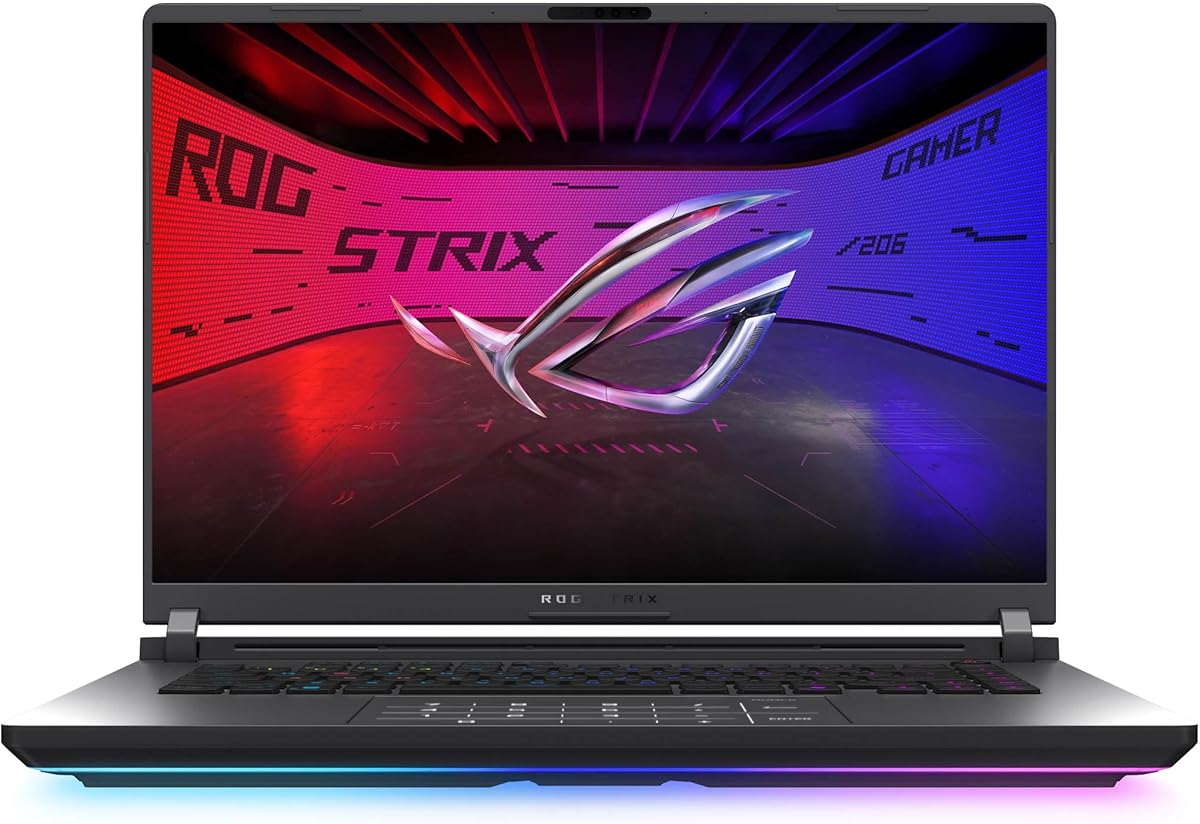
ASUS ROG Strix G16 Nebula
4.3Editor score
RTX 5070 Ti graphics
240Hz 2.5K Nebula display
Core Ultra 9 processor
Playing Cyberpunk 2077 at its best requires more than a capable graphics card. A good gaming laptop for Cyberpunk should combine strong GPU performance, a high-refresh display, fast solid-state storage, effective cooling, and enough memory to handle demanding open-world exploration alongside streaming or other applications.
This guide compares ten current gaming laptops using their published processor, graphics, memory, storage, display, cooling, connectivity, and portability specifications. It covers options built around GeForce RTX 5050, RTX 5060, RTX 5070, and RTX 5070 Ti hardware, with attention to the different compromises made for performance, visual quality, size, and mobility.
Each review identifies the most useful qualities and limitations of its featured model. The ASUS ROG Strix G16 stands out for a balanced configuration, while the ROG Nebula-equipped version targets enthusiasts seeking a premium display. Prices and configurations can change, so readers should verify the current listing, warranty, and exact hardware before purchasing.
4.3Editor score

4.4Editor score

4.4Editor score
As an Amazon Associate we earn from qualifying purchases.
The table below compares all ten laptops by graphics hardware, processor class, memory, and display, making it easier to identify the model that best matches your preferred balance of gaming performance, visual clarity, portability, and practical connectivity.

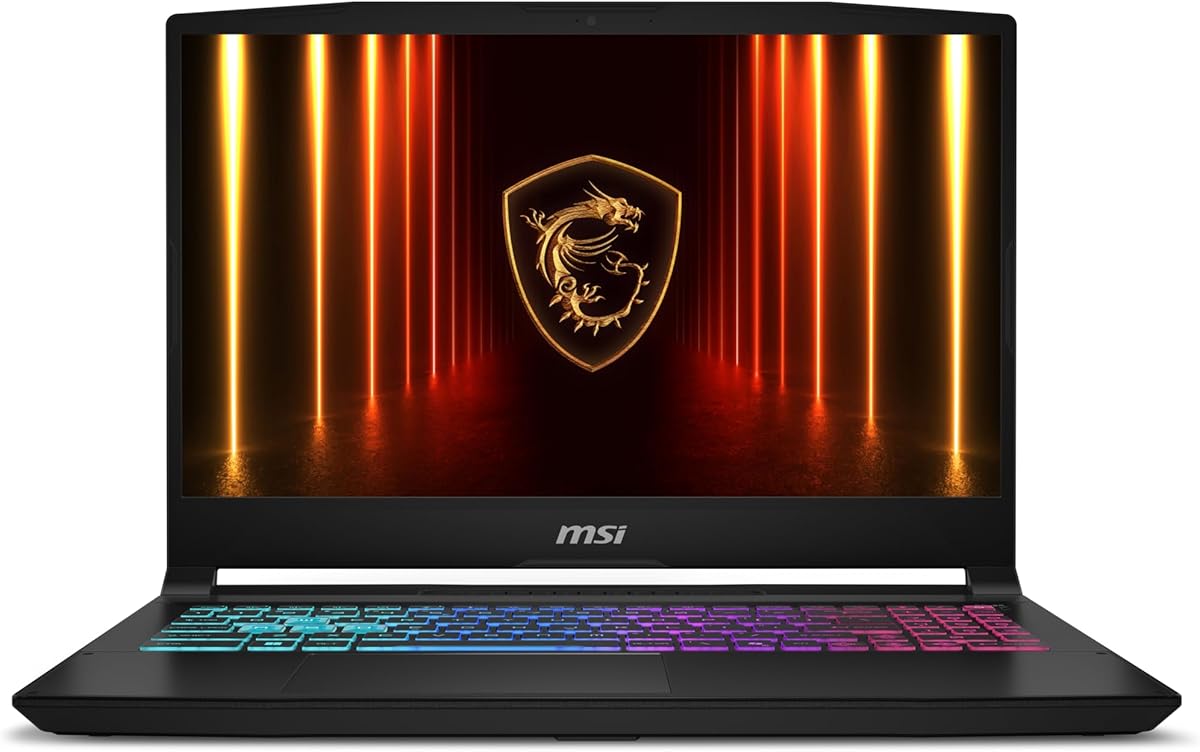


The ASUS ROG Strix G16 RTX 5060 is the most balanced recommendation in this guide for anyone who wants Cyberpunk 2077 to feel responsive without committing to the largest or most elaborate gaming notebook. It carries a 4.4 rating, pairs an Intel Core i7 14650HX with an NVIDIA GeForce RTX 5060, and includes a fast 1TB PCIe Gen 4 SSD. Its 165Hz FHD+ panel also makes this one of the stronger all-around choices for smooth open-world play.
We may earn a commission when you buy through this link, at no additional cost to you.
Its main advantage is the balance between the CPU, GPU, display, memory, and cooling system. The RTX 5060 supports DLSS 4 and Max-Q technologies, while the Core i7 provides plenty of general-purpose performance for game launching, background applications, and multitasking. DDR5-5600 memory handles the demands of a modern open-world title, and the PCIe Gen 4 SSD gives the laptop fast storage for game files and system responsiveness.
ROG Intelligent Cooling adds an end-to-end vapor chamber, tri-fan technology, and Conductonaut extreme liquid metal on the chipset. That attention to sustained thermal performance matters during extended sessions, when a thinner or less aggressively cooled system can become noisy and lose consistency. The 165Hz display has a fast 3ms response specification and an ACR film intended to improve contrast and reduce glare, while the full-surround RGB lightbar gives the chassis a suitably distinctive gaming appearance.
The principal compromise is the listed 16GB of memory. That amount can be adequate for gaming, but 32GB is more comfortable for heavy multitasking, background applications, video tools, and future games. The FHD+ resolution is also less expansive than the QHD and QHD+ panels available elsewhere in this roundup. Even so, buyers wanting a coherent 16-inch package, modern connectivity, and strong gaming hardware should find this configuration particularly easy to recommend.
A 165Hz refresh rate offers an advantage for the constant camera movement, menus, and vehicle driving found in Cyberpunk 2077. The 16:10 FHD+ panel provides more horizontal working space than a traditional 16:9 screen, while the advertised 3ms response helps preserve clarity in fast action.
The combination of a vapor chamber, three fans, and liquid-metal compound on the chipset supports more consistent performance during marathon play. Buyers should still expect meaningful fan noise under sustained GPU load, but the published cooling design offers a stronger foundation than a thin chassis with minimal cooling.
We may earn a commission when you buy through this link, at no additional cost to you.
The MSI Cyborg 17 is an appealing option for gamers who want a large display without choosing an oversized 18-inch desktop replacement. It has a 4.3 rating, an Intel Core 7 240H processor, and an NVIDIA GeForce RTX 5060 Laptop GPU. Its translucent black design gives it a distinctive futuristic appearance that fits naturally alongside Cyberpunk 2077's neon-influenced aesthetic.
We may earn a commission when you buy through this link, at no additional cost to you.
Its 17.3-inch FHD panel offers more physical screen area than the typical 16-inch gaming laptop, which can make menus, maps, inventory screens, and other interfaces easier to navigate. The 144Hz refresh rate is well suited to competitive and action-oriented play. Internally, the RTX 5060 brings ray tracing, DLSS 4, and AI-accelerated visual features, while 16GB of DDR5 memory and a 1TB NVMe SSD provide a sound starting point for a modern gaming library.
Portability is the Cyborg 17's distinguishing practical feature. MSI specifies a thickness of just 0.83 inches and a weight of 5.5 pounds, making this large-screen notebook more manageable than its dimensions might suggest. Connectivity is also well considered, with USB-C, USB-A, HDMI, RJ45, and Wi-Fi 6E. MSI's Cooler Boost shared-pipe thermal design is intended to keep the hardware cool while reducing unnecessary noise.
Its limits should be considered carefully. The FHD resolution means that some of the atmosphere and fine visual detail in Night City will be displayed at fewer pixels than on the QHD and QHD+ alternatives. Sixteen gigabytes of RAM is also less generous than several competitors offer. Even with those compromises, the Cyborg 17 stands out for buyers who prioritize screen size, a relatively slim design, modern graphics, and flexible everyday connectivity.
The 17.3-inch panel gives menus and game interfaces room to breathe while the stated 0.83-inch thickness keeps the notebook relatively refined. At 5.5 pounds, it remains more portable than many large desktop-replacement gaming laptops, although it is still too large and heavy to treat like an ultraportable device.
RTX 5060 support for ray tracing and DLSS 4 provides the graphics foundation needed for Cyberpunk 2077, while RJ45 Ethernet can offer a stable alternative to wireless networking. The mix of USB-C, USB-A, and HDMI also makes it easier to connect a gaming monitor, controller, or other accessories.
We may earn a commission when you buy through this link, at no additional cost to you.
The ROG Strix G16 with the Nebula display is the premium choice for gamers who want Cyberpunk 2077 to look as detailed and fluid as possible. Its 4.3 rating is supported by an unusually strong specification list: an Intel Core Ultra 9 275HX, NVIDIA GeForce RTX 5070 Ti, 32GB of DDR5-5600 memory, and a 1TB PCIe Gen 4 SSD.
We may earn a commission when you buy through this link, at no additional cost to you.
The 16-inch ROG Nebula panel is the centerpiece. Its 2.5K resolution provides substantially more detail than FHD, while the 240Hz refresh rate and advertised 3ms response target both smooth motion and competitive responsiveness. An ACR film is designed to increase contrast and reduce glare, useful for a game filled with dark streets, neon signs, rain, and bright artificial lighting.
The RTX 5070 Ti sits at the upper end of the laptops compared here and uses NVIDIA Blackwell architecture with DLSS 4 and Max-Q support. Combined with the 24-core-class processor, 32GB of memory, and advanced cooling, the configuration is well suited to intensive gameplay, streaming, content creation, and demanding multitasking. ROG Intelligent Cooling again provides a vapor chamber, tri-fan arrangement, and liquid-metal chipset compound.
This is not the logical choice for every buyer. It represents the most advanced hardware tier in the list, and buyers should consider both their budget and whether they need the Nebula display's resolution and refresh rate. The full-surround RGB lightbar also reinforces the gaming focus, while Stealth Mode can disable lighting for a more restrained appearance. For a high-end, visually focused build, however, this is the most sophisticated configuration in the roundup.
The 2.5K panel gives Night City considerably more visual information than an FHD screen, allowing finer environmental textures, signage, and interface details to remain visible. The 240Hz refresh rate adds an exceptionally fluid presentation when the GPU can sustain suitable frame rates, benefiting both fast combat and everyday cursor movement.
The RTX 5070 Ti and Core Ultra 9 create a generous foundation for gaming and related workloads. Thirty-two gigabytes of DDR5 memory is particularly useful when Cyberpunk 2077 runs alongside Discord, capture software, browsers, or creative applications, reducing pressure on a smaller memory configuration.
We may earn a commission when you buy through this link, at no additional cost to you.
The MSI Katana 15 HX packs substantial gaming hardware into a conventional 15.6-inch form. Its 4.0 rating is the lowest among the listed models, but the specifications remain compelling: a Core i9 14900HX, GeForce RTX 5070, 32GB of DDR5 memory, and a 1TB NVMe SSD. That makes it an attractive choice for buyers who want desktop-class components in a relatively traditional gaming notebook.
We may earn a commission when you buy through this link, at no additional cost to you.
The 15.6-inch QHD+ display has a 165Hz refresh rate and 100% DCI-P3 color coverage. The higher resolution improves visual detail compared with the FHD models in the roundup, while the 100% DCI-P3 specification is valuable for the saturated lighting and varied color presentation of Cyberpunk 2077. A fast-moving game also benefits from the combination of resolution and elevated refresh rate.
The Core i9 14900HX uses a 24-core hybrid architecture, providing strong performance for game loading, multitasking, streaming, and other demanding tasks. The RTX 5070 adds Blackwell-based ray tracing, DLSS 4, and AI upscaling. MSI's Cooler Boost 5 uses dual fans and a five-heat-pipe shared design to support stable performance, while the four-zone RGB keyboard adds practical visual customization and highlighted WASD keys.
The main concern is that Cyberpunk 2077 is demanding in its more demanding settings, and a QHD+ panel places greater graphical pressure on the RTX 5070 than an FHD display does. The listed 4.0 rating should also prompt buyers to examine recent customer feedback. Even so, buyers prioritizing a compact 15.6-inch chassis, high-end graphics, a sharp screen, and 32GB of memory will find a compelling combination here.
QHD+ increases the amount of detail available to the game, while the advertised 100% DCI-P3 coverage is well suited to dense neon colors and broad visual variety. A 165Hz refresh rate complements that clarity, making it a strong choice for players who spend long sessions exploring the city.
The 24-core Core i9 and 32GB of memory create useful headroom for simultaneous gaming, streaming, and multitasking. The RTX 5070 also makes the laptop relevant to content creators who want hardware-accelerated applications alongside a capable game installation.
We may earn a commission when you buy through this link, at no additional cost to you.
The Acer Nitro V 16S stands out for combining an RTX 5060 with 32GB of DDR5 memory, a combination that gives it unusual flexibility for a modern gaming laptop. Its 4.4 rating reflects a favorable overall proposition, and the Ryzen 7 260, 1TB PCIe Gen 4 SSD, and 180Hz IPS display create a solid platform for Cyberpunk 2077.
We may earn a commission when you buy through this link, at no additional cost to you.
Acer describes up to 38 AI Overall TOPS from the Ryzen 7 260 and 572 AI TOPS from the RTX 5060 Laptop GPU. Regardless of how the game uses those resources, the meaningful hardware advantage is access to Blackwell-based ray tracing and DLSS 4, including Multi Frame Generation, enhanced Ray Reconstruction, and Super Resolution. These features give the laptop more flexibility than a basic GPU when balancing image quality and smoothness.
The 16-inch WUXGA display uses a 1920-by-1200 resolution, 180Hz refresh rate, and 100% sRGB coverage. That refresh rate is the highest among the 16-inch FHD-class models here and is well matched to fast motion. The Nitro V 16S also offers two PCIe M.2 slots, with one slot available according to the supplied specifications, making its storage more expandable than configurations limited to a single drive position.
There are two clear compromises. WUXGA is less detailed than the QHD, QHD+, and 2.5K panels elsewhere, so buyers wanting the finest possible image should look elsewhere. The system also lists Wi-Fi 6 rather than the newer Wi-Fi 7 standard. For a buyer prioritizing high refresh, generous memory, modern graphics, and storage expansion, however, the Nitro V 16S remains one of the most well-rounded recommendations in the guide.
The 180Hz panel makes this a compelling choice for players who value smooth movement over a higher pixel count. WUXGA resolution preserves a manageable workload for the RTX 5060, while 100% sRGB provides accurate color for interface elements and the game's neon-heavy environments.
Thirty-two gigabytes of DDR5-5600 memory is one of the strongest specifications in the roundup and allows the laptop to handle gaming alongside background applications. The second available M.2 position also provides a straightforward path to adding another PCIe drive for more game storage.
We may earn a commission when you buy through this link, at no additional cost to you.
The Lenovo Legion 5 OLED combines a powerful RTX 5070 configuration with a chassis listed at just 4.19 pounds. Its 4.3 rating, 15.1-inch WQXGA OLED panel, Core i9 14900HX processor, and 32GB of DDR5 memory make it a particularly interesting choice for gamers who value visual quality and portability over a larger footprint.
We may earn a commission when you buy through this link, at no additional cost to you.
OLED technology is a meaningful benefit for Cyberpunk 2077 because the game contains extremely dark environments, bright neon lighting, reflective surfaces, and saturated colors. An OLED panel can produce deep blacks and strong contrast, making Night City feel more immersive. The WQXGA resolution adds useful detail, while the compact 15.1-inch size helps keep the overall system relatively light.
Inside, the GeForce RTX 5070 with 8GB of GDDR7 memory brings Blackwell graphics features to a laptop weighing around four pounds. The Core i9 14900HX supports demanding games and multitasking, while 32GB of DDR5-5600 RAM provides ample room for Cyberpunk 2077, Discord, capture tools, and other software. Storage comes from a 1TB PCIe Gen 4 x4 NVMe M.2 drive.
Connectivity is another strength, with Gigabit LAN for wired online play and 2×2 Wi-Fi 7 for high-speed wireless networking. The trade-offs concern the display size and OLED behavior. A 15.1-inch screen is smaller than the alternatives from MSI and Acer, and glossy OLED surfaces can reflect bright surroundings. Buyers who prioritize those trade-offs are likely to accept them in exchange for a compact, visually rich gaming machine.
Cyberpunk 2077's shadowy alleys, indoor spaces, and neon signage are well suited to OLED's deep blacks and high contrast. The WQXGA resolution also preserves more detail than a conventional FHD panel, making the combination especially effective for atmospheric play.
Packing a Core i9 and RTX 5070 into a stated 4.19-pound body makes the Legion 5 OLED attractive for mobile gaming. Its Wi-Fi 7 and Gigabit Ethernet options provide strong connectivity for online sessions, while 32GB of memory supports demanding multitasking.
We may earn a commission when you buy through this link, at no additional cost to you.
The GIGABYTE Gaming A16 with RTX 5070 graphics is built around the appeal of strong gaming hardware in a thin chassis. Its 4.1 rating, Intel Core i7 13620H processor, and 19.45mm body distinguish it from bulky gaming laptops, while the 180-degree hinge allows the display to lay flat for flexible viewing arrangements.
We may earn a commission when you buy through this link, at no additional cost to you.
The RTX 5070 is the centerpiece of this configuration. It uses NVIDIA Blackwell architecture and supports DLSS 4, Max-Q, and NVIDIA Studio, bringing modern ray tracing, AI rendering, and content-creation features to a relatively slim notebook. That makes it well equipped for Cyberpunk 2077 and potentially attractive to buyers who also record, edit, stream, or create visual content.
GIGABYTE describes the Core i7 13620H as capable of handling streaming, recording, and multiple applications while gaming. Its more conventional role is general workload support: launching the game, keeping background applications responsive, and assisting graphics tasks. The supplied product information does not list specific memory capacity, storage details, display resolution, refresh rate, or weight, so those points should be checked on the exact retailer listing before purchase.
The 180-degree hinge is unusual and practical. It can make shared-screen activities, media viewing, and some desk arrangements more flexible than a traditional laptop hinge. Against that, the chassis cannot deliver the light weight associated with the Lenovo OLED model, and the listed 4.1 rating is lower than many alternatives. Buyers who prioritize a thin RTX 5070 design and modern AI-assisted graphics should still consider this model seriously.
The RTX 5070 and Max-Q focus suit a buyer who wants Blackwell-class graphics without choosing one of the largest chassis in the comparison. The 19.45mm thickness gives the Gaming A16 a modern silhouette, though buyers should check the complete dimensions and weight for their specific configuration.
A 180-degree hinge allows the screen to move beyond the standard laptop angle and can improve shared viewing or media placement. It adds everyday versatility, but it is not a substitute for a tablet's touch interface unless that capability is confirmed in the final listing.
We may earn a commission when you buy through this link, at no additional cost to you.
The Alienware 16 Aurora offers an approachable route into RTX 5050 gaming. It has a 4.1 rating, an Intel Core 7 240H processor, and NVIDIA GeForce RTX 5050 Laptop GPU based on Blackwell architecture. The 16-inch WQXGA display adds useful resolution, although its 120Hz refresh rate is lower than the high-refresh panels found on several competing models.
We may earn a commission when you buy through this link, at no additional cost to you.
The RTX 5050 brings modern graphics features to a more basic tier, including AI capabilities and the Blackwell generation's emphasis on efficient rendering. It is a sensible option for a buyer interested in ray-traced lighting and DLSS-style image enhancement without moving to an RTX 5060 or RTX 5070 configuration. The Core 7 240H supplies general-purpose performance for the game, operating system, and background applications.
A major strength is Alienware's focus on thermal design. The Cryo-Chamber structure directs airflow toward key components, while the streamlined chassis is designed to provide thermal support without a raised rear section. This can make the laptop more practical for regular use than a design that leaves much of its footprint above the keyboard. The WQXGA screen is also a meaningful upgrade over FHD when visual detail matters.
The trade-offs are clear. RTX 5050 sits below the RTX 5060, 5070, and 5070 Ti models in this guide, and a 120Hz display is less compelling for fast competitive play. The supplied information also does not specify memory, storage, GPU power, display brightness, or weight, all of which can materially affect the experience. Dell's one-year onsite service adds reassurance, but buyers should still verify the remaining specifications and warranty terms.
The RTX 5050 provides access to Blackwell graphics and AI-assisted rendering features without requiring the upper-tier GPUs found in the premium models. It is a practical option for a first dedicated gaming laptop, especially when paired with the 16-inch WQXGA panel.
The Cryo-Chamber airflow design targets important internal components while avoiding a bulky rear thermal shelf. That streamlined approach makes the Aurora easier to use at a desk and helps distinguish it from gaming laptops whose cooling systems materially increase their footprint.
We may earn a commission when you buy through this link, at no additional cost to you.
The GIGABYTE Gaming A16 with Ryzen 7 260 and RTX 5060 is the best-value pick in this guide. Its 4.4 rating, modern GeForce RTX 5060, slim 19.45mm chassis, and Windows 11 Home platform provide a strong balance for Cyberpunk 2077 without moving into the premium hardware tier.
We may earn a commission when you buy through this link, at no additional cost to you.
The RTX 5060 is the most important element for this game's visuals. It supports Blackwell-based ray tracing and DLSS 4, including neural rendering features intended to improve frame rates and image quality. The Ryzen 7 260 handles general processing and is described as capable of streaming, recording gameplay, and running multiple applications, making the laptop suitable for more than solitary play.
Its physical design is equally appealing for buyers who move between locations. At 19.45mm, or 0.76 inches, the listed chassis is thin enough to feel more like a conventional notebook than a bulky gaming machine. The 180-degree hinge can also lay the display flat, providing extra flexibility for media viewing, shared screens, or desk arrangements. GIGABYTE's GiMATE software is included as an interface for managing and interacting with system functions.
The supplied listing provides fewer display and memory details than several competing entries. It does not state the panel resolution, refresh rate, RAM capacity, or storage configuration, so those details need confirmation before purchase. Even so, the core combination of RTX 5060 graphics, a capable Ryzen processor, a slim chassis, and a strong rating makes this one of the most attractive mainstream options for the game.
The RTX 5060 provides the key gaming features for Night City, including hardware ray tracing and DLSS 4. Pairing that GPU with a 19.45mm body makes this a useful option for buyers who want modern graphics without necessarily carrying a large desktop-replacement laptop.
GIGABYTE specifically positions the Ryzen 7 260 configuration for streaming, recording, and simultaneous applications. Those claims make sense alongside an RTX 5060 because the same platform can support gameplay capture and other creator workflows without requiring a separate desktop.
We may earn a commission when you buy through this link, at no additional cost to you.
The MSI Crosshair 18 HX AI is the largest and most elaborately equipped laptop in this roundup. Its 4.4 rating, 18-inch 2560-by-1600 display, 240Hz refresh rate, Core Ultra 9 275HX, RTX 5070, and 32GB of memory make it a compelling high-performance option for a gaming setup used primarily at a desk.
We may earn a commission when you buy through this link, at no additional cost to you.
The big QHD+ IPS panel is the defining feature. Its 2560-by-1600 resolution provides a detailed image, while 240Hz creates exceptionally fluid motion when the GPU can drive the display at appropriate frame rates. The listed 100% DCI-P3 color coverage supports accurate and vibrant visuals, making the screen useful not only for Cyberpunk 2077 but also for video editing, graphic design, and other color-sensitive work.
The hardware specification is equally ambitious. The Core Ultra 9 275HX includes 24 cores and boosts from 2.1GHz to 5.4GHz, while the RTX 5070 has 8GB of GDDR7 memory for ray tracing and AI acceleration. Thirty-two gigabytes of DDR5-5600 RAM arrives as two 16GB modules, and a 1TB NVMe SSD provides fast storage. The SteelSeries keyboard adds 24-zone RGB lighting, 99 anti-ghost keys, and a multi-touch trackpad.
Its size is the main limitation. Dimensions of 15.90 by 11.02 by 1.17 inches and a weight of 6.83 pounds make it substantially bulkier than the other models, while the 90Whr battery and 240W adapter are likewise substantial. This is therefore not a laptop for buyers who prioritize effortless travel. At a desk, however, its screen, audio, keyboard, and port selection create one of the most complete mobile gaming environments in the comparison.
The 2560-by-1600 panel offers considerably more space than a 15- or 16-inch FHD screen, making maps, menus, and editing timelines easier to work with. A 240Hz refresh rate adds exceptional smoothness, although the higher resolution also requires more GPU effort than a standard FHD display.
Thunderbolt 4 with display and power delivery, HDMI 2.1, multiple USB-A ports, and RJ45 Ethernet provide broad peripheral support. The 720p webcam has a privacy shutter, and the Dynaudio speaker arrangement adds more impact for game audio and entertainment.
We may earn a commission when you buy through this link, at no additional cost to you.
The best gaming laptop for Cyberpunk 2077 depends on how you balance graphics performance, display quality, thermals, memory, and portability. These factors help explain which specifications have the greatest practical impact and where compromises may be acceptable.
Cyberpunk 2077 makes GPU capability the most important consideration in this guide. RTX 5050, RTX 5060, RTX 5070, and RTX 5070 Ti laptops all provide access to NVIDIA's modern graphics features, but they occupy different performance tiers. The RTX 5060 models are positioned as mainstream options, the RTX 5070 models add more upper-midrange capability, and the RTX 5070 Ti configuration in the ROG Strix G16 Nebula is the most advanced hardware here.
Ray tracing is particularly relevant because reflective surfaces, colored lighting, shadows, and volumetric effects are central to Night City's visual identity. DLSS 4 can also help a supported game reconcile image quality and frame rate, although features such as Multi Frame Generation depend on the specific game, graphics settings, and system configuration. GPU power limits can affect results, so buyers should examine the manufacturer's specifications rather than relying only on the GPU name.
Choose based on your resolution and desired settings. A higher-resolution panel can produce a more detailed image but demands more GPU performance. An RTX 5050 paired with WQXGA may be a sensible starting point, while an RTX 5060 offers more headroom. RTX 5070 and RTX 5070 Ti systems are better aligned with high-refresh QHD, QHD+, or 2.5K displays and demanding settings. The central takeaway is simple: match the GPU tier to the display, rather than selecting either component in isolation.
Cyberpunk 2077 contains a great deal of environmental detail, from signs and advertisements to vehicle models, character clothing, and distant architecture. A higher-resolution screen such as QHD, QHD+, or 2.5K can reveal more of that detail, while FHD and WUXGA panels offer lower pixel counts and can reduce GPU pressure. The trade-off is visible sharpness versus the additional processing needed to render a larger image.
Refresh rate affects how smoothly the game feels. The list includes 120Hz, 144Hz, 165Hz, 180Hz, and 240Hz panels, with several strong choices around 165Hz to 180Hz. Higher refresh rates can make menus, aiming, driving, and camera movement appear more responsive, but the experience also depends on whether the GPU can produce enough frames to take full advantage of the display.
Color technology matters too. The Acer Nitro V 16S lists 100% sRGB coverage, while the MSI Katana 15 HX and Crosshair 18 HX AI list 100% DCI-P3. The OLED panel in the Lenovo Legion 5 can deliver deep blacks and strong contrast, which suits the game's darker visual moments. In summary, prioritize resolution for detail, refresh rate for smoothness, and color performance for an expressive and immersive image.
The processors compared here range from the Intel Core i7 13620H in the GIGABYTE Gaming A16 to the Intel Core Ultra 9 275HX found in the ROG Strix G16 Nebula and MSI Crosshair 18 HX AI. The Core i9 14900HX in the MSI Katana and Lenovo Legion is also a high-end mobile processor with a 24-core hybrid design. These CPUs manage game logic, background applications, system responsiveness, and tasks such as streaming or recording.
A powerful processor is particularly useful when the laptop runs Cyberpunk 2077 alongside Discord, browsers, music software, capture tools, or video editing. It can also help during loading and asset streaming in the game's large open world. That does not mean every game frame is entirely processor-limited, but the CPU remains an important part of a responsive overall system.
Look beyond the model name when making a final comparison. Thermal design, memory, storage speed, power limits, and the laptop's intended weight all influence the experience. For a dedicated gaming machine that may also serve as a content-creation workstation, the Core Ultra 9 and Core i9 options provide the strongest foundation. For a more modest build, a Core 7 240H or Ryzen 7 260 can still deliver a capable experience when paired with an appropriate GPU.
Modern gaming laptops benefit from more memory than the minimum once games, background applications, and content tools are considered together. Six of the models list 32GB of DDR5 memory, while the ASUS ROG Strix G16 RTX 5060, MSI Cyborg 17, and Alienware 16 Aurora are listed with 16GB. Either amount can run Cyberpunk 2077, but 32GB offers more flexibility for multitasking and future titles.
A 1TB NVMe or PCIe Gen 4 SSD appears across most configurations and is a sensible amount of space for a current gaming library. The Acer Nitro V 16S goes further by listing two PCIe M.2 slots with one available, which makes storage expansion easier. Faster storage improves launch times and reduces delays when accessing game assets, although it cannot compensate for insufficient graphics performance or memory.
Look for both capacity and configurability. A large SSD with no upgrade path may eventually be less useful than a smaller drive that can be supplemented. Likewise, 16GB of RAM may be acceptable today but less comfortable for heavy multitasking. The safest long-term recommendation is to favor 32GB when possible and verify whether the SSD can be replaced or expanded before completing the purchase.
A gaming laptop's peak hardware specifications are only useful if the system can sustain them without excessive heat or noise. ROG Intelligent Cooling, MSI Cooler Boost, Alienware's Cryo-Chamber, and Acer Nitro systems all emphasize targeted airflow and shared thermal designs. The ROG models specifically mention vapor chambers, tri-fan arrangements, and Conductonaut extreme liquid metal on the chipset.
Sustained performance is particularly relevant in an open-world game with dense districts and extensive visual effects. The GPU and CPU may draw substantial power at the same time, making thermal design a shared responsibility. Systems with stronger cooling may sustain higher frame rates and lower noise for longer, whereas a thin chassis may become louder or reduce performance sooner.
Do not judge cooling only by fan count. Exhaust placement, vapor chamber size, heat-pipe design, power limits, and the balance between CPU and GPU temperatures all matter. The best choice is a laptop whose cooling system is matched to its intended power level. For a desk-bound machine, stronger sustained cooling can be worth additional size; for a portable laptop, a controlled balance of performance and efficiency may be more valuable.
Gaming laptops vary dramatically in size and weight. The Lenovo Legion 5 OLED is listed at 4.19 pounds, the MSI Cyborg 17 at 5.5 pounds, and the MSI Crosshair 18 at 6.83 pounds. The GIGABYTE Gaming A16 emphasizes a 19.45mm-thick chassis, while the ROG Nebula option uses the familiar 16-inch form factor. These measurements offer a useful first filter for how often the laptop will travel.
Portability is more than weight. A 15-inch or 16-inch chassis is easier to fit in a bag and use in different spaces, whereas an 18-inch model generally functions best at a desk. Battery capacity, charger size, keyboard comfort, screen visibility, and the availability of full-size ports also influence daily usability. The Crosshair's 240W adapter and 90Whr battery reflect the requirements of its larger, high-performance design.
Choose based on your actual routine rather than the category label. Frequent travelers may accept a slightly lower GPU tier to gain a lighter machine, while a stationary player can benefit from a larger screen and stronger hardware. The best balance for many buyers lies with a 15- or 16-inch laptop that offers sufficient graphics performance, enough cooling, and a manageable footprint.
Cyberpunk 2077 is often played with friends, and a reliable network connection matters for online sessions. Several models include RJ45 Ethernet, which can provide a stable wired option at home or in a LAN café. Wi-Fi 7 appears on the ASUS ROG Strix G16 models and Lenovo Legion 5, while the MSI Crosshair 18 lists Wi-Fi 6E and Bluetooth 5.3.
Display and peripheral connections can make a gaming laptop more versatile. HDMI is standard across most models, and USB-C is useful for accessories and external displays. The Crosshair 18 adds Thunderbolt 4 with DisplayPort and power delivery, multiple USB-A ports, and an audio combination jack. Its 720p webcam includes a privacy shutter, while several ROG and MSI systems emphasize RGB keyboards and lighting.
Check the ports you actually use rather than simply counting them. A wired mouse, external controller, headset, storage drive, and second monitor can each create a need for a particular connector. If you plan to use an external display, verify the laptop's supported modes and whether the graphics output is driven directly by the discrete GPU. Connectivity is most useful when it complements your chosen gaming setup rather than simply adding more ports.
The retailer's warranty and support terms can be as important as the hardware itself. Alienware's Aurora listing includes one year of onsite service, with the stated aim of resolving covered hardware issues remotely or at the owner's home, office, or chosen location. Other models include standard manufacturer support, but the exact terms should be reviewed for the retailer and region.
Also verify the exact model identifier before buying. Similar-looking names can conceal differences in memory, storage, display, GPU power, or included software. The supplied data includes identifiers such as G615JMR-AS74, G615LR-AS96, B2RWFKG-074US, B14WGK-016US, ANV16S-41-R2AJ, and 15IRX10, which help distinguish the configurations. Detailed listings for the GIGABYTE and Alienware models leave some specifications less clearly stated.
The final recommendation should balance the components you value most with the compromises you can accept. Prioritize GPU capability for image quality and frame rate, resolution and refresh rate for visual presentation, and cooling for sustained behavior. Memory, storage, connectivity, and portability become the deciding factors. In short, do not purchase an isolated high-end component; choose a complete laptop whose strengths support the way you intend to play Cyberpunk 2077.
Before launching Cyberpunk 2077, update the operating system, graphics driver, laptop firmware, and any available system utilities. Confirm that the game is running on the discrete NVIDIA GeForce GPU rather than integrated graphics. A short benchmark or a test with a demanding scene can reveal fan behavior, display scaling, stability, and performance before a long session begins.
Choose graphics settings that suit your display and GPU. Raising the resolution increases GPU workload, while ray tracing, effects, shadows, and frame-generation options can change both image quality and frame rate. Use the available performance monitoring tools to observe frame rates, temperatures, memory use, and clock behavior. Adjust one demanding setting at a time so you can identify which choices provide the best visual improvement for your hardware.
Care for the system by keeping its vents clear, using a stable surface, and avoiding prolonged operation on soft bedding. Let the laptop exhaust heat properly, and clean the intake openings carefully according to the manufacturer's instructions. Keep the storage drive supplied with adequate free space, back up important game saves, and take advantage of available warranty or onsite support if a hardware issue arises.
Sixteen gigabytes is enough to launch and play Cyberpunk 2077, but 32GB provides more comfort if you stream, record, use Discord, browse the web, or run editing software at the same time. Several laptops in this guide include 32GB, which is preferable for a system expected to remain useful for several years. Expansion options depend on the individual model, so check the memory configuration before purchasing.
An RTX 5060 is a strong mainstream choice because it supports modern ray tracing and DLSS 4 features. Performance will depend on the screen resolution, power limit, cooling, and selected settings, so it is important to compare the complete laptop rather than the GPU name alone. The ASUS ROG Strix G16, MSI Cyborg 17, Acer Nitro V 16S, and GIGABYTE Gaming A16 offer RTX 5060 configurations suited to different priorities.
A higher refresh rate generally makes menus, camera movement, aiming, and other fast motion appear smoother. The trade-off is that higher-resolution panels can demand more GPU performance, and a high refresh rate is most noticeable when the graphics card can supply enough frames. Resolution, color quality, panel technology, and screen size should be considered alongside refresh rate.
A 15.6-inch laptop can be easier to carry while still providing a large gaming display. The MSI Katana 15 HX and Lenovo Legion 5 OLED demonstrate that capable processors and RTX 5070 graphics can fit within compact gaming designs. The best choice depends on whether portability, QHD or OLED quality, high refresh, and premium graphics matter more to you than screen size.
Cyberpunk 2077's dark environments, rain, neon signs, and high-contrast lighting are well suited to OLED's deep blacks and strong contrast. The Lenovo Legion 5 OLED combines that panel with an RTX 5070 and a relatively light 4.19-pound body. Glossy OLED surfaces can reflect ambient light, however, and the smaller screen size may appeal less to buyers who prefer a very large display.
A 1TB SSD is a convenient starting point for the operating system, Cyberpunk 2077, and several other large games. It also provides fast launch and asset-loading performance compared with a slower drive. Models with multiple M.2 positions offer more flexibility for expansion, so the Acer Nitro V 16S is particularly convenient for buyers who expect their library to grow.
A gaming laptop provides portability and the ability to play in different locations, while a desktop can offer more flexible component choices and easier cooling upgrades. If you want to travel, attend gaming sessions, or use one device for gaming, work, and entertainment, a capable laptop is more convenient. If the computer will remain at one desk, a desktop may offer better value for the same gaming performance.
Use the laptop on a hard, level surface and keep all intake vents unobstructed. Allow the exhaust area to remain open, clean dust from vents according to the manufacturer's instructions, and use the laptop's performance or balanced mode to control the relationship between power, temperature, and noise. If temperatures remain unusually high or performance becomes unstable, contact the manufacturer rather than modifying internal cooling components yourself.
The ASUS ROG Strix G16 RTX 5060 is the best-balanced overall recommendation, combining modern graphics, a 165Hz FHD+ display, fast storage, strong cooling, and distinctive lighting. The ROG Strix G16 Nebula is the premium choice for buyers who want an RTX 5070 Ti and a particularly sharp 240Hz 2.5K panel, while the GIGABYTE Gaming A16 RTX 5060 stands out as the best-value slim configuration.
Your own priorities should determine the final choice. The Acer Nitro V 16S suits buyers who want a 180Hz screen and 32GB of memory, while the MSI Katana combines RTX 5070 graphics with a compact QHD+ display. The Lenovo Legion 5 OLED prioritizes visual contrast and portability, and the MSI Crosshair 18 delivers the largest screen and most expansive big-screen specification set.
Finally, confirm the exact configuration, connector layout, warranty, and current price before buying. Laptop specifications can vary between listings even when the product family looks similar, and prices change over time. The most important step is to choose a complete system whose GPU, screen, cooling, and portability fit your preferred way of playing Cyberpunk 2077.