
StarTech SDOCK2U313R Duplicator Dock
4.4Editor score
Sector-by-sector standalone cloning
Top-loading tool-less drive doors
Up to 28GB per minute
A hard drive duplicator cloner docking station combines two essential jobs: connecting bare drives to a computer and making a standalone copy without one. The right model can simplify migrations, backups, drive testing, data recovery, and routine storage expansion without demanding advanced technical knowledge.
We compared ten docks using the specifications supplied for each product, emphasizing supported drive types, bay count, cloning capability, USB interface, power design, capacity, operating-system compatibility, and useful features. The list ranges from simple two-bay SATA units to professional multi-drive systems with erasing and mass-copy functions.
Each pick reveals which use case it serves most effectively, from affordable two-drive copying to advanced three-format workflows and larger professional deployments. Product ratings provide one useful signal, but compatibility and intended workload matter more; current prices and availability can change, so verify the listing before buying.
4.4Editor score

4.5Editor score

4.5Editor score
As an Amazon Associate we earn from qualifying purchases.
The comparison below highlights the practical differences among ten duplicator docks, including supported media, cloning approaches, connectivity, capacity, and the number of drives each model can handle.




The ICY BOX TripleBay earns the Editor's Choice position because it addresses the broadest common upgrade problem: transferring data among drives that do not share the same physical format. It supports M.2 PCIe NVMe SSDs, 2.5-inch SATA SSDs and hard drives, and 3.5-inch SATA hard drives. Its supplied rating of 4.5 also places it among the strongest-reviewed products in this guide, although the feature set is the more important reason to consider it.
We may earn a commission when you buy through this link, at no additional cost to you.
Three independent slots make the dock useful beyond a simple two-drive copy. You can access multiple drives at once, migrate from SATA to NVMe, copy NVMe media, or keep several storage devices connected during a larger transfer. The tool-free arrangement should reduce installation friction, while the USB 3.2 Gen 2 interface provides a theoretical host bandwidth of up to 10Gbps. Real transfers remain limited by the slowest participating drive and the host connection, making it important to distinguish interface capability from completed-copy speed.
Standalone cloning is handled through a one-touch control, removing the need to install cloning software or keep a computer connected during the operation. The product supports cloning between M.2 NVMe SSDs, 2.5-inch SATA devices, and 3.5-inch SATA hard drives, including NVMe-to-NVMe and SATA-to-NVMe workflows. This flexibility is valuable when modernizing an older SATA system with a compact NVMe drive, although the target should be large enough to contain the copied data.
This is the strongest choice for a technician, advanced enthusiast, or user managing a mixed storage collection. The three-bay layout is less compact than a basic dual-bay unit, and buyers should verify the physical requirements of the NVMe module they intend to use. Even so, the combination of mixed-format cloning, standalone operation, three drive positions, and a 10Gbps interface gives this model exceptional range.
Supporting both M.2 NVMe and conventional SATA media removes a common obstacle when moving a system to newer storage. A user can connect older hard drives and newer SSDs to the same dock, reducing the need to move between separate adapters and cloning setups.
With three independent slots, the dock can keep source, target, and secondary storage connected. That makes it easier to organize files, compare systems, or stage several drives before a migration without repeatedly changing hardware.
We may earn a commission when you buy through this link, at no additional cost to you.
The SABRENT EC-HD2B is a straightforward answer for people who need to copy between conventional 2.5-inch or 3.5-inch SATA hard drives and SATA SSDs. It provides two bays, plug-and-play operation, and offline cloning without requiring a computer. The 4.5 rating suggests strong general satisfaction, and the uncomplicated design makes it approachable for a first drive duplicator.
We may earn a commission when you buy through this link, at no additional cost to you.
Drive support extends to capacities of up to 10TB, with both hard drives and SSDs accepted. Its USB 3.0 interface is rated for transfer speeds up to 5Gbps, while backward compatibility with USB 2.0 and USB 1.1 lets the dock work with more varied systems. These are interface limits, however, and mechanical hard drives will normally deliver lower real-world performance than the headline bandwidth.
Offline cloning is specified at up to 60Mbps, providing a deliberately manageable copy process rather than the maximum speed the USB link could theoretically carry. That distinction matters because standalone duplication speed is often lower than normal file-transfer performance. The target must also be equal in size or larger than the source, a standard safeguard against writing beyond the available capacity of the destination.
The EC-HD2B is a sensible pick for home users, computer technicians, and computer technicians handling standard SATA equipment. It does not support M.2, NVMe, IDE, or PATA media, so anyone building a modern mixed-format workflow should look at the ICY BOX or Rosewill instead. For standard SATA tasks, however, it offers a simple combination of docking and offline duplication.
The standalone cloning function is useful for migrations where keeping a laptop awake or installing additional software is inconvenient. A source and target can be placed in their respective bays, and the duplication process can begin directly from the dock.
Both 2.5-inch and 3.5-inch SATA hard drives and SATA SSDs are supported. That broad standard-drive compatibility covers most legacy upgrades, data transfers, and basic backup tasks without requiring a more specialized interface.
We may earn a commission when you buy through this link, at no additional cost to you.
The StarTech SDOCK2U313R is built for users who treat disk duplication as a serious, repeated workflow. It can clone 2.5-inch and 3.5-inch SATA hard drives or SATA SSDs without a computer, then operate as a USB-to-SATA docking station when direct access is needed. Its 4.4 rating reflects a well-regarded feature set designed with IT professionals in mind.
We may earn a commission when you buy through this link, at no additional cost to you.
The standout specification is the standalone duplication rate of up to 28GB per minute. The unit performs a sector-by-sector copy, meaning it can reproduce the entire source disk regardless of file format and include empty sectors rather than merely copying recognized files. This makes the process appropriate for system images, forensic-style workflows, drive preparation, and full-disk migrations where preserving the source layout is important.
The hardware design supports the professional intent. Top-loading drive doors and eject buttons make media changes convenient, while tool-less or tray-less installation reduces the need for screws and small parts. Multi-function LEDs communicate power and operating status, and the unit includes three-foot USB-C/A cables plus a universal power adapter. SATA I and II compatibility is retained alongside modern SATA III support.
The SDOCK2U313R is best for IT departments, repair shops, managed-service providers, and technically confident users who regularly duplicate full drives. It costs more conceptually because it offers a specialized standalone copier rather than a basic adapter, and a target equal to or larger than the source is required. For high-volume professional duplication, its speed and exact-copy method justify the more specialized design.
Sector-by-sector duplication transfers the complete disk rather than relying on the operating system to recognize individual files. That approach preserves file structures, empty areas, and unsupported formats, making it a better fit for full-system copies and repair work.
Top-loading doors, eject buttons, and tool-less installation streamline the repetitive part of duplication work. Technicians can move quickly from one source-and-target pair to the next without assembling a separate enclosure for each drive.
We may earn a commission when you buy through this link, at no additional cost to you.
The MAIWO Dual-Bay Duplicator is a budget-minded dock with an unusually generous set of practical features. It supports 2.5-inch and 3.5-inch SATA hard drives and SSDs, provides offline cloning without a computer, and adds three USB 3.0 Type-A ports. Its 4.5 rating indicates a favorable reception among buyers looking for more than a minimal two-bay adapter.
We may earn a commission when you buy through this link, at no additional cost to you.
Each bay is listed as supporting up to 24TB, allowing a combined capacity of 48TB. The dock also uses a dedicated 12V, 3A power supply, which is important when spinning up multiple 3.5-inch hard drives. Copy progress is communicated through LED indicators at 25%, 50%, 75%, and 100%, providing a simple visual indication that a standalone duplication is progressing.
The integrated three-port USB 3.0 hub is a notable distinction. One port supports up to 2.4A charging for a mobile phone, while the remaining ports can accommodate USB flash drives. This turns the duplicator into a small workstation hub as well as a disk dock, although the extra functionality will matter more to some users than to others.
This is a strong pick for budget-conscious buyers who work with standard SATA drives and want offline copying plus a convenient hub. It does not handle NVMe or M.2 media, so users with modern laptop storage should choose a mixed-format alternative. For standard hard-drive backups, drive testing, file transfers, and batch data handling, it delivers an unusually complete package.
The integrated USB hub reduces the need to occupy additional ports when transferring files or connecting peripherals. It is especially convenient in a compact workspace where every free USB connection may be needed for a keyboard, storage device, or other accessory.
Four-stage LED indicators show the approximate progress of an offline copy. While they are not a substitute for verifying the finished image, they make it easier to tell when a lengthy duplication has actually moved through its main stages.
We may earn a commission when you buy through this link, at no additional cost to you.
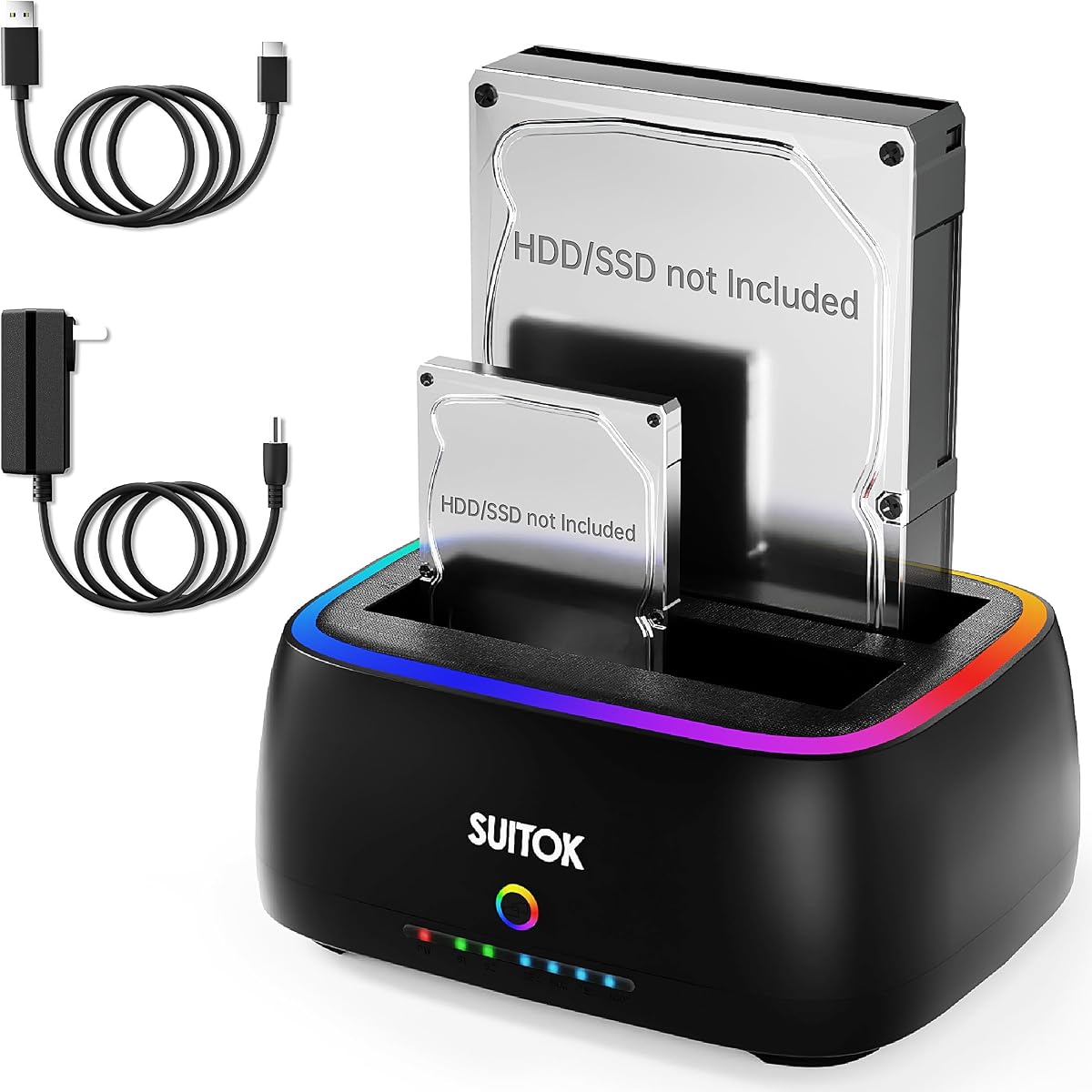
The RTL9201DP Dual-Bay Dock combines a conventional SATA copying workflow with protocol support and a visually modern open-air design. It accepts 2.5-inch and 3.5-inch SATA hard drives and SSDs, offers one-key offline cloning, and has a stated combined capacity of 40TB. Its 4.3 rating places it slightly below the highest-rated products but reflects a broad feature set.
We may earn a commission when you buy through this link, at no additional cost to you.
The RTL9201DP bridge is associated with 5Gbps SATA III transfer rates, and the included USB 3.2 Gen 1 cable is designed for stable operation. UASP can improve real-world transfer efficiency where all parts of the connection support it, while TRIM helps maintain SSD performance and S.M.A.R.T. provides drive-health information. These protocol features distinguish the model from a very basic two-bay adapter.
Offline duplication is handled through a standalone one-key function, with an LED progress bar marking the 25%, 50%, 75%, and 100% stages. The open vertical layout promotes heat dissipation, while bottom vents and anti-slip silicone pads help reduce vibration during operation. The stated compatibility extends across Windows, macOS, Linux, Chrome OS, and Android with OTG.
This dock is appealing for a home office, media center, or multi-platform workspace. A Smart TV, projector, or router can be used as a host in suitable applications, expanding its role beyond a basic computer accessory. The RGB lighting adds visual flair, though buyers focused strictly on professional utility should prioritize the protocol and cooling features rather than the lighting.
UASP, TRIM, and S.M.A.R.T. support give the dock more value than a basic drive adapter alone. These functions can improve transfer efficiency, help SSDs maintain performance, and expose useful drive-health information to compatible systems.
The vertical structure encourages passive heat dissipation, an important consideration when several 3.5-inch hard drives operate in the same enclosure. Cooling vents and anti-slip pads also help maintain a stable foundation during extended transfers.
We may earn a commission when you buy through this link, at no additional cost to you.
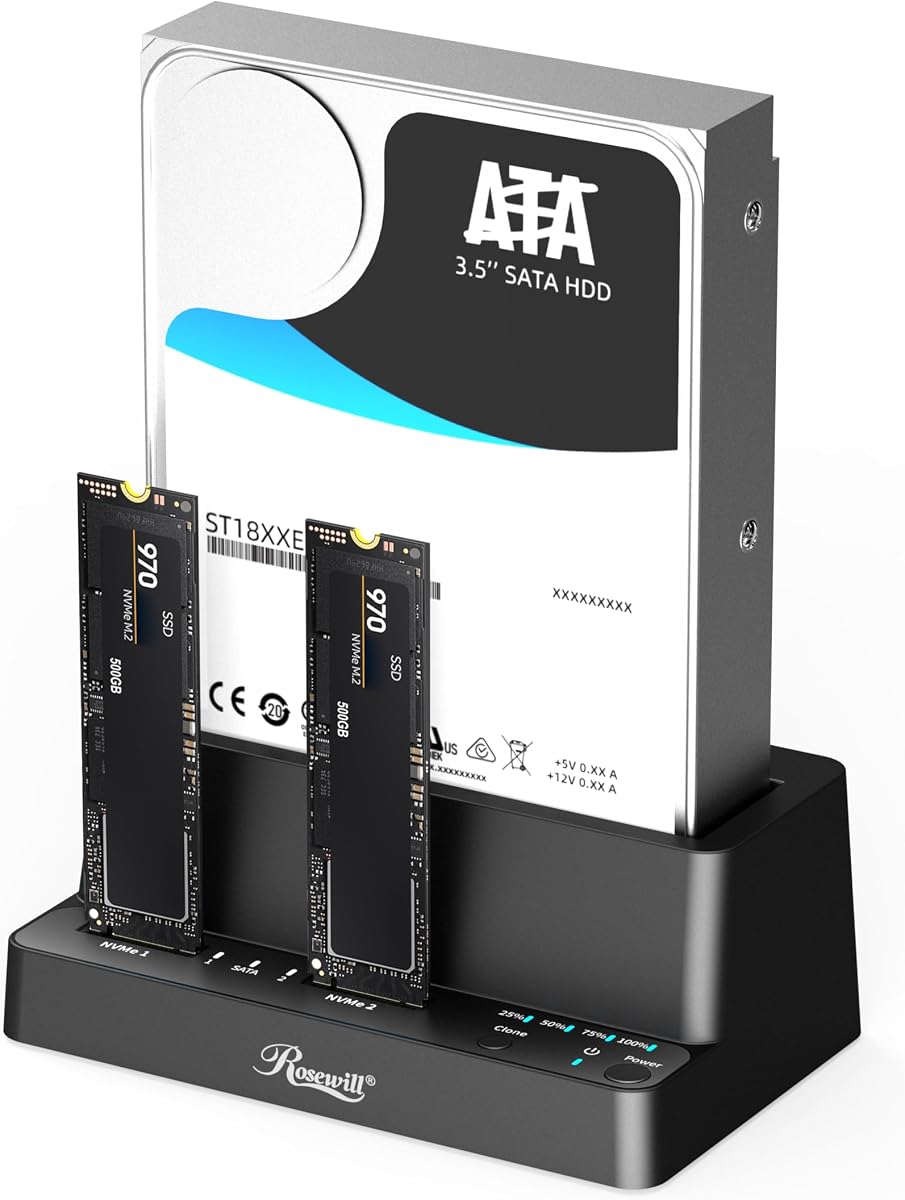
The Rosewill RS-N2S-CL provides a compact three-bay approach for users working with both M.2 NVMe SSDs and conventional SATA drives. It supports 2.5-inch and 3.5-inch hard drives, SATA SSDs, and M.2 NVMe storage while providing offline cloning without a host computer. Its 4.5 rating and three-bay design make it a strong alternative to larger professional duplicators.
We may earn a commission when you buy through this link, at no additional cost to you.
USB 3.2 Gen 2×1 connectivity offers a stated transfer bandwidth of up to 10Gbps. As with every high-speed dock, actual file transfers depend on the storage devices, source data, and host controller. A mechanical hard drive may deliver much less than the interface maximum, while a capable NVMe SSD and modern computer can make better use of the available bandwidth.
The tool-free design is particularly helpful for a mixed-format dock because users can exchange several types of media without locating screws or a dedicated installation tool. The lightweight, compact enclosure is also designed for portability, making the unit practical for technicians who need to bring their cloning setup to a client rather than leave it permanently on a desk.
Buyers should confirm the exact requirements of their M.2 module, especially its physical size and interface, before ordering. The supplied data identifies NVMe support rather than every M.2 variant, and does not provide a specific standalone cloning rate. Despite those points, the RS-N2S-CL is well suited to users who value mixed-media support, three drive positions, and easy transport.
Combining NVMe and SATA support in one enclosure reduces adapter switching. This is especially useful when comparing an older hard drive with a newer SSD or preparing a new system from a mixed set of source files.
The compact, lightweight design makes this dock easier to carry than a larger multi-bay workstation. A technician can keep source, target, and auxiliary media connected in a single portable unit.
We may earn a commission when you buy through this link, at no additional cost to you.
The ORICO 5-Bay Dock is designed for high-volume storage environments where one source drive may need to become several working copies. It can duplicate a source to four targets simultaneously without a computer, while also functioning as a five-bay dock. Its 3.9 rating is the lowest among the listed products, so the main reason to select it is its unusual one-to-four duplication capability.
We may earn a commission when you buy through this link, at no additional cost to you.
The enclosure accepts 2.5-inch and 3.5-inch SATA SSDs and hard drives. A listed maximum configuration of five 20TB drives suggests a combined capacity of 100TB, making the unit relevant to photographers, media archives, and small production teams that need quick access to many disks. USB 3.2 Gen 1 connectivity and a USB-C cable provide the host connection.
A single-button process starts the offline duplication, while S.M.A.R.T. and TRIM support add drive-management functions. The vertical aluminum-alloy construction is intended to improve heat dissipation, and anti-vibration pads help reduce movement as several drives operate. LEDs indicate working status, helping users monitor the process and identify activity in the enclosure.
The critical caution is that cloning overwrites the target disks. Users should back up any valuable data on destinations before starting. This model is a strong fit for controlled workflows involving identical copies of one source, but buyers wanting mixed NVMe and SATA support should examine the ICY BOX or Rosewill. Its specialized 1:4 function also deserves more attention than its lower aggregate rating would suggest.
One-to-four offline duplication can dramatically reduce the time needed to prepare several identical datasets. It is especially useful when distributing the same source archive to multiple machines, workstations, or storage arrays.
The vertical aluminum-alloy enclosure is designed to dissipate heat as multiple hard drives operate. Anti-vibration pads add stability, helping maintain consistent performance during large transfers and multi-drive duplication.
We may earn a commission when you buy through this link, at no additional cost to you.
The WAVLINK Dual-Bay Dock offers a familiar copying experience for standard SATA hard drives and SSDs, enhanced by UASP support and both USB 3.0 and USB-C host connections. It supports 2.5-inch and 3.5-inch SATA devices, offline cloning, and hot-swapping. The 4.4 rating indicates a solid reception, with particular appeal for users who swap drives frequently.
We may earn a commission when you buy through this link, at no additional cost to you.
UASP can provide transfer speeds up to 6Gbps and is described as potentially 20% faster than standard USB 3.0 when the complete system supports it. Standalone offline cloning runs at up to 60MBps, and the target must be equal to or larger than the source. The dock does not support online cloning, so its copy process is intentionally performed through the dedicated offline workflow.
Hot-swapping and tool-free installation make it easy to change media without restarting the computer each time. A built-in power control switch provides direct control over the dock, while automatic sleep after 30 minutes of inactivity can reduce energy use. The 12V, 3A power supply is intended to provide stable operation when both SATA hard drives are active.
The major compatibility exception is the lack of support for M1- and M2-based Macs, so current Apple Silicon users should confirm an alternative. Windows systems from version 10 back to XP, Mac OS X, Linux, and Unix are listed as compatible. For owners of legacy or conventional systems who value hot-swapping and UASP, this remains a practical dual-bay choice.
UASP can reduce the overhead associated with conventional USB mass-storage transfers and improve throughput on compatible systems. The improvement is most visible with SSDs and sufficiently fast host storage, rather than with the mechanical limits of a hard drive.
Hot-swapping lets a user exchange a mounted drive while the dock remains connected. This is useful for technicians moving between multiple storage devices or for anyone who regularly connects legacy disks to one computer.
We may earn a commission when you buy through this link, at no additional cost to you.
The SABRENT EC-CH2B is a modernized take on the two-bay SATA duplicator, with a USB-C dock connection and a hot-swappable, tool-free design. It supports 2.5-inch and 3.5-inch SATA hard drives and SATA SSDs, and both bays mount as separate drives when connected to a computer. Its 4.4 rating reflects a generally positive balance of convenience and capability.
We may earn a commission when you buy through this link, at no additional cost to you.
The standout feature is that the dock can be operated without a computer for offline copying at up to 60MBps. The target drive must be at least as large as the source. When the dock is connected to Windows or Mac, both drive bays appear independently, allowing files to be moved between them or both drives to be worked with at once.
Hot-swapping and tool-free insertion make the EC-CH2B convenient for repeated drive changes. An LED for each bay gives clear feedback about access, which is helpful when multiple media are installed. The included cable is USB-C at the dock end, so users whose computer lacks a USB-C port need to supply a USB-C-to-USB-A cable.
The principal limitation is format support. It does not accept IDE or PATA drives, four-pin Molex power-equipped devices, M.2 modules, or NVMe SSDs, and no drives are included. It is a good fit for modern laptops and desktops that need simple access to two SATA disks, but buyers with mixed storage should choose a three-format dock instead.
When connected to a host, each bay appears as a separate drive. That arrangement makes it easy to transfer files between two disks, work with both simultaneously, or treat the dock as a compact two-volume workspace.
Offline cloning removes the need for the dock to remain attached to a computer during a copy. That makes it convenient for system migrations, drive preparation, and other tasks where a simple button-based process is preferable.
We may earn a commission when you buy through this link, at no additional cost to you.
The StarTech SATDOCK4U3RE is the most specialized product in the guide because it combines a four-bay drive dock, a standalone 1:3 duplicator, and a hard drive eraser. It supports 2.5-inch and 3.5-inch SATA drives and also includes adapters for compatible IDE media. Its 4.5 rating reflects a strong feature set aimed expressly at IT professionals.
We may earn a commission when you buy through this link, at no additional cost to you.
Standalone duplication can create up to three copies of one source disk at a sector-by-sector rate of up to 4.2GB per minute. The destination must be equal in size or larger. Beyond copying, the unit offers Quick Erase and Secure Erase, with the latter based on NIST SP 800-88 Rev. 1 Purge. This combination is particularly useful when media must be repurposed and still handled according to a formal sanitization process.
An LCD and push-button menu provide a more structured way to choose copying, erasing, and drive-information functions than a small clone button alone. Multi-function LEDs report operating status, while top-loading doors and eject buttons support convenient media changes. USB 3.2 Gen 1 at 5Gbps and eSATA at 3Gbps are available for host access, and a universal power adapter is included.
This is a compelling choice for IT departments, refurbishment businesses, compliance-sensitive organizations, and technicians who need sanitization in addition to copying. It is also the most advanced device here, so buyers who only need a basic two-bay copy may find it excessive. Its professional support and focused controls justify that complexity when drive wiping is a genuine requirement.
Secure Erase provides a more defensible sanitization process than merely deleting files through an operating system. Combining erasing with docking and duplication creates a more complete workflow for preparing and retiring storage media.
The one-to-three duplication mode can produce three target copies in a standalone operation. This reduces repeated handling of the source and is useful for distributing identical images across several systems.
We may earn a commission when you buy through this link, at no additional cost to you.
The right hard drive duplicator cloner docking station depends first on the media you use, followed by the scale and purpose of each copy. Buyers should assess physical format, standalone cloning method, drive capacity, host interface, power requirements, and the number of simultaneous targets before selecting a model.
Choose a model that directly supports your actual storage. Use a mixed-format dock for a collection containing both NVMe and SATA media.
Prefer a sector-level copier for exact full-disk images. Use button-based offline cloning for simple migrations.
Judge actual workflow speed rather than interface numbers. Professional throughput matters when duplicating many full disks.
Select two bays for ordinary backups and three or more for distributed copies. Ensure the enclosure can sustain all drives simultaneously.
Verify current and maximum drive sizes before purchasing. Match the power supply to the number and type of hard drives.
Verify host connector, operating system, and driver requirements. Check explicit exclusions such as Apple Silicon compatibility.
Favor ventilation, vibration control, and convenient loading for repeated work. Design matters most when several hard drives run together.
Choose advanced management functions for professional data handling. Skip complexity when your needs are basic file access and copying.
Before inserting a drive, confirm that its format, dimensions, and connector match the dock. Turn off and disconnect the power if the manufacturer instructs you to do so, and never force a drive into a slot. Compare the source and target capacities, remember that the target must be equal in size or larger, and back up any important information on the target because the duplication will overwrite it.
For standalone cloning, install the source and target according to the dock's labeling, connect the appropriate power supply, and select the clone function. Start the process and use the LEDs or display to monitor progress. Do not unplug the dock or remove either drive during copying. When the process finishes, verify that the target is recognized and that important files or system partitions are present before relying on the copy.
For normal docking, connect the host cable to the computer and install the power adapter. Confirm that both drives appear, then eject them through the operating system before changing media. Keep the enclosure ventilated, use the supplied or specified power supply, and avoid placing it on soft or unstable surfaces. Periodically check connections and drive-health information, and treat every duplication target as disposable until the result has been verified.
Yes, every product in this guide supports standalone or offline duplication. You place the source and target in the appropriate bays, provide power, and start the process from the dock. The computer-free method is useful for migrations, but the target must be equal in size or larger, and existing target data will be overwritten.
No. Most of the dual-bay models support only 2.5-inch and 3.5-inch SATA hard drives and SATA SSDs. The ICY BOX TripleBay and Rosewill RS-N2S-CL also support M.2 PCIe NVMe SSDs. Confirm the exact M.2 size and interface of your drive because not every M.2 module is interchangeable.
Standalone cloning includes a purpose-built disk-copy process and often uses a more conservative controller speed. Several products are specified at up to 60MBps even though their USB interfaces support higher bandwidth. Drive read speed, write speed, fragmentation, and the copier's design all affect the final time.
Generally, yes, as long as the target is the same size or larger than the source and the dock supports both drive formats. After cloning, the larger target may contain unallocated space that can be expanded through the operating system's disk management tools. A clone does not necessarily make a larger SSD perform identically to the original hard drive.
A docking station connects a bare drive to a computer so its files can be accessed. A duplicator performs a standalone copy from a source drive to a target. Many docks combine both functions, while professional models may add multi-target copying, sector-level duplication, or secure erasing.
It depends on the dock and the computer. A dock with a USB-C host plug may work directly with a USB-C computer, but a USB-A-only system requires a compatible USB-C-to-USB-A cable. Some listings include a combination cable, while others provide only one connection type, so inspect the box contents before ordering.
No. A higher interface speed can improve file transfers when the host, drives, and protocol all support it, but the slowest device limits the result. Mechanical hard drives often deliver far less than the interface maximum, and standalone cloning may use a fixed lower rate. Match the interface to the media rather than choosing on headline bandwidth alone.
Verify that the target boots, opens, or contains all expected files before relying on it. Check the source and target in the destination system and confirm that the operating system recognizes the full capacity. Keep the original source untouched until the cloned installation has been tested and any necessary drivers or updates have been applied.
The ICY BOX TripleBay is the most versatile choice for a mixed collection of NVMe and SATA devices, while the StarTech SDOCK2U313R stands out for rapid, exact sector-by-sector duplication. The MAIWO Dual-Bay Duplicator provides the most budget-oriented package, combining offline SATA copying, generous capacity, and a built-in USB hub.
Prioritize drive-format compatibility and the intended copy method before considering cosmetic extras or headline interface speed. A basic two-bay dock is sufficient for standard SATA migrations, but professionals may need one-to-three copying, one-to-four duplication, secure erasing, stronger cooling, or a larger multi-drive enclosure. Always use a target that is equal in size or larger and verify the result before discarding the source.
Prices, stock, package contents, and product revisions can change over time, so check the current listing and included accessories before buying. In particular, confirm the included cable, power adapter, drive format, and operating-system support. Those details can determine whether an otherwise capable dock fits the computer and workflow you actually have.