
Focusrite Scarlett Solo 4th Gen
4.6Editor score
One microphone preamp
One Hi-Z instrument input
120 dB dynamic range
Our Focusrite USB Audio Interface guide compares ten models for recording, monitoring, connectivity, software, and home studio value.
A Focusrite USB Audio Interface serves as the bridge between microphones, instruments, and a computer-based recording system. The right model can make vocals sound clearer, guitar tracking more responsive, and headphone monitoring more dependable while remaining simple enough for a new home-studio setup.
This guide compares ten Focusrite interfaces and bundles, considering channel count, preamp quality, dynamic range, instrument connectivity, monitoring options, resolution, and included accessories. The list covers compact Scarlett Solo designs, dual-input 2i2 packages, versatile 16i16 and 18i16 models, and an older Scarlett generation for budget-conscious buyers.
Each review shows how the product fits a particular recording workflow, from solo voice-and-guitar sessions to larger multi-source projects. Ratings and listed specifications come from the supplied product information, while practical recommendations focus on documented features. Prices and bundle contents can change, so compare the current listing before purchasing.
4.6Editor score

4.7Editor score

5.0Editor score
This side-by-side comparison highlights the most important differences in input count, recording resolution, monitoring, bundled equipment, and workflow features across ten Focusrite USB audio interface options.


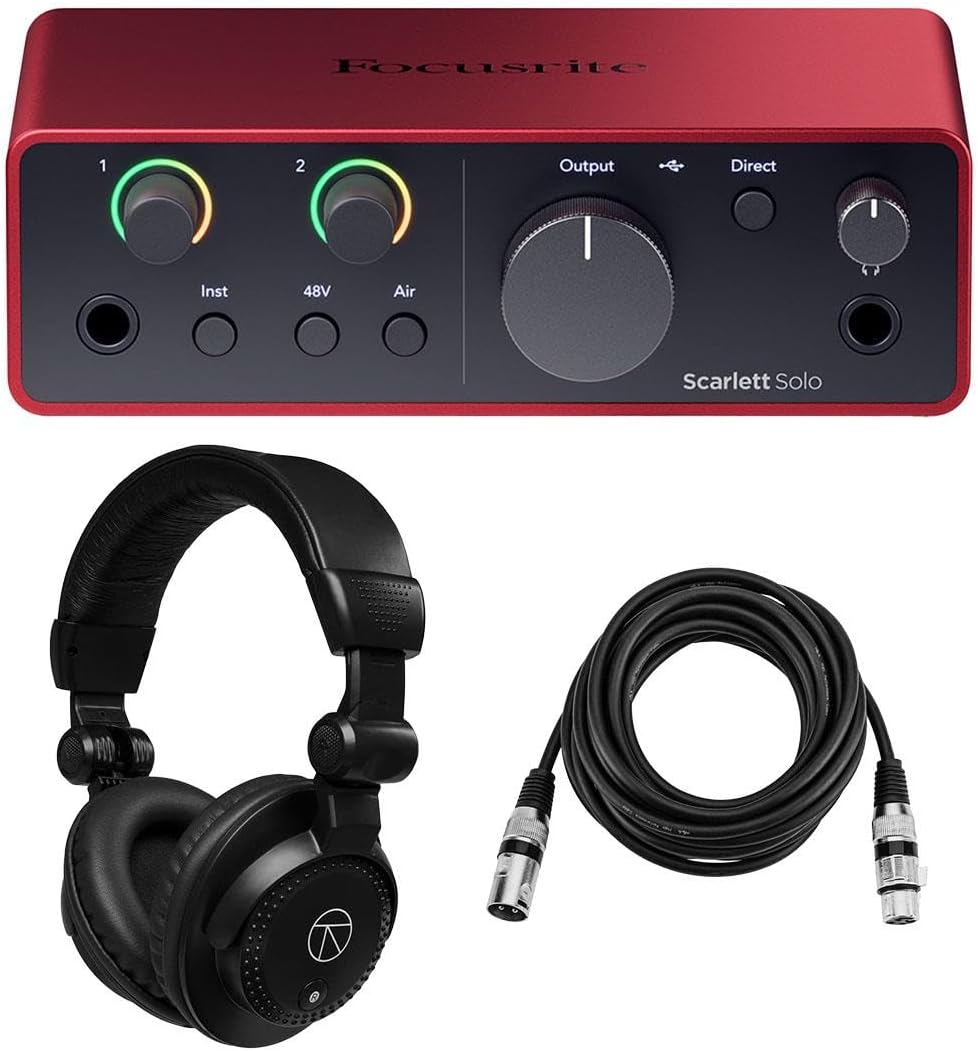
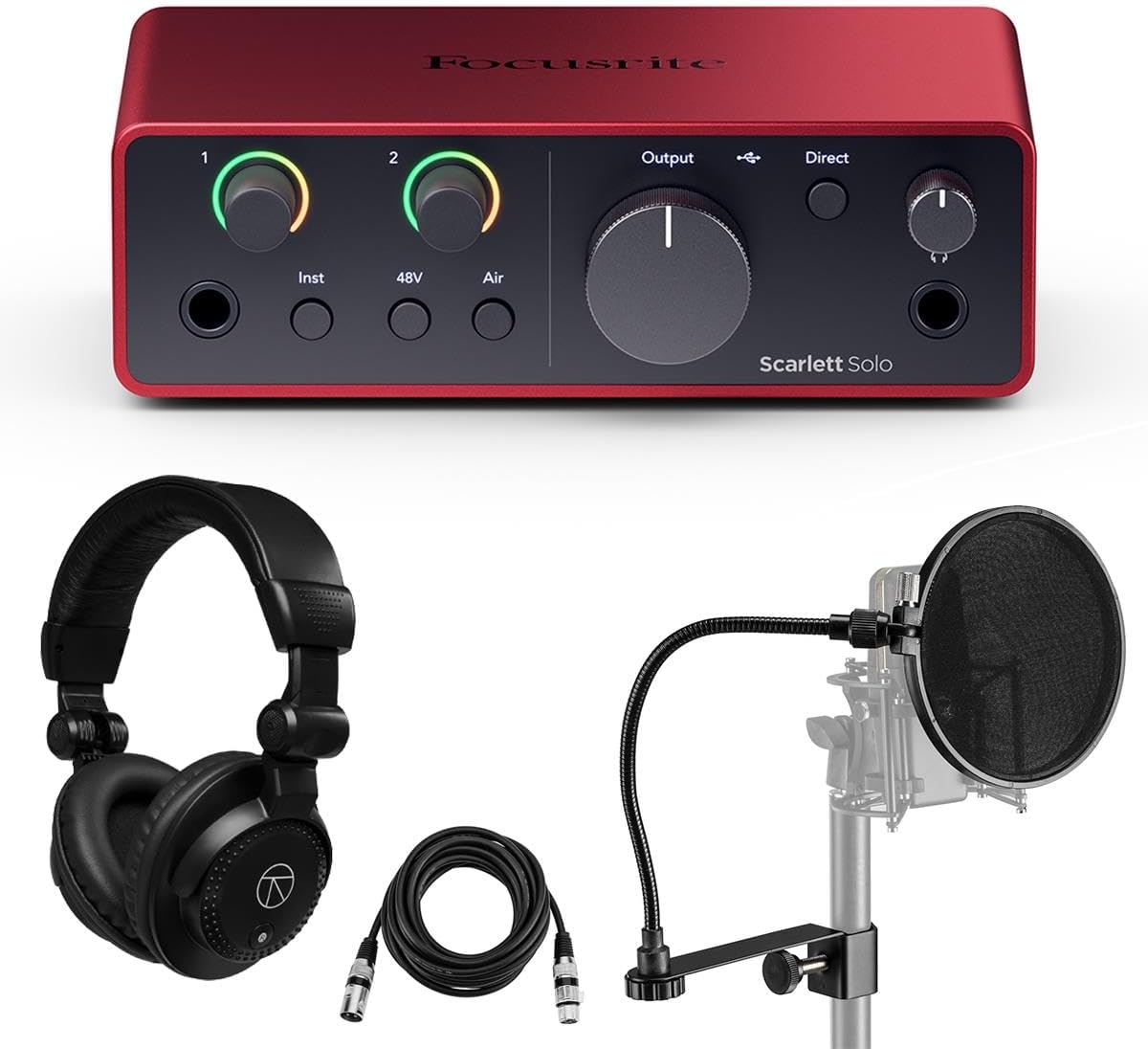


The Focusrite Scarlett Solo 4th Gen is a compact USB-C interface built around a single microphone preamp and one Hi-Z instrument input. Its 4.6 rating reflects a strong balance of recording quality, ease of use, and software support. The documented 120 dB dynamic range and converter performance make it particularly compelling for singer-songwriters who want a polished home-recording setup without a large collection of inputs.
We may earn a commission when you buy through this link, at no additional cost to you.
Its microphone preamp provides a detailed, low-noise starting point, while the instrument input allows a guitar or other electric instrument to be recorded directly. Air mode adds presence and harmonic character to vocals and instruments, giving creators another tone-shaping option beyond the raw recording. The supplied software suite includes Pro Tools Intro+, Ableton Live Lite, Cubase LE, and the Hitmaker Expansion, giving users recording, production, effects, and instrument tools from the outset.
The main limitation is the number of sources that can be recorded at once. With one microphone preamp and one instrument input, a vocalist who also wants to capture guitar, keys, or another performer at the same time will need to move between inputs. The Solo is therefore most convincing as a focused voice-and-guitar or single-instrument interface rather than a multi-track recording hub.
This is a strong recommendation for a songwriter, vocalist, bedroom producer, or beginner who values strong conversion quality, convenient monitoring, and bundled software in a compact unit. Choose it when your recordings normally center on one microphone or one instrument at a time; move up to the 2i2 when simultaneous stereo capture is important.
The Solo uses the same class of converters found in Focusrite's higher-end interfaces, with a documented 120 dB dynamic range. That makes it useful for capturing vocals and guitar with ample headroom while keeping the hardware small enough for a desktop recording space.
Pro Tools Intro+, Ableton Live Lite, Cubase LE, and the Hitmaker Expansion provide several routes into music production. These tools can help a new user record and arrange a track, explore instruments, add effects, and complete a basic mix without starting with an empty software library.
We may earn a commission when you buy through this link, at no additional cost to you.
The Focusrite Scarlett 2i2 4th Gen is a flexible 2×2 interface for recording vocals, instruments, or two sources together. It carries a 4.7 rating and stands out for its 69 dB microphone gain range, 120 dB dynamic range, illuminated Dynamic Gain Halos, and hardware-assisted Auto Gain and Clip Safe functions. For home-studio users who want more capability than the Solo without moving to a larger interface, this model offers the most balanced feature set in the list.
We may earn a commission when you buy through this link, at no additional cost to you.
The fourth-generation preamps are designed for clarity and detail, while the converters are also used in Focusrite's flagship RedNet interfaces. Two Hi-Z instrument inputs suit electric guitar, bass, keys, synths, and grooveboxes, and the professional-quality line inputs expand recording options. The included independent headphone control supports clear monitoring, while loopback allows computer audio to be routed into the recording process for sampling and software-based tasks.
Its practical advantages come from reducing common technical friction. Dynamic Gain Halos show signal activity at a glance, Auto Gain analyzes a performance to choose a level, and Clip Safe can reduce the gain when clipping becomes a risk. These features do not replace judgment, but they make level setting more approachable and can help new users avoid distorted takes. As with any compact interface, the two-input ceiling eventually matters when a project expands.
The Scarlett 2i2 4th Gen is a strong recommendation for a vocalist recording harmonies, a producer tracking guitar and keys, or a small duo working in the same room. It is particularly useful for users who appreciate fast level setup but also want manual control. The two included XLR cables make it an especially convenient package for a new vocal or instrument recording setup.
A second preamp and second instrument input allow a performer to record two sources simultaneously. This is useful for stereo vocal takes, layered performances, and situations where a player wants to capture a guitar part while a vocalist records elsewhere in the room.
Auto Gain, Clip Safe, and illuminated gain halos complement traditional volume controls. The result is a workflow that is easier for beginners yet remains practical for experienced users who want immediate visual feedback on signal levels.
We may earn a commission when you buy through this link, at no additional cost to you.
This Scarlett Solo 4th Gen bundle combines the compact interface with a software suite and a 10-foot H&A XLR microphone cable. Its 4.7 rating reflects a package that covers the essentials for a new recording setup. The interface supports 24-bit/192 kHz A/D conversion, uses a USB 2.0 protocol with USB Type-C connectivity, and is designed for real-time monitoring with low latency.
We may earn a commission when you buy through this link, at no additional cost to you.
The recording section is intentionally focused: one microphone preamp with phantom power, one instrument input, two line outputs, and one headphone output. Class-compliant operation allows integration with modern Mac and Windows computers and USB-C iPads. Including a 10-foot XLR cable gives a new user a long cable for positioning a microphone away from a compact desk, although a microphone, headphones, stand, and other essential hardware must be considered separately.
The limitation is its narrow input section. A singer and guitarist must take turns unless one source is captured through another route. The Solo also lacks headphones in this particular package, so it is not a one-box solution for a complete recording station. Its appeal lies instead in a clean interface, strong resolution, and a flexible software bundle at a focused level of complexity.
Choose this bundle if you are assembling a first home studio, already own monitoring headphones, and primarily need one vocal or one direct instrument channel. The included long XLR lead is especially helpful for microphone placement in a bedroom studio. Once simultaneous recording of two sources becomes routine, upgrading to the 2i2 would be a logical next step.
Support for 24-bit/192 kHz A/D conversion gives projects access to high-resolution capture. Low-latency monitoring is important because performers can hear themselves with minimal delay while recording, which can make overdubs and headphone performances feel more natural.
The included 10-foot XLR microphone cable provides useful placement flexibility in a home studio. It can help a vocalist keep distance from a computer microphone or allow a microphone to sit in a less reflective position, although room treatment remains a separate part of recording quality.
We may earn a commission when you buy through this link, at no additional cost to you.
The Focusrite Scarlett 2i2 3rd Gen is an established two-input design built for musicians who want to record vocals and instruments without navigating a large interface. It has a 4.6 rating, two Scarlett microphone preamps with Air, two high-headroom instrument inputs, and 24-bit/192 kHz converters. Easy Start helps users move from setup to recording and playback with less initial friction.
We may earn a commission when you buy through this link, at no additional cost to you.
Its 111 dB dynamic range provides solid headroom for home and project recording, while the broad supported sample-rate list gives users options across standard and high-resolution workflows. Focusrite's support and three-year warranty add reassurance for a product whose design has been used by a large number of musicians. The included Pro Tools First gives users a recognizable production environment for recording and editing.
Compared with the fourth-generation 2i2, this model has an older feature set. The supplied specifications do not list Auto Gain, Clip Safe, Loopback, or the newer dynamic gain halos, and its documented dynamic range is lower than the 120 dB figure associated with the newer model. Nevertheless, the core proposition remains attractive for users who want two preamps, two instrument inputs, and Scarlett sound in a proven package.
The Scarlett 2i2 3rd Gen makes sense for a producer who prioritizes a conventional workflow and may prefer the established Pro Tools First bundle. It is a good fit for tracking a singer and acoustic or electric instrument, or for capturing stereo acoustic sources. Those seeking the newest monitoring and automatic level-setting tools should compare it directly with the 2i2 4th Gen.
Natural-sounding preamps, Air, high-headroom instrument inputs, and Gain Halos form the core workflow. Focusrite designed this model to make the technical side of recording less prominent, allowing a musician to concentrate on performance and arrangement.
The converters operate from 24-bit/192 kHz, and the specification supports sample rates from 44.1 kHz through 192 kHz. This gives producers room to work at common project rates while retaining access to higher-resolution recording when appropriate.
We may earn a commission when you buy through this link, at no additional cost to you.
The Focusrite Scarlett 2i2 4th Gen Headphone Bundle pairs a capable two-channel interface with several recording accessories. Its 4.6 rating makes it a practical option for a new home studio that needs more than the interface box. The package includes Turnstile Audio Studio Monitor Headphones, a 10-foot H&A XLR microphone cable, a pop filter, and a USB-A to USB-C cable alongside the interface and software suite.
We may earn a commission when you buy through this link, at no additional cost to you.
The underlying 2i2 provides two fourth-generation Focusrite mic preamps, Hi-Z instrument inputs, professional-quality line inputs, and 120 dB dynamic range. Air mode adds presence and harmonic drive, Dynamic Gain Halos provide at-a-glance signal feedback, and Auto Gain with Clip Safe simplifies level setup. A custom-designed headphone amplifier with independent level control supports monitoring through the included headphones.
The most important caveat is that bundle additions are not the same as fully optimizing a studio. A pop filter helps reduce plosives, and a good XLR cable provides a dependable microphone connection, but room acoustics, microphone technique, and a stable computer setup still influence the final sound. Buyers who already own these accessories may gain less from the package version than first-time users.
This bundle is a strong fit for someone setting up a compact vocal or small project studio and looking to minimize separate purchases. It provides monitoring and basic recording accessories around a versatile Scarlett interface. If you already own reliable headphones and cables, compare the core interface with the 2i2 bundle containing two XLR cables.
Including headphones, an XLR cable, a pop filter, and the USB connection cable removes several immediate shopping tasks. For a new user, that convenience can be more valuable than saving a small amount by assembling each accessory separately.
The fourth-generation 2i2 can capture two sources at once, record stereo sources, or keep a vocal and instrument workflow available without moving to a larger interface. It is a natural center point for small home sessions.
We may earn a commission when you buy through this link, at no additional cost to you.
The Focusrite Scarlett Solo 4th Gen Headphone Bundle is built for a simple recording setup centered on one microphone or one direct instrument. It has a 4.6 rating and includes Turnstile Audio headphones and a 10-foot XLR cable in addition to the interface and software suite. The Solo's compact format makes it easy to position near a computer without taking over the desk.
We may earn a commission when you buy through this link, at no additional cost to you.
Its detailed ultra-low-noise mic pre, 120 dB dynamic range, and converters associated with Focusrite's flagship RedNet interfaces provide a capable recording foundation. Air mode adds high-end presence and harmonic drive, while Dynamic Gain Halos simplify level setting. The custom-designed headphone amplifier has independent volume control, so the included headphones can be driven to a comfortable monitoring level for a range of sources.
The main compromise is the 2-in, 2-out layout. It is ideal for a songwriter working alone, but it cannot accept two live microphones at once without a different interface. A user planning to record acoustic guitar, vocal, backing vocals, and percussion together will eventually need additional inputs or a multi-channel solution.
This bundle suits a first-time creator who already has a microphone or guitar but needs headphones and a cable. It provides a straightforward path from playing an instrument to making a recording, with software and monitoring equipment included. Those who need stereo or live duo capture should consider the Scarlett 2i2 instead.
A single microphone preamp and a Hi-Z instrument input cover the most common solo home-studio tasks. The format is deliberately focused, making it easier to understand signal flow while still providing professional converter quality.
The independent headphone level control and included Turnstile Audio headphones provide a ready-to-use monitoring chain. That makes the package attractive for a creator who wants to start recording without first selecting a separate pair of headphones.
We may earn a commission when you buy through this link, at no additional cost to you.
The Focusrite Scarlett Solo 4th Gen Complete Bundle is especially appealing to vocalists building a first recording station. It carries a 4.7 rating and includes Turnstile Audio Studio Monitor Headphones, a pop filter, and a six-foot XLR microphone cable. The interface itself offers a detailed ultra-low-noise microphone preamp, a Hi-Z instrument input, and a 120 dB dynamic range.
We may earn a commission when you buy through this link, at no additional cost to you.
Several quality-of-life features make the interface approachable. Air mode adds presence and harmonic drive to vocals and instruments, Dynamic Gain Halos provide clear feedback when setting levels, and Auto Gain with Clip Safe can help establish a suitable starting level. Loopback lets users route computer audio into virtual inputs, making it possible to create samples or capture software output for further editing.
The software package includes Ableton Live Lite, Avid Pro Tools Artist, and the Hitmaker Expansion. Focusrite Control 2 adds direct session control from a Mac or PC, while Easy Start helps streamline initial configuration. The result is more than a hardware box: it is a package intended to support a complete first recording workflow with a microphone, monitoring, effects, and a production application.
The package is best suited to a solo vocalist, singer-songwriter, or streamer who will record one source at a time. Its six-foot XLR lead is useful for a compact desk setup, although a longer cable may be preferable in a larger room. Users preparing for multi-person or multitrack sessions should plan to move beyond the Solo's single-preamp architecture.
The headphones, pop filter, and XLR cable cover several common vocal-session needs. This makes the bundle practical for someone who owns a microphone but has not yet assembled a complete recording and monitoring setup.
Virtual inputs can capture computer audio, allowing users to record software output or create their own samples. That turns the Solo into more than a conventional microphone recorder and supports tasks involving online audio, software instruments, and sound collections.
We may earn a commission when you buy through this link, at no additional cost to you.
The Focusrite Scarlett 16i16 4th Gen is designed for a home or project studio that needs room to grow. It has a 5.0 rating and combines two microphone preamps, two instrument inputs, six line inputs, ADAT, SPDIF, and MIDI I/O in one USB interface. The broad connection set makes it suitable for multitrack recording, electronic setups, and instruments that use digital or MIDI connections.
We may earn a commission when you buy through this link, at no additional cost to you.
Its 24-bit/192 kHz converters capture high-resolution audio, while the class-compliant design supports Mac, Windows PC, Chromebook, and USB-C iPad workflows. Near-zero latency is useful for real-time monitoring and recording. The included Turnstile Audio headphones, pop filter, two 10-foot XLR cables, power supply, USB cable, and three-year warranty make the bundle convenient for assembling a multi-input station.
Despite the name, the 16i16 provides two microphone preamps, so it does not directly record sixteen analog microphone channels. Its additional line inputs, digital connections, and MIDI I/O expand the number of sources that can be integrated. The supplied information does not provide a total dynamic-range figure for this model, so comparisons with the Solo and 2i2 should focus on the documented connectivity rather than assigning an unsupported numerical advantage.
This is a compelling recommendation for a band recording into an interface, a producer combining analog and digital gear, or a creator who wants MIDI connectivity from the outset. The supplied 5.0 rating is also notable, though ratings should be considered alongside feature fit and workspace. It offers more flexibility than the Solo or 2i2 but asks the user to manage a broader signal flow.
Two mic preamps, two instrument inputs, six line inputs, ADAT, SPDIF, and MIDI I/O support a wider collection of sources than a two-channel interface. That matters when recording keyboards, drum machines, external preamps, synthesizers, or multiple analog sources.
Headphones, two XLR cables, a pop filter, USB cable, and power supply provide many of the physical components needed for a focused studio desk. The included software suite and three-year warranty complement that practical, ready-to-build package.
We may earn a commission when you buy through this link, at no additional cost to you.
The Focusrite Scarlett 18i16 4th Gen is the most connectivity-focused model in this guide. It has a 5.0 rating and offers four microphone preamps, two instrument inputs, eight line inputs, ADAT, SPDIF, and MIDI I/O. That makes it a strong foundation for a project studio that wants to record several sources at once while retaining options for external digital gear and MIDI equipment.
We may earn a commission when you buy through this link, at no additional cost to you.
The interface supports 24-bit/192 kHz resolution and near-zero-latency monitoring over USB 2.0 connectivity. Auto Gain and Clip Safe reduce the difficulty of establishing safe recording levels, while loopback functionality makes it possible to record computer audio. The class-compliant design supports modern Mac and Windows systems, and the included software suite helps users begin recording without adding a separate production package immediately.
This bundle is especially well provisioned: it includes a power supply, USB cable, TAPH100 headphones, a pop filter, XLR cables, and a three-year Focusrite warranty. The 15-foot cable length provides useful placement freedom in a larger room or around a larger desk. As with every packaged system, the supplied accessories should be checked against what is already owned, and current listing details should be confirmed before purchase.
The 18i16 4th Gen is the top recommendation for a band, producer, or serious home-studio creator who values expansion options. Four onboard preamps are a meaningful step up from a solo or dual-input design, and the digital connections allow the system to grow. Users who only need one vocal or guitar channel may find its complexity unnecessary, but a multi-instrument workflow can justify the additional connectivity.
Four built-in preamps make it possible to record a small ensemble without adding an external preamp. The two Hi-Z instrument inputs also allow suitable electric instruments to connect directly, supporting a broader mix of acoustic and electric recording tasks.
ADAT, SPDIF, and MIDI I/O provide pathways beyond the analog front end. These connections suit compatible digital equipment, MIDI controllers, and future studio expansion, making the 18i16 a more adaptable centerpiece than a basic two-channel interface.
We may earn a commission when you buy through this link, at no additional cost to you.
The Focusrite Scarlett Solo 2nd Gen is a straightforward entry into USB recording. Its 4.6 rating reflects a simple, well-established 2-in, 2-out design with one Focusrite Scarlett microphone preamp, 48V phantom power, low noise, and ample gain. It is compact, lightweight, and tough enough to move between rooms, making it relevant for anyone who values simplicity and portability over a large feature set.
We may earn a commission when you buy through this link, at no additional cost to you.
A solo performer can connect a microphone through XLR, raise the gain to a suitable level, and monitor through the output and headphone section. The physical design is easy to understand, which can be advantageous for a first interface. Pro Tools First provides a production environment, while the Focusrite Red 2 and Red 3 Plug-In Suite and Softube Time and Tone bundle add effects for shaping recordings.
Compared with current fourth-generation models, its feature set is modest. The supplied information does not list 24-bit/192 kHz operation, Air mode, Auto Gain, Clip Safe, Loopback, or a 120 dB dynamic range for this model. Those omissions do not make it unsuitable for basic recording, but they mean a buyer should consider the full specification and likely product age when comparing it with a newer unit.
Choose the 2nd Gen Solo if you want a small, uncomplicated interface for one microphone, basic voice recording, podcasting, or simple instrument capture. It is also worth considering as a dedicated backup or travel interface. New creators who want current software features, high-resolution specifications, and the newest Scarlett workflow should generally compare the fourth-generation Solo before deciding.
One clearly defined microphone preamp, phantom power, and a compact control layout keep the signal path understandable. That simplicity can make the interface less intimidating for someone learning how microphone level, monitoring, and recording software fit together.
The lightweight, tough enclosure is suited to moving between a home office, rehearsal room, and another project location. Its limited feature set also means a smaller surface area to learn, which can be helpful in a portable mobile-recording setup.
We may earn a commission when you buy through this link, at no additional cost to you.
The right Focusrite interface depends on how many sources you record, the connections your equipment requires, and how much software and hardware you already own. These factors help prevent an expensive mismatch between a new interface and an existing studio setup.
Start by counting the sources you need to record at the same time. The Scarlett Solo models provide one microphone preamp and one instrument input, making them appropriate for a single performer working with a vocal, guitar, or another direct source. The 2i2 provides two microphone preamps and two instrument inputs, which supports vocal harmonies, stereo recording, and a small duo. The 16i16 and 18i16 are better choices when several microphones, line-level devices, or digital instruments must coexist in one project.
Choose enough inputs for your normal workflow, not merely the largest session you might attempt someday. Leaving capacity for future growth is useful, but an interface with unused channels adds complexity without improving a current recording.
The preamp is the first active stage for a microphone signal, so its gain, noise performance, and headroom influence the starting point of every vocal or acoustic recording. Current Scarlett models emphasize detailed, low-noise operation, and the 2i2 4th Gen documents a 69 dB gain range. The 16i16 and 18i16 provide multiple preamps, making their level-management features more important as the number of simultaneous sources increases.
Check the documented gain range and input type for your microphone. A condenser microphone generally requires phantom power, while a dynamic microphone may not, and ribbon microphones can be sensitive to phantom power. Matching the interface to the source avoids avoidable compatibility problems.
Dynamic range indicates how much useful signal can sit between the quiet noise floor and the maximum level before distortion becomes a concern. The fourth-generation Solo and 2i2 are documented at 120 dB, while the 2i2 3rd Gen lists 111 dB. Higher specifications can be useful for quiet sources and demanding sessions, although microphone quality, acoustics, gain staging, and recording technique remain central to the result.
Also consider the stated resolution. The 4th Gen 2i2 4th Gen, 16i16, and 18i16 are described as supporting 24-bit/192 kHz capture, and the 2i2 3rd Gen also uses 24-bit/192 kHz converters. Higher resolution is useful, but only when the complete signal chain—from microphone and preamp through conversion and software—supports the intended quality.
Direct instrument inputs are designed for electric guitar, bass, and compatible devices, while Hi-Z inputs can also suit some keyboard, synthesizer, or groovebox workflows. Line inputs provide a path for professional-level hardware. The 18i16 goes further with ADAT, SPDIF, and MIDI I/O, while the 16i16 also provides digital and MIDI connections despite having fewer analog inputs.
List the equipment you already own before choosing. A producer with MIDI controllers may value MIDI I/O, while a recording artist with an external preamp may need digital inputs. Buying connectivity you will use is more valuable than paying for unused routing options.
An interface should provide dependable headphone monitoring for timing, performance, and editing. The Solo and 2i2 4th Gen use custom-designed headphone amplifiers with independent volume controls, allowing monitoring to be adjusted independently of recording gain. Loopback is also valuable when a creator wants to capture computer audio, use software instruments, or record samples from another application.
Monitor through headphones while learning the signal path, and compare the result with familiar speakers if available. Monitoring helps expose clipping, noise, unwanted room reflections, and level imbalance, but the quality of the source and room still determines how much can be corrected later.
Auto Gain, Clip Safe, and Dynamic Gain Halos are valuable in a fourth-generation Scarlett 2i2, 16i16, or 18i16 workflow. Auto Gain can establish a level from a short performance, Clip Safe can adjust gain when a recording approaches clipping, and illuminated halos provide visual signal feedback. These functions do not guarantee a perfect take, but they make setup more accessible and reduce the chance of avoidable distortion.
Learn manual gain staging even when using automation. Understanding the relationship between source level, preamp gain, converter headroom, and software recording level gives the musician more control when an automatic function is not appropriate.
Focusrite bundles commonly include production software, effect suites, and recording accessories. Ableton Live Lite, Pro Tools Intro+ or Artist, Cubase LE, and the Hitmaker Expansion can provide a workable path into recording, arranging, mixing, and mastering. Bundled hardware may include XLR cables, USB cables, headphones, a pop filter, and a power supply, depending on the listing.
Evaluate the bundle as a complete shopping list rather than judging only the interface. If you already own reliable headphones, cables, and a DAW, a simpler package may leave more budget for a microphone or room improvement. If you are starting from nothing, the more complete bundle can be more efficient.
Modern Scarlett interfaces use class-compliant USB connectivity, allowing them to work with current Mac, Windows, and supported USB-C iPad systems. The Solo bundle lists a USB-A to USB-C cable and USB Type-C connectivity, while the larger models include a USB cable and power supply. Check the connector type on your computer and confirm that the listed accessories match your setup.
Class compliance simplifies setup, but software still needs compatible drivers and a functioning audio configuration. Install the interface, launch the chosen DAW, select the Scarlett as the recording device, and confirm the input and output before the first take.
Begin by connecting the interface to the computer before adding microphones or instruments. Install the current operating-system software and the included recording application, then select the Scarlett as the DAW's audio device. Connect headphones and test the output at a modest level before increasing it. For a new setup, Easy Start and Focusrite Control 2 can help organize the connection and session-control process.
For a microphone recording, connect the XLR cable, switch the appropriate input to microphone, and enable phantom power only when the microphone requires it. Set gain conservatively, speak or sing at the intended performance level, and watch Dynamic Gain Halos or software meters. Instruments connect through the Hi-Z input, while professional line-level equipment uses the line inputs. Keep gain staging consistent and leave enough headroom for the strongest part of the performance.
To protect the hardware, keep liquids away from the enclosure, avoid leaving it in direct heat, and do not connect or disconnect cables while the system is active. Route cables away from power sources and protect connectors from repeated pulling. Store the interface in a padded location, keep software licenses and included codes organized, and periodically confirm that the computer, operating system, and DAW remain compatible with the model.
The Scarlett Solo has one microphone preamp and one instrument input, so you can record a vocal and a guitar through separate connections, but not simultaneously as two live inputs. For live two-source capture, use the 2i2 or a larger interface. The Solo remains well suited to a performer recording one source at a time and overdubbing the other later.
No. Phantom power is generally required by condenser microphones, while most dynamic microphones do not need it, and some ribbon microphones may be damaged by it. Check the microphone documentation before enabling the switch. Using a live instrument connection while phantom power is active can also introduce unwanted audio into the instrument input.
The Solo is a focused interface with one microphone preamp and one Hi-Z instrument input. The 2i2 has two microphone preamps, two Hi-Z inputs, and additional line-level flexibility. Choose the Solo for a single-source songwriter workflow and the 2i2 for two-source recording, harmonies, stereo capture, or small live sessions.
The 16i16 has two microphone preamps, two instrument inputs, six line inputs, and digital and MIDI connections. The 18i16 increases those analog counts to four preamps, two instrument inputs, and eight line inputs while retaining ADAT, SPDIF, and MIDI. The 18i16 is the stronger choice for recording more microphones or line sources directly.
Yes. Loopback routes computer audio into the interface's virtual inputs so it can be captured by the recording application. This is useful for sampling software output, recording online audio, or capturing another application. The exact routing depends on the DAW and interface control software, so it is worth confirming the workflow before a live session.
It means the interface can convert incoming audio to 24-bit digital samples at a maximum rate of 192,000 samples per second. The format provides substantial detail and can be useful in professional workflows, but the difference is not automatically audible in every project. Microphone quality, gain staging, room acoustics, and playback equipment often matter more to the final result.
The bundled headphones and cables cover important basics, but a complete vocal setup also normally requires a microphone, stand, and suitable room treatment. A pop filter can help with plosives, while acoustic treatment addresses reflections that software cannot fully recreate. Existing equipment should be considered before choosing a bundle based primarily on accessories.
An older model can be attractive when its core recording features meet your needs and the current listing offers good value. The Scarlett 2i2 3rd Gen, for example, provides two preamps, two instrument inputs, Air mode, and 24-bit/192 kHz converters. The 2nd Gen Solo is simpler, so compare modern conveniences such as loopback, automatic level controls, and current software support against your actual requirements.
The Focusrite Scarlett Solo 4th Gen stands out as the best overall and budget-minded choice for a focused singer-songwriter setup, offering 120 dB dynamic range, Air mode, and a strong software collection. The Scarlett 2i2 4th Gen is the editor's choice for users who need two simultaneous channels and helpful level-setting features, while the Scarlett 18i16 4th Gen takes the premium position for studios that require four preamps, extensive line inputs, digital connections, and MIDI I/O.
Prioritize the number of sources you need to capture, the type of equipment you already own, and the features that will support your normal workflow. Solo is appropriate for one-at-a-time recording, 2i2 for small duos and stereo capture, and 16i16 or 18i16 for project rooms that need broader analog and digital connectivity. Bundled headphones, cables, software, and effects can improve convenience, but they should complement rather than dictate the interface choice.
Before buying, verify the current listing, connector type, software entitlements, included accessories, warranty details, and compatibility with your computer and DAW. Prices, promotions, and bundle contents can change, and the supplied information reflects the listings available for this guide. Choosing the model that matches your recording needs will provide the most useful and satisfying long-term setup.