
SUPVAN T50M Pro Label Maker
4.5Editor score
Bluetooth mobile app labeling
Three-inch label width range
Extensive free design assets
A barcode printer for inventory turns product data, storage locations, and stock movements into labels that can be scanned quickly and accurately. The right model should fit your label sizes, work with your devices, and print consistently without forcing proprietary supplies or complicated setup.
We compared the ten featured printers by examining label compatibility, print resolution, speed, connection methods, calibration features, included software, and practical inventory uses. The list includes compact Bluetooth models, wired desktop printers, and options broad enough for shipping labels as well as product tags.
Each review explains where the printer stands out, where its compromises may matter, and who is most likely to benefit from it. Ratings and specifications reflect the supplied product information, while availability, software compatibility, and current pricing can change as manufacturers update their products.
4.5Editor score

4.0Editor score

4.5Editor score
As an Amazon Associate we earn from qualifying purchases.
The comparison below highlights the major differences among these inventory label printers, including supported media widths, resolution, connection methods, speed, and their most useful workflows.


The iDPRT SP310 Thermal Label Printer earns the top position because it combines broad media compatibility with a fast, consistent printing workflow. Its 4.0 rating reflects a capable desktop option for product labels, SKU tags, file folders, envelopes, and barcode applications. The ability to handle labels from 1 to 3.35 inches wide makes it less dependent on separate printers for different inventory tasks.
We may earn a commission when you buy through this link, at no additional cost to you.
Print speed is a major strength. At up to 80 sheets of two-by-three-inch labels per minute, the printer is designed for repeated batch jobs rather than occasional one-label use. Smart sensors detect label size and gap boundaries, while one-touch calibration helps keep output aligned after changing media. Its open system accepts third-party thermal labels rather than restricting users to proprietary rolls.
The wired USB design prioritizes dependable throughput over wireless flexibility. Dedicated drivers are offered for Windows, macOS, Linux, ChromeOS, and Raspberry Pi, which makes the model appealing to offices with mixed technical environments. The supplied HereLabel design software supports bulk imports, serialized inventory barcodes, and custom layouts for Windows and macOS without a subscription requirement.
This printer is best suited to sellers, warehouse operators, and office teams that create many product or stock labels on a computer. It may be less convenient for someone who only needs occasional phone printing, but its speed, label range, and calibration features make it a dependable inventory-labeling foundation. It is our strongest overall choice for consistent desktop production.
The 25 to 85mm width range covers many common thermal formats, allowing one machine to handle compact product tags, larger SKU labels, and standard shipping-related applications. Open-media support also gives operators more freedom when sourcing replacement labels.
Automatic media identification and one-touch calibration reduce the chance of skipped, shifted, or wasted labels. Those features are especially valuable after changing rolls or during high-volume replenishment work.
We may earn a commission when you buy through this link, at no additional cost to you.
The SUPVAN T50M Pro is a practical choice for home offices, small retailers, and sellers who want a straightforward inventory label maker without a complex desktop workflow. Its 4.5 rating reflects an approachable product that supports 0.75 to 2-inch labels. The included tapes and phone-oriented app make it especially useful for beginners who want to start labeling quickly.
We may earn a commission when you buy through this link, at no additional cost to you.
Its free app offers more than 30 fonts, 50 frames, and 660 icons, allowing users to build labels with product information, QR codes, barcodes, logos, and other visual elements. Automatic label-size recognition reduces configuration work, while inkless thermal printing avoids the need for cartridges. The result is a convenient system for storage bins, containers, product tags, and organization projects.
The important limitation is media size. Its maximum supported width is two inches, so it is not the right choice for standard four-by-six shipping labels or larger warehouse packages. The product also centers on phone connectivity rather than the multi-platform desktop driver support found in higher-ranked models. It works best when printed output is created near the phone that stores the inventory data.
Buyers should choose the T50M Pro for inexpensive, flexible labeling of small products and household or retail inventory. A shop that prints standard shipping labels or runs large back-office batches will benefit more from a dedicated desktop thermal printer. For a small operation that values ease, creative templates, and included media, it is an especially well-rounded option.
The free app allows labels to be edited from a phone, tablet, or computer, which suits businesses that move between shelves, counters, and storage areas. Automatic size recognition further shortens the path from a new label roll to the first usable print.
Hundreds of fonts, frames, and icons are available in the app at no additional cost. That makes it easier to create readable product labels, QR codes, logos, and price tags without paying for separate design software.
We may earn a commission when you buy through this link, at no additional cost to you.
The CLABEL 221D Bluetooth Barcode Label Printer is a flexible two-inch option for small businesses that need both mobile tagging and desktop batch printing. Its 4.1 rating reflects a practical combination of 203DPI direct thermal output, Bluetooth, and USB. It is aimed at item labels in retail, offices, bakeries, clothing stores, and similar environments.
We may earn a commission when you buy through this link, at no additional cost to you.
The most useful feature is the choice of connection methods. Windows users can connect by USB for back-office volume work, while iOS and Android phones can print wirelessly through the Clabel trade app. Free retail, office, and small-business templates simplify setup, and saved layouts can help reduce repeated data entry during busy labeling sessions.
Its no-brand-lock design allows ordinary thermal paper from third-party suppliers, avoiding RFID chip restrictions that can limit media choices. Direct thermal printing produces barcodes, QR codes, and address stickers without ink or toner. However, this is an item-label printer rather than a shipping solution: standard four-by-six labels and receipts are outside its intended use, and tablet and POS compatibility is not claimed.
The 221D Bluetooth is recommended for shops that label products at the counter and also need a connected USB workflow in the back office. It offers more application flexibility than a phone-only label maker, while remaining less complex than a larger desktop unit. It is a good middle-ground option for compact, two-inch inventory labels.
Bluetooth supports quick counter-side printing from a compatible phone, while USB suits Windows computers running larger batches. This separation lets the same printer serve mobile and fixed workflows without changing its media format.
Because the printer has no RFID chip restrictions or ID locks, users can select standard thermal paper from different suppliers. That flexibility can simplify replenishment for recurring inventory-labeling needs.
We may earn a commission when you buy through this link, at no additional cost to you.
The CLABEL 221D Desktop Thermal Barcode Label Printer is a compact wired model aimed at small businesses, home offices, and anyone who needs repeatable product or storage labels. Its 4.0 rating is supported by a simple setup process, a two-inch media class, and a free app. The lightweight housing makes it convenient to move to another workstation when required.
We may earn a commission when you buy through this link, at no additional cost to you.
It accepts self-adhesive labels measuring 20 to 50mm wide and 15 to 150mm high, providing enough flexibility for barcode, price, product, and content labels. The app includes 11 font styles, 58 templates, more than 300 icons, barcode and QR-code functions, Excel printing, and options for graphs, images, and tables. No registration is required, which reduces the barrier to initial use.
Its lack of wireless connectivity is the clearest trade-off. Unlike the Bluetooth version of the 221D, this model is centered on a fixed USB workflow. That is not a serious limitation for a permanent back-office station, but it may frustrate users who want to design and print from a phone while moving around a stockroom.
This printer is a solid recommendation for operators who prioritize a compact, affordable desktop unit and regular computer-based labeling. It suits small businesses that need scannable inventory codes, QR codes, and batch output without needing shipping-label support. Those wanting phone flexibility should examine the CLABEL 221D Bluetooth or the CT327D instead.
Templates, icons, fonts, and spreadsheet support provide enough design flexibility for many small-business inventories. Because the software does not require registration, teams can begin creating labels without creating a separate account.
The compact, lightweight design is useful for crowded counters or home-office desks. Its flexibility to change locations also makes it a sensible option for temporary stocktaking or event-based inventory work.
We may earn a commission when you buy through this link, at no additional cost to you.
The Labeer Bluetooth Thermal Shipping Label Printer is a versatile option for inventory teams that also prepare packages and return labels. Its 4.1 rating reflects broad media support, flexible device connections, and useful workflow features. Unlike many two-inch competitors, it can handle standard four-by-six shipping labels alongside smaller inventory tags.
We may earn a commission when you buy through this link, at no additional cost to you.
Supported widths range from 1.57 to 4.41 inches, including four-by-six, four-by-four, four-by-two, and two-by-one formats, plus custom sizes. Both roll and fanfold thermal media are accepted. The FlashLabel Pro app can identify the label area in a PDF and remove extra margins, while crop and rotate tools help prepare address, return, and shipping documents.
Automatic gap detection and calibration aid alignment, while paper-out and jam detection, pause and resume, and print-job cancellation improve control during repeated jobs. Windows can use USB or Bluetooth, macOS, ChromeOS, and Linux connect through USB, and iPhone and Android users can print by Bluetooth through the app. It therefore serves both a shipping station and a mixed-device office.
This is a strong recommendation for online sellers, warehouse employees, and retail teams that need inventory labels without giving up four-by-six shipping capability. It may be unnecessary for users who only need tiny product tags, and buyers should verify their preferred device and app workflow before purchase. For combined shipping and stock labeling, however, its flexibility is difficult to overlook.
The unusually broad media range allows teams to print compact product tags, bin labels, return labels, and standard shipping labels from the same device. That versatility is valuable when separate label streams must share one workspace.
PDF margin detection, crop, and rotation controls help prepare imported shipping documents. Automatic calibration and jam detection make ongoing operation more predictable, particularly during repeated packing and stocktaking sessions.
We may earn a commission when you buy through this link, at no additional cost to you.
The CLABEL CT327D stands out as the most versatile and advanced desktop model in the group. Its 4.5 rating reflects fast output, a wide 20 to 80mm label range, and support for both phone and computer workflows. It is particularly compelling for retail counters, small warehouses, and businesses that move among product, price, barcode, and inventory labels.
We may earn a commission when you buy through this link, at no additional cost to you.
At up to 152mm per second and 203DPI, the printer is built for repeated labeling without making users wait through each job. It supports gap, black-mark, and perforated labels as well as continuous paper. Internal roll loading and external paper feeding broaden the setup options, while the smart label-backfeed feature repositions media to align the first label and reduce waste.
Bluetooth allows iOS and Android users to print from a phone, while USB supports Windows for desktop editing and larger jobs. This hybrid approach is more flexible than a strictly wired model and more adaptable than a compact label maker. The three-inch class provides room for larger SKU labels without moving into full four-by-six shipping territory.
The CT327D is our premium recommendation for operations that value versatility, throughput, and media choices over a minimal footprint. It is a strong fit for businesses preparing frequent retail or stock labels in a permanent workstation. Users with only occasional, narrow product-tag needs may find a simpler two-inch printer sufficient, but growing operations will appreciate the room this model provides.
Supporting gap, black-mark, perforated, and continuous media allows the CT327D to adapt to more than one kind of label supply. The broad width range also makes it suitable for mixed retail and warehouse workflows.
The stated speed of 152mm per second helps teams keep pace with price updates, shelf labeling, and product replenishment. It is particularly useful when inventory tasks arrive in large, repetitive batches.
We may earn a commission when you buy through this link, at no additional cost to you.
The iDPRT SP310 Desktop Thermal Label Printer combines the highest supplied rating in the group, 4.6, with the speed and media range needed for serious inventory production. It supports labels from 1 to 3.35 inches wide and produces up to 80 two-by-three-inch labels per minute. That combination makes it well suited to online stores, fulfillment tasks, and product-based operations.
We may earn a commission when you buy through this link, at no additional cost to you.
The printer uses direct thermal technology at 203DPI, balancing sharp text and scannable barcodes with a straightforward ink-free process. Intelligent sensors automatically identify label size and gap boundaries, and one-touch calibration after media changes helps prevent skipped or misaligned output. Its open system accepts labels from third-party brands, which gives buyers more supply options.
A stable USB connection is used in place of wireless communication. Individual drivers are available for Windows, macOS, Linux, ChromeOS, and Raspberry Pi, and the HereLabel application supports bulk file imports, serialized inventory barcodes, and custom layouts. The absence of a subscription fee and monthly charge makes the software package attractive for teams that label consistently.
This model is a compelling choice for sellers and operations teams that need reliable speed and broad media support from a computer. It may not suit a worker who labels remotely with a phone, but its consistent USB workflow and rapid output are advantages in a fixed packing or stockroom station. Its rating and feature balance make it one of the strongest selections here.
A rate of up to 80 two-by-three-inch labels per minute supports high-volume SKU, FBA barcode, and return-address tasks. The speed is most valuable for users who reprint labels regularly rather than label a small number of items.
Third-party media compatibility removes proprietary chip constraints, while HereLabel provides a no-subscription design environment. Together, these features improve operational control over both media selection and label creation.
We may earn a commission when you buy through this link, at no additional cost to you.
The Bluetooth Thermal Shipping Label Printer is built for small businesses that need both inventory tags and standard shipping output. Its 4.3 rating reflects a capable 203DPI direct thermal system, wireless phone support, and a speed of up to 72 four-by-six labels per minute. The adjustable media guide accommodates widths from 1.54 to 4.1 inches.
We may earn a commission when you buy through this link, at no additional cost to you.
Bluetooth connectivity works with iOS and Android through the Label Expert app, while Windows and macOS users can also print wirelessly according to the product information. For high-volume batch work, USB provides a stable alternative. The printer supports Windows, macOS, Linux, and Chrome OS through wired connections, giving it a broader device profile than many mobile-only label makers.
The software is described as integrating with Amazon, Shopify, USPS, UPS, and ShipStation. That makes it useful for online sellers who move between product identification and package dispatch. Compact construction, installation tutorials, a two-year warranty, and lifetime technical support help reduce the practical friction of adding the device to a small business.
This printer is a good recommendation for sellers, fulfillment teams, and retailers that want a wireless four-by-six device plus a dependable wired workflow. It is less suitable for users who only need small product labels because its capabilities extend beyond that role. For mixed order-packing and inventory labeling, it offers a convincing balance of speed, compatibility, and convenience.
Bluetooth gives mobile workers a way to print near the stock or packing station, while USB supports continuous batch work from a computer. Buyers can choose the connection that suits each task without changing printers.
Support for major commerce and shipping services aligns the printer with common small-business workflows. Four-by-six output, 203DPI clarity, and rapid thermal performance help address both shipping labels and product tags.
We may earn a commission when you buy through this link, at no additional cost to you.
The Phomemo M110 is a portable Bluetooth thermal printer for inventories that must be checked away from a fixed desk. Its 4.3 rating reflects a distinctive built-in display, quick phone connection, and flexible label creation. It supports media from 20 to 50mm wide, making it suitable for products, cables, jewelry, folders, prices, and general organization.
We may earn a commission when you buy through this link, at no additional cost to you.
The built-in display helps users confirm content and settings before printing, which is useful when working in stockrooms, shops, or storage areas with limited room for a desktop device. The Print Master app supplies multiple templates, permits custom layouts, and supports Excel batch printing. Optical character recognition can convert text in an image into editable content in approximately four seconds.
Bluetooth 4.0 offers a stated range of up to 33 feet, and the printer can connect in about two seconds. It is explicitly not intended for shipping labels and does not print in color. In addition, some templates, icons, and fonts marked with a diamond icon in the app are exclusive to paid members, although unmarked assets are available without payment.
The box includes the M110, a preinstalled test thermal roll, a USB-C data cable, and a manual. The device should be fully charged before testing. This is a useful recommendation for mobile stocktaking, small retail use, and home or office organization. It is less appropriate for package fulfillment or high-volume desktop production.
The compact body and phone-first connection let users move between shelves, bins, and work areas. A 33-foot stated range provides enough freedom for many retail and household inventory projects without requiring a fixed printing station.
Excel batch printing helps when many labels must be produced from structured stock data. Image-based optical character recognition can also reduce the time needed to recreate visible product information in an editable label.
We may earn a commission when you buy through this link, at no additional cost to you.
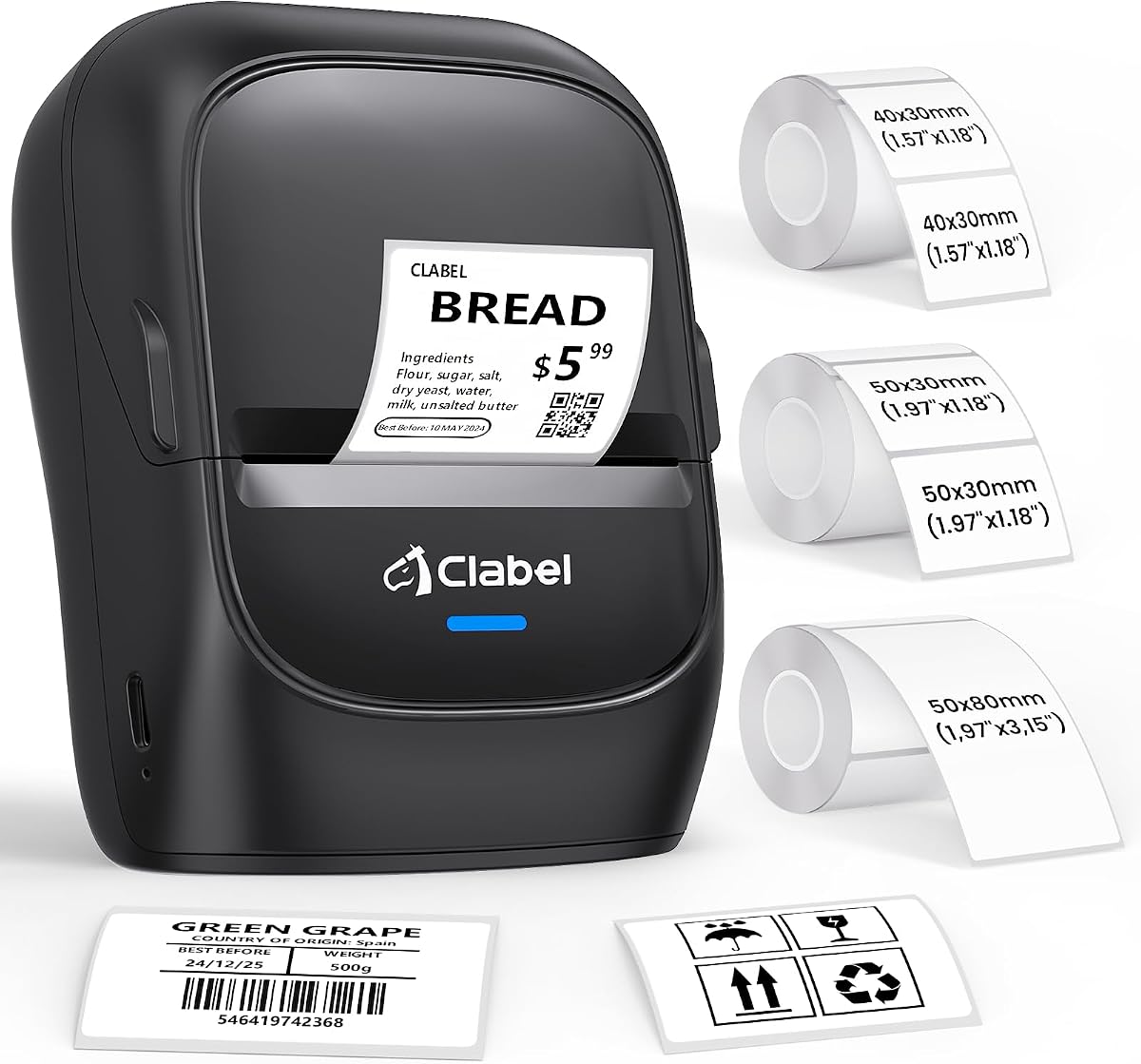
The CLABEL 221B Bluetooth is an approachable two-inch label printer for small businesses, home offices, and inventory tasks that require simple mobile setup. Its 4.3 rating reflects a useful balance of features, including three included label rolls, Bluetooth phone support, and a free design app. It can immediately cover basic product, price, address, barcode, and jewelry labeling needs.
We may earn a commission when you buy through this link, at no additional cost to you.
The open-media design contains no RFID chips or brand lock, allowing users to choose standard thermal rolls from different suppliers. Bluetooth works with Android and iOS smartphones, while USB is available for computer connection. The app offers hundreds of templates, icons, and fonts without an additional charge, along with Excel batch printing and image-to-text functionality.
Its matched labels are described as waterproof, oil-proof, and resistant to friction and scratches, which can be useful in kitchens, retail environments, and other demanding areas. That durability does not change the fundamental two-inch width limitation, though. The printer is not built for standard four-by-six shipping labels, and iPad connectivity is not supported.
This model makes sense for retailers, bakeries, small warehouses, and home organizers that want a simple Bluetooth printer with supplies already in the box. It is less attractive for high-volume computer-only work, where a wired desktop model with a wider label range may be more effective. For compact mobile tagging, it remains a convenient and well-equipped choice.
Three included rolls let a new owner begin creating product or storage labels without first sourcing media. That lowers setup friction for temporary events, home organization, or a new small-business catalog.
Water, oil, friction, and scratch resistance are useful properties in kitchens, workshops, and busy retail spaces. The durability claim applies to the matching labels supplied with the product rather than every possible third-party roll.
We may earn a commission when you buy through this link, at no additional cost to you.
Choosing an inventory barcode printer requires balancing label dimensions, output speed, connection methods, software, and the physical demands of your workspace. The most important first step is to inventory the labels you already use and the devices from which your team expects to print.
Begin by measuring the physical width and maximum length of the labels you need. Compact inventory systems often work with 20 to 50mm media, while operations that print FBA barcodes, larger SKU tags, or shipping documents need a broader range. Pay attention to whether the printer accepts only rolls, also supports fanfold media, and can handle gap, black-mark, perforated, or continuous formats.
The iDPRT SP310 models cover 1 to 3.35 inches, the CLABEL CT327D supports 20 to 80mm, and the Labeer extends from 1.57 to 4.41 inches. Selecting a model that already matches your media reduces the need for separate equipment. Open-system models are also easier to replenish because they do not require proprietary RFID-enabled rolls.
Print speed matters most when labels are produced in batches during order fulfillment, peak retail periods, or regular cycle counts. A printer capable of up to 80 two-by-three-inch labels per minute is suited to heavier workflows, while a 150mm-per-second model offers similar throughput for larger media. For occasional tagging, speed matters less than portability and simple setup.
A fast printer can still create waste if it repeatedly feeds labels incorrectly. Look for intelligent gap detection, automatic calibration, and media identification. These features help preserve alignment after every roll change and are particularly important when the printer runs unattended during a long stock update.
Decide whether printing will happen from a fixed computer, a phone on a sales counter, or a handheld device moving through a warehouse. USB generally offers the most stable batch-printing path, Bluetooth adds mobility, and some models support both. Check the exact operating-system list because a broad Bluetooth claim does not always mean every phone, tablet, or computer is supported.
The CLABEL 221B, for example, supports Bluetooth for Android and iOS phones but uses USB for computers and does not support iPad. The Labeer offers Bluetooth and USB across several platforms, while the iDPRT SP310 focuses on dependable wired connections. Match the printer to the devices already used by your team rather than selecting on connectivity alone.
A barcode label is only useful if staff can scan it quickly and reliably. Direct thermal printing at 203DPI is a common standard across this group and is appropriate for text, numeric codes, QR codes, and standard product identifiers. Consider how much small text appears on each label, since high-density codes and tiny characters may be more demanding than large retail barcodes.
Good media compatibility also affects practical scan quality. Labels should be loaded flat, aligned with the sensor, and supported at the correct width. Open-media models give users more choice in label construction, but every new media type should still be tested with the scanner used in the actual workflow.
Inventory labeling usually requires more than typing a code onto a blank tag. Look for barcode and QR-code generation, custom text and graphics, saved templates, and the ability to import structured data. Excel batch printing is particularly useful for turning a spreadsheet of SKUs, locations, or product names into a complete set of labels.
Also consider whether the software is free, requires registration, works on your operating system, or reserves useful templates for paid memberships. HereLabel and Clabel trade offer substantial design functions without subscription requirements, although the Phomemo app includes some paid-member assets. Reviewing the software before buying prevents workflow surprises.
Calibration teaches a printer where the label begins and ends so it can separate labels and place content accurately. Automatic detection and one-touch manual calibration are helpful features in environments where rolls are changed frequently. A printer that shifts content or skips labels can disrupt inventory accuracy even when its printed resolution appears sharp.
For long unattended jobs, also look for paper-out and jam detection, pause-and-resume behavior, and job cancellation. These controls reduce the time required to recover when a roll runs out or a label catches inside the mechanism. They are especially helpful for teams responsible for hundreds of labels in a single session.
Where the printer will live affects the buying decision. A fixed back-office station benefits from stable USB connectivity, while mobile stocktaking may require a compact body, long wireless range, and a built-in screen. Consider shelf space, noise, ventilation, and whether the unit must move between packing, retail, and storage areas.
A portable model such as the Phomemo M110 is useful for flexible work, while a desktop model can be positioned permanently near a monitor and printer shelf. Larger shipping-label printers also need enough space for a media roll and an unobstructed exit path. A compact footprint is useful, but it should not come at the expense of the media width or features you genuinely need.
Some inventory labels accompany products directly into shipping workflows, while others remain on shelves, bins, and stockroom locations. If you print standard four-by-six labels, confirm that the model supports that format. If you only need product tags and QR codes, a two-inch machine may be smaller, less expensive, and easier to operate.
The Labeer and Bluetooth Shipping Label Printer are compelling for combined inventory and parcel labeling. The CLABEL 221D and SUPVAN T50M Pro are more focused on compact item labels. Choosing according to the broadest label you genuinely expect to use usually gives a printer more longevity than selecting a shipping model for occasional tiny tags.
Begin by confirming the printer supports the width, type, and maximum length of your labels. Install the appropriate driver or pairing software for the device and operating system you intend to use, then load the media according to the manufacturer's guide. Roll-based printers generally require the label edge to pass cleanly through the sensing area, while fanfold media must align with the guide so it does not drift.
Create a small test page containing plain text, a barcode, a QR code, and a realistic inventory field. Run the automatic calibration or one-touch calibration procedure whenever you change the roll, especially if labels are skipped, shifted, or printed with excess blank space. Confirm the result with the scanner used in your business before generating a complete batch, because a clean-looking page can still contain a code that does not scan reliably.
For ongoing care, keep the print path free from dust, adhesive residue, and fragments. Roll the media gently, avoid pulling labels backward through the mechanism, and do not force a jam. Use the pause, resume, or cancellation controls when a task needs to stop, and let the printer finish any active cycle. Periodic test prints, careful media handling, and prompt replacement of damaged supplies help maintain consistent inventory labels.
A small business should prioritize the label widths it already uses, reliable barcode scanning, and compatibility with its computers or phones. A two-inch thermal printer is sufficient for many product tags, storage bins, and QR labels, while a model supporting four-by-six media is preferable when inventory labels are paired with shipping. Bluetooth is useful for mobile tagging, while USB is generally preferable for large desktop batches.
Direct thermal is the dominant choice in this group because it produces sharp barcodes without ink, toner, or ribbons. The printed output can fade or be affected by heat, so it is best for labels that will not remain in hot, wet, or abrasive conditions for long periods. An inkjet may suit unusual environmental needs, but it requires consumable cartridges and additional maintenance.
Yes, and they can make inventory records more consistent and searchable. A thermal printer can generate barcodes, QR codes, SKUs, product names, dates, and storage locations much faster than writing each label manually. The exact content depends on the printer's software, so buyers should confirm that the included editor supports their required barcode format and data fields.
DPI describes how many printed dots fit within one inch, which influences the apparent detail and clarity of small characters or dense codes. The featured models use 203DPI, a common standard for standard product barcodes, text, and QR codes. Higher resolution can benefit very small labels and dense data, but it may increase print time and is not automatically necessary for ordinary inventory tagging.
Several featured models support Bluetooth printing from iOS or Android phones. Compatibility varies by model and operating-system version, however, so check the stated device list before purchasing. The SUPVAN, CLABEL 221B, CLABEL 221D Bluetooth, CLABEL CT327D, Labeer, Phomemo M110, and Bluetooth Shipping Label Printer all describe some form of phone connectivity.
Not with every model in this guide. The iDPRT SP310, CLABEL 221D, CLABEL 221B, and CLABEL CT327D are described as supporting open or standard media rather than enforcing proprietary RFID chip restrictions. This gives users greater freedom to compare label suppliers, although the physical width, length, surface, and sensing method must still be compatible with the printer.
Run the printer's calibration procedure after changing label media or when alignment errors first appear. Make sure the roll or fanfold stock is loaded squarely and the adjustable guide supports the media without squeezing it. Then print a test page and scan it before starting a large batch, since an incorrect gap setting can waste many labels even if the printer itself is working correctly.
Bluetooth is usually more convenient when labels must be printed from a phone near shelves, counters, or packing stations. USB is often more dependable for a fixed workstation and high-volume batch jobs. Several models support both, allowing a team to use wireless output for mobile tasks and a wired connection for repetitive back-office printing.
The iDPRT SP310 stands out as the strongest overall option because it combines 1 to 3.35-inch media support, fast four-inch-per-second output, automatic calibration, open-media support, and free design software. The SUPVAN T50M Pro is an accessible mobile option for smaller labels, while the CLABEL CT327D offers the most versatile premium configuration with wide media support, flexible media formats, and high-speed output.
Before buying, match the printer to your actual label dimensions, device ecosystem, and daily volume rather than focusing on one headline feature. A shop that prints standard four-by-six parcels should favor the Labeer or Bluetooth Shipping Label Printer, while a warehouse creating small product tags may find the CLABEL 221D or Phomemo M110 more appropriate. For heavy computer-based work, verify drivers, batch-import support, and calibration features.
Finally, check current specifications, software requirements, included accessories, and pricing directly on the product page before ordering. Product options, operating-system support, and manufacturer details can change over time, and label supplies add a continuing operating consideration. The right printer is the one that matches your labels, devices, and inventory workflow with the fewest recurring frustrations.