
Lenovo V15 Ryzen 7
4.4Editor score
Ryzen 7 5825U processor
40GB high-bandwidth memory
2TB NVMe solid-state drive
HDMI and RJ-45 connectivity
Windows 11 Pro included
Laptops with multiple display connections can simplify productivity setups, especially when you regularly work with spreadsheets, reference materials, communications, and media across separate screens. However, two physical HDMI sockets are less common than expected, and many capable laptops provide a single HDMI port plus a display-capable USB-C connection.
This guide compares ten current laptops for display flexibility, processor performance, memory, storage, screen quality, portability, connectivity, and practical productivity features. It also distinguishes between laptops with two HDMI-style display paths and those that need an adapter, so buyers can choose hardware that matches their actual workstation rather than relying on a misleading port count.
The selections show which models suit everyday study, office work, business use, and mobile productivity. Product configurations and prices can change, so check the current listing and technical specifications before purchasing, particularly if connecting two external monitors is essential to your setup.
4.4Editor score
4.6Editor score

4.1Editor score
As an Amazon Associate we earn from qualifying purchases.
This side-by-side comparison evaluates each laptop's confirmed display connections, core specifications, portability, and intended work style. Because two dedicated HDMI ports are uncommon in this group, the table also highlights USB-C display support and multi-monitor capabilities that may satisfy the same practical need.


The Dell Inspiron 16 Plus 7640 has a 4.4 rating and stands out for its spacious 16-inch 2.5K display, a combination that makes it particularly attractive for document-heavy work and multiwindow productivity. The taller 16:10 format provides more vertical space than a conventional widescreen panel, while the Core i7-13620H and 16GB of LPDDR5 memory provide a capable foundation for office applications, browsing, and demanding multitasking.
We may earn a commission when you buy through this link, at no additional cost to you.
Its productivity-oriented design is reinforced by the optional 120Hz refresh rate, sharp visuals, military-grade testing, and a built-in Trusted Platform Module. Dell ComfortView Plus is designed to reduce harmful blue-light emissions during extended screen sessions without compromising true-to-life color. For people who spend much of the day looking at spreadsheets, documents, presentations, or web applications, the larger display is likely to be the model’s defining advantage.
The main uncertainty is external-display flexibility. Although this is a large notebook with a broad range of connectivity options, the supplied specifications do not explicitly identify two HDMI ports or even a particular HDMI version. Buyers who require two separate wired monitors should verify the exact I/O panel and consider whether a USB-C display adapter or docking station is acceptable.
This model is best for students, office professionals, and home workers who prioritize a large, high-resolution workspace and reliable onsite support over gaming graphics or a highly mobile design. It is our top general choice for screen-centered productivity, provided its available ports match the number and type of monitors you intend to connect.
The 16:10 panel is especially useful for documents, web research, spreadsheets, and communication windows because it shows more content vertically. That extra space can reduce constant scrolling and make a single screen feel less cramped.
One year of onsite service can be valuable for a larger home-office computer. Dell Migrate also provides a guided method for transferring files and personal records to the new system.
We may earn a commission when you buy through this link, at no additional cost to you.
The HP 17 has a 4.2 rating and is built around a large 17.3-inch HD+ touchscreen, generous 64GB of RAM, and a 2TB PCIe NVMe drive. Its combination of screen area and memory makes it a compelling productivity machine for users who keep many applications, browser tabs, and large work files open simultaneously.
We may earn a commission when you buy through this link, at no additional cost to you.
The Core i7-1355U specification in the listing provides 10 cores, 12 threads, 12MB of cache, and boost performance up to 5.00GHz. A backlit keyboard, webcam, Wi-Fi 6, two USB-A ports, and a USB-C port complement the large display. Windows 11 Home adds improved window layouts and better multi-monitor functionality, which can be helpful when extending the desktop.
Its listed connectivity includes one HDMI 1.4b port rather than two. The touchscreen adds flexibility for presentations and casual navigation, but the 1600-by-900 resolution is not especially detailed for photo editing, design work, or dense creative applications. A larger monitor or compact external display would be useful for color-sensitive or high-resolution tasks.
Choose the HP 17 when desk space is available and memory capacity matters more than portability. It suits heavy multitaskers, students, administrators, and office users, but buyers who require two dedicated HDMI connections should plan on an additional display adapter.
The 64GB memory configuration gives demanding users ample room for many browser tabs, office applications, and background tasks. It also provides useful headroom as software requirements continue to grow.
The 17.3-inch touchscreen is convenient for presentations, tutorials, and informal media use. Its narrow bezel and BrightView design make the large panel practical for a permanent desktop replacement.
We may earn a commission when you buy through this link, at no additional cost to you.
The HP 15.6in Touch Laptop carries an impressive 4.6 rating, pairing a Ryzen 5 7530U processor with 32GB of DDR4 memory, a 1TB PCIe NVMe solid-state drive, and a full HD IPS touchscreen. The balanced specification is well suited to office work, spreadsheets, online learning, document editing, and lighter creative tasks.
We may earn a commission when you buy through this link, at no additional cost to you.
Its six-core, twelve-thread processor should handle everyday multitasking efficiently, while the touchscreen provides a responsive interface for demonstrations and detailed on-screen selection. The full-size backlit keyboard and independent numeric keypad are particularly useful for accounting, data entry, and spreadsheet work. Windows 11 Pro and the included Copilot assistant add functionality for organized office workflows.
The supplied product data does not enumerate the laptop’s external display connectors, so it would be misleading to call this a confirmed dual-HDMI model. It also lists integrated rather than discrete graphics, meaning it is better suited to business applications than intensive 3D rendering or modern gaming.
This HP is a strong choice for students, administrators, and office workers who want a full HD touch display, abundant memory, and a numeric keypad. Confirm the port specifications and monitor requirements before ordering if two HDMI connections are non-negotiable.
The FHD IPS panel offers sharp visuals, broad viewing angles, and accurate color. Touch input makes the laptop useful for teaching, presentations, and workflows that benefit from direct selection.
A 1TB NVMe drive supports quick boot and file access, while 32GB of RAM is comfortable for simultaneous office and browser workloads. The combination reduces friction when working with large project folders.
We may earn a commission when you buy through this link, at no additional cost to you.
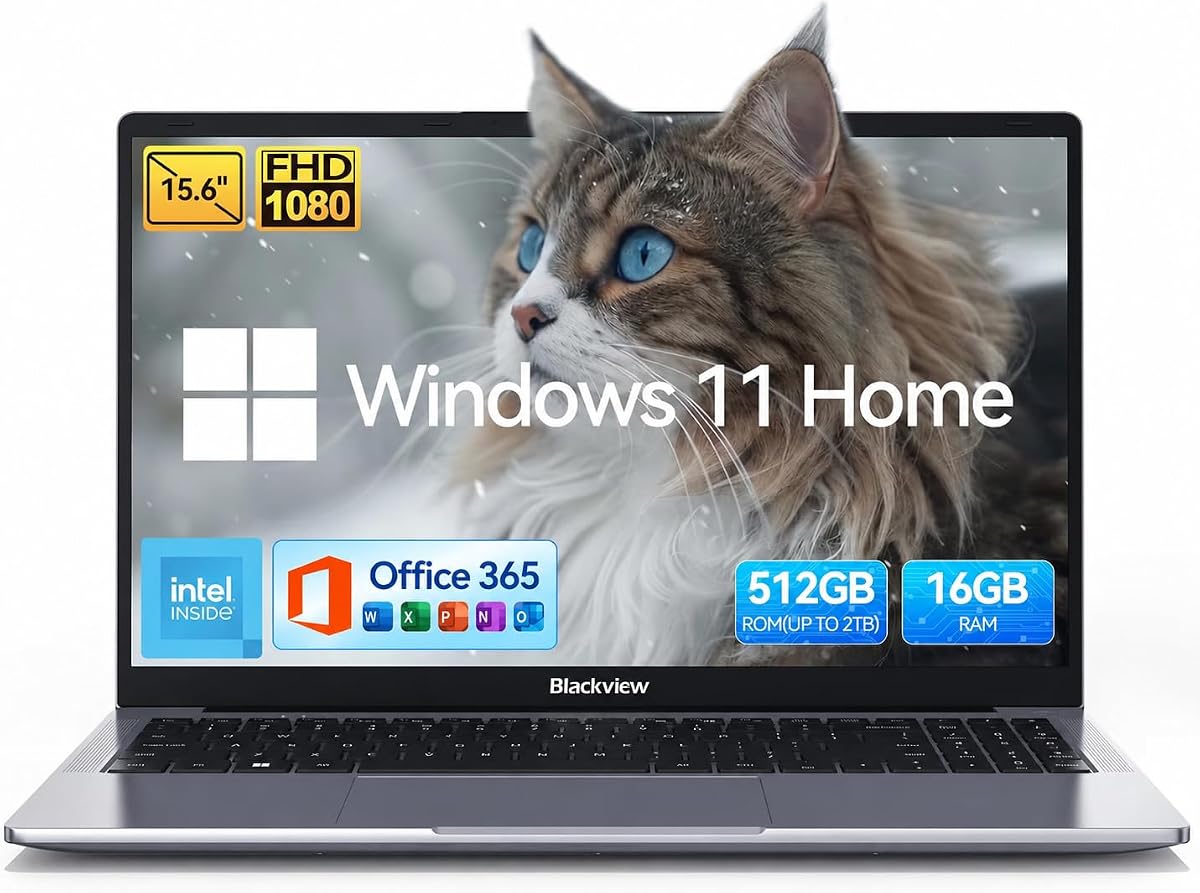
The BlackView Acebook 6 has a 4.6 rating and is the only model in this guide whose supplied information explicitly confirms support for two external monitors. It can connect through a full-function USB-C port and HDMI 2.0, creating a three-screen setup when the laptop display is included.
We may earn a commission when you buy through this link, at no additional cost to you.
This is the most relevant choice for the practical intent behind the search phrase. Rather than two physical HDMI sockets, the notebook provides two different display connections, giving users more flexibility when attaching a laptop to dual monitors, a projector, or a television. Simultaneous and extended display modes are supported, although three-display output is unavailable while charging through USB-C.
The underlying hardware is aimed at practical everyday computing rather than intensive workloads. An Intel N150 processor, 16GB of DDR4 memory, and storage options of 256GB or 512GB support browsing, online classes, documents, streaming, and office applications. Its 15.6-inch FHD panel has a high 84% screen-to-body ratio and fits within a lightweight 1.7-kilogram design.
The Acebook 6 is our Editor's Choice for buyers whose central requirement is a laptop driving multiple screens. It is also a sensible student or travel-oriented choice, but users who need intensive rendering or gaming should choose a more powerful processor.
The full-function USB-C and HDMI 2.0 connections provide the two external display paths needed for a productive multi-monitor arrangement. This is a more practical solution than many comparable single-HDMI laptops.
The 16GB memory configuration supports ordinary multitaskers well, and the lightweight chassis makes the laptop easier to carry between classes, offices, or home workspaces. Battery life is listed at up to six hours.
We may earn a commission when you buy through this link, at no additional cost to you.
The Dell Inspiron 15 3530 combines a 4.1 rating with business-oriented hardware, including a Core i7-1355U, 32GB of RAM, and a 2TB NVMe drive. Its 15.6-inch FHD anti-glare touchscreen is practical for business, education, and general productivity.
We may earn a commission when you buy through this link, at no additional cost to you.
The ten-core, twelve-thread processor can support demanding office workflows, extensive browser use, and heavier multitasking. Windows 11 Pro adds features such as Group Policy, Enterprise State Roaming, Assigned Access, Kiosk mode, and Active Directory/Azure AD integration, making this configuration more relevant to managed business environments.
Connectivity is reasonably diverse, with USB-A 2.0, USB-A 3.2 Gen 1, USB-C 3.2 Gen 1, HDMI 1.4, an SD card reader, an audio jack, Wi-Fi 6, and Bluetooth. However, only one HDMI port is listed, so a second monitor would require a compatible USB-C dock or adapter. The port also uses HDMI 1.4 rather than a newer standard.
This Inspiron is well suited to business users, students, and administrators who value memory, storage, a touch display, and Pro security features. It is a capable office laptop, but it should not be considered a confirmed two-HDMI solution based on the available information.
Windows 11 Pro provides the administrative and security tools expected by many organizations. These features distinguish this model from home-focused alternatives when it will be used for company work.
The 2TB NVMe drive is substantial for local project files, applications, and media. A 32GB memory configuration further supports smooth switching among numerous productivity applications.
We may earn a commission when you buy through this link, at no additional cost to you.
The HP Core i7 15.6in holds a 5.0 rating and pairs a Core i7-1255U with a 15.6-inch FHD anti-glare display, 16GB of DDR4 memory, and a 1TB PCIe NVMe drive. Its balance of performance, portability, and privacy features makes it appealing to students and business users.
We may earn a commission when you buy through this link, at no additional cost to you.
The processor offers ten cores, 12 threads, a 12MB cache, and turbo speeds up to 4.7GHz. The display delivers 250 nits of brightness with a narrow bezel and an 85% screen-to-body ratio. At only 3.52 pounds, the laptop is easier to carry than many larger productivity notebooks with similar specifications.
The listed connections include USB-C, HDMI, Wi-Fi 6, and Bluetooth 5.3, but only one HDMI connector is identified. A camera shutter and microphone mute key are helpful for meetings and coursework. The listing also refers to upgraded memory and storage capacities that can vary, so buyers should confirm the final configuration carefully.
This HP is a strong all-rounder for academics and professionals who need capable everyday performance in a portable form. Its 5.0 rating is encouraging, though ratings alone do not confirm dual-monitor capability; check the port count and consider an adapter if your setup requires two screens.
The 3.52-pound chassis is convenient for commuting and campus use. Internally, the Core i7 still provides the multi-core capability needed for demanding productivity workflows.
The physical camera shutter and microphone mute key make it simple to control what others can see or hear. These small privacy controls are especially valuable for frequent video-call users.
We may earn a commission when you buy through this link, at no additional cost to you.
The Dell Pro 15.6 Core 3 has a 4.5 rating and offers a smooth 120Hz full HD IPS display, modern Core 3 processing, 16GB of DDR5 memory, and a 256GB NVMe drive. It is positioned as an everyday home and office computer rather than a high-end workstation.
We may earn a commission when you buy through this link, at no additional cost to you.
The six-core Core 3 100U can reach up to 4.7GHz and works with integrated Intel UHD Graphics for standard productivity tasks. The 250-nit anti-glare panel, WVA viewing angles, 720p camera, and integrated microphone make it suitable for routine office use and video calls.
Its ports include USB-A 3.2 Gen 1, USB-A 2.0, USB-C 3.2 Gen 1, HDMI 1.4, a universal audio jack, and an SD card slot. That selection is versatile, but the listed specification confirms only one HDMI connection. The 256GB storage capacity may also become restrictive for large media libraries or extensive project files.
This Dell Pro is a good choice for students, home users, and office workers who value a fluid display, DDR5 memory, and modern connectivity in a portable 4.19-pound package. It is not a confirmed dual-HDMI option, and buyers needing more storage should consider a larger capacity.
The 120Hz refresh rate makes scrolling and everyday motion appear smoother than on many standard 60Hz business panels. FHD resolution and wide viewing angles further support comfortable daily use.
Wi-Fi 6, Bluetooth, USB-C, multiple USB-A ports, and an SD card reader cover most common accessories. The card reader is particularly convenient for transferring camera files.
We may earn a commission when you buy through this link, at no additional cost to you.
The Lenovo V15 Gen 4 has a 4.4 rating and emphasizes secure business computing with Windows 11 Pro, a Trusted Platform Module, malware detection, a webcam shutter, and MIL-STD-810H testing. Its 15.6-inch full HD anti-glare display is well suited to office and study environments.
We may earn a commission when you buy through this link, at no additional cost to you.
The Ryzen 3 7320U is a power-efficient four-core, eight-thread processor rated up to 4.1GHz. It is designed for web browsing, office applications, and everyday multitasking. The numeric keypad, 16GB of LPDDR5 memory, and 512GB of storage give it a sensible baseline for business and student use.
Connectivity is one of its strongest practical features, including USB-C, two USB-A ports, gigabit Ethernet, HDMI 1.4b, Wi-Fi 6, and Bluetooth 5.3. Only one HDMI port is listed, so a USB-C dock or adapter remains necessary for a second external display. The LPDDR5 memory may also be less flexible than replaceable SODIMM memory on some competing models.
The V15 Gen 4 is a compelling choice for organizations and individuals who prioritize security, wired networking, and a traditional business feature set. It is less suited to buyers who require two dedicated HDMI sockets, although its strong connectivity makes a docking solution straightforward.
TPM 2.0, Windows 11 Pro protections, malware detection, and the camera shutter create a layered approach to device and privacy security. These features are useful for both managed deployments and privacy-conscious home users.
The RJ-45 Ethernet port provides a reliable alternative to Wi-Fi in offices where network stability is important. It also avoids requiring a separate adapter for wired connections.
We may earn a commission when you buy through this link, at no additional cost to you.
The Lenovo V15 Ryzen 7 earns a 4.4 rating through a strong business specification built around the eight-core Ryzen 7 5825U, 40GB of RAM, and a 2TB PCIe NVMe drive. It is a premium productivity choice for users who want comfortable headroom across applications, browser tabs, and substantial local storage.
We may earn a commission when you buy through this link, at no additional cost to you.
The processor provides eight cores, 16 threads, 16MB of cache, base speed of 2.0GHz, and boost speed up to 4.5GHz. Those figures make it well suited to intensive office work, research, spreadsheet analysis, and multitasking. A numeric keypad and Windows 11 Pro add further productivity value for business users.
The listed I/O includes USB-C, one USB-A 3.2 port, one USB-A 2.0 port, HDMI, RJ-45 Ethernet, a headphone and microphone jack, and a webcam. Although the configuration is well equipped, only one HDMI is identified. Integrated Radeon graphics also make it more appropriate for productivity than advanced gaming or GPU-accelerated creative work.
This Lenovo is our Best Premium pick for office and business users who prioritize memory, storage, and processor capability. It is an excellent multi-application machine, provided one HDMI plus a suitable USB-C dock or adapter meets your display requirements.
The unusual 40GB capacity gives power users more room to keep applications and files open without slowing down. It is particularly valuable for heavy browser use and complex office workflows.
The 2TB NVMe drive provides fast startup and file transfer while offering room for extensive document, image, and project archives. It reduces reliance on external storage for everyday workflows.
We may earn a commission when you buy through this link, at no additional cost to you.
The Lenovo Essential 15.6 has a 4.1 rating and is the least expensive option in this comparison, bringing a portable full HD display and modern connectivity to basic users. It is best considered a value laptop for browsing, document editing, streaming, online learning, and video calls.
We may earn a commission when you buy through this link, at no additional cost to you.
Its Intel N150 is a quad-core processor that reaches up to 3.6GHz with a 6MB cache. Memory consists of 8GB of LPDDR5-4800, while 128GB of UFS 3.1 storage provides quick access to files. Windows 11 Home in S mode and Microsoft 365 Personal are included for immediate productivity.
The external display situation is better than the processor specification might suggest: the laptop includes HDMI 1.4 and a USB-C port with Power Delivery and DisplayPort. That gives it two possible display paths, although the supplied information does not explicitly confirm simultaneous use of both with two external monitors. Storage and memory are also the most constrained specifications in the group.
This Lenovo is our Best Budget pick for a student or light office user who values portability, a sharp display, and more than one physical display connection. Check the current USB-C display configuration and consider adding storage if the device will hold larger files.
HDMI 1.4 and a DisplayPort-capable USB-C port provide users with distinct ways to attach a display. That flexibility is useful in classrooms, shared offices, and home workspaces with different monitor connections.
The 3.42-pound weight and 0.70-inch profile make the Essential model convenient for commuters and students. Its anti-glare FHD panel remains practical for long reading and document work.
We may earn a commission when you buy through this link, at no additional cost to you.
The most important consideration is not simply counting HDMI labels, but confirming how many independent external displays your chosen laptop can drive and whether those displays will be connected simultaneously. Port standards, USB-C display support, charging behavior, performance, memory, storage, and portability should then be evaluated against your workflow.
A laptop with two physical HDMI ports is convenient because both monitors can use familiar HDMI cables without requiring a display adapter. The majority of products in this guide specify only one HDMI port, while some offer USB-C video output that can serve as a second display connection. Before buying, inspect the full port list and manufacturer documentation rather than assuming that USB-C provides the same experience.
Bottom line: prioritize two dedicated HDMI sockets only if your existing monitors and setup require them; otherwise, a capable USB-C display connection may offer greater flexibility.
Having multiple display connectors does not automatically guarantee that two external monitors can operate at the same time. Some systems restrict display output while charging, limit resolution or refresh rate on the second screen, or depend on specific USB-C docking capabilities. The BlackView Acebook 6 explicitly supports two external monitors but notes that its three-display arrangement is unavailable during USB-C charging.
Bottom line: verify simultaneous output, operating-system support, and charging limitations before relying on a multi-screen configuration at work.
A full-function USB-C port can carry display signals as well as data and power, allowing one connector to serve several purposes. However, not every USB-C port supports video, and compatibility can depend on the monitor, adapter, docking station, and display mode. Buyers should look for explicit references to DisplayPort Alt Mode, DisplayPort, or external-monitor support rather than relying on connector shape alone.
Bottom line: confirm video output and adapter compatibility; a USB-C port is a valid second-display route only when the manufacturer explicitly supports it.
Intel Core i7, Core i3, Core 3, AMD Ryzen 7, Ryzen 5, and Ryzen 3 processors cover different levels of demand. Core i7 and Ryzen 7 configurations offer greater headroom for intensive multitasking and demanding applications, while N-series processors are better suited to browsing, office software, and online learning. The right choice depends on whether your monitors will display lightweight documents or compute-heavy workflows.
Bottom line: choose a higher-tier Core i7 or Ryzen 7 for sustained heavy use; an N-series chip is sufficient for a basic dual-screen office setup.
Multiple monitors naturally encourage more simultaneous windows, tabs, and applications, making memory an important consideration. The group ranges from 8GB to 64GB. While 8GB can handle basic tasks, 16GB is more comfortable for many browser tabs and office applications, while 32GB to 64GB benefits from intensive research, large spreadsheets, software development, and other memory-heavy work.
Bottom line: favor at least 16GB for a productive multi-monitor laptop, and consider 32GB or more when running numerous applications continuously.
Storage needs vary according to whether files remain on the laptop or live in cloud services. The listed capacities range from 128GB to 2TB, with PCIe NVMe drives providing the strongest general performance. Capacity becomes the limiting factor when installing large creative assets, keeping extensive media libraries, or working without dependable cloud access. A smaller NVMe drive is faster, but a larger drive may be more useful for local projects.
Bottom line: choose storage according to your working files, prioritizing NVMe for responsiveness and enough capacity to avoid constant external-drive use.
Screen resolution, aspect ratio, brightness, touch support, and refresh rate influence how comfortable the built-in display feels. The group ranges from an HD+ 17.3-inch panel to a 16:10 2.5K screen, with several 15.6-inch full HD alternatives. A larger 16:10 panel can show more vertical content, a 120Hz screen feels smoother, and an anti-glare surface helps in bright rooms.
Bottom line: prioritize full HD or higher, a taller aspect ratio for documents, and touch or high refresh rates only when they support your normal workflow.
A multi-screen laptop may spend most of its time on a desk, but portability still matters when it must move between home, office, and classrooms. Models range from a lightweight 1.7-kilogram design to heavier 17-inch and business systems. Windows 11 Pro, TPM 2.0, Ethernet, camera shutters, and onsite service may matter more than raw performance in managed workplaces.
Bottom line: balance desk performance with the weight, support, security, and wired connectivity needed for your working environment.
Begin by planning the display arrangement rather than connecting cables randomly. Identify which monitor will receive the primary signal, match each screen’s resolution and refresh rate in the operating system, and use the system’s display settings to choose Extend rather than Duplicate when you want separate workspaces. Arrange the icons so the screen positions correspond to the physical placement of the monitors.
Use the correct cables and adapters for every connection. HDMI-to-HDMI is the simplest option for dedicated HDMI sockets, while a DisplayPort-capable USB-C connection may require a USB-C-to-HDMI or USB-C-to-DisplayPort adapter. When using a dock, connect it directly to the laptop’s display-capable port and verify that the charger, monitor outputs, and network adapter are all recognized.
To protect the laptop and its connections, avoid hanging cable forces from the ports, keep adapters from being bent sharply, and use the manufacturer’s approved charger. Clean the screen with a soft microfiber cloth, keep vents unobstructed, and save work before changing display configurations. For long multi-monitor sessions, adjust scaling and brightness on each display and take regular breaks to reduce eye and neck strain.
The supplied specifications do not explicitly confirm two physical HDMI sockets on any model. Several have one HDMI port, while the BlackView Acebook 6 supports two external monitors through full-function USB-C and HDMI 2.0. The Lenovo Essential also includes HDMI and a DisplayPort-capable USB-C port, but simultaneous dual-external-display operation should be verified before purchase.
Usually, yes, if the laptop has another display-capable connection such as a full-function USB-C port with DisplayPort Alt Mode. You can connect one monitor over HDMI and the other through USB-C, or use a compatible docking station. Confirm the laptop’s display-output specifications and ensure the adapter supports your monitors’ desired resolution and refresh rate.
A properly configured USB-C display connection can provide excellent picture quality and may support higher refresh rates or resolutions than the older HDMI 1.4 connections found on some laptops. The actual result depends on the laptop’s USB-C capabilities, the adapter or dock, the monitor, and the selected resolution. Check specifications rather than assuming every USB-C port supports video.
It can on some models. The BlackView Acebook 6 specifically states that three-display simultaneous or extended output is not supported while charging via USB-C. Other laptops may also impose display or bandwidth limitations when charging, so verify the manufacturer’s guidance if your setup requires simultaneous displays, video charging, and maximum refresh rate.
At least 16GB is advisable for most multi-monitor productivity setups because each screen encourages additional browser tabs and applications. 32GB offers more comfortable headroom for research, spreadsheets, development, and creative work, while 40GB or 64GB benefits from sustained heavy multitasking. Storage remains a separate consideration, so memory capacity alone does not guarantee sufficient file space.
The BlackView Acebook 6 stands out for students because it explicitly supports two external monitors, weighs 1.7 kilograms, includes up to six hours of listed battery life, and provides 16GB of memory. The HP 15.6 Ryzen 5 is another strong option for office-focused study, although its external port count is not detailed. Students should prioritize portability, battery life, and the actual classroom display connections they expect to use.
The Lenovo V15 Ryzen 7 offers the strongest business specification, including 40GB of RAM, a 2TB NVMe drive, an eight-core Ryzen 7 processor, RJ-45 Ethernet, and Windows 11 Pro. The Dell Inspiron 15 3530 and Lenovo V15 Gen 4 are also relevant for managed organizations because they include Pro features and security hardware. None is confirmed to have two dedicated HDMI ports.
Not necessarily. If the laptop has one HDMI port and one display-capable USB-C port, you can connect each monitor directly using the appropriate cable or adapter. A dock can simplify cable management, add Ethernet and USB ports, and provide a more stable one-cable desk setup, but it adds cost and another compatibility layer. Confirm monitor resolution and refresh-rate support before choosing one.
The BlackView Acebook 6 is the clearest fit for the practical goal of using two external displays because it explicitly supports two-monitor output through HDMI 2.0 and full-function USB-C. The Lenovo V15 Ryzen 7 leads the group in premium business performance with 40GB of memory and 2TB storage, while the Lenovo Essential 15.6 represents the budget-oriented option with HDMI and DisplayPort-capable USB-C.
Your priority should be the actual display workflow rather than the HDMI label alone. Check simultaneous monitor support, USB-C video capabilities, charging restrictions, screen resolution, and adapter needs. For heavy multitasking, give particular attention to memory and storage; for a compact setup, weight and battery life may matter more than additional ports.
Finally, verify the current product listing and technical specifications before ordering, since configurations and prices can change. A two-HDMI requirement should be confirmed at the manufacturer or seller level rather than inferred from a marketplace image, and the total cost of any required dock or adapter should be included in your decision.