
BenQ LK936ST
5.0Editor score
Native 4K UHD resolution
5100 ANSI lumen brightness
Extensive lens shift controls
Our Benq Projector for Golf Simulator guide compares 10 options for brightness, resolution, throw distance, installation, gaming performance, and protection.
A golf simulator projector must balance brightness, sharp imagery, low latency, flexible placement, and enough scale to recreate a convincing virtual course. The right unit can transform an unused garage, basement, studio, or training bay, but room dimensions and the swing path determine which projection technology will work best in practice.
We compared ten relevant products using resolution, brightness, throw ratio, laser or LED light source, connectivity, installation controls, latency, and dedicated golf-oriented features. The list includes BenQ models, closely related alternatives, and one protective enclosure, allowing buyers to assess complete setup options rather than looking at image quality alone.
Each review shows how the product fits into a golf simulator environment, including the compromises that matter when shadows, ambient light, wiring, ceiling clearance, and screen dimensions are considered. Product ratings and specifications reflect the supplied listing information, while prices and availability can change, so current listings should be checked before purchasing.
5.0Editor score

3.5Editor score
5.0Editor score
This side-by-side comparison highlights the differences in resolution, brightness, throw distance, light-source technology, and installation flexibility. It also includes two non-BenQ alternatives and a protective projector cover because those options can materially improve a complete golf simulator setup.



The BenQ AH700ST is the most explicitly golf-oriented BenQ projector in this guide, combining Full HD 1920 x 1080 output, 4000 ANSI lumens, and a dedicated Golf picture mode. Its supplied rating is 3.5, which makes that rating less persuasive than the product’s purpose-built feature set. Nevertheless, the AH700ST addresses several recurring simulator problems: bright imagery, compact placement, and a short-throw lens that can reduce the distance between the projector and the impact screen.
We may earn a commission when you buy through this link, at no additional cost to you.
The short-throw ratio of 0.69–0.83, combined with 1.2x zoom, gives installers useful flexibility when working with a fixed screen, sloped ceiling, or limited garage depth. A 4000-ANSI-lumen laser source is also meaningful in a simulator room that cannot be fully darkened. The Golf mode is designed to improve visual clarity and realism, while 95% Rec. 709 coverage and 30-bit color provide a more natural presentation of greens, sky, sand, and course boundaries.
The main limitation is resolution. Full HD can look crisp on a modest screen, but it does not offer the fine detail or pixel density of the Optoma GT3900UHD, BenQ LK936ST, or BenQ W4100i. Its 3.5 rating also suggests that the listing has not accumulated the same level of customer consensus as the higher-rated models. Nonetheless, these shortcomings are understandable for a projector whose main attraction is practical golf use rather than premium home-theater specification.
This is a strong recommendation for buyers who prioritize a dedicated golf mode, ample brightness, and flexible short-throw placement. It is especially appropriate for a garage simulator where ambient light is difficult to eliminate and the projector needs to sit close enough to the screen to preserve usable floor area. Buyers seeking maximum resolution should compare the AH700ST with a 4K model, but for a purpose-built simulator installation, it remains one of the most relevant choices in the lineup.
The dedicated Golf mode is the AH700ST’s most simulator-relevant feature. Combined with 95% Rec. 709 coverage and 30-bit color, it is designed to preserve recognizable course colors and visual detail across varying virtual environments.
Its 0.69–0.83 throw ratio and 1.2x zoom make it easier to obtain a large image in a compact bay. Those controls are especially useful when the impact screen, hitting mat, and golfer cannot be rearranged freely.
We may earn a commission when you buy through this link, at no additional cost to you.
The BenQ TH671ST is a well-regarded Full HD short-throw projector with a supplied rating of 4.4. Its 3000 lumens, native 1080p resolution, 92% Rec. 709 color coverage, and high native contrast ratio provide a solid presentation for virtual golf. The listing also emphasizes ultra-fast low input lag, which can make simulator software and other interactive content feel more immediate than a conventional entertainment projector.
We may earn a commission when you buy through this link, at no additional cost to you.
Short-throw capability is the feature that matters most for this application. It can produce a 100-inch image from approximately five feet away and supports images up to 300 inches, according to the supplied information. That flexibility makes it easier to preserve swing clearance and reduce the depth required in a compact room. Gaming-oriented refresh-rate support and low-lag performance also make the TH671ST useful when the simulator PC is shared with console or PC games.
The product is not marketed with a dedicated Golf mode, and its 3000-lumen output is lower than the 4000 ANSI lumens offered by the AH700ST. It also provides only Full HD resolution. In a room with substantial ambient light, a brighter unit may produce a more vibrant and readable image. Installation is nevertheless straightforward, and the 4.4 rating gives this model a stronger customer-feedback foundation than several newer alternatives in the guide.
Choose the TH671ST when you want a proven short-throw Full HD projector with low input lag and do not need 4K pixel density. It is a sensible option for a simulator in a controlled room, an entertainment-focused setup that must also handle games, and buyers who value the listing’s 4.4 rating. For a brighter dedicated system or greater detail, the AH700ST and 4K models deserve comparison.
Low input lag is particularly useful when movement in a simulator must correspond closely to physical input. The TH671ST’s gaming focus makes it a sensible match for users who also want console and PC gaming on the same large display.
A 100-inch image from about five feet away reduces dependence on a very deep room. This short-throw behavior helps users create an immersive display while retaining more floor area for the hitting mat and stance.
We may earn a commission when you buy through this link, at no additional cost to you.
The Optoma GT3900UHD earns a place in this BenQ-focused guide because it directly addresses golf simulator needs that are difficult to find elsewhere. It combines True 4K UHD resolution, 4000 lumens, a 0.496:1 short-throw lens, and a laser light source rated for up to 30,000 hours. Its supplied rating is 5.0, making it one of the strongest customer-rated options presented here.
We may earn a commission when you buy through this link, at no additional cost to you.
The exceptional 0.496:1 throw ratio is the headline advantage. A short throw allows a large image to be mounted much closer to the screen, helping reduce player shadows and keeping equipment farther outside the swing zone. The 4000-lumen output is designed to remain vivid under ambient light, while True 4K resolution and HDR compatibility improve fine detail in a large virtual fairway, club, and ball visualization.
The listing also highlights low input lag, including 1080p at 240Hz and 4K/60Hz modes. Buyers should note that the supported resolution and refresh-rate combinations differ, and that the full 4K/60Hz gaming specification is the most relevant one for typical simulator PC output. The Optoma name also means this is an alternative rather than a BenQ selection, but its space-saving lens makes it a valuable comparator when the available floor area is limited.
The GT3900UHD is best suited to buyers who prioritize image size, ambient-light performance, and minimal shadow interference over brand loyalty. It is a strong fit for compact golf rooms where the projector must be mounted close to the screen. Before installation, confirm that the ultra-short throw geometry, screen dimensions, ceiling structure, and the simulator software’s output resolution all align with the intended layout.
The 0.496:1 throw ratio places the image much closer to the screen than a conventional projector setup. That geometry can reduce the chance that a golfer will cast a shadow across the virtual course.
True 4K UHD provides more visible detail than 1080p alternatives. That advantage is most apparent on a large impact screen where terrain texture, course boundaries, and swing-analysis graphics can be examined closely.
We may earn a commission when you buy through this link, at no additional cost to you.
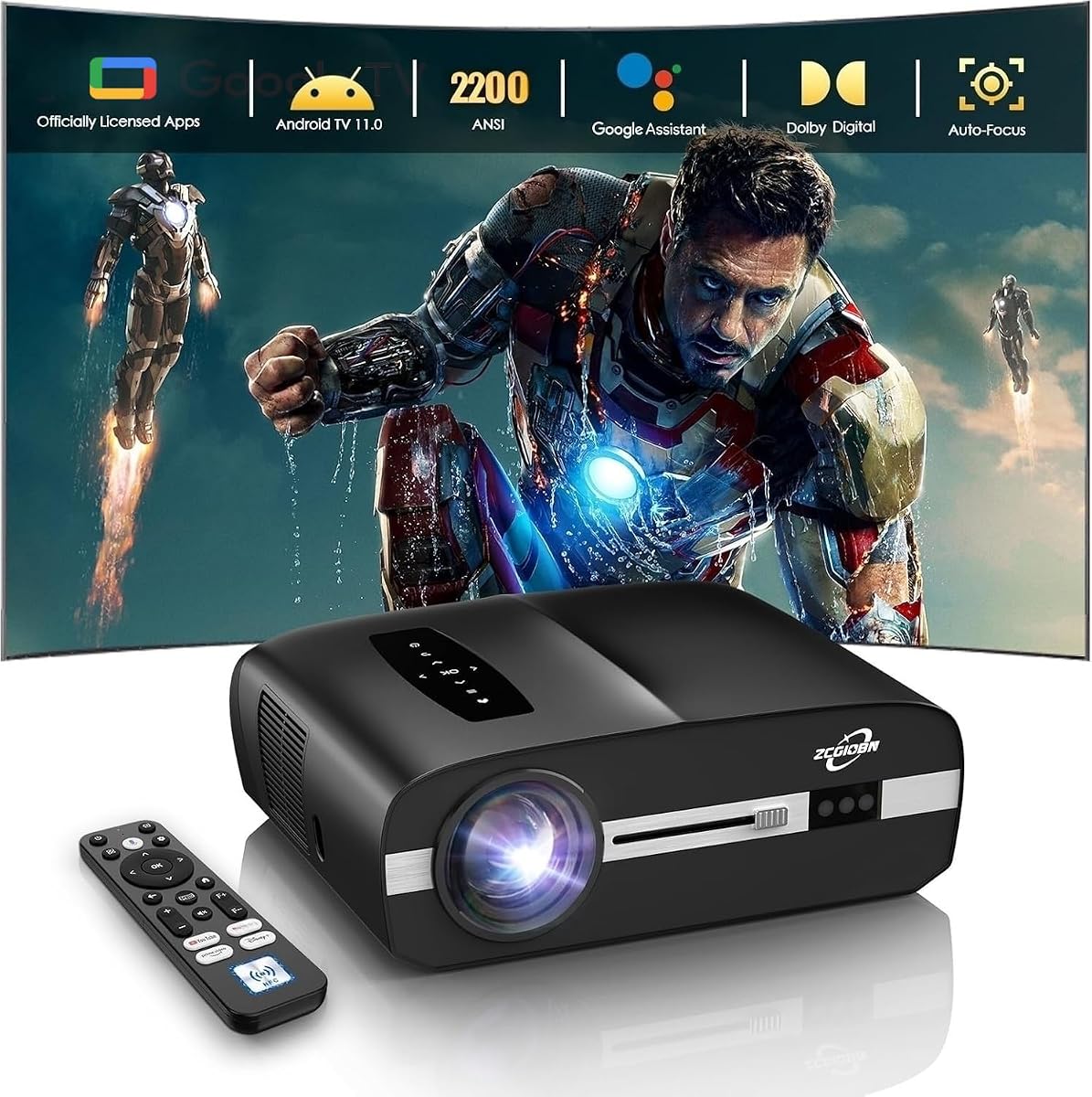
This 4K golf simulator projector is a feature-rich alternative to traditional installation projectors, offering HDR10 support, 2200 ANSI lumens, a 3-in-1 CMOS module, ToF sensors, automatic focus, and automatic keystone. Its supplied 4.4 rating is encouraging, and the product appears designed for consumers who want a smart projector that can be adjusted more easily than a conventional cinema model.
We may earn a commission when you buy through this link, at no additional cost to you.
The supplied information recommends ceiling mounting or a tabletop setup and says it can project a 100-inch image from 9.25 feet. It is not a short-throw or ultra-short-throw model, so it should be placed above and behind the golfer to avoid obstructing the display. This arrangement can work well in a dedicated bay with adequate depth, although it differs from the tighter installations made possible by the AH700ST, TH671ST, and Optoma GT3900UHD.
There is an important signal-path limitation. A golf simulator cannot transmit its video feed directly to the projector; the simulator must first connect to a computer or laptop, and that computer then connects to the projector. This is not merely a convenience issue. It affects where the computer must be located, how cables are routed, and whether the chosen system can accept the simulator’s output and resolution.
The projector is best for a consumer who values 4K HDR, Google TV, Wi-Fi 6, Bluetooth 5.4, voice control, built-in 40W Dolby Audio speakers, and automatic alignment. Its sealed optical engine is also useful in garage and basement environments where dust could reduce long-term brightness stability. Buyers should embrace a more conventional throw distance and plan the computer-mediated signal chain before buying.
The CMOS module and ToF sensors support automatic focus and keystone correction. These tools can shorten setup time when the projector is mounted at an angle or repositioned between uses.
Google TV, wireless connectivity, and 40W Dolby Audio make the unit useful beyond golf software. It can serve as a home-theater and gaming display when the simulator is not active.
We may earn a commission when you buy through this link, at no additional cost to you.
The BenQ TH575i combines 3800 lumens of brightness with smart-TV convenience and 16.7ms input lag. Its supplied rating is 3.0, the lowest numerical rating among the rated products in this guide, so prospective buyers should investigate the customer feedback on the current listing. Even with that caution, the specification sheet makes the TH575i relevant to a multipurpose home golf and entertainment setup.
We may earn a commission when you buy through this link, at no additional cost to you.
Brightness is the main attraction. The listing says the projector can maintain a vibrant 120-inch image with lights on, which is valuable in a garage or basement simulator that cannot be blacked out. The included licensed Google TV dongle provides direct access to streaming services such as Netflix, YouTube, and Disney+, while Cinema, Sports, Game, and 3D modes cover several common viewing needs.
Its installation tools are modest compared with the dedicated short-throw models. A 1.1x optical zoom and automatic vertical keystone correction simplify placement, but the product is not described as short throw. The 16.7ms input lag is useful for gaming and makes the TH575i more versatile than a basic home projector, though it is not the strongest choice for a buyer whose main concern is competitive fast-action gaming.
The TH575i makes sense for someone who wants one bright display for golf, streaming, sports, and games in a multipurpose room. Its Full HD resolution is adequate for many screens, but the 3.0 rating and lack of a dedicated golf mode warrant more caution. Compare it with the higher-rated TH671ST before committing, especially if low latency and a short throw are priorities.
The licensed Google TV dongle turns the projector into a ready-to-use entertainment hub. That makes it convenient for casual viewing between simulator sessions without requiring a separate streaming device.
The 3800-lumen output supports a large image in a room that may also contain work lights or household activity. It is a practical alternative when creating a fully dark projection environment is unrealistic.
We may earn a commission when you buy through this link, at no additional cost to you.
The BenQ LU935ST is built for bright, professionally managed installations, combining 5500 ANSI lumens, WUXGA 1920 x 1200 resolution, and a stated contrast ratio of 3,000,000:1. It also uses a laser source rated for up to 20,000 hours in normal mode. No customer rating is supplied, which makes the documented specifications and installation capabilities more important when assessing it.
We may earn a commission when you buy through this link, at no additional cost to you.
The 0.81–0.89 short-throw ratio allows a large image without the extreme depth required by a standard projector. More impressive for installers are the lens-shift controls: vertical shift of up to plus or minus 60% and horizontal shift of up to plus or minus 23%. Those movements can align the image without relying entirely on keystone correction, which helps preserve geometry and reduces the need for digital resizing.
Connectivity is also professional-minded. HDBaseT enables long-distance signal transmission over suitable network cabling, while LAN Control supports centralized management. These features are useful in a simulator room where the projector may be mounted in a difficult-to-access location or connected to equipment away from the playing area. The 2D keystone function adds another layer of setup flexibility.
The LU935ST is a strong candidate for a dedicated, permanently installed simulator with bright room conditions. Its high brightness and installation controls can outweigh its WUXGA resolution for users more concerned with visibility, alignment, and maintenance than native 4K detail. The absence of a listed rating and golf-specific mode means it is less obviously tailored to the category, so confirm all dimensions and software requirements before purchase.
Substantial horizontal and vertical lens shift allows the image to be aligned physically. This is especially valuable when the screen, ceiling, and mounting point do not line up perfectly.
HDBaseT and LAN Control suit a permanently mounted system. They can simplify signal routing and management when the projector is separated from the simulator computer or located in a ceiling void.
We may earn a commission when you buy through this link, at no additional cost to you.
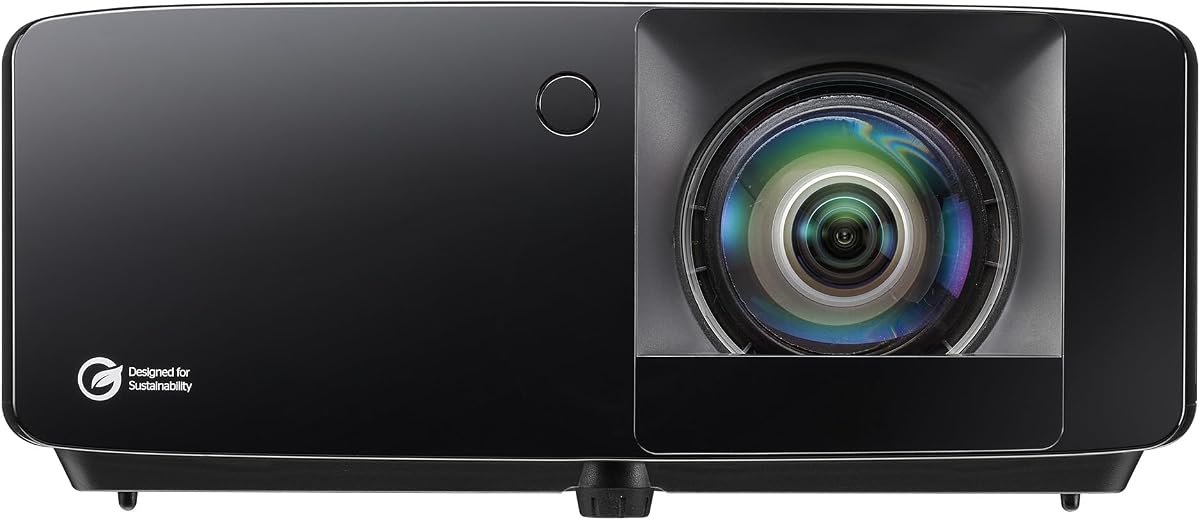
The BenQ LK936ST combines native 4K UHD resolution with 5100 ANSI lumens, a short-throw lens, and professional installation controls. Its supplied 5.0 rating is among the strongest in the list. For a dedicated golf simulator where image sharpness, brightness, and long-term maintenance all matter, it is one of the most complete options available in this roundup.
We may earn a commission when you buy through this link, at no additional cost to you.
Native 3840 x 2160 output provides substantially more detail than Full HD models, which is valuable on a large impact screen displaying course texture, swing paths, and club data. The 5100-ANSI-lumen laser source should remain vivid in rooms where complete darkness is difficult. Its laser light source is rated for up to 20,000 hours in normal mode, reducing the need for routine lamp changes.
The 0.81–0.89 throw ratio, plus or minus 23% horizontal lens shift, and plus or minus 60% vertical lens shift give installers considerable freedom. Connectivity includes dual HDMI 2.0b, DisplayPort, and HDBaseT, allowing a simulator PC, streaming hardware, and control systems to be integrated more readily. The result is a projector that can work as a serious home-theater display as well as a simulator display.
This model is best for buyers who want premium 4K detail and brightness without abandoning short-throw convenience. It is less obviously optimized for golf than the AH700ST, and its 0.81–0.89 ratio is not as compact as the Optoma GT3900UHD’s 0.496:1 design. Even so, the combination of 5.0 rating, native 4K, high brightness, and installation flexibility makes it a compelling premium recommendation.
Native 4K UHD provides the pixel density needed for crisp graphics and fine course details on a large display. It also makes the projector more versatile for high-resolution movies and gaming.
HDBaseT, DisplayPort, dual HDMI, and broad lens-shift controls support a polished built-in installation. These features make the unit appropriate for a dedicated room rather than temporary floor placement.
We may earn a commission when you buy through this link, at no additional cost to you.
The BenQ W4100i is designed primarily as a smart home-theater projector, but its 4K resolution, HDR-PRO processing, and 100% DCI-P3 color coverage make it relevant to premium golf visualization. It carries a supplied rating of 4.4 and provides 3200 lumens, 2D lens shift, 1.3x zoom, and ceiling-mounting flexibility.
We may earn a commission when you buy through this link, at no additional cost to you.
Its strongest contribution to a simulator is image quality. The 8.3 million pixels of 3840 x 2160 output support detailed virtual courses, while local contrast enhancement and tone mapping help manage dark and bright scenes. Factory calibration and full DCI-P3 coverage are valuable when the projector must switch between golf, sports, and film content without requiring extensive color adjustment.
Compared with the short-throw models, the W4100i requires more careful placement. It does not have the AH700ST’s 0.69–0.83 throw ratio, the LK936ST’s 0.81–0.89 ratio, or the Optoma GT3900UHD’s 0.496:1 ratio. Its lens shift and zoom help with alignment, but buyers should plan the room around a conventional throw distance and ensure the projector sits outside the swing path. It may be ceiling mounted in a space with suitable structure.
The W4100i is best for a multipurpose room where golf, films, television, and gaming share one premium display. It offers 4K detail and cinematic color without the installation emphasis of the LK936ST, and its 4.4 rating is reassuring. Choose it when image fidelity matters more than a very short throw, and verify that the available room depth can accommodate a large screen.
Local contrast enhancement and tone mapping are designed to preserve visible detail in both dark and bright portions of a scene. That processing can improve virtual landscapes and HUD-style simulation graphics.
Factory calibration and 100% DCI-P3 coverage make the W4100i useful beyond golf. The same display can deliver accurate film and sports imagery without a separate entertainment projector.
We may earn a commission when you buy through this link, at no additional cost to you.
The ViewSonic LS740W is not a BenQ model, but it earns inclusion because it combines 5500 ANSI lumens with a dedicated Golf Mode and installation features intended for professional facilities and residential training centers. Its supplied rating is 4.3, while its native WXGA resolution is 1280 x 800.
We may earn a commission when you buy through this link, at no additional cost to you.
The specialized Golf Mode boosts greens and blues to make course imagery more vivid and lifelike. Combined with high brightness, it can be effective in a facility where ambient light prevents a fully dark room. The projector can display images from 80 to 150 inches, and the supplied information states that a 100-inch image can be projected from 8.3 feet away.
Resolution is the primary trade-off. A 1280 x 800 signal is suitable for a standard 16:10 screen, but it will not match the apparent detail of Full HD, WUXGA, or 4K alternatives. The 1.2–1.5 throw ratio is also less convenient for shallow rooms. However, the wide zoom, horizontal and vertical keystone, 360-degree projection, and portrait mode provide meaningful installation flexibility.
This ViewSonic is best for a large commercial or training facility that values brightness, a specialized golf mode, and quick startup more than native resolution. It may also appeal to budget-conscious buyers who are content with a standard-definition-class canvas. The 4.3 rating supports that practical choice, but screen size and viewing distance should be checked carefully because pixel density differs greatly from the 4K options.
The specialized mode enhances greens and blues to create a more vivid virtual course. It is a useful feature for facilities that prioritize immediate visual presets over a fully manual calibration workflow.
Optional automatic power controls support quick startup and shutdown. That can reduce delays in a training center where the display needs to be ready for repeated practice sessions.
We may earn a commission when you buy through this link, at no additional cost to you.
The GoSports Golf Simulator Projector Cover is an accessory rather than a projector, but it addresses a practical concern in floor-mounted simulator systems. Its turf enclosure can protect a compatible projector from accidental club strikes while visually blending with a golf setup. The supplied rating is 4.8, making it one of the better-rated items in the overall list.
We may earn a commission when you buy through this link, at no additional cost to you.
The enclosure uses ultra-durable HDPE with a protective polycarbonate front panel. It is designed to shield the projector from mishits at different swing speeds without requiring the additional hardware, wiring, and contractor work associated with ceiling installation. The setup is simple: place the cover over the projector and route cords through the side openings.
Compatibility requires care. The internal maximum dimensions are 14 inches long, 15.2 inches wide, and 5.7 inches high, and the cover is designed for most common golf simulator projectors. It is also not waterproof. Four side openings permit airflow and cable runs, while the front polycarbonate panel can be removed for additional cooling. The manufacturer recommends it only for low-heat LED projectors.
This cover is best for users of a compatible low-heat LED projector who prefer floor placement and want physical protection from mishits. It does not improve resolution, brightness, or latency, and it should never be treated as a substitute for a projector designed for the room. Measure the unit carefully, confirm low-heat operation, and preserve the specified airflow before placing a projector inside.
The rigid enclosure creates a physical barrier between a simulator projector and an accidental club strike. That protection can be valuable in a garage or basement where the projector must sit near floor level.
Side vents support airflow and provide routes for cables to the computer and outlet. Removing the front panel adds cooling when needed, although the enclosure remains intended only for low-heat LED projectors.
We may earn a commission when you buy through this link, at no additional cost to you.
The best golf simulator projector is the one that fits the room, stays outside the swing zone, reproduces course imagery clearly, and operates reliably for many hours. Resolution and brightness matter, but throw geometry, installation flexibility, signal compatibility, and environmental protection are equally important.
Throw ratio describes the relationship between projection distance and image width. A ratio around 0.8 allows a large image from a relatively short distance, while an ultra-short ratio such as the Optoma GT3900UHD’s 0.496:1 can sit very close to the screen. Measure from the intended mounting point to the screen, then calculate whether the required image size fits without crowding the golfer. Also check floor depth, ceiling structure, and whether the projector can remain safely outside the swing area.
In summary, choose a throw ratio that produces your target screen size while preserving usable hitting space.
Full HD 1920 x 1080 can provide a clear image on a moderate screen, but 4K is better suited to large impact screens where fine terrain, ball tracking, and data overlays are examined closely. WUXGA 1920 x 1200 supports a wider canvas, while WXGA 1280 x 800 is most appropriate when brightness, operating simplicity, and cost take priority over pixel density. Resolution also depends on the simulator computer and the software’s available output modes.
In summary, match native resolution to screen size and use the highest output your simulator software reliably supports.
A dark, dedicated room can make a lower-output projector look excellent, but garages and basements often contain unavoidable ambient light. Models providing 4000 to 5500 ANSI lumens offer more flexibility in those conditions. A dedicated Golf mode can improve the perceived balance of greens and blues, although it does not replace sufficient brightness. Consider curtains, controlled wall paint, and screen gain as part of the overall room design rather than relying on the projector alone.
In summary, higher brightness is valuable when the simulator room cannot be fully blacked out.
Laser and LED systems reduce routine lamp replacement compared with traditional lamp projectors, which is beneficial in a simulator used for training or regular practice. The AH700ST and LK936ST list laser sources rated for up to 20,000 hours in normal mode, while the Optoma lists up to 30,000 hours. LED models should still be checked for heat and airflow requirements, especially when enclosed or mounted close to the ceiling.
In summary, prioritize a low-maintenance light source, but preserve adequate cooling and follow the manufacturer’s operating guidance.
A dedicated golf preset can simplify setup and emphasize the colors used most in virtual courses. The AH700ST offers a Golf mode, while the ViewSonic LS740W boosts greens and blues through its specialized mode. Color coverage, factory calibration, and processing also influence realism. DCI-P3 coverage on the W4100i and 95% Rec. 709 coverage on the AH700ST are useful indicators, but personal preference and screen characteristics should guide final calibration.
In summary, use golf-specific modes as a starting point, then fine-tune the image to your screen and room.
Low input lag helps on-screen responses feel synchronized with user action. The TH671ST emphasizes low lag, the TH575i lists 16.7ms, and the Optoma supports specific 1080p and 4K/60Hz low-lag modes. Connectivity must also match the simulator computer. Some systems require the simulator to connect to a computer or laptop before the video reaches the projector, so verify the complete signal path and required cable types before installation.
In summary, confirm both latency at your chosen resolution and every device needed between the simulator and display.
Lens shift is particularly useful because it physically repositions the image without digitally distorting it. The LK936ST and LU935ST provide substantial horizontal and vertical shift, while the W4100i adds 2D lens shift. Optical zoom, keystone correction, autofocus, and portrait mode provide additional ways to fit unusual rooms. Ceiling mounting can solve the swing-shadow problem, but it requires suitable structure, safe electrical routing, and service access for maintenance.
In summary, favor physical alignment controls and plan the mounting point before buying a fixed-installation projector.
Garage simulators can expose equipment to dust, accidental strikes, and fluctuating temperatures. A sealed optical engine may support long-term brightness stability, while a compatible floor enclosure can protect a low-heat LED projector from mishits. Any enclosure must preserve airflow and meet the projector’s dimensional and thermal requirements. Periodically clean vents and filters as directed, keep cables protected from foot traffic, and avoid placing equipment where moisture or impact is likely.
In summary, protect the projector without restricting ventilation, and make regular maintenance part of the training-room routine.
Begin by mapping the room before mounting anything. Identify the impact screen, hitting position, swing direction, simulator computer, outlets, and projector location. Use the model’s throw ratio and lens controls to establish a large image without blocking the golfer or creating a shadow across the screen. A ceiling mount can be effective, but only when the structure, wiring, heat dissipation, and maintenance access are appropriate.
Connect the simulator to its required computer or capture device, and then connect that source to the projector with the appropriate HDMI, DisplayPort, USB, or network pathway. Select a supported resolution and refresh rate, then enable the projector’s golf, sports, or game mode as a starting point. Adjust focus, geometry, and color with the room lights and screen in their normal condition so the final image remains usable in everyday use.
Care for the system by keeping vents unobstructed, using the specified power and connection procedures, and following the manufacturer’s cleaning guidance. A floor enclosure can reduce accidental-impact risk, but it should only be used with compatible low-heat LED projectors and with its ventilation openings maintained. Inspect cables regularly, remove excessive dust, and keep liquids away from the projector and electrical equipment.
A short-throw projector is not absolutely necessary, but it can make a compact room much easier to use. It permits a large image from a shorter distance, which may preserve floor space and reduce shadows cast by the golfer. If the room is deep, a ceiling-mounted standard-throw model can still work well, provided the mounting location is outside the swing path.
No, because the required resolution depends on screen size, viewing distance, and software output. Full HD can look good on a smaller or moderately sized impact screen. A 4K projector becomes more attractive on a large display where fine terrain, club tracking, and data overlays need to remain crisp.
That depends on the simulator system. One of the products in this guide explicitly states that its simulator must first send video to a computer or laptop, which then connects to the projector. Other systems may provide a direct output. Confirm the simulator’s supported outputs, required capture device, resolution, and refresh rate before finalizing the installation.
The requirement changes with ambient light and screen characteristics, but 4000 lumens or more provides more flexibility in garages and basements. A dark dedicated room can work with lower output. The best approach is to control ambient light where possible and judge the image on the actual screen instead of relying only on a brightness number.
Ceiling mounting is often the cleanest solution because it keeps the projector away from the golfer and reduces shadow interference. The ceiling must safely support the unit, with proper ventilation, secure mounting, accessible power, and protected cable routing. A floor-mounted alternative may suit a low-heat LED model and a room where permanent installation is impractical.
A golf mode can make course imagery more immediately recognizable by emphasizing the colors and contrast common in virtual fairways. It is a useful starting preset rather than a guarantee of perfect realism. Screen quality, calibration, room lighting, and the simulator software’s own output can have an equally important effect.
A laser light source can reduce the routine maintenance associated with replacing projector lamps, making it attractive for regular training sessions. The listed laser models offer rated service lives of up to 20,000 or 30,000 hours under stated conditions. Proper ventilation and continued adherence to operating limits remain necessary.
A short-throw model helps when room depth is constrained, while lens shift helps when the projector cannot be positioned directly in front of the screen. The LK936ST and LU935ST combine short throw with substantial shift controls. The AH700ST and Optoma GT3900UHD offer more compact throw behavior, so installation geometry should determine the final choice.
The BenQ AH700ST is the most purpose-built option because it combines 4000 ANSI lumens, short-throw placement, 1.2x zoom, and a dedicated Golf mode. The BenQ LK936ST is the premium choice for buyers who want native 4K resolution, 5100 ANSI lumens, and professional lens-shift controls, while the Optoma GT3900UHD offers the strongest alternative for very tight spaces with its 0.496:1 throw ratio.
For most installations, prioritize room geometry before image specifications. A projector cannot compensate for an unsafe swing path, insufficient depth, poor cable routing, or inadequate cooling. Once the placement is viable, choose brightness for ambient-light conditions, resolution for screen size, low latency for responsive software, and dedicated golf or color features for convenient setup. The included ViewSonic and smart 4K models broaden the choices when BenQ is not a requirement.
Product specifications, ratings, and availability can change, and prices fluctuate over time. Review the current Amazon listing, verify the projector’s dimensions and power requirements, and confirm compatibility with the simulator computer and software before buying. Those checks are especially important for ultra-short-throw models, enclosed floor installations, and any system requiring an intermediary capture computer.
