
500 GB Ultra Slim External Hard Drive
4.3Editor score
Lightweight 500GB capacity
Plug-and-play USB design
Broad device compatibility
Our expert guide compares 10 portable hard drives for storing photos, highlighting capacity, speed, portability, compatibility, backup features, and security.
Portable hard drives give photographers a practical way to keep large photo libraries, project files, and video clips organized beyond the limits of a computer or phone. The right drive should offer enough capacity for your workflow, transfer files efficiently, and withstand being carried between shoots, offices, homes, and travel destinations.
This guide compares ten portable hard drives using the specifications and product information supplied for each model. We evaluate storage capacity, connection type, transfer speed, dimensions, device compatibility, backup features, portability, and security, while also considering how each drive fits different photography needs and budgets.
Each review identifies the strongest use case for its featured drive, from compact everyday storage to high-capacity archives and rapid working files. Ratings reflect the listed customer feedback, and product details can change, so readers should verify current specifications, compatibility, and prices before purchasing.
4.3Editor score

4.7Editor score

4.6Editor score
The table below compares the featured drives by capacity, connection, portability, and standout functionality, making it easier to identify the right option for a photo archive, working edit, mobile backup, or secure travel kit.



The Seagate 2TB Portable Hard Drive is a conventional external hard drive designed to make storing and accessing photos straightforward. Its listed 4.6 rating reflects generally favorable customer feedback, while the 2TB capacity offers enough room for a substantial collection of high-resolution images, RAW files, and supporting documents without forcing frequent transfers to a computer.
We may earn a commission when you buy through this link, at no additional cost to you.
Its strongest feature is the uncomplicated workflow. The drive works with both Windows and Mac computers, is recognized automatically when connected, and supports a familiar drag-and-drop backup process. An 18-inch USB 3.0 cable is included, and the product is marketed as requiring no additional software for basic operation.
The trade-off is that this is a mechanical portable hard drive rather than a portable SSD, so it is better suited to archiving and routine copying than to demanding high-speed scratch-disk work. The supplied information does not advertise hardware encryption, and users who routinely transport confidential client images should consider a drive with explicit security features.
This model is a strong general recommendation for photographers who want a recognizable portable HDD, cross-platform use, and enough space for an expanding library. It is particularly useful for backups, completed shoots, and storing projects that do not require the fastest possible transfer rates.
Automatic recognition and drag-and-drop copying reduce setup time, making the drive practical for users who move between Windows and Mac systems. Its included cable also avoids the need for an immediate extra accessory.
The 2TB configuration offers a useful balance between storage volume and portability, providing room for RAW photos, edited exports, documents, and moderate amounts of video.
We may earn a commission when you buy through this link, at no additional cost to you.
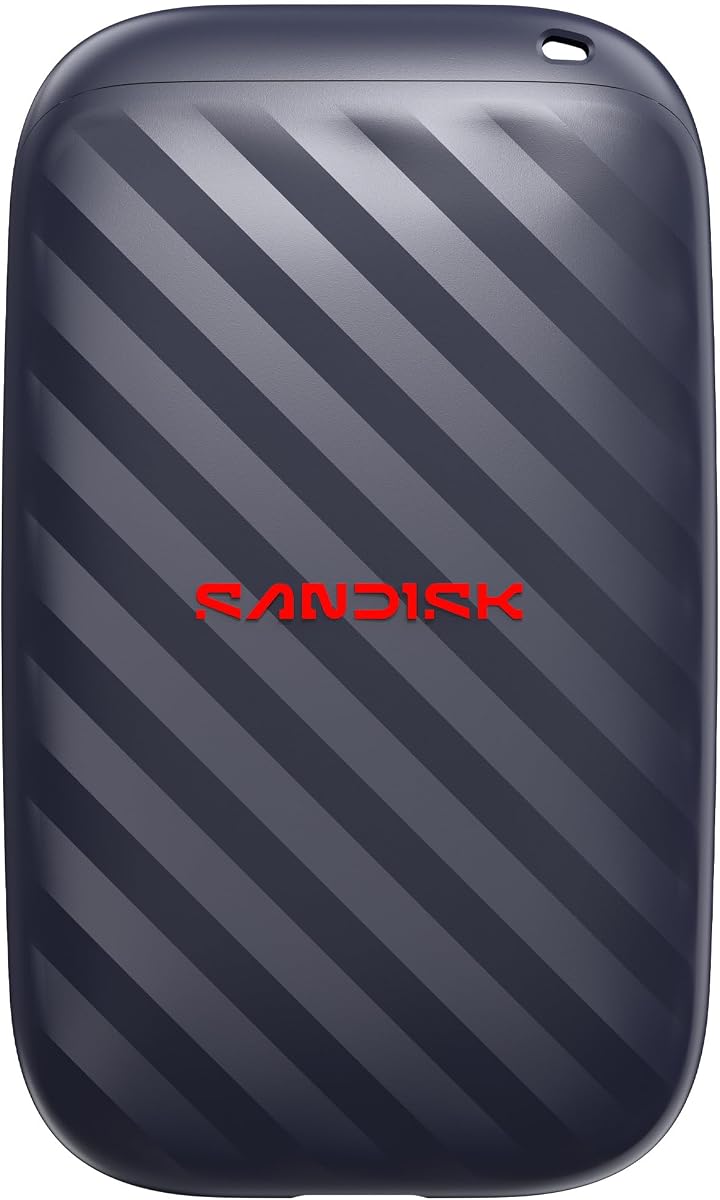
The Sandisk 1TB Portable Drive combines a compact enclosure with a listed read speed of up to 600MB/s. Its 4.5 rating places it among the stronger choices in the group, and that speed claim makes it attractive for photographers who regularly move large batches of high-resolution files.
We may earn a commission when you buy through this link, at no additional cost to you.
Durability is another defining feature. The product information states that the drive has no moving parts and offers up to two meters of drop protection. Its pocket-sized form is convenient for travel, and the USB-C-ready design supports a straightforward connection to compatible modern devices.
The main limitation is its 1TB capacity, which may be insufficient for a large archive of RAW photographs and video. Maximum transfer speed also depends on the source device, host connection, file sizes, and operating conditions, so the stated figure should be treated as a peak capability rather than a guaranteed real-world pace.
This drive suits a photographer who values quick transfers, compactness, and durability more than maximum capacity. It works well for recent shoots, a working selection of edited images, or a supplemental drive used while a larger archive remains at home.
The advertised read speed can shorten waits when copying extensive image sets, although the actual result depends on the computer or card reader supplying the files.
A lack of moving parts and two-meter drop protection provide reassurance when the drive is carried between locations. The small enclosure also takes up little room in a camera bag.
We may earn a commission when you buy through this link, at no additional cost to you.
The Seagate Portable 4TB External Hard Drive is built for photographers who need more room than a conventional 1TB or 2TB model can provide. Its listed 4.6 rating indicates solid customer satisfaction, and 4TB makes it a more comfortable destination for large RAW libraries, exported photographs, and mixed media archives.
We may earn a commission when you buy through this link, at no additional cost to you.
Operation remains uncomplicated. It is designed for Windows and Mac computers, requires no software for automatic recognition, and supports drag-and-drop backups. The included 18-inch USB 3.0 cable and plug-and-play design are especially helpful for users who want a drive that can move directly between office, studio, and home systems.
As with other mechanical portable hard drives in this guide, it is not positioned as a high-speed editing scratch disk. The stated one-year Rescue service is also limited in duration, so it should complement rather than replace a broader backup strategy involving cloud storage, a second physical drive, or another independent copy.
The 4TB capacity makes this an attractive archival choice for active photographers who are tired of splitting collections across multiple smaller drives. It is best for completed projects, client delivery archives, and photographers who prioritize holding more files in one portable unit.
Four terabytes reduces the need to rotate media frequently, allowing multiple shoots and years of exports to remain accessible on a single drive.
The included one-year Rescue service adds a limited recovery option when eligible files become inaccessible. Routine backups remain essential because no single recovery feature protects against every failure scenario.
We may earn a commission when you buy through this link, at no additional cost to you.
The WD 2TB Elements Portable External Hard Drive stands out with a 4.7 rating, the highest customer-rating figure among the listed products. Its 2TB capacity, compact enclosure, and cross-platform support make it a versatile centerpiece for a photographer who wants one drive to handle both active projects and stored images.
We may earn a commission when you buy through this link, at no additional cost to you.
The product information emphasizes a small, lightweight design and plug-and-play expandability. USB 3.2 Gen 1 provides a 5Gbps interface, while compatibility with PC and Mac systems allows the drive to be used across common creative workspaces. It can also hold photographs, videos, music, and documents, making it useful beyond photography.
The drive remains a conventional hard drive rather than a solid-state model, so it does not offer the same performance as the fastest drives listed here. Its data does not appear to include password protection or hardware encryption. Photographers handling sensitive material should account for that limitation or choose a security-focused alternative.
Overall, the WD Elements is an excellent general-purpose recommendation because it balances capacity, portability, straightforward operation, and the strongest listed rating in the group. It is ideal for users who need a dependable general archive without the bulk or expense of a premium portable SSD.
Two terabytes is a practical starting point for RAW libraries, client deliveries, and mixed media collections. The drive is large enough to be useful without becoming unwieldy in a bag.
PC and Mac compatibility reduces friction when files move between a home editing setup and a client or studio computer. Plug-and-play readiness also makes the drive approachable for less technical users.
We may earn a commission when you buy through this link, at no additional cost to you.
The 500GB Ultra Slim External Hard Drive offers an accessible way to add portable photo storage without taking on a large multi-terabyte device. Its 4.3 rating is the lowest in the group, but the drive also occupies a practical budget-oriented position and provides a broad range of connection and device support.
We may earn a commission when you buy through this link, at no additional cost to you.
The drive is advertised as ready to use with no software installation. A USB 3.0 cable is included, and listed read speeds reach as high as 133MB/s, with writes stated up to 103MB/s. Compatibility includes Windows, Linux, Mac, PS4, Xbox One, and Xbox 360, making it more versatile than a photo-only travel drive.
Its 500GB capacity is the clearest constraint, and the information also notes that a Mac must first format the drive using ExFat. It can store multimedia and backups, but photographers working with large RAW libraries or high-resolution video may quickly need another drive. Gaming support also has limitations for current-generation consoles.
For a photographer who needs a lightweight, inexpensive secondary drive for selected photos, travel backups, or basic document storage, this is a sensible choice. It is best viewed as a convenient starter or overflow drive rather than the sole location for an extensive professional archive.
At a listed weight of 0.35 pounds, the drive is easy to carry and adds little physical burden to a laptop bag. Its slim enclosure is especially useful for travel and casual backup tasks.
Windows and Linux support is immediate, while Mac users need to format the drive as ExFat. The included USB cable and plug-and-play design make initial setup relatively direct.
We may earn a commission when you buy through this link, at no additional cost to you.
The Seagate Portable 1TB External Hard Drive is a compact option for photographers who need a dedicated place for selected images, recent shoots, and smaller project backups. Its 4.6 rating is strong, and the simple connection process makes it accessible to users who do not want to manage complicated storage software.
We may earn a commission when you buy through this link, at no additional cost to you.
The drive is designed for Windows and Mac computers and is also listed for PlayStation and Xbox use. It connects through USB 3.0, is automatically recognized by a computer, and supports drag-and-drop copying. A Quick Start Guide is not specified for this model, but the supplied information does state that an 18-inch USB 3.0 cable is included.
The 1TB capacity may be modest for RAW photographers, particularly when video files are included. Mac users may also need to reformat the drive for certain workflows. As with the other Seagate portable hard drives, it is better suited to routine storage and copying than to the fastest possible on-device editing workflow.
This model is a good match for a photographer who values a straightforward, familiar backup device and needs moderate rather than massive capacity. It can also be useful for console storage or as a traveling companion for a curated selection of finished images.
Support for PC, Mac, PlayStation, and Xbox broadens the drive's potential uses beyond a desktop photo archive. This flexibility is useful for users who also manage console media.
Automatic recognition and drag-and-drop operation keep the backup workflow understandable. A one-year Rescue service adds limited support for eligible recovery situations.
We may earn a commission when you buy through this link, at no additional cost to you.
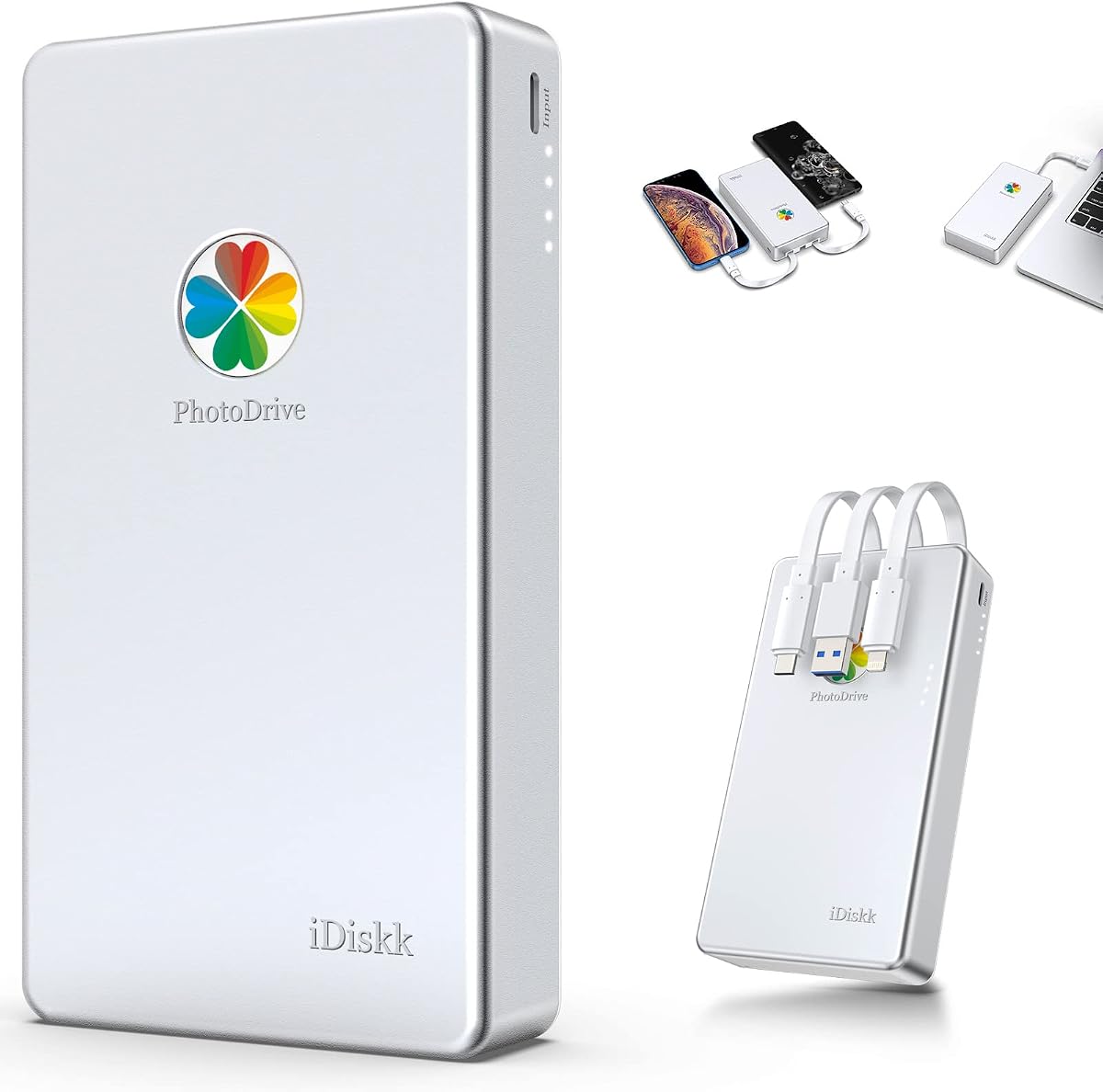
The iDiskk MFi Certified 2TB External Hard Drive is designed specifically around mobile photo and video storage. Its 4.2 rating is modest compared with the mechanical drives from established storage brands, but the product offers a distinctive set of features for photographers who regularly transfer images from a phone or tablet.
We may earn a commission when you buy through this link, at no additional cost to you.
A one-tap backup can copy photos and videos from an iPhone or iPad album, with future backups designed to add newly introduced files and avoid storage-consuming duplicates. The drive also includes an in-app camera for automatically saving captured media, while a built-in 5000mAh battery and MFi-certified connector support a more mobile-oriented workflow.
Users can enable password-based protection for all or selected data, adding a security layer that is not advertised for most conventional external hard drives. The trade-off is dependence on the product's software and an iPhone app, with iOS 12.1 or later required. The listed compatibility is broad, but users should confirm their exact device before purchase.
This is the most specialized option in the guide and the most compelling for mobile-first creators. It is particularly useful for freeing phone storage, maintaining a phone-based image archive, or sharing protected media directly from the drive.
The app-based backup process is designed to reduce friction when moving photos from a phone or tablet. New-file handling also helps avoid creating unnecessary duplicate folders during repeated backups.
Password protection can encrypt all or part of the stored data, making the drive more appropriate for sensitive or private collections. The manual provides guidance for setup and troubleshooting.
We may earn a commission when you buy through this link, at no additional cost to you.
The WD 6TB Elements Portable External Hard Drive is the highest-capacity traditional hard drive in this comparison. Its 4.7 rating is among the strongest listed scores, and 6TB gives photographers considerable room for RAW files, exported images, video, music, documents, and multiple years of project material.
We may earn a commission when you buy through this link, at no additional cost to you.
The product is described as the world's first 6TB 2.5-inch portable hard drive, combining a large archive with a familiar portable form factor. USB 3.2 Gen 1 provides a 5Gbps connection, and plug-and-play readiness helps minimize setup friction across Windows and Mac systems.
The significant trade-off is that the enormous capacity comes with the inherent limitations of a mechanical portable drive. It is not intended to match the transfer and edit performance of a premium SSD, and the product information does not mention hardware encryption. Keeping one very large archive on one device also makes a second independent copy especially important.
This model is ideal for a photographer consolidating a large body of work, preserving completed client projects, or maintaining a centralized library that must remain portable. It is the most capacity-focused recommendation, while the 2TB Elements may be easier for users who prioritize a smaller everyday device.
Six terabytes can hold many years of material, reducing the need to transfer projects between multiple disks. It is well suited to photographers who prefer a single high-capacity organizing point.
The 2.5-inch enclosure is more manageable than a desktop-class drive. USB 3.2 Gen 1 and broad system compatibility support a practical transfer workflow.
We may earn a commission when you buy through this link, at no additional cost to you.
The WD 5TB My Passport is tailored to photographers who need both capacity and stronger protection for their files. Its 4.5 rating is solid, while 5TB provides enough room for an expansive archive without reaching the largest capacity in the comparison.
We may earn a commission when you buy through this link, at no additional cost to you.
Its defining advantages are password protection, hardware encryption, and included device-management software with defense against ransomware. Those features make it a more security-conscious choice for client work, confidential portraits, or business assets that need an additional layer of protection beyond ordinary file copying.
The drive has a slim, durable design and supports USB 3.1 and USB 3.0. A three-year limited warranty adds reassurance, although protection features still require proper configuration. Users must enable the relevant security options and retain or securely store passwords so that encrypted files remain accessible.
This My Passport model is a strong recommendation for professionals who want a large portable library with security tools. It is more specialized than a basic Elements drive and more appropriate when protecting valuable or sensitive photographs is a priority.
Password protection and hardware encryption help reduce unauthorized access. Proper configuration is essential, so users should test the workflow before relying on it for irreplaceable files.
The included device-management software includes ransomware defense features that complement routine backups. Software tools can add protection, but they do not replace an independent copy.
We may earn a commission when you buy through this link, at no additional cost to you.
The Sandisk 1TB Extreme Portable SSD is the performance-focused choice in this guide. Its listed transfer speed reaches up to 2000MB/s, and the product information states that 1,000 high-resolution photos can be moved in under 60 seconds under the applicable test conditions.
We may earn a commission when you buy through this link, at no additional cost to you.
Speed is only one advantage. The SSD has an IP65 rating for protection against spills and dust, up to three meters of drop protection, and a pocket-sized enclosure. Its solid-state foundation also makes it particularly attractive for photographers who want to edit directly from the drive or shuttle large image sets between locations.
The 1TB capacity is modest for a comprehensive RAW archive, and the product occupies a premium position compared with mechanical drives offering several terabytes. In addition, 256-bit AES encryption requires a password to be configured properly, so users should set it up and verify access before storing only copies of important files.
This is the leading option for professionals who prioritize speed, ruggedness, and compact solid-state construction. It is best for active editing, recent shoot backups, and working sets that need to be accessed quickly rather than a static, maximum-capacity archive.
The advertised 2000MB/s transfer rate can substantially reduce copy time when the host device and source media support it. This makes the SSD useful for active editing and rapid post-shoot transfers.
An IP65 rating, three-meter drop protection, and a solid-state design improve suitability for travel and demanding field conditions. These features do not make the drive indestructible, but they add useful protection.
We may earn a commission when you buy through this link, at no additional cost to you.
Choosing a portable photo drive means balancing usable capacity, transfer speed, physical protection, device compatibility, and security against the needs of your particular photography workflow.
Capacity should reflect both your current library and the rate at which new images accumulate. A 500GB drive is appropriate for a small selection of photos or temporary travel storage, while 1TB and 2TB options provide more room for RAW files, exports, and moderate video. The 4TB, 5TB, and 6TB models are better suited to long-term archives, professional bodies of work, and clients who prefer keeping multiple projects together. Remember that the displayed capacity after formatting will be lower because operating systems and file systems use some available space.
Choose enough room to avoid constant transfers, but do not confuse a larger capacity with better organization. The best portable hard drive is one that can hold a defined archive while remaining easy to back up and replace.
Transfer speed matters most when importing a full shoot, editing high-resolution files, or creating backups. The Sandisk Extreme SSD lists the fastest performance in this group, while the Sandisk 1TB Portable Drive and 500GB model offer useful middle-ground claims. Actual results depend on the source card reader, host USB port, file sizes, system workload, and whether the destination is being read from or written to.
For routine archiving, USB 3.0-class performance is generally sufficient. For direct editing, working catalogs, and rapid culling, a fast portable SSD provides a more responsive experience.
A drive intended to travel should be compact, reasonably lightweight, and protected against the bumps encountered in a camera bag. The 500GB model lists a weight of 0.35 pounds, while the Sandisk products emphasize pocket-sized construction. The WD 6TB Elements balances high capacity with a 2.5-inch format, but larger archives can still become cumbersome when filled with many files.
Favor a shape that fits your existing bag and a construction that suits your travel conditions. Rugged features help, but a drive still deserves a padded compartment and protection from moisture and impact.
Mechanical external hard drives contain moving parts, while solid-state portable drives do not. The Sandisk 1TB Portable lists two-meter drop protection, and the Extreme SSD claims three meters plus an IP65 rating. These specifications indicate stronger resilience, although no portable drive is immune to damage. A durable enclosure is most valuable when files must travel between shoots, hotels, client locations, and home offices.
If your drive will remain on a desk and hold a secondary archive, basic construction may be sufficient. If it is a daily working tool, prioritize listed impact and environmental protections.
The drive must work with the computers and devices you expect to use. Most featured models support Windows and Mac, but the 500GB drive specifically requires ExFat formatting for Mac use, and the Seagate 1TB listing notes that reformatting may be required for Mac workflows. The iDiskk drive adds app requirements and iOS version considerations for iPhone operation. USB-C readiness and broad console support can also influence the decision for some users.
Check file-system requirements and connector types before buying. Reformatting can change how a drive appears across systems, so choose one that matches your complete workflow rather than only your primary editing computer.
A portable drive is still one storage location, and a single copy can be lost through accidental deletion, damage, theft, or hardware failure. The Seagate 4TB and 1TB models list a one-year Rescue service, while the WD My Passport includes device-management software and ransomware defense. The iDiskk app provides automated mobile backups, and the WD Elements models emphasize simple plug-and-play copying. These features can improve the workflow, but none replaces maintaining a separate copy.
Use at least two independent storage locations and test important backups periodically. Recovery services may have conditions and time limits, so read the current terms before relying on them.
Security becomes more important when a drive contains portraits, client deliverables, unpublished editorial work, or business documents. The WD My Passport offers password protection and hardware encryption, while the Sandisk Extreme SSD provides 256-bit AES encryption. The iDiskk product supports password protection for all or selected files through its app. Basic portable HDDs in this guide do not advertise comparable encryption in the supplied information.
Choose a security model based on the sensitivity of your files. Configure and test the protection before relying on it, and store passwords in a separate, secure location.
Portable hard drives generally offer more capacity for long-term storage and can be less expensive per terabyte, making them suitable for archives. Portable SSDs are faster, quieter, resistant to impact because they have no moving parts, and often better suited to direct editing or frequent field use. The products in this guide cover both approaches, making it possible to choose performance and capacity separately.
Decide whether the drive is primarily a working tool or a long-term repository. Choose an SSD for speed and mobile resilience, or a hard drive when maximum archival capacity is the priority.
Before moving important files, format the new drive using the file system required by your devices, then create clear top-level folders for dates, clients, projects, and final exports. Copy rather than move originals from the computer, and avoid working directly from the only copy of a shoot. Give the drive a consistent naming convention so it can be identified and backed up later.
When transferring from a camera or card reader, use a high-quality USB port and confirm that the transfer has finished before disconnecting. The speed shown for each drive is a maximum under suitable conditions, so slower readers, cables, host ports, and large numbers of small files can reduce performance. Safely eject the drive through the operating system before unplugging it.
Protect the drive by keeping it in a padded compartment, away from moisture, excessive heat, and impact. Use the included cable, avoid leaving it connected unnecessarily, and periodically check that files open correctly. Maintain another independent copy of irreplaceable photographs, and confirm that important images are not stored only on a portable device.
The right amount depends on file size, camera format, and how long you want to keep each shoot. A 500GB drive works well for selected collections or travel backups, while 1TB and 2TB are more practical for active libraries. Professionals with extensive archives may prefer 4TB, 5TB, or 6TB. A larger drive reduces media rotation, but you should still keep an independent backup.
Portable SSDs are generally better for speed, direct editing, frequent travel, and resistance to impact because they contain no moving parts. Portable hard drives usually provide more capacity and are well suited to long-term archives. Your workflow determines the priority: choose an SSD for responsiveness or a high-capacity hard drive for storing more files at a lower cost per terabyte.
Most of the listed drives support both Windows and Mac, but file-system requirements vary. The 500GB model must first be formatted as ExFat for Mac use, and the Seagate 1TB listing notes that reformatting may be required for Mac workflows. Check the current instructions for the specific model and format it before storing important files.
The iDiskk MFi drive is specifically designed for supported iPhone and iPad models and uses a one-tap app-based backup process. Its information notes that iPhone users must download the iDiskk Player app and that iOS 12.1 or later is required. Most conventional computer drives in the guide are not presented as direct phone backup devices.
Encryption is strongly advisable when the drive contains private portraits, client files, unreleased editorial photographs, or business records. The WD My Passport and Sandisk Extreme SSD advertise hardware encryption, while the iDiskk drive supports password-based protection. Configure and verify the security settings before relying on the drive, and keep passwords stored safely outside the drive.
One drive is not enough if it is the only copy of your images. The safest approach is to maintain at least two independent copies on different media or services, with one copy kept somewhere separate from the working drive. A drive can fail, be lost, suffer damage, or be affected by accidental deletion, even when it has a recovery service or protective enclosure.
A 1TB drive is easier to keep empty, rotate, and back up because it holds fewer files. A 2TB drive is more convenient when you want to bring an entire recent project or avoid frequent transfers. Consider the size of your recent shoots, whether you also archive video, and how frequently you can securely back up the drive outside your location.
These interfaces are commonly used for external storage and are suitable for copying large photo collections. They do not guarantee the maximum speed listed by the manufacturer, because the card reader, source files, host device, cable, and destination workload also affect results. For the fastest transfers, use compatible high-speed hardware and avoid relying on older ports.
The WD 2TB Elements is the strongest all-around choice because it combines a 4.7 rating, useful capacity, cross-platform support, and a compact form. The 500GB Ultra Slim External Hard Drive serves budget-conscious users who need a lightweight secondary drive, while the Sandisk 1TB Extreme SSD is the premium option for photographers who prioritize speed, solid-state durability, and encryption.
Choose according to the role your drive will play. Use a 4TB, 5TB, or 6TB hard drive for an extensive archive; a 1TB or 2TB model for active libraries and project backups; a portable SSD for fast editing and field work; and the iDiskk drive for app-assisted phone and tablet backups. Security features deserve special attention whenever a drive holds confidential images.
Before buying, verify current capacity, connector requirements, formatting rules, and device compatibility, and compare the current prices across retailers. Product pricing and availability can change, so the right choice should ultimately reflect your storage volume, workflow speed, security needs, and budget at the time of purchase.