
Logitech Ergo M575S
4.6Editor score
Thumb-operated trackball control
Space-saving ergonomic shape
Three customizable buttons
Bluetooth and Logi Bolt
Works on any surface
Discover the best mouse with thumb rest options, comparing ergonomics, connectivity, tracking, controls, comfort, battery life, and hand size for work and
A mouse with a thumb rest can make long work sessions feel more comfortable by giving your thumb a stable place to settle instead of demanding a constant grip. The right model can also reduce wrist strain, improve button access, and suit everything from spreadsheets to competitive gaming.
We compared all ten featured mice by thumb support, shape, hand fit, tracking, connectivity, controls, scrolling, power management, and everyday practicality. The list covers conventional ergonomic mice, vertical designs, compact wireless models, full-size productivity devices, and trackballs that operate without a mouse pad.
Each review explains who a model suits, which features set it apart, and where its compromises may matter. Product ratings reflect the supplied customer feedback, while availability and prices change frequently, so confirm the current listing before making a purchase.
4.6Editor score

4.6Editor score
4.5Editor score
The comparison below highlights the most important differences in shape, hand support, tracking method, connectivity, power, and control options. It includes traditional thumb-rest mice, vertical ergonomic models, and trackball designs for buyers who want less cursor movement.





The Razer Basilisk V3 combines an ergonomic gaming shape with an obvious thumb rest, making it the strongest all-around choice for buyers who want support without giving up programmable controls. Its supplied rating is 4.6 out of 5, which reflects strong customer satisfaction. The form supports the hand while positioning its primary and secondary buttons within easy reach.
We may earn a commission when you buy through this link, at no additional cost to you.
Its standout feature set goes well beyond a basic pair of side buttons. Eleven programmable buttons can be assigned to macros and secondary functions, while the HyperScroll wheel can free-spin for rapid movement or provide tactile feedback for controlled navigation. The 26K DPI optical sensor, Gen 2 optical switches, and eleven independently configurable RGB zones make this a particularly complete gaming peripheral.
There are trade-offs, of course. The wired design avoids charging and wireless latency concerns, but it is less convenient for travel than a rechargeable mouse. The number of controls may also feel excessive for standard office work, and buyers should be comfortable using software to configure the sensor, buttons, lighting, and other settings through Razer Synapse.
This mouse is best for gamers, streamers, and power users who spend long sessions at a desk and value precise movement, fast clicks, and extensive customization. It is less ideal for someone seeking a discreet, travel-ready office mouse. Even so, the Basilisk V3 offers the most convincing combination of thumb support, tracking performance, and flexible controls in this group.
The ergonomic shell supports the palm and gives the thumb a stable resting area, reducing the need to hold the mouse rigidly. That makes the Basilisk V3 appealing during extended gaming sessions or heavy desktop work.
Eleven programmable buttons, a dual-mode scroll wheel, adjustable DPI, and extensive RGB controls let users tailor the mouse to demanding games or repetitive productivity tasks. The broad feature set rewards anyone willing to spend time configuring it.
We may earn a commission when you buy through this link, at no additional cost to you.
The Razer Basilisk V3 X brings the recognizable Basilisk ergonomic form into a wireless configuration, offering a more flexible alternative to the wired flagship. Its rating is 4.4 out of 5. The signature shape supports different grips, and the nine customizable controls make the mouse useful for gaming as well as everyday productivity.
We may earn a commission when you buy through this link, at no additional cost to you.
Its main advantage is connectivity. Razer HyperSpeed Wireless is intended for low-latency gaming, while Bluetooth supports multi-device use and longer sessions away from a computer. The supplied information lists up to 285 hours on HyperSpeed and up to 535 hours on Bluetooth, although actual results depend on usage. An 18K optical sensor provides accurate tracking, and Gen 2 mechanical switches are rated for up to 60 million clicks.
Compared with the Basilisk V3, this model offers fewer programmable buttons and a lower maximum sensor resolution, though those differences are unlikely to concern most users. It also depends on its rechargeable battery, so it is not as maintenance-free as a model that uses replaceable cells. RGB lighting and Chroma integration provide the same visual customization emphasis as Razer’s other gaming products.
The Basilisk V3 X is a strong choice for someone who wants a thumb-rest mouse for gaming but regularly moves between devices or dislikes a trailing cable. It works best for users who value wireless convenience, long intervals between charges, and familiar gaming controls without needing every function found on the wired version.
HyperSpeed Wireless targets responsive gaming, while Bluetooth makes it practical to move between a laptop and other compatible devices. This versatility is the key reason to choose the X over a permanently wired design.
The listed battery endurance is a major advantage for regular users. A short recharge should be far less disruptive than replacing batteries, particularly when the mouse is used throughout a full workday.
We may earn a commission when you buy through this link, at no additional cost to you.
The Logitech Lift is a vertical ergonomic mouse built around a 57-degree hand position that aims to make the forearm feel more natural. It carries a 4.4 rating and is designed specifically for small to medium right hands. A softly textured grip and snug thumb rest give the hand a secure, supported position during extended use.
We may earn a commission when you buy through this link, at no additional cost to you.
Its shape is the main attraction, but the feature set is also well suited to productivity. The Lift offers customizable buttons, whisper-quiet clicks, and a SmartWheel that shifts between smooth and precise scrolling. Bluetooth Low Energy and Logi Bolt connectivity support a wide range of systems, including Windows, macOS, iPadOS, Chrome OS, and Linux. The supplied specifications also list up to two years of battery life.
Vertical mice require a short adjustment period, and people who favor a low, flat grip may find the raised shape unfamiliar. It is also specifically designed for right-handed use. The advertised two-year battery figure will vary with real-world activity, and buyers should check battery preferences before committing to an AA-powered design.
The Lift is especially compelling for office workers, writers, students, and anyone concerned about wrist posture during long daily sessions. It is less suitable for competitive gaming, where traditional low-profile shapes and abundant buttons may be preferred. For its intended productivity audience, it is one of the most thoughtfully designed thumb-rest options available.
The 57-degree vertical shell keeps the forearm in a more natural handshake-like position instead of forcing it flat against the desk. That can be especially valuable for people who notice strain after hours of conventional mouse use.
Quiet clicks, flexible scrolling, customizable buttons, and broad connectivity make the Lift more than an ergonomic shape. It is a complete everyday mouse designed for focused office work.
We may earn a commission when you buy through this link, at no additional cost to you.
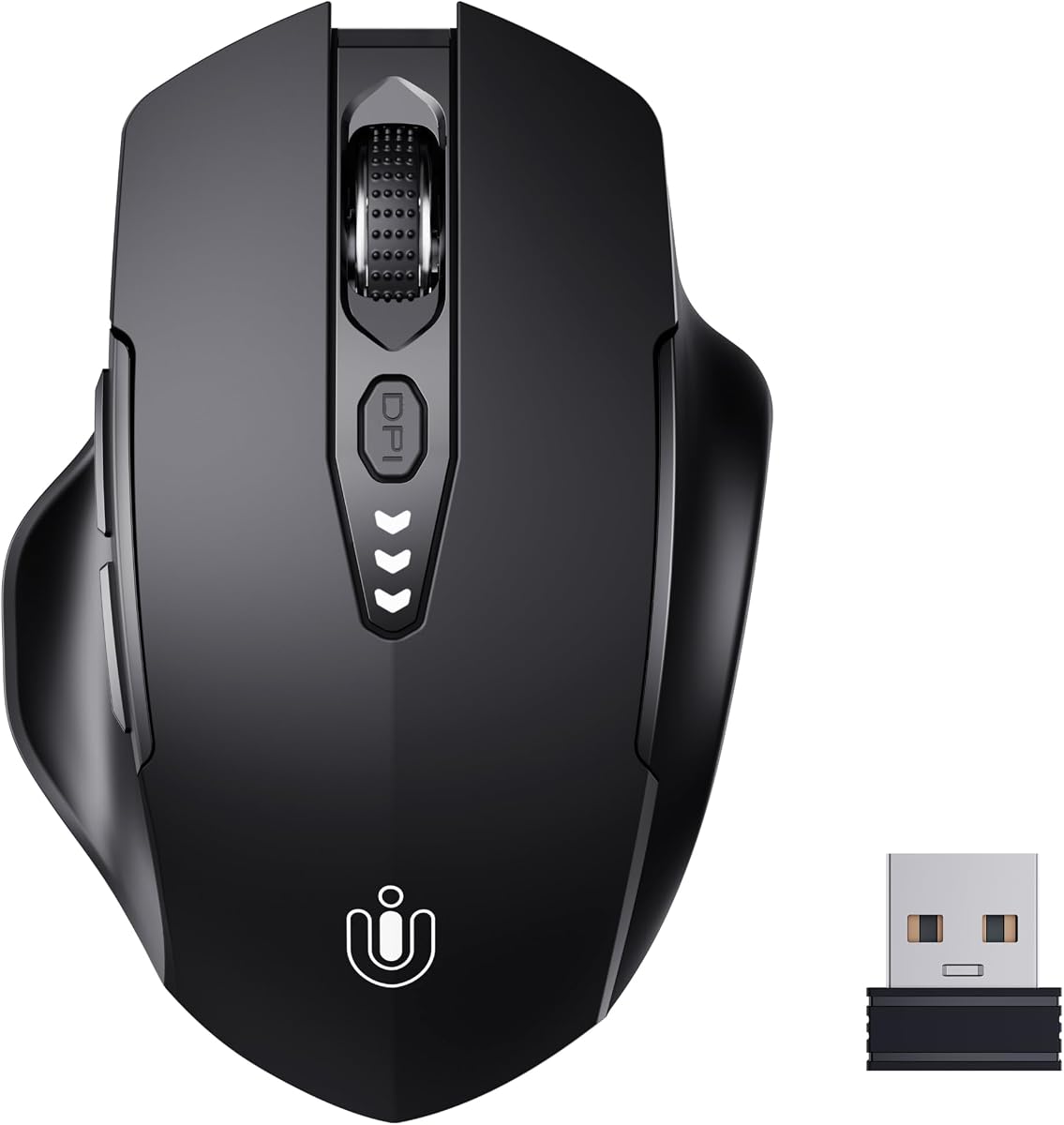
The Uineer Wireless Mouse offers an approachable combination of contoured comfort, rechargeable power, and visible battery status. Its supplied rating is 4.5 out of 5. The design is described as fitting the shape of the hand, making it a useful general-purpose option for work and entertainment without the complexity of a full gaming peripheral.
We may earn a commission when you buy through this link, at no additional cost to you.
The standout practical detail is the battery display, which lets users check remaining charge without opening software or guessing how long the mouse will last. It connects through a supplied 2.4GHz USB receiver and requires no driver installation. Four DPI settings—800, 1200, 1600, and 2400—provide enough variation for browsing, document work, and more precise pointer tasks.
Its limitations are mostly connected to simplicity. There are no listed programmable side buttons, advanced scrolling modes, or multi-device wireless support. The receiver must remain nearby and occupies a USB port, while 2.4GHz connectivity is less versatile than a Bluetooth-and-receiver combination. As with any rechargeable mouse, the user will need to recharge it periodically.
This is a strong pick for buyers who want an affordable, uncomplicated mouse with visible power status and a more ergonomic fit than a basic flat design. It suits students, home-office users, and everyday laptop users. Those needing extensive controls or broader connectivity should look to the PHILIPS or Logitech models instead.
The built-in display is unusually helpful for a rechargeable wireless mouse. Seeing the remaining charge makes it easier to plan a recharge before an important meeting or a long trip.
The contoured form and four DPI settings offer sufficient support for ordinary computing. Users can plug in the receiver and begin working without learning complicated software or mapping multiple commands.
We may earn a commission when you buy through this link, at no additional cost to you.
The PHILIPS Ergonomic Wireless Mouse is a productivity-focused model whose right-handed shell and anti-slip thumb rest are designed for wider grips. It has a 4.3 rating. Rather than emphasizing gaming aesthetics, it concentrates on office comfort, silent operation, multi-device use, and efficient navigation across large spreadsheets.
We may earn a commission when you buy through this link, at no additional cost to you.
Its dual scroll-wheel arrangement is the most distinctive feature. A tactile main wheel handles standard vertical movement, while a thumb-side horizontal wheel helps users travel across spreadsheet columns. Forward, backward, and middle-click buttons can be mapped to custom macros through Philips software. Connectivity includes a dual USB-A and USB-C receiver along with Bluetooth pairing for up to three devices.
The five-level optical sensor ranges from 800 to 4000 DPI, giving users meaningful control over cursor speed. Its 500mAh rechargeable battery and automatic sleep function are designed for extended use, while the emergency top-up feature is claimed to provide one hour of tracking after only five minutes of charging. The right-handed shape and need for software to activate some advanced functions may not suit every buyer.
This mouse is ideal for spreadsheet-heavy professionals, analysts, designers, and office workers who switch among computers. It offers more specialized utility than a simple everyday model without approaching the complexity of a gaming mouse. Buyers primarily interested in gaming should look elsewhere, but productivity-focused users will find its thumb-side controls especially valuable.
The thumb-side wheel is more than a duplicate of the main scroll wheel; it targets sideways movement in wide tables. That makes the mouse particularly useful for finance, data analysis, design, and administrative work.
The included receiver supports both USB-A and USB-C ports, while Bluetooth expands compatibility further. This helps travelers avoid carrying a separate mouse for every computer they use.
We may earn a commission when you buy through this link, at no additional cost to you.
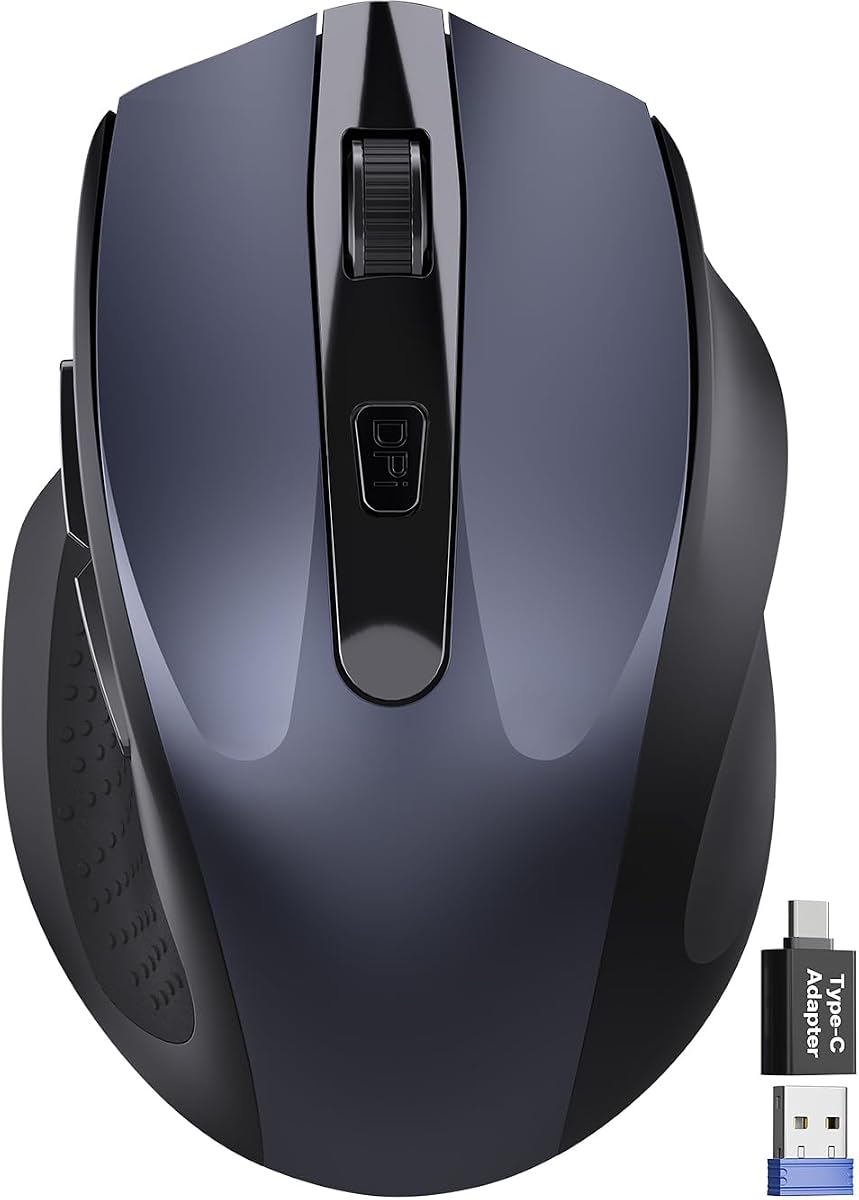
The Wireless Mouse for Laptop is designed for people who need a portable pointer with more ergonomic support than a minimal travel mouse. It carries a 4.4 rating. Its asymmetrical right-hand shape naturally supports the palm, while the built-in thumb rest is intended to reduce grip pressure during long periods of use.
We may earn a commission when you buy through this link, at no additional cost to you.
The compact body measures 4.09 by 2.68 by 1.49 inches, making it easy to fit into a laptop bag. It also uses up to 90 percent less click noise, three DPI levels, forward and back buttons, and a tactile rubber wheel. The included USB-A nano receiver and USB-C adapter provide broad compatibility with Windows, Mac, Linux, Chrome OS, Android, and compatible iOS devices.
The compact proportions and lightweight focus may not suit users with larger hands or those who prefer a full-size palm cradle. It also uses an AA battery for a listed endurance of up to 18 months, but that battery is not included. The two-year extended warranty mentioned in the supplied information is a welcome addition, though buyers should review its terms.
This model is a good match for students, frequent travelers, and people working from shared or temporary spaces. Its thumb support makes it more comfortable than many similarly small mice, while the quiet clicks are useful in libraries and open offices. For a smaller hand and a need to travel light, it offers a practical balance.
The thumb rest adds meaningful support without making the mouse bulky. Its compact footprint makes it easier to carry than a full ergonomic model while still encouraging a steadier grip.
Reduced click noise helps during meetings, library study, and late-night work. The forward and back buttons also make routine browser navigation more efficient.
We may earn a commission when you buy through this link, at no additional cost to you.
The TECKNET Wireless Trackball offers a distinctive alternative to a conventional mouse by moving the cursor with a thumb-operated ball. Its rating is 4.5 out of 5. The 16-degree vertical angle is intended to promote better forearm posture and reduce muscle strain, while the trackball can be used in confined spaces where there is little room to move a mouse.
We may earn a commission when you buy through this link, at no additional cost to you.
Its multi-device capability is unusually practical. Users can pair with up to three devices through two Bluetooth connections and a 2.4GHz receiver, then switch with a button. The supplied information notes a lag-free signal up to 34 feet. Five sensitivity levels, from 100 to 1200 DPI, allow the trackball to be tuned for detailed pointer movement or broader navigation.
Power comes from a rechargeable 500mAh battery, with a claimed 15-minute charge providing a full day of use. The trade-off is learning curve: trackball users generally need to adjust to moving the ball rather than moving an entire device. The dimensions of 5.5 by 4.1 by 2 inches and the stated medium-to-large hand recommendation also mean it may feel oversized for smaller users.
The TECKNET is a strong recommendation for a shared desk, a small workspace, or anyone who wants to keep their hand relatively still while navigating a computer. It can also serve as a travel mouse because no flat surface is required. People who dislike trackballs or prefer the familiar movement of a conventional mouse should choose another model.
The trackball mechanism operates on the mouse itself, making it useful in tight spaces, on a lap, or alongside other equipment. It also helps users avoid repeated arm movement across the desk.
The raised design supports a more natural palm position than many flat trackballs. Users may need one or two weeks to adapt, but the supplied information indicates that most people become more comfortable with prolonged use.
We may earn a commission when you buy through this link, at no additional cost to you.
The Microsoft Ergonomic Mouse is a straightforward option for buyers who prioritize a thumb rest, dependable tracking, and a wired connection over advanced wireless features. It has a 4.5 rating. Its lightweight, durable design is made for regular desktop use and includes two programmable buttons for frequently used actions.
We may earn a commission when you buy through this link, at no additional cost to you.
The integrated thumb rest provides a stable point of contact that can make long sessions more relaxed. A precise tracking sensor is designed to work on a variety of desk surfaces, while the optimized scroll wheel supports controlled movement through webpages and documents. Its USB connection means there is no battery to recharge and no risk of wireless interference or pairing delays.
Compared with modern productivity and gaming mice, two programmable buttons are minimal. There are no listed high-resolution DPI controls, multi-device connectivity, horizontal scroll wheel, or lighting. The wired cable also remains attached, so this mouse is best suited to a permanent workstation rather than frequent travel.
This is a compelling recommendation for someone who wants a simple, durable mouse with genuine ergonomic thumb support and no charging routine. It works well for office productivity, study, and general computer use. Buyers who need wireless freedom, extensive customization, or specialized controls should look to one of the feature-rich alternatives in this guide.
The integrated thumb rest offers a clear place for the hand to settle, while the wired design removes charging and pairing from the equation. That makes it dependable for a fixed desk.
The mouse keeps its feature set modest: accurate tracking, an optimized scroll wheel, and two programmable buttons. Users seeking straightforward operation may appreciate this lack of unnecessary complexity.
We may earn a commission when you buy through this link, at no additional cost to you.
The Lenovo Yoga Pro Mouse combines a balanced full-sized shape, soft side materials, and thumb-rest placement for a refined productivity experience. Its rating is 4.4 out of 5. The symmetrical-looking design is tuned for right-handed use, giving the thumb a comfortable resting position while the other fingers rest against a soft grip surface.
We may earn a commission when you buy through this link, at no additional cost to you.
Six buttons provide more control than a basic three-button mouse. The side and top buttons are programmable, the left and right clicks are silent, and the metal scroll wheel can be configured for two-way scrolling. The blue optical sensor operates on almost any surface, while three-stage on-the-fly DPI and software-based adjustment up to 4000 offer useful sensitivity control.
It uses rechargeable power with a USB-C connection and can pair with two devices through Bluetooth 5.1. The supplied information lists a recharge time of less than two hours and an expected interval of two to three months between charges, depending on use. Its right-handed orientation and premium-inspired shape may not appeal to left-handed users or those wanting a very small mouse.
The Yoga Pro is a good choice for professionals and students who want a polished, feature-rich mouse for both work and general browsing. Silent clicks make it appropriate for shared environments, while dual-device pairing simplifies transitions between a work laptop and personal computer. It is less aimed at competitive gaming but more than capable of everyday creative and office work.
Soft materials along the sides and carefully placed thumb support distribute contact away from high-pressure points. The full-sized shape also gives larger fingers room to settle naturally.
Programmable buttons, silent clicks, and a configurable two-way wheel streamline common tasks. These features are particularly useful in offices, shared workspaces, and quiet home environments.
We may earn a commission when you buy through this link, at no additional cost to you.
The Logitech Ergo M575S is a premium wireless trackball that combines thumb control with a shape designed to realign the forearm. It carries a 4.6 rating. Unlike a conventional thumb-rest mouse, the trackball itself is operated with the thumb, allowing the cursor to move while the hand remains in one relaxed position.
We may earn a commission when you buy through this link, at no additional cost to you.
Its space-saving approach makes the M575S particularly attractive for compact desks, shared workstations, and setups where a full-size mouse would be inconvenient. It also works on virtually any surface, eliminating the need for a mouse pad. Three customizable buttons, time-saving shortcuts, and Smart Actions provide useful ways to streamline routine computer tasks.
Connectivity is straightforward through either Bluetooth or the included Logi Bolt USB receiver, and an AA battery is included. The plastic parts are made with certified post-consumer recycled plastic. As with any trackball, there is an adaptation period, and people who expect traditional aiming movements may initially find the control slower. It is not designed with the button density or rapid sensor specifications of a gaming mouse.
The M575S suits users who spend long periods at a desk, work in confined areas, or want to prevent repeated arm movement. It is also a strong premium option for anyone who prefers trackball operation but wants an ergonomic shape suited to most hand sizes. For gaming or twitch-style pointer work, a conventional mouse remains the better choice.
Because the cursor is controlled by the thumb-operated ball, the hand does not need to travel repeatedly across the surface. This preserves desk space and can reduce the physical effort associated with continuous reaching.
The shell supports the hand and aims to realign the forearm into a healthier posture. Its broad fit makes it more versatile than trackballs that are clearly restricted to small or large hands.
We may earn a commission when you buy through this link, at no additional cost to you.
The best thumb-rest mouse is not simply the model with the most prominent ledge. Shape, hand size, grip style, control layout, connectivity, and the amount of desk movement required should all influence the decision.
Hand size is one of the most important considerations because an ergonomic shape cannot compensate for a mouse that is fundamentally too large or too small. Small hands generally benefit from compact models, while medium and large hands may need a full-size palm cradle or a trackball with a broad base. The Logitech Lift is specifically aimed at small to medium right hands, the compact Wireless Mouse for Laptop targets portable use, and the TECKNET trackball is described as suitable for medium to large hands. Trying the mouse in person can be valuable because the same dimensions may feel different depending on finger length and preferred grip.
Thumb rest mice generally fall into conventional, vertical, and trackball categories. Conventional shapes are familiar and efficient for gaming. Vertical shapes, such as the Logitech Lift, rotate the hand to encourage a more natural forearm posture but require adaptation. Trackballs keep the hand largely stationary and can be excellent in confined spaces. Buyers should also consider whether they use a palm, claw, or fingertip grip. A deeper mouse may support a palm grip, while a shallower and more sculpted profile may suit fingertip users. The thumb ledge should feel supportive rather than creating a sharp pressure point.
A conventional thumb rest supports the thumb while the mouse itself moves across the desk. A trackball places a small ball under the thumb and moves the cursor while the device stays still. Both can reduce gripping effort, but they suit different workflows. A conventional mouse feels more familiar and generally responds better for fast target acquisition. A trackball saves desk space, works on any surface, and can be useful for long documents, accessibility needs, or compact workspaces. The Logitech Ergo M575S and TECKNET trackball are the leading options in this guide, while the other eight models use conventional movement.
Tracking requirements depend on the surface and type of work. A high-DPI optical sensor can provide precision for gaming and detailed editing, while adjustable sensitivity is useful across different applications. The Razer Basilisk V3 offers a 26K DPI sensor, the Basilisk V3 X an 18K sensor, the PHILIPS mouse five levels up to 4000 DPI, and several budget-oriented choices have simpler three- or four-level adjustments. Trackballs do not need to travel across a surface, so their effective precision depends more on the ball mechanism, sensitivity settings, and the user’s control technique.
The number of programmable buttons can materially improve workflow efficiency. The Basilisk V3 leads with eleven programmable buttons, while the Basilisk V3 X provides nine customizable controls and the Lenovo Yoga Pro offers six physical buttons. The Microsoft mouse has two programmable buttons, which is enough for shortcuts but limited for power users. Scrolling deserves equal attention. The Razer HyperScroll wheel supports free-spinning and tactile modes, while the PHILIPS model adds a thumb-side horizontal wheel for spreadsheets. Buyers should consider whether their work involves hotkeys, media controls, browser navigation, or wide data tables before choosing.
Wired mice provide a consistent connection and eliminate charging, pairing, and wireless interference concerns. That makes the Microsoft Ergonomic Mouse and Razer Basilisk V3 straightforward at a permanent desk. Wireless models offer greater portability and cleaner workspaces. Among them, the Basilisk V3 X supports HyperSpeed and Bluetooth, the PHILIPS mouse can switch among three devices, the Lenovo Yoga Pro pairs with two, and the Logitech M575S connects by Bluetooth or Logi Bolt. Consider receiver compatibility, USB port shape, battery charging, and how often you switch computers before making a choice.
Rechargeable and replaceable-battery systems each have advantages. Rechargeable models remove the need to buy disposable cells, while AA-powered devices can remain usable for long stretches and are easier to service. The Philips mouse includes an emergency top-up feature, the TECKNET trackball claims a short daily recharge cycle, and the Logitech M575S includes an AA battery. Battery endurance varies greatly with activity, lighting, connectivity, and sleep settings, so the supplied maximum figures should be treated as comparative guidance rather than a guarantee for every user.
The best workplace mouse should fit its surroundings as well as the hand. The PHILIPS model, Logitech Lift, Lenovo Yoga Pro, and compact Wireless Mouse for Laptop all emphasize quieter clicks, making them appropriate for shared offices, libraries, and calls. Portability has a different set of requirements: a compact body, low weight, broad device support, and a reliable receiver or Bluetooth connection matter more than RGB lighting or high sensor specifications. Trackballs provide an additional portability advantage because they do not require a mouse pad.
Begin by adjusting your chair, screen, and desk so that your elbow remains near a right angle and your forearm can rest naturally. Place the mouse close enough that you do not have to reach for it, and allow the thumb to rest lightly on the support rather than pressing or gripping it. For vertical models, move the mouse closer to your body and begin with short, relaxed strokes while adjusting to the steeper angle.
Set the DPI or pointer speed for your screen resolution and preferred level of precision. Users can often cycle sensitivity through dedicated controls, while deeper customization may require the manufacturer’s software. Assign side buttons to commands you use frequently, and test horizontal scrolling before committing to a mouse with a thumb wheel. Trackball users should roll the ball with the thumb rather than twisting the entire device, beginning slowly until the movement feels natural.
Keep the underside and optical sensor free of dust, crumbs, and adhesive residue, and clean the thumb rest or scroll wheel with a soft dry cloth. Avoid abrasive cleaners and excessive moisture. For rechargeable models, follow the supplied charging guidance and avoid leaving the battery depleted for extended periods. Trackball users may need to remove and clean the ball according to the manufacturer’s instructions, while conventional mice should be kept on a clean, consistent tracking surface.
A thumb rest gives your thumb a stable surface so it does not need to grip the mouse continuously. This can reduce localized fatigue and make long sessions feel more relaxed, particularly for users with smaller hands or a light palm grip. It does not guarantee that every wrist or forearm issue will disappear, and desk setup and work habits still matter.
Many are, especially models that combine an ergonomic gaming shape with programmable buttons and high-resolution sensors. The Razer Basilisk V3 is the strongest gaming-focused example in this list because it combines a thumb rest with eleven programmable buttons, a 26K DPI sensor, and fast optical switches. Conventional ergonomic mice may still feel more familiar to competitive players than vertical designs or trackballs.
Choose a vertical mouse if reducing wrist extension and encouraging a more upright forearm position is your priority. Choose a traditional mouse if you value familiar movement, faster target acquisition, or a large gaming button layout. Vertical designs often need an adjustment period, so it is worth considering a model that suits your hand size and trying one before making a long-term switch.
A trackball offers a different type of thumb support because the thumb moves the ball rather than resting on a fixed ledge. It requires no mouse pad and keeps the hand relatively stationary, which is useful in small spaces. Traditional thumb-rest mice feel more familiar and usually suit gaming and rapid pointing better, so the best choice depends on your workspace and control preferences.
Start with a moderate setting and increase it only if the pointer moves too slowly for your screen. Higher sensitivity is useful for large displays or gaming, while lower settings can provide steadier precision in design and document applications. Devices with adjustable DPI allow quick testing, whereas fixed-sensor models may need operating-system pointer settings changed manually.
Rechargeable models are convenient for regular use because they eliminate repeated battery purchases. Battery-powered devices can be preferable when maximum runtime matters, and an included AA battery can sometimes be replaced quickly. Consider charging frequency, battery health, and whether the mouse will be used for long periods away from a convenient charging cable.
Many do, although compatibility depends on the connection method and any required configuration software. The Logitech Lift, Uineer, compact Wireless Mouse for Laptop, PHILIPS model, and Logitech M575S all list support for major operating systems. Some advanced button mappings may work differently outside Windows, so verify the manufacturer’s compatibility details for your specific system.
Adjustment time varies by design and experience. Most people become comfortable with a conventional ergonomic shape relatively quickly, while vertical mice and trackballs may require one or two weeks of shorter practice sessions. Begin with light movement, adjust the pointer speed, and avoid gripping the mouse more tightly than necessary while your hand learns the new shape.
The Razer Basilisk V3 stands out as the most complete option, combining a supportive thumb-rest shape with extensive controls, precise tracking, fast switches, and customizable lighting. The Logitech Ergo M575S is the premium choice for buyers who want a compact footprint and stationary thumb-operated control, while the Uineer Wireless Mouse delivers the most approachable budget package with rechargeable power and a visible battery indicator.
Prioritize hand fit and grip style before considering secondary features. A mouse that feels comfortable during a short demonstration may still cause fatigue over a full day, whereas a model matched to your hand and workspace can become a daily tool. Choose a vertical shape for a more upright forearm, a trackball for limited desk space, and a conventional low-profile model for gaming or familiar control.
Before purchasing, check the current product listing, supported devices, software requirements, battery details, and return terms. Ratings and customer feedback can change, while prices and promotions vary over time. Reconfirm the latest information for the model that best fits your priorities so the final choice remains practical for your desk, workflow, and hand.