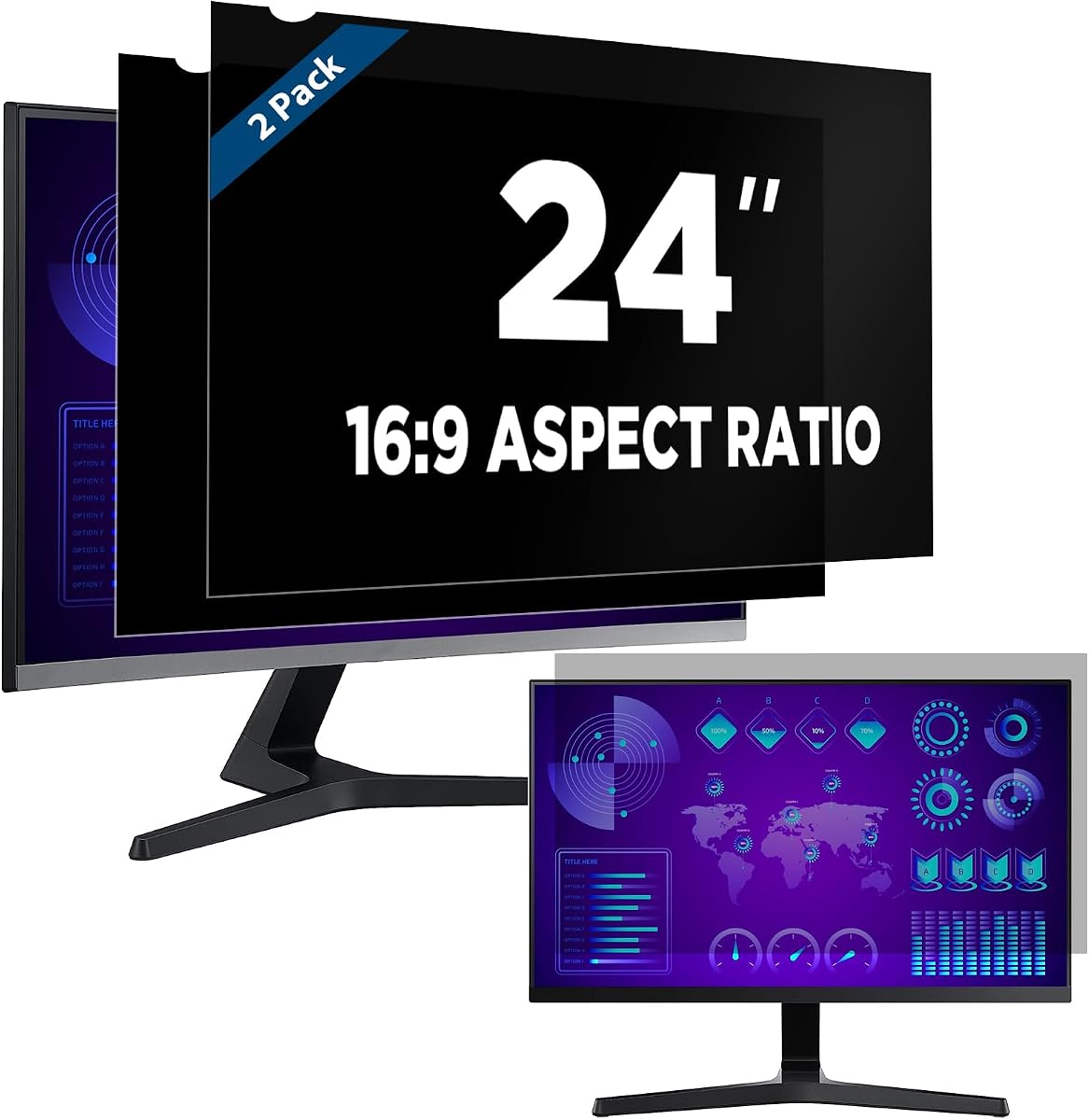
Magicmoon 2-Pack 24 Inch Privacy Screen Filter
4.1Editor score
Two filters in each package
Adhesive or slide-tab installation
Blocks 30% blue light
This Monitor Privacy Screen guide compares 10 filters for privacy, clarity, glare control, eye comfort, installation, and fit.
A monitor privacy screen can limit sideways viewing, reduce glare, and add a protective layer to a display, but choosing the wrong size or installation method can undermine both convenience and effectiveness. A useful filter must match the visible screen area, suit the viewing environment, and balance privacy with clear, comfortable visuals.
This guide compares ten monitor privacy screens with 22-inch, 24-inch, and 27-inch coverage, including adhesive filters, removable slide-mount designs, and a hanging frame-style option. The comparison considers stated dimensions, viewing-angle claims, surface finishes, blue-light and UV filtering, mounting methods, scratch resistance, and intended work environments.
Each pick reflects the strengths and limitations described in the supplied product information rather than claims from personal testing. The list shows why a 24-inch filter may suit a shared office, why reversible matte and glossy sides can be useful, and why measuring a monitor is essential. Prices and availability change, so confirm current details before buying.
4.1Editor score

4.6Editor score

4.2Editor score
The table below compares all ten filters by their stated size, mounting approach, viewing-angle protection, and principal comfort feature. Because a 24-inch diagonal does not guarantee a 24-inch filter will fit, buyers should compare the listed width and height with the visible area of their own display.


The Zspeed 24-inch hanging privacy screen combines the highest stated rating in this roundup with a mounting design that avoids permanent attachment. Its micro-louver technology limits viewing to approximately plus or minus 30 degrees, while the hanging construction is intended to fit a broader range of 24-inch widescreen monitors than an exact edge-to-edge adhesive filter.
We may earn a commission when you buy through this link, at no additional cost to you.
A major advantage is the practical installation system. Instead of relying on tape across the panel, the screen hangs from the monitor and can be removed without leaving residue or damaging the display. It is also washable and reusable, making it convenient for offices, banks, healthcare settings, and other locations where a filter may need to come off periodically. Stated light filtration reaches 96% of blue light and 99% of ultraviolet radiation.
The important trade-off is dimension. The filter measures 21 9/16 by 12 5/8 inches, or 547 by 320 millimeters, which is broader than the approximately 532 by 299 millimeter dimensions used by many conventional 24-inch 16:9 filters. That broader size supports compatibility across bezel designs, but it does not guarantee every 24-inch monitor will be covered correctly. Measuring the visible screen remains essential.
This is the strongest overall recommendation for users who value repeatable removal and broad physical coverage. It is particularly suitable for a fixed workstation where the monitor is frequently exposed to passersby, especially if permanently applying adhesive would be undesirable. Buyers should compare both the monitor's visible dimensions and its bezel shape before ordering.
The hanging design makes this filter easy to install and remove without using tape on the display. It is a practical match for shared or multi-purpose monitors that need protection only during particular work periods.
The stated 30-degree viewing limit works with claimed blue-light and UV filtration. This combination gives the product broader utility than a basic side-view filter for long office sessions.
We may earn a commission when you buy through this link, at no additional cost to you.
The Peslv 24-inch 2-Pack is a well-equipped option for users who want more than basic side-view protection. It has a stated 4.2 rating and includes two filters, giving buyers a spare or enough material for two displays. The listed dimensions are 20 15/16 by 11 13/16 inches, corresponding to 532 by 299 millimeters for a 16:9 display.
We may earn a commission when you buy through this link, at no additional cost to you.
One of its strongest features is the reversible surface. The matte side is positioned for anti-glare use while retaining an approximately 30-degree privacy angle, whereas the glossy side offers a tighter stated privacy angle of 26 degrees. The package also provides adhesive strips, slide-mount tabs, cleaning kits, and a microfiber cloth. Stated optical filtering reduces 92% of blue light and 98% of UV light.
Compatibility is broad in concept but still depends on measurement. The manufacturer describes the filter as modeled on a real 24-inch 16:9 monitor and compatible with raised-bezel and frameless displays. Adhesive strips support frameless screens, while slide tabs are appropriate for displays with raised bezels. Because a diagonal screen measurement alone is not enough, buyers must check both width and height.
This pair is a strong choice for offices, classrooms, healthcare work, and other shared environments where two filters or a replacement are useful. The reversible finish also lets users adapt the same filter to brighter spaces or stronger privacy needs. It is less ideal if a single completely adhesive-free hanging design is the priority.
Using the matte side outward emphasizes glare reduction, while the glossy side emphasizes a narrower anti-peeping angle. This flexibility is useful when lighting changes throughout the day.
Two filters, several mounting accessories, and cleaning supplies create a convenient kit. Buyers with two compatible monitors can use both panels, while others can keep one as a spare.
We may earn a commission when you buy through this link, at no additional cost to you.
The Mamol 24-inch 2-Pack is designed for users who need a conventional, adhesive-mounted filter with a strong set of supporting features. Its stated rating is 4.2, and the package contains two 24-inch 16:9 filters, an installation guide, adhesive strips, slide tabs, and cleaning cloths.
We may earn a commission when you buy through this link, at no additional cost to you.
The micro-louver filter is described as blocking side visibility at around 30 degrees and producing a blacked-out appearance near 60 degrees. It has a reversible design: the glossy side is positioned for greater clarity and privacy, while the matte side reduces glare and reflections. The stated optical figures include filtering 99.9% of UV rays and suppressing 98% of blue light.
Installation can be permanent or removable. Adhesive strips attach directly to the screen, while slide tabs attach to the outer rim of a monitor with a raised bezel and let the user slide the filter on and off. The panel is also described as washable, reusable, and protected by a surface layer intended to resist scratches and fingerprints.
This is a sensible choice for offices, travel, and open workspaces where clear front visibility and practical cleanup matter. The two-pack makes it particularly attractive to buyers who want equal protection for two 24-inch displays. As with other edge-to-edge filters, accurate measurement and careful surface cleaning are essential for a neat installation.
The filter's stated 30-degree working range helps conceal content from nearby viewers. Stronger darkening at greater angles supports use in busy spaces where immediate side observation is likely.
A washable, reusable surface can restore the filter after fingerprints or light dust. The included cleaning cloth and guide simplify routine maintenance and setup.
We may earn a commission when you buy through this link, at no additional cost to you.
The Magicmoon 24-inch 2-Pack is a practical budget-oriented choice for buyers who need a standard 16:9 privacy filter without paying for an elaborate hanging frame. It carries a 4.1 rating and includes two panels sized at 20 15/16 by 11 13/16 inches, or 531 by 298 millimeters.
We may earn a commission when you buy through this link, at no additional cost to you.
Its micro-louver design makes the display appear dark from approximately 30 to 60 degrees while remaining bright when viewed directly. Users can also adjust the monitor's brightness to alter the perceived level of privacy. The filter blocks 30% of blue light in the stated 380 to 495 nanometer range, giving it a basic eye-comfort function alongside privacy.
Installation uses either clear adhesive strips or slide-mount tabs. The adhesive method is intended to work on any screen, while the tabs can be attached to the frame of a display with a raised bezel. That distinction matters for frameless monitors and should be checked before ordering.
This filter is a good fit for students, office workers, and anyone establishing privacy in a shared environment without wanting a complex setup. Its main limitation is that its stated blue-light reduction is lower than the figures advertised by several other options in the list. It also demands accurate measurement, just like any conventional 24-inch filter.
Monitor brightness gives users a simple way to tune the apparent contrast between the front view and the darkened side view. This is useful when ambient lighting changes.
Buyers can choose a more permanent adhesive fit or a removable tab system where the bezel allows it. The removable option is useful for moving between privacy and unprotected viewing.
We may earn a commission when you buy through this link, at no additional cost to you.
This 24-inch 16:9 privacy filter offers a straightforward way to protect a single monitor. It has a 4.4 rating and is built around a 20 15/16 by 11 13/16 inch visible area, allowing users to compare it directly with the display before ordering.
We may earn a commission when you buy through this link, at no additional cost to you.
Its main function is left-and-right privacy. The screen appears dark from angles ranging from 30 to 180 degrees, but remains clear directly ahead. Importantly, the product information notes that it does not block visibility from directly behind the user. It should therefore be considered a side-view filter rather than a complete solution for every possible line of sight.
The reversible construction offers a matte side with less glare and a glossy side with stronger privacy. Installation can use clear double-sided adhesive strips or slide tabs on a display with a raised bezel. The seller also advises using a well-lit workspace because privacy screens work less effectively in dim conditions.
This product suits a user who wants a familiar, uncomplicated filter for a 24-inch office display. It is a sensible alternative to a two-pack when only one monitor needs protection. Buyers must accept that the product focuses on lateral privacy, rather than preventing someone positioned directly behind from seeing the display.
The two finishes let users prioritize glare reduction or privacy as needed. Matte is useful under strong lighting, while glossy provides the stronger stated anti-peeping effect.
This filter concentrates on left and right viewing angles. It is best positioned where the main concern is a nearby person looking across the desk rather than someone standing directly behind it.
We may earn a commission when you buy through this link, at no additional cost to you.
The Protescreen 27-inch 2-Pack targets larger 16:9 widescreen monitors with a stated 4.0 rating. The listed visible dimensions are 23 9/16 by 13 1/4 inches, or 598 by 337 millimeters, and each package contains two filters plus mounting and cleaning accessories.
We may earn a commission when you buy through this link, at no additional cost to you.
Its micro-louver technology limits the viewing angle to approximately plus or minus 28 degrees. That relatively narrow range is intended to darken the screen for side viewers while preserving a clear central view. The package also states that the optical materials reduce 92% of blue light and 98% of UV light, while blocking 95% of reflected light.
The surface can be reversed to prioritize different conditions. A matte side is intended to reduce blue light and glare, while a glossy side offers stronger privacy resistance. The filter also includes a protective layer against scratches and dust. Mounting choices include permanent double-sided tape or removable slide tabs for displays with raised frames.
This is a well-rounded choice for users with compatible 27-inch monitors, especially those needing protection for two workstations. It is also suitable for offices, cafes, airports, and trains, where portable or temporary privacy can matter. The main constraint is fit: this model is specified for 27-inch 16:9 displays, so it will not suit a 16:10 screen.
The two-pack provides enough material for two matching 27-inch monitors. Included adhesive strips, tabs, alcohol, and cloths make the package convenient for a shared-office setup.
A 28-degree viewing range offers useful lateral concealment, while the matte finish helps control reflections. Users can switch sides when stronger privacy becomes more important than glare reduction.
We may earn a commission when you buy through this link, at no additional cost to you.
The ZOEGAA 27-inch 2-Pack is built for users who want a precise, feature-rich fit on a 16:9 widescreen display. It has a 4.1 rating, and the stated dimensions are 23.53 by 13.24 inches, or 59.77 by 33.62 centimeters, for a 27-inch diagonal.
We may earn a commission when you buy through this link, at no additional cost to you.
Its micro-blind optical technology is described as hiding views beyond plus or minus 30 degrees, allowing people to the left and right to see a black screen. An added high-definition light-transmitting layer is intended to preserve clarity, while the reversible surfaces offer a choice between a stronger anti-peeping glossy finish and a matte finish better suited to strong ambient light.
Installation can be removable or adhesive. The removable method allows the filter to be inserted and taken out, while adhesive mounting provides a non-detachable setup. The panel also includes anti-scratch and anti-fingerprint properties and is washable, allowing it to be cleaned after prolonged use.
This is a compelling choice for 27-inch office monitors, particularly where the display faces open work areas and the user wants to tune the outward finish. It falls short of a hanging filter's broader physical coverage, so buyers should check the visible area rather than assuming every 27-inch screen will fit. Accurate measurements and careful cleaning remain essential.
The added light-transmission layer is intended to keep the front view readable while the micro-blind structure darkens off-axis views. This makes the filter suitable for visually demanding office work.
Glossy is the stronger privacy-oriented side, while matte is better suited to bright environments and glare control. Reversing the filter lets the user adapt without buying a second type.
We may earn a commission when you buy through this link, at no additional cost to you.
The Peslv 27-inch 2-Pack is the most comprehensive premium package among the 27-inch options. It has a 4.2 rating and supplies two filters, four sets of adhesive strips, four sets of slide tabs, two cleaning kits, and a large microfiber cloth. The stated panel size is 598 by 337 millimeters for a 16:9 display.
We may earn a commission when you buy through this link, at no additional cost to you.
The micro-blind technology is stated to shield sight lines beyond plus or minus 30 degrees. Its double-sided construction provides a meaningful choice: the matte outward side offers anti-glare performance and a 30-degree privacy angle, while the glossy side emphasizes stronger privacy with a stated 26-degree angle. Stated optical filtering reduces 92% of blue light and 98% of UV light, and the protective layer resists scratches.
Both raised-bezel and frameless monitors are addressed through two mounting methods. Adhesive strips can secure the filter to a frameless screen, whereas slide tabs are used with raised bezels. The manufacturer states that installation takes about 10 seconds, making the design practical for a fixed workstation.
This kit is a strong premium choice for a home office, corporate desk, clinic, classroom, or other location where two displays are used or a replacement is valuable. It combines privacy, finish flexibility, eye-comfort filtering, mounting hardware, and cleaning supplies in one package. Accurate measurement remains essential, and users who prefer a completely residue-free hanging system may favor the Zspeed instead.
The extra filters, mounting sets, and cleaning supplies make this a self-contained setup for two compatible displays. It also provides backup equipment if one panel is damaged or frequently moved.
Reversing the panel changes the emphasis from glare control to stronger privacy. This is especially helpful in offices where lighting and seating arrangements change throughout the day.
We may earn a commission when you buy through this link, at no additional cost to you.
The 22-inch blue-light privacy screen is the only product in this roundup specifically described for a 22-inch 16:10 monitor. It has a 4.4 rating and comes as a two-pack, making it relevant to users with smaller widescreen business displays rather than 24- or 27-inch screens.
We may earn a commission when you buy through this link, at no additional cost to you.
Advanced micro-louver technology is intended to keep content visible to a person seated directly in front while reducing side viewing. A blue-light filter adds a comfort-oriented function for extended work, study, or entertainment. The dual-sided design allows the matte surface to be used for glare reduction or the glossy surface for enhanced privacy and a sharper appearance.
The durable surface is described as resisting scratches, fingerprints, and daily wear. Installation accessories support quick, secure, bubble-resistant adhesive mounting. Since the product information does not describe slide tabs or a hanging frame, buyers should treat adhesive installation as the primary expected method.
This filter is best for a 22-inch 16:10 display in an office, classroom, healthcare facility, or public workspace. It should not be selected for a 22-inch 16:9 screen, and the visible display dimensions still need to be checked. Within that narrower size category, the two-pack, reversible finish, and blue-light layer make it a versatile choice.
The 22-inch 16:10 specification fills a gap left by the many 24- and 27-inch 16:9 options. It is the right starting point for smaller office monitors using that aspect ratio.
The blue-light layer supports viewing comfort while micro-louver technology limits side visibility. The combination is useful for long work or study sessions in shared environments.
We may earn a commission when you buy through this link, at no additional cost to you.
This 24-inch anti-glare privacy screen provides a relatively simple way to add side privacy to a 16:9 display. It carries a 4.4 rating and is specified for a visible area of 20.93 by 11.77 inches, making it especially relevant to screens whose usable area is somewhat larger than the common 532 by 299 millimeter measurement.
We may earn a commission when you buy through this link, at no additional cost to you.
The stated 30-degree viewing limit allows a clear front view while reducing visibility from the sides. The product is aimed at offices, shared work areas, financial institutions, healthcare facilities, and other professional spaces where nearby viewers could otherwise see sensitive information.
Its removable installation is one of the main attractions. The included accessories are intended to attach quickly and permit clean removal without leaving residue or damaging the monitor surface. That makes the filter more flexible for users who only need protection at certain times. Unlike several competing products, the supplied information does not give a specific blue-light or UV filtration percentage, so comfort claims should be based on the title's general anti-glare description.
The product is a good candidate for users who prioritize easy removal and straightforward side protection over detailed optical specifications. The two-pack provides useful redundancy or coverage for two displays. Confirm the visible width and height before ordering, as even among 24-inch monitors, usable dimensions and bezel designs can differ.
The removable design allows users to reveal the native display when privacy is unnecessary. That flexibility can make the filter easier to integrate into shared or multi-user workspaces.
A 30-degree limit targets the most common shoulder-surfing risk. It is especially relevant for financial, medical, administrative, and other information-sensitive desks.
We may earn a commission when you buy through this link, at no additional cost to you.
The right monitor privacy screen depends on exact display dimensions, viewing-angle needs, installation preferences, and the lighting around your workstation. Consider these factors before comparing a 22-inch, 24-inch, or 27-inch filter.
Start with the active width and height of the display rather than its diagonal measurement. Even two monitors advertised as 24 inches can have different visible dimensions because of bezels, aspect ratios, manufacturer choices, and the way screen size is measured. Compare your measurements with the filter's stated dimensions, allowing only the small tolerance suggested by the relevant product description. Also confirm the aspect ratio: most products in this guide target 16:9 screens, while the 22-inch option targets 16:10.
Measure the screen area inside the frame, not the outer housing. A filter that is too small leaves exposed edges, while one that is too large may overlap the bezel or sit unevenly. For a hanging design, compare both the visible area and the monitor's available perimeter.
The list includes 22-inch 16:10, 24-inch 16:9, and 27-inch 16:9 filters. Select the category that matches your display, then verify its exact stated dimensions. A 27-inch filter is not automatically appropriate for a 24-inch screen, even if the larger model could physically hang over some bezels. Conversely, a standard 24-inch film may not cover every 24-inch monitor whose visible area differs from the usual specification.
Size and aspect ratio work together. A 16:10 display has a different shape from a 16:9 display, so a similarly sized filter may leave gaps or overlap the frame. Match the label and measurements before focusing on convenience features.
Most of these filters primarily address left and right viewing. Their stated side-view ranges generally fall around 26 to 30 degrees, although the exact claims differ. One product explicitly notes that it does not block visibility from directly behind the user, and none should be interpreted as a guarantee against every possible observation. Think about where coworkers, family members, customers, or passersby are likely to stand.
Adjusting monitor brightness can influence how dark the screen appears from an angle, but that is not a substitute for matching the filter to the threat. Choose a clear front view for your work, then verify that the side angles containing potential viewers are adequately concealed.
Adhesive strips provide a secure, low-profile attachment and are the common option for frameless displays. Slide-mount tabs are removable and attach around a raised bezel, making them convenient when the filter needs to come off regularly. The Zspeed option uses a hanging frame, which avoids adhesive on the panel and offers broader coverage, though it is physically larger and still depends on compatible monitor dimensions.
Consider how often you will move the filter, whether permanent attachment is acceptable, and how much bezel space is available. Clean the screen before applying adhesive, follow the supplied instructions, and avoid repeatedly pulling on attached strips.
A matte outward surface is generally the better choice for bright rooms because it is designed to reduce glare and soften reflections. A glossy surface tends to provide the stronger stated privacy effect and a sharper-looking front view, but it may be more vulnerable to distracting reflections. Reversible filters let you rotate the panel as lighting and seating conditions change.
Choose the finish that matches your environment rather than assuming one is universally better. Test both sides if possible, and consider whether you spend more time reading fine text, editing images, or handling confidential information.
Several products state that they reduce or filter blue light and UV rays, with blue-light claims ranging from 30% to 92% and UV claims reaching 98% or 99.9%. These figures come from different manufacturers and should not be treated as directly equivalent without additional testing. The 24-inch anti-glare option does not provide a specific filtration percentage in the supplied data.
Treat light filtration as an additional comfort benefit rather than the main reason to buy. The primary functions of a privacy screen are side-view concealment, glare management, and protection from scratches. Higher numerical claims do not automatically make one filter better for every user.
A good filter should remain readable from directly in front. Products with an anti-reflective or high-definition light-transmission layer aim to preserve that direct view, while micro-louver technology darkens the image from the sides. Some options are washable and reusable, and several include microfiber cloths or cleaning kits. These features are particularly useful for touch-free, frequently handled, or dusty work environments.
Follow the supplied care instructions rather than using harsh chemicals. If a filter is described as washable, clean it before it becomes heavily smudged and let it dry fully before reinstalling. A reinforced protective layer may also help reduce visible scratches.
For open offices, clinics, banks, classrooms, and shared homes, side-angle privacy should be the priority. In bright rooms, a matte face is useful for controlling reflections. For travel or shared workstations, removable tabs or a hanging design may be easier to manage. Blue-light filtering may matter more for people who spend long periods reading or working in front of a display.
The best environment is also well lit. The supplied information for one 24-inch model specifically notes that privacy screens do not work as effectively in dim spaces. Brightness adjustments can help, but positioning the screen so that sensitive information is not exposed remains important.
Before installation, confirm the filter's fit and clean the display with the supplied or otherwise suitable microfiber cloth. Avoid leaving dust, fingerprints, or oily residue on the panel, because trapped particles can create bubbles or produce an uneven appearance. Read the mounting instructions and identify whether your monitor has a raised bezel before choosing tabs or adhesive strips.
For adhesive mounting, align the filter carefully before pressing it into place. Work from the center outward with light pressure rather than forcing one edge first. For tab or hanging systems, attach the supports evenly and check that the filter sits flat. Once installed, adjust monitor brightness so the direct view is comfortable while side views remain sufficiently dark.
Remove the filter when it is no longer needed, particularly if it was attached with adhesive, and clean it according to the product guidance. Washable filters can be restored after prolonged use, but they should be allowed to dry before mounting. Periodically inspect the edges, tabs, adhesive strips, and visible surface for lifting, trapped dirt, scratches, or reduced clarity.
Measure the visible width and height of the monitor's active display area, excluding the frame. Compare those measurements with the filter's stated dimensions and confirm the aspect ratio, because a 24-inch diagonal alone does not guarantee a fit. Filters designed for 16:9 screens generally will not suit 16:10 displays unless their physical measurements truly match.
A privacy filter can reduce light transmission, so the direct view may look somewhat different from the uncovered display. Several products in this guide include reversible matte and glossy surfaces, and many support brightness adjustment. Start with the matte side in a bright room, then compare it with the glossy side if stronger privacy is more important.
Most products listed here are designed primarily to limit left and right viewing. The 24-inch filter that explicitly discusses viewing direction states that it does not block visibility from directly behind, regardless of distance. Position the display to avoid exposing sensitive information to anyone standing directly behind your chair.
Adhesive filters are low-profile and can suit frameless monitors, but they are more permanent and require careful surface preparation. Slide tabs and hanging designs are easier to remove and reuse, although tabs need a raised bezel and a hanging filter may be larger. Choose the method that matches your monitor and how frequently you need the screen uncovered.
Yes, where the manufacturer identifies the filter as reversible. The matte side is generally intended to reduce glare in strong lighting, while the glossy side is described as offering a stronger privacy effect. Follow the product instructions so the optical surfaces are oriented correctly, and handle the panel by its edges.
Use the included cleaning cloth or another clean, soft microfiber cloth and follow the manufacturer's care guidance. Several listed filters are described as washable, while others include cleaning kits. Avoid abrasive tools and unapproved chemical cleaners, and let the filter dry fully before mounting it.
Privacy filters generally perform best in a properly lit workspace because a bright, active display is easier to conceal from the side than a dim one. The product information for one 24-inch option explicitly advises keeping the working space bright and well lit. Increasing monitor brightness may strengthen the contrast between the direct and side views, but proper positioning remains essential.
A two-pack is useful when protecting two displays, rotating between a laptop-style and desktop monitor, or keeping a replacement available. Some of the packages include multiple sets of mounting hardware and cleaning supplies. For a single compatible monitor, a one-filter product can be sufficient if that option better matches the exact dimensions and finish you need.
The Zspeed hanging design is the strongest overall option for buyers who want broad 24-inch coverage and easy removal, while the Magicmoon two-pack represents a budget-conscious choice. The Peslv 27-inch two-pack stands out as a premium kit with reversible surfaces, multiple mounting options, eye-comfort filtering, and cleaning supplies. For unusual displays, the 22-inch 16:10 filter fills a distinct size category.
Prioritize exact visible-area measurements over diagonal size, then choose the mounting system and outward finish that fit your workstation. A filter cannot compensate for poor positioning, and side-view protection should be considered alongside lighting, screen brightness, and the location of potential viewers. Users who need more specialized optical specifications should compare the manufacturers' stated figures carefully without assuming they are directly equivalent.
Finally, check current availability, product details, and pricing before ordering, since prices and listings can change. Confirm the monitor's dimensions, the package contents, the intended installation method, and any current seller information. Those final checks will help ensure that the selected monitor privacy screen fits both your display and your daily workflow.
![[2 Pack] 24 Inch Computer Privacy Screen Filter for 16:9 Widescreen Monitor](https://m.media-amazon.com/images/I/71EJUiAO+aL._AC_SL1200_.jpg)