
Standard 5ft 3 Prong AC Power Cord
4.7Editor score
Five-foot flexible reach
Molded three-prong construction
Heavy-duty 18 AWG wiring
Broad device compatibility
An HP monitor replacement power cord must do more than fit the wall outlet. It must match the monitor's voltage, current, wattage, connector size, and grounding configuration while providing dependable protection against electrical faults. The right choice turns an inconvenient failed cord into a straightforward repair.
This guide compares ten replacement cords and power adapters across important specifications and model compatibility. It covers conventional 19V and 19.5V HP monitors, 12V display systems, and standard AC cables with IEC connectors, helping readers distinguish between similarly named models.
Each review explains the connector, electrical output, supported HP displays, cable design, and important exclusions. Ratings and availability can change over time, and current prices fluctuate, so readers should verify the monitor label, connector, and seller information before ordering.
4.7Editor score
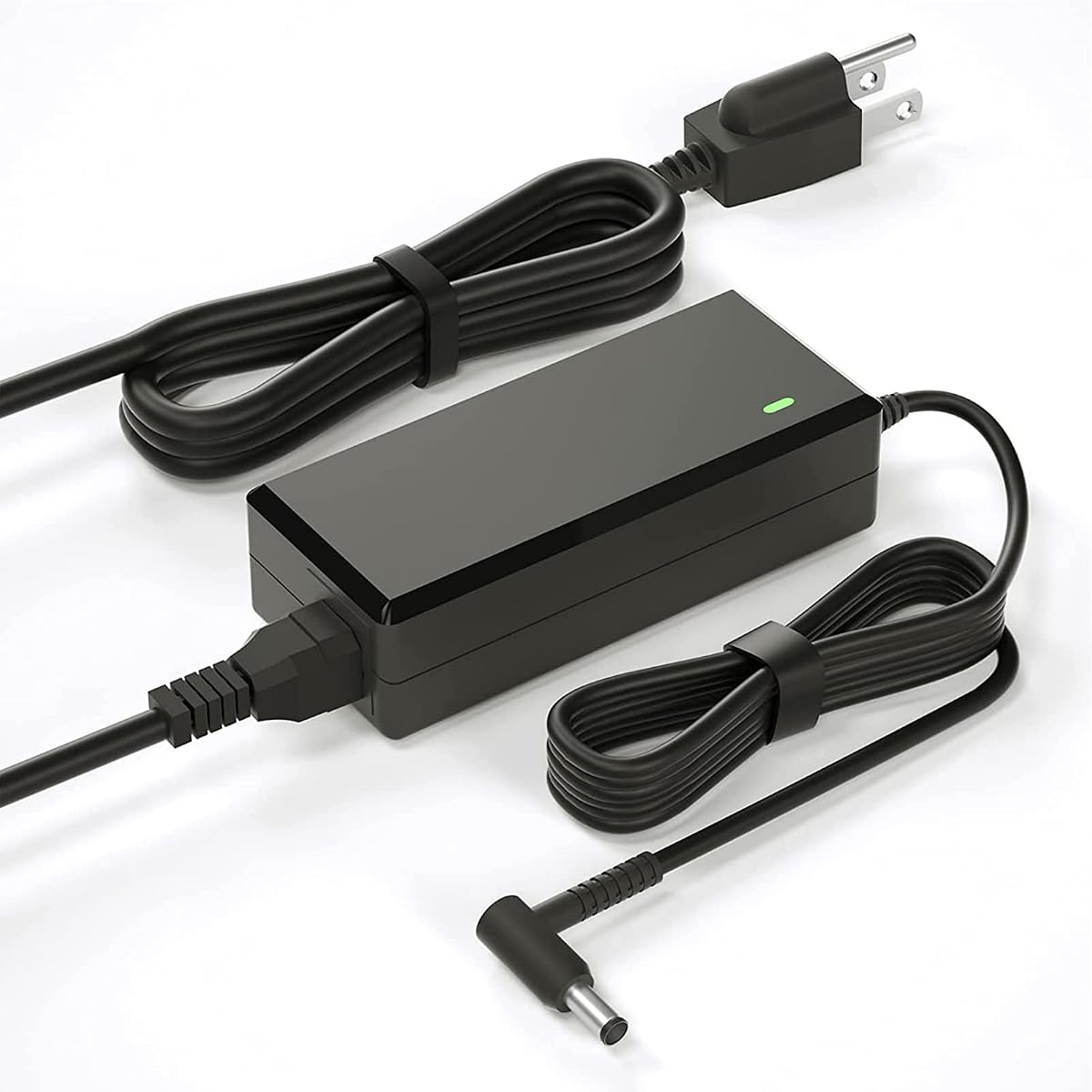
4.4Editor score

4.9Editor score
As an Amazon Associate we earn from qualifying purchases.
The comparison below separates true monitor power adapters from replacement wall cords and IEC-style computer cables. Output voltage, connector type, supported HP model families, and total reach are the most important distinctions.




This replacement adapter earns the Editor's Choice position because it combines broad compatibility with a conventional 19V, 3.42A output and a useful 8.2-foot combined reach. Its 4.4 rating reflects a generally practical option for numerous HP Pavilion and IPS LED displays rather than one isolated model family.
We may earn a commission when you buy through this link, at no additional cost to you.
The strongest feature is the extensive compatibility list. It covers common designations such as 22cwa, 24m, 23er, 23es, 24ea, 25vx, 27eb, and 32f, along with several part numbers including ADPC1945 and ADPC1965. Its listed protections include over-voltage, overload, over-current, and short-circuit handling, while 100–240V input supports use across different power systems.
There are important boundaries. The seller specifically warns that this cord does not fit 2011X, 2211X, 2311X, 2511X, 2711X, M22F, M24F, M24FW, M27F, or M27FD displays. The package also uses an adapter arrangement rather than a simple cable, so users seeking a minimal setup may prefer one of the conventional AC cord options.
This is the most balanced recommendation for a user who owns a compatible 19V Pavilion-style monitor and wants a long, protected replacement. Confirm the monitor model and the original label before buying, and choose this adapter only if the required 19V yellow-style connection matches the monitor's input.
The broad model list makes this adapter useful when the display housing identifies a Pavilion series but does not clearly state the electrical requirements. Searching the printed model with Control+F, as the seller suggests, can help narrow down the correct match.
The 8.2-foot total length gives users room to position the adapter brick away from the monitor and wall outlet. Over-voltage, overload, over-current, and short-circuit protections add useful safeguards for routine desktop use.
We may earn a commission when you buy through this link, at no additional cost to you.
This standard 5-foot AC cord is the budget option for users who need to replace a conventional three-pin power cable rather than a monitor power brick. It holds a 4.7 rating and supports a broad collection of electronics, including monitors, televisions, computers, printers, and other compatible equipment.
We may earn a commission when you buy through this link, at no additional cost to you.
The cord uses 18 AWG conductors and is rated for 10 amps at 125 volts. Its fully molded construction is intended to resist everyday flexing, while the three-prong format supports equipment requiring a grounded connection. A five-foot length is shorter than many replacement adapters but remains practical for a monitor positioned near a desk or wall outlet.
Compatibility depends on the connector at the device end. This is not a 19V barrel adapter with a converter brick, and it is not the IEC C13 cable used by many desktop computer power supplies. Buyers should compare the existing plug and the female socket before ordering to avoid an unsuitable connection.
It is best for a straightforward cable replacement where both the wall plug and monitor-side socket follow a standard three-pin layout. It also offers a compact, uncomplicated alternative to a large adapter assembly, provided the voltage rating and connector configuration match the equipment.
When the monitor's internal supply and connector are intact, replacing only the AC cable can simplify the repair. This molded cord avoids introducing an additional converter brick into the setup.
The universal three-pin format can serve compatible monitors and many other household or office electronics. Its 18 AWG construction supports a 10-amp rating within the stated 125-volt limit.
We may earn a commission when you buy through this link, at no additional cost to you.
This VH240A replacement power cord combines a 4.9-foot AC cord with a 3.9-foot DC lead and a 19V, 3.42A adapter. Its 4.6 rating and 65-watt maximum output position it as a well-rounded option for compatible HP displays that use the common yellow-style power connection.
We may earn a commission when you buy through this link, at no additional cost to you.
The electrical specification is clearly defined: worldwide 100–240V input at 50/60Hz and 19V output up to 3.42A. The listing also states compatibility with lower-current 19V loads of 2.1A, 2.37A, 2.53A, and 3A, giving it relevance for a range of compatible monitor supplies.
The broad compatibility language extends beyond a small group of HP displays, but it is important to focus on the physical connector and voltage rather than model names alone. The product is supplied as a set of two cables, which may be less convenient than a permanently attached lead but can improve positioning flexibility and cable replacement options.
This is a sound choice for a compatible VH240A or listed 19V HP monitor that accepts the stated barrel connector. Buyers should check the output requirement printed on the original adapter and ensure the connector shape matches before ordering.
The detachable AC lead and separate 3.9-foot DC cable can make it easier to position the adapter brick. That flexibility is useful behind desks with restricted clearance.
A 19V output and 3.42A maximum current give users a concrete standard to compare against the monitor's original adapter. Several lower-current 19V devices are also listed as compatible.
We may earn a commission when you buy through this link, at no additional cost to you.
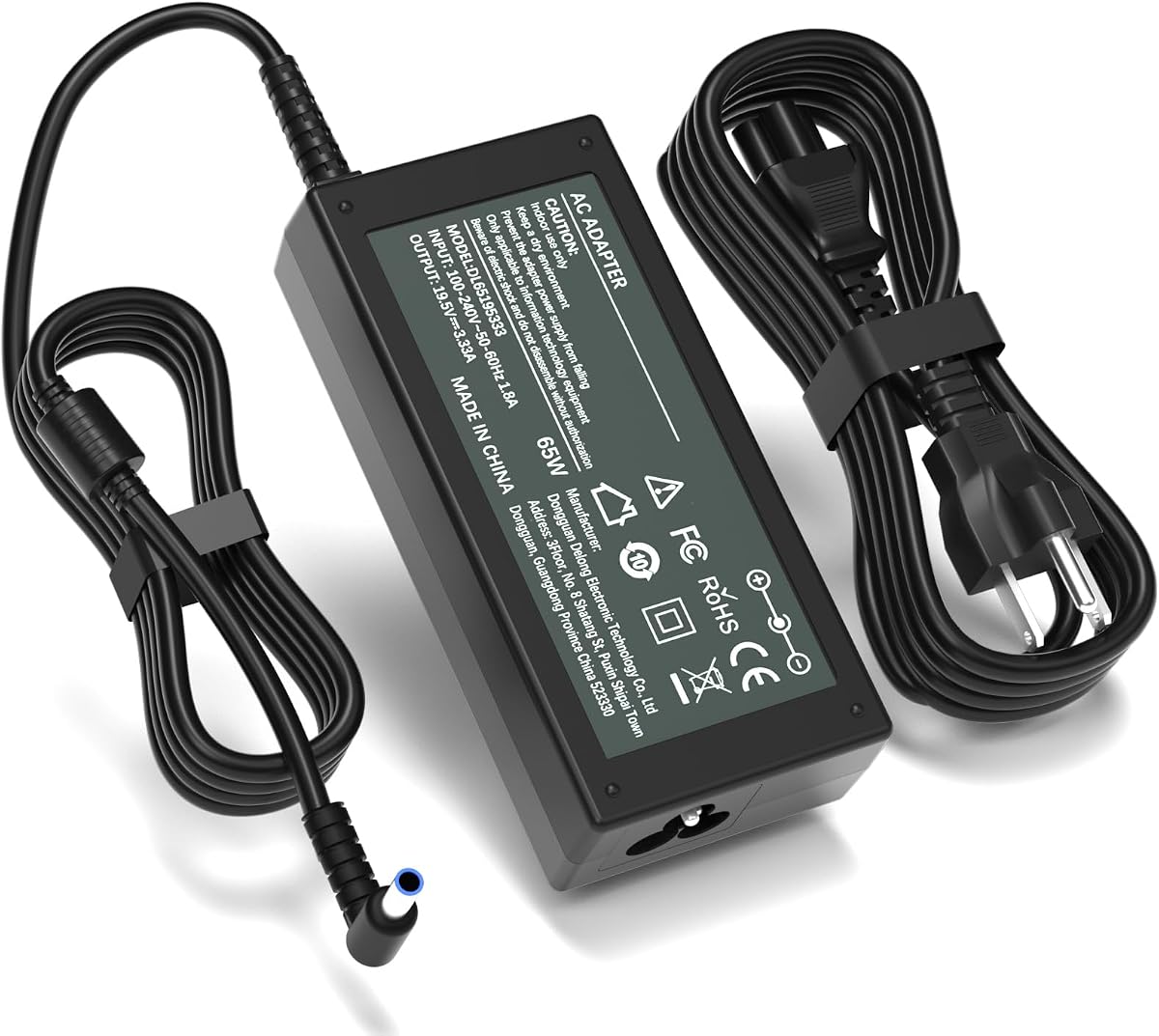
This 19.5V adapter is built for HP M-series monitors and other displays that accept the 4.5 by 3.0mm blue-tip connector. Its 4.4 rating, 65-watt output, and 2.7-meter total cable length make it a practical option for desks where the wall outlet is not close to the display.
We may earn a commission when you buy through this link, at no additional cost to you.
The listed output is 19.5V at 3.33A, with additional support stated for 19.5V lower-current devices and several 19V loads. It targets M27f, M27fw, M27fe, M24fw, M24f, M22f, and related M-series designations, along with Series 5 7 and specified 524- and 527-series models.
The warnings are equally important. This product expressly cannot be used with common 19V yellow-tip models such as 22cwa, 23cw, 24ea, 25vx, 27xi, and vh240a displays. It is also different from 19V M-series exclusions found in other listings, which demonstrates why connector and voltage must be confirmed together.
Choose this product when the original monitor adapter states 19.5V and has a blue tip. Its long reach and included protections are useful for home offices, schools, and shared workspaces, but it is the wrong choice for a standard 19V yellow-tip monitor.
The 4.5 by 3.0mm smart blue round tip is the defining feature. It should match the recessed connector in the monitor rather than the metal diameter alone.
A 1.5-meter adapter cord and 1.2-meter AC cable provide useful total reach. This can reduce strain on the monitor-side connection and support cleaner cable routing.
We may earn a commission when you buy through this link, at no additional cost to you.
This 19V replacement cord provides a 3.42A, 65-watt output through a 5.5 by 2.5mm connector. It holds a 4.4 rating and targets the common HP display families that use a yellow-style power tip, including many 22-, 23-, 24-, 25-, and 27-inch models.
We may earn a commission when you buy through this link, at no additional cost to you.
Its universal 100–240V input works at 50/60Hz, and the fixed connector design avoids the looseness that can occur with interchangeable tips. The listed protections cover short circuits, over-current, over-voltage, and overheating, while CE, FCC, and RoHS markings are stated on the product.
The seller draws a firm line around M-series and X-series displays. M22F, M24F, M24H, M24FW, M27F, M32F, L7014, L7016, S230T, and the 2011X through 2711X families are explicitly excluded. That warning is helpful because similar HP model names may still use different power systems.
This adapter is a solid match for a 19V HP monitor with a 5.5 by 2.5mm input and a maximum demand within 65 watts. Check the original power brick because connector appearance alone cannot establish electrical compatibility.
The permanently attached tip avoids swapping loose interchangeable connectors. That design can help maintain a stable monitor-side connection during normal desk use.
Both output voltage and connector dimensions must agree with the original adapter. The explicit exclusions make it easier to avoid choosing a superficially similar but electrically different cord.
We may earn a commission when you buy through this link, at no additional cost to you.
This replacement adapter supplies 19V at up to 3.42A and 65 watts for a wide assortment of HP monitors. Its 4.4 rating and compatibility with 20xi, 22cwa, 23er, 24m, 24ea, 25vx, 27f, and 32f designations make it relevant to many common installations.
We may earn a commission when you buy through this link, at no additional cost to you.
The 5.5 by 2.5mm connector follows the familiar yellow-tip format, and the 100–240V, 50/60Hz input works across a broad range of power systems. A built-in smart chip is listed as providing over-temperature, over-current, over-voltage, and short-circuit protection.
The seller suggests using Control+F to find the model number, which is sensible because long compatibility lists are easier to misread. The listing also highlights a high number of copper conductors and states that the PVC-jacketed coil survives more than 10,000 bending tests.
This is a versatile choice for a compatible 19V HP desktop monitor, especially one in the Pavilion 22cwa, 24ea, or 27f families. Users should still compare the original output label and connector before ordering, as similar-looking HP monitors can use different adapters.
The recommended Control+F search method helps buyers compare the monitor's exact model string with the compatibility list. This reduces the risk of relying on screen size alone.
The listed smart protections cover common electrical and thermal faults. Copper wiring and a flexible PVC jacket are intended to support efficient, durable everyday operation.
We may earn a commission when you buy through this link, at no additional cost to you.
This 19.5V blue-tip adapter combines a 4.7 rating with a clearly defined 65-watt output. It is aimed at users who need the 4.5 by 3.0mm connector found on several HP M-series and Series 5/7 displays rather than the common yellow-style 19V connection.
We may earn a commission when you buy through this link, at no additional cost to you.
Compatibility includes M27f, M27fe, M27fw, M27ha, M27fq, M27fd, M24f, M24fw, M24fe, M22f, and specified 524- and 527-series monitor names. The listing also names HP adapter references ADS-45PE-19-3, 19540E, M45741-001, and M45875-001.
Its 100–240V, 50/60Hz input and 19.5V, 3.33A output are supported by claims of compatibility with 19.5V 2.05A and several 19V loads. As with any barrel adapter, apparent similarity does not guarantee a fit, so the original label and connector should be checked carefully.
This is an attractive choice for a blue-tip monitor whose listed requirements match the adapter. Its high rating is encouraging, but the final decision should remain based on the monitor's voltage, current, wattage, and connector rather than the rating alone.
Listing both monitor designations and adapter part numbers gives buyers more ways to identify the correct replacement. It is helpful when the original adapter label is still readable.
The 4.5 by 3.0mm blue round tip is central to compatibility. This adapter is not intended for yellow, hollow, black, or other differently sized monitor connectors.
We may earn a commission when you buy through this link, at no additional cost to you.
This 65W replacement adapter is one of the clearest choices for a desktop HP monitor requiring a hollow yellow-style 19V connection. It has a 4.5 rating and provides 19V at up to 3.42A through a documented 5.5mm outer and 2.5mm inner barrel connector.
We may earn a commission when you buy through this link, at no additional cost to you.
The listing is particularly precise about boundaries. It is not compatible with M-series or X-series displays, does not fit 7.4mm ports, and lacks the smart-pin protocol required by laptops, tablets, and USB-C devices. It is therefore best understood as a dedicated desktop-monitor power supply rather than a general-purpose charger.
A detachable 1.2-meter North American AC cord and 1.2-meter DC output lead provide a 7.9-foot total reach. The grounded Type B plug includes a physical metal pin, and FCC, CE, and RoHS markings are stated. The fixed connector is designed to avoid the instability associated with sliding universal adapters.
This is a strong recommendation for users whose original adapter matches 19V, 3.42A, and the hollow yellow-tip dimensions. Its documentation makes mismatches less likely and offers a sensible desktop-only alternative to more broadly worded replacement adapters.
The absence of smart-pin support makes this adapter unsuitable for laptops and many USB-C devices. Keeping that limitation clear helps prevent accidental use with incompatible electronics.
The permanently attached hollow yellow tip avoids loose interchangeable pieces. The detachable AC cord still provides flexibility for positioning the adapter brick behind a desk.
We may earn a commission when you buy through this link, at no additional cost to you.
This StarTech cable is a 10-foot, three-conductor computer power cord with a North American NEMA 5-15P wall plug and an IEC 60320 C13 device connector. Its 4.8 rating is the highest among the products in this guide and makes it a strong option for compatible monitors and other equipment that use a standard C13 inlet.
We may earn a commission when you buy through this link, at no additional cost to you.
The cable is rated for 10 amps at 125 volts and uses 18 AWG conductors. It is UL listed under UL62 and UL817, has a VW-1 fire rating, and features fully molded strain relief. Its stated temperature range is 37°F to 140°F, with a PVC jacket and 0.25-inch outer diameter.
This is an AC cord rather than a voltage-converting adapter. It works with monitors whose internal power supply accepts an IEC C13 cable; it cannot replace a 19V barrel-style monitor adapter by itself. The wall plug is designed for North American outlets, and the included physical grounding pin supports grounded equipment.
Choose this cable for a desk where an IEC C13 connection is present and extra reach is useful. Its 10-foot length can simplify routing, while the stated safety certifications and copper construction provide reassurance for routine workstation use.
The C13 connector is recognizable by its three rectangular blade openings. It commonly appears on desktop computers and on certain monitors, scanners, and printers.
Ten feet of 18 AWG cable provides extra placement flexibility. The grounded NEMA plug and three-conductor construction suit equipment designed for a protective earth connection.
We may earn a commission when you buy through this link, at no additional cost to you.
This 12V replacement adapter earns the Best Premium designation because it provides an exceptional 4.9 rating, a generous 2.7-meter total reach, and a clearly specified output for the compatible HP displays in its niche. It is built around a 12V, 5A supply with a 5.5 by 2.5mm round connector.
We may earn a commission when you buy through this link, at no additional cost to you.
The intended models include 2011X, 2211X, 2311X, 2011xi, 2311F, 2311CM, 1503, D5061-A, F1503, 1703, F1703, and L1800 LED LCD displays. The product also lists compatibility with lower-current 12V loads at 4A, 3A, 2A, and 1A, making its scope broader than the full 5A rating alone suggests.
Its input accepts 100–240V at 50/60Hz, while listed safeguards cover over-current, short-circuit, and overheating. The 1.5-meter adapter cord and 1.2-meter AC lead create an 8.8-foot combined reach that can be useful in home offices and classrooms with distant outlets.
This is the leading choice in the guide for a monitor that genuinely requires 12V and the specified connector. It must not be selected for a 19V or 19.5V display, even if the connector dimensions appear similar, because voltage compatibility is essential.
The 12V, 5A output separates this product from the much more common 19V and 19.5V monitor adapters. Confirming the original adapter label is the safest way to identify the correct category.
The 8.8-foot total length and stated thermal, over-current, and short-circuit protections make it well suited to a permanent desk arrangement. A high customer rating adds confidence, although compatibility still depends on the monitor.
We may earn a commission when you buy through this link, at no additional cost to you.
A replacement cord is only suitable when its voltage, current, connector, and grounding arrangement match the monitor. The following factors help narrow the field before comparing model names or selecting a listing.
Read the voltage label on the original monitor adapter before buying anything. Many HP displays use 19V, while several M-series and Series 5/7 systems use 19.5V, and the 2011X-family and related models may use 12V. A connector that appears physically similar can still deliver the wrong voltage, so the printed output specification is the first and most important filter.
Compare the connector's outer diameter, inner diameter, and center construction. Common HP options include a hollow 5.5 by 2.5mm yellow-style tip and a 4.5 by 3.0mm blue tip. Some tips contain a center pin while others are hollow, and these details affect both physical entry and electrical communication. Do not judge compatibility by tip color alone.
Check both volts and amperes or watts on the original adapter. A 19V, 3.42A adapter provides up to 65 watts, while the 19.5V options listed here provide 65 watts at 3.33A and the 12V option provides 60 watts at 5A. A replacement with adequate capacity can support a compatible lower-current monitor, but excessive voltage or an incompatible protocol can cause failure.
HP model numbers provide a useful starting point but should not be the only check. Compare the exact model designation with the seller's list and then confirm the connector and output label. This guide includes exclusions for M-series, X-series, 22cwa-family, and 19.5V blue-tip displays because superficially similar HP monitors may use different power systems.
Some monitors accept an IEC C13 AC cable directly, while others use a barrel connector and require an external power brick. Replacing only the AC cord is appropriate when the monitor's internal supply is healthy and its existing connector matches. A full adapter replacement is necessary when the monitor takes a barrel-style DC plug.
Cable length affects desk arrangement, strain relief, and access to wall outlets. The listed adapter options range from roughly 7.9 to 8.8 feet in combined reach, while the standard replacement cords measure five or ten feet. Longer is not always better: select enough reach for a safe connection without creating an unwieldy loop behind the desk.
Look for stated protections against over-current, over-voltage, overload, short circuits, and overheating. Several listings also identify ETL, CE, FCC, or RoHS markings. These claims provide useful information when comparing alternatives, but buyers should still use a reputable seller and inspect the unit for damage, loose insulation, or counterfeit markings.
A grounded cord has a physical round ground pin or equivalent grounding conductor. Some monitor adapters use a fixed, permanently attached tip, while universal adapters may allow tip changes. A fixed tip reduces the chance of selecting the wrong accessory, but it is less flexible. Match the grounding arrangement required by the monitor and never use an ungrounded substitute for grounded equipment.
Begin with the monitor switched off and disconnected from power. Locate the model and electrical information printed on the original adapter, then compare its voltage, current, wattage, connector type, and grounding requirements with the replacement. Do not force a connector into the monitor; resistance or a visibly different shape indicates a mismatch.
For an adapter-based replacement, connect the DC lead to the monitor first and then place the adapter brick where it will not sit under papers, behind furniture, or in a cramped enclosed area. Plug the AC cord into a grounded wall outlet and turn on the monitor. For an IEC C13 cord, shut down the connected equipment, replace the cable, and restart it only after all connectors are fully seated.
Route the cable so it does not create a sharp bend, trip hazard, or repeated pull at the connector. Keep the connector and adapter dry, clean, and away from heat. Inspect the cable periodically for cuts, discoloration, or a loose plug, and replace it if the insulation is damaged. A warm adapter during use can be normal, but unusual heat, odor, buzzing, visible discoloration, or repeated power interruptions should prompt immediate disconnection.
Only if the monitor's original label and connector explicitly permit it. Many 19.5V HP monitors use a 4.5 by 3.0mm blue tip with different communication and power characteristics, so a 19V yellow-tip adapter may not fit or operate correctly. Match the voltage, current, wattage, connector dimensions, and center-pin arrangement before ordering.
A 19V adapter commonly uses a hollow 5.5 by 2.5mm yellow-style tip, while some 19.5V adapters use a 4.5 by 3.0mm blue tip. The difference affects both electrical output and physical compatibility. The screen size alone cannot determine which adapter an HP monitor requires.
Check the label on the original power adapter and note its output voltage, amperage, wattage, and connector. Then find the exact monitor model and compare it with the replacement's supported list. If the label is unreadable, measure the connector carefully and consult the monitor's documentation or a qualified electronics technician.
No. Many HP monitor adapters are designed only for desktop displays and do not include the smart-pin protocol required by laptops, tablets, or USB-C devices. The hollow yellow-tip adapter in this guide is specifically excluded from those uses. Never substitute a monitor adapter for a device with different voltage or communication requirements.
Yes, if the monitor accepts a standard AC cable and the original adapter brick is functioning normally. Displays with an IEC C13 inlet may use only a replacement NEMA-to-C13 cord. A monitor with a barrel-style DC inlet requires a replacement adapter that matches its voltage and connector.
It describes the connector's nominal outer and inner barrel dimensions. The 5.5mm value refers to the outside diameter, while 2.5mm refers to the opening inside the hollow tip. The measurement does not describe the cable itself or guarantee compatibility with every connector sharing those dimensions.
Moderate warmth can be normal while an adapter supplies power, particularly around its housing. The 65W yellow-tip product notes that temperatures of approximately 40°C to 50°C can occur during active use. The adapter should still be ventilated and away from flammable materials, and excessive heat, odor, cracking, or electrical instability should be investigated.
No. Cable length mainly affects placement and convenience rather than display performance. A longer cord can help reach a distant outlet or reduce strain at the monitor connection, but excess cable may become tangled. Choose a length that comfortably connects the equipment without creating a hazard or an unnecessarily large loop.
The Standard 5ft 3 Prong AC Power Cord is the best budget option for straightforward three-pin cable replacements, while the 19V HP Monitor Power Cord offers the most broadly useful adapter solution for compatible 19V Pavilion-style displays. For a 12V HP system, the 12V HP Monitor Power Cord provides the most specialized and highly rated match in the guide.
Prioritize the specifications printed on the original adapter over screen size or model-family resemblance. Confirm voltage, current, wattage, connector dimensions, tip construction, and grounding before selecting a product. The 19.5V blue-tip options are appropriate only for compatible M-series and specified Series displays, not for standard yellow-tip monitors.
Current prices, ratings, and availability can change, so check the latest listing information before purchasing. Compare the seller's compatibility notes with the monitor itself, inspect the replacement upon arrival, and discontinue use if the connector, voltage, or physical condition does not match what the equipment requires.