
Redragon K617
4.6Editor score
Compact 60% gaming layout
Three and five-pin switch support
Twenty RGB lighting modes
Hot Swappable Keyboards compared for layout, connectivity, switch support, sound, gaming features, build quality, and everyday use.
Hot swappable keyboards let users replace mechanical switches without soldering, making it easier to change switch feel, sound, and performance. A strong model should balance a reliable hot-swap socket, useful layout, solid construction, flexible software, and compatibility with the switches you already own.
We compared ten notable options across wired, wireless, and tri-mode designs, ranging from compact 60% boards to full-size models with number pads. The list considers connection methods, switch compatibility, sound construction, keycaps, backlighting, programmability, intended use, and the compromises each buyer should understand.
The selections reveal that the category is far more varied than the basic hot-swap label suggests. Some prioritize gaming speed and lighting, while others focus on office flexibility, typing acoustics, portability, or premium magnetic switches. Ratings and availability can change, so confirm current details before purchasing.
4.6Editor score

4.5Editor score

4.8Editor score
The comparison below highlights each keyboard's layout, connection style, switch platform, and standout feature, making it easier to identify the model that best matches your desk, workflow, and preferred type of customization.


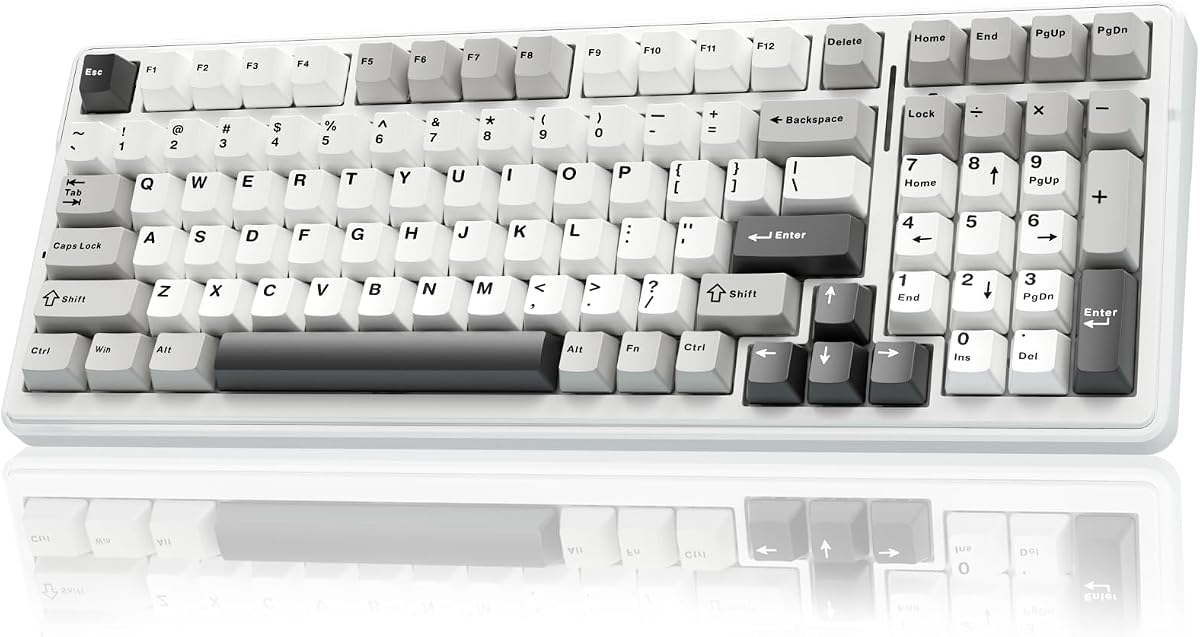



The Keychron C1 is a straightforward tenkeyless mechanical keyboard built for people who want the space-saving proportions of an 87-key board without giving up a dedicated function row. Its 4.7 rating reflects a well-rounded package: a hot-swappable socket, preinstalled tactile Brown switches, a detachable USB-C connection, and a restrained white backlight.
We may earn a commission when you buy through this link, at no additional cost to you.
Its most appealing feature is the freedom to personalize the feel of individual keys. The socket accepts nearly all three-pin and five-pin MX-style mechanical switches, including examples from Gateron, Cherry, and Kailh. That makes it practical for changing linear, tactile, or clicky behavior, although SMD-LED switches are recommended when strong backlight visibility matters.
The supplied Gateron G Pro Brown switches add a tactile bump without the sharper character of clicky alternatives. The double-shot ABS keycaps let light pass through the legends, while static, breathing, and flashing white illumination options provide several visual choices. An inclined frame and two-position adjustable feet make the board more accommodating during long sessions.
The C1 is ideal for office workers, programmers, and light gamers who prefer a conventional keyboard over a compact gaming model. Its wired design is dependable, but anyone who needs Bluetooth, multi-device pairing, a number pad, or extensive onboard controls should look elsewhere. For a simple and highly compatible hot-swap platform, it remains an excellent choice.
Switching Without Soldering
The practical value of the C1 lies in its generous switch compatibility. You can replace a single worn switch or redesign the entire feel of the board without opening a soldering iron. The process is approachable for first-time keyboard customizers while remaining relevant to experienced users.
A Practical Mac and Windows Board
Its unique Mac layout, included extra keycaps, and compatibility with Windows reduce the friction of moving between operating systems. The dedicated function and multimedia row also preserves familiar shortcuts, making the C1 more versatile than a minimalist 60% alternative.
We may earn a commission when you buy through this link, at no additional cost to you.
The Logitech G316 X 98 is the strongest all-around premium gaming choice in this group, combining a compact 98% layout with hot-swappable switches, a high report rate, and a refined physical design. Its 4.8 rating is the highest listed here and reflects a feature set aimed at gamers who want speed, sound control, and convenient daily operation.
We may earn a commission when you buy through this link, at no additional cost to you.
The headline performance feature is an 8 kHz report rate, which provides faster signal transmission than conventional 1 kHz polling. A gasket-mounted case, sound-dampening silicone, and foam layers soften the acoustic profile, while the supplied linear switches deliver a clean, fast feel. Double-shot PBT keycaps add a durable surface and help resist shine.
An LED dot-matrix display and control dial put frequently used adjustments within reach. Users can manage report rate, volume, brightness, media, and lighting without leaving a game. The 30 lighting zones, per-key illumination, and reactive LIGHTSYNC RGB light bar add further visual customization.
The 98% layout preserves a number pad and useful navigation keys while remaining smaller than a conventional full-size board. G HUB adds remapping, macros, game modes, lighting, and key assignments, though this dependence on software may deter buyers who want a completely self-contained keyboard. It is best for dedicated gamers and power users who value premium responsiveness.
High-Speed Performance That Stands Out
The 8 kHz report rate makes the G316 X 98 especially interesting for competitive gaming. The on-board controls help users adjust the relevant settings without navigating an operating-system menu, keeping configuration close at hand during play.
Sound and Layout Refinement
Its gasket-mounted, foam-and-silicone construction seeks a quieter, more satisfying typing experience. The 98% format balances mouse space with access to the number pad, making it more versatile than many compact gaming keyboards.
We may earn a commission when you buy through this link, at no additional cost to you.
The AULA F99 stands out as a feature-rich wireless keyboard that bridges office productivity and enthusiast gaming. Its 4.5 rating reflects a generous combination of tri-mode connectivity, five-device pairing, hot-swappable switches, RGB lighting, macro support, and a 96% layout that retains a number pad.
We may earn a commission when you buy through this link, at no additional cost to you.
Bluetooth 5.0, 2.4 GHz wireless, and USB-C wired operation allow the keyboard to move among computers, tablets, and other compatible devices. The included keycap and switch pullers make customization accessible, while the hot-swap PCB accepts three-pin and five-pin mechanical switches without soldering.
The pre-lubed linear switches are positioned as smooth, responsive choices for gaming and everyday typing. A gasket structure, extended silicone pad, single-key PCB slotting, and five layers of filling material work together to improve stability and reduce the hollow sound associated with less carefully constructed cases. Macro editing and sixteen RGB effects add flexibility.
Its 8,000mAh battery is generous, and the double-shot PBT keycaps are designed to retain clear legends over time. The 99-key 96% format sacrifices some desk width to retain the number and arrow areas. Buyers who want the same feature set with more mouse room should consider a 75% model, while those wanting a simple wired board can find one elsewhere in this guide.
Connectivity for Mixed Workflows
Five-device support is especially valuable for users who move between a work computer, personal system, and tablet. The three connection modes also provide useful fallback options when wireless conditions are less than ideal, while a wired connection remains available for fixed desk setups.
Customization Without a Soldering Iron
The included pullers and broad socket compatibility make switch changes approachable. Pre-lubed linears offer a fast baseline, and the gasket-mounted, dampened case provides a softer acoustic foundation than a basic tray-mounted board.
We may earn a commission when you buy through this link, at no additional cost to you.
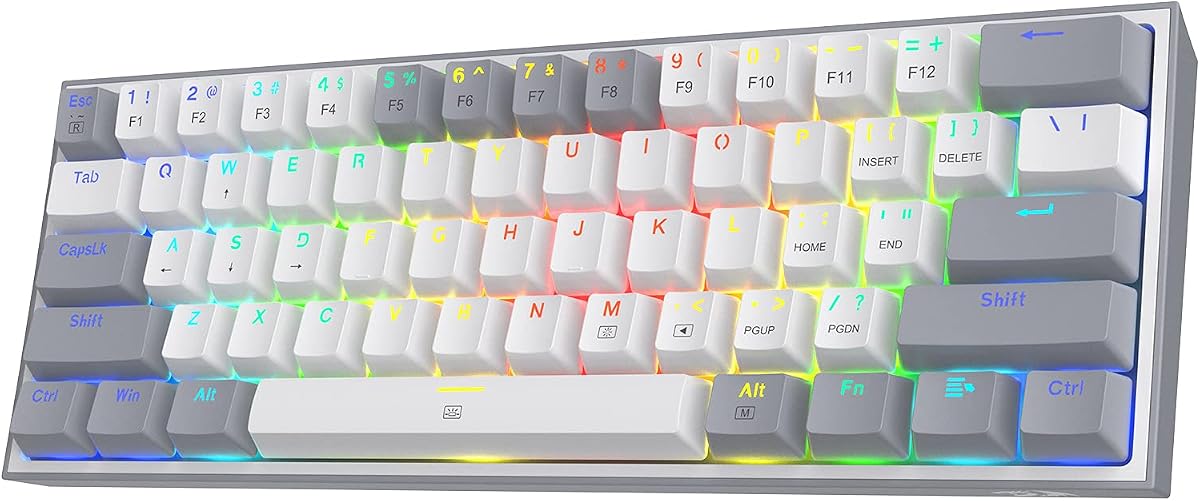
The Redragon K617 is a compact 60% gaming keyboard that prioritizes desk space and accessible customization. Its 4.6 rating places it among the stronger-rated products in the guide, while the clean white-and-grey design helps it stand apart from the all-black boards that dominate the category.
We may earn a commission when you buy through this link, at no additional cost to you.
The upgraded hot-swap socket accepts almost any three-pin or five-pin switch, allowing users to replace the stock Red linear switches without soldering. Those stock switches are described as relatively discreet, making the board more appropriate for shared environments than many clicky mechanical keyboards. Their rated lifespan is 50 million keypresses.
The 60% format eliminates the number pad and navigation cluster, leaving more room for broad mouse movement. Twenty RGB lighting modes, adjustable brightness, and flow speed let the board create a recognizable gaming setup. Dedicated software adds custom lighting effects, advanced macros, and programmable keybindings.
The K617 is a good fit for gamers who value mouse space more than one-touch access to a function row. It has no wireless modes and may require shortcut-based access to secondary functions, so first-time 60% users should adjust to the smaller footprint. Even so, it delivers a persuasive mix of compactness, hot-swap freedom, lighting, and software at a budget-focused level.
A Mouse-First Footprint
Removing the number pad and navigation cluster creates meaningful desk space for competitive games. That makes the K617 particularly useful where wide mouse swipes are more important than spreadsheet shortcuts or dedicated function keys.
Straightforward Gaming Customization
The combination of hot-swappable sockets, linear switches, and software-controlled lighting makes the board approachable for customization. Users can alter the switch feel without soldering and create macros or custom bindings through the included software options.
We may earn a commission when you buy through this link, at no additional cost to you.
The Redragon K771 delivers a traditional 108-key layout with modern wireless connectivity and hot-swap flexibility. Its 4.4 rating is the lowest among the listed products, but the board addresses a specific need: buyers who want a full number pad, dedicated navigation keys, and multi-device operation in one design.
We may earn a commission when you buy through this link, at no additional cost to you.
Bluetooth 5.0 and 3.0, 2.4 GHz wireless, and USB-C wired modes support different use cases, while pairing capacity extends to five devices. Its 8,000mAh rechargeable battery is designed for extended use, and the four dedicated hotkeys provide quick access to mute, calculator, lock screen, and show desktop functions.
The gasket mount and five integrated foam and silicone layers target hollow noise and case ping. Pre-lubed linear switches contribute a smooth, clean feel, while the hot-swappable socket supports nearly all three-pin and five-pin mechanical switches. RGB effects and macro, remapping, and key-binding options are managed through downloadable software.
The K771 is well suited to office-heavy users who still want gaming features, although its complete 108-key footprint occupies more space than nearly every other board here. Its blue, white, and black keycaps also make a strong visual statement, which may be a feature for some buyers and less suitable for others. It is a versatile pick for people who refuse to give up the number pad.
A Full-Size Layout That Travels
Tri-mode connectivity and five-device pairing let the full-size board move between work, study, and entertainment setups. The wired mode provides a straightforward option when the user wants a stable connection at a fixed desk.
Quieter Full-Size Construction
Gasket mounting and five layers of padding distinguish the K771 from conventional full-size boards. These layers are intended to reduce case ping and hollow sound, while the pre-lubed linears provide a consistent starting point for hot-swap experimentation.
We may earn a commission when you buy through this link, at no additional cost to you.
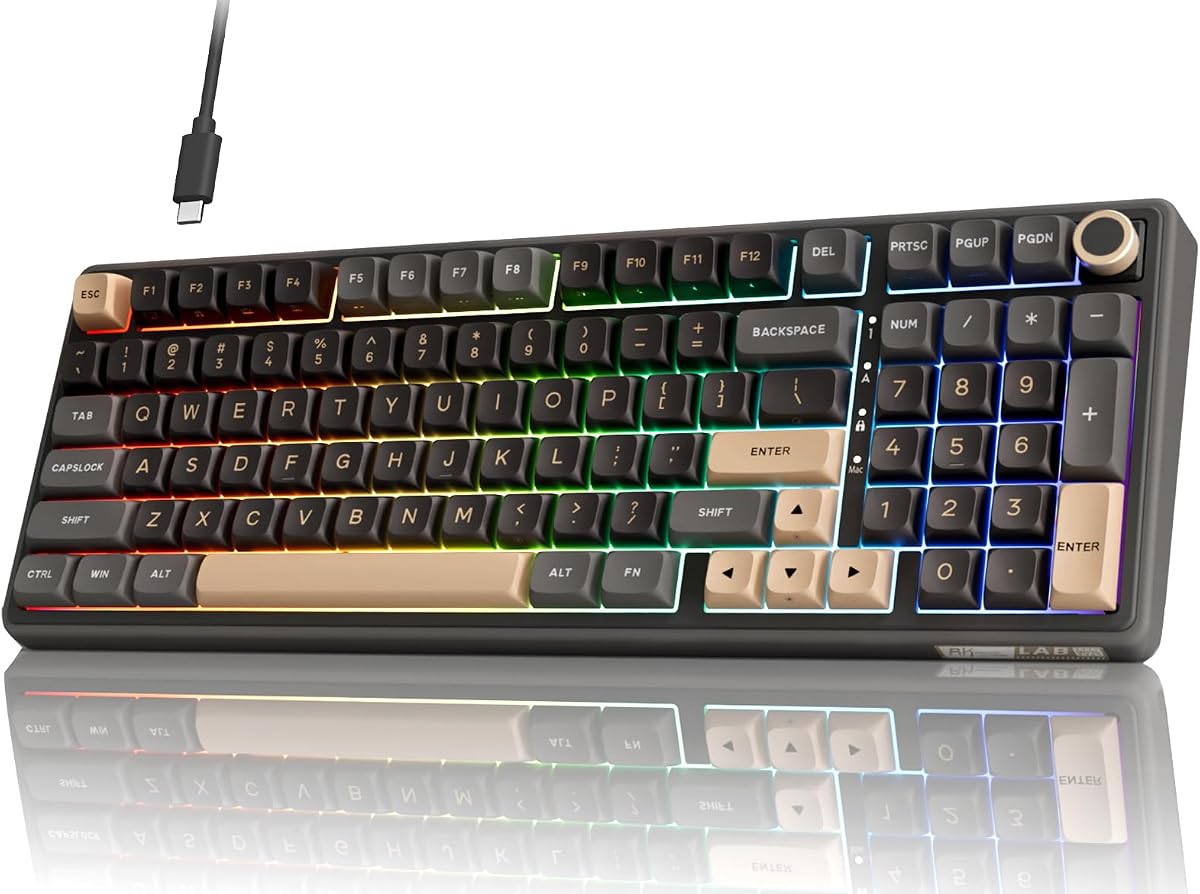
The RK Royal Kludge R98 Pro combines a number pad, rotary control, and compact proportions in a wired mechanical keyboard designed for both work and play. Its 4.5 rating reflects a balanced feature set, with hot-swappable switches, gasket mounting, PBT keycaps, and a rotary knob forming the core appeal.
We may earn a commission when you buy through this link, at no additional cost to you.
The 98-key layout keeps the number pad, arrow keys, and most common functions while saving some space. Its detachable CNC aluminum knob provides quick volume control, and four indicator lights communicate Num Lock, Caps Lock, Win Lock, and Mac Mode status. These details are useful in a desktop setup where every saved centimeter and quick adjustment matter.
The supplied pre-lubed cream linear switches are smooth and designed to produce a creamy sound. The hot-swap sockets accept three-pin and five-pin switches, while five layers of sound-absorbing foam contribute to the internal acoustic design. Double-shot MDA-profile PBT keycaps offer a matte surface and a more sculpted typing position.
The R98 Pro is a good match for a user who wants a full-size board but dislikes the footprint of a 108-key model. It supports Windows and macOS, and its online driver handles RGB, macros, and key redefinition. Since it is wired, it will not suit buyers seeking multi-device wireless switching, but its physical controls and useful layout are otherwise compelling.
A Number Pad Without Full-Size Bulk
The 98% design creates a useful middle ground between a tenkeyless board and a traditional 108-key model. It preserves dedicated numeric and navigation input while freeing a modest amount of desk space.
Physical Controls Improve Daily Use
A detachable metal volume knob is easier to use repeatedly than cycling through software menus. Dedicated status indicators also make it possible to understand the board's mode at a glance, including when a locking function is active.
We may earn a commission when you buy through this link, at no additional cost to you.
The Logitech G512 X 75 TMR is a specialized gaming keyboard built around magnetic analog sensing rather than conventional contact-based mechanical switches. Its 4.5 rating and advanced feature set make it appealing to players who want precise actuation adjustment, rapid reactivation, and a different take on hot-swappable keyboard design.
We may earn a commission when you buy through this link, at no additional cost to you.
The DUAL SWAP system lets users move between magnetic analog switches and mechanical switches across 39 dedicated TMR beds, with nine Gateron K20 analog switches included. Tunnel Magneto-Resistance sensors detect movement through 0.1 millimeter sensitivity, and actuation can be configured from 0.1 to 4.0 millimeters.
Rapid Trigger permits a key to re-actuate without returning fully, while SAPP Rings provide a tangible second-actuation pressure point. The board also supports 1 kHz and 8 kHz report rates, with a listed 0.125 millisecond response. G HUB handles remapping, layered programming, macros, and analog profiles.
This is not a conventional socket board that accepts any three-pin or five-pin switch. Its hot-swappable mechanism is tied to its specialized magnetic system, so buyers should enter with a clear interest in analog control rather than traditional switch collecting. For competitive gaming experimentation, however, the precision and programmability are exceptional.
Precision Beyond Traditional Switches
Adjustable actuation and 0.1 millimeter sensitivity allow the keyboard to register movement before a conventional switch would fully actuate. That capability can benefit games where earlier inputs and controlled reset points are valuable.
Gaming Software and High Polling
G HUB provides deep control over remapping, macros, layers, and analog profiles. The choice between one-kilohertz and eight-kilohertz reporting gives users flexibility for everyday work or high-intensity gaming.
We may earn a commission when you buy through this link, at no additional cost to you.
The TECKNET Mechanical Keyboard combines a 96% layout, tri-mode connectivity, and hot-swap sockets in a value-focused design. Its 4.5 rating suggests that its wireless flexibility and practical feature set have resonated with buyers, even though the product does not offer every premium refinement found elsewhere.
We may earn a commission when you buy through this link, at no additional cost to you.
Bluetooth 5.0 can connect three devices, while 2.4 GHz wireless and USB-C wired operation round out the tri-mode design. That makes it possible to move among Windows, Mac, and Linux systems. The product description specifically recommends the wired connection for ultra-low-latency gaming, while wireless modes suit general productivity.
Three-pin and five-pin switches can be replaced without soldering, and a puller plus four extra keycaps are included. Tuned Sky switches offer smooth movement, while a five-layer dampening structure is designed to deliver a softer, lower-pitched sound. The 96% body includes a number pad, RGB lighting, USB-C charging, and a metal frame.
Windows software supports macros, remapping, and RGB customization, but Mac users are limited to basic FN-key RGB control. That restriction is worth considering for a mixed-ecosystem household. The board also comes with a 36-month warranty and 24/7 support when registered, making it a compelling pick for buyers who value practical coverage alongside hot-swap flexibility.
Useful Wireless Flexibility
Supporting five devices across Bluetooth, 2.4 GHz, and USB-C gives the keyboard broad everyday utility. The same board can serve a primary computer, laptop, and other compatible device without changing its physical position.
A Substantial but Manageable Layout
The 96% format retains a number pad and most navigation keys in a relatively compact body. A metal frame and five layers of padding provide a more refined foundation for typing than a very basic membrane or tray-mounted keyboard.
We may earn a commission when you buy through this link, at no additional cost to you.
The EPOMAKER X Aula F75 Max is a feature-rich 75% keyboard that combines a TFT screen, rotary knob, wireless connectivity, and hot-swappable switches. Its 4.6 rating makes it one of the stronger-reviewed products here, and its 80 programmable keys cover the needs of gamers, programmers, and general office users.
We may earn a commission when you buy through this link, at no additional cost to you.
The TFT display can show GIFs and combine information such as battery status, connectivity, and indicator status. A separate knob provides immediate control over common settings. Beneath the display-heavy top surface, the board uses a gasket-mounted structure, flex-cut PC plate, factory-lubed stabilizers, and tuned linear switches to create a flexible, creamy sound.
Its hot-swap sockets accept three-pin and five-pin mechanical switches. Plate-mount stabilizers are included, and compatibility with screw-in stabilizers gives users another avenue for sound and feel experimentation. South-facing per-key LEDs, diffusers, software, the screen, and shortcuts provide multiple ways to adjust RGB effects.
The board supports Bluetooth, 2.4 GHz, and wired modes, with a one-kilohertz polling rate in USB and 2.4 GHz operation. NKRO, anti-ghosting, and compatibility with Android, Windows, Mac, and Linux add broad utility. It is ideal for buyers who enjoy visible customization and want a function row without adopting a full-size footprint.
A Display That Adds Practical Value
The TFT screen can turn system status into an always-visible dashboard. Rather than being limited to a logo, it presents connectivity, battery, indicator, and customization information in a form that is easy to check during use.
Comfortable Sound and Flexible Feel
The gasket mount, flex-cut plate, internal foam, silicone, and switch pads work together to soften bottom-out and reduce echo. Tuned stabilizers and linear switches provide a creamy baseline for users who later customize the board.
We may earn a commission when you buy through this link, at no additional cost to you.
The Keychron K10 HE is a full-size wireless keyboard that uses Hall Effect magnetic switches instead of conventional contact switches. Its 4.3 rating is the lowest in this selection, but the board offers a distinctive combination of a number pad, tri-mode connectivity, rapid trigger, adjustable actuation, and solder-free magnetic switch replacement.
We may earn a commission when you buy through this link, at no additional cost to you.
Bluetooth 5.2 supports pairing with up to three devices, and users can alternatively choose 2.4 GHz or Type-C wired operation. Hall Effect sensors detect movement magnetically, reducing physical contact and associated wear. Actuation can be tuned from 0.2 to 3.8 millimeters, with a listed sensitivity of 0.1 millimeters.
The Keychron Launcher supports key remapping, macros, actuation tuning, rapid trigger, and snap action. A note in the product information recommends clearing browser data and cache before using the configurator, which is a small but relevant setup consideration. The board also includes dedicated media keys and extra keycaps for macOS and Windows.
Its 100% layout includes the number pad and full navigation area, making it suitable for spreadsheets, office work, and gaming. The OS-profile, double-shot PBT keycaps resist shine, while rosewood-look side panels add a more refined appearance. It is a specialist option: buyers seeking ordinary MX switch compatibility should look elsewhere, but magnetic-switch enthusiasts get a capable full-size platform.
A Full-Size Board for Rapid Input
The magnetic sensing system supports rapid trigger, allowing a key to register again before it fully returns. This can be useful in games where fast repeated inputs matter and where users want to tune behavior to their own movement.
Wireless With Traditional Full-Size Utility
Tri-mode connectivity and three-device Bluetooth pairing make the K10 HE suitable for a mobile workstation. Its complete number pad also differentiates it from compact magnetic alternatives that remove familiar productivity keys.
We may earn a commission when you buy through this link, at no additional cost to you.
The best hot swappable keyboard depends on how you work, play, and customize. Start with layout and connection needs, then evaluate switch standards, sound construction, software, and the type of personalization you actually want to perform.
Layout determines which controls are always available and how much desk space the keyboard occupies. A 60% design removes the function row, arrow keys, and number pad, maximizing mouse room but requiring more shortcut adaptation. A 75% layout retains the function row while remaining compact. A 96% design preserves most navigation keys and often a number pad, while 98% and full-size boards put greater emphasis on conventional spacing and dedicated controls.
Choose 60% for competitive gaming and minimalist desks, 75% for a versatile balance, and 96% or larger for spreadsheets, media work, and users who do not want to remap missing keys. The right layout is the one whose omissions you can comfortably work around every day.
Most conventional hot-swappable boards use sockets that accept three-pin or five-pin MX-style switches. Five-pin switches include two stabilizing legs, and the socket design may accommodate them even if the extra plastic legs need to be clipped. Compatibility statements should also be checked against LED type, stabilizer format, and any proprietary components.
Do not assume every magnetic or hybrid board accepts ordinary MX switches. The Logitech G512 X 75 TMR and Keychron K10 HE use specialized magnetic platforms, while the other listed models describe support for three-pin and five-pin mechanical switches. Always verify the exact switch standard before buying additional components.
Wired keyboards offer a simple, dependable connection and often suit fixed gaming desks. Wireless models provide cleaner cable management and portability, but they introduce considerations such as wireless latency, battery charging, and interference. Tri-mode boards add a wired option to two wireless methods, which is useful when a user wants flexibility across home, office, and travel setups.
Consider Bluetooth pairing capacity, the presence of a 2.4 GHz receiver, and whether you need a gaming-grade low-latency mode. Product descriptions may identify wired mode as the best choice for gaming, so verify connection priorities before choosing a wireless model.
Keyboard sound is shaped by the case, mounting system, plate, stabilizers, switches, keycaps, and internal dampening materials. Gasket mounting can add controlled flex, while foam and silicone layers can reduce hollow case noise. A board described as creamy, thocky, or quiet should still be considered in context because switch choices can dramatically alter the final result.
If office compatibility matters, prioritize linear or tactile switches and look for a five-layer dampening structure. Fans of a deeper sound may enjoy gasket mounts and plate materials that produce more resonance. Remember that hot-swap customization lets you change the switch component later, so the supplied switch should be viewed as a starting point.
The stock switch determines the board's initial feel, but hot-swap support determines what you can try next. Linear switches tend to move smoothly without a tactile bump, tactile switches add a noticeable event, and clicky switches provide audible clicks. Pre-lubed switches may feel smoother from the outset, while compatibility with a wider range of switch brands offers more room for experimentation.
Large keys can reveal stabilizer differences even when the switch itself feels good. Some products include plate-mount stabilizers and support screw-in alternatives, while others do not specify the format. If you are particular about long-term tuning, check stabilizer compatibility and the availability of replacement parts before ordering.
Software can provide key remapping, macros, layers, lighting effects, gaming modes, and device switching. The quality and accessibility of those tools matter. Some products place report rate, brightness, volume, and media controls on a display or dial, while others require the user to open a driver and navigate menus. Buyers who game competitively may prefer immediate physical access to frequently adjusted settings.
Check operating-system support carefully. One product in this guide limits full customization to Windows while retaining basic FN-key RGB control on Mac. Others support Windows and Mac, and the Keychron K10 HE can also be remapped for Linux. Match the software to the operating systems you actually use.
For gaming, report rate, actuation behavior, anti-ghosting, and NKRO support can matter alongside switch feel. The Logitech G316 X 98 and G512 X 75 TMR offer eight-kilohertz reporting, while the Keychron K10 HE and Logitech magnetic platform add rapid trigger. Other products emphasize macro support, stable multi-key input, and a broad selection of RGB effects.
High polling is not the only measure of responsiveness. Switch feel, debounce behavior, wireless stability, and latency also influence the experience. For competitive play, use the wired mode where the manufacturer recommends it, then configure the keyboard's gaming profiles and controls before relying on it in a match.
PBT keycaps resist shine and maintain their texture better than many glossier plastic alternatives, while double-shot construction can keep legends crisp. Keycap profile changes the feel and angle of the board: the R98 Pro uses an MDA profile, the F75 Max uses a Cherry profile, and the K10 HE uses an OSA profile. Low front heights and adjustable kickstands can also reduce wrist strain during extended use.
Consider the overall typing angle, keycap texture, stabilizers, and your preferred switch sound together. A technically customizable board is not automatically comfortable. If possible, look for demonstrations that show the board's full acoustic profile and confirm that the included layout and profile match your working habits.
Before changing switches, turn the keyboard off and disconnect its cable or disable its wireless connection. Consult the manufacturer's guide for opening procedure and socket orientation. Switch off power before inserting or removing components, hold the keyboard securely, and pull switches straight from the socket rather than twisting forcefully.
Use the included puller when a switch feels tight, and avoid excessive force on the surrounding keycap or socket. After installing a replacement, confirm that the switch is seated evenly and that the key returns normally. Test the affected key in a text field, then reconnect the board and verify the configuration in its software.
For wireless models, charge the keyboard with the specified cable and avoid leaving the battery depleted for long periods. Keep the receiver and charging port free of dust, clean keycaps with a soft dry cloth, and use a lightly dampened cloth only when the manufacturer permits it. Do not pour liquid into the keyboard, and remove the USB connection before cleaning the case.
A hot-swappable mechanical keyboard uses sockets that let you remove and replace compatible switches without soldering them to the PCB. This makes it easier to change a damaged switch, mix switch types by key, or experiment with linear, tactile, and clicky feels. You must confirm that the board supports the pin standard and switch type you plan to use.
Usually, you should use switches that match the board's stated socket and pin compatibility. Many boards accept three-pin and five-pin MX-style switches, but some require clipping the two plastic legs from a five-pin switch. Magnetic and proprietary systems, such as those in the Keychron K10 HE and Logitech G512 X 75 TMR, are not compatible with ordinary MX switches.
Not automatically, because the switch still plays a major role in the sound. Linear switches are often quieter than clicky ones, while pre-lubed switches and dampened cases can further reduce scratchiness and hollow noise. The AULA F99, Redragon K771, TECKNET, and EPOMAKER X Aula F75 Max include layered construction intended to improve acoustics.
A wired model is usually the simplest choice for a fixed desk and can eliminate wireless latency concerns. A wireless or tri-mode model is better for portability, multi-device use, and cleaner cable management. If gaming is important, check the manufacturer's latency guidance and consider using the wired mode for competitive sessions.
Basic typing and switch replacement generally work without special software, but configuration tools are needed for remapping, macros, custom lighting, and advanced settings. Compatibility varies by operating system. For example, the TECKNET model offers full customization software for Windows but limits Mac users to basic FN-key RGB control.
A 60% keyboard removes the function row, arrow cluster, and number pad to maximize desk space. A 75% layout keeps the function row but usually omits a number pad. A 96% board is more compact than a traditional full-size model while retaining a number pad and most navigation keys. Choose based on the shortcuts and numeric entry you use every day.
No. Hall Effect keyboards use magnetic sensors to detect key movement without conventional electrical contact, allowing adjustable actuation and rapid trigger features. They may support hot replacement of their own magnetic switches, but they do not accept ordinary three-pin or five-pin MX mechanical switches.
Light weekly cleaning with a soft, dry brush or microfiber cloth helps prevent dust from accumulating around keycaps and switches. Deep cleaning should follow the manufacturer's instructions because moisture, removed keycaps, and exposed sockets can create issues. Always disconnect the keyboard before cleaning and never spray cleaner directly onto it.
The Redragon K617 is the most budget-focused way to enter the category, offering a compact 60% format, hot-swap sockets, and extensive RGB controls. The AULA F99 takes the lead for versatility with five-device tri-mode connectivity, smooth pre-lubed switches, macro support, and a large battery, while the Logitech G316 X 98 is the premium gaming choice with eight-kilohertz reporting, a practical 98% layout, and refined construction.
Prioritize the features that affect daily use: choose a layout you can navigate comfortably, confirm switch compatibility before customizing, and select a connection method suited to your devices. Software quality, sound construction, keycaps, and physical controls can separate otherwise similar boards. Specialized magnetic models deserve consideration if rapid trigger or analog-style control is more important than universal MX switch support.
Ratings, layouts, software, and availability can change over time, so verify the current product listing before buying. Current prices and promotions also vary, which can affect the relative value of budget and premium models. Comparing the latest specifications against the intended desk, operating system, and gaming or productivity workload will produce the most satisfying long-term choice.

