
SANSUI 34 Inch 240Hz UWQHD
4.4Editor score
240Hz curved ultrawide
3440 x 1440 native resolution
HDMI and DisplayPort connectivity
A high end gaming monitor can transform PC play by combining fast motion, sharp resolution, rich color, and an immersive screen shape. The right display depends on whether you prioritize competitive responsiveness, cinematic detail, expansive workspaces, or a balance of all three.
We compared the ten monitors using the specifications and features supplied for each model, focusing on panel technology, refresh rate, response time, resolution, HDR capability, adaptive synchronization, connectivity, and practical features. The list includes premium OLED and Mini LED displays as well as faster curved ultrawides.
Each review explains where the monitor stands out and where compromises may appear. The first three recommendations cover an overall favorite, a capable budget-oriented option, and a premium choice, while current prices and availability should be checked before buying because they can change.
4.4Editor score

4.6Editor score

4.4Editor score
As an Amazon Associate we earn from qualifying purchases.
This side-by-side comparison highlights each monitor's core resolution, refresh rate, gaming technology, and standout capability, helping buyers narrow down a display for competitive play, immersive PC gaming, or specialized productivity.



The ASUS ROG PG32UCDM combines 4K resolution, a 240Hz refresh rate, and QD-OLED technology in a conventional 32-inch format. Its supplied rating is 4.6, the highest among the ten selections, and the specification mix makes it the strongest all-around recommendation for a powerful gaming PC.
We may earn a commission when you buy through this link, at no additional cost to you.
The 3840 x 2160 panel preserves fine detail in interfaces, text, and dense game environments, while the 0.03ms GTG response time directly benefits fast movement. VESA DisplayHDR 400 True Black compliance, 99% DCI-P3 coverage, true 10-bit color, and a Delta E below 2 support accurate and expressive HDR imagery.
Its main compromise is panel size. A 32-inch screen may feel less enveloping than the 45-inch, 49-inch, and 57-inch alternatives here. As an OLED display, it also benefits from sensible static-content management, although the uniform brightness option, adjustable OLED Care functions, heat-management design, and three-year burn-in coverage help address common concerns.
This is an excellent choice for gamers who want high-resolution clarity without accepting a reduced refresh rate. It also suits creators who need accurate color and a modern USB-C workflow. For competitive shooters, simulation games, and high-fidelity PC gaming, the balance of speed, detail, and HDR makes the PG32UCDM the leading all-purpose choice.
Most gaming displays force a choice between high resolution and a very high refresh rate. This model combines both, so it can remain sharp in strategy games, shooters, racing titles, and everyday desktop work without falling back to a lower-resolution gaming mode.
The heat-management system, optional uniform brightness, DisplayWidget Center, and burn-in coverage make this a more complete OLED package. These features are particularly valuable for owners who keep menus, chats, or other static content onscreen for long periods.
We may earn a commission when you buy through this link, at no additional cost to you.
The Samsung Odyssey Neo G9 is built around spectacle. Its 57-inch dual UHD panel spans roughly the width of two conventional UHD monitors, creating an unusually broad field of view for racing, flight simulation, open-world games, and ultrawide productivity. The supplied rating is 4.3.
We may earn a commission when you buy through this link, at no additional cost to you.
Despite its size, it remains focused on fast play with a 240Hz refresh rate, 1ms GTG response, and DisplayPort 2.1 support. Quantum Matrix Technology and 2,392 Mini LED local-dimming zones improve contrast, while the listed 1,000-nit peak brightness and VESA DisplayHDR 1000 rating target punchy HDR.
Its scale is also the principal trade-off. A 57-inch curved display needs a large desk and considerable viewing distance, and some games may present interface scaling challenges. Picture-by-Picture and Picture-in-Picture modes help when combining gaming, video, and chat, but the display still demands more space than conventional models.
Choose the Neo G9 when immersion and screen area matter more than compactness. It is a particularly compelling match for sim-racing, cockpit-style flight games, strategy titles, and desk setups that can accommodate its footprint. It also supports G-SYNC Compatible technology for adaptive refresh behavior.
The dual-UHD width can replace a conventional dual-monitor arrangement for many workflows. Applications, chat windows, and game views can share the broad canvas, while the curved shape helps wrap the edges toward the viewer.
Fine local dimming gives this large display more control over bright and dark regions than a basic edge-lit screen. That makes it well suited to dramatic HDR scenes where deep blacks and luminous highlights must appear together.
We may earn a commission when you buy through this link, at no additional cost to you.
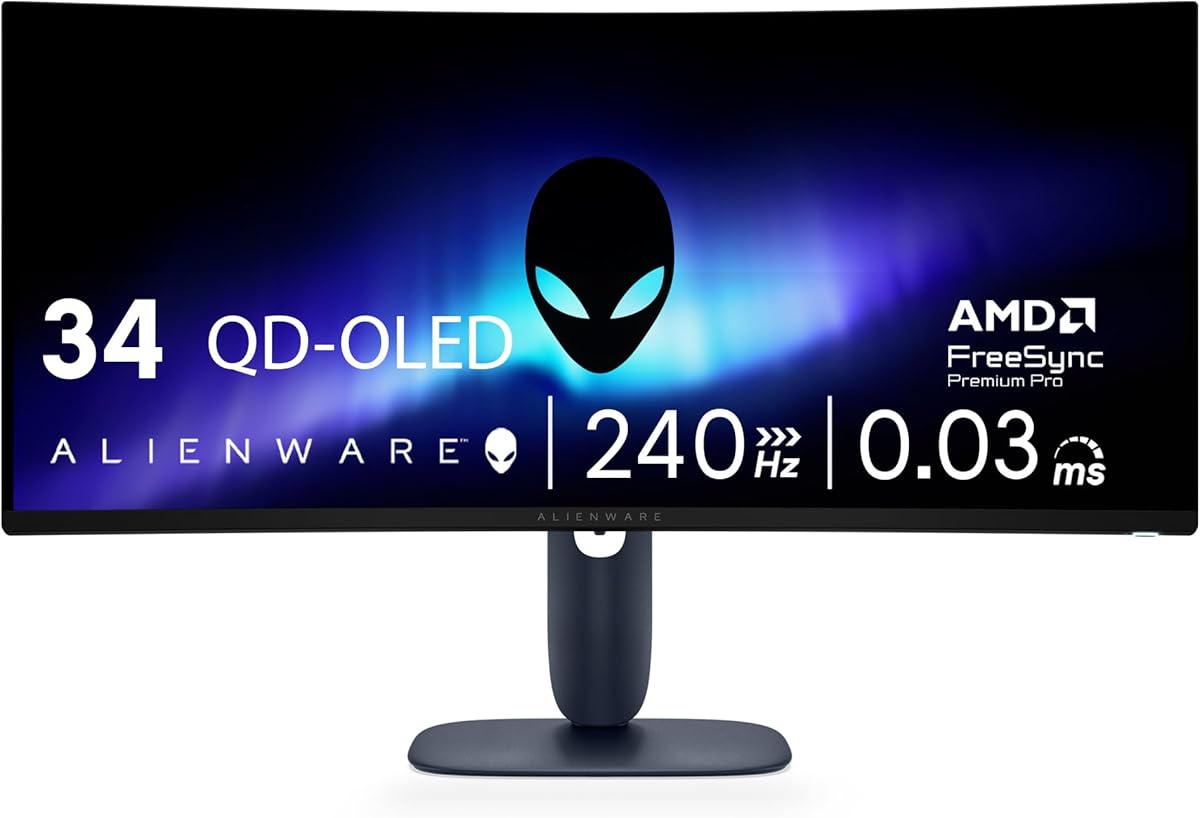
The Alienware AW3425DW offers a familiar ultrawide format with unusually ambitious speed. Its 34.2-inch WQHD screen combines a 240Hz refresh rate with a listed 0.03ms response time, making it a compelling option for fast competitive games as well as immersive single-player titles.
We may earn a commission when you buy through this link, at no additional cost to you.
The 1800R curve and 3440 x 1440 resolution widen the field of view without reaching the extreme dimensions of the 49-inch and 57-inch models. QD-OLED color coverage reaches 99.3% of DCI-P3, and the supplied specifications list a Delta E below 2, 1,000-nit peak HDR brightness, and infinite contrast.
The trade-off is resolution. At 3440 x 1440, it does not provide the same fine desktop detail as the ASUS 4K model, although the lower pixel load can make high-refresh gaming more attainable. As with other OLED displays, static desktop elements should be managed carefully to reduce long-term burn-in risk.
This monitor is best for gamers who want high speed and a wide view without the physical footprint of a super-ultrawide. Support for NVIDIA G-SYNC Compatible, AMD FreeSync Premium Pro, and VESA AdaptiveSync makes it adaptable across modern graphics-card ecosystems.
The combination of 240Hz and a 0.03ms stated response favors games where targets, vehicles, and projectiles move rapidly. The ultrawide format also provides a wider view of opponents and track sections than a standard 16:9 display.
The wide DCI-P3 gamut, low stated color difference, and HDR True Black 400 target vivid but controlled output. That balance works well for detailed environments, dark games, and content viewing on the same PC.
We may earn a commission when you buy through this link, at no additional cost to you.
The Samsung Odyssey OLED G9 balances a very wide 32:9 format with strong pixel density. Its 49-inch Dual QHD panel delivers 5120 x 1440 resolution and 110 pixels per inch, providing more consistent sharpness than many large ultrawides while preserving generous workspace space.
We may earn a commission when you buy through this link, at no additional cost to you.
QD-OLED technology supplies the listed near-instant 0.03ms response and pure black levels, while the 144Hz refresh rate offers smooth everyday performance. G-SYNC compatibility and AMD FreeSync Premium Pro provide adaptive refresh support, making the monitor suitable for games that reward peripheral awareness.
Its refresh ceiling is lower than the 200Hz, 240Hz, and 330Hz alternatives in this guide, so competitive players with exceptionally fast GPUs may prioritize raw speed. The 49-inch format also requires a wide desk, and users should take advantage of the thermal modulation, logo and taskbar detection, and automatic screen saver.
Picture-in-Picture allows a chat or secondary application to appear over the game, reducing the need for another display in many setups. This is a strong recommendation for players who value OLED responsiveness and a super-ultrawide view more than maximum refresh rate.
At 110 pixels per inch, the G9 aims to reduce the softness sometimes associated with very large ultrawide screens. That makes it a sensible middle ground between a conventional 34-inch monitor and an enormous 57-inch display.
Thermal modulation, brightness reduction for static logos and taskbars, and an inactivity-triggered screen saver form a useful protection suite. Buyers should still follow recommended care habits and avoid leaving persistent bright elements unattended for long periods.
We may earn a commission when you buy through this link, at no additional cost to you.
The Alienware AW3423DW is a 34.18-inch curved QD-OLED monitor designed to combine gaming speed with polished physical design. It offers 3440 x 1440 resolution, a 175Hz refresh rate, and a 0.1ms GTG response time, backed by a supplied rating of 4.3.
We may earn a commission when you buy through this link, at no additional cost to you.
Its 1800R curve, slim panel, stadium-loop AlienFX lighting, 360-degree ventilation, cable management, and centralized joystick give it a distinctive appearance. NVIDIA G-SYNC Ultimate certification reinforces its positioning for smooth, low-latency PC gaming, and the 1M:1 contrast ratio supports deep blacks.
Compared with newer 240Hz ultrawides, its maximum refresh rate and response figure are less aggressive. It also remains an OLED, so static content requires thoughtful management. On the positive side, height adjustment, swivel, tilt, anti-glare treatment, and Creator Mode make it more versatile for everyday use.
Buyers who value a refined setup, broad color options, and strong response will find this model appealing. It is especially relevant for gamers who want more design character and creator flexibility than a basic high-speed ultrawide, while remaining comfortable for general productivity.
Creator Mode permits a choice between native DCI-P3 and sRGB spaces and allows gamma adjustment. These controls are useful for color-sensitive work as well as games in which the player wants to alter the image beyond the default preset.
The curved screen provides immersion, while the slim panel and rear ventilation support a clean aesthetic. Adjustable positioning, anti-glare handling, centralized OSD navigation, and cable management make it easier to integrate into a polished gaming setup.
We may earn a commission when you buy through this link, at no additional cost to you.
The LG 45GX950A Ultragear is among the most technically ambitious displays here. Its 45-inch OLED panel combines 5120 x 2160 resolution with a cinematic 21:9 shape, while the dual-mode system can operate at 165Hz in 5K2K or as high as 330Hz at Full HD.
We may earn a commission when you buy through this link, at no additional cost to you.
That flexibility allows buyers to prioritize detail during immersive play or favor maximum responsiveness in competitive titles. The 0.03ms GTG response supports that high-speed mode, and the 800R curve creates an enveloping image. The supplied rating is 4.4.
The key limitation is that 330Hz mode sacrifices native resolution, so its practical appeal depends on game type and player preference. A 45-inch screen also demands substantial desk space, and the aggressive curve can appear distorted in some desktop applications if the image is not scaled appropriately.
This monitor makes the most sense for a high-end PC where both immersion and speed matter. It is well suited to racing, flight simulation, action games, and content viewing, while competitive players can switch to the faster mode when maximum frame pacing takes priority. The included bundle also supplies two 4K HDMI cables and an extended protection package.
The 5K2K mode preserves exceptional detail at 165Hz, which benefits large worlds, interfaces, and high-resolution textures. The Full HD mode pushes the panel to 330Hz for games in which rapid reaction and minimal motion blur are the main objectives.
The 800R curve, 21:9 format, and 125 pixels per inch create a dramatic presentation. The combination can make cockpit games and cinematic adventures feel more encompassing, provided the desk and viewing distance can accommodate it.
We may earn a commission when you buy through this link, at no additional cost to you.
The Samsung Odyssey G5 delivers a 34-inch WQHD curved display with a 1000R radius, a 165Hz refresh rate, and a listed 1ms MPRT response. It is a practical ultrawide option for players who want more peripheral view and workspace without moving into flagship OLED pricing.
We may earn a commission when you buy through this link, at no additional cost to you.
Its VA panel uses HDR10 to improve color vibrancy and reveal detail in bright and dark areas, while AMD FreeSync Premium helps reduce tearing, stutter, and input latency. Low frame-rate compensation supports smoother behavior when the rendered frame rate falls below the display's target.
The main trade-off is the gap between this model and the premium OLED alternatives. QD-OLED panels generally offer superior response and black-level performance, while the G5's 165Hz ceiling is lower than the 200Hz, 240Hz, and 330Hz models in this list.
This is a sensible choice for an established gaming PC that runs comfortably at WQHD and 165Hz. It offers a smooth, immersive format with useful adaptive synchronization and HDR support, making it particularly appealing for owners who value a curved ultrawide without moving to a high-end OLED panel.
WQHD at 34 inches provides more pixels and horizontal space than a standard 16:9 display without demanding the full 4K processing load of larger 4K models. That balance suits a wide range of modern gaming PCs.
The 1000R curve is intended to follow the natural field of view more closely than a flat screen. FreeSync Premium and low frame-rate compensation work together to improve consistency when graphics performance varies.
We may earn a commission when you buy through this link, at no additional cost to you.
The SANSUI 34 Inch 240Hz UWQHD is the standout speed-focused option in this guide. It combines a 34-inch 3440 x 1440 Fast VA panel with a 240Hz refresh rate and 1ms MPRT response, delivering the sort of specifications competitive PC gamers often prioritize.
We may earn a commission when you buy through this link, at no additional cost to you.
A 1500R curve adds immersion, while AI Crosshair, Sniper Scope, Game Mode, AI picture enhancement, and AI blue-light reduction provide practical gaming tools. PIP and PBP support multi-source use, and a metal stand, VESA compatibility, tilt adjustment, and wide viewing angles improve everyday flexibility.
Connectivity is unusually complete for this class. Two HDMI 2.1 ports and two DisplayPort 1.4 ports support high-refresh operation, including the listed 2K at 240Hz mode. VRR support is available for Xbox, PlayStation, and Switch systems through HDMI 2.1, although the monitor does not include speakers.
Its limitations are panel-related rather than speed-related. A VA panel cannot match the deep blacks and near-instant pixel behavior of QD-OLED, and HDR400 is a less advanced HDR target than DisplayHDR 400 True Black or DisplayHDR 1000. Even so, it is a compelling high-speed option for players who prioritize refresh rate and value.
A 240Hz refresh rate can make movement and camera turns appear smoother, especially when the PC can consistently produce high frame rates. The short MPRT figure also supports a crisp competitive presentation, though response behavior should not be confused with an OLED panel's measured GtG latency.
AI Crosshair and Sniper Scope can help players locate targets, while AI picture enhancement and selectable vivid modes offer quick visual adjustments. These functions are convenient shortcuts rather than substitutes for careful display calibration.
We may earn a commission when you buy through this link, at no additional cost to you.
The SANSUI 34-Inch 200Hz model offers a balanced entry into high-refresh ultrawide gaming. Its 3440 x 1440 Fast VA panel, 200Hz maximum refresh rate, and 1ms OD response specification make it well suited to fast PC games while preserving more detail than a Full HD display.
We may earn a commission when you buy through this link, at no additional cost to you.
The 1500R curve wraps the content around the viewer without the extreme radius of a super-ultrawide model. Gaming aids include AI Crosshair, AI blue-light reduction, AI PQ, Sniper Scope, and VRR support through HDMI 2.1. PIP and PBP can be useful for keeping chat or reference material visible.
Compared with the 240Hz SANSUI in this guide, the main drawback is its lower maximum refresh rate. Its HDR capability is also less ambitious than that of OLED or Mini LED premium displays, and the 1ms figure is described as an OD response rather than a native GtG measurement.
Buyers who want a high-refresh curved ultrawide without moving to flagship OLED technology will find this model practical. It is a strong match for competitive shooters, racing games, and everyday productivity on a gaming PC, particularly when 200Hz is enough to match the performance of the available graphics card.
A 200Hz refresh rate gives the display a clear advantage over common 144Hz and 165Hz models. Combined with a low-latency mode, it suits games where quick aiming, camera movement, and rapid onscreen changes are central to the experience.
DisplayPort 1.4 and two HDMI 2.1 ports provide multiple ways to connect a PC and secondary equipment. PIP and PBP can reduce the need to switch applications constantly, while VESA mounting offers more placement options.
We may earn a commission when you buy through this link, at no additional cost to you.
The Samsung Odyssey G55C offers a more conventional route to premium gaming: a 32-inch QHD display with a 1000R curve, 165Hz refresh rate, and 1ms MPRT response. Its 4.4 supplied rating makes it a solid all-around choice when an ultrawide is unnecessary.
We may earn a commission when you buy through this link, at no additional cost to you.
QHD provides 1.7 times the pixel density of Full HD, improving clarity for text, interfaces, and detailed games. AMD Radeon FreeSync synchronizes the display and graphics card to reduce tearing, while HDR10 adds greater vibrancy and helps reveal subtle detail in shadows and highlights.
Its limitations reflect the design of the category. It does not provide the extreme horizontal view of an ultrawide, the 240Hz-plus speed of the leading gaming models, or the deep black levels of QD-OLED. At the same time, the 1000R curve can create a more immersive image than a flat 32-inch panel.
Eye Saver Mode and reduced screen flicker are useful for long sessions. The G55C is best for gamers who prioritize sharp QHD clarity, smooth everyday performance, and a curved format in a manageable size. It can also serve as a secondary display for a gaming setup that already includes an ultrawide.
The 165Hz refresh rate and 1ms MPRT target smooth action without demanding the full processing power of a 4K gaming panel. This makes the G55C especially relevant for owners of midrange or older high-end graphics cards.
The pronounced curve helps bring the edges of the picture closer to the viewer, while Eye Saver Mode and flicker reduction target viewing comfort. Those features are especially helpful during lengthy play sessions or late-night use.
We may earn a commission when you buy through this link, at no additional cost to you.
The right gaming monitor depends on more than refresh rate. Resolution, panel technology, curvature, adaptive synchronization, HDR, desk space, and workflow all influence the experience, so buyers should match the display to their PC and preferred genres.
Resolution determines how much information the display can show and how much GPU power it may require. The ASUS PG32UCDM provides 3840 x 2160 pixels for excellent 4K detail, while the 34-inch models use 3440 x 1440, and the Samsung Neo G9 stretches Dual UHD across a much larger 57-inch panel. For competitive play, a lower-resolution mode can sometimes deliver a higher refresh rate without requiring as much graphics performance.
Refresh rate controls how many times the image updates each second, while response time influences how quickly pixels change between frames. Competitive buyers may favor 200Hz, 240Hz, or the LG's 330Hz Full HD mode. QD-OLED models also offer extremely low stated GTG response times, although response figures should be compared carefully because MPRT and OD measurements are not identical to native GtG specifications.
QD-OLED emphasizes near-instant response, rich color, and deep blacks, making it attractive for fast motion and cinematic contrast. The Samsung Neo G9 uses Mini LED local dimming, offering high peak brightness and a different approach to HDR contrast. Fast VA models are often more approachable and still deliver high refresh rates, but they generally cannot match OLED black levels or pixel behavior.
Screen size changes both immersion and practicality. A 34-inch ultrawide is manageable for many desks, while 45-inch, 49-inch, and 57-inch models need considerable depth and can place the edges of the image farther from the viewer. Curve radius also affects the perceived wraparound, with aggressive designs emphasizing immersion and flatter designs preserving more conventional viewing angles.
Adaptive synchronization helps match the display's refresh timing to the frame rate produced by the graphics card, reducing tearing and stutter. The selections support combinations of G-SYNC Compatible, G-SYNC Ultimate, FreeSync Premium Pro, FreeSync Premium, VESA AdaptiveSync, and other VRR standards. Compatibility should be confirmed with the graphics card and selected mode because not every feature is identical across standards.
HDR capability depends on brightness, contrast, local dimming, color gamut, and the display's VESA certification. DisplayHDR 1000 targets a more ambitious HDR presentation than HDR400, while OLED True Black levels deliver exceptional darkness. Wide DCI-P3 coverage is valuable for games, but accurate color also depends on factory calibration, viewing conditions, operating-system settings, and the player's personal preference.
DisplayPort and HDMI versions determine which refresh rates and resolutions a PC can actually reach. USB-C power delivery can simplify a desk by providing data, video, and charging through one cable, as offered by the ASUS. Picture-in-Picture and Picture-by-Picture are useful for chat, streaming, or secondary applications, while USB hubs and VESA mounting improve general setup flexibility.
OLED displays offer excellent response and contrast but deserve deliberate static-content management. Look for logo or taskbar detection, screen savers, thermal controls, and burn-in coverage. The ASUS includes advanced heat management, uniform brightness, OLED Care access, and three years of burn-in coverage, while the Samsung G9 provides thermal modulation and automatic static-image brightness reduction.
Begin by connecting the PC with the appropriate cable and selecting the matching input in the on-screen display. For high-refresh modes, use the specified DisplayPort or HDMI version, configure the graphics card for the intended resolution and refresh rate, and enable the appropriate adaptive synchronization option. Allow the display to run for several minutes while it warms up before making fine visual adjustments.
Set the operating system to the correct native resolution and match its refresh rate to the monitor. Use the monitor's standard or factory color mode for the most predictable image, then adjust brightness for the room rather than pushing it to an extreme. OLED owners should activate available OLED care functions and avoid leaving bright static menus or taskbars displayed unnecessarily.
For comfort, use the supplied or recommended stand adjustment, position the top of the screen near eye level, and keep the viewing distance comfortable for the screen size. Clean with a soft microfiber cloth, avoid liquid cleaners applied directly to the panel, and route cables neatly. For large curved models, confirm desk stability and leave adequate ventilation around the rear of the display.
A 240Hz monitor can make fast movement appear smoother and provide more visual information between frames than lower-refresh displays. The benefit is greatest in competitive shooters, racing games, and fast action games when the PC can consistently generate high frame rates. Your GPU, settings, game engine, and display mode all determine how much of that advantage you will actually see.
A 4K monitor provides finer pixel density and a familiar 16:9 shape, making it convenient for desktop work, text, and games that rely on vertical space. An ultrawide offers a wider field of view, more horizontal workspace, and a more enveloping perspective in racing and strategy games. The better choice depends on your preferred games, GPU capability, desk size, and sensitivity to curved screens.
Adaptive synchronization is useful because it synchronizes the monitor and graphics card to reduce tearing and stutter while helping maintain a smooth frame presentation. Most modern gaming monitors support one or both major approaches. Check the specific model's compatibility list, supported refresh ranges, and any hardware or software requirements before configuring it.
OLED burn-in is possible when bright static elements remain onscreen for a long time, but modern gaming OLEDs include protections that can reduce the risk. Features such as logo and taskbar detection, screen savers, thermal modulation, brightness compensation, and burn-in coverage vary by model. Sensible use and the available care functions remain important even with these protections.
The right GPU depends on the monitor's resolution, refresh rate, and the games you play. A 4K or Dual UHD display generally demands more graphics power than QHD, while an ultrawide expands the number of pixels rendered. Aim for frame rates that make the selected refresh rate useful, and remember that high-refresh low-resolution modes can reduce the GPU load.
These sizes can be excellent for simulation, strategy, racing, and productivity, but they require adequate desk depth and sufficient viewing distance. On a small desk, the edges may sit too close to the user, and a very wide curve can distort desktop elements or create eye strain. Check the dimensions and test a similar size in person when possible.
A curved display can feel more immersive and bring peripheral content closer to the viewer, especially on ultrawide models. A flatter panel often looks more familiar for documents, browsing, and general productivity. Curvature does not automatically improve performance, so resolution, refresh rate, and panel quality should remain the primary considerations.
Use the native resolution, select the intended high-refresh mode, enable compatible adaptive synchronization, and choose the standard color profile before making subjective adjustments. For OLED displays, activate screen savers and static-content protections. Increase brightness only enough for the room, and avoid overly saturated modes when accurate color is important.
The ASUS ROG PG32UCDM stands out as the most balanced recommendation because it combines 4K clarity, a 240Hz refresh rate, fast QD-OLED response, strong HDR specifications, and thoughtful OLED care features. For maximum immersion, the Samsung Odyssey Neo G9 provides a 57-inch dual-UHD canvas, while the LG 45GX950A offers exceptional 5K2K detail and a rare 330Hz performance mode.
Buyers focused on speed and value can find capable alternatives in the SANSUI 240Hz and 200Hz ultrawides, while the Samsung Odyssey G5 provides a more conventional curved QHD format. Prioritize the features your PC can use: match resolution to GPU power, choose a refresh rate your games can sustain, and confirm desk space before choosing a very large curved model.
Ratings, specifications, promotions, and availability can change over time, so check the current product listing and seller details before purchasing. With the right balance of speed, clarity, immersion, and connectivity, a high end gaming monitor can make a powerful PC setup feel considerably more responsive and engaging.
