
Plaud Note Pro
4.5Editor score
Multimodal notes and images
Directional meeting and call modes
Ask Plaud recording assistant
Our expert guide compares 10 AI Meeting Transcription Devices for accuracy, audio capture, clear summaries, privacy, battery life, and everyday ease of use.
AI meeting transcription devices combine microphones, speech recognition, and language models to turn conversations into searchable transcripts, summaries, and action items. A capable recorder should capture voices clearly, distinguish important points, and make follow-up effortless without requiring the user to manage a complicated workflow.
This guide compares ten devices based on the supplied specifications, including microphone configurations, language support, noise reduction, battery life, storage, privacy controls, and AI output features. It covers models suited to business meetings, lectures, interviews, field visits, and users who need offline transcription or multilingual translation.
Each review explains the strongest reasons to consider a particular recorder, along with the compromises that may affect your choice. The leading options differ in battery life, connectivity, language coverage, and workflow design, while product specifications and prices can change, so readers should confirm current details before purchasing.
4.5Editor score

4.8Editor score

4.4Editor score
The table below compares all ten devices across their core recording, transcription, portability, and AI capabilities. It provides a quick way to identify the model that best matches your meeting environment, language needs, privacy requirements, and preferred note-taking workflow.


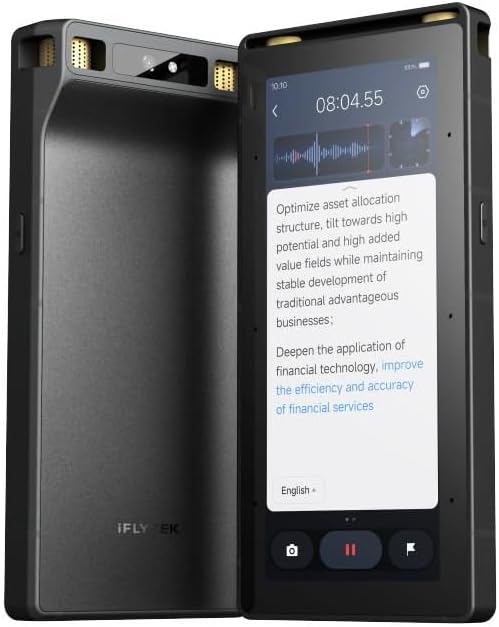

Plaud Note Pro is a polished, card-thin recorder built for users who want more than a raw audio file. Its 4.5 rating reflects a strong overall package combining adaptive directional audio, transcription, summaries, multimodal notes, and a readable AMOLED display. The combination makes it especially useful for business meetings, interviews, and presentations where a transcript alone may not preserve every important detail.
We may earn a commission when you buy through this link, at no additional cost to you.
The device's standout capability is its combination of audio, typed notes, images, and real-time key-moment markers. A user can photograph a whiteboard, document, or slide and place it alongside the relevant recording. Ask Plaud can then extract key points, draft emails, identify next steps, and answer questions grounded in the original conversation. Automatic switching between call and meeting modes also reduces the need to adjust settings when a conversation format changes.
Audio performance is supported by four MEMS microphones, one VPU microphone, directional capture, and real-time spatial awareness. Enhance Mode can focus on speech from up to 16.4 feet, while Endurance Mode supports up to 50 hours of continuous recording. The tradeoff is that transcription and advanced AI capabilities depend on the included starter allowance or an upgraded Plaud plan, and most cloud-based organization works best when the device can connect to the accompanying services.
This is the most versatile choice for a professional who routinely combines remote calls with in-person conversations and wants AI to help produce follow-up material. Choose it if multimodal context, polished hardware, and a broad assistant toolset matter more than purchasing a strictly offline device. For straightforward transcription at a lower cost, the lighter alternatives in this list may be more appropriate.
Recording audio, adding typed notes, and inserting images creates a richer record than either voice or text alone. This is especially helpful when a decision depends on a contract, diagram, presentation slide, or a phrase that speech recognition alone may not make obvious.
The built-in question tool can turn a recording into a practical next step. It can extract commitments, suggest actions, draft an email, or surface details that would otherwise require replaying and manually searching a long conversation.
We may earn a commission when you buy through this link, at no additional cost to you.
Pocket AI Voice Recorder is a compact, straightforward option for people who want to capture meetings and calls without handling a large headset or relying on a phone app alone. It carries a 4.6 rating, the highest among the recorders with an established rating in this roundup, and its defining strength is a stated battery life of up to four days.
We may earn a commission when you buy through this link, at no additional cost to you.
One-tap recording keeps the device useful when a conversation starts unexpectedly. After capture, Pocket can generate summaries, action items, and structured conversation maps. Ask Pocket adds question-based analysis, insight extraction, and next-step suggestions grounded in the stored recording. Its magnetic MagSafe compatibility also creates a convenient way to carry and operate the recorder alongside a compatible phone.
The primary limitation is that the supplied information provides less detail about microphone arrangement, pickup distance, and language coverage than some competing product descriptions. The device also separates essential functions from optional premium features, so buyers who expect every advanced workflow to be included should examine the current plan details. Its portability nevertheless makes it compelling for commuters, sales professionals, and anyone recording several short conversations per day.
Choose Pocket when fast capture, compact size, and long standby endurance are your leading priorities. It is a particularly attractive choice for users who may not want to charge a recorder between meetings. If microphone pickup range, offline processing, or extensive language support is more important, a specialized model may offer a better fit.
One-tap operation reduces the chance that a useful remark will be missed. Pocket is designed to go from capturing the conversation to producing a summary and organized next steps without requiring a complicated sequence of hardware controls.
MagSafe compatibility is especially convenient for users who already carry a compatible phone. The recorder can remain readily accessible without occupying a pocket, while the compact enclosure is easier to carry than many conventional voice recorders.
We may earn a commission when you buy through this link, at no additional cost to you.
AI Voice Recorder Lite, also identified in its product information as the EurekaMind recorder, is a budget-oriented option with an ambitious set of standard features. Its 4.4 rating reflects a useful combination of unlimited starter transcription, AI summaries, speaker recognition, action-item detection, and a highly compact magnetic design.
We may earn a commission when you buy through this link, at no additional cost to you.
Recording can begin with one press, with separate ambient and call modes for in-person conversations and phone conversations. The app transforms recordings into transcripts, summaries, and structured notes while identifying different speakers and highlighting action items. Its Ask AI feature adds follow-up questions and can search the web for broader context, while the free starter plan includes unlimited transcription and AI summaries.
The important qualification is that reminders, calendar synchronization, and advanced Ask Agent capabilities are offered through premium upgrades. The supplied listing also does not state a specific continuous-recording battery duration, making endurance harder to compare directly with models that provide clear figures. Even so, the device's three-millimeter profile and one-ounce weight are unusually compact for a recorder with this much AI functionality.
This is a strong choice for students, early-stage professionals, and anyone who wants to try AI transcription without beginning with a monthly transcription allowance. Choose it when unlimited starter processing, speaker separation, and portability matter most. Users needing extensive offline functions or guaranteed long recording sessions may prefer one of the more specialized premium options.
Unlimited transcription removes a common source of uncertainty for frequent note takers. Users can capture several meetings and lectures without tracking an initial pool of minutes, although advanced automation and planning tools remain separate upgrades.
At three millimeters thick and approximately 1.02 ounces, the recorder can slide into a wallet or attach magnetically to a phone. That makes it easy to keep close at hand for interviews, lectures, and spontaneous conversations.
We may earn a commission when you buy through this link, at no additional cost to you.
Comulytic Note Pro combines a 4.4 rating with a notably complete standard feature set. It records calls, interviews, lectures, and voice memos, then provides unlimited transcription and basic summaries through its starter plan. The device is especially interesting for users who want more local storage and faster synchronization than many similarly compact recorders.
We may earn a commission when you buy through this link, at no additional cost to you.
Its 64GB internal storage can hold thousands of hours, while unlimited cloud backup provides a separate way to protect and retrieve recordings. Wi-Fi transfer is advertised as up to ten times faster than Bluetooth, and the recording can continue while synchronization proceeds. The triple-microphone array uses AI noise reduction for pickup within five meters, while adaptive recording automatically identifies meetings, calls, video conferences, and interviews.
Language support is broad at 113 languages, with a built-in translation mode and a vertical knowledge base for areas such as insurance, real estate, automotive sales, finance, law, recruitment, and consulting. The trade-offs are a premium tier for deeper analysis and the assistant, plus a software ecosystem that may feel more elaborate than necessary for basic voice memo capture. The supplied information also contains a display measurement described in slightly different terms from the separate Comulytic listing.
Choose this model when you want generous transcription, local capacity, and rapid cloud delivery without starting with a metered minute allowance. It is well suited to consultants, agents, journalists, and students who record many sessions and need structured notes. Users seeking a more established brand ecosystem or visible on-device display may favor another model, but the feature-to-cost balance here is difficult to ignore.
The combination of 64GB built-in storage and unlimited cloud backup reduces the need to manually transfer every file. Fast Wi-Fi synchronization is also useful for users who want recordings and transcripts to appear in the app without interrupting their conversation.
The vertical knowledge base is designed to improve recognition of terminology in fields where specialized vocabulary can otherwise be confusing. This is particularly valuable for sales, finance, legal, and property conversations that repeatedly use industry language.
We may earn a commission when you buy through this link, at no additional cost to you.
Comu Action Pro leads this roundup with a 4.8 rating, the highest supplied score among the ten devices. It is designed for users who want the recorder to move beyond transcripts and summaries into editable workplace outputs. Its six-microphone configuration, 70-hour battery claim, and automatic document generation make it a particularly complete premium package.
We may earn a commission when you buy through this link, at no additional cost to you.
The audio system combines four omnidirectional microphones, one directional microphone, and one bone-conduction microphone, coordinated by a built-in motion sensor. That arrangement is intended to select a clearer source across interviews, meetings, calls, and other settings. The app can transcribe and summarize in 113 languages, perform real-time translation, and create presentation slides, email drafts, reminders, to-do lists, and action items.
A dedicated AI button gives users a direct way to request output from a recording without writing a detailed prompt. Bluetooth and Wi-Fi connectivity support cross-device access through the app and website, and MagSafe compatibility adds portability for compatible iPhone users. The main qualification is that the 70-hour claim concerns up to 70 hours of basic recording, transcription, and summary services, so intensive use of every AI function may affect real-world endurance differently.
Choose Comu Action Pro for all-day recording capacity and an ambitious set of automatic document tools. It is well suited to executives, consultants, sales leaders, and project managers who want meeting content transformed into practical artifacts. If your needs center on offline processing or extensive local storage rather than AI-generated documents, another specialist device may be a better fit.
The ability to create editable slides, email drafts, reminders, and task lists is the device's most distinctive advantage. These outputs can save the time normally spent turning a discussion into multiple separate follow-up artifacts.
Multiple microphone types work together with a motion sensor to favor clearer sound capture. This wider hardware approach is useful for users who move between interviews, calls, group meetings, and presentations rather than using one fixed recording arrangement.
We may earn a commission when you buy through this link, at no additional cost to you.
Note AI Voice Recorder, presented in its listing as the RECPOINT device, earns a 4.5 rating and stands out for exceptional language coverage and substantial included AI usage. It can transcribe and translate across 150 languages, making it a strong candidate for international meetings, multilingual research, and educational settings.
We may earn a commission when you buy through this link, at no additional cost to you.
A one-touch control and OLED status screen support quick operation. Dual microphones with AI noise cancellation are intended to improve speech pickup, while 64GB of storage offers approximately 600 hours according to the product information. The 30-hour battery is suitable for workdays and extended events, and the included desktop suite provides audio management, editing, renaming, merging, and export tools.
The AI workflow creates structured summaries, mind maps, and to-do lists from transcribed audio. Purchases include 360 monthly minutes for transcription and summarization plus 720 monthly minutes for text translation, with core ecosystem access described as permanent. The limitation is that the two allowances differ, and heavy users may need more AI processing than the included monthly package supplies. The dual-microphone configuration also offers less detail about directional pickup than the larger arrays on premium models.
Choose this recorder if multilingual collaboration is central to your work or studies. It is also appealing for users who want local recording storage and desktop-based organization rather than a phone-only workflow. If your priority is a long microphone array, offline transcription, or unlimited starter processing, compare those advantages with the more specialized choices in this guide.
The stated support for 150 languages is the clearest differentiator in the list. It can help users document international calls, lectures, and interviews while also translating transcript text for later review.
The included desktop software expands the device beyond simple capture. Users can organize, edit, merge, rename, and export recordings, which is particularly useful for maintaining a searchable archive of lectures or client conversations.
We may earn a commission when you buy through this link, at no additional cost to you.
Plaud Note is a slimmer, non-Pro alternative to the Plaud Note Pro. Its 4.5 rating, 0.12-inch thickness, 1.06-ounce weight, and 64GB of local storage create a compelling package for users who want the established Plaud workflow without moving up to the more advanced model.
We may earn a commission when you buy through this link, at no additional cost to you.
The device captures conversations in 112 languages and uses several large language models to turn audio into transcripts, mind maps, to-do lists, and structured insights. More than 10,000 professional templates are listed, allowing the output to be adapted to different meeting types. Multimodal input supports typed notes, images, and real-time key-moment markers, while dual recording modes cover in-person ambient sound and phone calls through a vibration conduction sensor.
Its strongest technical advantage is the ability to store audio locally and record without an internet connection. The trade-off is the included starter plan provides 300 transcription minutes per month, with larger Pro and Unlimited allowances available as upgrades. The model also has a more modest microphone and battery specification than the Pro, making it more appropriate for shorter sessions and users who prioritize slimness and local storage.
Choose Plaud Note if you want a discreet recorder with dependable offline capture and a mature template-based AI workflow. It is a good match for consultants, writers, and students who regularly review long conversations in different formats. If a larger battery, more advanced directional system, or richer assistant features are essential, the Plaud Note Pro is the logical step up.
Local storage and offline recording can be valuable in travel, restricted network environments, or confidential settings. You can capture the conversation first and synchronize or process it when a connection becomes available.
The large template library helps transform one recording into different kinds of structured material. Users can move beyond a generic transcript toward a summary, mind map, task list, or role-specific set of notes.
We may earn a commission when you buy through this link, at no additional cost to you.
The Offline AI Voice Recorder is the most specialized model in the list, focusing on local processing, security, and large-room capture. It does not have a supplied customer rating, so this review is based on its documented capabilities rather than a comparison of established rating totals. Its eight-microphone array, full touchscreen, and offline AI functions distinguish it from the smaller card-style alternatives.
We may earn a commission when you buy through this link, at no additional cost to you.
Two directional and six omnidirectional microphones are designed to capture speech from up to 20 meters, making the device suitable for halls, lectures, presentations, and larger meetings. Advanced noise filtering, speaker separation, and sound-source localization help organize complex conversations. Offline transcription and translation work across five languages, while offline optical character recognition and video subtitling add options for visually presented material.
Security is unusually prominent. The device has three tiers of hardware encryption covering the lock screen, files, and device-specific protection. It also supports cloud synchronization when desired and wired screen projection for showing live transcriptions during a meeting. The central limitation is that offline language support covers five languages, considerably fewer than the online-oriented competitors, and no customer rating was provided to gauge long-term user satisfaction.
Choose this device for secure environments, large rooms, or situations in which a network connection cannot be trusted. It is a compelling option for legal, technical, academic, and executive work where real-time transcription display or local processing adds value. If broad language support and a mature consumer app ecosystem are more important, one of the online-first recorders may be a better fit.
Offline transcription and translation reduce the need to send every recording to a remote service. This can be important for confidential conversations, international travel, fieldwork, and locations where connectivity is slow or unavailable.
The eight-microphone array and stated 20-meter pickup range target spaces larger than a typical conference table. Speaker separation and source localization further help distinguish voices when several people are spread across a hall or lecture space.
We may earn a commission when you buy through this link, at no additional cost to you.
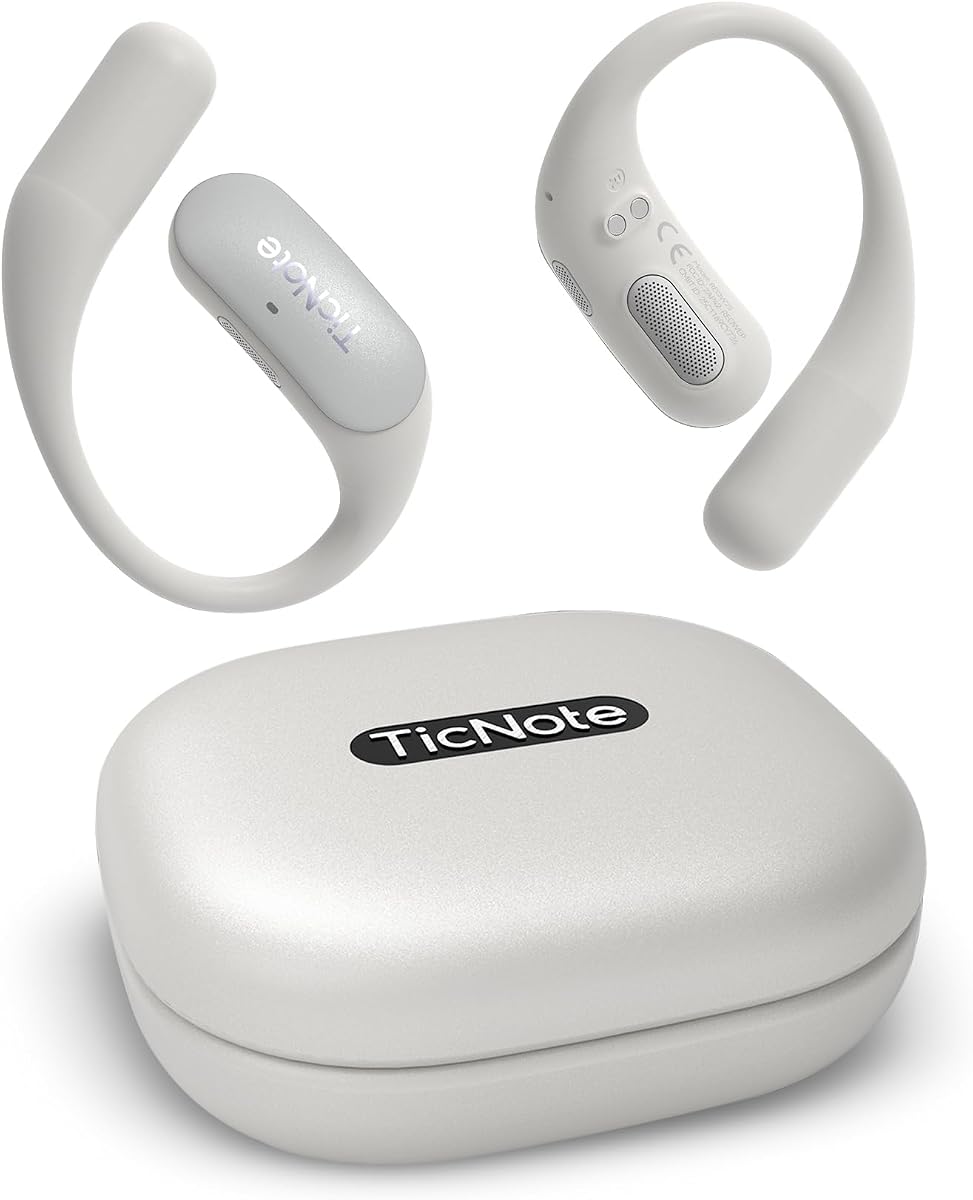
Mobvoi TicNote Pods WiFi is a wearable-style recorder aimed at teams that need to share the results of a conversation. Its 4.1 rating is the lowest established score among the rated products, but the collaboration features are more distinctive than the score alone suggests. The device is designed for meetings, client calls, interviews, lectures, and daily business communication.
We may earn a commission when you buy through this link, at no additional cost to you.
Recordings are automatically transcribed and summarized into structured notes, highlights, and action items. A built-in Shadow AI feature helps organize content into more useful work outputs. The dual-microphone array uses minus-40 dB environmental noise cancellation and has a stated pickup range of up to 10 meters, while transcription and translation support more than 120 languages.
The Wi-Fi version is intended for connected offices, classrooms, and travel locations where cloud synchronization is useful. It provides 32GB of local storage for a large archive, but its stated continuous recording battery is five hours, considerably shorter than several competitors. Team collaboration is backed by encrypted cloud storage, collaborative editing, and version history. Recordings are stored on US-based servers and are not used for AI training.
Choose TicNote Pods when a shared team workflow is more important than maximum battery endurance. It is especially suitable for distributed offices, agencies, and project teams that need a common transcript and clear revision history. For all-day solo recording, choose a model with a longer stated recording capacity.
Collaborative editing and version history make the output easier to manage when several colleagues contribute to follow-up notes. The cloud system is designed to keep transcripts, recordings, and next steps aligned across the team.
End-to-end encryption, US-based storage, and a stated policy of not using recordings for AI training address common concerns. These protections do not replace a user's own review of organizational policies, but they make the intended privacy model clearer.
We may earn a commission when you buy through this link, at no additional cost to you.
This Comulytic Note Pro listing offers a similar core product to the earlier Comulytic entry, with a 4.2 rating and a slightly different supplied description. It emphasizes fast Wi-Fi synchronization, unlimited starter transcription, and 45 hours of continuous recording, making it appealing to users who want recordings transferred quickly without waiting for a conventional Bluetooth workflow.
We may earn a commission when you buy through this link, at no additional cost to you.
The aluminum body is described as 1.2 inches thin, with a 0.78-inch Gorilla Glass display and one-touch recording. A triple-microphone array uses AI noise reduction for speech pickup within five meters. The app produces transcripts, summaries, to-do lists, and custom highlights across 113 languages, with vertical vocabulary support for insurance, real estate, automotive, finance, law, and other professional fields.
The device can record while transferring files through Wi-Fi, and the supplied data mentions both built-in storage and unlimited cloud backup through the app. The starter plan includes unlimited transcription and basic summaries, while advanced summaries, instant abstracts, the assistant, and a contact insight hub are upgrades. AES encryption and CCPA protection are highlighted, along with magnetic accessories and an OTG adapter in the package.
Choose this model if rapid cloud delivery, long recording endurance, and professional vocabulary recognition are your main requirements. It suits agents, advisers, journalists, and executives who record many meetings and want transcripts available with little delay. Buyers should compare its current software terms with the other Comulytic listing because the product names are nearly identical while the supplied descriptions differ.
The ability to transfer recordings over Wi-Fi while continuing to talk reduces downtime. It is a practical advantage for interviews and meetings where the participant wants to remain engaged rather than stop the conversation to move files manually.
A stated 45-hour continuous recording capacity covers multiple workdays and extended events. A full charge reportedly takes 90 minutes, while a very long standby figure adds convenience for users who carry the device between occasional recording sessions.
We may earn a commission when you buy through this link, at no additional cost to you.
The right recorder depends on the conversations you capture, the languages involved, the importance of offline access, and how much the final notes must be organized. Use the following factors to narrow the field before comparing the complete list.
Microphone quality determines whether a transcript has a clean foundation. A three-microphone array with AI noise reduction may work well across a conference table, while a six- or eight-microphone configuration offers more options for large rooms, changing speaker positions, and mixed environments. Stated pickup distances are useful comparisons, but they do not account for every acoustic factor. Room size, competing noise, speaker distance, and whether the device remains stationary can all change real-world results.
Look for more than a headline accuracy figure. Professional terminology support, speaker recognition, sound-source localization, and separation of multiple participants can make a larger difference in a usable transcript than a small improvement in isolated word accuracy. Some products also include vertical knowledge bases for legal, financial, property, insurance, or sales conversations, which may help when common words have specialized meanings in your industry.
Multilingual users should distinguish transcription support from translation support, because a device can perform one without the other. The list includes support ranging from offline processing in five languages to online transcription and translation across more than 120 or 150 languages. Also consider whether real-time translation is important or whether a transcript can be translated after the meeting. International teams may also need a built-in translator mode for immediate reference.
Battery claims should be compared carefully because some refer to continuous recording under basic services, while others describe a much longer standby period. A model offering 30 to 70 hours of recording may be valuable for conferences and field work, whereas a five-hour model is better suited to office meetings with regular charging opportunities. Local storage matters for offline recording, and cloud backup adds convenient retrieval but should not be treated as a substitute for understanding your organization's retention rules.
A transcript becomes more useful when it produces a concise summary, decisions, action items, and a draft follow-up. Compare the depth of the AI workflow, the number of templates, and whether the device can question a recording. Some products create editable email drafts, reminders, presentation slides, or task lists, while others focus on structured notes and mind maps. Check which functions are included and which require a subscription before judging the complete value.
Meeting recordings can contain confidential business, legal, medical, or personal information. Look for encryption, clear storage locations, controls over data processing, and policies concerning AI training. Hardware-level file protection, three-tier encryption, end-to-end cloud encryption, and stated exclusion of training data offer different levels of assurance. Privacy claims should still be evaluated against your own compliance obligations, and participants should be informed before recording.
Online recorders generally offer broader language support and more advanced model access, but they depend on a dependable connection. Offline recorders can transcribe, translate, and organize locally, making them useful for confidential work, travel, and unreliable networks. Wi-Fi synchronization can make files available quickly while recording continues, while Bluetooth and USB-C options influence everyday portability. Decide whether processing must happen immediately or can wait until a secure connection is available.
A recorder you are willing to carry is more likely to be used consistently. Credit-card dimensions suit pockets, wallets, and magnetic phone attachments, while a larger touchscreen may be easier to operate for users who need visible recording status and controls. MagSafe compatibility, a magnetic case, a finger ring, and included mounting accessories influence how securely the device travels with a phone. Compare thickness, weight, display visibility, and one-touch operation together.
Before recording, check the battery, storage, microphone permissions, and selected capture mode. For an in-person meeting, position the device near the central speaker area and away from laptops, vents, loose objects, or other noise sources. For a phone call, use the appropriate call mode and confirm that the relevant application permits call audio capture. Test a short recording first whenever you are using a new device or unfamiliar environment.
Start with a clear introduction and state that the conversation is being recorded. This supports consent, gives participants time to speak clearly, and prevents an early comment from being lost. Use the marking control or device AI button when a decision, deadline, or important phrase occurs. Add photographs of whiteboards, slides, diagrams, or documents when permitted, because visual context can be just as valuable as the transcript.
After the session, let the recording synchronize and review the generated summary against the original audio. Correct speaker labels, names, numbers, and technical terms before sharing notes. Protect the file with the appropriate app or device security features, follow your organization's retention schedule, and delete unneeded recordings. Keep the recorder dry, clean the microphones gently, charge it in suitable conditions, and update its software and firmware through the official app.
They can be highly useful for capturing conversations, especially when clear speech, proper positioning, and a quiet room are involved. Accuracy varies with accents, background noise, overlapping speakers, technical vocabulary, and the specific language being processed. Business users should review important summaries and action items against the original recording rather than treating generated output as infallible.
Several models in this list include dedicated call recording modes, while others use vibration conduction or broader call-capture functions. Compatibility depends on the phone, operating system, application, and local rules surrounding call recording. You should also notify the other participant and obtain consent before capturing a private call.
Transcription converts speech into text, usually with speaker identification and timestamps where supported. AI summarization interprets that content to identify decisions, themes, action items, and follow-up material. A device can have strong transcription while offering less sophisticated summaries, so buyers should consider both the raw record and the output they actually need.
Most are optimized for online processing, but some models provide local storage, offline recording, and offline transcription or translation. Offline support may cover fewer languages than the online feature set. Check exactly which tasks remain available offline, especially if you work in secure facilities, travel internationally, or handle sensitive information.
Some products include unlimited starter transcription, while others provide a fixed monthly allowance. Advanced summaries, assistants, reminders, translation, or higher processing limits may require a paid plan. Because plan terms can change, confirm the current included allowances and premium features on the product page before purchasing.
A card-sized model is easier to carry discreetly and often attaches magnetically to a phone, making it convenient for quick captures. A touchscreen device may provide clearer status, larger controls, offline processing, and live projection. The best choice depends on whether portability or a more visible, workstation-like interaction matters more in your routine.
Look for encryption, secure cloud storage, controlled processing, and clear rules about AI training. Use device locks, strong account credentials, multi-factor authentication where available, and appropriate organization-level storage. You should also obtain participant consent, limit access to necessary people, and follow a defined retention and deletion policy.
Yes, if its pickup range, storage, and battery life suit the environment. Models with 30 to 70 hours of recording and local storage are better suited to extended events, while a five-hour recorder is most practical for shorter sessions. You should also consider whether the speaker is far away and whether lecture terminology needs a specialized knowledge base.
Plaud Note Pro stands out as the most balanced overall choice because it combines refined hardware, adaptive audio, multimodal notes, and an assistant that can turn conversations into follow-up material. Comu Action Pro is the strongest premium alternative for buyers who prioritize long recording endurance and automatic document generation, while AI Voice Recorder Lite offers a practical budget route into transcription, summaries, and speaker recognition.
Before buying, prioritize the features that directly affect your work: pickup range in your normal rooms, accuracy in the languages and accents you encounter, offline capability if required, the usefulness of generated outputs, and the privacy terms that govern your recordings. A large language count or impressive feature list will not help if the device is difficult to carry, the plan excludes essential tools, or the speaker is too far away for clear pickup.
Specifications, availability, subscription terms, and prices can change, so check the current listing before ordering. Confirm battery figures under your intended usage, review which AI functions are included, verify supported devices and languages, and test the recorder in a short real-world meeting whenever possible.