
Acer Aspire 14 AI Copilot+ PC
4.3Editor score
47 TOPS Intel NPU
16GB LPDDR5X memory
Up to 22-hour battery
AI laptops with NPU combine dedicated neural-processing hardware with capable CPUs, GPUs, memory, and displays to accelerate AI-assisted work. A good model should deliver useful on-device performance while remaining responsive for everyday tasks, and it should fit the way you work, travel, create, or develop.
We compared all ten systems using their supplied specifications, with particular attention to NPU capability, processor architecture, memory, storage, display quality, connectivity, battery claims, and physical design. The list covers ultraportable Copilot+ PCs, larger productivity laptops, and high-performance workstations built for demanding local AI workloads.
Each review explains who the configuration is best suited for, where it stands out, and which compromises deserve consideration. The top selections are highlighted separately, while product features and availability can change, so readers should verify current specifications and prices before purchasing.
4.3Editor score
4.6Editor score

5.0Editor score
As an Amazon Associate we earn from qualifying purchases.
The comparison below places each laptop's most consequential specifications side by side, including processor, NPU output, memory, display, storage, and major platform details.


The Acer Aspire 14 AI combines an Intel Core Ultra 7 256V processor, an NPU rated at up to 47 TOPS, Intel Arc 140V graphics, 16GB of LPDDR5X memory, and a 1TB SSD. Its 4.3 rating reflects a broadly capable configuration rather than a specialized workstation, making it a practical entry point for Copilot+ features and everyday productivity.
We may earn a commission when you buy through this link, at no additional cost to you.
Its strongest attraction is the balance between AI capability and conventional laptop essentials. The CPU, GPU, and NPU can distribute different workloads, while AcerSense provides access to settings, video-presence tools, and other AI-assisted functions. The 1920 x 1200 display offers a roomy 16:10 workspace, and the one-terabyte drive is generous for documents, projects, and installed applications.
The main limitation is memory. Sixteen gigabytes may be sufficient for everyday office work, web research, communication, and lighter creative tasks, but it offers less headroom for large local models, intensive virtual machines, or heavy multitasking. The screen also lacks the higher brightness, touch input, or refresh rate found on some costlier alternatives. These are meaningful constraints, but the laptop compensates with a 1TB SSD, capable silicon, and strong battery claims.
This is a sensible recommendation for students, office workers, and mainstream users who want capable on-device AI without moving into a high-end workstation. It should be particularly attractive to buyers who value storage, portability, and all-day endurance. Those who routinely run demanding AI applications or need a touch display should consider one of the more powerful or premium configurations.
The 47-TOPS NPU handles supported AI tasks efficiently, while the Core Ultra 7 and Arc 140V ensure the system is not dependent on that accelerator for ordinary productivity. This mixed CPU, GPU, and NPU design provides a flexible foundation for Copilot+ tools.
The aluminum chassis, 180-degree hinge, 16GB LPDDR5X memory, and 1TB SSD create a durable and convenient everyday setup. Claimed video-playback battery life reaches up to 22 hours under specified conditions.
We may earn a commission when you buy through this link, at no additional cost to you.
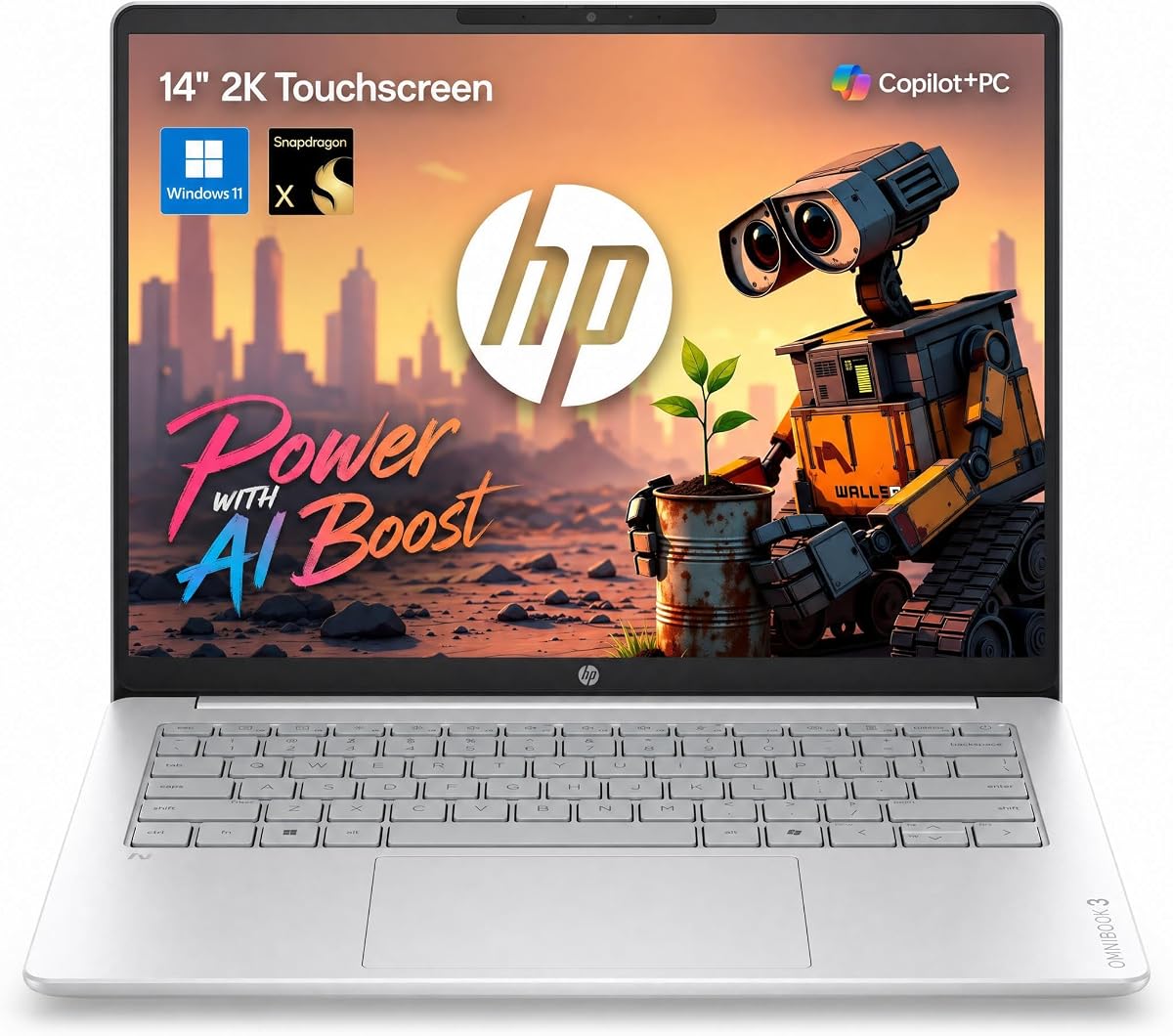
The HP OmniBook 3 14 pairs a Snapdragon X 8-core processor with a dedicated 45-TOPS NPU, 16GB of LPDDR5X memory, and a 1TB PCIe Gen4 NVMe drive. Its 4.6 rating and unusually rich feature set make it one of the most compelling general-purpose AI laptops in this roundup, particularly for mobile users.
We may earn a commission when you buy through this link, at no additional cost to you.
Portability is a defining strength. The laptop weighs 3.13 pounds, includes a 14-inch 1920 x 1200 IPS touchscreen, and offers a 16:10 aspect ratio with an 88% screen-to-body ratio. Two USB-C ports with Power Delivery and DisplayPort 1.4, two USB-A ports, HDMI 2.1, Wi-Fi 6E, Bluetooth 5.3, and a camera privacy shutter make it practical beyond a desk.
Its 60Wh battery is listed for up to 30 hours of local video playback, with a supplied 65W GaN adapter capable of taking the system from zero to roughly half charge in 45 minutes. The trade-offs are the familiar 16GB memory ceiling, a display rated at 300 nits, and the potential compatibility considerations that can accompany Windows on Arm. Software and driver support should be checked for specialized applications.
The OmniBook 3 14 is ideal for students, frequent travelers, and professionals who want an NPU-equipped Copilot+ system in a light chassis. Its touch display, strong port selection, and endurance claims set it apart from many similarly compact alternatives. For most people seeking a well-rounded AI laptop, it is an especially easy recommendation.
At 3.13 pounds with a 2K touchscreen and up to 30 hours of stated video playback, the OmniBook is designed for mobile productivity. Fast charging and a compact GaN adapter further reduce the inconvenience of long workdays away from an outlet.
The 45-TOPS NPU is intended for local AI workloads such as summaries and generative-content tasks. Dual USB-C, dual USB-A, HDMI 2.1, Wi-Fi 6E, and Bluetooth 5.3 provide a versatile connection package without requiring a dongle for common tasks.
We may earn a commission when you buy through this link, at no additional cost to you.
The ASUS Vivobook S16 combines an AMD Ryzen AI 9 465 processor, an NPU delivering up to 50 TOPS, Radeon graphics, 32GB of memory, and a 1TB SSD. It earned a 5.0 rating, and the supplied specifications position it as a polished, high-quality option for users who want an expansive OLED display alongside capable AI hardware.
We may earn a commission when you buy through this link, at no additional cost to you.
The 16-inch 1920 x 1200 OLED panel provides strong contrast and vivid detail, making the Vivobook well suited to media consumption, creative review, document work, and general productivity. A 70Wh battery is listed for up to 23 hours of use, while fast charging can reach 60% in 49 minutes. Dolby Atmos, an array microphone, a fingerprint reader, Windows Hello, and a physical camera shutter add everyday convenience.
Its 3.75-pound weight and 0.7-inch thickness keep the large screen reasonably portable, though they do not make it as travel-friendly as a 14-inch model. Wi-Fi 6 is acceptable for routine use but lags newer Wi-Fi 7 options elsewhere in the list. Buyers focused strictly on maximum local-AI throughput may also find more specialized systems more appropriate.
The Vivobook S16 is a strong choice for creative professionals, office users, and students who appreciate a large, refined OLED display without adopting a bulky workstation design. The combination of 32GB memory, a 50-TOPS NPU, strong ports, and polished everyday features makes it one of the most complete premium choices in the guide.
The narrow-bezel OLED panel expands the visual workspace while delivering deep contrast and vivid color. It is particularly effective for creative review, entertainment, and multi-window use, although buyers who require very high peak brightness outdoors should consider alternatives.
Windows Hello, a physical privacy shutter, Dolby Atmos, an array microphone, and a comprehensive port set make the Vivobook feel mature. Its 32GB memory also provides comfortable headroom for multitasking and many creative applications.
We may earn a commission when you buy through this link, at no additional cost to you.
The Acer Aspire 16 AI uses a Snapdragon X1-26-100 processor, a Qualcomm Hexagon NPU rated at 45 TOPS, and integrated Adreno graphics listed at up to 1.7 TFLOPs. With 16GB of LPDDR5X and a 512GB PCIe Gen4 SSD, it is designed as a roomy yet efficient Copilot+ system rather than a maximum-performance workstation.
We may earn a commission when you buy through this link, at no additional cost to you.
Its 16-inch WUXGA display stands out with a 120Hz refresh rate and 100% sRGB coverage. That combination is useful for smooth navigation and accurate visual work. The laptop also has a 1440p webcam, automatic framing, background blur, gaze correction, AI noise cancellation, dual USB4 ports, Wi-Fi 7, and a physical camera shutter.
Storage is the clearest compromise. At 512GB, users working with large video libraries, project files, or local models may need external storage sooner than buyers of the one-terabyte models. The 16GB memory likewise offers less flexibility for demanding development workloads. Windows on Arm compatibility should also be evaluated against any required professional software.
The Aspire 16 AI is best for users who prioritize a large, smooth, color-accurate screen in a thin chassis. It offers strong conferencing tools, modern connectivity, and efficient local AI processing without a bulky design. It is a compelling general-purpose choice, especially for hybrid workers and students who often work across multiple windows.
The 1920 x 1200 panel combines a roomy 16:10 format with 120Hz refresh and 100% sRGB coverage. That makes the display suitable for both fluid interaction and more color-conscious creative tasks.
The 1440p webcam, Acer PurifiedView 2.0, three-microphone array, and PurifiedVoice 2.0 are designed to improve virtual meetings. Dual USB4, HDMI 2.1, Wi-Fi 7, and Bluetooth 5.3 complete the connectivity package.
We may earn a commission when you buy through this link, at no additional cost to you.
The NIMO 16 AI Laptop is built around the AMD Ryzen AI Max+ 395 processor with 16 Zen 5 cores, 32 threads, up to 160W fast-platform performance, Radeon 8060S graphics, and a 50-TOPS XDNA 2 NPU. Its 4.6 rating reflects an unusually ambitious configuration aimed at AI development, local large language models, heavy compilation, 8K editing, and engineering workloads.
We may earn a commission when you buy through this link, at no additional cost to you.
Its defining advantage is 128GB of 256-bit LPDDR5X-8000 unified memory. This large memory pool can reduce the limitations associated with separate GPU VRAM, giving local AI tools and creative applications more room to operate. Two M.2 2280 PCIe 4.0 slots support storage expansion, while native Oculink enables high-speed external GPU connectivity alongside USB4, HDMI 2.1, 2.5Gb Ethernet, and UHS-II card reading.
The trade-offs are weight, complexity, and power demand. A 99Wh battery and 230-watt adapter are substantial, and the system is aimed at people who need workstation-class resources rather than a lightweight travel computer. Thermal behavior and sustained performance will depend on real workloads, while claims involving specific local models or 8K timelines should be treated as intended use cases rather than universal guarantees.
This is the strongest choice here for AI developers, engineers, and creators who routinely work with large local workloads. Its combination of 128GB unified memory, 50 TOPS of NPU performance, strong integrated graphics, and extensive I/O is difficult to match. Buyers with ordinary office needs will gain little from its exceptional capacity.
The 128GB unified-memory configuration gives software a much larger shared pool than a typical laptop. That can be especially valuable when loading local LLMs, Stable Diffusion workflows, virtualized environments, or complex editing timelines.
Native Oculink, full-function USB4, 2.5Gb Ethernet, dual M.2 slots, and UHS-II media support create a flexible platform for specialized peripherals. The 2560 x 1600, 165Hz display and RGB keyboard also serve demanding multi-window and creative workflows.
We may earn a commission when you buy through this link, at no additional cost to you.
The ASUS Zenbook A16 AI pairs the Snapdragon X2 Elite Extreme processor with an NPU capable of up to 80 TOPS, 48GB of LPDDR5X-9600 memory, and a 2TB SSD. Its 5.0 rating and unusually high advertised NPU figure make it the most explicitly AI-focused premium ultraportable in this collection.
We may earn a commission when you buy through this link, at no additional cost to you.
The 16-inch ASUS Lumina 3K 120Hz OLED touchscreen reaches up to 1100 nits peak brightness and occupies a claimed 90% of the display area. Six super-linear speakers, a backlit keyboard, Windows 11 Pro, and a 70Wh battery round out the premium experience. Fast charging is listed at up to 50% in 30 minutes, while the chassis weighs only 2.87 pounds and is 0.65 inches thick.
The main practical concern is application compatibility because this is a Windows on Arm system. Specialized engineering tools, plugins, security software, and peripheral drivers can behave differently from their x86 equivalents, so checking essential programs is essential. Its 2TB storage configuration is generous, and 48GB of memory is excellent for AI-assisted productivity, but the 80-TOPS rating is a peak hardware metric rather than a guarantee of identical performance in every application.
The Zenbook A16 is ideal for mobile professionals, content creators, and early adopters who prioritize the newest NPU architecture, a superb OLED panel, and generous memory. It is a particularly polished general-purpose Copilot+ PC, provided the buyer confirms that required applications and accessories are supported.
The advertised 80 TOPS gives the Zenbook A16 the highest NPU figure among these selections. This supports on-device searches, summaries, file retrieval, and other assisted workflows, subject to application support and the specific task.
The 3K 120Hz OLED touchscreen, six speakers, 2.87-pound weight, and fast charging make the Zenbook particularly compelling for media and mobile use. Its 48GB of memory and 2TB SSD provide ample room for AI applications and creative files.
We may earn a commission when you buy through this link, at no additional cost to you.
The NIMO 17.3 Copilot+ AI combines an AMD Ryzen AI 9 HX 370 processor with a 50-TOPS XDNA NPU, Radeon 890M graphics, 16GB of DDR5 memory, and a 1TB SSD. Its 4.5 rating reflects a configuration that mixes solid AI performance with a large, high-refresh display and useful expansion options.
We may earn a commission when you buy through this link, at no additional cost to you.
The 17.3-inch Full HD EDP display operates at 144Hz and can lay flat at 180 degrees, making it useful for sharing screens or working in group settings. Radeon 890M graphics based on RDNA 3.5 can handle demanding AAA games, 4K editing, and 3D rendering more capably than basic integrated graphics. The backlit keyboard includes a full-size numeric keypad for data entry.
Expansion is a notable advantage. Dual DDR5 SO-DIMM slots support up to 64GB of memory, and dual M.2 PCIe 4.0 slots allow additional high-capacity storage. At the same time, the supplied 16GB configuration is modest for a performance laptop, and the 1920 x 1080 resolution may feel less detailed than the 2K and 3K alternatives in the guide.
This model fits gamers, developers, students, and creative users who want a large display without moving to the heaviest workstation. It is less attractive for travelers because of its size, and buyers seeking maximum local-AI memory capacity should look to the NIMO 16 AI Laptop. Even so, its combination of expansion, 144Hz motion, and a 50-TOPS NPU is unusually versatile.
The large 144Hz panel provides smooth scrolling, gaming, and animation while giving side-by-side applications more room. Its 180-degree hinge also adds flexibility for presentations and collaborative work.
Two SO-DIMM memory slots and two M.2 storage positions make the system easier to tailor as workloads evolve. USB4, HDMI 2.1, multiple USB-A ports, an SD reader, fingerprint security, and a 100-watt Power Delivery option add practical flexibility.
We may earn a commission when you buy through this link, at no additional cost to you.
The HP Omnibook 16 Touchscreen combines an AMD Ryzen AI 7 350 processor, a 50-TOPS NPU, 32GB of LPDDR5X-7500 memory, and a 2TB Gen4 SSD. Its 4.6 rating reflects a balanced configuration that prioritizes screen quality, storage, and professional features rather than gaming-oriented hardware.
We may earn a commission when you buy through this link, at no additional cost to you.
The 16-inch 1920 x 1200 IPS touchscreen has micro-edge bezels, 300 nits brightness, an anti-glare finish, and AMD FreeSync support. Windows 11 Pro, a full-size backlit keyboard with numeric keypad, an HP True Vision 1080p IR camera, DTS:X Ultra audio, Wi-Fi 6, and Bluetooth 5.4 make it a productive everyday platform.
The processor is specified as an eight-core, 16-thread Zen 5 design reaching up to 5.0GHz, while the 50-TOPS NPU accelerates supported AI workloads. Integrated graphics are suitable for general productivity and media, though buyers interested in intensive 3D rendering or high-end gaming would be better served by a system with more graphics-oriented hardware. Wi-Fi 6 is also a step behind the newest connectivity in this roundup.
The Omnibook 16 is a strong recommendation for office professionals, hybrid workers, and students who want a large touchscreen, plentiful storage, and a capable NPU. Its 32GB memory supports comfortable multitasking, while the two-terabyte drive reduces the need for frequent storage management. For business-oriented users, the Pro operating system and security features are additional advantages.
The 16:10 touchscreen offers more vertical workspace than a standard 16:9 panel, while anti-glare treatment helps with office lighting. A 1080p IR camera supports secure Windows Hello authentication and clearer video collaboration.
Thirty-two gigabytes of LPDDR5X and a 2TB SSD are generous for large document collections, communication, creative files, and concurrent applications. The 50-TOPS NPU and Ryzen AI 7 processor add local AI capability without a discrete GPU.
We may earn a commission when you buy through this link, at no additional cost to you.
The Dell 16 Plus Touchscreen uses an Intel Core Ultra 9 288V vPro processor, 32GB of LPDDR5X-8533 memory, and a 1TB PCIe NVMe SSD. The supplied listing describes a 12-core processor reaching up to 5.3GHz and an Intel AI Boost NPU, making it a capable business-oriented Copilot+ option with a 4.5 rating.
We may earn a commission when you buy through this link, at no additional cost to you.
Its 16-inch 1920 x 1200 WVA touchscreen uses a 16:10 aspect ratio and 300-nit brightness, with narrow bezels and ComfortView technology. Intel Arc 140V graphics are aimed at AI-assisted content creation and video editing. The port selection includes USB-A, USB-C with DisplayPort 1.4 and Power Delivery, Thunderbolt 4 with DisplayPort 2.1, HDMI 2.1, and an audio jack.
The most important detail to verify is NPU output. The processor section lists 12 TOPS, while the graphics section says the NPU supports up to 48 TOPS, suggesting different measurement or platform conventions. Buyers should check the exact configuration and vendor documentation. The 300-nit display is adequate for indoor work but less impressive than the brighter OLED and touch options elsewhere.
This laptop is well suited to organizations and professionals seeking a conventional 16-inch form with vPro-oriented manageability, modern ports, and local AI features. The Windows 11 Home operating system, fingerprint reader, backlit Copilot key, Wi-Fi 7, and Bluetooth 5.3 add convenience. It is a sensible office choice when manageability and connectivity matter more than a high-end display.
The listed Intel vPro Platform adds remote manageability and layered security features for organizations. Thunderbolt 4, HDMI 2.1, Wi-Fi 7, and Bluetooth 5.3 also make the laptop easier to integrate into modern workspaces.
Thirty-two gigabytes of high-speed memory and a one-terabyte SSD provide a comfortable foundation for office applications and multitasking. The Arc 140V GPU and Intel NPU add useful acceleration for supported creative and AI-assisted tasks.
We may earn a commission when you buy through this link, at no additional cost to you.
The HP 16 Touchscreen AI is distinguished by an Intel Core Ultra 7 255U processor, a dedicated Intel AI Boost NPU, 96GB of DDR5-5600 memory, and an eight-terabyte storage configuration. Its 5.0 rating makes it one of the most highly rated models here, particularly for users who need unusually abundant memory and disk capacity.
We may earn a commission when you buy through this link, at no additional cost to you.
The 16-inch 1920 x 1200 IPS touchscreen offers a 16:10 ratio, 88% screen-to-body ratio, anti-glare coating, and 300 nits brightness. A 1080p FHD camera with HDR auto switch, dual digital microphones, AI noise reduction, a physical shutter, and a microphone mute key with an indicator support professional communication and privacy.
The supplied specifications contain some inconsistencies: the title states 96GB memory and 8TB storage, while the feature summary lists 32GB and a 1TB drive. Buyers should verify the actual configuration carefully. The Core Ultra 7 255U NPU is not assigned a specific TOPS figure, so the processor's stated AI capability is less concrete than that of several alternatives.
This laptop is best for users who want to store enormous project libraries, media archives, virtual machines, or datasets locally without constantly expanding storage. It is also a solid choice for heavy multitasking because 96GB of RAM provides considerable headroom. Those prioritizing the NPU specification, graphics performance, or screen brightness should choose a model with more clearly defined hardware details.
The stated eight-terabyte drive and 96GB of memory can accommodate large media collections, project archives, and numerous applications. They also reduce the need to move files to external storage while editing or analyzing data.
The 1080p camera, HDR switching, temporal noise reduction, AI-based audio cleanup, physical camera shutter, and dedicated microphone mute key support secure and clear video calls. These details are especially relevant for remote workers and frequent meeting participants.
We may earn a commission when you buy through this link, at no additional cost to you.
Choosing an AI laptop requires balancing neural-processing performance with the processor, graphics, memory, display, battery, and connectivity that will determine how useful the machine feels every day. The following factors help narrow the field according to workload and portability needs.
NPU performance is normally expressed in trillions of operations per second, or TOPS, but the number is most meaningful when tied to processor generation, software support, thermal limits, and the specific workload. The models here range from a 45-TOPS Hexagon NPU to the Zenbook A16's advertised 80 TOPS. A higher figure can accelerate supported Copilot+ features, background effects, image processing, speech tasks, and local AI inference, although it does not guarantee faster results in every application.
Choose the NPU by use case rather than by headline alone. Frequent summaries, meeting effects, document search, and other supported Copilot+ functions benefit from a dedicated accelerator, while local model development also depends heavily on unified memory, graphics capability, and the available software toolchain.
Memory capacity is one of the most important differentiators for demanding AI workloads. Sixteen gigabytes is adequate for office productivity, web use, communication, and many AI-assisted applications, but it can become restrictive when running local language models, Stable Diffusion workflows, virtual machines, or memory-intensive creative tools. Thirty-two gigabytes provides a more comfortable baseline, while 48GB, 96GB, and 128GB configurations provide substantially more room.
Pay attention to whether memory is unified, soldered, or upgradeable. Unified memory can benefit integrated graphics and local AI tools by making a larger pool available, while removable SO-DIMM modules can make future upgrades easier. In short, choose enough memory for your largest realistic workload rather than the workload you use today.
The NPU is only one part of a laptop's performance. The CPU handles general computation, while the integrated or discrete GPU can accelerate rendering, video editing, games, and some AI frameworks. The NIMO 16 combines a 16-core Ryzen AI Max+ 395 with Radeon 8060S graphics, while the NIMO 17.3 uses Radeon 890M for a more gaming-oriented balance. Intel Arc 140V configurations serve general creative and productivity tasks well.
Match the graphics and processor to your software. AI acceleration does not compensate for a weak CPU during compilation or rendering, and a high-end NPU cannot accelerate applications that lack support for it. Treat advertised TOPS as one component of system performance rather than a standalone measure of speed.
Display size, resolution, brightness, color coverage, touch support, and refresh rate can matter more than a small increase in NPU output. A 14-inch 2K touchscreen is convenient for travel, while a 16-inch OLED provides rich contrast and more room for creative work. The Vivobook S16 and Zenbook A16 both use OLED screens, and the Aspire 16 adds 100% sRGB coverage and 120Hz refresh.
For general office use, a 16:10 panel is a sensible minimum because it offers more vertical space than 16:9. For color-sensitive editing, look for documented color coverage and calibration expectations. For gaming or animation, prioritize refresh rate and GPU performance. Touch screens add convenience but can increase cost, weight, and reflections.
Portable AI laptops benefit from efficient processors, but battery claims must be interpreted carefully because manufacturers usually test particular scenarios. The HP OmniBook 3 14 lists up to 30 hours of local video playback, the Acer Aspire 14 up to 22 hours, and the Vivobook S16 up to 23 hours. These figures are useful for comparison, but real use varies with display brightness, wireless activity, workload, and power settings.
Check weight, thickness, charger size, and battery capacity together. The Zenbook A16 combines a 2.87-pound chassis with a 70Wh battery, while the NIMO 16 uses a 99Wh battery and a much larger 230W adapter. Frequent travelers generally favor a lighter 14-inch system; stationary creators may value sustained performance over minimum size.
Several selections use Snapdragon-based Windows systems, while others rely on AMD or Intel processors. Windows on Arm has improved considerably, but specialized applications, plugins, security tools, and peripheral drivers can still vary in compatibility. Verify every program required for work, school, or development before choosing an Arm-based model.
Within a processor family, the same principle applies to AI applications. Look for explicit support for the relevant NPU, GPU backend, or development framework. A faster NPU is not useful if the necessary toolchain does not recognize it, and a high-capacity laptop may still be unsuitable if essential software cannot be installed.
Storage needs vary sharply by user. A 512GB drive is adequate for office applications and a moderate file library, while 1TB or 2TB is more comfortable for creative projects and software installations. The eight-terabyte HP configuration caters to users who want to keep large datasets and media locally. Look for multiple M.2 slots when future expansion matters.
Ports can determine whether a laptop works comfortably with a dock or external devices. USB4 and Thunderbolt 4 support high-speed storage, external displays, and some external GPU arrangements. USB-C with DisplayPort and Power Delivery is especially useful, while HDMI makes connecting an external monitor straightforward. Wi-Fi 6E and Wi-Fi 7 offer modern wireless connectivity, with Wi-Fi 7 providing the newer option.
Local AI can improve privacy by allowing supported tasks to run without sending every interaction to a remote server. Hardware privacy controls add another layer. Several systems include physical camera shutters, while the NIMO 16 includes a switch that cuts power to both webcam and microphones. HP and ASUS models also offer biometric sign-in through fingerprint sensors or IR cameras.
Business users may additionally need Windows Pro, vPro-oriented platform management, secure boot features, and support for organizational tools. The HP Omnibook 16 and Zenbook A16 include Windows 11 Pro, while the Dell listing highlights vPro capabilities even though it ships with Windows 11 Home. Compare management requirements rather than relying on the Copilot+ label alone.
Begin by updating Windows, chipset and GPU drivers, firmware, and your essential applications before evaluating AI features. NPU-backed functions may depend on operating-system releases, device qualification, and app support. Open each Copilot+ or studio feature you plan to use, confirm that hardware acceleration is active, and run a representative task rather than judging performance from a synthetic demonstration.
Use native applications and supported frameworks when possible, and keep model files, project assets, and temporary output on fast local storage. Allow adequate storage for caches and working files, especially when processing high-resolution media or local AI models. Monitor memory use, thermals, and battery behavior during sustained workloads, and use the manufacturer's performance or cooling modes when appropriate.
To preserve battery health and system performance, keep the laptop on a hard surface, maintain ventilation, and avoid obstructing intake openings. Clean the screen with a soft microfiber cloth, use cautious cleaning solutions, and keep liquids away from the keyboard and ports. Protect privacy by using the camera shutter and microphone controls, and back up important data even when a large local storage capacity makes hardware failure seem less likely.
NPU stands for neural processing unit, a processor designed specifically to accelerate AI-related calculations such as speech, image, and language processing. It can handle supported inference tasks efficiently while allowing the CPU and GPU to focus on other work. Actual benefits depend on the software, driver, thermal design, and particular model involved.
No. TOPS describes theoretical or standardized neural-compute capacity, but the experience also depends on memory bandwidth, software optimization, thermals, and the task being performed. A higher-rated NPU is generally attractive for supported local AI work, yet a laptop with adequate memory, graphics, and storage may serve the overall workload better.
They can, but model size and performance depend heavily on available unified or system memory, graphics capability, software support, and thermal limits. Systems with 48GB, 96GB, or 128GB of memory have far more capacity than conventional 16GB models. Even then, a particular model may require quantization, specialized software, or a powerful external GPU.
Thirty-two gigabytes is a comfortable choice for serious multitasking, creative software, and many local AI tools, while 16GB is adequate for lighter productivity and supported assistant features. Memory needs rise sharply with large models, virtual machines, high-resolution editing, and many simultaneous applications. Choose based on your heaviest realistic workload rather than the lightest.
Many mainstream applications work well on current Windows on Arm systems, but specialized tools, old drivers, plug-ins, and some professional or development software may not. Check the publisher's current compatibility information and test essential applications before purchasing. Intel- and AMD-based alternatives can be safer when a specific x86 application is mandatory.
No. A dedicated NPU enables many supported AI features to run locally, which can improve responsiveness and reduce reliance on cloud services. Internet access may still be required for account-based features, updates, cloud synchronization, model downloads, or services that have not been optimized for local processing.
A 14-inch model is usually easier to carry and often provides stronger battery claims, making it a better fit for travel and study. A 16-inch model offers more screen space for multitasking, media, and creative work, although it is generally heavier. The HP OmniBook 3 14 and Zenbook A16 illustrate the mobile end, while the Vivobook S16 and NIMO 17.3 prioritize larger workspaces.
A one-terabyte drive is a sensible starting point for applications, documents, and moderate creative files, but models, datasets, caches, and source media can consume space quickly. Two terabytes offers more breathing room, while multiple M.2 slots can permit later expansion. Check both immediate storage needs and whether the laptop supports inexpensive upgrades.
The Acer Aspire 14 AI stands out as the budget-minded all-rounder, pairing a 47-TOPS Intel NPU with a spacious display, 1TB SSD, and strong battery claims. The HP OmniBook 3 14 is the most mobile balanced option, while the ASUS Zenbook A16 takes the premium route with up to 80 NPU TOPS, 48GB of memory, a 3K OLED touchscreen, and Windows 11 Pro.
Above those picks, the right choice depends on workload. The NIMO 16 AI Laptop is the most compelling local-AI workstation due to 128GB of unified memory and extensive expansion, while the Vivobook S16 delivers a refined OLED productivity experience. Buyers should prioritize memory for model work, display quality for creative tasks, software compatibility for specialized programs, and portability for frequent travel.
Specifications, configurations, and prices can change, sometimes within the same product family. Before ordering, verify the exact processor, NPU output, memory, storage, display, operating system, and included accessories on the current listing. That final check ensures that the chosen AI laptop matches both the desired capabilities and the software you actually intend to run.