
ACMER S2 12W Laser Engraver
4.4Editor score
True 12W laser output
300 by 300mm workspace
ACMER Studio compatible
Up to 0.01mm accuracy
Explore the best Acmer Laser Engraver options, comparing ten models for power, precision, work area, software, safety, and ideal crafting or production tasks.
An Acmer laser engraver can turn artwork, text, logos, and practical project files into finished wood, acrylic, leather, paper, and coated-metal pieces. The most useful machine is not simply the one with the highest power output, but the one that balances engraving quality, cutting ability, work-area size, software support, safety features, and the demands of your planned projects.
This guide compares ten ACMER engravers using the specifications supplied for each model, including laser output, working area, claimed engraving accuracy, material capabilities, control software, connectivity, and protective features. It covers compact hobby units, midrange S2 configurations, high-power production tools, and enclosed dual-laser systems designed for more demanding workflows.
Each review highlights the most useful reason to consider a particular model, along with the compromises that buyers should understand. The S2 12W stands out as a flexible all-rounder, the 20W P1 S Pro offers stronger cutting, and the 36W S2 Pro targets faster, heavier work. Product configurations and prices can change, so confirm the current listing and specifications before purchasing.
4.4Editor score

5.0Editor score

4.1Editor score
The comparison below places all ten ACMER models side by side, emphasizing the differences that most directly affect engraving quality, cutting depth, workflow flexibility, and production suitability.




The ACMER S2 12W is the most balanced model in this guide, combining a true 12W laser module with a 300×300mm working area and a compact, expandable platform. Its supplied rating is 4.4, and the specification set makes it a credible choice for users who want more cutting authority than a lightweight 6W engraver without moving to a large enclosed production machine.
We may earn a commission when you buy through this link, at no additional cost to you.
Fine-detail performance is supported by a refined 0.08×0.08mm laser spot and positioning accuracy stated as high as 0.01mm. Those figures make it suitable for logos, small lettering, intricate illustrations, and personalized items. Its practical advantage is broader project reach: the supplied information says it handles more than 100 materials, including wood, leather, acrylic, and coated metal, with multiple-pass cutting up to 15mm paulownia and 12mm black acrylic.
The S2 also offers a well-rounded software and expansion path. ACMER Studio supports design editing, material settings, engraving setup, and machine control, while LightBurn and LaserGRBL provide additional familiar options. An anti-UV shield, included safety goggles, and motion protection that pauses operation during abnormal movement add practical safeguards. The main compromises are that open-frame diode machines still demand ventilation, fire awareness, and careful material handling, while accessories such as rotary modules and air assist are separate purchases.
This is the recommendation for most serious hobbyists, educators, and small craft businesses. It offers enough power for meaningful cutting, enough area for grouped pieces, and enough software flexibility to grow. Beginners who only need tiny marks may spend more than necessary, while high-volume users may eventually want a higher-output or enclosed model.
The small spot and high stated positioning accuracy suit fine lettering, photos, logos, and layered artwork. At the same time, 12W output gives the machine enough authority for deeper wood and acrylic cuts when multiple passes are appropriate for the material and design.
The standard 300×300mm bed accommodates signs, ornaments, multi-piece layouts, and small batches. Optional risers and rotary modules broaden the range of workpiece shapes without forcing buyers into a completely different machine platform.
We may earn a commission when you buy through this link, at no additional cost to you.
This ACMER S2 12W configuration stands out for its approachable design workflow. The supplied rating is 4.3, while the free ACMER Studio software includes AI tools that can turn text prompts or photographs into engraving designs. That makes it especially appealing to beginners who want a direct route from an idea to a machine-ready file without navigating a complicated setup from the beginning.
We may earn a commission when you buy through this link, at no additional cost to you.
Underneath the easier workflow, the machine retains serious hobby-level specifications. Its true 12W head and 72W total system power support engraving across more than 100 listed materials. Multiple-pass cutting reaches up to 15mm paulownia wood and 12mm black acrylic. The 0.08×0.08mm spot and stated accuracy of 0.01mm also align with the S2 models selected for fine text, graphics, and detailed artwork.
Speed and work area are equally important for productive batches. The supplied specification lists engraving speeds up to 10,000mm/min, while the 300×300mm bed provides room for multiple items or larger signage. Optional rotary modules and risers extend the system to cylindrical and taller workpieces. These options are useful but should be considered separately when comparing the complete cost of a setup.
Buyers should recognize that this listing is technically very close to the first S2 12W, with a 4.3 rating rather than 4.4 and particular emphasis on AI-assisted creation. If simple artwork preparation is the main appeal, this version is compelling. If the deciding factor is deeper multi-pass cutting, both S2 12W models can qualify, so the current package contents and support terms deserve a careful look.
The built-in AI design options can reduce the learning curve for first-time owners. Users can still prepare files in LightBurn or LaserGRBL, giving them a gradual path from assisted design toward more controlled professional workflows.
A stated top speed of 10,000mm/min is useful when processing related labels, ornaments, or packaging elements. Actual completion time depends on material, passes, artwork density, focus, and the cutting settings selected for the job.
We may earn a commission when you buy through this link, at no additional cost to you.
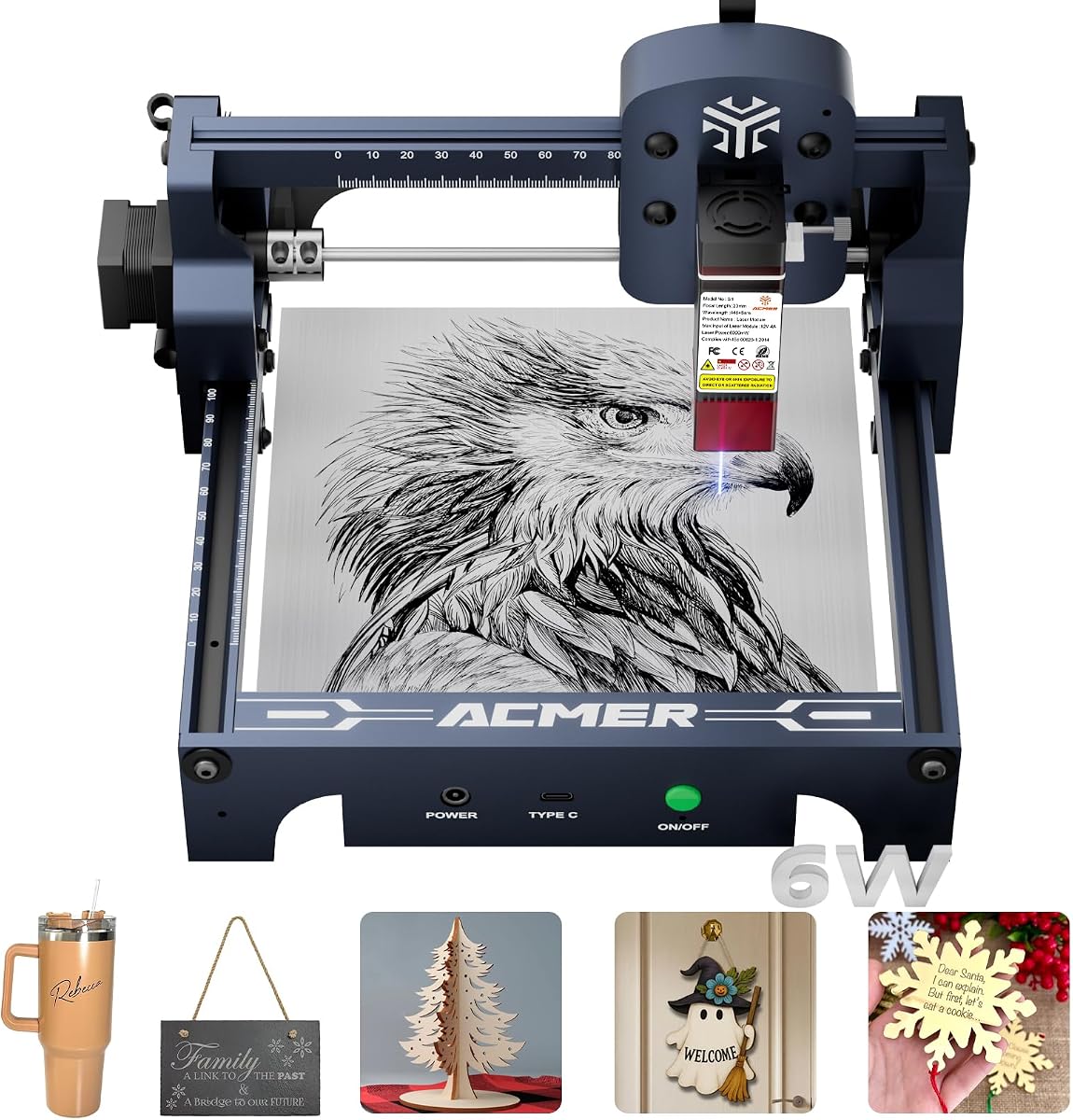
The ACMER S1 6W is built for beginners, small workspaces, and users who prioritize a straightforward setup over maximum cutting capability. It has a supplied rating of 4.3, arrives 99% preassembled, and needs only the laser head installed, making it a practical introduction to digital fabrication and personalized engraving.
We may earn a commission when you buy through this link, at no additional cost to you.
Its 130×130mm working area is suitable for small tags, coasters, jewelry blanks, labels, and compact craft pieces. The 6W diode laser uses a 455±5nm wavelength and has a 2mm focal length. Stated specifications include engraving speeds up to 10,000mm/min and repeatable positioning accuracy up to 0.01mm, providing useful detail for logos, simple graphics, and text.
The machine supports wood, bamboo, leather, plastic, PCB, aluminum oxide, ceramics, thin plywood, MDF, and acrylic. Free ACMER Studio software includes AI design features, and LightBurn and LaserGRBL compatibility gives users more established alternatives. NC, DXF, BMP, JPG, and PNG files are supported across Windows, macOS, and Linux. At approximately 2kg, the industrial-grade aluminum frame is also easy to move or store.
Its main limitation is the small bed and 6W output, which make it less suitable for large signs, batch production, or repeated deep cuts. For users learning on a modest footprint, however, the convenience is difficult to overlook. The stated Class 4 laser certification, IEC 60825-1 compliance, 12-month warranty, and 24/7 support offer additional reassurance while buyers establish a safe working routine.
The largely preassembled frame eliminates much of the mechanical setup associated with modular engravers. Combined with AI-assisted design tools and broad operating system support, it offers a short path from a newly opened box to a first simple project.
At roughly 2kg and only 250×250×162mm for the machine, the S1 is easier to accommodate than a full-size engraver. Its compact bed, however, means that larger workpieces cannot be positioned in one pass.
We may earn a commission when you buy through this link, at no additional cost to you.
The ACMER S2 7W combines a 300×300mm bed with a 7W laser, creating a useful middle ground between a compact beginner engraver and a higher-powered workshop machine. Its supplied rating is 5.0, and the model's combination of large work area, fine-detail specifications, and built-in safety features makes it attractive for personalized gifts, signs, and small-business runs.
We may earn a commission when you buy through this link, at no additional cost to you.
The 0.08×0.08mm spot and accuracy stated up to 0.01mm support sharp text, logos, patterns, and detailed artwork. A true 7W output with 48W total system power is specified to engrave more than 100 materials. Multiple-pass cutting is listed for up to 13mm paulownia wood and 6mm black acrylic, giving the machine meaningful cutting ability without moving into a larger 12W or 20W package.
The S2 7W also emphasizes a safer working experience. It includes an anti-UV protective shield and laser safety goggles, while motion detection can pause operation if abnormal movement is detected. It supports ACMER Studio, LightBurn, and LaserGRBL on Windows, macOS, and Linux. Optional rotary modules, risers, enclosures, and air-assist pumps let owners extend the machine as their experience and project requirements grow.
The central compromise is power relative to the similarly sized S2 12W. If most work is fine engraving, the difference may not justify stepping up, while repeated cutting jobs may benefit from the stronger 12W module. Buyers should choose the 7W for its generous bed, safety package, and lower-tier positioning, especially when the type of work emphasizes detail over deep cutting.
A 300×300mm work area provides room for grouped pieces and medium-size signs. Paired with a 7W laser, it offers a flexible platform for projects that need more layout space than a compact S1 can offer.
The supplied shield, goggles, and motion-detection pause function are meaningful additions for shared studios, classrooms, and family workspaces. They do not replace ventilation, fire prevention, material testing, or responsible operating habits.
We may earn a commission when you buy through this link, at no additional cost to you.
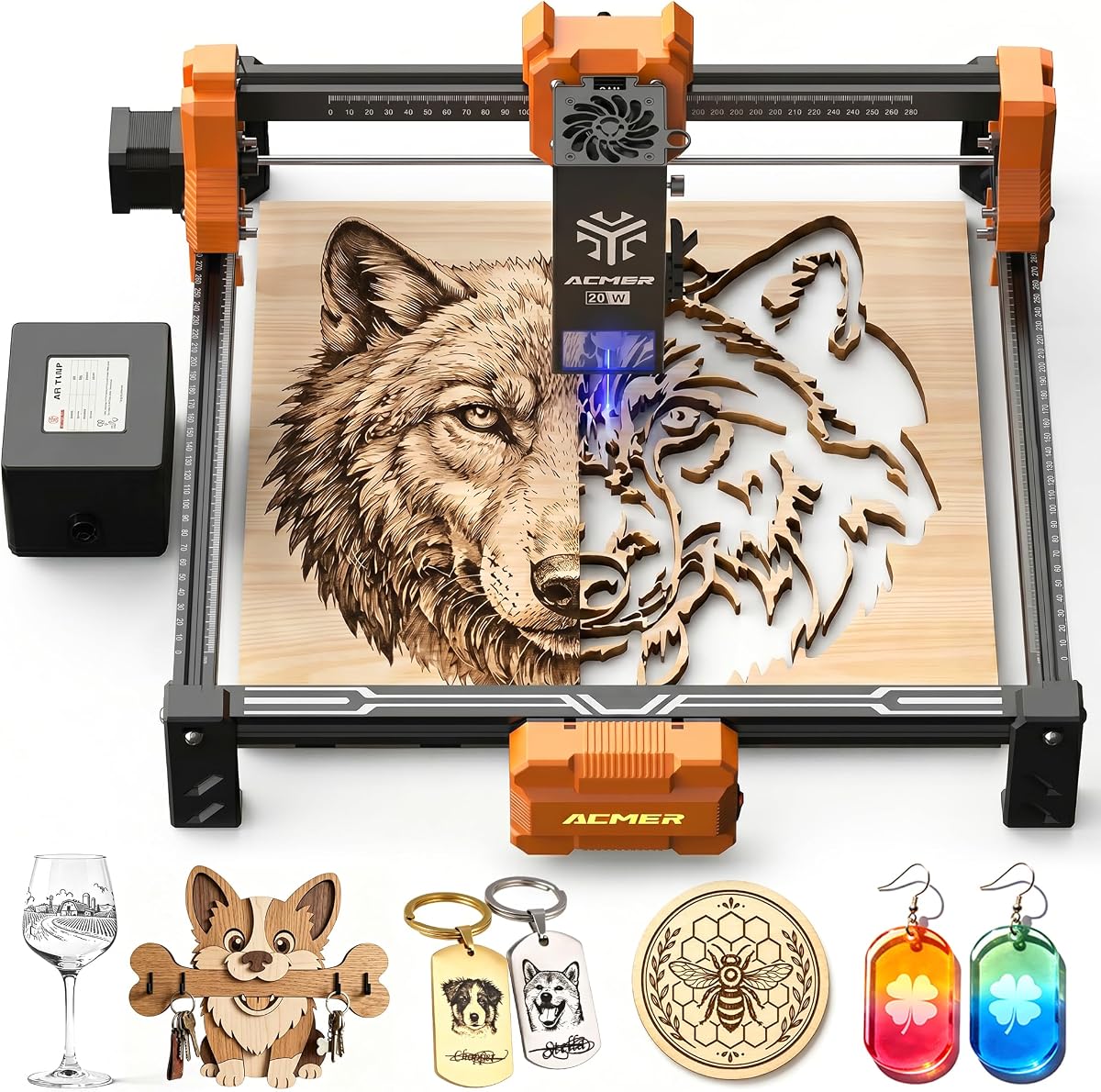
The ACMER P1 S Pro 20W is the strongest general-purpose recommendation in this guide for makers who regularly cut as well as engrave. It carries a supplied rating of 5.0 and uses a true 20W, 455±5nm diode module to handle fine work and deeper cuts across wood, acrylic, leather, paper, bamboo, PCB, ceramic, and other materials.
We may earn a commission when you buy through this link, at no additional cost to you.
A compressed 0.08×0.1mm spot and engraving accuracy stated up to 0.01mm support clean lines, smooth gradients, photo engraving, logos, and small text. The included 25L/min air assist pump helps clear smoke and debris, potentially reducing burn residue and protecting the lens. This is a meaningful operational advantage over setups that require a separate pump.
Performance specifications include speeds up to 10,000mm/min and acceleration up to 500mm/s². The machine supports ACMER Studio, LightBurn, and LaserGRBL, accepts NC, DXF, BMP, JPG, and PNG files, and runs on Windows, macOS, and Linux. Built-in limit switches help prevent over-travel, adding another layer of operational control.
The P1 S Pro 20W makes the most sense for buyers who want meaningful cutting power, consistent airflow, and a compact production-oriented format. Its open configuration still calls for proper ventilation, fire-safe material preparation, and careful supervision. It also does not match the 400×400mm beds or enclosed protection of the P3 models, making it a practical performance upgrade rather than the most expansive workstation in the range.
The integrated 25L/min pump supports cleaner cutting and engraving by moving smoke and debris away from the work area. Because it is included with the machine, the setup starts with a useful airflow system rather than requiring that accessory as an immediate add-on.
High stated speed, 500mm/s² acceleration, limit switches, and broad file support suit repeat production work. The 0.01mm accuracy specification also helps keep small text and detailed logos consistent across multiple pieces.
We may earn a commission when you buy through this link, at no additional cost to you.
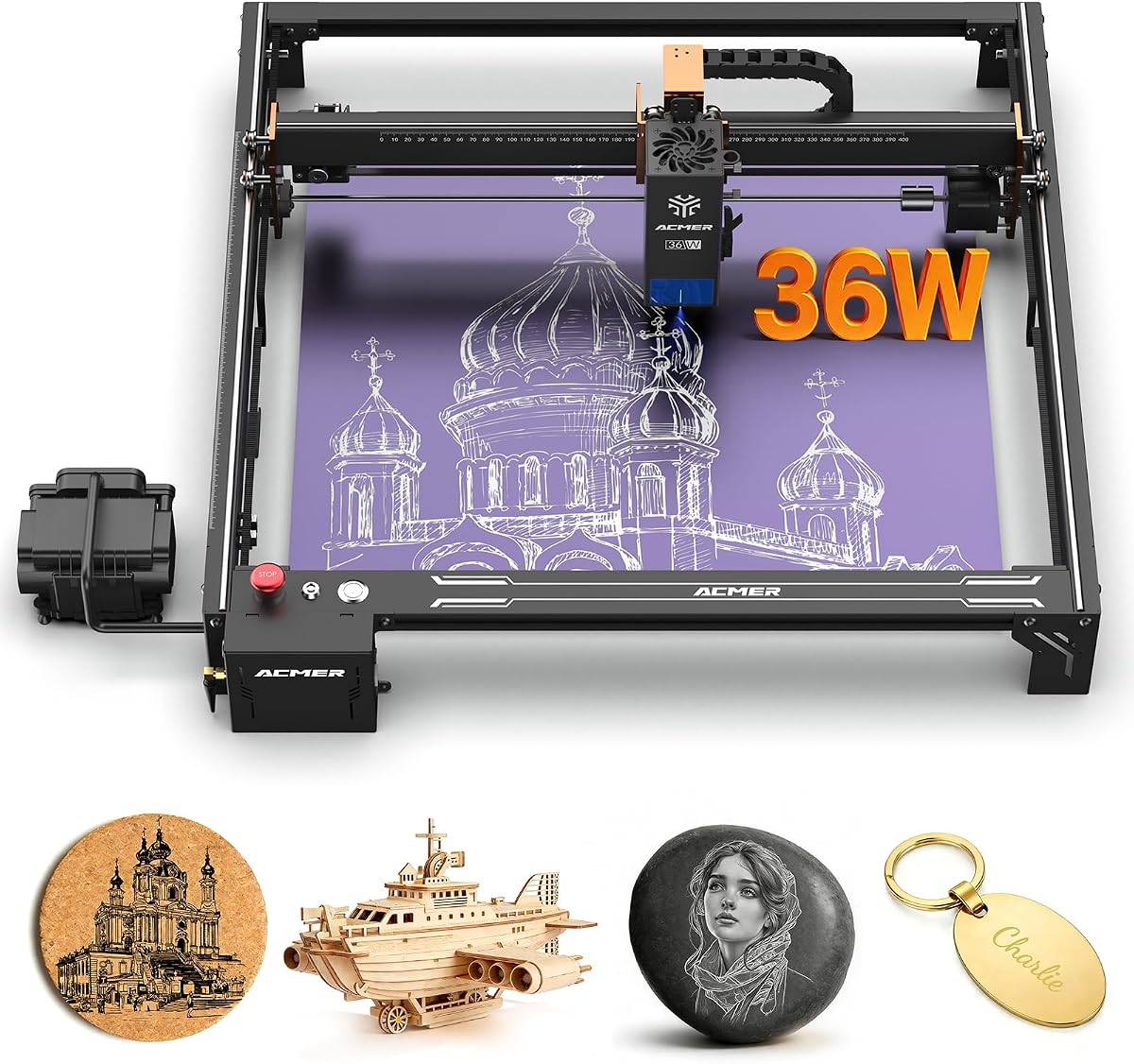
The ACMER S2 Pro 36W is the premium open-frame choice here, combining a 36,000mW module with a 400×400mm work area, high stated speed, and a built-in 30L/min air pump. Its supplied rating of 4.1 is the lowest among the five-star models in this list, so buyers should assess the specification set against the kind of production workload they genuinely need.
We may earn a commission when you buy through this link, at no additional cost to you.
Dual linear rails are the standout structural feature. Compared with a single-rail arrangement, the stated system is designed to improve stability and reduce vibration at high engraving speeds, which can help maintain alignment during fine text, complex graphics, and long runs. The laser produces a 0.08×0.1mm spot, reaches speeds up to 24,000mm/min, and has stated precision down to 0.01mm.
Automatic air assistance is another practical strength. The built-in 30L/min pump is intended to clear smoke and debris, reduce burn marks, and protect the lens. Connectivity includes WiFi, TF card, and USB PC connection, while compatibility covers ACMER Studio and LaserGRBL. A 400×400mm bed gives room for larger signs, grouped products, and batch orders without requiring an enclosed desktop format.
Safety provisions include tilt protection with a gyroscope sensor, an emergency stop button, and a child lock. This model is best suited to experienced makers or small businesses that regularly cut thick wood and acrylic, produce larger batches, and value speed and rigidity. It remains an open machine, so ventilation and fire control are still essential, and the 36W output may exceed what a casual user needs.
The dual linear rail system is especially relevant when the machine is regularly run at high speeds. Greater structural stability can reduce vibration and help preserve alignment through longer production sessions and detailed work.
A 400×400mm bed allows more pieces or a larger sign to be processed in one layout. Combined with the 36W module and 24,000mm/min stated speed, it is better aligned with repeat orders than occasional personalization work.
We may earn a commission when you buy through this link, at no additional cost to you.
The ACMER S2 20W delivers a true 20W laser in a 300×285mm frame, giving buyers a high-power option without moving directly to the much larger P3 or 36W S2 Pro. Its supplied rating is 5.0, and the principal appeal is the combination of strong cutting output, fine-detail specifications, and an included air assist pump.
We may earn a commission when you buy through this link, at no additional cost to you.
The 455±5nm module is described as useful for wood, acrylic, leather, paper, bamboo, PCB, ceramic, and more. A compressed 0.09×0.1mm spot and accuracy stated up to 0.01mm are well suited to photo engraving, logos, text, and intricate artwork. The included 25L/min pump is designed to reduce burn marks and improve edge quality by clearing smoke and debris during operation.
The machine supports speeds up to 10,000mm/min and acceleration up to 300mm/s². It accepts NC, DXF, BMP, JPG, and PNG files and runs on Windows, macOS, and Linux. Built-in limit switches help define the work area and prevent the laser head from striking the frame. The result is a focused machine specification set for buyers who prioritize power and accuracy over a broad accessory ecosystem.
This S2 20W is most suitable for users who cut wood or acrylic regularly but do not need the largest bed. Its 300×285mm area is slightly smaller than the standard 300×300mm S2 bed, and no rotary support is stated in the supplied information. Confirm the full package and current machine details before choosing it for cylindrical products or specialized batch production.
The 20W module supplies the energy needed for deeper cuts and more robust engraving across common craft materials. The included pump supports cleaner work by moving smoke and residue away from the cutting zone.
A 0.01mm stated engraving accuracy and support for common vector and raster formats make the machine practical for a broad mix of designs. Limit switches add a useful mechanical safeguard around the defined operating area.
We may earn a commission when you buy through this link, at no additional cost to you.
The ACMER P3 Dual Laser is the most feature-rich model in the guide, combining selectable 24W and 48W output with an enclosed workstation format. Its supplied rating is 5.0, and the machine is aimed at advanced makers, educational environments, and small production operations that want greater power and a more controlled workspace.
We may earn a commission when you buy through this link, at no additional cost to you.
The CoreXY structure and 0.08mm compressed spot technology are designed to support precise work at speeds up to 800mm/s, with engraving accuracy stated down to 0.01mm. The closed design reduces smoke and noise, while automatic fire detection, over-temperature protection, tilt protection, a power lock, and flame detection create a more substantial safety package than a basic open frame.
Construction details support regular use. Industrial-grade aluminum, linear guides, a honeycomb plate, and a free waste drawer are included, while a 30L/min air pump helps clear smoke, cool material, and improve precision. A built-in visual camera assists setup, and Wi-Fi, USB, and TF card support provides flexible control. LaserGRBL, LightBurn, and other engraving software are supported on Windows, macOS, and mobile applications.
This is the most complex recommendation, but that complexity creates a coherent advantage for buyers who want an enclosed, high-output system. It can address more than 200 listed materials and offers dual-output flexibility without maintaining separate machines. The trade-offs are a larger footprint, greater operating complexity, and a substantially higher investment than the open-frame S2 options.
The enclosure is intended to reduce smoke and sound while containing the laser during operation. Automatic fire detection and multiple protection systems make it more suitable for a shared or frequently used workshop than a basic open engraver.
Switching between 24W and 48W lets users match laser power to the task. The lower setting can be useful for delicate work, while the higher output supports more demanding cutting applications without requiring a second machine.
We may earn a commission when you buy through this link, at no additional cost to you.
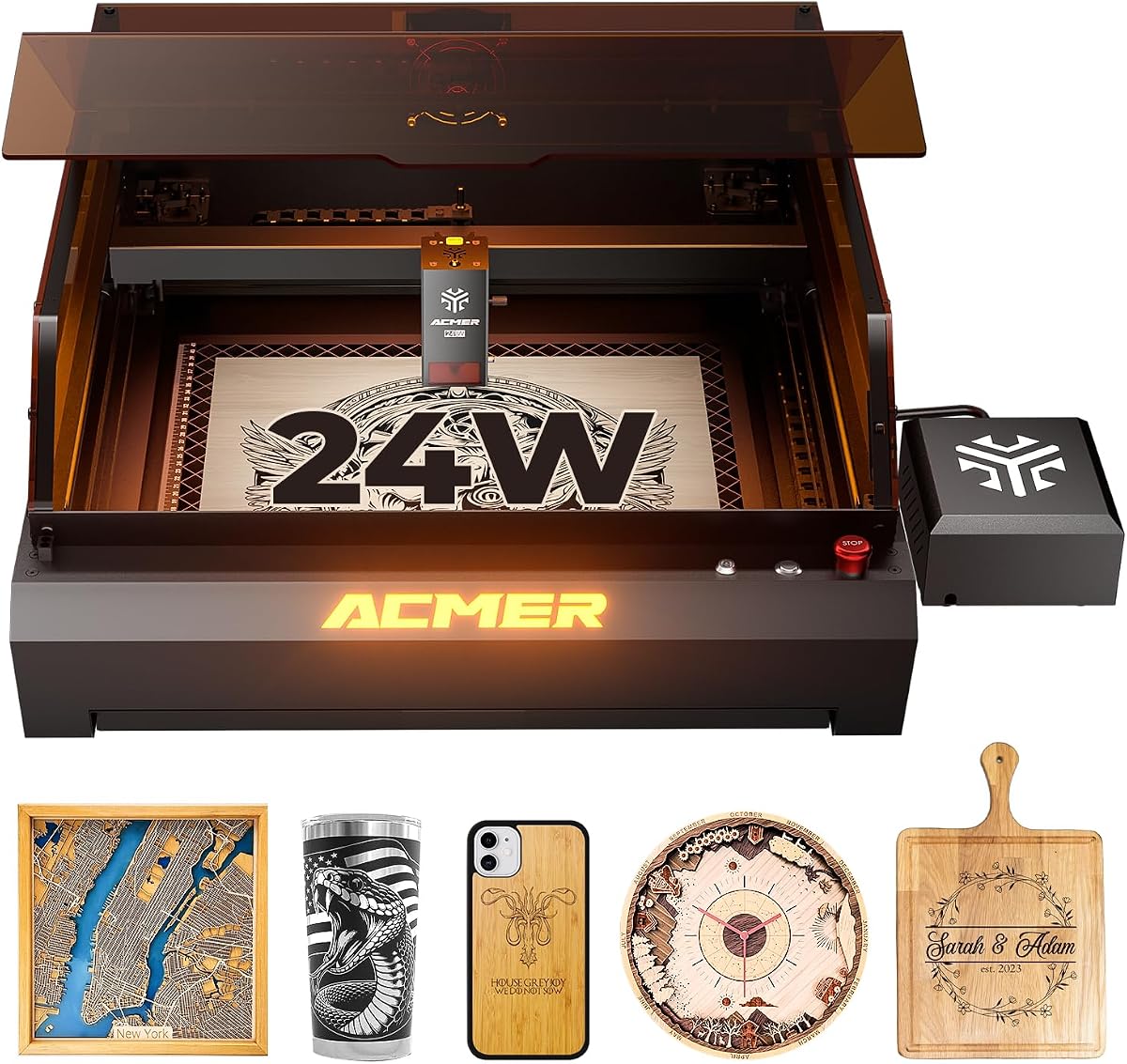
The ACMER P3 24W is a desktop enclosed engraver built around a 24W diode module, a 400×400mm working area, and an integrated camera. Its supplied rating is 5.0, making it one of the strongest options for makers who prioritize a protected environment, large bed, and more controlled setup process.
We may earn a commission when you buy through this link, at no additional cost to you.
The supplied information describes a closed dual-laser arrangement intended to combine infrared and diode capabilities in one module. Its CoreXY structure and motion-compensation algorithm are designed to reduce blurring and frame loss at high speed. A 0.08mm compressed spot and stated engraving precision of 0.01mm support fine output, while the camera enables visual material positioning and dragging within the software.
The enclosure reduces the stated smoke pollution and helps block noise. Safety systems include automatic fire detection and alarm, over-temperature protection, limit protection, tilt protection, flame detection, a power lock, and an emergency stop. The frame uses aviation-grade aluminum, an industrial X-axis guide, a linear Y-axis guide, a honeycomb plate, and a waste drawer for maintenance.
The P3 24W is well suited to workshop owners who want a clean, enclosed workflow and a large work area without selecting the dual-output configuration. Its important distinction is that the camera positioning accuracy is stated at up to 2mm, so the visual positioning system should not be mistaken for a substitute for precise bed calibration. Confirm the specific laser configuration and current package before purchase.
The built-in camera lets users position material visually instead of relying only on coordinates. That can speed up batch layouts, although the stated 2mm positioning figure means critical registration still depends on proper calibration.
The closed housing helps contain smoke and noise while multiple monitoring systems protect the work area. A 400×400mm bed and waste drawer make the machine appropriate for organized, repeat production rather than quick single-piece engraving.
We may earn a commission when you buy through this link, at no additional cost to you.
The ACMER P1 S Pro 6W combines modest laser output with an unusually large 380×370mm work area, making it a compelling option for beginners who want to place full-size signs or grouped items on the bed. Its supplied rating is 5.0, and the dual-beam module uses a fine 0.06mm spot with stated engraving accuracy down to 0.01mm.
We may earn a commission when you buy through this link, at no additional cost to you.
Engraving speed reaches up to 10,000mm/min, and the supplied material list includes wood, bamboo, acrylic, leather, coated metals, anodized aluminum, glass, and paper. Cutting is listed at up to 12mm wood and 8mm acrylic in one pass, although actual results depend on material composition, density, finish, and machine settings. The large bed gives the 6W output room to handle broader layouts.
The modular frame is designed for quick assembly and maintenance. WiFi, USB, and TF card transfer options support both PC software and mobile apps. An optional rotary attachment expands the platform to tumblers, bottles, and mugs, making curved-object engraving possible when that accessory is added. The machine is also described as compatible with more than 100 materials.
Safety features include IEC 60825-1 Class 1 certification and included protective glasses with 97% UV filtering. This P1 S Pro is best for users who value workspace size, fine engraving, and flexible connectivity more than high-speed deep cutting. Those wanting quicker material removal should compare it with the 12W, 20W, or 36W options, while its larger bed remains a clear advantage for signs and batch layouts.
The 0.06mm spot is among the smallest specified in this roundup, supporting delicate text, line art, and finely detailed logos. The 380×370mm bed gives those designs considerably more placement room than a compact 130×130mm engraver.
WiFi, USB, TF card support, and mobile app compatibility make file transfer and machine control more flexible. The optional rotary unit extends the platform to cylindrical products when the project calls for them.
We may earn a commission when you buy through this link, at no additional cost to you.
Choosing an ACMER laser engraver requires matching output, work area, software, and safety features to your actual project mix. The most important distinction is usually whether the machine will mostly engrave detailed surfaces, cut materials deeply, handle batches, or work safely in an enclosed environment.
Choose enough power for the thickest material you regularly use, not merely the highest number available. A 6W or 7W machine may be ideal for personalization and shallow projects, while 12W to 20W systems are more versatile and 24W to 48W models target demanding batches.
Measure your largest intended workpiece before choosing. Favor a bed with comfortable clearance on every side, especially if you plan batch layouts, layered pieces, or occasional signs larger than typical craft blanks.
Prioritize the whole system rather than one isolated number. A small spot cannot compensate for poor calibration or a shaky frame, so evaluate precision, construction, software workflow, and included calibration aids together.
Confirm the software and operating systems you intend to use before ordering. Beginners may value guided design features, while experienced users often prioritize precise control, established file workflows, and reliable transfer methods.
For frequent cutting, an integrated pump is a meaningful convenience. Ensure the air path is clear, the material is compatible, and the extraction system can handle smoke from the specific materials being processed.
Choose protection that matches the environment, then use it correctly. Keep suitable eyewear nearby, operate on a nonflammable surface, know how to stop the machine, and never leave an active engraving process unattended.
Prioritize the transfer method you will use daily. If most designs come from a desktop, USB may be sufficient; Wi-Fi or app control can be more convenient for shared workflows and remote file placement.
An enclosed system is valuable for frequent work in an occupied room. An open platform offers flexibility and easier expansion. Choose based on workflow, available ventilation, and the types of products you expect to create.
Begin with a safe workspace and a careful setup. Place the machine on a stable, level, nonflammable surface with adequate clearance around the frame, bed, vents, and dust collection path. Read the current manual and safety instructions, identify the emergency stop or power switch, install the supplied eyewear where appropriate, and ensure a suitable fire extinguisher is nearby. Before loading a material, confirm that it is laser-compatible and clean, then test the focus and burn settings on a small offcut rather than beginning with the finished piece.
Prepare artwork using ACMER Studio, LightBurn, or LaserGRBL as supported by the selected model. Import the vector or raster file, set the correct scale, check whether the design requires engraving, cutting, or both, and confirm the material settings. Place the workpiece flat, secure it without obscuring the beam path, and perform a focus test if the setup or material changes. Start with conservative power and speed settings, use multiple passes when appropriate, and avoid leaving the machine unattended. Air assist and extraction can reduce debris and fumes, but neither replaces safe material selection.
Maintenance is largely about keeping the optics, mechanics, and cooling path clean. Follow the manual's guidance for cleaning the protective lens and protective window, and remove residue gently using the recommended method. Keep guide rails and motion components free of dust and debris, and do not use oily or abrasive products unless the manufacturer explicitly approves them. Check focus, alignment, belts or rails, fasteners, and the waste tray as the workload changes. For dual-laser or enclosed systems, also inspect safety sensors, air pathways, cooling components, and enclosure filters according to the supplied documentation.
The ACMER S1 6W is designed as a compact beginner option, with a mostly assembled frame, a simple laser-head installation, and ACMER Studio features that include AI-assisted design tools. The S2 7W and 12W models are better for buyers who want a larger workspace and more cutting capacity. Consider the S1 when portability, lower power requirements, and small projects matter more than larger signs or deep cuts.
The supplied S2 12W specifications list multiple-pass cutting up to 15mm paulownia wood and 12mm black acrylic. Actual results vary with wood species, acrylic color and composition, focus, passes, and settings, so those figures should be treated as reference limits. Test every new material and thickness before committing to a full project.
An open-frame model such as the S1 or S2 usually provides a flexible, accessible platform and requires more attention to ventilation and fire prevention. Enclosed P3 systems contain more smoke and noise and add protections such as automatic fire detection, over-temperature monitoring, tilt protection, and emergency stops. Enclosures are generally more appropriate for frequent work in shared or occupied spaces.
The supplied information for all ten models mentions LightBurn and LaserGRBL compatibility, although the broader feature set and exact workflow can differ. Some listings also highlight free ACMER Studio, AI design tools, mobile app control, or specific file formats. Confirm compatibility and any required licensing or setup steps on the current product page before ordering.
Air assist directs airflow at the cutting area to help clear smoke, debris, and heat. This can reduce visible residue, improve edge quality, and help protect the lens. Machines such as the 20W P1 S Pro, 36W S2 Pro, and P3 include pumps, but proper extraction and material compatibility remain necessary for safe operation.
No. A larger area is useful for signs, batch layouts, and larger products, but it also requires more desk space, ventilation, and room around the machine. A compact 130×130mm bed may be sufficient for jewelry and small tags, while a 300mm or 400mm bed becomes more valuable when the workflow involves multiple pieces or oversized objects.
Several models support optional rotary attachments, including the S2 range and the P1 S Pro 6W. A rotary unit can rotate tumblers, bottles, mugs, and similar cylinders while the laser maintains a consistent working path. The attachment, settings, and workpiece dimensions should be checked for compatibility before starting a project.
Confirm that the material is compatible with the laser, clean it, and test the focus and settings on an offcut. Begin with conservative settings and increase power or speed gradually while monitoring the result. Keep the area clean, use extraction, and never test unknown or flammable materials without first confirming their properties and the manufacturer's guidance.
The ACMER S2 12W is the strongest all-around recommendation for most serious hobbyists because it combines meaningful cutting power, a 300×300mm bed, fine-detail specifications, broad software support, and expansion options. The P1 S Pro 20W is the better choice for users who regularly cut and want a 20W module with integrated air assist, while the 36W S2 Pro is the stronger production-oriented option for speed, rigidity, and a 400×400mm bed.
Smaller and more specialized alternatives remain worthwhile. The S1 6W suits compact beginner projects, the S2 7W provides a large bed at a lower power level, and the P1 S Pro 6W combines a generous workspace with fine engraving and flexible connectivity. The enclosed P3 models prioritize safety, smoke and noise reduction, camera assistance, and higher-output workflows. Prioritize the materials, project size, software, and safety conditions you actually need rather than selecting solely by wattage.
Finally, confirm the current product configuration, included accessories, software compatibility, safety information, and price before purchasing. ACMER offers several machines with similar names but different laser outputs, bed sizes, air systems, and protective features. A careful comparison of the current listing can prevent buyers from choosing a package that does not match the intended workflow, and prices and promotions can change over time.


