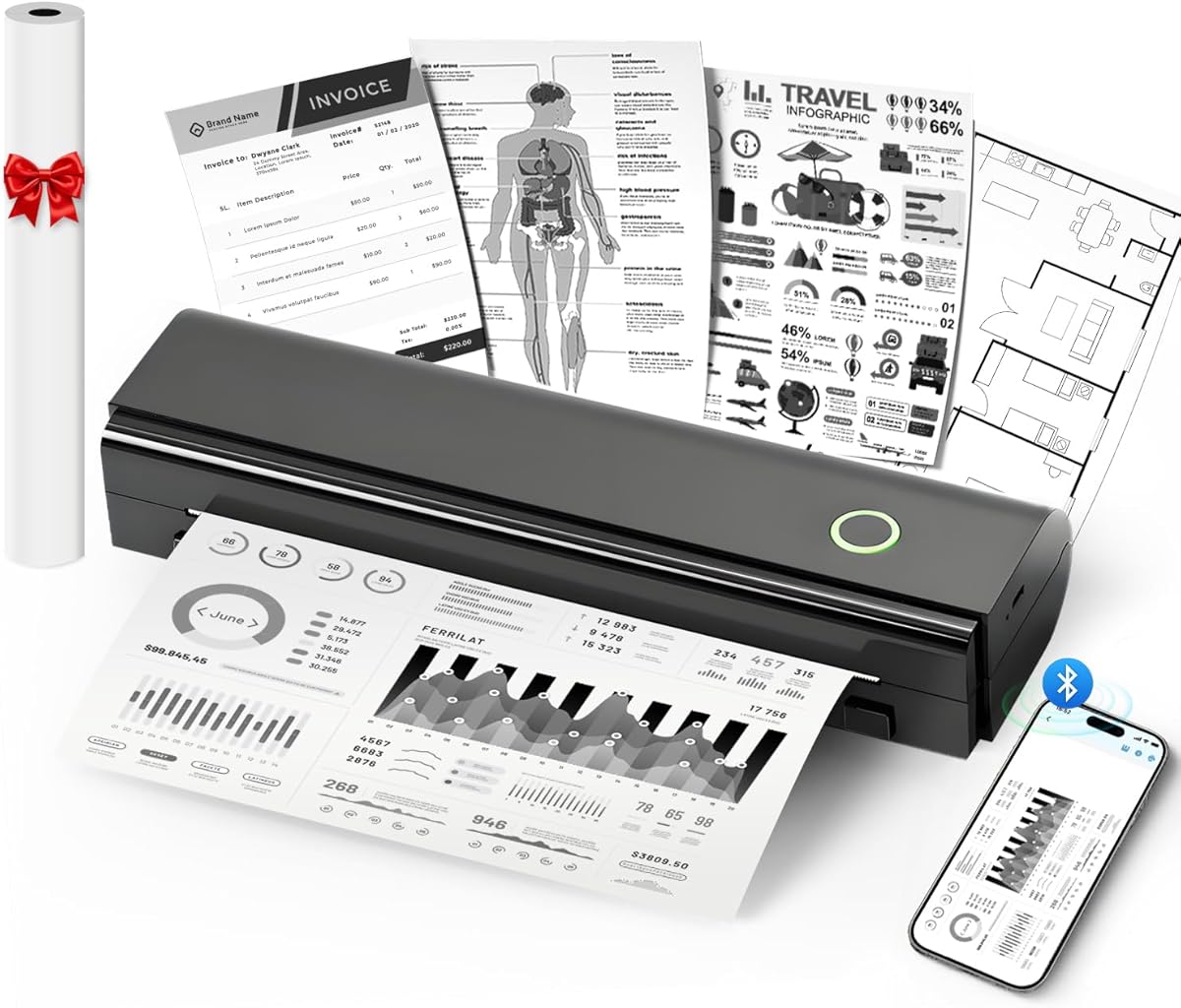
N80 Bluetooth Thermal Printer
4.1Editor score
Inkless thermal technology
203DPI print resolution
Built-in rechargeable battery
Bluetooth phone connectivity
Printing from a Samsung phone should feel quick, uncomplicated, and capable of producing results that suit the task. Whether you want polished photographs, portable documents, school projects, invoices, or multipurpose office output, the right printer depends on image quality, connectivity, app support, paper handling, and convenience.
This guide compares ten printers using their stated specifications and supplied product information. It covers dedicated phone photo printers, portable thermal models, compact home inkjets, and wireless all-in-ones, helping Samsung Galaxy users identify the features that matter for mobile-first printing without overlooking document capacity or long-term versatility.
Each review explains who the printer best suits, how it connects to a Samsung phone, and where its capabilities have limits. The leading choices emphasize photo output, mobile convenience, or flexible home-office functions, but product availability and pricing can change, so readers should confirm current details before purchasing.
4.1Editor score

4.4Editor score

4.2Editor score
As an Amazon Associate we earn from qualifying purchases.
The comparison below separates portable phone-only printers, compact wireless inkjets, and office-oriented all-in-ones, making it easier to match printing capacity and connection methods to a Samsung Galaxy device.



The Liene M100 4×6 Photo Printer is the strongest overall match for Samsung Galaxy owners who want tangible photos without sending images to a distant service. Its 4.4 rating reflects a favorable balance of useful features, including genuine 4×6-inch color output, thermal dye sublimation, a built-in Wi-Fi hotspot, and an editing app. It is particularly attractive for phone-first users who want a simple path from gallery image to finished print.
We may earn a commission when you buy through this link, at no additional cost to you.
The printer's independent hotspot removes the need to place it on an existing wireless network, which can make setup more predictable in homes, offices, and travel settings. It supports up to five simultaneous connections, allowing family members or friends to use the same device without cables or Bluetooth. The Liene app adds square borders, filters, contrast and brightness adjustments, print-status monitoring, and options for ID and visa-sized images.
Thermal dye sublimation helps the colors penetrate the paper, while the stated laminated surface is designed to resist water, scratches, fingerprints, and fading. The package includes the printer, 100 sheets of 4×6 photo paper, three color cartridges, and a sealed cassette. The principal trade-off is specialization: it is built for photos rather than multipurpose office functions, and proper cartridge installation is essential before printing.
Choose the M100 when phone photos, personalized keepsakes, small gifts, and social sharing are the priority. It suits Samsung users who want a dedicated 4×6 format and a straightforward wireless connection more than scanning, copying, or multipage document handling. For those needs, the Canon PIXMA TS6520 is the more versatile alternative in this guide.
The printer's own hotspot creates a direct connection path from a Samsung phone, avoiding dependence on a nearby router. Its support for multiple users also makes it useful for gatherings, craft sessions, and family photo projects.
The Liene app extends beyond basic transmission by providing borders, filters, brightness and contrast controls, status monitoring, and specialty photo layouts. These options help users prepare images before committing them to physical prints.
We may earn a commission when you buy through this link, at no additional cost to you.
The N80 Bluetooth Thermal Printer is the budget-focused option for Samsung phone users who need portable documents more than polished photographs. It carries a 4.1 rating and uses direct thermal printing, eliminating the need for ink, toner, or ribbons. Its 203DPI resolution is designed to produce clear text and graphics, making it practical for notes, forms, web pages, and travel documents.
We may earn a commission when you buy through this link, at no additional cost to you.
Phone connectivity is handled through Bluetooth after users download the Nada Print app. The printer can also work with laptops and computers through a USB-C cable, although those systems require a driver and do not support Bluetooth. Its built-in 1500mAh rechargeable battery is stated to produce up to 160 sheets of US Letter thermal paper following a full charge.
Thermal media is the main constraint. Ordinary paper cannot be used, and the package includes a roll of US Letter thermal paper. The printer also weighs 1.5 pounds, making it reasonably manageable in a backpack or briefcase. It works with roll paper, folded paper, and tattoo transfer paper, expanding its usefulness for specialized projects.
The N80 is a compelling choice for travelers, students, field workers, and anyone creating a compact mobile-printing kit. Buy it if consistent monochrome output and battery freedom matter more than color images or scanning. Consumers who need ordinary paper and full-color photos should instead consider a wireless inkjet.
A rechargeable battery and broad file support make the N80 useful for mobile work, school notes, boarding passes, contracts, and invoices. Its thermal process keeps the device simple because consumable cartridges are not required.
The stated 203DPI resolution supports legible monochrome results when the printer is used with compatible thermal stock. NDYIN thermal paper is recommended by the manufacturer for the strongest overall output.
We may earn a commission when you buy through this link, at no additional cost to you.
The HP DeskJet 2923 is a straightforward wireless all-in-one for Samsung phone owners who regularly print recipes, letters, lists, financial records, and other everyday color documents. Its 3.7 rating places it behind the higher-rated choices, but its combination of printing, copying, scanning, and mobile connectivity remains useful for a basic home setup.
We may earn a commission when you buy through this link, at no additional cost to you.
Dual-band Wi-Fi provides a more flexible connection than a single-band model, and the HP app allows users to print, scan, copy, or fax from a smartphone. The 60-sheet input tray handles routine workloads, while the stated speed reaches up to 7.5 pages per minute in black and 5.5 pages per minute in color. HP AI formatting tools are included for cleaner web-page and email output.
Its compact design and simple LCD control panel make it accessible, while the device is described as using at least 70 percent recycled plastics and carrying ENERGY STAR and EPEAT certifications. The Instant Ink trial is optional and requires enrollment; after the trial period, a monthly fee applies unless canceled. That service should be evaluated rather than treated as a permanent requirement.
The DeskJet 2923 works best for a home user who needs basic color documents and occasional scans without investing in a large office printer. It is less suitable for heavy paper loads, frequent photo projects, or users who require automatic duplex printing. A Samsung phone can connect comfortably through the listed wireless features and HP app.
Dual-band Wi-Fi and the HP app provide a practical mobile workflow for common home documents. Printing, scanning, copying, and fax functions broaden the device's usefulness beyond simple image output.
The compact enclosure and familiar LCD panel reduce the learning curve for new printer owners. A 60-sheet tray suits intermittent household use better than sustained office workloads.
We may earn a commission when you buy through this link, at no additional cost to you.
The HP DeskJet 2955 is a compact wireless color inkjet all-in-one aimed at home users who want familiar HP printing with a Samsung phone. It shares a 3.7 rating with the DeskJet 2923, but the supplied listing provides much less detail, including the device weight and a UPC rather than a full technical feature breakdown.
We may earn a commission when you buy through this link, at no additional cost to you.
Because the product is categorized as an all-in-one wireless color inkjet, it is a practical choice for users who want printing, copying, and scanning without adding separate devices. Wireless connectivity removes the need to move files manually or remain beside a USB-connected machine, making it convenient for photo-heavy phone use and standard household paperwork.
The most important limitation is the scarcity of supplied specifications. The listed weight is 10.45 pounds, but there is no provided detail about paper capacity, print speed, duplex support, or scanner type. Buyers should therefore compare the current product page with the more fully documented DeskJet 2923 before deciding.
The DeskJet 2955 makes sense for a Samsung Galaxy owner who values a recognizable HP design, wireless operation, and multifunction convenience in a home setting. It is best for basic documents and casual images rather than demanding workloads. Prospective buyers should confirm the features they actually need against the final manufacturer or retail listing.
A wireless inkjet is well suited to Samsung users who print from different rooms or want to avoid managing a direct cable connection. The all-in-one format also consolidates basic document tasks.
The limited supplied information makes direct feature verification important. Pay particular attention to paper handling, duplex support, and app compatibility if those features are central to the intended workload.
We may earn a commission when you buy through this link, at no additional cost to you.
The Canon PIXMA TS6520 is the most feature-rich printer in this roundup and our premium pick for Samsung phone users who want one machine to handle documents, photos, scans, and copies. Its 4.2 rating, automatic duplexing, dual-band Wi-Fi, and dedicated OLED display distinguish it from simpler entry-level all-in-ones.
We may earn a commission when you buy through this link, at no additional cost to you.
Canon's two-cartridge hybrid ink system is designed to produce sharp text and vivid color for both reports and photographs. It supports bordered and borderless output up to 8.5 by 11 inches, making it more flexible than the dedicated photo printers and portable thermal units. Automatic two-sided printing reduces paper consumption by automatically turning multipage sheets.
Samsung users can print through the Canon PRINT app, Apple AirPrint, or Mopria Print Service, giving them multiple paths depending on their preferred mobile workflow. The 1.42-inch monochrome OLED displays ink levels, status, and settings, while the integrated scanner handles copying and document capture. The compact white enclosure is designed for home offices and hybrid workers.
The main compromise is the cartridge-based ink system, which represents a continuing cost even when a printer is used sparingly. Despite that consideration, the TS6520 offers the broadest supplied specification set in the guide. Choose it for flexible home-office use, polished mixed output, and smooth duplex printing rather than pocket-sized portability.
Support for Canon PRINT, Apple AirPrint, and Mopria provides Samsung users with useful choices for sending images and documents. Dual-band Wi-Fi also helps maintain a stable connection in modern homes and offices.
Printing, scanning, copying, and automatic duplexing make the TS6520 suitable for reports, schoolwork, photos, and household administration. Its OLED screen makes status and setting changes more direct.
We may earn a commission when you buy through this link, at no additional cost to you.
The Canon PIXMA TR4720 is a wireless four-function printer for Samsung phone users who need a home-office tool rather than a dedicated photo device. Its 3.9 rating is supported by useful automation features, including an automatic document feeder, automatic duplex printing, and a built-in fax function.
We may earn a commission when you buy through this link, at no additional cost to you.
It can produce documents and borderless photos up to 8.5 by 11 inches, and its 100-sheet capacity is more generous than several compact models. Stated print speeds reach approximately 8.8 images per minute for black Letter documents, 4.4 images per minute for color documents, and 65 seconds for a borderless 4 by 6 photo.
The printer is designed for easy cartridge installation and replacement, which is helpful for new owners. It is ENERGY STAR certified and includes a one-year limited warranty. Users can also connect the printer to Alexa for low-ink notifications and, when enrolled in Amazon smart reorders, optional automatic replenishment without a subscription requirement.
Choose the TR4720 for mixed home-office work involving paperwork, copies, scans, and occasional faxes. It is less compelling for a small-space travel kit because it is a desktop printer, and its photo output is secondary to document handling. For Samsung users, mobile printing and wireless access make it a practical central device for the household.
The automatic document feeder reduces manual page handling during scans, copies, and fax jobs. Automatic duplex printing adds another layer of convenience for lengthy reports and assignments.
Alexa can notify users when ink is running low, and optional smart reorder enrollment can simplify replenishment. The printer still supports manual cartridge replacement when automation is not needed.
We may earn a commission when you buy through this link, at no additional cost to you.
The Gloryang Inkless Portable Printer is a travel-oriented thermal model for Samsung users who want a ready-to-carry printing solution. Its 4.2 rating reflects a useful combination of Bluetooth connectivity, broad document support, a carrying case, and three rolls of thermal paper in the package.
We may earn a commission when you buy through this link, at no additional cost to you.
The printer supports documents ranging from 2 to 8.5 inches wide, with two paper-loading methods and a built-in paper bin for space-saving storage. It weighs 1.75 pounds and is only 1.7 inches thick, making it straightforward to place in a backpack, briefcase, or car. The included case adds protection and simplifies transport.
The Jadens Printer app supports Bluetooth use with iOS and Android devices, while laptops and computers can connect after the appropriate driver is installed. Output can include text, images, designs, photos, and documents, with the package including the printer, three thermal paper rolls, a charging cable, manual, and guide card.
The important limitation is media compatibility. It only works with Gloryang thermal paper and cannot use regular, plain, or inkjet paper. Pick this model for mobile monochrome documents, temporary records, travel, school work, and emergencies where avoiding ink cartridges is valuable. It is not the right choice for polished color photos or standard office printing.
The carrying case and three paper rolls make the package practical for users who want to begin printing without separately gathering compatible stock. Its slim body also protects against lost paper during transport.
Two loading methods and an integrated paper bin make the printer easier to manage in confined spaces. Users can select compatible thermal rolls or folds to suit different document lengths.
We may earn a commission when you buy through this link, at no additional cost to you.
The KODAK STEP Instant Printer is a highly portable choice for Samsung Galaxy owners who want to turn selfies, portraits, and social posts into small physical photos. It shares a 4.4 rating with the Liene M100 but takes a different approach, using compact adhesive ZINK paper rather than larger 4×6 thermal dye sublimation sheets.
We may earn a commission when you buy through this link, at no additional cost to you.
Bluetooth or NFC provides a wireless connection to iOS and Android devices, including Samsung phones. The KODAK app includes collages, filters, borders, stickers, text, and other personalization options. Its palm-sized body weighs less than one pound, and the built-in lithium-ion battery is stated to print 25 photos on a full charge.
ZINK paper contains embedded dye crystals and produces color prints that are described as durable and resistant to moisture, ripping, tearing, and smudging. The adhesive backing makes the small output suitable for scrapbooks, planners, greeting cards, party decorations, and craft projects. The package includes the printer, a micro USB charging cable, starter paper, and a quick-start guide.
Choose the STEP when portability, instant sharing, and creative layouts matter more than standard document printing. It is not designed for multipage reports or office paper, and the 2×3-inch format is much smaller than a traditional photograph. Its strongest use is spontaneous social printing directly after taking a picture with a Samsung phone.
The lightweight enclosure and rechargeable battery make the STEP convenient for parties, vacations, and craft sessions. It can move from phone camera to adhesive print without a conventional ink cartridge setup.
Collages, filters, borders, stickers, and text make the printer useful for scrapbooking and personalized gifts. These tools are particularly valuable when the small photo format needs visual framing.
We may earn a commission when you buy through this link, at no additional cost to you.
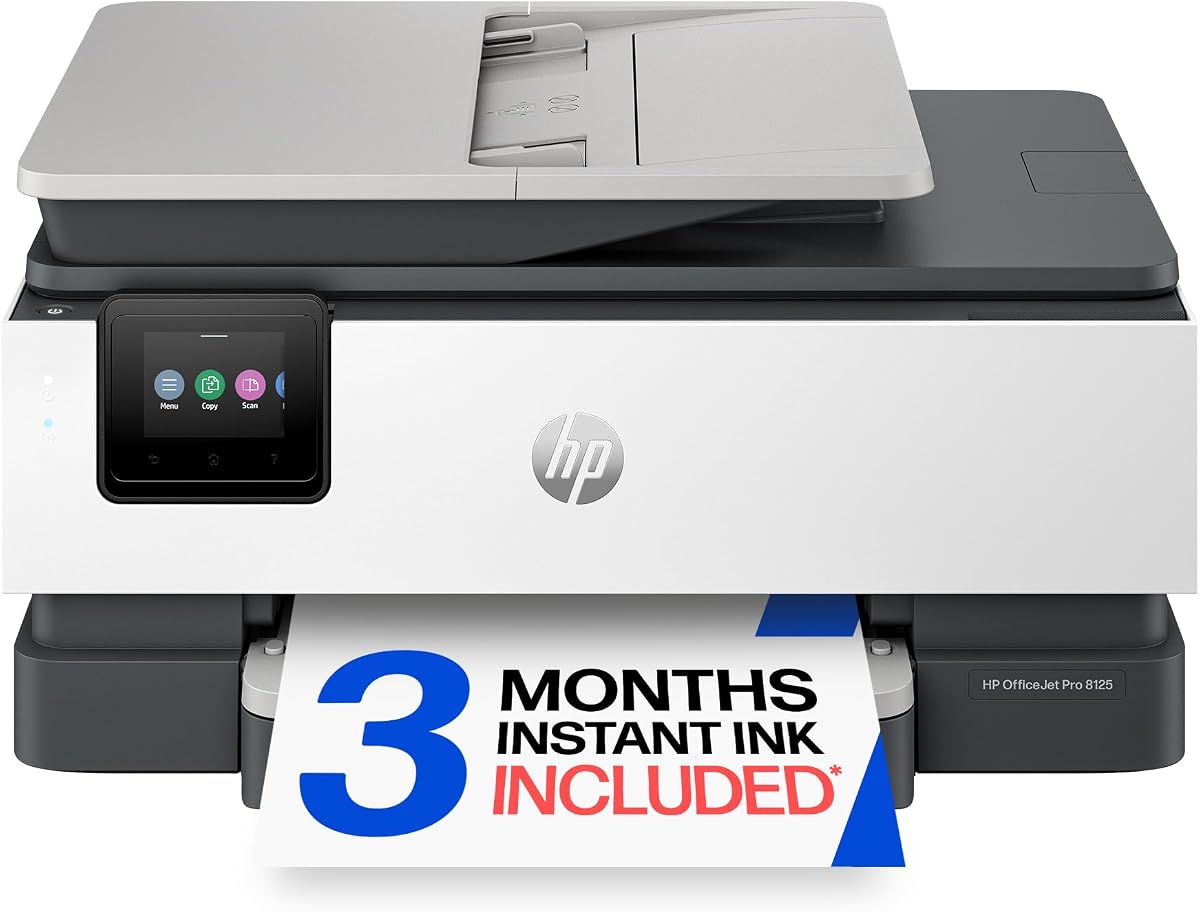
The HP OfficeJet Pro 8125 is the strongest high-volume option in the guide for Samsung phone users who also maintain a busy home office. Its 3.9 rating is backed by stated print speeds of up to 20 pages per minute in black and 10 pages per minute in color, along with a 225-sheet input tray.
We may earn a commission when you buy through this link, at no additional cost to you.
The printer supports color documents, reports, presentations, and flyers, and its 2.7-inch color touchscreen provides a phone-like interface for settings. Automatic two-sided printing, scanning, copying, and an automatic document feeder make it suitable for multi-page work. The HP app allows phone-based print, scan, copy, and fax tasks, while dual-band Wi-Fi supports a stable connection.
HP AI is included for formatting web pages and emails to reduce unwanted content and awkward layouts. The device also includes HP Wolf Essential Security and uses more than 45 percent recycled plastic. A three-month Instant Ink trial is offered, followed by a monthly fee unless canceled. The printer is designed for original HP cartridges with genuine chips or circuitry.
Choose the OfficeJet Pro 8125 when throughput, paper capacity, and document automation matter more than a small footprint. It gives Samsung users a mobile workflow without sacrificing office-level functions. Users who need color photos in larger formats or a simpler device should compare it with the PIXMA TS6520, while heavy monochrome users may prefer the Samsung-branded laser model.
Stated speeds of 20 black pages and 10 color pages per minute make this printer suitable for active home offices. The large input tray reduces the frequency of routine paper refills.
A 2.7-inch color touchscreen supports quick on-device navigation, while the HP app extends control to a Samsung phone. HP AI helps simplify the formatting of common digital documents.
We may earn a commission when you buy through this link, at no additional cost to you.
The HP Samsung Xpress SL-M2835DW/XAA is designed for offices and Samsung phone users who need fast, high-volume monochrome documents rather than creative photo output. It carries a 3.8 rating, and its stated print speed of up to 29 pages per minute is the fastest among the ten products in the guide.
We may earn a commission when you buy through this link, at no additional cost to you.
Near Field Communication enables a one-touch print workflow, while wireless connectivity supports flexible placement within an office. The printer is intended for clear, sharp professional-quality results, making it suitable for reports, forms, internal documents, and other text-heavy work. Its Samsung branding and NFC function align particularly well with users accustomed to tapping a phone to send content.
As a laser-based monochrome model, it is intended for high-volume text workflows where a color inkjet may be less efficient. It does not provide the photo output, app editing tools, or compact instant-photo experience found in the dedicated mobile printers. The available specifications also focus narrowly on core printing rather than scanning and copying.
Choose the SL-M2835DW/XAA for a business-style monochrome setup that emphasizes speed and wireless NFC printing. It is best for a Samsung Galaxy workflow centered on documents, forms, and reports. Users wanting color photographs, scanning, or mobile creative tools should favor the TS6520, OfficeJet Pro 8125, or one of the portable photo printers.
A stated rate of 29 pages per minute makes this model attractive for offices with steady document volume. Monochrome laser output is focused on clean, repeatable business and administrative records.
NFC support provides a direct touch-based route for sending compatible content from a phone. This reduces menu navigation when the workflow is already simple and frequently repeated.
We may earn a commission when you buy through this link, at no additional cost to you.
The best printer for a Samsung phone is not necessarily the one with the longest feature list. Start by identifying whether you need photos, portable monochrome documents, creative adhesive prints, or a full-featured home-office device, then match that need to connectivity, media support, and operating convenience.
Start with the kind of material you expect to print most often. The Liene M100 is built for 4×6 color photographs, the KODAK STEP creates small adhesive photos, and the N80 or Gloryang devices focus on monochrome thermal documents. Samsung Galaxy users who print mixed reports, photographs, scans, and copies are better served by a conventional wireless inkjet such as the Canon PIXMA TS6520 or an HP OfficeJet model.
Choose a dedicated output type when your phone is mainly used as a camera or mobile document source. Choose an all-in-one when the printer will support the whole household or a home office.
A printer should work with a Samsung Galaxy phone through a supported app, standard mobile printing service, Bluetooth, NFC, or Wi-Fi. The Canon TS6520 lists Canon PRINT, Apple AirPrint, and Mopria support, while the Liene M100 uses its own hotspot and app. The N80 and Gloryang rely on named mobile apps and Bluetooth.
Check the current app requirements and operating-system support before buying. A familiar interface on the phone is less important than reliable pairing and a clear path for selecting files.
Dual-band Wi-Fi models such as the HP DeskJet 2923, Canon PIXMA TS6520, and HP OfficeJet Pro 8125 can operate on either 2.4GHz or 5GHz networks. That flexibility can be useful in crowded homes and offices. The Liene M100 instead creates its own hotspot, which may be convenient when no router is available.
For the most flexible placement, favor dual-band Wi-Fi. For direct or location-independent phone printing, consider a Bluetooth, NFC, or built-in-hotspot model and verify the required app.
Thermal printers avoid ink and toner but only accept compatible thermal stock. The N80 includes a roll of US Letter thermal paper, while the Gloryang package includes three rolls and is explicitly limited to compatible thermal paper. Inkjets use conventional cartridges and can print on standard paper, with the PIXMA TS6520 offering the broadest supplied media support in the guide.
Factor in ongoing consumable compatibility and availability. A printer that appears inexpensive but requires a narrow proprietary paper line may cost more to operate than its initial listing suggests.
A 60-sheet tray is adequate for occasional home printing, while the 100-sheet Canon TR4720 and 225-sheet OfficeJet Pro 8125 support larger queues. The portable thermal models suit short, on-demand jobs, and the SL-M2835DW/XAA is optimized for fast monochrome volume. Automatic document feeders on the TR4720 and OfficeJet Pro also reduce manual handling.
Choose a larger tray and feeder for regular school, office, or administrative work. Use a compact device for occasional output and portable use.
For full-size photographs, the Liene M100's thermal dye sublimation approach and 4×6 format provide a more traditional result than the KODAK STEP's 2×3-inch ZINK output. The STEP compensates for its smaller format with strong editing features such as collages, filters, borders, stickers, and text. The Liene app similarly offers borders, filters, contrast, brightness, and status controls.
Choose the M100 for conventional photo keepsakes and the STEP for social, craft, and scrapbook projects. Neither replaces an all-in-one for multipage color documents.
The N80 weighs 1.5 pounds and includes a 1500mAh battery stated to print up to 160 US Letter sheets after charging. The Gloryang weighs 1.75 pounds and includes a carry case, while the KODAK STEP weighs less than one pound and is stated to print 25 photos per charge. These characteristics make them practical for travel, classes, and mobile work.
Portable printers trade away standard-paper support, color flexibility, or document capacity. Confirm that the reduced format and thermal media meet your needs before prioritizing mobility.
Ink-based models require ongoing cartridge expenses, while thermal models require compatible paper. Some HP models include an Instant Ink trial, but a fee applies afterward unless canceled. The OfficeJet Pro 8125 also specifies original HP cartridges with genuine chips or circuitry. These conditions can materially affect long-term convenience and should be reviewed before installation.
Compare consumable requirements, service policies, and software restrictions. The cheapest-looking option may not be the most economical for your exact print volume.
Begin by placing the printer on a stable, clean surface and reviewing its quick-start instructions. For Wi-Fi models, connect the printer to the same network as the Samsung phone, install the manufacturer's app, and complete the setup process. Bluetooth models require the named app and an on-printer pairing sequence, while the Liene M100 can use its independent hotspot without an outside network.
Open a supported app or mobile print service, select the printer, choose the desired photo or document, and adjust orientation, paper size, color mode, copies, and other available settings. Dedicated photo printers benefit from editing and previewing the image before printing. For thermal models, install the correct roll or folded paper and use the app's paper-size setting so the printer recognizes the media correctly.
Maintain the printer according to its instructions, use compatible ink, toner, or paper, and keep the print path free of dust. The Liene M100's print head should be cleaned promptly if smudges appear. Store ZINK and thermal paper away from heat and moisture, and avoid ordinary paper in devices designed exclusively for thermal media. For any printer, address alignment, connection, or paper-feed warnings before repeating a job.
The best choice depends on the output. The Liene M100 is ideal for 4×6 photos, the KODAK STEP for small adhesive creative prints, and the Canon PIXMA TS6520 for a versatile mix of photos, documents, scans, and copies. Portability or monochrome-only travel documents may point instead to the N80 or Gloryang thermal printers.
Yes, but the connection method varies by model. Some printers use dual-band Wi-Fi, others use a built-in hotspot, and portable units typically connect through Bluetooth. NFC is available on the HP Samsung Xpress SL-M2835DW/XAA. Installing the appropriate app and confirming Galaxy compatibility before printing is essential.
No. The N80 and Gloryang models require compatible thermal paper because direct thermal printing creates images through the treated material rather than ink or toner. Ordinary plain paper cannot be used. The N80 includes a US Letter thermal roll, while the Gloryang kit includes three thermal rolls.
The Liene M100 is the strongest fit for conventional photographs because it prints 4×6-inch color images using thermal dye sublimation. The KODAK STEP is better when portability, adhesive backing, and social editing matter more than full-size output. The Canon PIXMA TS6520 is the most versatile option when photographs need to share a printer with documents and office functions.
Yes. The listed mobile apps and services allow phones to send files directly to compatible printers. Canon models support options such as Canon PRINT, Apple AirPrint, and Mopria, while HP models provide their respective phone apps. Portable thermal models use dedicated apps over Bluetooth, and the Samsung Xpress model offers NFC printing.
Consider weight, battery capacity, supported paper size, and whether the printer accepts full-size sheets. The N80 supports US Letter thermal media, while the Gloryang supports widths up to 8.5 inches. Also consider print resolution, included paper, carry protection, and whether ordinary documents or photo output matter more.
Usually for general home use, an inkjet is more flexible because it can print on standard paper and often provide color, scanning, copying, and duplexing. Thermal printers are simpler for monochrome mobile jobs and avoid cartridges, but they require special paper and are not ideal for routine color office documents.
Most models in this guide work most effectively with an app. Portable thermal printers require the Nada Print or Jadens Printer app, the Liene M100 uses the Liene app, and Canon and HP models use their respective services or applications. NFC or standard wireless services may offer another route, but the manufacturer app generally provides the clearest setup and device guidance.
The Liene M100 stands out as the overall mobile photo choice, combining 4×6 output, a built-in hotspot, app-based editing, and support for several connected devices. The N80 is the budget pick for portable monochrome documents, while the Canon PIXMA TS6520 is the premium all-rounder for color photos, duplex printing, scanning, copying, and flexible phone connectivity.
Prioritize the output you need most, then confirm Samsung Galaxy app support, media requirements, and the intended level of portability. Dedicated photo printers are ideal for keepsakes and social projects, thermal models serve travel and quick text jobs, and wireless inkjets handle the broadest mix of household and office tasks.
Before purchasing, confirm the printer's current specifications, app availability, and consumable requirements with the retailer or manufacturer. Product features, service terms, and pricing can change, and the best option is the one that matches a Samsung owner's actual workflow rather than simply having the longest feature list.