
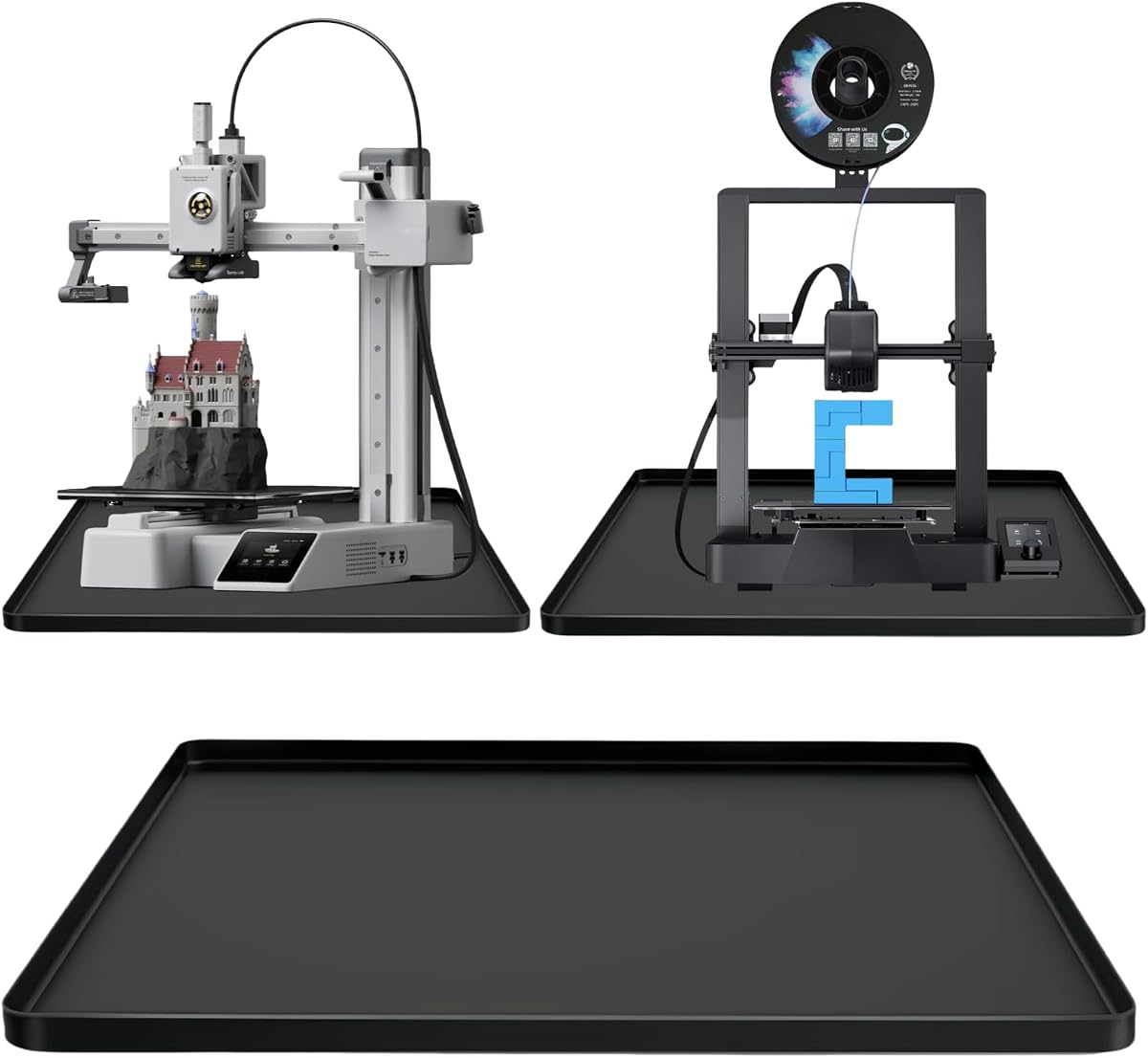
ELEGOO Silicone Mat 400 x 300mm
4.0Editor score
Raised-edge spill containment
Non-stick easy-clean surface
Compact workspace footprint
Our guide compares 10 silicone build plates and related resin-printing surfaces for adhesion, fit, cleanup, protection, and printer compatibility.
A silicone build plate for resin printing should provide dependable adhesion, release cured parts cleanly, and fit the printer without creating leveling complications. However, the best choice depends on whether you need an actual replaceable build platform, a flexible steel plate, or a silicone work mat that protects your bench and simplifies resin handling.
We compared all ten products by examining their stated materials, dimensions, printer compatibility, surface behavior, spill handling, and maintenance requirements. The list includes purpose-built resin platforms, filament-printer spring steel plates, silicone mats, and supporting cleaning tools so readers can distinguish a true build plate from a workspace accessory.
Each review explains what the product is best suited for, along with the practical limitations reflected in the supplied information. Ratings are included for quick reference, but compatibility, cleaning routine, and intended function should carry more weight than any single score. Product prices and availability can change, so confirm current listings before purchasing.
4.0Editor score

4.5Editor score

4.9Editor score
The comparison covers actual resin build platforms alongside silicone work surfaces and maintenance tools, with special attention to stated size, compatibility, adhesion, spill protection, and cleaning convenience.




This 550 x 375mm silicone mat has a 4.5 rating and is designed primarily as a cleanup and transfer surface for resin printers. Its most useful features are the raised perimeter, light adhesion to the counter, and a surface that allows cured resin to be removed after exposure to sunlight or UV light.
We may earn a commission when you buy through this link, at no additional cost to you.
The raised edge helps contain small resin spills that might otherwise reach the desktop, while the mat's slight grip reduces the chance that it or nearby tools will slide during work. Cured material is described as popping off readily, and uncured resin can be wiped away with tissue when waiting for full curing is not practical.
This is important because the product is not a replaceable build platform and should not be treated as one. It is best for protecting a bench, supporting a resin vat during transfer, placing a post-cure container, or providing a temporary work area. The stated product information also refers to a 600 x 400mm size, so buyers should carefully verify which dimensions apply to the package received.
Choose this mat if you want an inexpensive, flexible way to improve resin handling without replacing the printer's actual build platform. It is particularly helpful for hobbyists who occasionally print with resin, clean tools, or transfer liquid resin. It is not suitable for a user who needs a dimensionally precise, printer-mounted platform with controlled adhesion and leveling.
The raised perimeter is the standout feature for resin work because small drips are more likely to remain on the silicone rather than reaching the desktop. A light adhesion also helps keep the mat and nearby supplies from shifting while you work.
Because the mat is soft and flexible, it can be rolled, folded, or stored flat. That makes it easier to deploy only when resin handling is needed and to keep otherwise tidy workspaces uncluttered.
We may earn a commission when you buy through this link, at no additional cost to you.
This nine-piece resin-printing tool set carries a 5.0 rating, the highest among the supplied products. It includes silicone spatulas, ABS scrapers, and a soft-bristle brush intended to support post-print cleanup, resin transfer, vat maintenance, and work around FEP release film.
We may earn a commission when you buy through this link, at no additional cost to you.
The silicone spatula is positioned as a gentle option for lifting resin from sensitive surfaces, including the build plate and vat. The ABS scraper adds rigidity and a flexible edge for sliding beneath prints without the excessive force associated with a hard plastic blade. Meanwhile, the dense, soft bristles are intended to reach intricate textures and cavities without scratching prints.
The central limitation is categorization. None of these tools becomes a printer-mounted surface, improves first-layer adhesion, or changes the machine's flatness. This is a maintenance kit rather than a silicone build plate, and the keyword is a broad description rather than a precise description of this product's function.
Despite that limitation, the set is a sensible companion to a build plate. It can help remove the raft and residual resin after a print, clean delicate details, and maintain the release film and build surface. For someone building a complete resin-printing setup, it may deliver more immediate everyday utility than a simple silicone mat.
A food-grade silicone spatula gives users a flexible way to lift or guide cured material without concentrating a hard edge against FEP film or a finished build surface. This reduces the chance of accidental scratching during routine maintenance.
The detail brush is useful for uncured residue lodged in cavities and textured areas. Its soft bristles are also stated to be suitable for delicate objects such as jewelry, making the kit more versatile than a basic single-purpose scraper.
We may earn a commission when you buy through this link, at no additional cost to you.
The ELEGOO 400 x 300mm silicone mat has a 4.0 rating and offers a compact, heat-resistant work surface for resin printing and other crafts. Its 2.8mm thickness gives the flexible sheet more substance than a thin disposable liner while retaining the convenience of a mat that can be wiped or rinsed.
We may earn a commission when you buy through this link, at no additional cost to you.
Raised edges are intended to catch resin, glue, paint, and stains before they spread across the table. The non-stick surface is said to allow cured spills to be peeled away, while the non-slip design helps secure materials during precise work. It can also be cleaned with water or alcohol, depending on the residue and the printer's own cleaning guidance.
Its compact footprint makes it most suitable for small workspaces, hobby desks, and printers that do not occupy the full mat. It is not a true build plate, so it should remain on the bench rather than inside the printer. Buyers who regularly handle large resin vats, curing buckets, or multiple tools may find the working area more constrained than the larger options in this list.
This is a practical choice for a user who wants a dedicated resin and craft zone without dedicating substantial desk space. Its cleanability, raised lip, and multi-material focus make it more useful for organization than a printer replacement. For direct model adhesion, you will still need the printer's intended build platform.
At 400 x 300mm, the mat is sized to support small tools, a small vat, or a compact resin-printing routine. Its raised edge provides containment without requiring the much larger footprint of a dedicated printer station.
The combination of a non-stick surface and easy-clean construction reduces the effort needed after resin, glue, or paint work. Once spills have solidified, the mat is designed to let users peel them away and wipe or rinse remaining residue.
We may earn a commission when you buy through this link, at no additional cost to you.
This two-piece flexible build platform has a 4.2 rating and is the most directly relevant product for a reader searching for a resin build plate. It consists of a 160 x 94mm spring steel plate and a magnetic base platform designed specifically for the Anycubic Photon Mono 2.
We may earn a commission when you buy through this link, at no additional cost to you.
The steel surface is described as CNC-machined and capable of providing good adsorption force, helping prevent models from shifting during printing. After the print, bending the plate is intended to release the model, while the steel construction is designed to return to its original shape and withstand repeated use. A handle assists with installation and removal.
Compatibility is exact rather than universal. The plate is approximately three to four millimeters thick, which reduces the printer's available vertical printing space by a similar amount. Installation therefore requires cleaning the build area, seating the magnetic base, fitting the spring steel plate, and repeating the printer's leveling procedure. These steps are essential if first-layer contact is to remain accurate.
This platform is best for a Photon Mono 2 owner who wants a direct, removable resin-printing surface and values easier model release. It is less suitable for another printer unless its dimensions, mounting method, and magnetic base arrangement are known to match. The set is also more specialized than a general silicone mat or cleaning kit.
The spring steel core allows a user to flex the platform and release a completed model without aggressively prying it against the plate. This is a practical advantage when preserving detailed miniatures, fragile parts, or the platform's surface.
Because the platform adds three to four millimeters of thickness, the printer must be releveled after installation. The supplied instructions also recommend removing resin, dust, and moisture with alcohol before attaching the magnetic components.
We may earn a commission when you buy through this link, at no additional cost to you.
This 16-piece scraper and brush set has a 4.5 rating and is designed around common printer-bed maintenance. The assortment includes 13 scrapers in three configurations—plastic, long-handle silicone, and short-handle silicone—plus three cleaning brushes for removing parts, rafts, and residual material.
We may earn a commission when you buy through this link, at no additional cost to you.
The variety allows the user to select a firmer edge when lifting a raft or a softer flexible head when working around a more delicate surface. The brushes are useful for clearing residue from textured plates and narrow areas, while the multiple handles can make the set convenient for both small resin platforms and broader hobbyist print beds.
This product does not provide the surface itself, so it cannot be used as a replacement build platform or improve model adhesion. Its compatibility claim refers to the kinds of tools and common print beds it can service rather than a specific printer platform. Buyers seeking a platform should not treat the broad claim as evidence that a supplied component fits their machine.
The set is a useful companion for anyone who already owns a suitable build plate. It improves the release and cleanup routine around that plate, and it may be especially helpful when switching between delicate models and heavily built rafts. It is best understood as a maintenance investment rather than a silicone build plate.
The three scraper styles provide a practical range between rigid plastic and flexible silicone. A user can begin with the gentlest tool and move to a firmer edge only when a print or raft requires additional leverage.
Thirteen scrapers and three brushes cover both part removal and residue cleanup. That breadth makes the kit useful for resin printers, filament printers, and general workshop maintenance without requiring a separate brush for every task.
We may earn a commission when you buy through this link, at no additional cost to you.
This 23.6 x 15.8-inch silicone mat has a 4.6 rating and is designed to create a more stable, protective base for a desktop printer. Its raised edge is stated to contain resin spills, filament debris, and dust while shielding furniture from scratches, heat marks, and drips.
We may earn a commission when you buy through this link, at no additional cost to you.
The mat's anti-slip bottom helps prevent the printer from shifting on smooth desks or hardwood surfaces. Its flexible silicone layer is also said to absorb vibration and reduce resonant printing noise. For resin users, the raised perimeter offers a practical boundary around the working area, especially when uncured material is being poured or brushed.
Although the listing mentions compatibility with Flashforge, Comgrow, ELEGOO, Bambu Lab, and most printer models, the mat is a support surface rather than a printer-mounted build platform. The broad reference should therefore be interpreted as the ability to sit under compatible printers, not as a guarantee that any printer can be installed on it.
Choose this option when printer movement, bench protection, and spill containment are your main concerns. It is less relevant if your priority is stronger part adhesion or direct model release. Its generous area can comfortably house a printer and nearby accessories, while washable construction keeps the station practical for regular resin use.
The anti-slip base is especially relevant on smooth furniture where a printer may move during operation. Flexible silicone also helps isolate the machine from minor vibration, making the mat both a stability and noise-control accessory.
A one-centimeter perimeter gives spilled resin and filament debris a physical boundary. This does not eliminate spills, but it can keep small incidents from spreading across the wider desktop and makes cleanup more localized.
We may earn a commission when you buy through this link, at no additional cost to you.
This large display stand mold has a 4.5 rating and is made from flexible silicone for epoxy resin, polymer clay, and craft applications. Its 8.46 x 12.44-inch size is intended for creating table-top sign holders, menu displays, and stands for photographs or framed items.
We may earn a commission when you buy through this link, at no additional cost to you.
The material's flexibility is expected to assist with removal of a cured casting, while the product description states that it is reusable and can be cleaned with soapy water. Keeping it stored in a dry, dust-free area helps preserve the mold and prevents new material from being cast into a contaminated surface.
This item has no meaningful relationship to a resin 3D printer's build system. It neither attaches to a printer nor creates a surface on which a model can be printed. Including it in a build-plate roundup makes it relevant only to the broader world of silicone materials and resin casting, not to the core shopping need.
Shoppers making signs or decorative resin pieces may find it useful within a broader craft station. A resin-printer owner looking for adhesion, flatness, or model release should skip it and choose one of the actual platform products or silicone mats. Its value comes from the finished craft project, not from 3D printing hardware.
The silicone mold is intended to give a finished resin or polymer-clay piece a defined display shape. Its flexibility should make the casting easier to demold than a rigid, sharply edged container.
After washing with soapy water, the mold should be kept dry and away from dust. Careful cleaning and storage help it remain ready for another round of castings and reduce contamination of future work.
We may earn a commission when you buy through this link, at no additional cost to you.
This extra-large silicone craft mat has a 4.9 rating and provides a 34 x 22-inch workspace for resin, epoxy, painting, jewelry casting, and related activities. Its defining feature is a substantial 0.74-inch raised border, which offers more pronounced containment than a thin flat liner.
We may earn a commission when you buy through this link, at no additional cost to you.
A textured surface and non-slip base help hold molds, tools, and projects in place. The silicone is described as tear-resistant and capable of handling hot resin up to 446 degrees Fahrenheit, making it a more demanding work surface than basic spill liners. The smooth top is intended to resist epoxy adhesion and can be cleaned with soapy water.
The product remains a craft mat rather than a build platform. It cannot establish a model's first layer, alter the printer's Z-height, or replace a spring steel plate. Its premium case rests on workspace capacity, containment, heat resistance, and stability rather than direct print-surface performance.
This mat is best for serious hobbyists or small craft businesses that handle multiple resin projects at once. The extra area allows tools and molds to remain organized without interfering with the active piece. Buyers with limited desk space may prefer a compact 400 x 300mm mat, while those seeking a true platform should examine the dedicated resin flex plate.
The 34 x 22-inch area provides space for a main project alongside tools, pigments, molds, and curing items. That room is valuable when resin work involves repeated mixing, pouring, decorating, and cleaning rather than a single print at a time.
A stated heat tolerance of up to 446 degrees Fahrenheit provides a higher-performance surface than a general craft liner. Combined with deep raised edges, it offers dependable support for warm resin and epoxy spills.
We may earn a commission when you buy through this link, at no additional cost to you.
This Creality build plate has a 4.6 rating and combines a spring steel core with a dual-sided epoxy-resin particle coating. At 235 x 235mm, it is designed around a broad group of Creality and other mainstream printers, with positioning holes intended to aid installation on compatible heated beds.
We may earn a commission when you buy through this link, at no additional cost to you.
The textured coating is described as providing strong adhesion and resistance to heat, wear, and scratching. Flexibility allows a finished model to be released by bending the plate, while the steel is expected to return quickly to its original shape. Dual handles at the rear make handling and removal more convenient.
The stated compatibility list focuses on filament printers, including several Ender 3, K1, and S1-series models. Although the epoxy-resin coating may sound similar to a resin-printing surface, the product information does not establish compatibility with a resin printer's release film, vat, or build mechanism. It should therefore not be assumed to work as a resin build plate.
This platform is a compelling replacement for owners of the listed filament printers, especially those who want durable dual-sided adhesion and tool-free model release. It is not a strong choice for the specific resin-printing use suggested by the search term. For resin work, the Photon Mono 2 flex platform is the more clearly aligned option in this list.
The sandblasted epoxy coating is intended to hold a model firmly at the start of a print. After completion, flexing the steel core helps detach the part without scraping aggressively against the textured surface.
Coating both faces provides a usable surface whichever side is oriented upward. Positioning holes and rear handles add convenience for compatible heated-bed printers, while the stated material choices focus on filament applications.
We may earn a commission when you buy through this link, at no additional cost to you.
This Creality K1 SE replacement build plate carries a 4.9 rating and is explicitly designed for the 235 x 235mm K1 SE bed, providing a stated 220 x 220mm printing area. The product information says that no parameter adjustments are required, offering a straightforward replacement experience for an owner of that printer.
We may earn a commission when you buy through this link, at no additional cost to you.
Its enhanced epoxy-resin coating is described as retaining adhesion when heated and releasing cleanly after cooling without leaving residue. The high-elasticity spring steel can be bent to remove a model, while the magnetic attachment keeps the platform secure during use and allows convenient detachment afterward.
Despite the epoxy-resin terminology, the listed printer compatibility is centered on the K1, K1C, K1 SE, and several Ender 3 models used for filament printing. The supplied information does not say that this plate is compatible with a resin printer. Installing it in a resin machine could also conflict with the printer's required release surface, so the intended printer should always be verified.
Choose this product when you own a compatible Creality filament printer and need a direct-fit, durable platform with easy removal. It is one of the strongest general build plates in the list, but it does not resolve the needs of a resin-printer buyer. That distinction makes the Photon Mono 2 flex plate more relevant for the exact use case named by the keyword.
The plate is explicitly matched to the K1 SE platform and is stated to require no parameter changes. That makes it more convenient than a physically similar plate whose mounting pattern or dimensions may not align.
After the build has cooled, the spring steel can be bent to separate the model from the coated surface. The described epoxy finish is intended to release without leaving residue, reducing the need for aggressive scraping.
We may earn a commission when you buy through this link, at no additional cost to you.
The most important first step is deciding whether you need a printer-mounted platform, a flexible resin plate, a silicone work mat, or a maintenance tool. Compatibility and intended function should be checked before appearance, included accessories, or general material descriptions.
Start with the printer's exact model and the dimensions of its existing build area. A plate must match the mounting pattern, physical size, and mechanism of the machine, and a magnetic platform also needs a compatible base. The 160 x 94mm resin flex plate in this guide is specifically tied to the Anycubic Photon Mono 2, while the two Creality plates are designed around 235 x 235mm filament-printer platforms. Never assume that the words spring steel or epoxy resin mean a product is intended for a resin printer.
A build platform is installed in the printer and directly supports the printed model. By contrast, a silicone mat remains under the printer or on a separate workbench, where it protects the surface and contains spills. Among the listed products, the 2PCS Resin Flex Plate and the two Creality spring steel plates are actual platforms. The silicone mats and display mold support resin-related activities but do not create adhesion between a model and the machine.
A good print surface must hold the model during the initial layers without allowing it to shift or detach. The resin flex plate uses a CNC-machined steel surface described as having good adsorption force, while the Creality plates feature textured epoxy-resin coatings designed for strong filament adhesion. For resin printing, verify that the platform is specifically intended for the printer and follows the manufacturer's surface-preparation instructions.
Flexible steel is valuable because a slight bend can separate a completed model with less force than rigid prying. This can reduce damage to thin details and help preserve the build surface. Silicone utensils can also be useful during removal, but they do not replace a spring steel platform. The best setup often combines a flexible platform with a silicone spatula, ABS scraper, or soft brush for clearing the raft and residue.
Silicone work mats range from a compact 400 x 300mm to an extra-large 34 x 22 inches. A compact mat suits small tools and limited desks, while a larger model can hold a printer, vat, curing area, and multiple accessories. Check the mat's listed dimensions against the full footprint of your setup rather than only the printer body. If a listing gives conflicting measurements, confirm the actual package size before ordering.
Resin work introduces heat, UV exposure, and chemical-cleaning demands that should be considered before choosing a surface. The ELEGOO mat is described as heat-resistant, while the large craft mat states a tolerance up to 446 degrees Fahrenheit. Mat compatibility with a printer's temperature range is separate from direct resin compatibility. Always follow the printer and material manufacturers' cleaning instructions and avoid assuming every alcohol or chemical formulation is suitable for every silicone surface.
An effective surface should not only resist adhesion but also release dried resin and accept routine cleaning. The silicone mats are described as non-stick, peelable, wipeable, or rinseable, and the flexible platform can be cleaned with alcohol before installation. A soft brush, silicone spatula, and flexible scraper help remove uncured residue from cavities and build surfaces. Store folded silicone mats dry and away from dust to prevent trapped debris from affecting later casts.
A replacement platform can affect clearance and leveling. The Photon Mono 2 flex platform is three to four millimeters thick, reducing printable height by the same amount and requiring the machine to be releveled. Clean and dry both surfaces before attaching the magnetic base, allow it to seat fully, and confirm the printer's level after installation. Dedicated manufacturer-compatible plates are more likely to preserve the intended setup.
Begin by identifying whether the product is a printer-mounted platform or a silicone work mat. For a platform, disconnect the printer according to its instructions, remove the existing surface, and clean the mounting area. For a mat, place it on a level, stable work surface and position it beneath the printer or within the resin-handling area.
Before installing a spring steel or magnetic platform, remove dust, fingerprints, and residual resin using alcohol as directed by the manufacturer. Let the surfaces dry completely. Seat the magnetic base, attach the plate, and complete the printer's leveling procedure. A change in platform thickness can reduce usable build height or alter first-layer contact, so verify the settings before starting a long print.
After printing, remove the model using a gentle flex of the platform when the product supports that method, or use a silicone spatula and flexible scraper without forcing a rigid edge beneath the part. Clean the platform and silicone mat according to their stated care instructions, let them dry, and store flexible mats folded or rolled in a clean location.
No. A true build plate is installed inside the printer and directly supports the printed model. A silicone mat is a work-surface accessory used to contain spills, transfer resin, protect furniture, and organize tools. Review the product's stated function and printer compatibility before treating it as a replacement platform.
Only when the resin printer's manufacturer supports that exact plate and the surface is designed for resin printing. Some resin printers require a perforated platform above a vat, while others use a dedicated film or platform system. A filament-printer plate with an epoxy coating may not provide the correct adhesion, release behavior, or physical clearance.
Choose a mat that accommodates your printer, vat, tools, and cleaning supplies. A 400 x 300mm mat is convenient for a compact hobby setup, while a 34 x 22-inch mat offers much more room for multiple resin projects. Measure the available desk area and include clearance around the printer.
Allow small spills to cure when practical, then lift or peel away the solid material. Wipe uncured resin promptly using the cleaning method approved for the mat, such as water or alcohol where compatible. Avoid scraping a soft surface with a hard blade, and wash the mat thoroughly if residue remains.
Not unless the mat is specifically engineered and installed as the printer's build surface. A conventional silicone mat sits under or beside the machine and does not contact the model during printing. For adhesion, select a compatible platform with the surface texture and coating intended for that printer and material.
Changing the platform thickness changes the distance between the print surface and the printer's leveling reference. The Photon Mono 2 flex platform, for example, reduces printable height by three to four millimeters. Releveling restores accurate first-layer contact and helps prevent failures caused by excessive or insufficient separation.
A silicone spatula is useful for guiding or lifting material without applying a hard edge against the build surface. It can assist with raft and residue removal, although bending the spring steel platform may be an easier release method for a successful print. Avoid mixing tools in a way that bends the plate sharply or forces a delicate model.
Replacement depends on surface condition rather than a fixed schedule. Inspect the platform for deep scratches, persistent contamination, uneven wear, or a loss of consistent adhesion. Clean it between prints when resin accumulates, follow the platform manufacturer's care instructions, and replace it when the surface no longer supports reliable first-layer contact.
The most relevant direct platform in this group is the 2PCS Resin Flex Plate, which is specifically built for the Anycubic Photon Mono 2 and offers a flexible spring steel surface with a magnetic base. For workspace organization, the ELEGOO 400 x 300mm mat is a compact choice, while the 550 x 375mm mat provides broader protection and easier storage.
Your priority should determine which category you choose. Select a printer-specific platform when you need model adhesion and simple removal. Choose a silicone mat when your priority is spill containment, bench protection, and resin transfer. Add the 9-piece or 16-piece cleaning sets if your main need is easier removal of rafts, residue, and detailed model surfaces rather than a new platform.
Finally, confirm the printer model, dimensions, installation requirements, and current product listing before ordering. Ratings provide a useful starting point, but compatibility and maintenance demands are more important for a successful resin-printing setup. Product prices and availability can change, so check current details and seller information at the time of purchase.
