
Anker MagGo 3-in-1 Qi2
4.6Editor score
Official Apple Watch certification
Qi2 magnetic alignment
Adjustable 45-degree stand
Discover the best charging dock for multiple Apple devices, comparing compatibility, charging options, portability, safety, and organization for every setup.
A charging dock for multiple Apple devices can simplify a nightstand or desk by combining phones, watches, earbuds, and sometimes laptops in one organized hub. The right model balances compatible charging technologies, useful ports, safe power delivery, and a layout that suits your devices without creating a new source of clutter.
We compared ten charging docks based on their supplied specifications, device compatibility, wired and wireless charging options, portability, safety protections, organizational features, and customer ratings. The list covers compact three-device pads, foldable travel designs, desktop stands, and high-power charging stations for mixed Apple and other device collections.
Each pick reveals a different way to approach multi-device charging, from a portable magnetic travel solution to feature-rich organizers with laptop support. Ratings and availability can change over time, and current prices vary, so compare the latest listing details and verify your own device compatibility before making a final choice.
4.6Editor score
4.3Editor score

4.2Editor score
The table below compares all ten options by their core charging architecture, supported devices, portability, and standout organizational features, making it easier to identify the right dock for a nightstand, office, travel bag, or shared family charging area.


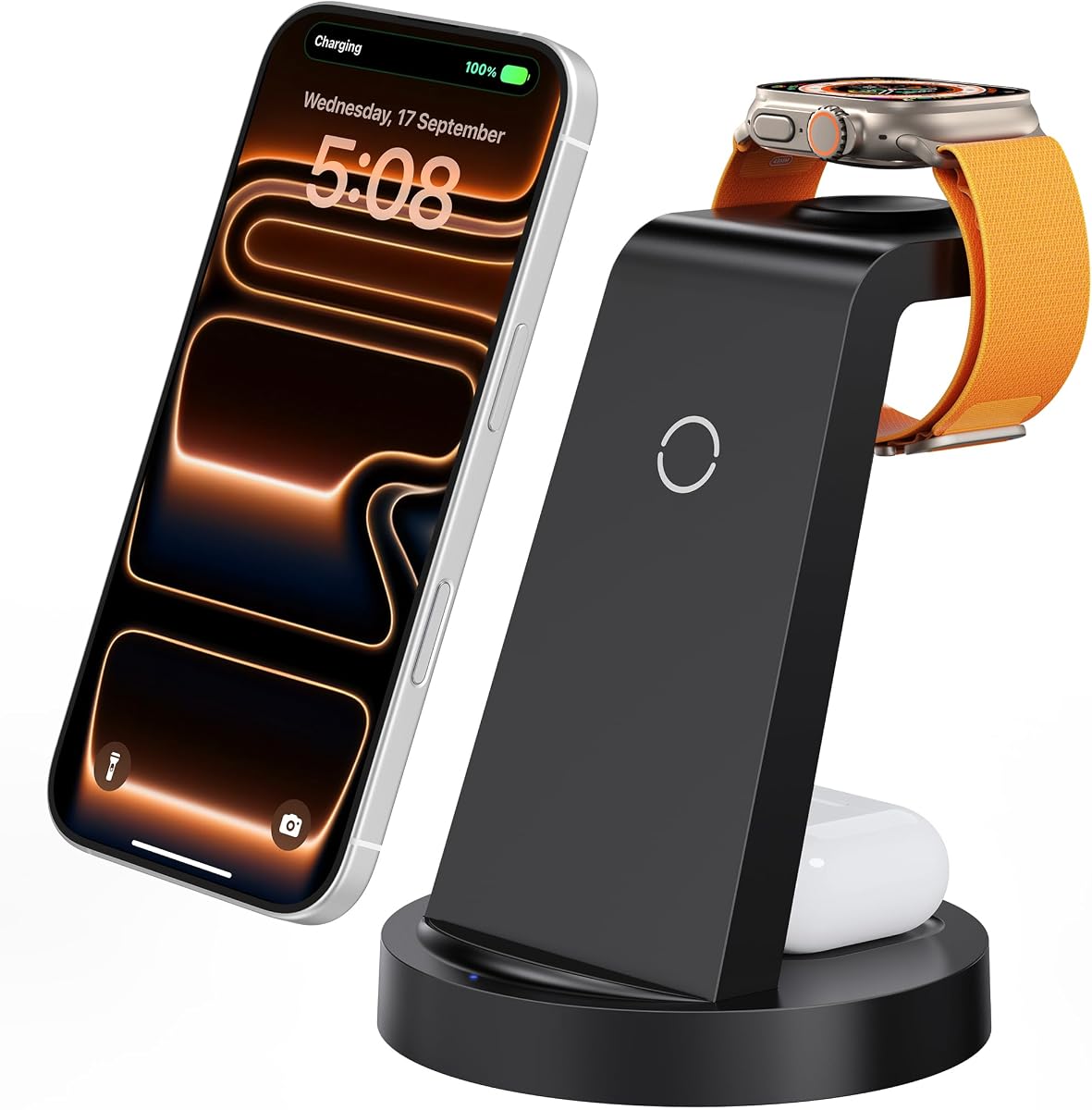


The GETPALS 3-in-1 Station is a compact charging solution for an iPhone, Apple Watch, and compatible AirPods charging case. Its 4.2 rating reflects a generally practical approach to the three-device format, while its standout qualities are portability, straightforward organization, and broad compatibility across recent and older supported Apple models.
We may earn a commission when you buy through this link, at no additional cost to you.
Charging outputs are divided according to device type: up to 7.5W for the phone, 3W for earbuds, and 2.5W for the watch. The foldable construction reduces the amount of desk or bedside space occupied when the station is not in use, making this a practical option for frequent travelers as well as people who want one cable for their everyday Apple accessories.
The main limitation is that it offers no wired ports or laptop charging, so buyers expecting a comprehensive power hub may need a different design. Magnetic phone alignment is also not claimed, and some thicker cases may reduce charging performance. Still, the three-zone layout provides clear convenience for the core Apple ecosystem at a focused level.
This is an appealing choice for someone who charges only an iPhone, watch, and earbuds and values a small, foldable profile. It is less appropriate for a household with tablets, power banks, or multiple phones that needs broader wired connectivity. For a simple three-device nightstand setup, it delivers the core function with fewer visual distractions.
The lightweight foldable design is particularly useful for moving between a home, office, and hotel room. One connected cable can support the familiar trio of phone, watch, and earbuds without asking the user to carry several separate charging blocks.
Separate charging positions, a non-slip surface, and visible status indicators make it easier to confirm that every device is resting where it should. Case-friendly support extends to thickness limits of 4mm, although cases with metal rings, pockets, or magnets should be avoided.
We may earn a commission when you buy through this link, at no additional cost to you.
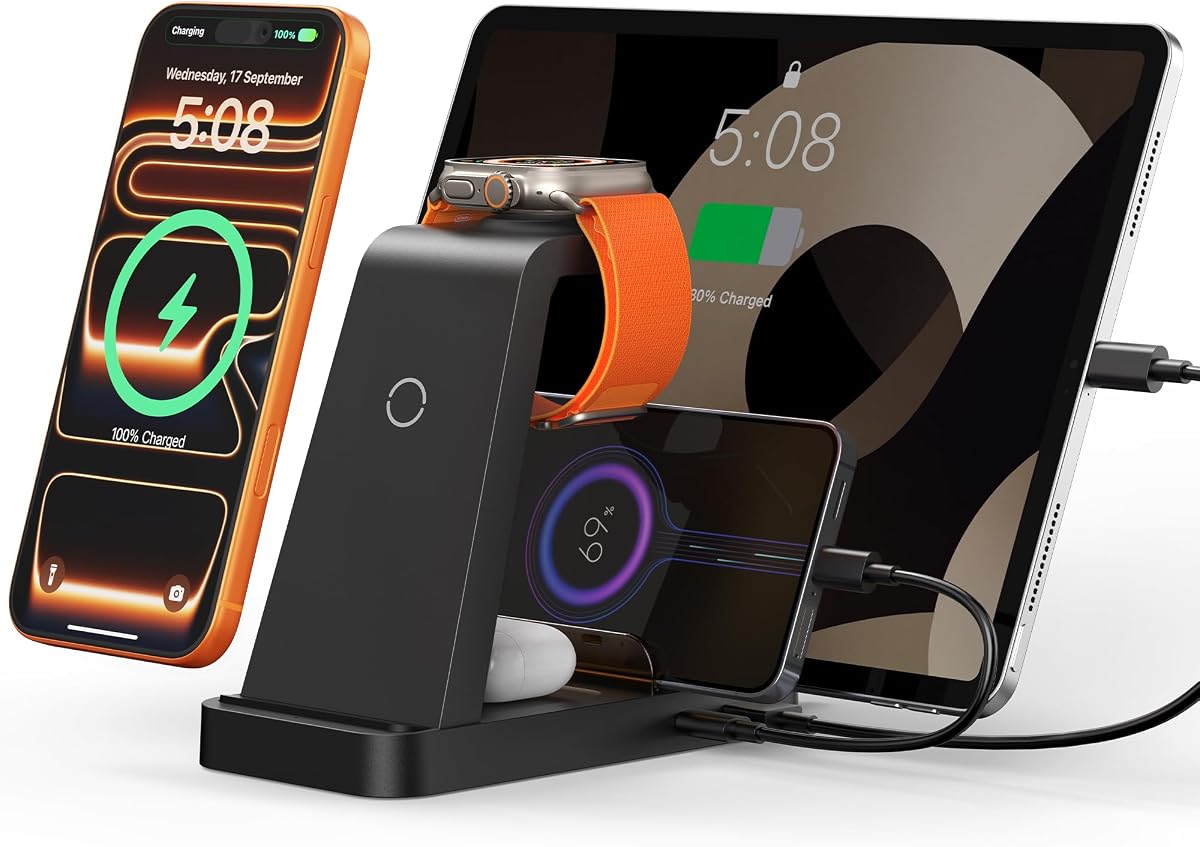
The 5-in-1 Wireless Station is the most versatile dedicated Apple charging dock in this guide. Rated 4.3, it can handle an iPhone, Apple Watch, AirPods, iPad, and another USB or Type-C device, making it a practical centerpiece for a desk or nightstand where several categories of equipment need regular charging.
We may earn a commission when you buy through this link, at no additional cost to you.
Its 36W fast-charging adapter is designed to power up to five devices simultaneously, with dedicated wireless positions for the phone and watch. USB-to-Lightning and Type-C-to-Type-C cables are included, and the base provides wired USB and Type-C ports for accessories that are not compatible with wireless charging. This flexibility distinguishes it from a basic three-device pad.
There are practical compromises. The manufacturer recommends removing phone cases during charging and keeping case thickness below 5mm. Ventilation openings, multiple protections, and a requirement to use the supplied adapter help manage heat and charging safety, but the station still demands more desk space than a foldable travel model.
The dock is best suited to an Apple user with more than the core three devices or someone who also needs to charge an iPad and wired accessories. It is a stronger fit for a family workspace than a minimalist bedside setup. With its broad device coverage and included accessories, it offers the most balanced feature set among the dedicated Apple docks.
The combination of dedicated phone and watch charging areas, AirPods support, and replaceable wired connections means the station can adapt to more than one charging routine. It also supports compatible USB accessories such as power banks, electric toothbrushes, and shavers.
Integrated partitions keep devices separated and make it easier to see what is connected. Sixteen ventilation openings and four non-slip pads help dissipate heat and keep the station stable on a desk or bedside table.
We may earn a commission when you buy through this link, at no additional cost to you.
The MERGROLY 10-Port Station is a high-power wired charging organizer built for homes, offices, and families with many devices. Its 4.4 rating is among the stronger results in the group, and the distinguishing feature is a ten-port design that can accommodate five USB-C and five USB-A connections.
We may earn a commission when you buy through this link, at no additional cost to you.
Output is distributed across two 65W and three 30W USB-C ports plus five fast-charging USB-A ports, with total capability reaching 320W. Smart chips detect connected devices and provide suitable charging current, while the raised dividers organize phones, tablets, and other equipment without requiring many cases to be removed.
It also includes four Type-C-to-Type-C cables, three USB-to-Lightning cables, and one Micro USB cable, which helps reduce desk clutter immediately. A dedicated Apple Watch holder is present, but its charging cable is not included. That distinction matters for buyers expecting a completely wireless Apple trio.
This station is ideal for a shared charging area where a laptop, several phones, tablets, and accessories need wired power. It is less attractive for someone wanting a single magnetic nightstand pad or a compact travel solution. For reducing multiple wall adapters and keeping numerous cables in one place, however, its port density and organization are difficult to overlook.
The two 65W USB-C outputs are the standout feature for demanding equipment, while the remaining ports cover phones, earbuds, Kindles, and smaller accessories. This makes the station more adaptable than a dock limited to a phone, watch, and earbuds.
Eight assorted short cables are included, reducing the number of loose leads needed for common devices. Integrated slots, a central anti-slip area, and rubber feet help maintain order and protect the surface beneath the organizer.
We may earn a commission when you buy through this link, at no additional cost to you.
The Acer Gadget 7-in-1 combines Apple charging with a small smart display, making it more informative than a conventional dock. Its 4.2 rating pairs with a feature set that includes two wireless phone positions, wireless earbuds and Apple Watch charging, and wired USB-A and USB-C connections.
We may earn a commission when you buy through this link, at no additional cost to you.
The display automatically synchronizes with a connected phone through Bluetooth using the S1 connection, then shows the time, day of the week, and indoor temperature. Adjustable warm and cool lighting adds a bedside-clock function and allows the station to blend into different room conditions without requiring a separate screen.
The station supports up to six devices at once and can charge recent iPhone models, Apple Watches, and AirPods with a wireless charging case. It also accepts Galaxy and other compatible Android phones, although Samsung Watches are not supported. The strict 2mm case limit and need to center AirPods may make placement less forgiving than a standard three-zone pad.
This is a strong choice for a nightstand where a visible clock is more useful than maximum wired port count. It also serves mixed-Android households because the wired ports and second wireless phone position broaden its reach. For Apple-focused buyers who want a decorative display alongside organized charging, its combination of smart functions and seven-in-one design is particularly compelling.
The integrated display turns the charger into a useful bedside or desk clock. Automatic Bluetooth synchronization reduces manual setup, while the weekday and temperature readings provide additional information without requiring a separate smart display.
Two wireless phone areas make the station adaptable to more than one phone, and the wired USB-A and USB-C ports can serve compatible accessories. Samsung Watches are excluded, so watch buyers should confirm the precise model they own.
We may earn a commission when you buy through this link, at no additional cost to you.
The Anlmz 3-in-1 Station focuses on a simple proposition: place an iPhone, Apple Watch, and compatible AirPods on a single connected dock. Its 4.2 rating reflects a well-received format, while the included 18W adapter, USB-C cable, and uncomplicated layout make setup convenient.
We may earn a commission when you buy through this link, at no additional cost to you.
A smart chipset handles the charging process, including switching to trickle mode when a device reaches full charge. Foreign-object detection can pause charging when metal accessories are detected, and the ABS housing is designed to dissipate heat. These features support the station's suitability for daily use, particularly on a nightstand.
Unlike magnetic models, the phone position relies on correct centering. Cases up to 5mm are supported, but metal, magnets, and credit cards should be removed. The soft blue status LED is less visually disruptive than a permanently bright display, which is useful in a bedroom but offers less charging-state detail.
Choose this dock when the main goal is a clean, uncomplicated way to charge the familiar Apple trio. It is a sensible alternative for anyone who dislikes magnetic alignment or wants a simpler stand without extra wired ports. Buyers who need tablets, laptops, or multiple phones will need a larger station with additional connections.
The restrained blue indicator communicates connection without the persistent brightness associated with more elaborate displays. Its soft appearance and single-cable footprint suit a sleeping area where visual and physical clutter should be minimized.
Smart charging behavior, foreign-object detection, and a heat-dissipating housing provide sensible safeguards for regular overnight use. The non-magnetic design requires more attention to placement, but that trade-off keeps the design simple.
We may earn a commission when you buy through this link, at no additional cost to you.
The Foldable Magnetic 3-in-1 is designed for people who want one Apple charging setup at home and in transit. It carries a 4.2 rating and combines a magnetic iPhone position, Apple Watch support, and AirPods charging in a structure that folds flat or forms a phone stand.
We may earn a commission when you buy through this link, at no additional cost to you.
Its magnetic suction helps automatically center supported iPhone models, including the iPhone 12 and later families listed in the specifications. The folding panel can rotate through 180 degrees, allowing the phone to remain upright for video calls, messaging, entertainment, or desk work while it charges.
The supplied 18W adapter and cable support the three-device arrangement through one power connection. Temperature control, overvoltage, short-circuit, and overcurrent protections are included. AirPods compatibility is limited to magnetic or wireless-case models from AirPods 2, 3, and 4, which should be confirmed before purchase.
This is the pick for frequent travelers who prefer to carry a complete Apple charging trio instead of separate accessories. It is also useful for users who regularly watch content on a propped-up phone. It is less suitable for a household that needs USB ports, laptop charging, or support for a broad range of non-Apple devices.
The folding mechanism allows the station to become a stable upright stand in seconds. When packed, its lightweight profile takes up less room than three separate charging accessories, making it easy to include in a carry-on or overnight bag.
For compatible iPhone 12-and-later models, magnetic attraction makes the charging position easier to find than a conventional center-placement pad. The watch and earbuds remain in their designated areas, creating a clear three-device layout.
We may earn a commission when you buy through this link, at no additional cost to you.
The Lcssio 8-Port Station is a compact wired charging organizer with a 4.5 rating, the highest among the traditional multi-port models in this guide. It is intended for desks where a MacBook, iPad, phones, earbuds, and smaller accessories need a centralized collection of outlets.
We may earn a commission when you buy through this link, at no additional cost to you.
Five USB-C ports share up to 300W overall output. Two provide 65W each for laptops, while 30W and 20W options are intended for tablets, smartphones, earbuds, Kindles, and watches. The charging protocol depends on the connected device, so actual output will vary by equipment and cable.
Unlike some organizer designs, the housing is integrated rather than built around removable, flimsy dividers. Two wider central slots accommodate thicker devices, including tablets that remain in protective cases. The absence of an integrated Apple Watch charger or wireless phone pad is the principal distinction from the dedicated Apple docks.
This station suits a power user who values laptop charging and a high port count in a relatively small footprint. It is a sensible shared charger for a family office, though it will not offer the convenient one-cable Apple-nightstand experience. Its strong rating, sturdy construction, and broad output range make it a compelling wired option.
The dual 65W USB-C ports are the main attraction for MacBook Pro, MacBook Air, and other USB-C laptops. Additional lower-wattage ports support the smaller devices that typically fill a shared family charging area.
The fixed housing and solid central construction are designed to resist the instability associated with removable dividers. Rubber feet protect the surface below, while wider slots give cased tablets a more secure resting place.
We may earn a commission when you buy through this link, at no additional cost to you.
The 600W 13-in-1 Station is a comprehensive power hub that joins a ten-port wired charger to a three-in-one Apple wireless section. Its 5.0 rating is the highest listed in the guide, and the combination of dual 100W USB-C power, laptop support, and dedicated wireless areas makes it one of the most ambitious designs here.
We may earn a commission when you buy through this link, at no additional cost to you.
The wired side includes two 100W USB-C ports, two 65W USB-C ports, two 60W USB-C ports, and four 30W USB-A ports. The wireless section charges an iPhone, Apple Watch, and AirPods together. Total output can reach 600W, allowing a large collection of phones, computers, tablets, and accessories to use one power source.
A detail worth noting is that the USB-C port on the Apple Watch charging stand is non-charging. The watch itself charges through its dedicated wireless surface, and the separate USB ports serve other devices. The design is still large and feature-heavy compared with a three-device pad, and some users may never approach its maximum stated capacity.
This model is ideal for an Apple-heavy office, a large family, or a creator with a laptop and several mobile devices. It is less appropriate for a minimalist bedroom where a compact stand would be easier to manage. Its strength is offering both specialized Apple charging and high-power wired connectivity in one coordinated unit.
Two 100W USB-C ports provide the strongest laptop capability in this group. The remaining USB-C and USB-A outputs allow phones, tablets, Kindles, consoles, and other accessories to share the hub without requiring separate wall adapters.
The phone and earbud charging stand uses green indicators that illuminate briefly and then turn off. This avoids a persistent light while still providing an initial confirmation that charging has begun.
We may earn a commission when you buy through this link, at no additional cost to you.
The Anker MagGo 3-in-1 is a focused premium stand for an iPhone, Apple Watch, and wireless-charging AirPods case. Its 4.6 rating is the highest among the dedicated wireless Apple docks, and official Apple Watch certification gives it a meaningful advantage over many generic alternatives.
We may earn a commission when you buy through this link, at no additional cost to you.
Qi2 magnetic alignment supports up to 15W for the phone, while the stand adjusts vertically through 45 degrees. The phone can also sit in landscape orientation for StandBy mode, making the dock useful for notifications, timers, calls, or ambient information as well as charging.
The included 40W USB-C adapter and five-foot USB-C cable provide a complete setup. The package also includes a welcome guide, a 24-month warranty, and customer support. Its limitation is concentration: there are only three wireless positions and no extra wired ports for a tablet, power bank, or second phone.
This is the strongest choice for an Apple user who wants a refined dedicated stand and prioritizes verified watch charging, magnetic positioning, and fast phone power. It is less suitable for a family trying to consolidate every electronic device into one hub. For a premium three-device bedside experience, it is the most specialized and refined option in the guide.
Official certification provides a clearer basis for confidence in watch charging than an unspecified magnetic pad. Anker reports that a supported Series 10 watch can charge from zero to full in approximately 1 hour and 13 minutes in internal laboratory testing, though real results vary.
The adjustable viewing angle supports portrait use, while landscape placement enables StandBy functionality. This makes the dock more interactive than a flat charging pad without adding separate display hardware.
We may earn a commission when you buy through this link, at no additional cost to you.
The 600W 15-in-1 Station is designed as an all-purpose charging organizer for homes, offices, and large shared desks. It has a 4.2 rating and expands the familiar Apple trio with a twelve-port wired section capable of powering up to fifteen devices simultaneously.
We may earn a commission when you buy through this link, at no additional cost to you.
Its USB-C array includes two 100W ports, two 65W ports, and four 60W ports, while four USB-A ports provide 20W each. The integrated three-in-one wireless section handles an iPhone, Apple Watch, and AirPods, and the remaining outputs support laptops, tablets, phones, Kindles, and other USB-charged equipment.
GaN III technology is used to maintain high output while keeping temperatures under control. Eight layers of protection cover flame retardancy, overcurrent, overvoltage, overcharge, overload, overheating, and short circuits. A particularly useful detail is the extra-wide side slot, measuring 1.57 by 1.77 inches, which can hold a laptop or a child’s iPad in a thick case.
This is the right station for a device-heavy household that wants a single visual and electrical hub. Its 600W capability and fifteen-device capacity are excessive for someone with only a phone, watch, and earbuds, and the larger construction may occupy substantial desk space. For a shared power command center, however, its combination is difficult to surpass.
The 15-device limit gives families, shared offices, and technology-heavy desks a large margin. It is particularly useful where children use tablets and adults simultaneously charge laptops, phones, watches, and audio accessories.
The enlarged side slot accommodates a laptop or iPad without forcing the user to remove a substantial protective case. Stable placement helps prevent the device from shifting while it is connected to the organizer.
We may earn a commission when you buy through this link, at no additional cost to you.
The most useful charging dock is not necessarily the one with the most ports. Start with the devices you regularly charge, then consider charging methods, output requirements, case compatibility, portability, safety, and the amount of space you want the station to occupy.
Choose a dock that covers your actual routine without forcing you to compromise. A compact three-device model is easier to maintain, while a larger multi-port hub offers greater flexibility for mixed equipment.
Verify that the dock supports the charging case you own. Even when three devices are advertised, some combinations require a MagSafe-capable AirPods case.
Higher advertised wattage does not guarantee that every device receives the same rate. The best match is sufficient output for your largest device, with intelligent allocation among the remaining connections.
Check whether the included adapter has enough capacity for every connected device. Using the supplied or manufacturer-recommended adapter is also a prudent way to preserve the intended charging performance and safety behavior.
Measure your case before buying and follow the placement instructions. Center the iPhone, position the watch correctly, and avoid placing metal accessories against the charging surfaces.
Choose the smallest design that supports your regular devices. A larger station only adds value when the extra ports, storage slots, or simultaneous charging are genuinely needed.
Look for multiple layers of protection and adequate heat dissipation. Avoid using damaged or uncertified cables, and follow the manufacturer's instructions regarding cases, adapters, and placement.
Prioritize informative status feedback that suits the room. A clock is useful on a nightstand, while a discreet indicator may be better for a shared office or desk used after dark.
Begin by placing the station on a stable, level surface with ventilation access. Read the included instructions and identify the dedicated phone, watch, and earbud areas, along with any wired ports. Connect the supplied or approved power adapter to the dock before placing devices on it, and confirm that the charging indicators illuminate as expected.
Place the iPhone on its intended wireless area, center the watch on the watch charger, and position compatible AirPods in the marked earbud area. If using a magnetic model, allow the phone to settle into alignment. Remove or reposition cases that exceed the stated thickness limit, and take out magnetic cards, wallets, metal rings, or other accessories that could interrupt charging.
For a wired organizer, match each device and cable to a suitable port and avoid forcing connectors or bending cables tightly around dividers. Periodically unplug the station, inspect the surface for dust or debris, and clean it with a dry or lightly damp cloth after disconnecting power. Keep liquid away from the electronics, and replace damaged cables or adapters before continuing to use the dock.
No. A three-in-one dock generally charges a compatible iPhone, Apple Watch, and AirPods with a wireless charging case. Older AirPods models that use a standard wired case may not charge wirelessly even if the dock includes a physical charging connector. Check the exact AirPods generation and case type before buying.
It can, and the permitted thickness varies by model. The products in this guide specify different limits, ranging from less than 2mm to under 5mm, while one dock supports up to 4mm. Metal rings, pockets, magnets, and credit cards may also interfere, so remove incompatible accessories and follow the stated placement guidance.
Magnetic alignment is usually more convenient because the phone snaps into a consistent position. A center-placement pad can work equally well for compatible devices, but it requires more attention to align the phone correctly. Magnetic alignment also does not guarantee that every case will charge, since metal or unusually thick cases can still interfere.
A dedicated three-in-one wireless dock normally includes an integrated watch charging surface, so it does not require the cable that normally comes with the watch. Some large wired organizers include a watch holder but do not include its cable. Verify the package contents, as a physical holder alone does not provide charging.
A standard three-device dock usually cannot provide enough wired power for a laptop or tablet. A multi-port charging station with USB-C Power Delivery is more appropriate, particularly when the tablet or computer accepts meaningful input through USB-C. Check the device's charging requirements and the port's maximum output before connecting it.
A quality station should manage heat through intelligent power allocation, protective circuitry, and heat-dissipating materials. Ventilation openings, non-slip feet, and case restrictions also contribute to safe operation. Use the specified adapter and cables, and avoid covering the station with cloth or placing it in a confined, poorly ventilated space.
A compact three-in-one or magnetic foldable dock is usually the most practical for a nightstand. Look for subdued status lighting, a stable footprint, and compatibility with your exact phone, watch, and AirPods case. A display-equipped model can be useful if clock information is a priority.
Most wired multi-port stations can charge Android phones, tablets, Kindles, and other USB devices. Some wireless stands also support compatible Galaxy phones, although the Acer Gadget explicitly excludes Samsung Watches. Check wireless Qi or Qi2 support separately from wired USB compatibility before mixing ecosystems.
The GETPALS 3-in-1 offers a compact, foldable solution for the core Apple trio, while the 5-in-1 Wireless Station provides the most balanced dedicated setup with wireless and wired charging. The Anker MagGo 3-in-1 stands out for premium Qi2 alignment, 15W phone charging, official Apple Watch certification, and an adjustable stand.
For households needing more power, the MERGROLY 10-Port, Lcssio 8-Port, 600W 13-in-1, and 600W 15-in-1 stations consolidate laptops, phones, tablets, and accessories into single high-output hubs. Prioritize the devices you actually use, confirm AirPods and watch compatibility, and check case thickness before treating a dock as universally suitable.
Current prices, promotions, ratings, and availability may change, so review the latest listing information before purchasing. Compare the supplied adapter, included cables, port requirements, and protection features to ensure the final dock fits both your charging routine and the space where it will live.