
Epson Perfection V19 II
3.9Editor score
4800 dpi optical resolution
One-touch photo restoration
Removable high-rise lid
Portable USB-powered design
A photo scanner for old photos to digital should make preservation feel simple, accurate, and worthwhile. The best models combine gentle photo handling, useful restoration tools, sensible resolution, and software that keeps scanned memories organized. They also support different formats, from loose prints and albums to slides and film negatives.
The ten scanners in this guide were compared using the supplied specifications and customer ratings, focusing on scan speed, resolution, supported media, automatic photo features, connectivity, document functions, and ease of use. The list includes flatbed scanners, automatic document feeders, a dedicated film scanner, and a standalone model that does not require a computer.
Each review identifies the feature that makes the product most suitable for a particular need, while noting practical trade-offs. The top picks represent the strongest all-around options, the most accessible choice, and the most advanced workflow. Product configurations and current prices can change, so verify the latest listing details before purchasing.
3.9Editor score

4.5Editor score

4.5Editor score
As an Amazon Associate we earn from qualifying purchases.
This side-by-side comparison covers dedicated photo feeders, flatbed scanners, a standalone converter, and a film scanner, with each product assessed for the media it supports, resolution, workflow features, and connectivity.



The Epson FastFoto FF-680W is the strongest overall choice in this guide for families converting a substantial collection of loose prints. Its 4.5 customer rating reflects a well-rounded device that combines a high-speed photo feeder, automatic enhancement features, document scanning, and flexible connectivity. It is particularly appealing when the goal is to digitize many photos without placing each one on a flatbed individually.
We may earn a commission when you buy through this link, at no additional cost to you.
Its standout advantage is the automatic document feeder, which can hold up to 36 photos in a batch and scan them at a rate of roughly one photo per second at 300 dpi. The duplex system can capture a handwritten message or date from the reverse of a photo during the same pass. Auto enhancement, color restoration, red-eye reduction, de-skewing, cropping, and rotation reduce the manual work needed to prepare each image for sharing or archiving.
The scanner offers 300 dpi for everyday sharing, 600 dpi TIFF for archiving, and 1200 dpi for enlargement-oriented workflows. It also provides a mobile-scanning route at up to 600 dpi JPEG, along with USB and Wi-Fi connectivity. A carrier sheet and microfiber cloth support careful handling, although delicate or very valuable prints may still benefit from individual inspection before scanning.
The FastFoto is best suited to anyone with hundreds of prints, mixed photo sizes, or a need to preserve both image and message sides. Although its document and cloud features make it versatile, a simpler flatbed may be more appropriate for a very small collection or for artwork requiring close placement. For high-volume family archiving, however, its combination of speed, restoration, and organization is difficult to surpass.
Its quick setup and removable scanner make it convenient to move between locations. It is a better choice for preserving many loose photographs, while a flatbed remains more flexible for mounted images, books, artwork, and unusual media.
A 36-photo feeder and an approximately one-photo-per-second rate make this model well suited to digitizing boxes of prints. The duplex pass can preserve notes written on the back, adding context that a single-sided photo scan would miss.
Automatic color restoration, red-eye reduction, cropping, de-skewing, and rotation address common issues in aging photo collections. These tools are particularly helpful when the goal is to prepare images for family sharing rather than perform extensive manual retouching.
We may earn a commission when you buy through this link, at no additional cost to you.
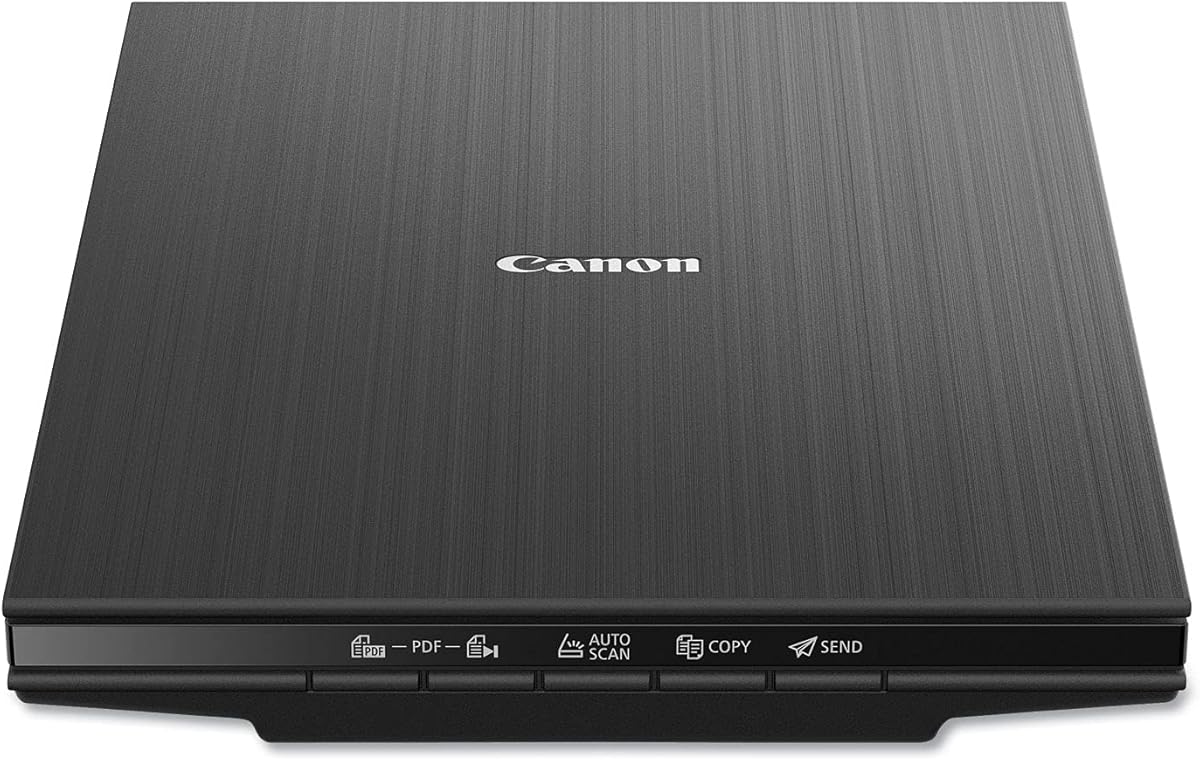
The Canon CanoScan LiDE 400 is a compact flatbed scanner that offers a straightforward way to digitize loose prints and standard documents. It carries a 4.1 customer rating and stands out for its slim 0.4-inch profile, high 4800 × 4800 dpi resolution, and automatic scan mode. It is a practical option for smaller collections where speed and convenience matter more than processing dozens of prints at once.
We may earn a commission when you buy through this link, at no additional cost to you.
The flatbed accommodates a variety of paper sizes, including A4 and Letter formats, while image-enhancement features help with color restoration and dust removal. Automatic mode detects what is being scanned, reducing the number of settings a user must adjust. Built-in PDF controls can produce editable, searchable multi-page PDF files, making the device useful for both photographs and mixed paper archives.
Its primary limitation is the lack of an automatic document feeder. Each print must be placed and scanned individually, so the LiDE 400 will feel slower than the Epson FastFoto or ScanSnap iX2500 when processing large albums. The slim body also provides less room for oversized prints, books, or delicate objects that require a deeper flatbed lid.
This scanner is best for a beginner with a modest number of family photographs, a student building a visual archive, or anyone who values a small footprint. It can also handle general documents, making it more versatile than a film-only device. Buyers should confirm that their most common prints fit the listed paper dimensions before committing.
A USB Type-C cable handles both data and power, reducing cable clutter. The result is a neat, approachable scanner that offers solid resolution and restoration without the physical complexity of a feeder-based system.
Automatic detection reduces the setup required for each scan, while dedicated PDF buttons streamline multi-page document work. This makes the LiDE 400 approachable for users who want an understandable workflow rather than a large editing suite.
The 4800 × 4800 dpi specification provides ample detail for common photo prints and small enlargements. Its narrow housing also makes it easier to store in a home office, dorm room, or workspace where surface area is limited.
We may earn a commission when you buy through this link, at no additional cost to you.
The AMBIR Photo Scanner bundle is designed specifically for people who want more than basic image files. Its 4.3 customer rating reflects a capable scanner whose defining strengths are automatic photo alignment, restoration controls, and organization within Picture Studio by AMBIR. The included cleaning kit and protective carrier sheet also show that careful handling is part of the intended workflow.
We may earn a commission when you buy through this link, at no additional cost to you.
Automatic crop and deskew can identify the edges of a print and correct its orientation, reducing repetitive manual adjustments. Scanning choices of 300 or 600 dpi cover everyday sharing and higher-quality archival work. The supported formats include 3 × 5, 4 × 6, 5 × 7, 8 × 10, small 1 × 1 prints, and panoramic images up to 12 inches, giving it broad coverage of common photo shapes.
Its software can import existing pictures from Apple Photos, Google Photos, digital cameras, and memory drives. Users can create custom albums, apply tags, mark favorites, attach notes, restore faded photographs, add filters or borders, and fine-tune brightness, contrast, exposure, sharpness, and gamma. This makes the bundle attractive for building a coherent digital library rather than simply producing disconnected scans.
The trade-off is a narrower resolution selection than several flatbed models offer, and the scanner depends on a USB connection for setup and operation. There is no wireless workflow or automatic feeder listed. Nevertheless, the combination of automatic alignment, detailed editing, and a two-year manufacturer warranty creates a strong proposition for photo-focused users.
This model is ideal for people combining newly scanned prints with an existing digital collection. It also suits users who want more control over restoration and organization without paying for a professional flatbed, making it a versatile middle ground in the guide.
Custom albums, tags, favorites, and notes help users build a searchable home archive. The ability to import images from common photo services and storage locations also makes it easier to centralize memories that already exist digitally.
The included bellows blower, microfiber cloth, anti-static brush, and protective carrier sheet support a careful cleaning routine. These accessories are useful for reducing loose dust and handling prints with greater care before the scan begins.
We may earn a commission when you buy through this link, at no additional cost to you.
The Epson Perfection V19 II is the best budget-oriented flatbed in this guide, offering 4800 dpi optical resolution and photo restoration in a compact USB-powered design. Its 3.9 customer rating is lower than several alternatives, but the supplied specifications show a capable entry point for scanning prints, artwork, illustrations, books, and everyday documents.
We may earn a commission when you buy through this link, at no additional cost to you.
The high-rise removable lid is a particularly useful feature because it creates additional clearance when a scan involves a book or album page. One-touch controls reduce the number of steps, while Easy Photo Fix can restore color to faded photographs with a single click. Epson ScanSmart also supports searchable PDFs and editable Microsoft Office files through optical character recognition.
There is no automatic document feeder, so a large collection will require more hands-on attention. A letter-sized document can be scanned in as fast as 10 seconds, but individual photo placement makes the V19 II less productive for bulk work than a feeder-based model. Its lightweight 3.1-pound construction and built-in kickstand help with portability and compact storage.
This scanner is a sensible choice for a small number of cherished prints, a student, or a first-time buyer who wants dependable resolution and basic restoration without a complex workflow. It is also useful for mixed home-office tasks involving printed pages, books, and artwork. The main reason to hesitate is volume rather than core image quality.
For preservation-minded users, the V19 II's removable lid and USB power make it a practical entry point. The best way to use it is to scan in small, manageable groups, review each image, and save originals in a clearly organized folder before creating sharing copies.
Easy Photo Fix provides a quick starting point for images that have lost some of their original color. It is especially helpful for prints that need light correction but not extensive retouching, allowing users to preserve a natural-looking result.
Searchable PDF creation, Office-document conversion, a high-rise lid, and one-touch operation broaden the scanner's use beyond photographs. These features make the V19 II useful for mixed archive and office projects involving both prints and paper.
We may earn a commission when you buy through this link, at no additional cost to you.
The ScanSnap iX2500 Photo Edition is the premium choice for a serious digital-preservation workflow. Its 4.5 customer rating, large touchscreen, claimed speed of up to 100 photos per minute, and extensive wireless and organizational features distinguish it from simpler flatbeds. It is built for users who want to digitize a large archive and organize it with minimal repetitive work.
We may earn a commission when you buy through this link, at no additional cost to you.
The automatic document feeder holds up to 100 documents or 36 photos, allowing users to alternate between papers and prints without changing the machine. Three photo carrier sheets support delicate originals and help create consistent scanning profiles. On the touchscreen, users can select personalized settings, route files, and activate automatic optimization before scanning.
File organization is a major strength. Scanned data can be automatically optimized, named, and sorted, then sent to a PC, Mac, mobile device, or supported cloud service. Wi-Fi 6 provides a stable wireless route, while USB-C is available for a wired connection. The QUICK MENU workflow supports moving a scan directly toward favorite computer applications.
The tradeoff is complexity and cost relative to simpler scanners. A touchscreen and customizable profiles require some initial learning, and this model is unnecessary for a handful of prints. Its advanced automatic features also make it more specialized than a basic flatbed, though the included photo accessories keep the primary preservation workflow accessible.
This is the strongest pick for extensive collections, professional organizers, or households that want wireless scanning and integrated file handling. It is also attractive for users who regularly combine photographs with receipts, business cards, and documents, since the same machine can handle both categories and route the results appropriately.
Personalized profiles streamline recurring formats and let users choose how files are optimized, named, and delivered. The large display also makes the scanner more approachable than a compact button-based model when the workflow involves many different source types.
Built-in Wi-Fi 6 allows scanning to mobile devices or cloud services without a connected computer, while USB-C provides a wired alternative. This flexibility helps users keep a physical archive separate from the digital workflow they use each day.
We may earn a commission when you buy through this link, at no additional cost to you.
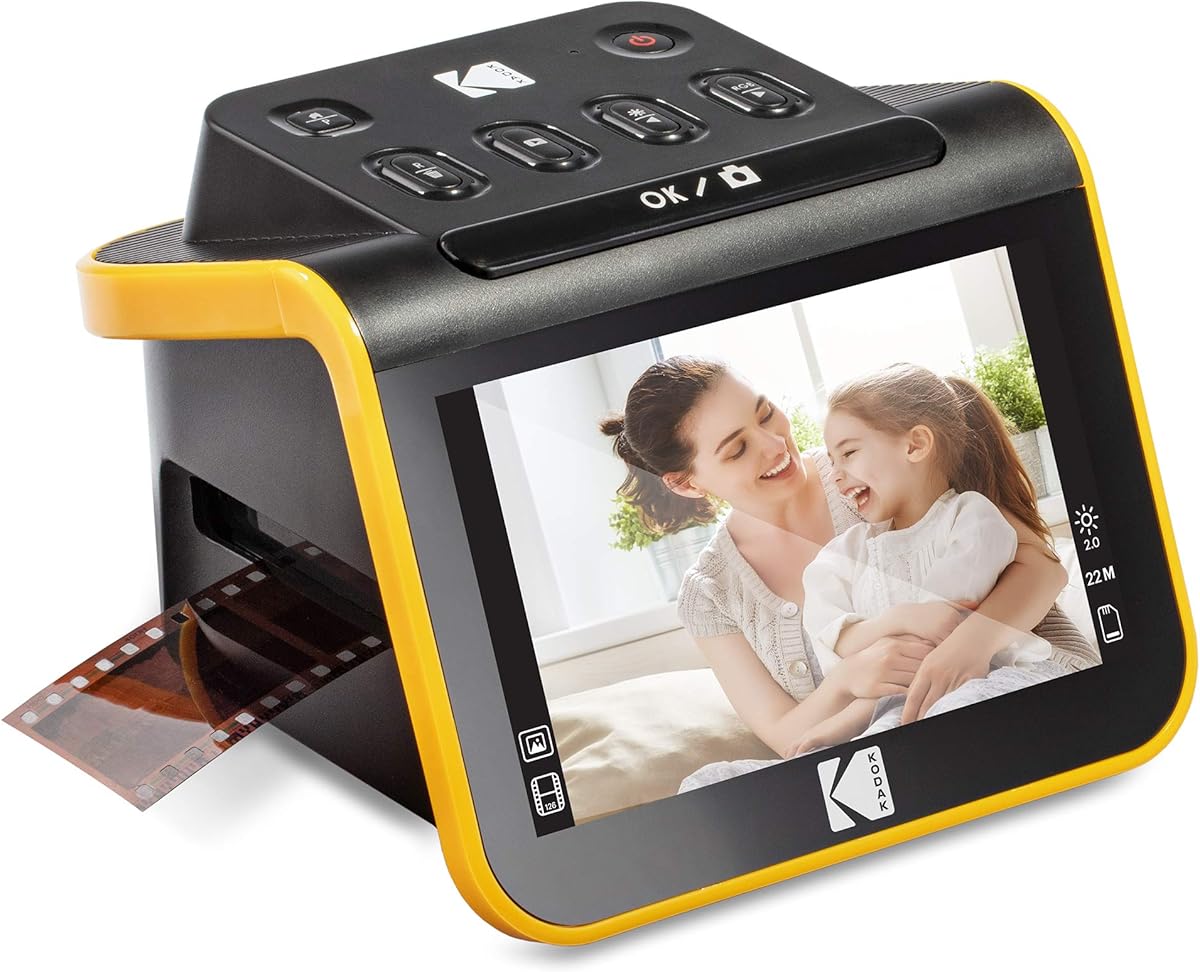
The KODAK Slide N Scan is built for a narrower but important preservation task: converting film negatives and mounted slides into digital files. Its 4.3 customer rating reflects a user-friendly dedicated design with a large five-inch LCD, 22-megapixel capture, and support for 135, 110, and 126mm formats, as well as 50mm slides.
We may earn a commission when you buy through this link, at no additional cost to you.
The display provides immediate feedback, and gallery mode allows users to preview, compare, and edit images before deciding what to save. A one-button scan process, film-type selection, color-brightness adjustment, and date-time assignment simplify the software workflow. The screen can also display saved images in a home or office, giving the scanner a secondary role as a digital frame.
This is not a general-purpose flatbed or print scanner, so it cannot replace a model designed to scan loose photographs. An SD or SDHC card is required for direct saving but is not included, and the available media formats are narrower than those handled by a professional transparency-equipped flatbed. Users must also handle film inserts carefully to avoid physical damage.
The Slide N Scan is ideal for a family box of old negatives or for people who want to revisit mounted slides without purchasing computer software or navigating complex scanning interfaces. Its gallery screen makes it especially useful for sharing images with relatives and for choosing the best captures before organizing them.
Its dedicated design makes the process approachable and visually satisfying. For a mixed collection of prints and film, it would work best alongside a photo flatbed or feeder-based scanner rather than as the only device in the home.
The five-inch LCD with a wide viewing angle makes it possible to check framing, brightness, and image quality immediately. Gallery mode adds a visual browsing step that is especially helpful when working with negatives whose colors may need adjustment.
Included holders and adapters support continuous loading of 135, 110, and 126mm negatives along with 50mm slides. The quick-feeding tray reduces the number of separate steps required for each item.
We may earn a commission when you buy through this link, at no additional cost to you.
The Pandigital Personal Photo Scanner takes a different approach from the computer-driven models in this guide. Its 4.2 customer rating reflects a straightforward converter that can scan prints up to 8.5 × 11 inches, save directly to an SD card, and operate without a computer. That simplicity may appeal to older adults, beginners, or anyone who wants a minimal scanning setup.
We may earn a commission when you buy through this link, at no additional cost to you.
The included five-in-one reader supports SD, MS, MSPRO, MMC, and XD media, giving users several options for transferring images to a computer or digital frame. At 600 dpi, the scanner provides a practical balance for standard photo prints and everyday digital copies. A computer is not needed during the scan itself, which separates the device from most flatbed and feeder models.
The tradeoff is a comparatively basic workflow. The supplied specifications do not mention automatic photo alignment, color restoration, searchable PDF creation, or advanced organization tools. The device also lacks the high-resolution options offered by professional flatbeds, so it is better suited to routine photo conversion than detailed archival or enlargement work.
This scanner is most appropriate for users who value independence from a computer, a simple transfer process, and the ability to send images directly to a digital frame. It can also help families create an initial digital backup before undertaking more sophisticated restoration with software.
For a modern connected workflow, a USB-connected model may offer more control, but the Pandigital remains a clear solution for simple, offline photo conversion. Its accessible process may be especially valuable in a household where computer-based scanning feels unnecessarily complicated.
Direct saving to an SD card separates capture from file editing, allowing users to scan whenever convenient. Images can later be transferred to a computer or compatible digital frame through the included reader.
Support for several memory-card formats makes the converter versatile with existing photo-storage habits. This is useful for users who already have cards and cameras but want an uncomplicated way to digitize printed photographs.
We may earn a commission when you buy through this link, at no additional cost to you.
The Epson Perfection V39 II is a compact flatbed that combines 4800 dpi optical resolution with photo restoration, document handling, and cloud-oriented software. Its 3.7 customer rating is the lowest in the group, so buyers should weigh the full feature set carefully. Nevertheless, the supplied specifications show a versatile device for prints, artwork, illustrations, books, and ordinary documents.
We may earn a commission when you buy through this link, at no additional cost to you.
Easy Photo Fix restores faded color with one click, while Epson ScanSmart supports workflow features such as stitching oversized images together and sending scans to cloud storage services. One-touch buttons streamline common jobs, and a letter-sized page can be scanned in as quickly as 10 seconds. The removable high-rise lid creates clearance for books and album pages without permanently increasing the scanner's footprint.
As with other basic flatbeds, there is no automatic document feeder. This makes it less suitable for hundreds of prints and more appropriate for deliberate, one-at-a-time capture. The 3.7 rating also suggests that some buyers may have found aspects of the setup or performance less satisfying, making careful consideration of current customer feedback advisable.
The V39 II fits users who want more photo-focused capabilities than a basic office scanner but do not need a feeder or professional transparency system. It is a sensible choice for a home archive containing mixed prints, illustrations, and documents, particularly when occasional color restoration is helpful.
Its removable lid, cloud support, and one-touch controls make it more adaptable than a minimal flatbed. For those willing to scan manually, it offers a broad set of creative and document functions in a compact package.
The scanner handles photos, artwork, illustrations, books, and documents, giving it value beyond an album-digitizing task. Epson ScanSmart also supports combining oversized images, which is useful for large artwork that exceeds the normal scan area.
Easy Photo Fix provides a convenient way to improve color in aging prints. While it is not a complete restoration system, it offers an accessible starting point for users preparing scans for display or sharing.
We may earn a commission when you buy through this link, at no additional cost to you.
The Epson Perfection V850 Pro is a professional flatbed for users who need high resolution, precise optical capture, and a broad tonal range. Its 4.4 customer rating reflects a technically advanced model built around 6400 dpi resolution, a dual-lens system, and 4.0 Dmax performance. It is the natural choice for demanding archival, publishing, art, and specialist photographic work.
We may earn a commission when you buy through this link, at no additional cost to you.
The dual-lens design selects an appropriate optical configuration for the scan, while the 4.0 Dmax rating supports smooth tonal transitions and detailed shadow reproduction. These characteristics matter when working with slides, negatives, transparencies, fine artwork, or prints that will be enlarged. Rather than treating every task identically, the scanner can focus its optical capabilities on the source material.
The primary limitation is relevance for ordinary home users. Its professional positioning means it may be excessive when the goal is simply to scan a few family prints for social sharing. The listed operating-system compatibility also includes older Windows and Mac OS X versions, so buyers using a current modern system should confirm driver and software support before purchase.
This scanner is ideal for photographers, conservators, artists, and families with irreplaceable negatives or slides. The high resolution and tonal performance give such users more latitude for archival files and reproductions than mainstream flatbeds provide, provided the necessary software workflow is supported by their computer.
For most households, the Epson FastFoto offers a faster and easier path for printed photos. The V850 Pro earns its place when the source is specialized, the output must preserve subtle tonal information, or a high-resolution master file justifies a professional workflow.
The two-lens system can select from different optical configurations to optimize results. This is valuable for a broad workload containing prints, transparency material, and fine-detail subjects rather than a single type of source.
A 4.0 Dmax specification indicates a wide tonal range intended for smooth gradations and shadow detail. The result is particularly relevant for negatives, transparencies, and images that will be reproduced or enlarged with careful attention to tonal quality.
We may earn a commission when you buy through this link, at no additional cost to you.
The Epson Perfection V600 is a high-resolution flatbed that handles loose prints, documents, 35mm slides, negatives, and medium-format film. Its 4.0 customer rating reflects a capable specialist scanner with a built-in transparency unit, maximum resolution of 6400 × 9600 dpi, and support for enlargements up to 17 × 22 inches. It is especially useful for mixed print-and-film collections.
We may earn a commission when you buy through this link, at no additional cost to you.
The transparency unit holds four mounted 35mm slides or 12 negatives, while included holders support medium-format film up to 6 × 22 centimeters. Prints and documents can be handled up to 8.5 × 11.7 inches. DIGITAL ICE assists with dust and scratch removal, ArcSoft PhotoStudio provides image enhancement, and Easy Photo Fix targets faded images.
Four customizable buttons streamline scanning, copying, email attachments, and PDF creation, although the scanner itself is connected by USB 2.0 rather than wireless networking. ReadyScan LED technology eliminates a warm-up period, helping reduce waiting time. As a flatbed without an automatic feeder, it is better suited to deliberate archival sessions than rapid batch processing.
The V600 is a strong match for photographers, advanced hobbyists, and families holding mounted slides or negatives alongside prints. It offers the specialized transparency capability of a professional model while also handling general documents, giving it more flexibility than a film-only converter.
For a simple print collection, a more compact flatbed or automatic photo feeder may be easier. The V600 earns its place when the archive includes original film, large-format prints, or images intended for substantial enlargement and detailed restoration.
The lid-mounted transparency unit avoids the need for a separate scanner when the collection includes 35mm slides and negatives. Its capacity for multiple frames also reduces the number of loading cycles required for a batch.
DIGITAL ICE offers software-assisted dust and scratch removal, while ArcSoft PhotoStudio and Easy Photo Fix support broader enhancement and restoration. These tools provide a useful starting point for scans of old negatives and faded prints.
We may earn a commission when you buy through this link, at no additional cost to you.
The right photo scanner depends on the size and condition of the collection, the types of originals, and how much control you want over each scan. Resolution, feeding method, media support, restoration, and workflow simplicity are the most important factors to compare.
An automatic document feeder is the most important feature for large collections because it reduces the need to place and align every print manually. The Epson FastFoto holds 36 photos, while the ScanSnap iX2500 supports 36 photos or 100 documents per batch. A flatbed is more flexible for books, mounted images, artwork, and unusually shaped prints, but every item must be positioned separately.
Choose a feeder when speed and volume matter most. Choose a flatbed when your archive is small, fragile, or includes media that cannot pass safely through rollers.
Resolution determines how much detail the scanner can capture. 300 or 600 dpi is generally practical for ordinary prints and archival copies, while 4800 dpi or higher provides more latitude for enlargements and specialized work. Higher resolution also creates larger files and can require a computer with adequate storage and processing power.
Match resolution to the output. Choose 300 or 600 dpi for routine digital copies, 1200 dpi or more for selective enlargement work, and professional optical resolution only when specialized transparency or fine-art work justifies it.
A scanner intended for old photographs may need to handle prints of several sizes, album pages, slides, negatives, or panoramic images. The AMBIR model supports multiple print dimensions and panoramas, the KODAK Slide N Scan focuses on several film formats, and the Epson V600 and V850 Pro provide broader transparency capabilities. Always check the maximum size and supported media before purchasing.
Choose a dedicated or limited media scanner for a single format. Choose a flatbed or multipurpose model when prints, documents, film, and mounted images may all appear in the same archive.
Automatic crop, deskew, color restoration, red-eye reduction, and dust removal can save significant time when handling imperfect prints. The FastFoto offers a broad collection of automatic adjustments, while the AMBIR bundle provides auto-enhance, faded-photo restoration, filters, and detailed manual controls. Basic flatbeds tend to offer simpler one-click restoration.
Look for automation when the collection contains many snapshots of different sizes and conditions. Choose a model with deeper manual editing when consistency, creative control, and repeatable results matter more than saving setup time.
Old photographs may be brittle, dusty, curled, or coated in ways that can be damaged by a feeder. Carrier sheets, anti-static tools, microfiber cloths, soft brushes, and removable high-rise lids all support gentler handling. The FastFoto includes a carrier sheet and microfiber cloth, while the AMBIR bundle provides a fuller cleaning kit and protective carrier sheet.
Inspect fragile prints before loading them, dust them gently, and use a carrier whenever compatibility is uncertain. Valuable originals should be handled according to the recommendations of a conservator rather than treated as routine paper.
USB is common, reliable, and sufficient for a computer-based workflow. Wireless connectivity can make scanning more convenient by sending files directly to a computer, mobile device, or supported cloud service. The FastFoto and ScanSnap iX2500 both support wireless options, while the Canon LiDE 400, AMBIR bundle, and Epson V600 rely on wired USB connections.
Choose wireless when convenience and direct delivery matter most. Choose USB when you want straightforward setup, broad software compatibility, or a stable connection for large batches.
The software determines what happens after the image is captured. Epson FastFoto supports slideshow creation, annotations, cloud backup, and automatic photo enhancement. Picture Studio by AMBIR provides albums, tags, notes, and detailed editing, while the ScanSnap iX2500 emphasizes automatic naming, sorting, and routing. Film-focused devices often emphasize simple capture and color adjustments instead.
Consider whether you need only clean digital copies or a searchable, structured archive. Users managing many decades of memories benefit from automatic organization, while smaller collections may need only basic enhancement and predictable file naming.
Begin by sorting photographs into manageable groups and checking each one for loose dust, tears, curled edges, adhesive, or surface residue. Clean fragile prints with a soft brush or microfiber cloth, and use a carrier sheet when the scanner supports one. Place the scanner on a stable surface, connect it using the recommended cable or wireless setup, and install the included or specified software before scanning.
For a flatbed, clean the glass, align the print carefully, preview the crop, and select the resolution appropriate to your goal. For an automatic feeder, load photos face up, follow the carrier-sheet instructions, and avoid forcing unusual or damaged prints. Enable automatic crop, deskew, and restoration features for mixed batches, then review every image before saving it into a dated folder structure.
Preserve the original scan without irreversible edits, and create separate copies for restoration, cropping, or sharing. Back up the files to at least two locations, use descriptive filenames, and record which family members or events the photographs represent. Clean the scanner glass and feed path with manufacturer-approved methods, and store the device in a dry area when it is not in use.
A 300 to 600 dpi setting is generally sufficient for ordinary viewing, sharing, and a good-quality digital copy. Choose 1200 dpi or higher when you expect substantial enlargements or need more detail from small prints. Always consider file size, storage requirements, and whether the original contains enough visible detail to justify a higher setting.
A feeder can be efficient, but old prints may be too brittle, warped, or thick for safe roller feeding. Inspect every photograph first and use a carrier sheet when the manufacturer permits it. For especially valuable or unstable prints, place them on a flatbed and keep the scanner lid open only as far as necessary.
Many scanners include color restoration or automatic enhancement that can improve faded photographs before saving the file. Results vary by source, and software cannot recreate colors that were never captured perfectly. Preserve an untouched master scan and apply corrections to a duplicate so that the original digital data remains available.
Only if your collection includes film or mounted slides. A general flatbed is better for loose prints, documents, and album pages, while a dedicated film scanner or a model with a transparency unit is necessary for negatives. The Epson V600 and V850 Pro cover both categories, whereas the KODAK Slide N Scan concentrates on several film formats.
Wireless scanning is convenient when files should move directly to a computer, phone, or cloud service without a physical cable. USB remains a dependable choice for straightforward setup, stable high-volume transfers, and users who prefer to manage files on a connected computer. Consider the software, operating system, and destination devices before choosing.
A lossless or high-quality archival format is generally preferable for master files because it retains more information for future editing. JPEG is convenient for sharing, while TIFF is commonly used when preserving detail and tonal information. The FastFoto specifically lists TIFF for archiving and JPEG options for mobile or everyday sharing, illustrating the value of maintaining more than one output format.
Create folders based on years, events, or family groups and preserve original scans before making edited versions. Consistent filenames, dates, and tags make the collection easier to search later. Software such as Picture Studio by AMBIR supports albums, tags, favorites, and notes, while automatic file organization can help with newly scanned batches.
Handle prints by their edges, work on a clean surface, and avoid pulling stuck photographs apart forcefully. Use soft cleaning tools and inspect prints for active mold, tears, or flaking surfaces before scanning. Store originals in acid-free, archival-style materials separately from the scanner after creating verified backups.
The Epson FastFoto FF-680W is the best overall option because it combines a fast 36-photo feeder, duplex capture, useful restoration features, and flexible connectivity. The Epson Perfection V19 II is the best budget flatbed for a smaller collection, while the ScanSnap iX2500 Photo Edition is the best premium choice for extensive, wireless, highly organized archives.
Prioritize the workflow that matches your collection rather than choosing only by resolution. A feeder is best for many loose prints, a flatbed is more flexible for books and unusual originals, and a film-focused model is necessary for negatives or slides. The AMBIR bundle is worth considering for its organization tools, while the Canon LiDE 400 suits those wanting a compact, simple flatbed.
Before ordering, confirm supported media, current software compatibility, and the current prices and configuration of the listing. Then clean the originals, scan in organized batches, preserve untouched masters, and create backups before restoring or sharing the finished files.