
Amazon Basics Condenser Microphone
4.4Editor score
Cardioid voice isolation
One-touch mute control
Adjustable 360-degree stand
A cheap podcast microphone can still deliver clear, engaging vocals when it offers a suitable pickup pattern, practical controls, and dependable USB connectivity. The right model depends on your room, software, recording style, and need for monitoring rather than on elaborate features alone.
We compared ten affordable microphones using their supplied specifications, compatibility, included accessories, control options, and intended recording scenarios. The list covers condenser and dynamic models, simple desktop units, gaming-oriented designs, boom-arm kits, and a premium multi-pattern microphone for creators who want greater flexibility.
Each review identifies the microphone's strongest use case, relevant technical benefits, and practical compromises. Ratings and product details reflect the supplied information, while availability and pricing can change, so readers should verify current listings and compatibility before purchasing.
4.4Editor score

4.4Editor score

4.6Editor score
As an Amazon Associate we earn from qualifying purchases.
This side-by-side comparison highlights each microphone's capture type, connection method, key controls, and intended recording environment, helping narrow the field before comparing features in detail.




The ZealSound K66 is a USB condenser microphone with a 4.4 rating and a broad set of features for podcasting, streaming, online teaching, meetings, and mobile recording. Its cardioid pickup, 40Hz–18kHz frequency response, and 46kHz sampling rate make it a strong all-around option for creators who want clear voice capture without moving to a complex studio setup.
We may earn a commission when you buy through this link, at no additional cost to you.
Physical control is one of the K66's defining strengths. Separate knobs handle microphone volume, headphone monitoring, and echo, while a mute button and intelligent noise-reduction mode provide quick changes during a session. The built-in 3.5mm headphone jack supports real-time, zero-latency monitoring, allowing creators to hear their voice and catch volume or clarity issues before finishing a recording.
The trade-off is that this is a more involved desktop microphone than a basic plug-and-play model. Some users may not need echo adjustment or independent monitoring levels, and the supplied mobile compatibility depends on using the included USB-C and Lightning adapters. The top-addressed body also needs to face the speaker for consistent cardioid performance.
This is the strongest recommendation for a new podcaster who wants a single microphone for spoken-word recording, gaming, meetings, and live streaming. It balances accessible USB operation with controls usually associated with more advanced setups, while its 70.87-inch cable, metal stand, and foam windscreen help simplify installation.
Independent gain, monitoring, and echo controls make the K66 practical for creators who need to react quickly. A tap-to-mute button and illuminated status indicators help manage privacy during calls, broadcasts, and recorded conversations without repeatedly opening software menus.
The intelligent noise reduction mode is designed to reduce familiar distractions such as keyboard clicks, fan noise, air-conditioner hum, and background chatter. It cannot replace acoustic treatment, but it adds a useful second line of defense in a shared or untreated home workspace.
We may earn a commission when you buy through this link, at no additional cost to you.
The Amazon Basics Condenser Microphone is a straightforward USB option for podcasting, streaming, online meetings, and solo recording. Its 4.4 rating reflects a balanced combination of a large 14mm diaphragm, cardioid pickup, a one-touch mute function, and a rotating desktop stand that makes it especially approachable for new creators.
We may earn a commission when you buy through this link, at no additional cost to you.
The cardioid pattern focuses on the sound in front of the microphone while reducing unwanted background pickup. That makes it a sensible choice for speaking into a desktop setup in a reasonably controlled room. The included shock absorber and silicone rubber boot help limit vibration, while the 360-degree rotation allows the microphone to be aimed toward the speaker's mouth.
Its limitations are easy to understand. The built-in mute is the only prominent device control, so gain and monitoring adjustments must be handled in the computer or recording application. It also focuses on essential podcast functions rather than offering advanced processing, multiple pickup patterns, or extensive accessory support.
Choose this microphone if you want an uncomplicated USB condenser for everyday podcasts, online classes, calls, and streams. It can also be detached and installed on a tripod, boom arm, or standard 5/8-inch microphone stand, making it a versatile starting point that can grow with a changing recording setup.
The cardioid pattern prioritizes sound from directly in front of the capsule and reduces pickup from the sides and rear. This is useful for single-host podcasting, where unwanted room noise and off-axis sounds can make an untreated recording sound distracting.
The rotatable body can be angled toward the user without moving the entire base. Its small footprint also suits compact workspaces, while the detachable construction gives creators an easy upgrade path to a separate stand or boom arm later.
We may earn a commission when you buy through this link, at no additional cost to you.
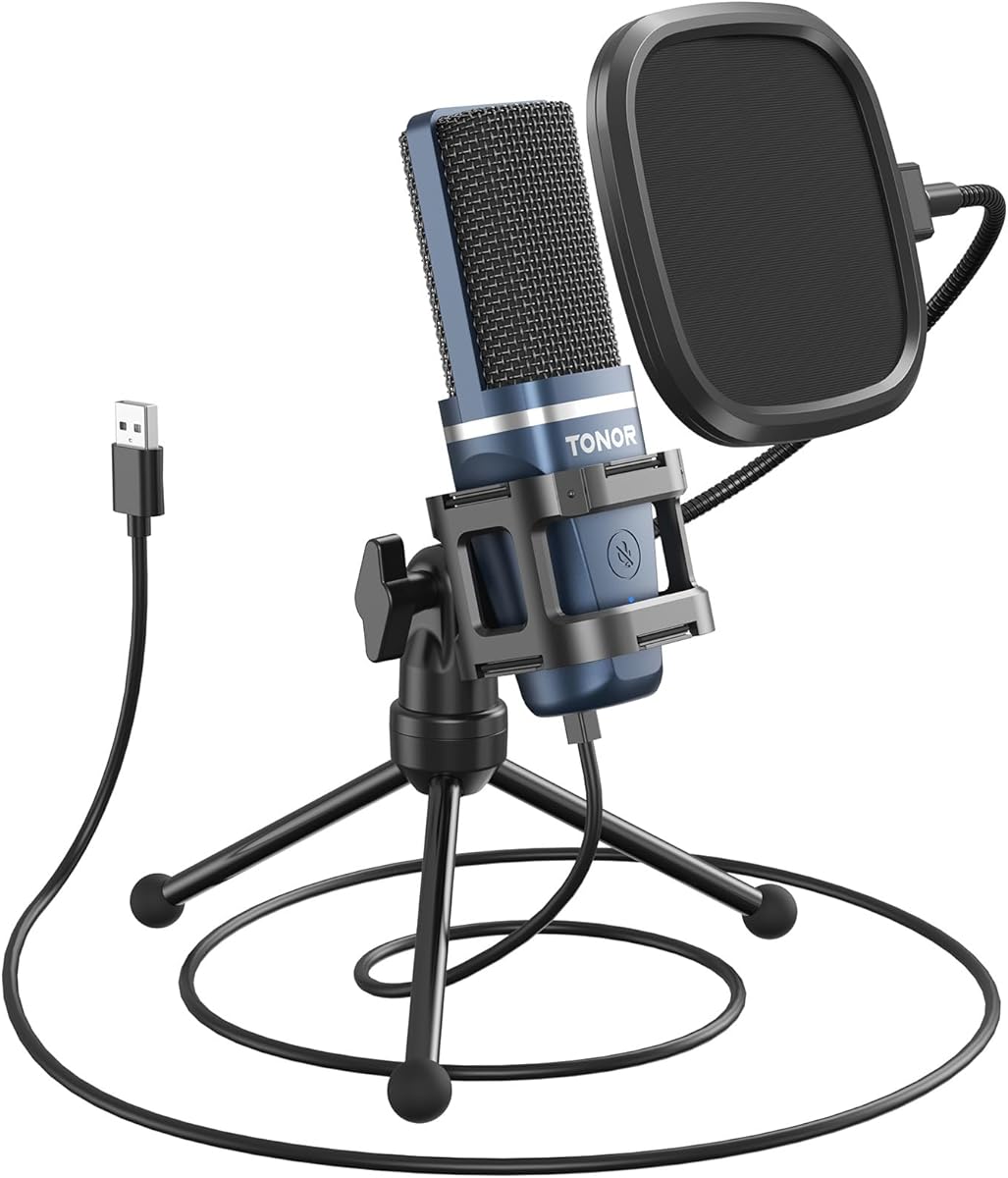
The TONOR TC-777 is a 4.3-rated USB podcast microphone designed around clear speech capture and a complete beginner package. Its cardioid pickup pattern, one-click mute, volume control, pop filter, and mini shock mount make it a practical all-in-one choice for users assembling a first recording setup.
We may earn a commission when you buy through this link, at no additional cost to you.
The microphone is compatible with Windows, Mac, PS4, and PS5 systems and is recognized by platforms including Zoom, Skype, and Discord. It uses USB 2.0 and requires no extra drivers, while the included 1.9-meter power cord and folding tripod simplify desktop installation. The microphone and pop filter can both be angled to improve positioning.
The included pop filter and shock mount provide immediate practical value for spoken-word recording by helping manage plosives and vibration. However, the package is less ambitious than some newer kits, and compatibility explicitly excludes Xbox. Podcasters who need mobile adapters, headphone monitoring, or a metal boom-arm arrangement may need additional equipment.
This is a good recommendation for a new podcaster who wants a recognizable, straightforward USB microphone with the essential accessories already in the box. It works particularly well for solo shows, online classes, gaming chat, and everyday communication, provided the intended device is Windows, Mac, PlayStation, or one of the supported software platforms.
The foldable tripod, mini shock mount, and pop filter cover the basic physical needs of a desktop voice setup. New users can begin recording without separately researching stands, pop protection, or basic vibration control.
No installation process or additional driver is required, and major communication applications can recognize the microphone quickly. This reduces the gap between unboxing and completing a first call, lesson, or podcast recording.
We may earn a commission when you buy through this link, at no additional cost to you.
The FIFINE K669B is a compact USB condenser microphone with a 4.5 rating, making it one of the strongest-rated basic models in this guide. It is aimed at podcasting, voice-over recording, meetings, livestreaming, and other spoken-content tasks where a cardioid microphone and straightforward level control are sufficient.
We may earn a commission when you buy through this link, at no additional cost to you.
The included 5.9-foot USB cable connects directly to a USB-A port, and the microphone requires no separate interface or 48V phantom power. A physical volume knob can be turned down to zero for privacy or adjusted to suit the recording environment. The metal body and tripod offer a more substantial feel than many basic plastic desktop microphones.
Compared with larger kits, the K669B includes fewer accessories and no pop filter. It is also explicitly not compatible with phones and does not support Xbox. The supplied guidance also notes that automatic gain or volume adjustment in an application can cause level changes, so users may need to disable that feature for consistent recordings.
This microphone suits creators who want a simple, durable USB solution for desktop use. Choose it for clear voice recording, online meetings, or streaming when you value a direct volume knob and compact construction more than mobile support, extensive monitoring, or a bundled accessory package.
The integrated knob places essential level control on the microphone itself. It can be set to zero for privacy or adjusted during a session, which is useful when moving between speaking, listening, and recording applications.
The cardioid condenser configuration is appropriate for a single speaker positioned directly in front of the microphone. It supports clear recordings for voice-over, podcast, and livestream work without requiring a separate audio interface.
We may earn a commission when you buy through this link, at no additional cost to you.
The FIFINE AM8 is a dynamic USB and XLR microphone with a 4.5 rating, offering unusual versatility among affordable options. It is designed for gaming, streaming, video recording, and podcasting, with a cardioid pattern, 50Hz–16kHz response, and the flexibility to use a simple computer connection or a traditional audio interface.
We may earn a commission when you buy through this link, at no additional cost to you.
USB operation provides tap-to-mute, gain adjustment, a headphone jack, and an RGB ring with several lighting modes. The dynamic capsule is intended to focus on the sound source and reject off-axis noise, making it useful in active rooms or setups where nearby computer fans and other environmental sounds are concerns.
Using the XLR connection requires a separate cable and a compatible audio interface or mixer, neither of which is included as a complete ready-to-record package. The RGB lighting and function key are also inactive in XLR mode. New podcasters who want zero-latency headphone feedback will get more from the USB connection.
The AM8 is a strong choice for a creator who wants a microphone to grow with the setup. Start in USB mode for quick streaming or podcasting, then move to XLR when ready for an interface-based workflow. Its dynamic design also makes it a logical option for gamers who prefer less sensitive room capture.
USB provides the easiest path into streaming and podcasting, while XLR supports a more conventional studio chain. That dual design lets users begin without an interface and preserve a path toward a more flexible recording configuration.
The cardioid dynamic design is intended to prioritize the speaker and reject off-axis noise. While it cannot isolate a voice completely, it is well suited to creators recording near keyboards, fans, and other gaming equipment.
We may earn a commission when you buy through this link, at no additional cost to you.
The Logitech Creators Blue Yeti is the premium selection in this guide, earning a 4.6 rating and offering the broadest range of recording options. Its three-capsule array, four pickup patterns, onboard controls, Blue VO!CE software, and adjustable desktop design suit podcasters, streamers, musicians, and meeting users who may record more than one type of source.
We may earn a commission when you buy through this link, at no additional cost to you.
Cardioid, omnidirectional, bidirectional, and stereo modes allow creators to change the capture approach without buying separate microphones. Onboard headphone volume, pattern selection, mute, and gain controls support hands-on operation, while the positionable body and no-latency monitoring make it easier to judge a performance as it is being recorded.
Blue VO!CE adds broadcast-oriented vocal effects, modulation, and HD audio samples, but users who want a completely natural sound may not need every processing option. The microphone also occupies a more premium position in this roundup, making it worth considering primarily when its pattern flexibility or hardware controls justify a higher-tier purchase.
Choose the Blue Yeti if you are building a setup intended to grow beyond solo podcasting. It is particularly suitable for interviews, instrument demonstrations, varied streaming formats, and creators who want to try different pickup approaches without repeatedly changing equipment.
Cardioid mode is appropriate for a focused solo voice, while omnidirectional, bidirectional, and stereo modes expand the possibilities for conversations, room sound, and instrument capture. Pattern selection makes the microphone useful across more projects than a single-pattern model.
Headphone volume, microphone gain, mute, and pickup-pattern selection are accessible directly on the body. These controls are especially useful during live sessions, where opening a software menu can interrupt the recording flow.
We may earn a commission when you buy through this link, at no additional cost to you.
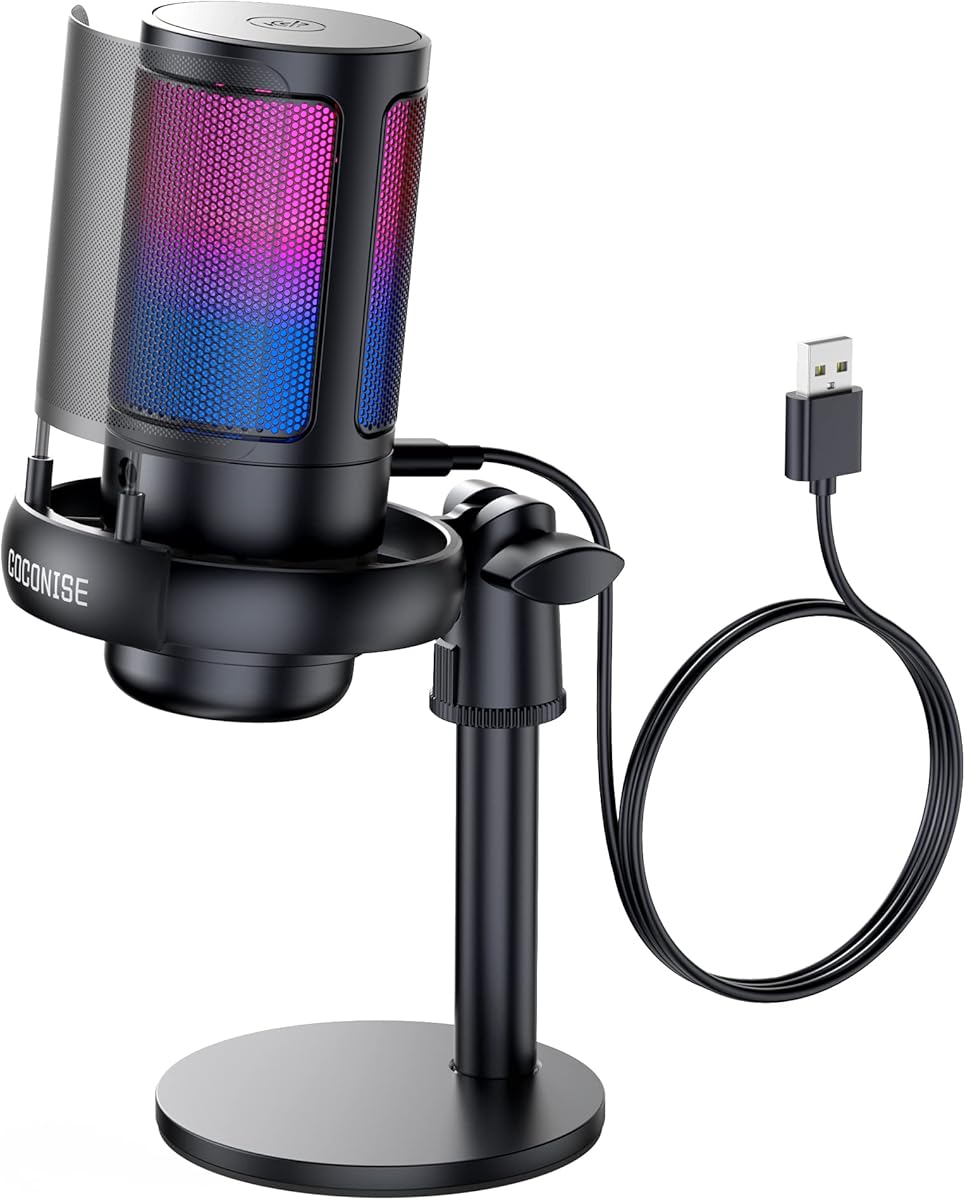
The COCONISE Gaming Microphone is a USB condenser model with a 4.3 rating, built for gamers and streamers who also want to record podcasts or videos. Its 25mm capsule, 192kHz maximum sampling rate, cardioid pickup, touch mute, RGB lighting, and headphone jack cover the most common needs of a gaming desk setup.
We may earn a commission when you buy through this link, at no additional cost to you.
The RGB system provides a visual broadcast element, and the lights switch off when the microphone is muted. This makes mute status easier to notice than on a model without lighting. A bottom rotary control manages volume, and the 3.5mm headphone connection provides real-time monitoring for making quick level and clarity adjustments.
The supplied 180-centimeter detachable USB cable offers reasonable reach from a computer, while the weighted carbon-steel base helps prevent movement. A metal anti-splash screen and elastic-band shock mount target plosives and vibration. As with any USB condenser, performance still depends on placement, speaking distance, and room conditions.
This is a fitting recommendation for a streamer or gamer who wants podcast-ready voice capture with a coordinated RGB appearance. It is less focused on neutral studio presentation than some alternatives, but it offers a practical combination of monitoring, mute visibility, and gaming-oriented visual design.
Turning off the RGB illumination when muted provides an immediate visual cue. That is useful during a live broadcast, where a forgotten microphone can expose private conversation or unintended game audio.
The 3.5mm headphone jack allows the creator to hear the live microphone signal, while the detachable metal screen helps reduce plosive bursts. Together, these features support a more controlled recording process.
We may earn a commission when you buy through this link, at no additional cost to you.
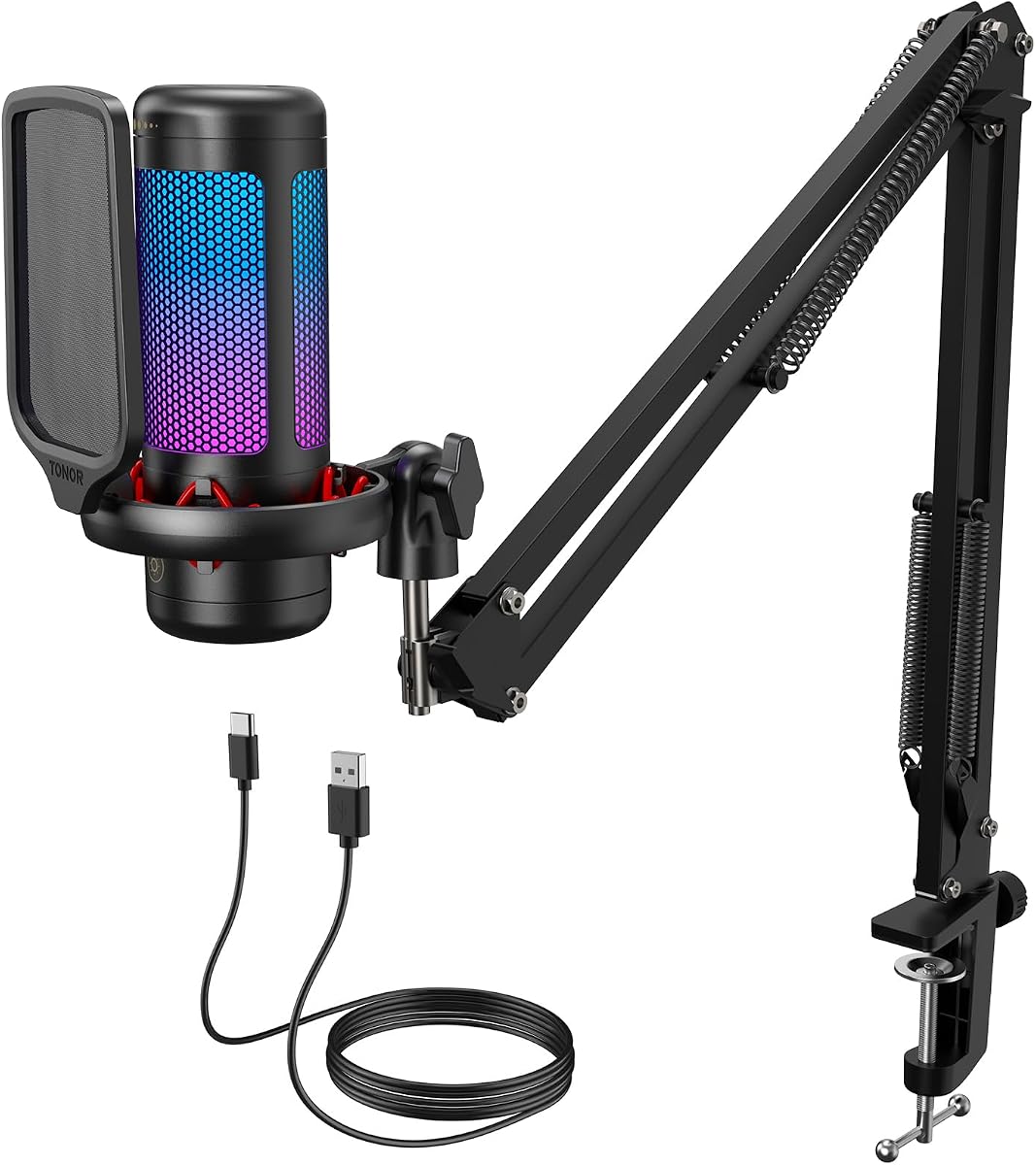
The TONOR TC310+ is a USB condenser microphone and boom-arm kit with a 4.5 rating. It is designed for content creators, livestreamers, and gamers who want a stable suspended microphone with onboard level control, a tap-to-mute function, and coordinated lighting.
We may earn a commission when you buy through this link, at no additional cost to you.
The microphone's top tap control handles mute, and rotating the top adjusts gain. Four RGB modes include static colors, gradients, breathing effects, and mixed gradients, while a long press on the RGB control changes brightness. These options make it easy to align the microphone's appearance with a gaming setup while retaining direct physical controls.
The included metal boom arm and clamp create more clearance from the desk than a basic tripod, making it easier to position the microphone near the speaker and out of the way of a keyboard or mouse. The clamp is designed to fit desks no thicker than 2.36 inches, and the Type-C connector must be fully inserted for reliable operation.
This package is ideal for creators who value a boom arm more than a compact desktop footprint. It is a strong choice for Twitch-style streaming, gaming commentary, video recording, and podcasts that benefit from a suspended, adjustable microphone position.
A boom arm moves the microphone away from the desktop and closer to the speaker's mouth. Multiple adjustable joints make it easier to create a consistent recording position around a monitor, keyboard, and other equipment.
The TC310+ combines several RGB modes with brightness adjustment, giving the setup visual flexibility without requiring separate lighting software. Tap mute and top gain control keep essential functions close at hand.
We may earn a commission when you buy through this link, at no additional cost to you.
The MAONO A04 is a 4.5-rated USB condenser microphone kit offering 192kHz/24-bit recording, a 16mm electret capsule, and a broad selection of accessories. It is intended for podcasts, studio work, voice-over, live streaming, video calls, and recording applications where a complete setup is preferable to assembling each accessory separately.
We may earn a commission when you buy through this link, at no additional cost to you.
The kit includes a scissor arm stand, metal shock mount, pop filter, foam windscreen, boom-arm base, and USB-A/USB-C to USB-B cable. Those components cover positioning, vibration reduction, plosive control, and connectivity. The microphone connects by USB without extra drivers or an external sound card, making it straightforward to begin recording.
The product is not compatible with Xbox, and the supplied information specifically notes that the AU-A04 microphone is not used with Maono Link. Users seeking that software should consider the upgraded A04 Gen2. The stated best range is two to six inches, reinforcing the importance of close and consistent microphone placement.
Choose the A04 when you want one package to cover most of the physical requirements of a home podcast studio. It offers a stronger all-in-one presentation than a bare desktop microphone and is a good fit for creators who value accessories, resolution, and flexible stand options.
The 192kHz/24-bit format preserves substantially more recorded detail than conventional CD-quality capture. The information is useful when a creator wants flexibility during editing, cleanup, and mastering.
The included scissor stand, shock mount, pop filter, windscreen, and base cover the main equipment needs of a spoken-word setup. New podcasters can focus on recording technique and room treatment rather than immediately buying each support accessory separately.
We may earn a commission when you buy through this link, at no additional cost to you.
The FIFINE A6V is a USB condenser microphone with a 4.5 rating that combines podcast-oriented specifications with a gaming-oriented design. Its 192kHz sampling rate, 70dB signal-to-noise ratio, cardioid pattern, RGB lighting, and physical controls make it a balanced option for streaming, gaming communication, and spoken-content recording.
We may earn a commission when you buy through this link, at no additional cost to you.
The microphone includes a tap-to-mute control, a convenient gain knob, and a status light that turns off when muted. Its cardioid pattern focuses on the front vocal while reducing background interference, and the 70dB signal-to-noise specification is a strong indicator for a model in this price-focused category.
The package includes a four-band anti-vibration shock mount, detachable pop filter, stable tripod, and 6.6-foot detachable USB cable. It is compatible with PS4, PS5, desktops, and laptops across mainstream Windows and Mac operating systems. However, the RGB design is aimed at gaming environments and may be less suitable for a deliberately understated studio.
The A6V is a good all-around recommendation for a creator who wants strong technical specifications, convenient controls, and enough accessories for immediate setup. It is particularly useful for Twitch-style streaming, video calls, and podcasts recorded in the same gaming workspace.
A 192kHz sampling rate captures a high level of source detail, while the 70dB signal-to-noise ratio indicates a low self-noise floor. These specifications make the microphone appealing for voice-over, streaming commentary, and edited podcast projects.
The shock mount uses rubber bands to absorb vibration, and the detachable pop filter helps reduce plosives. The tripod and long USB cable complete a practical desktop arrangement without requiring separate support components.
We may earn a commission when you buy through this link, at no additional cost to you.
The most useful affordable microphone is one that matches your voice, room, software, and recording format. Consider capture type, connection method, controls, accessories, and placement before choosing a model.
Condenser microphones are sensitive to sound and commonly use electret or condenser capsules to capture detailed vocals. That sensitivity can produce a clear, polished result in a controlled room, but it may also pick up keyboard noise, fans, distant speech, and other environmental sounds. Dynamic microphones generally capture less ambient detail and are often better suited to untreated or active rooms. The FIFINE AM8 offers a dynamic option, while the other models in the guide primarily use condenser or electret designs.
A cardioid pickup pattern focuses on the sound directly in front of the microphone while reducing pickup from the sides and rear. This makes it the most common choice for solo podcasting, gaming commentary, and voice-over. Proper placement still matters: speak toward the intended front of the capsule and keep a consistent distance. If you need broader room capture, multiple directional options, or different recording formats, the Blue Yeti's four selectable patterns offer greater flexibility than the single-pattern alternatives.
USB microphones offer the simplest setup because they connect directly to a computer and commonly require no additional interface. That convenience makes them ideal for beginners, meetings, streaming, and mobile creators. XLR adds a conventional studio pathway but requires an audio interface or mixer and a separate cable. The FIFINE AM8 supports both methods, allowing users to start with USB and expand later. Check the supplied connection details carefully because some models support only specific USB ports or device categories.
Monitoring lets a creator hear the microphone signal in real time, revealing plosives, clipping, unwanted room noise, or an unstable speaking distance. Headphone monitoring is especially useful for video, gaming, and edited podcast production. Gain and volume controls are also valuable, but they are not interchangeable: input gain sets the signal sent to the recording software, while output volume affects what you hear through headphones. The K66, AM8, COCONISE, TC310+, and A6V provide dedicated physical adjustments, with the Blue Yeti offering an especially complete onboard control set.
A hardware mute button provides immediate privacy without navigating software controls. It is especially valuable during calls, lessons, live streams, and interviews. A visible LED or lighting change adds another layer of confidence because a muted microphone may remain active in the software. The K66, Amazon Basics model, AM8, COCONISE, TC310+, and A6V all include tactile mute operation, while illuminated status feedback is especially clear on the gaming-oriented COCONISE and FIFINE models.
A pop filter helps soften harsh consonant bursts, a shock mount reduces transmitted vibration, and a stable stand keeps the capsule at a consistent angle. Boom arms can improve positioning and free desk space, but they require a compatible desk clamp. The MAONO A04 and TONOR TC310+ arrive with the most complete physical kits, while the TONOR TC-777 includes a pop filter, mini shock mount, and folding tripod. The Blue Yeti and several FIFINE models also support standard microphone stands, making later upgrades easier.
A microphone should appear as a standard audio input in the operating system and recording application. Most USB models work with major podcast, streaming, and conferencing software, but platform exclusions remain important. The TONOR TC-777 and MAONO A04 are not compatible with Xbox, and the MAONO A04 also does not support Maono Link. The supplied K669B guidance recommends disabling automatic volume adjustment in certain applications to avoid level changes, illustrating why software behavior matters even with compatible hardware.
Resolution describes how much digital information the microphone captures. The MAONO A04 supports 192kHz/24-bit recording, the FIFINE A6V has a 192kHz sampling rate, and the gaming-oriented COCONISE model lists a maximum sampling rate of 192kHz. Higher resolution can help preserve detail for editing, although it creates larger files and requires suitable software and storage. The K66's 46kHz sampling rate and broad frequency response also support detailed spoken content, but the practical benefit depends on the entire recording chain.
Begin by positioning the microphone so that the active face of the capsule points toward your mouth. Keep a consistent distance, stay on the same axis, and avoid turning your head away while speaking. For cardioid models, moving directly to the side or behind the microphone can reduce output and increase unwanted room pickup. Use the supplied stand, shock mount, or boom arm, and confirm that the microphone is stable before recording.
Connect the microphone with the specified USB or XLR connection, then set the input level in the recording application. Avoid speaking so loudly that the meter clips, and listen through headphones when monitoring is available. Adjust gain before adding software effects, record a short test, and listen for plosives, excessive room sound, hum, and uneven levels. A pop filter and windscreen can further improve close-speech recordings.
Store the microphone in a dry, stable place and handle the stand, mount, and detachable accessories gently. Clean the grille according to the manufacturer's instructions, keep liquids away from USB ports and controls, and avoid pulling cables by their connectors. Periodically check the mount, cable, and tabletop position because small changes can create large differences in recording consistency.
The best inexpensive podcast microphone depends on the room and the creator's priorities. The ZealSound K66 stands out for physical controls, monitoring, and noise reduction, while the Amazon Basics Condenser Microphone offers the simplest starting setup. A podcast recorded in a noisy room may benefit more from controlled placement and a dynamic-style model than from additional features on a sensitive condenser microphone.
Usually, no. A USB microphone connects directly to a computer and normally appears as a standard input without additional drivers or an interface. The FIFINE AM8 is a notable exception because it also offers XLR operation, which does require a compatible interface or mixer and a separate XLR cable. Choose USB first unless you specifically need a multi-microphone or analog studio workflow.
For a solo podcast, cardioid is usually the most practical pattern because it prioritizes the speaker in front of the microphone and reduces side and rear pickup. It does not block all ambient noise, so close placement, a pop filter, and reasonable room treatment remain important. The Blue Yeti offers additional patterns for interviews, room recording, and instrument capture.
Live streamers benefit most from a reliable mute control, visible mute status, easy gain adjustment, and optional headphone monitoring. RGB lighting can also help a microphone fit a gaming setup, but it does not improve recording quality by itself. The COCONISE, TC310+, A6V, and AM8 emphasize gaming-oriented design, while the K66 provides the broadest physical adjustment options for spoken streaming.
Many models in this guide support both Windows and Mac operating systems, including the Amazon Basics microphone, TONOR TC-777, FIFINE K669B, Blue Yeti, TC310+, MAONO A04, and A6V. The K66 also lists Windows, Mac, and mobile compatibility with included adapters. Always confirm the exact model and current operating-system requirements before purchasing.
Speaking close to the microphone improves clarity and reduces the amount of room noise captured, but the ideal distance depends on the model. The MAONO A04 lists a best range of two to six inches, while the AM8 suggests two to six inches for its dynamic capsule. Keep a steady distance and use the included pop filter when consonants sound harsh.
Yes. A pop filter helps disperse the pressure created by plosive consonants such as P, B, and T before it reaches the microphone diaphragm. It is especially useful when a creator speaks close to a condenser microphone. The TONOR TC-777, MAONO A04, COCONISE, A6V, and other kits include filters or windscreens for this purpose.
Most of the models in this guide are designed to work as plug-and-play USB inputs without dedicated setup software. The Blue Yeti is the main exception in terms of optional processing because it includes Blue VO!CE effects. Even without special software, podcasters will still need a recording application and may need to disable automatic level adjustment in some platforms.
The ZealSound K66 is the strongest all-around choice for creators who want gain, monitoring, noise reduction, mute, and broad device compatibility in one package. The Amazon Basics Condenser Microphone is the simplest budget starting point, while the Blue Yeti is the premium option for multiple pickup patterns, onboard controls, and a wider range of recording situations.
Prioritize correct compatibility, a pickup pattern that suits the recording style, stable placement, and controls that match how you work. A pop filter, shock mount, or suitable stand can matter as much as headline specifications, and no microphone can fully replace reasonable room treatment. Choose based on your voice, environment, software, and willingness to refine the recording process.
Ratings, product configurations, and availability can change, and current prices should be checked before buying. Read the current listing carefully for included components, connection requirements, dimensions, and supported applications so the microphone you select remains appropriate for your podcasting setup.