
Casio Prizm FX-CG50
4.8Editor score
High-resolution color display
Three-function 3D graphing
Dynamic graphing support
Direct MicroPython programming
A graphing calculator for STEM students should do more than draw an equation. It should make algebra, trigonometry, calculus, statistics, and science concepts visible, support exam requirements, and remain practical for daily classes, labs, and independent study. The best choice depends heavily on curriculum, calculator familiarity, display needs, programming interests, and budget.
We compared ten graphing calculators using their stated features, customer ratings, screens, graphing capabilities, programming options, connectivity, exam approval, portability, and included software. The list covers full-color Texas Instruments and Casio models, a more compact CATIGA alternative, scientific-plus-graphing hybrids, and options suited to different levels of STEM study.
Each review explains what makes a particular calculator useful, where its limitations may matter, and which students are most likely to benefit. The top selections range from a capable budget model to advanced premium options. Product availability and prices can change, so check the current listing and school requirements before purchasing.
4.8Editor score

4.7Editor score

4.4Editor score
As an Amazon Associate we earn from qualifying purchases.
This side-by-side overview highlights the major differences among the ten calculators, including graphing depth, display, programming, connectivity, exam suitability, and portability.




The Texas Instruments TI-84 Plus CE Color Graphing Calculator combines a well-established classroom interface with modern color graphics and a rechargeable battery. Its 4.6 rating reflects a broadly favorable reception, and its strongest appeal is how easily it supports everyday mathematics and science from middle school through college. For many students, it is simply the safest general-purpose choice.
We may earn a commission when you buy through this link, at no additional cost to you.
MathPrint is particularly useful when a class depends on exact textbook notation. Students can input and view mathematical symbols, formulas, and stacked fractions in a familiar format, reducing transcription errors and making calculator work easier to compare with printed assignments. The full-color display adds a second layer of understanding: different curves, intersections, and regions become easier to distinguish visually, which is valuable during algebra, trigonometry, calculus, and science work.
Battery life is another meaningful advantage. The included rechargeable TI battery can last up to one month on a single charge according to the product information, reducing dependence on disposable batteries during a busy school year. A four-year subscription to the TI-84 Plus CE online calculator is also included, adding software value without requiring a separate purchase immediately after buying the handheld.
The main trade-off is that this is a premium-tier classroom model, and students should verify whether their school expects a particular platform or approved model. Some students may also want more advanced graphing or programming than the stated feature set emphasizes. Even so, the balance of familiar controls, textbook-style entry, color visualization, and dependable power makes the TI-84 Plus CE an excellent recommendation for a wide range of STEM learners.
MathPrint makes the calculator especially approachable for students who think in terms of written mathematical notation. Stacked fractions, symbols, and formulas appear much as they do in class, so less time is spent decoding the screen and more time is spent understanding the result.
Color graphing can turn an abstract equation into a clearer visual pattern. Students can distinguish curves, compare their behavior, and connect graph features to algebraic or scientific concepts more readily than they might from numbers alone.
We may earn a commission when you buy through this link, at no additional cost to you.
The TI-84 Evo is presented as the newest member of the TI-84 series and is built around speed, visibility, and simplified operation. It carries a 4.7 rating, making it one of the strongest customer-rated products in this guide. Its improvements are especially relevant to students who want familiar calculator ideas without navigating an older or more crowded interface.
We may earn a commission when you buy through this link, at no additional cost to you.
The claimed three-times-faster processor should benefit repeated calculations and graph rendering, helping students move between entering an equation, viewing the result, and adjusting a window without unnecessary waiting. The graph area is also 50% larger, giving students more room to inspect intersections, shapes, and relationships. These are meaningful quality-of-life changes for timed practice, classroom exercises, and self-paced problem solving.
Navigation is organized around an icon-based home screen that places popular math tools in prominent positions. A simplified keypad with larger buttons and less visual clutter should reduce accidental presses and make new users comfortable faster. The design still fits into the general TI-84 ecosystem, which may make it especially approachable for students who encounter related calculators in class.
As with any purchase for school, students should confirm that the teacher permits the exact model and that it satisfies applicable testing rules. The TI-84 Evo does not advertise a computer algebra system or advanced 3D graphing, so it is better suited to mainstream graphing coursework than highly specialized symbolic analysis. Even with those boundaries, it is a compelling pick for fast, approachable, classroom-focused work.
The larger graphing canvas can reveal details that are difficult to inspect in a cramped view. More visible space is helpful when several functions overlap, when a window is crowded with axes and labels, or when a student needs to examine a smaller region of a curve.
Popular tools appearing directly on the home screen shorten the route from a new problem to a calculator function. Larger buttons and reduced clutter also support accurate entry during fast-paced lessons or assessments where visual focus matters.
We may earn a commission when you buy through this link, at no additional cost to you.
The TI-Nspire CX II is designed for students who benefit from organizing mathematical work into dynamic, computer-like documents rather than relying only on a traditional calculator home screen. Its 4.6 rating reflects a strong overall reception, while its high-resolution full-color display and multiple visualizations set it apart for exploratory learning.
We may earn a commission when you buy through this link, at no additional cost to you.
A key strength is the ability to connect several representations of the same concept. A student can move between graphical, numerical, geometric, and other visual forms within a document, gaining a more complete understanding of how a relationship changes. This structure is particularly valuable in precalculus, calculus, physics-related modeling, and other STEM areas where one isolated equation does not tell the whole story.
The handheld remains portable and does not require an internet connection for its core operation. A long-lasting rechargeable battery supports use across multiple classes, and the bundled four-year license for PC and Mac student software creates a connected learning environment. The product is also approved for key exams including the PSAT/NMSQT, SAT, ACT, AP, and IB Diploma Programme exams, subject to the usual school and test-center rules.
The main drawback is the learning curve. Students used to a classic TI-84 interface may need more initial instruction, and the document-based workflow may feel less direct for simple routine calculations. It is also a premium-tier option. For students who want dynamic visual learning and are moving toward advanced STEM work, however, the TI-Nspire CX II provides a distinctive and powerful platform.
Dynamic documents let students retain related work in a single environment. Seeing an expression, its graph, and another visualization together supports deeper reasoning because the student can move between forms instead of reconstructing each representation independently.
The calculator's core functions do not depend on an internet connection, making it useful in classrooms, libraries, and test settings with variable connectivity. Rechargeable power and portable construction support continued use throughout the school day.
We may earn a commission when you buy through this link, at no additional cost to you.
The original TI-84 Plus remains a recognizable option for students who want a proven traditional graphing-calculator experience. It carries a 4.6 rating and supports the core needs of algebra, precalculus, calculus, and related STEM classes. Its main appeal is familiarity rather than novelty.
We may earn a commission when you buy through this link, at no additional cost to you.
Students can define, save, graph, and analyze up to ten functions simultaneously, providing enough room for many standard assignments. The 320-by-240-pixel vibrant backlit color screen supports graph exploration, while horizontal and vertical split screens allow students to view multiple parts of their work. Seven graph styles and fourteen interactive zoom features help differentiate curves and inspect small regions.
Advanced functions are available through pull-down display menus, which keeps less-used tools out of the main working area. Cabri Jr. interactive geometry software comes preloaded, adding a visual geometry environment for students exploring relationships between shapes, measurements, and equations. An I/O port supports communication with other compatible TI products.
Compared with newer TI-84 models, this calculator has an older screen and less modern feature set. It does not offer the TI-84 Plus CE's newer color presentation, MathPrint workflow, or newer battery and performance features. That does not make it inadequate for typical courses, but students who want the most current classroom experience should compare platform requirements. It remains a practical choice for a traditional TI-84 experience.
Ten simultaneous functions provide useful room for comparing equations, locating intersections, and studying multiple curves in one session. This capacity supports the exploratory work often expected in algebra and calculus assignments.
Horizontal and vertical split screens reduce the need to repeatedly overwrite a display. They are useful when a student wants a table, graph, and working area visible at the same time during multistep problem solving.
We may earn a commission when you buy through this link, at no additional cost to you.
The Casio fx-9750GIII offers an unusually balanced set of features for students moving from pre-algebra through AP Statistics. Its 4.7 rating makes it one of the best-rated calculators in the guide, and the combination of graphing, exam approval, USB connectivity, and direct MicroPython programming gives it broad usefulness.
We may earn a commission when you buy through this link, at no additional cost to you.
The Natural Textbook Display presents expressions and results in a form that resembles printed mathematics, which helps students interpret fractions, expressions, and results. The calculator supports graph plotting, vectors, probability distributions, spreadsheets, eActivities, integrals, and more, giving it a wide foundation for math and science applications.
Programming is another standout. Students can write MicroPython programs directly on the calculator or connect it to a computer to transfer, store, and share programs. This makes the fx-9750GIII attractive to students exploring coding as part of STEM, although the included Python environment should be considered alongside each course's specific programming requirements.
USB connectivity is a practical benefit, and the product is approved for AP, SAT, ACT, IB, and other standardized exams according to its listed information. Compared with larger premium graphing calculators, the fx-9750GIII may offer less visual working space, and students will need to learn the Casio interface. For value-conscious buyers who want capable graphing, programming, and exam readiness in one device, it is a top recommendation.
Built-in MicroPython is valuable for students who want to automate calculations, visualize data, or explore computational methods. Direct programming supports experimentation without requiring a computer at every step, while USB transfer supports file management.
Graph plotting, vectors, probability distributions, spreadsheets, integrals, and other functions make the calculator useful beyond a single algebra course. The broad toolset can serve students through pre-algebra, trigonometry, statistics, and calculus.
We may earn a commission when you buy through this link, at no additional cost to you.
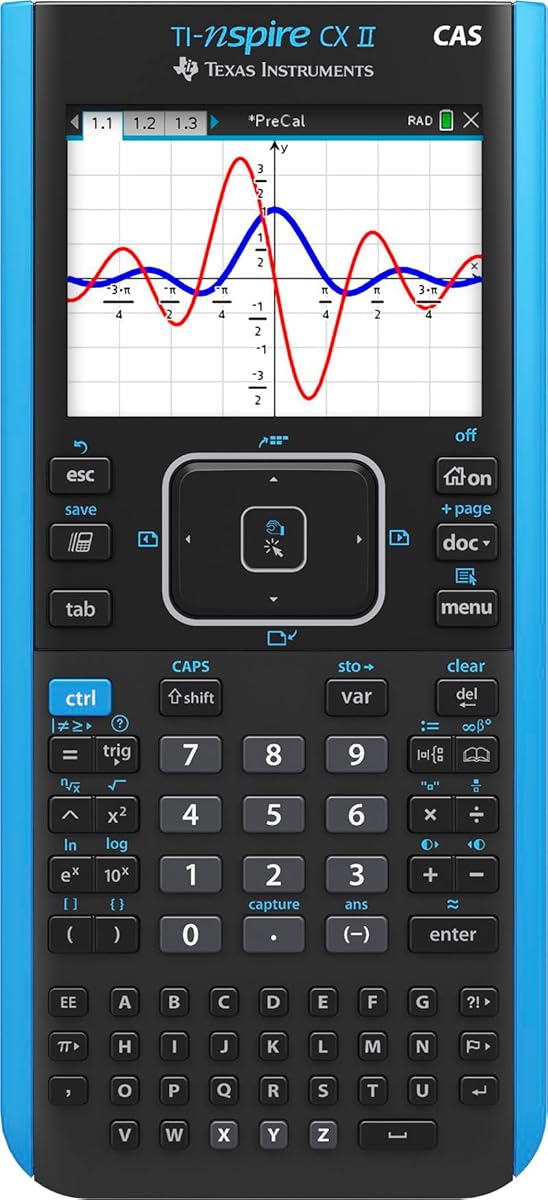
The TI-Nspire CX II CAS is a premium graphing calculator built for students who need algebraic manipulation alongside graphing and dynamic documents. It has a 4.7 rating and extends the TI-Nspire experience with a computer algebra system. That makes it particularly relevant for advanced courses where symbolic structure matters as much as a numerical answer.
We may earn a commission when you buy through this link, at no additional cost to you.
The full-color display measures 320 by 240 pixels at a 3.5-inch diagonal with 125 DPI and 16-bit color. Six graph styles and 15 selectable colors help students distinguish functions and communicate relationships clearly. The thin, lightweight design and touchpad navigation make the device portable, while quick alpha keys support more efficient text and symbolic entry.
Its computer algebra system is the defining feature. Students can approach problems with both symbolic and numerical methods, allowing them to examine an expression's structure, simplify relationships, and connect formulas to graphs. The included TI-Nspire CX Student Software adds enhanced graphing capabilities and other functionality on PC and Mac.
A rechargeable battery is included and can last up to two weeks on a charge according to the product information. The major consideration is exam eligibility: a CAS can change how a problem is solved and may not be permitted in every testing environment. Students must verify local rules. When CAS functionality and advanced dynamic mathematics are priorities, this is the strongest premium choice here.
Computer algebra helps students investigate the form of an expression rather than only calculate a final value. This is especially useful when comparing equivalent forms, studying transformations, and connecting symbolic rules to graphical behavior.
A dedicated color palette and multiple graph styles support clearer visual separation of curves. The result can be more readable in notes, presentations, and collaborative work where several mathematical objects need to be identified quickly.
We may earn a commission when you buy through this link, at no additional cost to you.
The CATIGA CS-121 combines scientific-calculator handling with graphing functions in a compact, lower-tier design. Its 4.4 rating is the lowest in this group, but the product's feature set makes it relevant to students who need more than a basic scientific calculator without moving to a full premium model.
We may earn a commission when you buy through this link, at no additional cost to you.
Students can plot functions, analyze graphs, and solve complex equations while viewing the graph and its formula on the same screen. That simultaneous view supports checking and correction, helping students connect input, representation, and result. More than 360 functions cover fractions, complex numbers, statistics, linear regression, standard deviation, and variable solving.
Three modes—angle measurement, calculation, and display—adapt the interface to different subjects. The stated course range includes pre-algebra through more advanced mathematics, with applications in algebra, trigonometry, calculus, and statistics. Its 7-by-3.3-inch body weighs 6.4 ounces, making it easy to carry in a hand, desk, or backpack.
The anti-drop housing and included protective case help guard the screen and keys during travel. A 365-day limited warranty adds reassurance, and the manufacturer offers support for operational problems. However, exam approval is not stated, and advanced students may eventually outgrow the feature set. It is best viewed as a convenient, affordable hybrid for learning and review rather than a guaranteed test-day platform.
Showing the equation and its graph at the same time makes errors easier to spot. Students can test a suspected typo, examine the shape of the resulting curve, and revise their input without relying on memory.
Fractions, complex numbers, statistics, regression, and standard deviation extend the device beyond basic arithmetic. The familiar scientific-calculator format also makes it a practical bridge for students moving into graphing coursework.
We may earn a commission when you buy through this link, at no additional cost to you.
The CATIGA CS-229 is a compact scientific-and-graphing hybrid designed for students who want portable mathematical tools without a bulky full-size platform. Its 4.4 rating is modest compared with the premium calculators, but the stated 360-plus functions and graphing support make it a practical choice for a wide range of courses.
We may earn a commission when you buy through this link, at no additional cost to you.
Its graphing function can plot equations, analyze graphs, and solve complex equations while showing the graph and formula together. Multiple modes support angle measurement, calculation, and display adjustments. Functions include fractions, complex numbers, statistics, linear regression, standard deviation, and variable solving, covering needs associated with algebra, geometry, trigonometry, and more advanced applications.
The 7-by-3.3-inch body is designed for a balanced grip and efficient navigation. A smooth button layout supports input during long study sessions, while the slim, lightweight form fits into a backpack or pocket more easily than many dedicated graphing calculators. The anti-drop body is intended to resist everyday impacts, and a protective case helps shield the screen and buttons.
The same limitations as the CS-121 apply. Exam approval is not stated, and the product does not advertise the advanced software, CAS, 3D graphing, or programming features found in the premium options. A 365-day limited warranty and stated support response provide some reassurance. Students should choose it for affordability and portability, not as a substitute for verifying school-specific testing rules.
The compact footprint and light weight make the CS-229 convenient for students who move between classrooms, study in different locations, or want a smaller device in their backpack. A dedicated protective case adds a layer of everyday durability.
A clearly arranged button layout can reduce the learning burden associated with a compact keypad. It remains particularly useful for students who alternate between scientific calculations, statistics, and graph analysis.
We may earn a commission when you buy through this link, at no additional cost to you.
The Casio Prizm FX-CG50 is the highest-rated product in this guide at 4.8, and it offers the most explicitly advanced graphing feature set among the full-size models. Its large high-resolution LCD, support for up to three 3D functions, dynamic graphing, and direct MicroPython programming make it especially compelling for upper-level STEM study.
We may earn a commission when you buy through this link, at no additional cost to you.
The display offers more than 65,000 colors, creating sharp visual distinctions between curves and surfaces. Students can graph shapes such as spheres, cylinders, and planes, while simultaneous equation graphing supports more advanced comparison. Dynamic graphing also allows a graph to respond to changing values, which can make relationships and transformations easier to explore.
Beyond graphics, the calculator includes basic and advanced calculation, complex numbers, polar and rectilinear graphing, statistics, and geometry. MicroPython can be used directly on the device, and PC connectivity allows programs to be transferred, stored, and shared. These capabilities make the calculator relevant for students interested in computational STEM as well as conventional mathematics.
The Natural Textbook Display keeps expressions readable, and the product is approved for AP, SAT, ACT, IB, and other standardized exams according to its listing. The trade-offs are cost and unnecessary complexity for beginners. Students who need basic graphing may not use 3D, dynamic functions, or Python at all. Those seeking deeper visual modeling, however, will find this a capable and well-rated premium choice.
Support for multiple 3D functions allows students to inspect surfaces and spatial relationships rather than limiting themselves to flat coordinate planes. It is especially useful when geometry, modeling, and multivariable ideas are part of the course.
Dynamic graphing lets students vary a parameter and immediately observe the resulting transformation. This visual feedback strengthens conceptual understanding of how changing one quantity affects an equation and its graph.
We may earn a commission when you buy through this link, at no additional cost to you.
This TI-84 Plus CE listing offers a familiar version of the widely used TI-84 Plus platform with a high-resolution, full-color backlit display, rechargeable battery, and image-import capability. Its 4.7 rating makes it one of the strongest-rated options here, while the familiar 84 Plus family functionality lowers the barrier for students who may have used the model in class.
We may earn a commission when you buy through this link, at no additional cost to you.
The color screen is useful for distinguishing functions and making graph relationships more visible. The ability to import and use images adds a creative dimension, allowing students to place a visual reference into the calculator environment and connect it with mathematical work. This can be useful in science, data visualization, and project-based activities.
A rechargeable TI battery avoids the need to keep disposable cells on hand. The familiar TI-84 Plus layout and function set support standard algebra, trigonometry, calculus, and related graph-based work. The result is a balanced device that can fit comfortably into an established classroom ecosystem.
This model shares the core strengths and boundaries of other TI-84 Plus CE variants. It does not advertise a CAS, 3D graphing, or advanced programming, so students with specialized needs should consider the TI-Nspire CAS or Casio Prizm instead. It also lacks the TI-84 Evo's larger graph area and faster processor. For a familiar, colorful TI-84 experience, it remains a strong recommendation.
Image import gives students a way to bring an existing visual into calculator work. Rather than relying only on generated curves, they can explore a graph alongside a reference image that may relate to a science or data project.
The 84 Plus family layout is valuable in classrooms where the same platform is used across courses or grade levels. Students can focus on problem solving instead of relearning a completely different menu structure.
We may earn a commission when you buy through this link, at no additional cost to you.
The right graphing calculator should match the student's subjects, instructor preferences, exam rules, and interest in programming. These factors help narrow the field before comparing screens, batteries, and advanced functions.
Begin with the calculator list provided by the teacher or exam administrator. Some courses specify TI-84, Casio fx, Casio Prizm, or TI-Nspire models, while standardized testing may specify an approved model or prohibit a computer algebra system. Advanced courses may also require functions such as dynamic graphing, 3D surfaces, or symbolic manipulation. Treat the instructor's current list as the first filter rather than assuming every graphing calculator can be used interchangeably.
Check requirements for every planned course, including future mathematics and science classes. A calculator suitable for algebra may not satisfy the needs of an advanced statistics, engineering mathematics, or computer algebra assignment.
Basic graphing calculators plot functions, display tables, and analyze intersections. More advanced models add multiple simultaneous equations, polar graphing, dynamic functions, 3D surfaces, statistical tools, or a computer algebra system. Determine which capabilities appear in the curriculum instead of selecting the model with the longest feature list. A tool that supports the actual coursework will be more useful and easier to learn.
For advanced STEM study, look for graphing depth, strong equation handling, and clear visual output. For introductory classes, a reliable scientific-plus-graphing hybrid may be sufficient.
A larger or higher-resolution screen makes equations, graph labels, and multiple curves easier to distinguish. Color is especially helpful when different functions overlap, while a backlit display improves readability in dim classrooms. Consider both the stated screen dimensions and the amount of graphing space rather than relying on one specification. Students with accessibility needs may also value strong contrast and easy-to-read output.
Choose enough room for your normal workload without paying for display size that adds bulk. Clear visuals are more valuable than a technically impressive panel if navigation remains difficult.
Students interested in coding should look for direct MicroPython support, file transfer, and a practical connection to a computer. The Casio fx-9750GIII and Prizm FX-CG50 provide on-device Python and USB connectivity, making them strong choices for computational exploration. Connectivity is also useful for moving programs, data, or screenshots between the handheld and a computer, but the workflow should be simple enough for the student's experience level.
Confirm that the programming language and software used in class matches the calculator. A model with extensive connectivity is unnecessary if the curriculum does not use programming.
MathPrint and Natural Textbook Display can reduce the friction of entering and interpreting complex expressions. When output resembles printed notation, students can spend less time translating between the worksheet and calculator. This advantage is particularly noticeable with fractions, stacked formulas, and symbolic expressions. A textbook-style display does not replace mathematical understanding, but it can make work easier to verify.
Learn the notation before an exam and bring a reliable guide or familiar reference if permitted. The best display is the one students can read quickly and correctly under pressure.
Battery life should match the rhythm of a school day. Rechargeable models are convenient for students who use a calculator throughout the day, while a compact body can be easier to carry between classes. The stated one-month battery life of the TI-84 Plus CE and two-week life of the TI-Nspire CX II CAS offer different coverage. Students who travel frequently should also consider a protective case, especially for smaller hybrid models.
Choose a size and power system that fit your schedule. A long battery life is useful, but a smaller device that fits comfortably in your preferred study setup may matter more.
Some models include student software, online calculator access, or subscription periods, while others are complete handheld tools without a meaningful bundled software component. Consider whether computer-based graphing or exam software is required. Also investigate accessibility features such as readable output, menu navigation, and touchpad or keypad preferences. Students with sensory or motor needs should try the interface during a store demonstration if possible.
Prioritize required accommodations over bundled extras. Software is valuable only when it supports the student's actual learning and assessment workflow.
Budget options can provide useful scientific and graphing functions without the premium-tier cost of advanced models. The CATIGA CS-121 and CS-229 illustrate this middle ground, while premium calculators justify their positioning with larger screens, computer algebra, 3D graphing, or more extensive connectivity. Compare the required features with the total cost and consider how long the device will serve the student across multiple courses.
Spend on a model that covers expected coursework rather than unused advanced features. For a short course, a capable midrange choice may be the most efficient purchase.
Begin by learning the model before the first graded assignment. Review basic entry, graphing windows, table mode, tracing or analysis tools, and how to clear or reset a problem. Work through a short practice set and save reference notes showing common menus. A calculator is most efficient when students can locate functions without searching through every screen during class or an exam.
Create a sensible working system for variables, equations, notes, and programs. Use descriptive variable names when programming, avoid saving sensitive information on a shared classroom device, and back up transferred files on a computer. Before an assessment, confirm the approved model, restore any required settings, and ensure the battery is charged. Always follow school and test-center instructions regarding resets, memory, and permitted accessories.
Protect the calculator from impact, moisture, extreme heat, and crowded bags. Use a protective cover or case, keep the display free of abrasive debris, and avoid pressing keys with sharp objects. Recharge compatible models regularly rather than waiting until the battery is nearly depleted, and keep the charging cable accessible. If a unit becomes unresponsive, consult its manual and use the stated reset procedure where applicable before seeking support.
The best choice depends on the courses and exams the student expects to take. The Casio fx-9750GIII and TI-84 models cover broad school mathematics, while advanced courses may favor the Casio Prizm FX-CG50 or a TI-Nspire model. Always check the teacher's approved list and current exam rules before purchasing.
You should use the calculator policy published by the testing organization and follow any school instructions. A familiar approved model can be useful for practice because it reduces the learning required during the test. Calculator models and policies can change, so verify the current requirements before the exam date.
It depends on the course and instructor. Many calculus tasks focus on interpreting functions, numerical behavior, and graphing rather than symbolic solutions, but some advanced or algebra-heavy courses expect CAS capabilities. Ask whether students must show symbolic work or are permitted to use a non-CAS model before choosing a TI-Nspire CAS.
The Casio fx-9750GIII and Casio Prizm FX-CG50 support MicroPython directly and can connect to a PC for transferring, storing, and sharing programs. They are therefore strong options for students who want to code directly on a graphing calculator. For serious programming coursework, confirm that the required language and development environment match the device.
A scientific graphing hybrid combines familiar scientific functions with basic plotting and analysis in a compact body. A full graphing calculator generally provides a larger interface, more graphing space, advanced mathematical functions, software, and stronger exam support. The best choice depends on course complexity, portability, and any instructor restrictions.
It varies by model. The TI-84 Plus CE and TI-Nspire CX II CAS are listed with rechargeable batteries, while other choices may use different power arrangements. Check the exact product specifications and keep the correct battery or charging cable for the model you own, especially before a school term or exam period.
No. Advanced functions can be valuable for specialized courses, but they may add complexity without helping a student in basic mathematics. Prioritize teacher approval, exam eligibility, required graphing features, and ease of use. A simpler device that students understand deeply is often more useful than an advanced one they rarely operate confidently.
Practice entering equations, changing graph windows, reading tables, tracing curves, and using any required analysis tools. Learn how to clear saved data, reset settings, transfer programs, and recharge the battery. Keeping a quick reference guide and completing practice problems on the same model used in class will make the first weeks much smoother.
The Casio fx-9750GIII stands out as the strongest overall value, combining textbook-style display, broad math features, direct Python programming, USB connectivity, and exam approval. The Casio Prizm FX-CG50 is the premium choice for students who need richer color, 3D graphing, dynamic functions, and Python, while the CATIGA CS-121 offers a compact and approachable lower-tier option.
For students already invested in the TI-84 platform, the TI-84 Plus CE remains versatile, the newer TI-84 Evo emphasizes speed and navigation, and the TI-Nspire family serves students who prefer dynamic documents or advanced symbolic tools. Prioritize the instructor's approved list, the functions your course actually requires, readable output, manageable controls, and dependable battery life.
Before buying, compare the current product listing and confirm the exact model, included accessories, exam eligibility, and software terms. Prices, bundles, and availability can change over time, so verify current details rather than relying on an old recommendation or review. A short hands-on session with the preferred interface can also prevent an expensive mismatch.