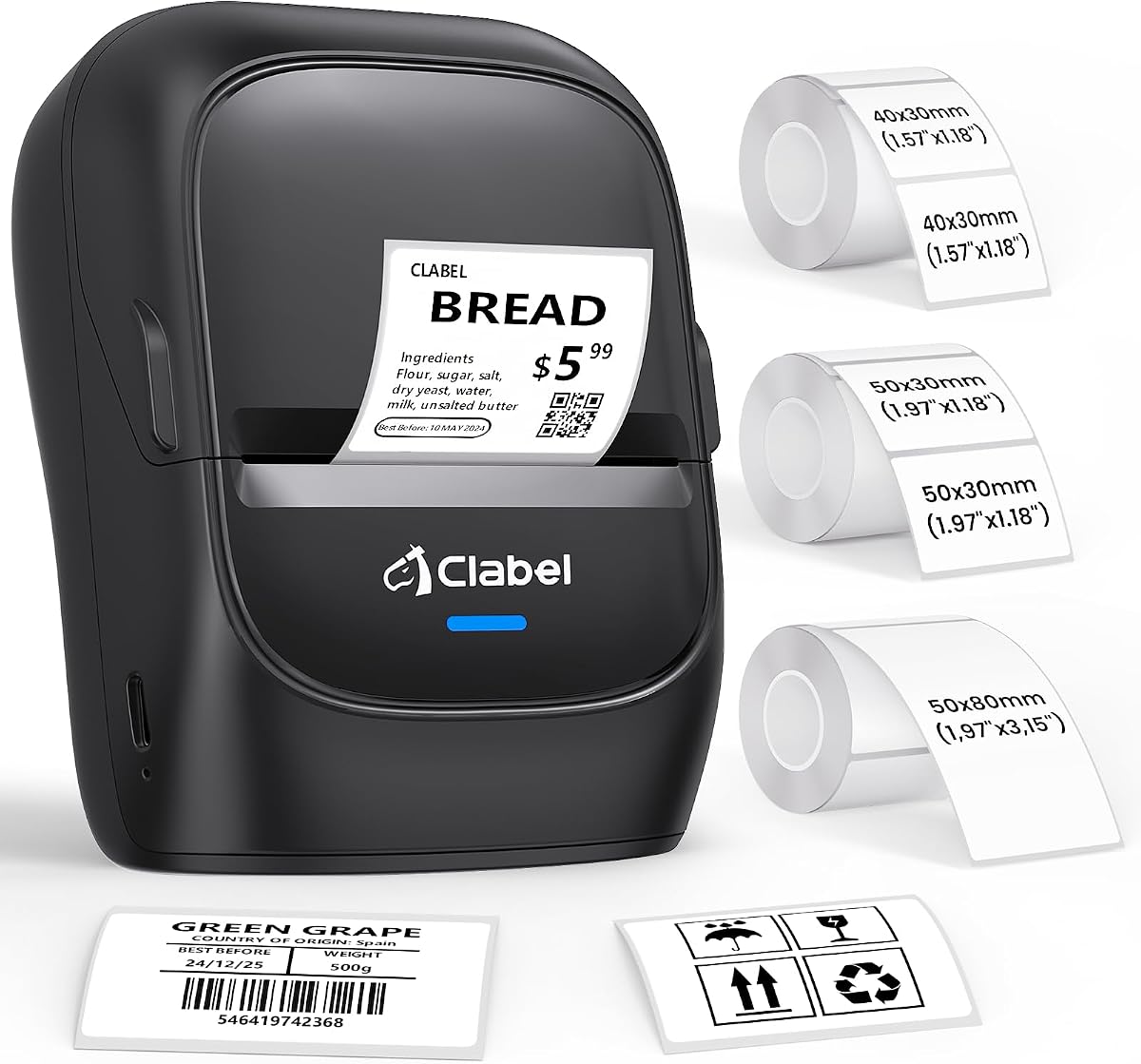
CLABEL 221B Thermal Label Printer
4.3Editor score
Two-inch label support
Flexible thermal media
Bluetooth and USB pairing
A label printer for bakery can transform plain packaging into a polished, professional presentation. The right model helps organize ingredients, identify flavors, add storage dates, and create attractive product labels while reducing the inconsistencies that come with handwritten tags.
We compared the ten featured printers by examining label width, print resolution, connection options, editing capabilities, platform compatibility, portability, and included accessories. The list covers compact label makers as well as dedicated shipping printers for growing bakery businesses.
Each review explains where a printer excels, where its limitations may matter, and which operating scenario fits it best. Product specifications and ratings reflect the supplied listings, while prices and availability can change at any time.
4.3Editor score
4.4Editor score

4.3Editor score
As an Amazon Associate we earn from qualifying purchases.
The following comparison highlights the core differences in resolution, supported label sizes, connectivity, and intended workflow, helping bakery operators narrow the field before examining individual reviews.


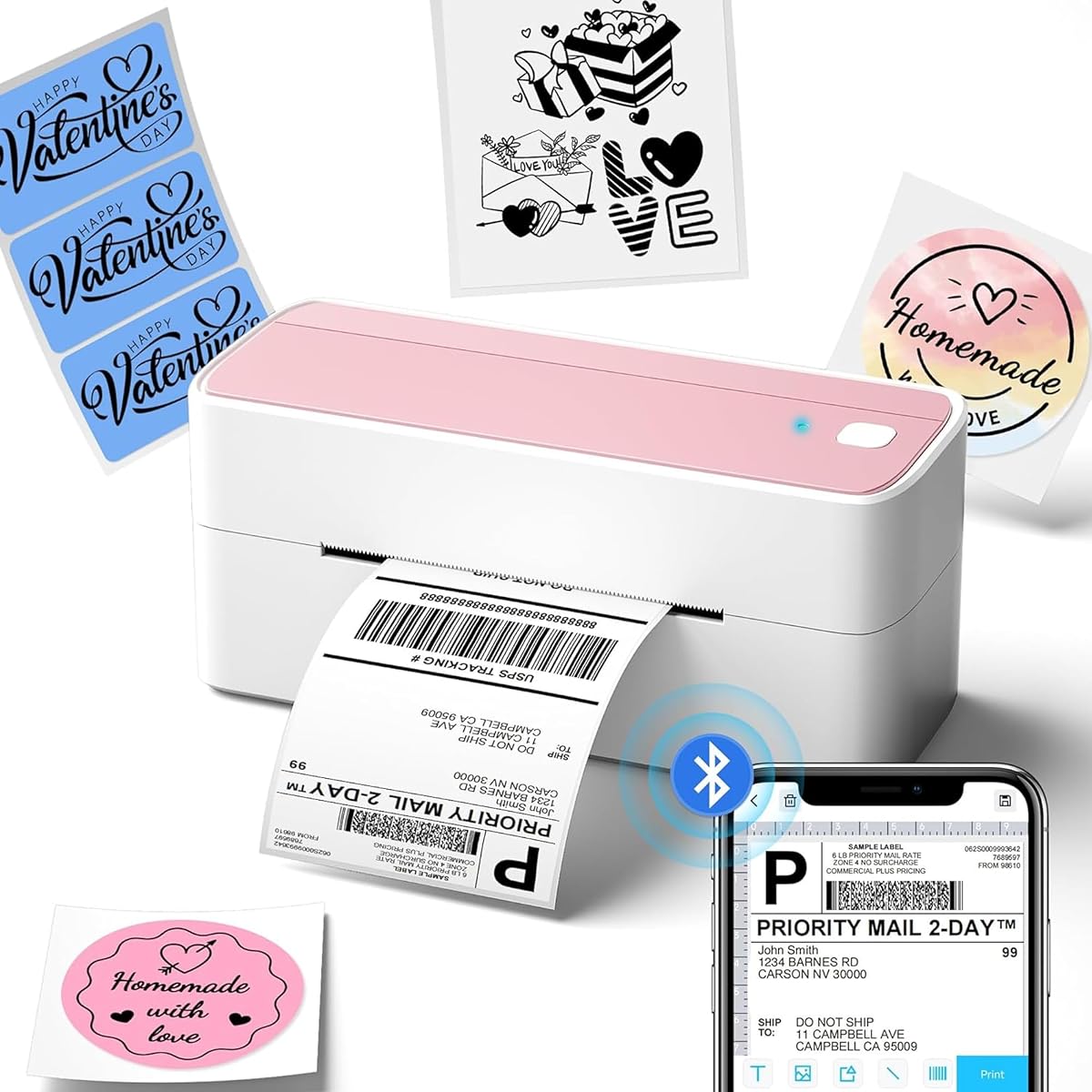



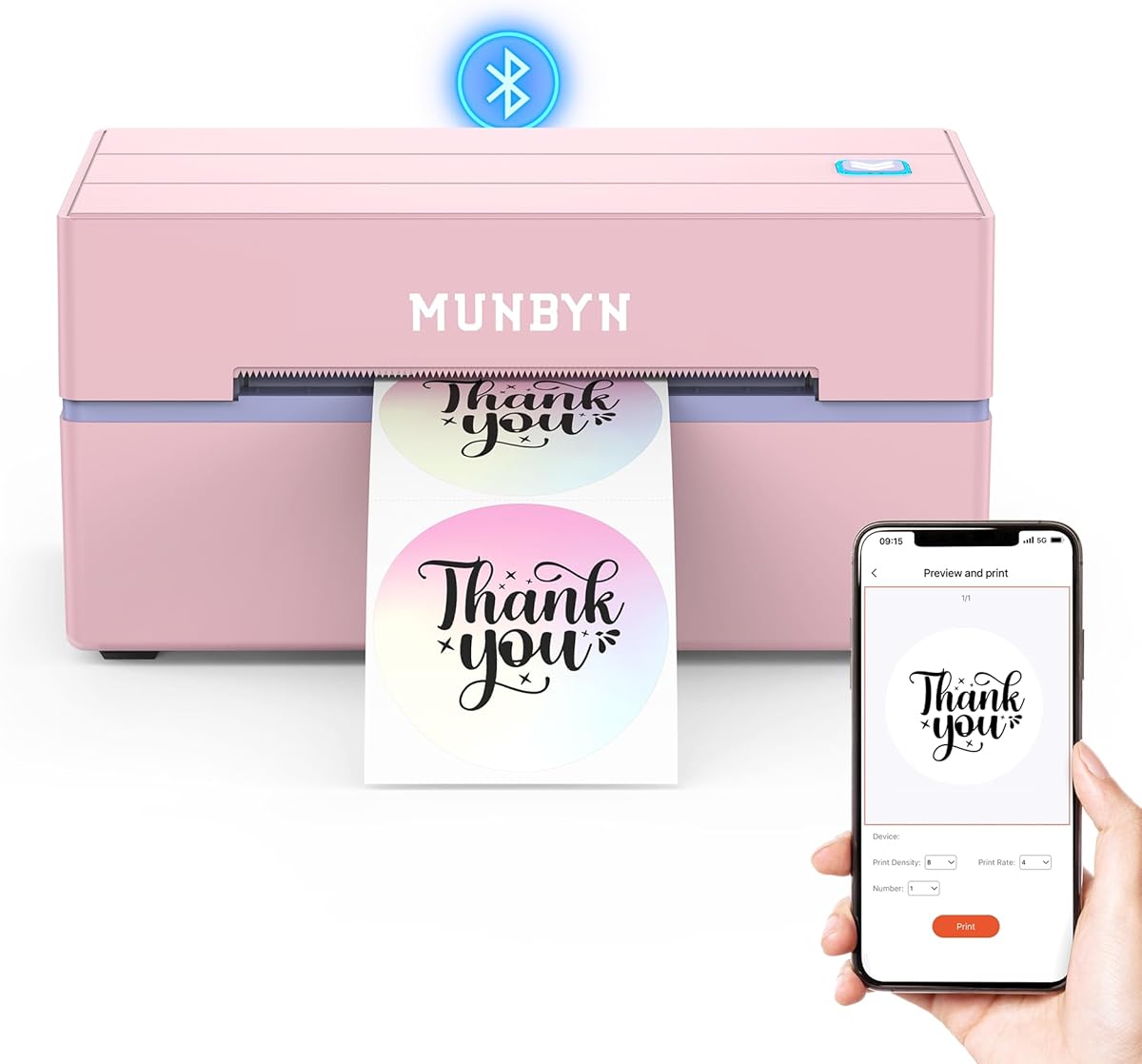
The MUNBYN Bluetooth Thermal Label Printer combines broad label compatibility, 203 dpi thermal output, and flexible editing options in a package suited to both bakery packaging and shipping tasks. Its 4.4 rating reflects a generally well-received feature set, while the ability to work from a phone, tablet, computer, or USB connection makes it adaptable to changing production routines.
We may earn a commission when you buy through this link, at no additional cost to you.
One of the strongest features is its support for more than just standard rectangular shipping labels. The listed compatibility includes Munbyn square, circle, and rectangle formats, along with gradient, shell, aurora, glitter, rainbow, and Morandi specialty series. The mobile app also provides more than 3,500 elements, 2,000 templates, and over 80 fonts, giving a bakery operator useful tools for designing ingredient labels, jar tags, QR codes, and price labels.
The thermal process requires no ink or toner, and the 203 dpi head is intended for readable text, shipping addresses, pricing, and barcodes. MUNBYN recommends pairing the printer with genuine thermal paper for consistent results. That is worth considering when planning labels for refrigerated products, because paper choice can affect long-term label appearance. The printer is also compatible with major shipping and marketplace platforms.
The main compromises are that output is monochrome and the listing warns that the 130B model may not work with UPS thermal paper. Nevertheless, it is the most versatile choice here for a bakery that wants one printer to cover packaging, inventory, branding, and outbound orders. It is especially suitable for operators who value design flexibility and broad label selection over a narrowly dedicated shipping format.
This printer can move beyond address labels and handle circles, squares, and several specialty formats. A bakery can use the same device for product names, storage dates, ingredient notices, QR codes, and outbound parcel labels without needing multiple dedicated machines.
The MUNBYN Print app supports phones and tablets, while a Chrome-based editor handles Bluetooth-equipped computers. Users can import PDF or TXT files, use OCR, select from numerous templates and fonts, and prepare a design without relying on a single operating system.
We may earn a commission when you buy through this link, at no additional cost to you.
The NULLTONEX Thermal Shipping Label Printer is a strong option for bakeries that need fast monochrome output and a straightforward desktop workflow. It carries a 4.4 rating and uses 203 dpi direct thermal technology, producing crisp text, barcodes, and addresses without ink or toner. Its listed speed of up to 150 mm/s makes it well suited to routine order fulfillment.
We may earn a commission when you buy through this link, at no additional cost to you.
Connectivity includes Bluetooth and USB. The FlashLabel Pro app is used for Bluetooth pairing, while USB provides a steadier wired connection for office computers. A useful bakery-specific feature is offline design and template storage, allowing the operator to continue preparing labels without waiting for cloud downloads during a busy morning or service period.
The editing library includes more than 1,800 templates, over 300 fonts, and multiple editing tools. It supports standard 4×6 shipping labels as well as media from 1.57 to 4.3 inches wide and works with major carriers and marketplaces, including Amazon, Shopify, Etsy, USPS, UPS, FedEx, and DHL. The package also includes 25 sheets of 4×6 thermal labels, reducing the initial setup barrier.
Its monochrome-only output rules it out for colorful branding, and the phone workflow centers on the companion app rather than direct operating-system printing. Even so, it is a practical choice for a bakery that primarily prints ingredients, storage labels, order labels, and shipping labels and values speed and straightforward app-based editing.
The stated maximum speed of 150 mm/s, equivalent to up to 72 labels per minute, suits businesses producing several labels at once. This is particularly useful when the same product is being packed, dated, priced, and shipped simultaneously.
Saving templates and designs locally means routine labels do not have to depend on a live cloud connection. For a bakery handling morning orders from a phone or computer, that continuity can be more valuable than a large collection of rarely used templates.
We may earn a commission when you buy through this link, at no additional cost to you.
The SUPVAN T50M Pro Label Maker focuses on compact labels rather than large shipping labels, making it particularly effective for bakery jars, food containers, storage bins, and takeaway accessories. Its 4.5 rating is the highest among the ten products listed. It supports labels from three-quarters of an inch to two inches wide and comes with three tapes for immediate use.
We may earn a commission when you buy through this link, at no additional cost to you.
Its free app provides a straightforward way to add images from a phone, tablet, or computer, then customize text with more than 30 fonts, 50 frames, and 660 icons. The app automatically recognizes label size and requires no registration. This makes the machine approachable for staff who may not have time to learn a complex desktop program or repeatedly adjust media settings.
Output uses thermal technology and needs no ink or toner. The product listing emphasizes clear image processing and high-resolution results, although color output is not available. Compatible media includes square, round, address, cable, jewelry, and file labels, offering enough variety for bakery organization beyond basic ingredient containers.
The limitation is obvious: this is not a 4×6 shipping printer, and its two-inch maximum width is unsuitable for large parcel labels. A bakery that needs only attractive, compact labels for jars and pantry items will find it easier to use than a full shipping printer. Those who also prepare parcels should choose a wider model instead.
The included formats and support for round labels suit bakery staples such as flour, sugar, spices, preserves, and toppings. Automatic size recognition reduces setup time when workers move between different containers or replace a roll.
Images, frames, icons, and fonts can be added from common mobile or computer devices without registration. This approachable design is useful for small teams that need attractive labels without assigning a dedicated employee to operate complicated design software.
We may earn a commission when you buy through this link, at no additional cost to you.
The Phomemo 241BT Label Printer offers one of the widest supported label ranges in the group, accommodating widths from one to 4.6 inches. That makes it a versatile choice for a bakery that needs both small product identifiers and standard shipping labels. Its 4.4 rating reflects a balanced combination of speed, media flexibility, and platform support.
We may earn a commission when you buy through this link, at no additional cost to you.
At up to 150 mm/s, the printer can produce as many as 72 four-by-six labels per minute under the stated conditions. It supports text, barcodes, QR codes, forms, and templates for business or home use. Compatibility includes eBay, Shopify, Amazon, Etsy, UPS, USPS, and FedEx, while the package includes 20 labels for initial setup.
Phones and tablets print through the Labelife app over Bluetooth. Computer users need the appropriate driver and use USB, with Chrome OS requiring a browser extension. Phomemo also provides technical support through live chat, phone, and email, and recommends its own thermal paper for consistent output and resistance to fading or smudging.
The computer setup is less seamless than app-only operation, and the printer is limited to black-and-white output. Color thermal paper is mentioned as a separate option, but the printer itself does not create color. Despite that constraint, its wide media range and strong shipping integrations make it a solid all-around option for a bakery handling diverse packaging jobs.
Support from one to 4.6 inches allows the same unit to handle jar labels, ingredient tags, product stickers, and large address labels. A bakery can standardize its labeling process without keeping separate compact and shipping printers on the counter.
Direct compatibility with major marketplaces and carriers reduces the friction of creating outbound labels. The stated speed also makes this a credible choice for a bakery that processes customer orders throughout the week rather than only during holiday peaks.
We may earn a commission when you buy through this link, at no additional cost to you.
The KNAON Bluetooth Shipping Printer is built around speed and compact operation, with a stated maximum print rate of 180 mm/s. It carries a 4.4 rating and supports media from 1.5 to 4.2 inches wide, making it suitable for bakery order labels, product tags, barcodes, price tags, and standard address labels.
We may earn a commission when you buy through this link, at no additional cost to you.
The FlashLabel Pro app supports phone and tablet design and also works with Windows and macOS. The listing stresses that Bluetooth connections are made through the app rather than universally as a direct device connection. USB offers another route and is supported by macOS, Windows 7 and later, ChromeOS, and Linux, with drivers and tutorials stored on a built-in USB drive.
Design resources are extensive, including more than 3,000 templates, 5,000 icons, and over 100 fonts. Major platform compatibility includes Amazon, eBay, Shopify, USPS, UPS, Etsy, PayPal, Poshmark, and DHL. For marketplace orders, the logistics label is saved as a PDF and then imported into the app, which is a workflow worth understanding before buying.
At 7.17 by 3.9 by 3.43 inches, the printer has a compact footprint that suits a bakery counter or packing area. Ten test sheets are included. Its main limitation is dependence on the app for wireless printing, but for an operator who wants fast mobile label preparation, this arrangement remains convenient and capable.
The stated 180 mm/s rate is the highest among the compact thermal printers in this comparison. That advantage is most visible when printing multiple customer orders or a large batch of product and storage labels in succession.
The small body is easy to place beside a computer, packing bench, or order station. A built-in USB drive containing drivers and tutorial videos also reduces the chance that setup will stall while locating software or setup instructions.
We may earn a commission when you buy through this link, at no additional cost to you.
The JADENS Wireless Label Printer is a dependable option for bakeries that regularly print shipping labels, warehouse labels, and marketplace order labels. It has a 4.4 rating, 203 dpi resolution, and support for label widths from 1.57 to 4.1 inches. Both fanfold and roll media can be used, which provides useful flexibility for different label workflows.
We may earn a commission when you buy through this link, at no additional cost to you.
Windows 8 and later computers and Mac systems can use Bluetooth, while Android and iOS users print through the Jadens Printer app. USB operation is available for Windows 7 and later and Mac OS 10.9 and later. One recurring setup detail is the need to long-press the feed button after changing labels so the machine can identify and calibrate the media size.
The printer works with Endicia, Dazzle, ShipStation, Shipping Easy, Shippo, ShipWorks, Ordoro, eBay, Amazon, and Shopify. A USB drive includes the driver, instructional videos, and troubleshooting material, while the listing notes a one-year warranty and support through email, telephone, and remote control.
It is designed primarily around monochrome shipping output, so bakery branding remains limited to black text, barcodes, and logos that reproduce in thermal media. The calibration step adds a little work when switching roll types, but for a stable shipping station the combination of software coverage, support resources, and media flexibility is compelling.
The printer supports an extensive collection of shipping services and marketplaces. This makes it useful for bakeries that use several platforms or need to move between order fulfillment and internal warehouse labeling without changing hardware.
Accepting both media styles lets a bakery choose whichever label format is easiest to store and feed. Operators should remember to calibrate the machine after each media change so text and barcodes remain correctly positioned.
We may earn a commission when you buy through this link, at no additional cost to you.
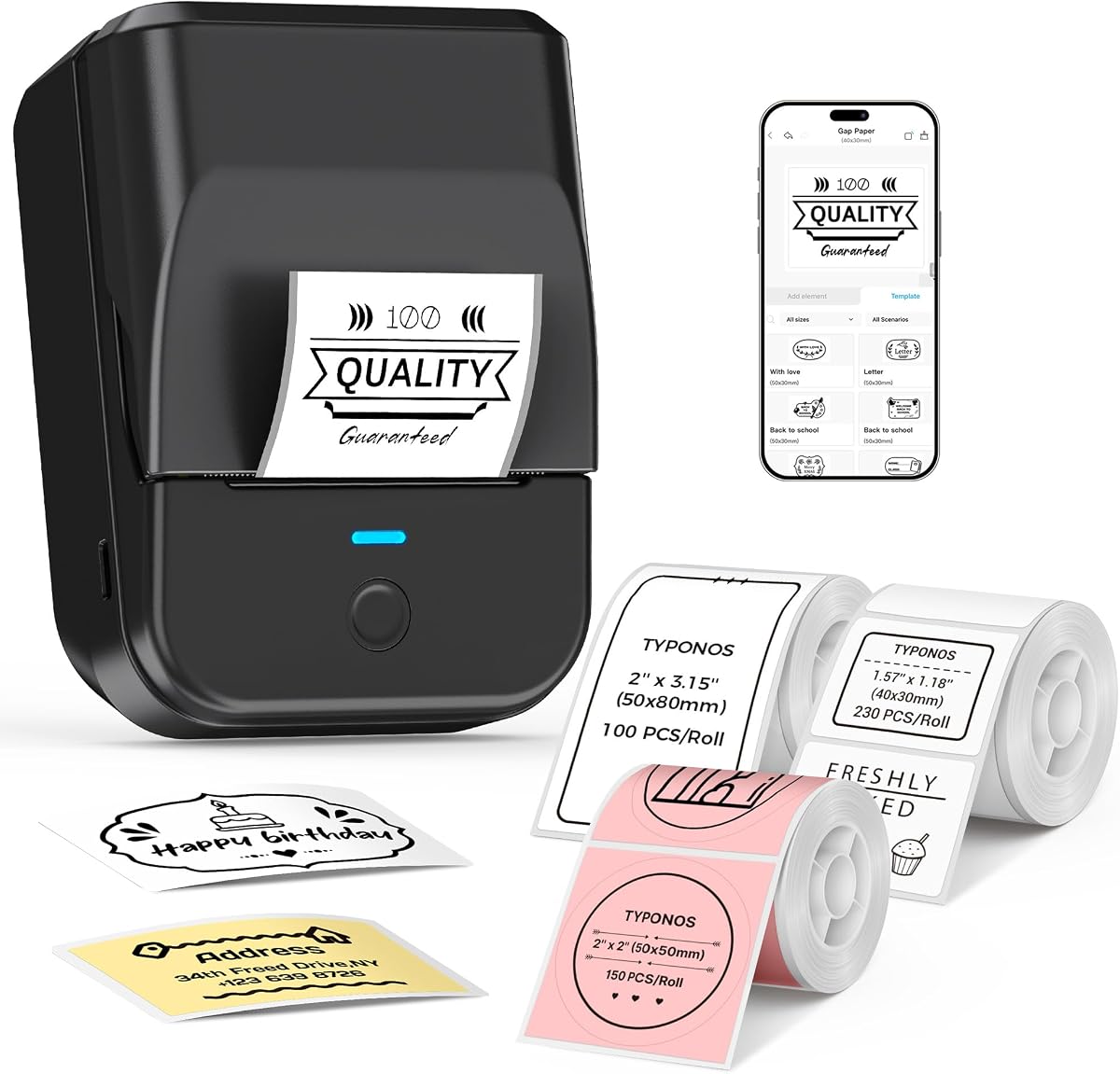
The PM240 Label Maker Machine is a portable, battery-powered option for organizing bakery jars, school supplies, classroom bins, office items, and compact product labels. It has a 4.4 rating and includes three rolls: white rectangular labels at 40 by 30 millimeters, white rectangular labels at 50 by 80 millimeters, and pink round labels measuring 50 millimeters in diameter.
We may earn a commission when you buy through this link, at no additional cost to you.
The Labelnize app includes more than 2,500 icons, 3,800 templates, and 430 fonts. It supports Excel import, batch printing, OCR, and text-to-image generation. Compatible labels contain RFID chips that let the app detect size automatically, reducing the need to make manual adjustments. The green liner sticker should remain in place because removing it may cause printing errors.
At 207 grams, the printer is easy to carry around, and its 1,500mAh battery provides up to 100 days of standby time per charge. It connects to iOS, Android, and PCs, using Bluetooth for phones and tablets and USB for computers. The power adapter is not included, although a supplied cable is used for wired PC operation.
This is not a large shipping printer; its media range is limited to one- and two-inch formats. Bluetooth and USB also cannot operate simultaneously, and the default auto power-off may interrupt a Bluetooth session. For portable bakery labeling, however, the device is unusually flexible, particularly for batch work and labels that need automatic size recognition.
The rechargeable battery and low weight allow staff to label shelves, jars, classroom materials, or delivery items away from a fixed desk. Up to 100 days of listed standby time also reduces the frequency of charging when the device is used intermittently.
RFID-equipped compatible labels are detected automatically, while Excel import and batch printing support repeated tasks. These features are valuable when a bakery needs to create many ingredient or storage labels in one session rather than printing them individually.
We may earn a commission when you buy through this link, at no additional cost to you.
The CLABEL 221B Thermal Label Printer is a budget-minded option for small bakeries that need compact labels for jars, price tags, barcodes, addresses, and general organization. Its 4.3 rating reflects a useful combination of features, while three included label rolls allow the owner to begin printing without sourcing every compatible format immediately.
We may earn a commission when you buy through this link, at no additional cost to you.
The printer supports label widths from 25 to 50 millimeters, or approximately 0.98 to two inches. Its most appealing feature is the absence of RFID chips and brand lock-in, allowing users to buy standard thermal label rolls from different suppliers. That flexibility may be especially helpful for a bakery testing several label sizes or maintaining a changing inventory of consumables.
The Clabel trade app provides Bluetooth pairing, templates, icons, fonts, Excel batch printing, and image-to-text functionality. Android and iOS phones can connect over Bluetooth, while computers use USB. The listing does not list iPad as a supported Bluetooth device, so iPad users should plan to use a compatible computer workflow or another suitable connection method.
Matched thermal labels are described as waterproof, oil-proof, and resistant to friction and scratches, which is relevant in a kitchen environment where labels may encounter moisture or handling. The small media limit rules it out for large shipping labels, but for inexpensive bakery jar and product labeling, it is a practical, flexible choice.
Because the printer does not require RFID chips, it can use standard thermal label rolls instead of locking the bakery into one branded consumable ecosystem. This makes media selection easier and supports experimentation with different sizes.
The matched labels are advertised as oil-proof, waterproof, and resistant to scratches and friction. Those qualities make the printer a sensible choice for ingredient containers and retail displays where labels will be handled frequently.
We may earn a commission when you buy through this link, at no additional cost to you.
The Brother QL-820NWB is the premium choice in this group, combining 300 dpi monochrome output, multiple connectivity options, and a standalone display. Its 4.3 rating and professional positioning suit a bakery that wants finer text, barcodes, and graphics for professional packaging rather than basic identification tags.
We may earn a commission when you buy through this link, at no additional cost to you.
Bluetooth, Ethernet, and 802.11b/g/n wireless interfaces provide several ways to integrate the printer with an office. A USB host interface can also accommodate a peripheral such as a scanner. The easy-to-read monochrome LCD allows standalone operation, which is valuable for checking settings, printing selected designs, and maintaining an orderly labeling station without a computer.
The printer can produce up to 110 standard address labels per minute with black text. It supports black-and-red labels using DK 2251 media and accommodates labels up to three feet long. The 300 dpi resolution provides a clear advantage for fine ingredient text, nutrition details, small barcodes, and decorative monochrome logos.
This is a larger, more specialized unit than the compact bakery label makers, and its premium category makes it less compelling for someone printing only a few jar labels. It is most appropriate for an established bakery, commissary, production kitchen, or fulfillment operation that values network integration, speed, resolution, and standalone control.
At 300 dpi, the QL-820NWB is well suited to smaller text, dense product information, and detailed monochrome graphics. This can help a bakery achieve a more polished appearance on ingredient panels and branded packaging.
Bluetooth, Ethernet, wireless networking, and a USB host interface offer more integration paths than a typical entry-level thermal printer. The standalone LCD also reduces dependence on a nearby computer for routine operations.
We may earn a commission when you buy through this link, at no additional cost to you.
The Rollo USB Shipping Label Printer has a 4.6 rating and a straightforward purpose: producing shipping, warehouse, barcode, sticker, and custom product labels quickly. It prints at 150 mm/s, described as one 4×6 label per second, while its 203 dpi head produces clear text and scannable barcodes without ink or toner.
We may earn a commission when you buy through this link, at no additional cost to you.
Unlike many competitors, this model uses a wired USB connection. It supports Windows XP and newer and Mac OS 10.9 and newer, with setup handled by downloading the Rollo drivers. This limitation makes it less convenient for phone-only workflows, but it can provide a stable and familiar connection to a bakery's main ordering computer.
The custom label maker supports widths from 1.57 to 4.1 inches and can create barcodes, product labels, thank-you stickers, QR codes, and business or name stickers. Compatibility includes FedEx, UPS, USPS, Rollo Ship Manager, ShipStation, ShippingEasy, Shippo, ShipWorks, Amazon, Shopify, Etsy, and eBay, giving it broad relevance for fulfillment tasks.
The bundled Rollo Ship application provides a streamlined shipping workflow and access to rates and ecommerce connections. This printer is ideal for a bakery with a dedicated packing computer and a steady flow of customer orders. It is less suitable for workers who need to print independently from a phone, but its speed, rating, and compatibility make it a leading shipping-focused contender.
A stated rate of one 4×6 label per second is well suited to processing orders in batches. The printer is particularly useful during holiday periods, market pickups, or other windows when many shipping labels must be produced quickly.
The same unit can handle marketplace shipping labels, warehouse identifiers, QR codes, thank-you stickers, and product labels. That versatility lets a bakery support its fulfillment counter and presentation details without maintaining separate thermal devices.
We may earn a commission when you buy through this link, at no additional cost to you.
The most useful bakery label printer is the one whose media range, software workflow, and output quality match the labels you actually need. Consider label dimensions, the environments where labels will appear, the devices used to prepare orders, and how many labels a typical production run requires.
Label width is the first practical filter because the printer's supported range determines what you can create. Compact models commonly cover one- to two-inch media for jars, jars, ingredients, and prices, while shipping-oriented units support widths extending beyond four inches for 4×6 parcels. The MUNBYN supports 1.57- to 4.3-inch widths, the Phomemo accepts one- to 4.6-inch labels, and the CLABEL is limited to 25- to 50-millimeter media. Always compare the dimensions of the exact stock you plan to use rather than estimating from the product name.
Choose a printer whose stated width range fully contains your required label size, and verify the length and shape as well. A wide shipping printer can still be useful for small bakery labels, while a narrow model may print attractive containers but cannot produce large parcel labels.
All featured products use direct thermal output, which means labels are produced with heat rather than ink or toner. This simplifies operation and avoids cartridge changes, but the appearance and longevity of a label depend heavily on the media. Several listings specifically recommend compatible branded thermal paper, while the CLABEL is notable for accepting standard rolls without RFID chips. Consider where a label will be used: refrigerator cases, ingredient bins, pastry boxes, retail shelves, and shipping environments all place different demands on paper and adhesive.
Print a test with the media you intend to buy. Check barcode clarity, character edges, darkness, adhesive performance, and resistance to the oils, moisture, and handling common in your bakery.
Most models in the group use 203 dpi, which is a practical standard for barcodes, prices, addresses, and ordinary ingredient text. The Brother QL-820NWB raises that to 300 dpi, offering finer detail for dense information and small monochrome graphics. Speed ranges from the Brother's stated 110 standard address labels per minute to the KNAON's 180 mm/s and Rollo's one 4×6 label per second. Faster is not automatically better; the right balance depends on whether the bakery prints a few daily labels or large order batches.
Choose fine resolution when typography and detailed product panels matter. Choose high throughput when fulfillment speed and uninterrupted order processing are the priority.
Bluetooth is convenient for phones, tablets, and roaming work around a counter, but app support varies. The MUNBYN, NULLTONEX, KNAON, and PM240 list Bluetooth workflows, while the JADENS requires its app for phone printing and the Brother adds Ethernet and wireless options. The Rollo uses USB only. Wired connections are often steadier for a fixed packing computer, whereas wireless connections can be preferable when staff move between packing, display, and storage areas.
Map the connection method to the devices your team already uses and confirm operating-system requirements. Also check whether a desktop driver, browser extension, or companion app is required before installation.
A printer's hardware matters less if creating a polished label is frustrating. The SUPVAN provides a simple app with fonts, frames, and icons; the Phomemo supports document and template workflows; the KNAON offers a large template and icon library; the PM240 adds Excel import, batch printing, and OCR; and the Brother includes an LCD for standalone control. Look for features you will use regularly, such as QR codes, barcode tools, imported artwork, batch spreadsheets, OCR, automatic size detection, or a web-based editor.
Avoid choosing a device solely by the number of templates listed. A clear workflow, readable controls, and features that match your labels are more valuable than a large catalog of unused graphics.
Labels in a bakery may encounter refrigeration, condensation, flour dust, oils, heat, and frequent handling. The printer alone cannot compensate for unsuitable media or adhesive. The CLABEL listing highlights oil-proof, waterproof, and scratch-resistant labels, while the Phomemo says its compatible labels resist fading and smudging. The Brother supports black-and-red labels using DK 2251 media, which can add visual emphasis without requiring full-color output.
Consider whether labels are applied in advance, whether containers are washed, and whether they sit on wet or greasy surfaces. Test the complete label and container combination in the intended environment before committing to a large consumable order.
A permanent packing station may benefit from a wired or network printer, while market stalls, classrooms, and mobile order desks benefit from battery-powered models. The PM240 weighs 207 grams and includes a rechargeable 1,500mAh battery, making it the clearest portable option. The KNAON offers a compact 7.17-inch footprint, and the CLABEL targets smaller 25- to 50-millimeter labels. The Brother is positioned as a professional system with network capability, which is more appropriate for a fixed production area.
Measure the counter space, plan for the label roll, and confirm the power source before ordering. Portability is useful only when battery life, charging time, and connection behavior meet the way your team actually works.
If the bakery fulfills customer orders, platform compatibility may matter as much as packaging labels. The MUNBYN, Phomemo, KNAON, JADENS, and Rollo list broad marketplace and carrier support, while the NULLTONEX also supports major shipping services and includes 25 sheets of 4×6 labels. Some platforms require a label to be saved as a PDF and imported into an app. The KNAON and JADENS include drivers or tutorial media, which can simplify initial setup.
Check what is included before buying extra supplies, but also confirm that the supplied paper matches the widths and formats you intend to use. A complete package is convenient, while ongoing consumable flexibility may matter more for a high-volume operation.
Begin by confirming the correct media width, roll orientation, and printer settings. Install the manufacturer-recommended driver or companion app, pair over Bluetooth when appropriate, or connect the supplied USB cable. Print a calibration or test page and confirm that the label size is detected correctly before preparing a large batch.
Design labels for their location and audience. Use large, readable ingredient and allergen text, enough contrast for barcodes, and dates that can be scanned quickly. For shipping workflows, save the carrier label as a PDF when required, import it into the editing app, verify the address and service information, and print a test before processing the remaining orders.
Care for the printer by keeping the print head clean, following the media-loading instructions, and avoiding paper or adhesive fragments inside the mechanism. Use compatible thermal rolls, store them in a cool, dry location, and test adhesive on each container. Review output periodically for fading, smudging, misalignment, or barcode scan issues, and contact support when calibration or connection problems persist.
The right size depends on the package or container. Two-inch rolls work well for many jars, ingredient bins, and takeaway items, while 4×6 media is intended for shipping labels. Check the exact dimensions of the label stock and compare them with the printer's supported width range before ordering. A printer may support several sizes, but not every product in this guide supports shipping labels.
Most of the featured thermal printers produce monochrome output rather than full-color images. Black-and-red printing is specifically listed for the Brother QL-820NWB using DK 2251 media. The Phomemo listing mentions compatible color thermal paper, but the printer itself is still described as black-and-white. For colorful bakery branding, consider a separate inkjet or dye-sublimation solution.
Bluetooth is useful when staff need to prepare labels from phones or tablets or move around a shared workspace. It is not essential for a fixed packing station with a computer, since USB is commonly available. Connection requirements differ by model: the Rollo is USB-only, while others use Bluetooth with an app and may also require drivers or extensions for computer use.
Thermal media can perform well in cold environments, but the adhesive and label construction must be approved for the intended storage conditions. Check the freezer, refrigerator, and adhesive specifications before applying labels. Also test condensation resistance, readability, and edge adhesion, since a suitable printer alone does not guarantee suitable label material.
Yes, if the printer supports both the required label dimensions and the software workflow. The MUNBYN, Phomemo, KNAON, JADENS, and Rollo are better candidates for combining product labels with shipping labels than compact one- to two-inch makers. Some models require marketplace labels to be downloaded as PDFs and imported into the companion app, so verify that process before purchasing.
A higher resolution generally produces cleaner small characters, barcodes, and dense ingredient panels. Most featured models use 203 dpi, which is common for everyday labels, while the Brother QL-820NWB offers 300 dpi for finer output. Resolution alone is not enough; compatible media, contrast, label material, and correct calibration also influence the final result.
Leave enough room to load the roll, access the feed or cover mechanism, connect cables, and collect printed labels. A compact model such as the KNAON may fit on a small counter, while a professional network printer may deserve a dedicated shelf. Also consider nearby heat, moisture, flour dust, and whether the label path needs to remain unobstructed.
Manufacturer-recommended media can reduce uncertainty because print settings, paper sensitivity, and adhesive performance are often matched to the device. The CLABEL is an exception worth noting because it accepts standard thermal rolls without RFID chips or brand lock-in. Regardless of brand, test a small quantity for darkness, barcode scanning, smudging, and adhesion before using it throughout the bakery.
The MUNBYN Bluetooth Thermal Label Printer offers the broadest overall combination of label formats, editing resources, and shipping compatibility, making it the leading all-around recommendation. The Brother QL-820NWB stands apart as the premium option for higher resolution and network integration, while the CLABEL 221B provides an economical route to compact bakery labels without proprietary media requirements.
For most bakeries, the most important priorities are the exact label dimensions, the devices used to prepare artwork, and the conditions the labels will face. Compact makers are better suited to jars and pantry organization, whereas shipping-focused models make more sense for fulfillment counters. A versatile middle ground can handle both if the workflow and paper selection align with its specifications.
Before purchasing, check the printer's current listing, included accessories, connection requirements, and media recommendations, and confirm that the latest product details still match your intended use. Prices and availability change frequently, so compare the complete package and warranty information rather than relying on cost alone.