
Cudy 5G SA/NSA AX3000 P5
4.3Editor score
Four detachable cellular antennas
Dual-SIM carrier redundancy
Triple WAN failover
AX3000 dual-band Wi-Fi 6
Our 5G Router with External Antenna Ports guide compares 10 options for signal control, Wi-Fi performance, failover, portability, and field-ready connectivity.
A 5G router with external antenna ports gives you more control over cellular reception, especially where buildings, terrain, or equipment placement weaken the signal. The right model can improve reliability while adding faster Wi-Fi, wired networking, VPN support, failover, or the flexibility to work across different carriers and temporary locations.
We compared the supplied products by examining cellular capabilities, external or detachable antenna options, Wi-Fi performance, wired ports, failover features, VPN support, portability, outdoor suitability, and management tools. The list includes dedicated 5G routers, travel-oriented models, industrial gateways, outdoor wireless equipment, and an external MIMO antenna that can complement a compatible router.
Each review highlights the most useful capabilities and the compromises that may affect a particular buyer. The top picks offer the strongest balance of features for different needs, while the remaining entries explain when specialized hardware makes more sense. Product availability, carrier compatibility, and prices can change, so confirm current details before purchasing.
4.3Editor score

3.8Editor score

4.4Editor score
The table below compares cellular routing and antenna-related capabilities alongside Wi-Fi, wired connectivity, failover, portability, and outdoor deployment considerations. Some entries are specialized components rather than universal 5G routers, so their fit depends on the equipment they are designed to complement.



The GL.iNet GL-X3000, also known as Spitz AX, is a well-rounded cellular gateway for buyers who want direct control over 5G reception. Its 4.2 rating reflects a capable all-around device rather than a flawless one, but the combination of six detachable antennas, dual-SIM slots, Wi-Fi 6, multi-WAN operation, and an OpenWrt-based interface makes it unusually versatile. It is particularly well suited to rural homes, RVs, temporary workspaces, and travel scenarios where cellular backhaul replaces a fixed broadband line.
We may earn a commission when you buy through this link, at no additional cost to you.
The most important feature for this roundup is antenna flexibility. Six detachable antennas give the user more placement choices than a typical integrated-antenna consumer router, while the ability to connect a suitable wired dome antenna extends that flexibility further. Cellular support covers 5G NSA and SA, with backward compatibility for 4G LTE and 3G. Dual-SIM capability allows selection between carriers and automatic failover, although the two SIM slots operate in single standby rather than simultaneously. AT&T and T-Mobile certification broadens the practical carrier options for compatible plans.
Local Wi-Fi performance is based on a Wi-Fi 6 AX3000 class, with stated maximums of 574Mbps on 2.4GHz and 2402Mbps on 5GHz. MU-MIMO supports more efficient simultaneous client connections. The router also supports OpenVPN and WireGuard, including stated local-network throughput of 150Mbps and 300Mbps respectively, plus support for more than 30 VPN services. Multi-WAN can combine cellular, Ethernet, repeater, and tethering connections, while load balancing and configurable failover priorities improve continuity.
The principal compromise is complexity. OpenWrt-based customization rewards users who understand networking, but the broad control set is more demanding than a simplified mobile app. The physical eSIM feature also requires a separately purchased card, and geographic cellular restrictions apply in certain locations. Even so, buyers who want external antenna ports, strong travel functions, and advanced network management will find the X3000 unusually complete. It is our most balanced recommendation for users who need one router to handle several connectivity sources.
The GL-X3000 deserves the top position because it does more than provide basic 5G service. Detachable cellular antennas, a wired dome antenna connection, advanced VPN support, multi-WAN failover, and customizable firmware work together to make it useful across home, RV, and professional mobile deployments. For a buyer who wants fine control without sacrificing Wi-Fi speed, it is the most complete package in this list.
Detachable cellular and Wi-Fi antennas allow the router to remain indoors while the relevant antennas are positioned near a window, on an exterior surface, or in a clearer line of sight. A compatible wired dome antenna can provide a more permanent installation for an RV or rural building, although connector compatibility and carrier bands should be confirmed before purchase.
The ability to combine Ethernet, cellular, Wi-Fi repeater, and tethering sources is valuable when no single connection is dependable. Configurable failover priorities and load balancing make it easier to preserve essential traffic during signal changes or planned network maintenance.
We may earn a commission when you buy through this link, at no additional cost to you.
The RM520N stands out because it combines a Qualcomm SDX62 5G modem with nine detachable antennas: four 5dBi cellular antennas and five 5dBi Wi-Fi antennas. That antenna inventory makes it one of the most flexible choices in the roundup for weak-signal locations, carefully planned indoor deployments, or installations where the router and the optimal signal position cannot be in the same place. Its 3.8 rating is the lowest among the listed products, but the specification set directly addresses the central goal of external antenna control.
We may earn a commission when you buy through this link, at no additional cost to you.
The stated cellular ceiling is 3.4Gbps with a compatible 5G SIM, although real-world throughput depends on the carrier, signal quality, plan, location, and network configuration. On the local side, AX3000 Wi-Fi 6 is specified at up to 574Mbps on 2.4GHz and 2402Mbps on 5GHz, with support for as many as 128 simultaneous Wi-Fi users. That client capacity is useful for shared offices, temporary work sites, small hospitality spaces, and other places where many nearby devices may connect.
Its multi-WAN system can use Ethernet, repeater, cellular, and tethering connections, with load balancing and configurable network failover. VPN support includes PPTP, L2TP, GRE, WireGuard, and ZeroTier, while compatibility with more than 20 DDNS providers is useful for remote-camera access. These are practical features for buyers who need more than a basic cellular hotspot, particularly when the router is expected to act as the stable central gateway for several types of incoming connections.
The trade-off is that the lower rating and dense feature set may indicate a steeper setup or support path for inexperienced users. A router with nine antennas also gives the installer more opportunities for correct or incorrect placement; each connector and cable must be attached properly, and the cellular antennas should be arranged to support the intended MIMO paths rather than bunched together casually. The RM520N is not the first choice for a simple plug-and-play household, but it is an attractive option for technically capable users who prioritize antenna choice and high-capacity 5G.
This is our Editor's Choice because it directly solves the most difficult part of deploying 5G in the real world: finding usable signal and connecting it to a capable local network. The combination of cellular and Wi-Fi antenna separation, a high-performance modem, and multi-WAN resilience makes the RM520N a compelling choice for installers, rural users, and mobile professionals who know how to tune their setup.
The four cellular and five Wi-Fi antennas can be distributed around the enclosure, helping local clients receive a cleaner signal than they might get from a single compact radio. This is especially helpful in larger homes or workspaces where one router location cannot provide uniform coverage.
The SDX62 platform supports high stated 5G rates, while multi-WAN gives the router several potential paths to the internet. Buyers should still verify carrier bands, SIM format, regional restrictions, and antenna connector requirements before deploying it in a fixed installation.
We may earn a commission when you buy through this link, at no additional cost to you.
The Teltonika RUTM50 is built for industrial and business-critical connectivity rather than casual travel use. Its 4.8 rating is the highest among the routers and gateways listed, reflecting a strong overall feature set that includes 5G, dual-SIM failover, Wi-Fi 5, Gigabit Ethernet, multiple VPN options, and remote management through Teltonika RMS. It is a compelling option for monitoring stations, kiosks, branch connectivity, and other installations where dependable networking and centralized administration matter.
We may earn a commission when you buy through this link, at no additional cost to you.
Dual-SIM automatic failover and load balancing help preserve connectivity when one carrier or SIM path becomes unstable. The Ethernet side includes multiple LAN/WAN Gigabit ports, which makes the router useful for sites that still rely partly on wired infrastructure. Wi-Fi 5 provides dual-band local networking, but it is older than the Wi-Fi 6 and Wi-Fi 7 standards found elsewhere in this list. For a compact industrial area requiring dozens or hundreds of high-performance clients, that distinction deserves careful consideration.
Security features include OpenVPN, IPsec, WireGuard, and firewall protection, giving administrators several ways to protect remote traffic and segment access. RMS adds a centralized layer for monitoring, updating, and configuring deployed devices. The rugged enclosure, wide operating temperature range, and reliable industrial construction are especially attractive for unattended cabinets, transportation equipment, outdoor-adjacent installations, and other demanding environments.
The key qualification concerns external antennas. The supplied product information confirms 5G and an industrial cellular design but does not specify the number, type, or accessibility of external antenna connectors. Prospective buyers who require precisely defined SMA ports or detachable antennas should verify the current RUTM50 hardware revision and technical documentation before ordering. Likewise, users needing modern Wi-Fi 6 or Wi-Fi 7 may prefer another model. Even with those caveats, the RUTM50 leads this list in industrial resilience and remote fleet management.
The RUTM50 is the right recommendation for organizations that value uptime, management, and physical durability more than consumer-style features. It can form the backbone of a professionally managed cellular network, while its wired ports and VPN support accommodate business security requirements. Confirm antenna provisions and local network requirements before finalizing the installation.
RMS allows administrators to monitor, update, and configure devices from a centralized platform. That reduces the need for on-site visits when managing a fleet of routers, provided the service and subscription requirements align with the deployment.
The industrial enclosure and wide temperature range are more meaningful than a consumer-style housing in an enclosure, utility cabinet, or vehicle-mounted installation. The older Wi-Fi 5 standard remains adequate for many business networks, but high-density Wi-Fi 6 deployments require a different choice.
We may earn a commission when you buy through this link, at no additional cost to you.
The Cudy 5G SA/NSA AX3000 P5 combines a Qualcomm X62 modem, dual nano-SIM slots, four detachable cellular antennas, and Wi-Fi 6 in a wall-mountable design. Its 4.3 rating and broad mix of business and consumer features make it an attractive value-oriented option. It is particularly relevant to buyers who want external antenna control and carrier redundancy without moving into a larger industrial gateway.
We may earn a commission when you buy through this link, at no additional cost to you.
The four external SMA cellular antennas can be upgraded or positioned to improve reception in weak-signal or rural areas. That flexibility is the model's most important feature in this guide, because antenna placement often has a greater effect on real-world consistency than a modest difference in theoretical Wi-Fi speed. The router supports 5G SA and NSA, and its stated modem throughput reaches 3.4Gbps under suitable conditions. As always, actual service depends on the carrier, plan, location, and signal environment.
Local Wi-Fi performance is AX3000 class, with stated rates of 2402Mbps at 5GHz and 574Mbps at 2.4GHz. Four Gigabit Ethernet ports include one configurable WAN/LAN port and three LAN ports, giving the device useful wired flexibility for a small office, retail location, or home network. Triple failover can select among WAN, Cellular1, and Cellular2, while the two cellular paths provide redundancy if one carrier is interrupted or performs poorly.
VPN options include WireGuard, OpenVPN, IPsec, ZeroTier, PPTP, and L2TP in server and client roles. The Cudy App adds cloud management, parental controls, WPA3, and band locking. Mesh roaming can extend the system through compatible satellite units, although those are additional hardware rather than part of the standard configuration. The included RJ45 cable and power adapter help simplify initial setup, and the physical power switch is convenient for permanent installations.
The main caveat is the need to check carrier, band, and connector details for the market where the router will be used. A dual-SIM router is only as resilient as the coverage and service plans behind both cards. It is also not as rugged or as richly administered as the Teltonika option. Even so, the P5 offers an excellent balance of detachable antenna support, dual-carrier resilience, Wi-Fi 6, and wired networking, making it a strong general-purpose recommendation.
Two cellular connections and three-way failover are valuable when the router supports a work-from-home, retail, or temporary installation that cannot tolerate a carrier outage. Separate plans from different networks generally provide more meaningful redundancy than two lines associated with the same provider.
The configurable WAN/LAN port makes it easy to use Ethernet as an incoming connection or as part of the local network. Desktop or wall-mount placement and the physical power switch make the router practical for offices, retail spaces, and remote-site cabinets.
We may earn a commission when you buy through this link, at no additional cost to you.
The MikroTik Chateau LTE6 is not a 5G router, but it belongs in this comparison because it represents a practical cellular-backhaul option for locations where LTE is adequate, 5G coverage is inconsistent, or a lower-complexity alternative is preferable. Its 4.2 rating, carrier-certified US configuration, dual-band Wi-Fi 5, five Gigabit Ethernet ports, and CAT6 modem make it particularly relevant to rural homes and small offices seeking reliable cellular access.
We may earn a commission when you buy through this link, at no additional cost to you.
The CAT6 LTE modem can deliver up to 300Mbps under suitable conditions, and carrier aggregation can improve responsiveness and efficiency in weaker-signal areas. MikroTik notes that some service providers have seen internet speeds double in rural settings after switching to carrier aggregation. That is not a guarantee for every user, but it illustrates the potential value of a capable LTE modem where faster 5G service is unavailable or unreliable.
Five Gigabit Ethernet ports are a major strength for a home-oriented router. They allow the Chateau to serve as a combined cellular gateway, wired access point, and local network hub without relying on a separate multi-port switch. The quad-core ARM processor provides a strong foundation for RouterOS features, while the dual-band 802.11ac radio supports modern client devices even though it is not the newest Wi-Fi standard.
The reason this product does not take a higher place is straightforward: it does not support 5G, and the supplied information does not identify a specific external antenna interface. Buyers whose priority is 5G performance, modern Wi-Fi, or clearly documented detachable antenna ports should choose a dedicated 5G model. Those who prioritize wired ports and stable LTE can still find the Chateau compelling. The correct expectation is a dependable cellular router with strong local networking, not a future-proof 5G platform.
The Chateau LTE6 works best for US buyers with a compatible carrier plan who want to replace slow rural fixed service without adding another access point. It is especially attractive when several wired devices need Ethernet connectivity. For users seeking 5G and explicit antenna selection, the Cudy, RM520N, or GL-X3000 are clearer choices, but the Chateau remains a useful fallback for coverage and budget considerations.
CAT6 aggregation can make LTE more responsive and efficient in marginal coverage. A buyer with a reliable LTE plan may therefore receive a better overall experience than someone paying for a 5G-capable router that cannot maintain a stable signal at the installation address.
The generous wired port count reduces the need for an additional switch in many home and office layouts. It also gives administrators a clear path to preserve Ethernet connections while cellular service acts as the primary or backup internet link.
We may earn a commission when you buy through this link, at no additional cost to you.
The MikroTik NetBox 5 is an outdoor Wi-Fi 6 unit rather than a cellular 5G router, so it is best understood as a complementary device for a broader external-antenna networking strategy. Its 4.6 rating reflects a capable and flexible unit with a modern dual-core ARM processor, 5GHz 802.11ax wireless, PoE input, Gigabit Ethernet, and a durable outdoor enclosure. It can serve as an access point, customer-premises equipment, or a building-to-building point-to-point link.
We may earn a commission when you buy through this link, at no additional cost to you.
Because the unit is connectorized and designed for outdoor use, it is especially relevant to buyers creating a wireless bridge between a cellular router and a distant building. The cellular side can remain associated with a 5G router that has external antenna ports, while the NetBox carries the local wireless signal over a more useful distance. This arrangement avoids asking a compact consumer router to handle both demanding tasks at once.
PoE is one of the most important installation features because it allows the device to be powered and networked over a single Ethernet run in many outdoor deployments. Gigabit Ethernet preserves high-capacity wired connectivity, and the durable enclosure is better suited to external placement than a typical indoor router. The Wi-Fi 6 5GHz radio can provide a fast local or backhaul link when the path between installations is reasonably clear.
There are clear limitations. The NetBox 5 does not include a cellular modem, so it cannot independently connect to 5G service. Its listed wireless capability is 5GHz rather than dual-band, which may reduce flexibility in crowded environments where 2.4GHz would offer better range or interference tolerance. It also requires suitable RouterOS configuration, an appropriate mounting plan, and a weather-conscious installation.
This model is worth including because a complete external-antenna solution often needs more than the cellular router itself. For a workshop, garage, outbuilding, or remote camera location, a NetBox 5 can extend the local network while a dedicated 5G unit supplies backhaul. It is not a substitute for a cellular router, but it can be the ideal link in a more capable system.
The access-point and CPE roles let the NetBox bridge two locations rather than simply create a local hotspot. Pairing it with a cellular gateway gives a rural property separate 5G and Wi-Fi functions, which can simplify antenna aiming and power management.
Powering the unit through PoE can reduce the number of cables required at an outdoor location. Installers still need to confirm Ethernet length, grounding, surge protection, weather sealing, and local code requirements for a permanent deployment.
We may earn a commission when you buy through this link, at no additional cost to you.
The MikroTik LHG XL 5 ax is the strongest-rated product in the entire roundup, with a 5.0 rating, but it is specialized wireless hardware rather than a 5G cellular router. Its integrated 27dBi directional antenna, support for point-to-point and point-to-multipoint links, Wi-Fi 6 performance up to 1200Mbps, Gigabit PoE, and IP54 outdoor enclosure make it an exceptional choice for linking distant buildings or extending a network across challenging rural terrain.
We may earn a commission when you buy through this link, at no additional cost to you.
The high-gain directional design concentrates radio energy toward a specific target rather than spreading it evenly in every direction. That is exactly what a long point-to-point installation needs: maximum usable signal at the other endpoint and less interference from unrelated areas. The stated distance of up to 30km is a maximum scenario rather than a guaranteed result, since clear line of sight, regulatory limits, terrain, weather, mounting stability, and interference all affect the actual link.
The outdoor enclosure is rated IP54 for weather resistance, and passive PoE operates from 12 to 28V while consuming approximately 5W. Low power draw is beneficial for remote installations, while Gigabit PoE makes deployment comparatively straightforward when Ethernet and power can run together. RouterOS v7 provides the operating environment and management options expected from MikroTik equipment.
This product should not be purchased by someone expecting a cellular hotspot. It has no cellular modem, and its highly directional antenna is a poor choice for serving mobile users throughout a home or office. It also differs from a conventional connectorized antenna: the 27dBi antenna is integrated into the enclosure. Its relevance comes from completing an external-antenna system by carrying Wi-Fi or a point-to-point link from a 5G router to another location.
The LHG XL earns recognition for a clear purpose: dependable, high-gain directional connectivity over long outdoor paths. A rural property with a distant garage, workshop, field office, or camera installation can benefit greatly from pairing it with a cellular router. Buyers should treat the 30km figure as a planning ceiling, not a promise, and design the installation around line of sight and local radio rules.
A 27dBi antenna is designed to concentrate energy toward a carefully selected target. Mounting each unit with a clear view of the other and avoiding obstructed Fresnel zones is more important than simply maximizing stated range.
Passive PoE and approximately 5W consumption limit the electrical requirements of a remote link. Gigabit data capacity over the same connection is convenient for sites that need more than a basic monitoring channel.
We may earn a commission when you buy through this link, at no additional cost to you.
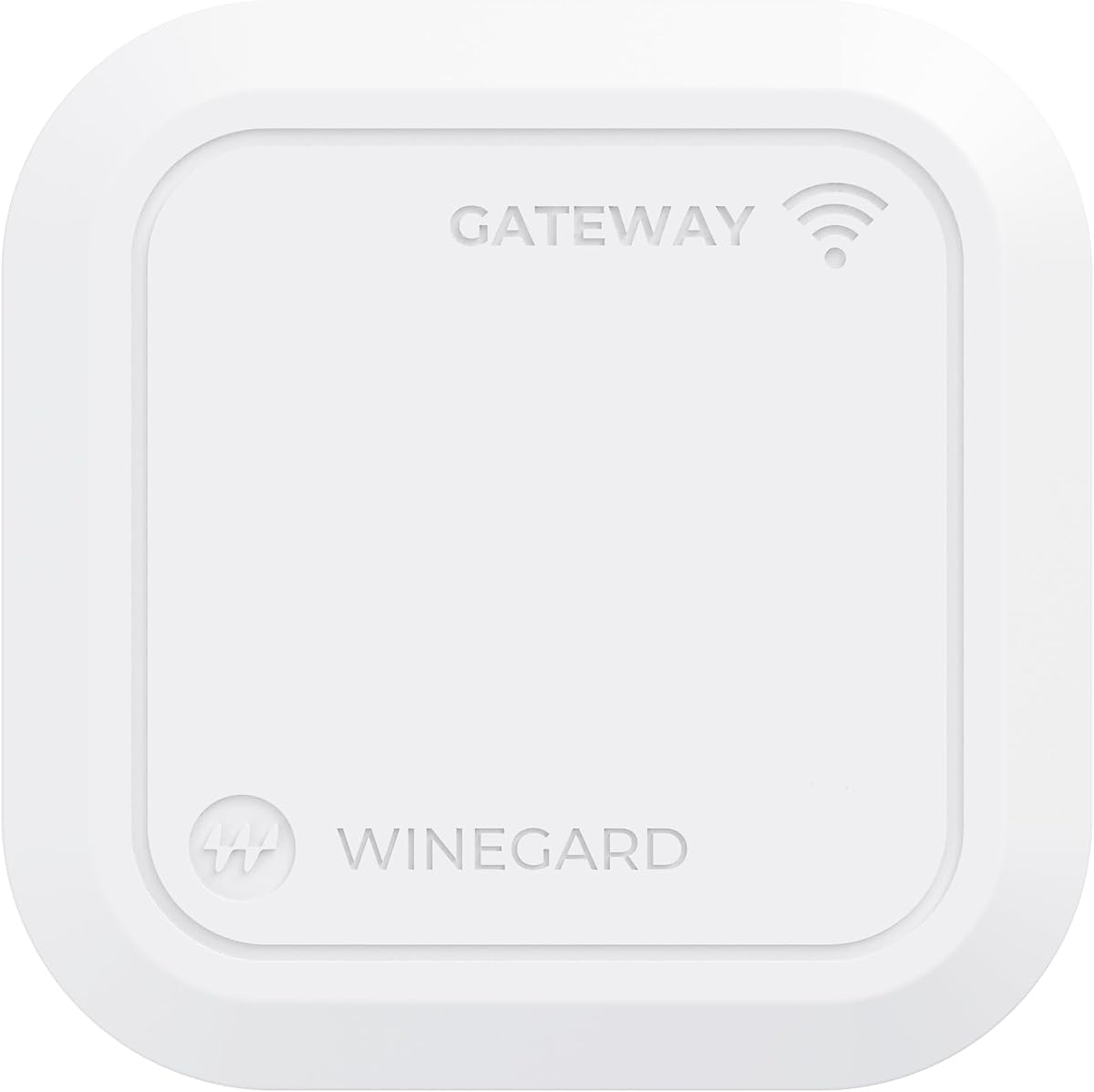
The Winegard GW-5G01 is designed around a specific but important use case: adding 5G internet to an RV while integrating with a Winegard Air 360+ 5G antenna system. Its 3.5 rating is the lowest among the listed products, which makes sense for a tightly integrated appliance that is not trying to compete with general-purpose router feature lists. Buyers who already use or intend to use the Winegard ecosystem will find that integration more valuable than broad compatibility.
We may earn a commission when you buy through this link, at no additional cost to you.
The gateway is compatible with Winegard's Air 360+ 5G system and is intended to use a compatible dome for cellular reception. Flexible data options include Winegard FreedomGO no-contract plans, T-Mobile, Verizon, and AT&T, and the product information specifically notes support for the newer T-Mobile 5G Unlimited plan. Exact carrier and plan behavior can change, so current service terms should be checked before installation.
For RV networking, the ceiling-oriented form factor is more than a cosmetic benefit. A fixed gateway can provide a stable central connection for phones, laptops, smart TVs, tablets, and gaming consoles. Dual-band 802.11ac Wi-Fi handles both 2.4GHz and 5GHz clients, while Ethernet WAN opens the door to Starlink or another satellite network. That makes a hybrid cellular-and-satellite connection possible and gives travelers more ways to maintain internet access away from conventional broadband.
The compromises are substantial for buyers outside the RV market. Wi-Fi 5 is no longer current, and the 3.5 rating suggests a more limited overall user experience. The gateway depends on the appropriate Winegard antenna ecosystem rather than functioning as a fully generic router with broad external antenna options. It also lacks many of the advanced multi-WAN, VPN, and customization features shown by several general-purpose models in this guide.
The GW-5G01 is the most focused choice in the list. It makes the most sense for an RV owner who values a coordinated ceiling router and rooftop cellular antenna arrangement over maximum specification breadth. If that integration is not a priority, one of the AX3000 routers will offer a newer Wi-Fi standard and more independent configuration options.
Connecting the gateway to a compatible Winegard Air 360+ 5G system creates a coordinated cellular and local-networking setup. Proper roof placement, cable routing, sealing, and power planning are essential for a dependable mobile installation.
Ethernet WAN can accept Starlink or another satellite service, allowing cellular and satellite links to complement one another. This flexibility is valuable for travelers who need coverage options beyond a single carrier network.
We may earn a commission when you buy through this link, at no additional cost to you.
The GL.iNet GL-E5800 NA MUDI 7 is the most premium-focused travel router in the list, combining a Qualcomm Dragonwing MBB Gen 3 X72 platform, 5G, tri-band Wi-Fi 7, eSIM support, a 2.5Gbps Ethernet port, 10Gbps USB-C, and a built-in battery. Its 4.4 rating reflects an advanced and highly portable design. It is especially attractive to frequent travelers who want flexible carrier access and local networking without being tied to a stationary installation.
We may earn a commission when you buy through this link, at no additional cost to you.
The cellular side is specified for up to 4.67Gbps download under suitable conditions, while tri-band Wi-Fi 7 provides stated rates of 688Mbps at 2.4GHz, 2882Mbps at 5GHz, and 5765Mbps at 6GHz. The router supports as many as 64 connected devices, making it suitable for work sessions, temporary offices, hotel rooms, and shared travel setups. Wi-Fi 7 is the most advanced local wireless standard represented here, although compatible clients and available spectrum will determine the practical benefit.
Carrier flexibility comes from a built-in eSIM plus two physical nano-SIM slots. With the eSIM active, it uses one SIM position, while regional and global data plans can be accessed through QR codes or an imported profile. The 2.8-inch color touchscreen provides quick access to SIM switching, VPN clients, Wi-Fi sharing, and live data usage. A 5380mAh battery offers up to 13.5 hours of untethered operation, with 30W PD and PPS recharging stated at roughly 1.3 hours from empty.
Quad-path multi-WAN can operate 2.5Gb Ethernet, Wi-Fi repeater, USB tethering, and 5G cellular simultaneously, with automatic rerouting if one path fails. Preinstalled OpenVPN-DCO and WireGuard clients are stated at up to 700Mbps and 600Mbps locally, with compatibility for more than 30 VPN providers. The 10Gbps USB-C port also supports tethering, storage, and external NAS synchronization, which is useful for creators moving large media files.
The crucial caveat is that the supplied information does not confirm dedicated external cellular antenna connectors. MUDI 7 prioritizes portability, eSIM flexibility, and Wi-Fi 7, while the GL-X3000 and RM520N make external antenna control much more explicit. Buyers whose primary requirement is detachable cellular antennas should choose one of those models. For a premium travel setup where a built-in radio, battery, and modern multi-WAN features outweigh connector access, the GL-E5800 is exceptionally capable.
The combination of eSIM and physical nano-SIM options reduces the need to find and change local SIM cards while traveling. Availability and activation rules vary by region, so travelers should confirm that their intended networks support the eSIM profiles and devices they plan to use.
Wi-Fi 7, 2.5Gb Ethernet, 10Gbps USB-C, and multi-WAN failover make the router useful beyond basic hotspot duties. The built-in battery and touchscreen also reduce dependence on wall power and a computer for everyday network changes.
We may earn a commission when you buy through this link, at no additional cost to you.
The Waveform QuadMini is not a router; it is an external 4×4 MIMO antenna kit designed to improve the cellular reception of a compatible 5G router with four antenna ports. Its 4.1 rating reflects a specialized solution that can be more useful than a router upgrade in a location where the main limitation is poor cellular signal. It is particularly relevant to homes, offices, and temporary installations where a window or exterior position receives a substantially better signal than the router's location.
We may earn a commission when you buy through this link, at no additional cost to you.
The antenna offers up to 5.2dBi gain and uses an omnidirectional pattern, so it does not require precise aiming toward a carrier tower. That simplicity is valuable in residential environments where the strongest available signal may come from different directions at different times. Its four MIMO paths also help address isolation and polarization, which influence signal quality and can influence data rates, latency, and reliability under suitable conditions.
The complete kit includes a Window Entry Cable, UltraFlex-Quad cables, and weatherproofing boots. It also provides a variety of installation options: suction cups for a window, a pole mount adapter, a desktop stand, and direct wall mounting. That range makes it easier to follow the actual signal around a property without immediately committing to a permanent roof installation.
Compatibility is the decisive issue. The QuadMini needs a router with four cellular antenna ports and appropriate connector and band support. Cable length also matters because longer runs introduce more loss, particularly at higher frequencies. Installers should compare the router's supported cellular bands with the antenna and regional carrier service, and they should avoid buying the QuadMini as a replacement for a router that only has Wi-Fi antenna connectors.
The QuadMini is a smart complement for buyers who already own a capable four-port 5G router but cannot position it near a usable signal. It does not add Wi-Fi, VPN, SIM management, or wired networking by itself, and it cannot guarantee carrier service. Nevertheless, in the right environment, relocating the cellular antenna to a clear window can solve the bottleneck that software and firmware cannot. It is the best external antenna upgrade in this guide rather than the best complete router.
An omnidirectional antenna removes much of the precision aiming associated with directional panels. It is a practical choice where the carrier tower may be in different directions or the strongest signal arrives through different parts of a building over time.
A four-port MIMO antenna must be paired with a router that offers the appropriate cellular antenna connectors and compatible bands. Buyers should also assess cable length, the router's supported connector type, grounding, and weather protection before installation.
We may earn a commission when you buy through this link, at no additional cost to you.
The right choice depends on cellular coverage, antenna access, local Wi-Fi demand, wired networking, portability, and the environment in which the system will operate. Reviewing those factors before purchasing prevents an attractive specification sheet from obscuring compatibility or installation limitations.
A router that supports 5G is useful only if it supports the bands used by the intended carrier in the intended region. Check the exact model, modem, and regional SKU rather than assuming that every 5G label means the same frequencies. For external deployments, also confirm whether the antenna covers the required low, mid, and high bands, whether carrier aggregation is available, and whether the service plan permits the intended use. SIM format, firmware region, and eSIM activation rules can also restrict where a product can be used.
In short, verify carrier, bands, SIM type, and region before buying an antenna-focused 5G router.
External antenna ports determine whether a router can support a dedicated cellular MIMO array, and sometimes separate Wi-Fi antennas. The RM520N lists four cellular and five Wi-Fi antennas, while the GL-X3000 and Cudy models provide different combinations of detachable and wired antenna connections. A full 4×4 MIMO setup may need four correct cellular ports rather than one connector labeled generically as an antenna port. A four-port array can improve spatial diversity, but only when the router, cables, and antenna are compatible and correctly positioned.
Choose a port count that matches the intended MIMO configuration, and do not assume every detachable connector supports every band.
Wi-Fi 6 and Wi-Fi 7 can offer substantial local performance, but headline combined speeds are rarely the speed delivered to one client. Consider the number of users, device capabilities, congestion, band availability, and distance from the router. The Cudy and RM520N support up to 128 Wi-Fi users on AX3000, while the MUDI 7 supports up to 64 devices on tri-band Wi-Fi 7. These figures indicate capacity, not a guarantee of satisfactory throughput in every environment.
Prioritize client count, band coverage, and management features over a single maximum-speed number.
Dual-SIM and multi-WAN support are valuable when downtime has a cost. Dual-SIM routers can move between cellular providers, while multi-WAN systems may combine cellular with Ethernet, Wi-Fi repeater, or USB tethering and define the order in which connections take over. The quality of a failover system depends on the availability of genuinely independent network paths. Two SIMs from the same carrier may experience the same outage, and a failover function is only as valuable as the backup network it can actually reach.
Look for configurable failover priorities, and use different providers or technologies for meaningful redundancy.
Gigabit Ethernet remains important for desktop computers, televisions, cameras, access points, and small business networks. A router with multiple configurable LAN/WAN ports can reduce the need for a separate switch. Industrial buyers should also consider the number and type of ports, power input, enclosure design, and operating temperature. The Winegard gateway adds a notable hybrid option through Ethernet WAN for connecting Starlink or another satellite service, which is especially relevant to mobile installations.
Count the devices that truly need Ethernet and choose a router with enough suitably configurable ports.
Indoor, RV, cabinet, vehicle, and outdoor installations have different mechanical and environmental requirements. A travel router may benefit from a battery and compact enclosure, while an industrial site needs a rugged housing and wide temperature range. An outdoor access point or point-to-point unit needs suitable weather resistance, PoE, and secure mounting. The NetBox 5 and LHG XL 5 ax are outdoor-focused, while the RUTM50 is designed for industrial durability. Accessories and antenna cables also need suitable weather sealing in exposed locations.
Match enclosure strength, power options, temperature range, and mounting hardware to the actual installation site.
Remote work, public Wi-Fi, and business systems require more than basic password protection. The X3000, RM520N, Cudy, RUTM50, and MUDI 7 support VPN protocols, though the exact combinations vary. OpenWrt-based customization on the X3000 supports advanced configuration and plugins. RMS on the RUTM50 provides centralized remote administration, while the Cudy App and MUDI touchscreen simplify common tasks. Consider whether you need a client, server, or both, and whether the router must be remotely monitored and updated.
Choose management and VPN features that match your technical skill and the security requirements of connected devices.
External antennas solve placement and reception problems, but they do not create coverage where no usable signal exists. Begin by comparing signal readings and carrier performance near doors, windows, roof areas, and exterior walls. Directional antennas suit fixed point-to-point paths, while omnidirectional models are easier to deploy when the best direction is uncertain. Cable loss, connector compatibility, MIMO arrangement, grounding, weatherproofing, and safe mounting can affect results as much as the stated gain.
Test the cellular environment first, then match antenna pattern, gain, cable length, and mounting method to the site.
Begin with a clean setup plan. Identify the router's purpose, choose a compatible carrier and SIM or eSIM, update the firmware, and test cellular reception at the intended router location before moving antennas. For an external array, follow the router or antenna manual to preserve the intended MIMO arrangement. Start with modest signal readings and service tests, then compare performance after repositioning rather than assuming every change produces an improvement.
Install antennas and cables without sharply bending connectors or creating unnecessary strain. Keep indoor cables as short and tidy as practical, and use the supplied or specified weatherproof boots for exposed runs. In outdoor installations, secure cables away from moving vehicle parts, sharp edges, standing water, and direct impact. Follow local grounding, surge-protection, and rooftop safety requirements, and avoid mounting any assembly where it could fall onto a walkway or road.
Maintain the system by checking indicator status, carrier signal values, temperature, and device logs periodically. Keep the enclosure vents clear, clean dust from outdoor hardware, inspect seals after severe weather, and tighten connectors only as recommended by the manufacturer. Update router and management-platform software when appropriate, but avoid interrupting a critical connection during an update. If performance changes, compare signal, carrier congestion, cable condition, antenna placement, and power status before changing multiple variables at once.
No. Some include detachable cellular connectors, some expose a dedicated 4×4 MIMO arrangement, and others use an integrated antenna with no accessible connector. The product must also support the cellular bands used by your carrier. Check the full specification, connector type, regional model, and antenna guidance before buying an external antenna or cable.
No. They can improve consistency and performance by allowing better placement, but results depend on carrier coverage, network congestion, band availability, cable loss, and MIMO configuration. An external antenna cannot create signal in an area with no usable cellular service. Testing signal strength and throughput before and after installation is the best way to evaluate the change.
Cellular antenna ports connect the router's modem to antennas designed for carrier networks, while Wi-Fi antenna ports serve local client devices. An antenna designed for Wi-Fi cannot simply be used for 5G, and a cellular MIMO array cannot replace the router's local Wi-Fi radios. Both types should match the hardware, frequency bands, impedance, and connector standards.
A 4×4 MIMO array can provide better spatial diversity when the router has four compatible cellular ports and the carrier supports multi-antenna transmission and reception. It can improve reliability in challenging conditions, but the benefit depends on correct orientation, low cable loss, suitable placement, and sufficient signal at the chosen site. More ports do not automatically produce faster service in every environment.
Use an omnidirectional antenna when the strongest carrier direction is uncertain or the installation needs broad coverage. A directional antenna is usually better for a fixed point-to-point link because it concentrates energy toward the target and reduces interference from other directions. Mobile installations often favor omnidirectional designs because the connection to the carrier tower can change as the vehicle moves.
A compatible dome antenna can provide a better and more stable cellular signal than a router placed inside the vehicle, especially when the router's own antennas face walls or metal surfaces. It is most useful when installed according to the antenna manufacturer's guidance, with the correct cable and a router that supports the relevant cellular bands. Verify RV roof safety, weather sealing, and connector compatibility before installation.
Yes, if the cellular signal is adequate and the router's Wi-Fi can handle the number and activity of connected devices. Dual-band Wi-Fi 5, AX3000 Wi-Fi 6, and tri-band Wi-Fi 7 models offer different local networking capacity. A fixed RV installation may also benefit from Ethernet ports, a ceiling-mounted gateway, and hybrid satellite connectivity for locations where cellular coverage is limited.
First test the carrier service with another compatible device to determine whether the problem is the router or the location. Next, compare signal readings with antennas bundled, reposition the router near a window, and inspect cables and connectors. If the router supports carrier aggregation or band locking, review those settings and confirm band support. Moving one component at a time makes it easier to identify the improvement.
The GL.iNet GL-X3000 is the most complete general-purpose recommendation, combining six detachable antennas, 5G, dual-SIM, Wi-Fi 6, VPN support, and multi-WAN controls. The RM520N stands out for its nine detachable antennas and high stated 5G capability, while the Cudy P5 delivers the most balanced value with four external cellular antennas, dual-SIM redundancy, and triple failover. For premium mobile use, the MUDI 7 adds Wi-Fi 7, eSIM, a battery, and exceptionally fast local ports.
Prioritize the constraints that cannot be changed after installation: carrier bands, SIM format, antenna connectors, MIMO requirements, environmental conditions, and the amount of wired networking needed. Buyers seeking explicit external antenna control should focus on the GL-X3000, RM520N, and Cudy; professionals needing industrial management may favor the RUTM50 after confirming its antenna configuration; RV owners should evaluate Winegard integration; and outdoor links may require a NetBox or LHG XL alongside the cellular router.
Before ordering, verify the exact regional model, supported frequencies, connector type, antenna specifications, current carrier service, and any required accessories. Product configurations and pricing can change, and manufacturer support pages may contain updates not reflected in an earlier listing. Comparing those details at the time of purchase will help prevent an expensive mismatch and produce the most dependable installation.