
GIGABYTE WiFi 6E GC-WBAX210
4.6Editor score
Intel AX210 Wi-Fi 6E module
Tri-band 2.4 5 6 GHz
Up to 2400Mbps wireless speed
Our Pcie WiFi Card guide compares 10 PCIe adapters for speed, Wi-Fi bands, Bluetooth, antenna design, security, coverage, and desktop compatibility today.
A PCIe WiFi card can give a desktop PC faster, more flexible wireless connectivity without relying on a USB adapter. The right card depends on your router, operating system, desktop layout, distance from the access point, and whether you also need Bluetooth for peripherals such as headsets, keyboards, or controllers.
This guide compares ten PCIe WiFi cards based on their stated wireless standards, supported frequency bands, maximum link speeds, Bluetooth versions, antenna configurations, security features, bracket options, operating-system requirements, and installation needs. The list covers Wi-Fi 6, Wi-Fi 6E, and Wi-Fi 7 models for different desktop setups and budgets.
Each review identifies the card's most useful features, practical limitations, and ideal buyer. The leading options include a budget-focused Wi-Fi 6E card, a well-rounded Intel AX210 model, and a feature-rich Wi-Fi 7 option. Product availability and prices change frequently, so verify current details before buying.
Adding a PCIe WiFi card to a desktop is one of the most direct ways to upgrade wireless performance. A good card should pair a modern chipset with an appropriate antenna arrangement, support the bands used by your router, and include the hardware needed to fit your particular case.
We compared the specifications and feature descriptions supplied for all ten products, focusing on the differences that can affect everyday use. We also considered whether each adapter supports dual-band or tri-band networking, offers Bluetooth, includes standard and low-profile brackets, and imposes meaningful operating-system limits.
The picks in this guide show that the fastest advertised standard is not the only consideration. A compact Wi-Fi 6 card may suit an ordinary router, while Wi-Fi 6E or Wi-Fi 7 hardware makes more sense when the computer will be upgraded to a compatible access point. Prices and promotions change often.
4.6Editor score

4.7Editor score
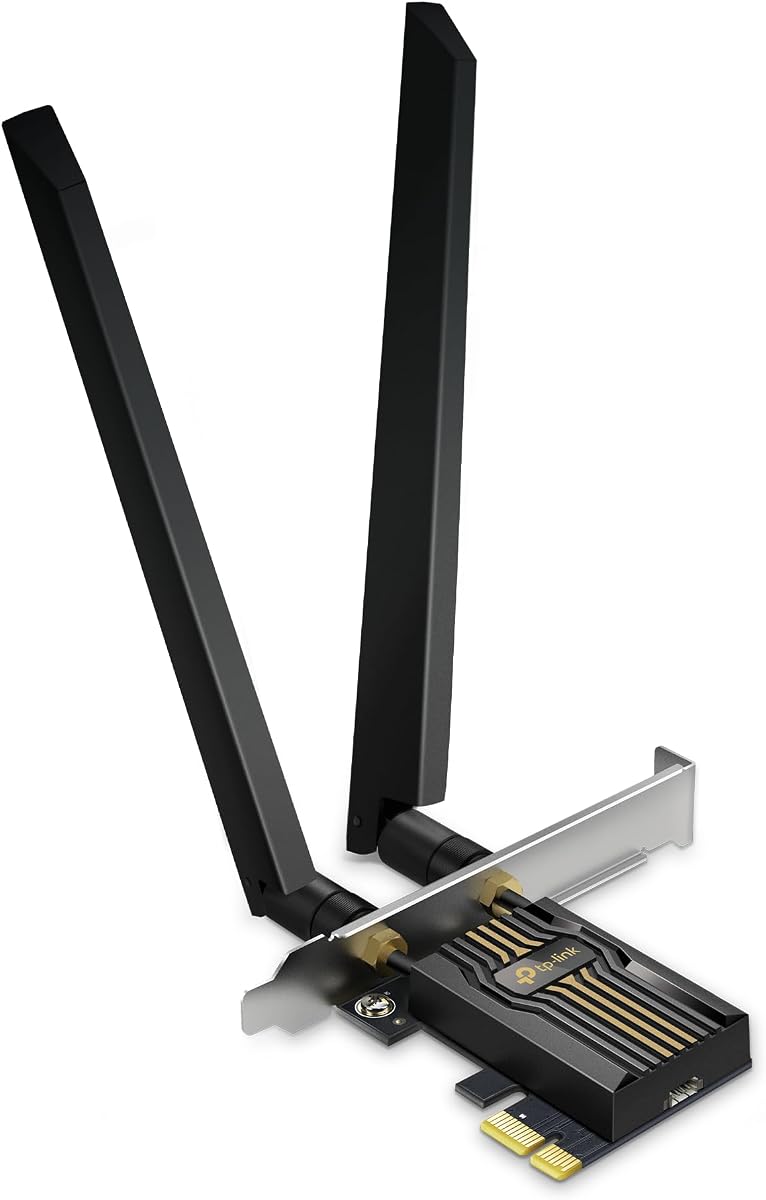
4.4Editor score
The table below places all ten PCIe WiFi cards side by side, highlighting their wireless generation, supported bands, Bluetooth capabilities, antenna approach, and most important compatibility detail.
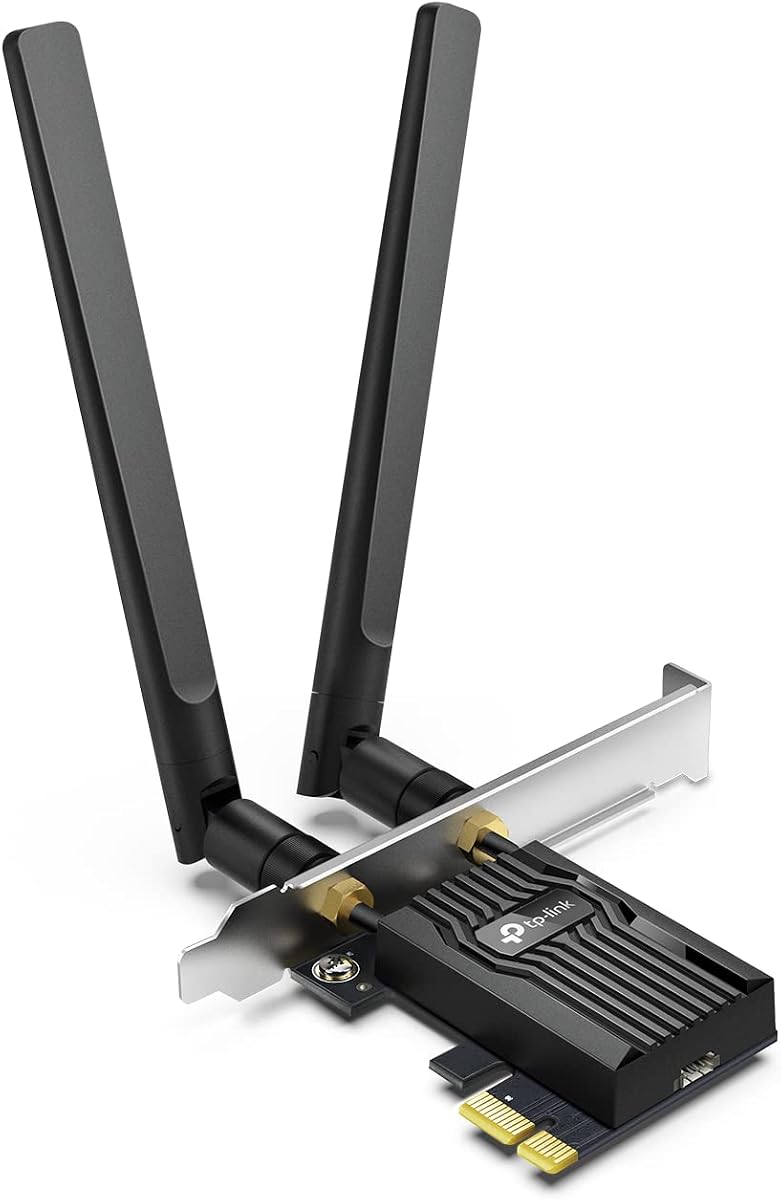


The TP-Link Archer TX55E is a dual-band Wi-Fi 6 PCIe adapter rated 4.5 stars by Amazon customers. It combines a stated maximum link speed of 2.4Gbps with two external high-gain antennas, making it a practical option for desktops that need stronger wireless performance without moving into the Wi-Fi 6E or Wi-Fi 7 categories.
We may earn a commission when you buy through this link, at no additional cost to you.
Its band allocation provides up to 2402Mbps on 5GHz and 574Mbps on 2.4GHz, according to the supplied specifications. OFDMA and MU-MIMO are included to improve efficiency and reduce congestion on busy networks. Bluetooth 5.2 adds support for compatible controllers, headsets, keyboards, and other accessories, although the included USB cable must connect to an internal F_USB header.
The main limitation is that the TX55E does not provide access to the 6GHz spectrum. That makes it less future-facing than the tri-band options in this guide, particularly for users who already own a Wi-Fi 6E router or plan to upgrade one. Its standard and low-profile brackets do, however, make it easier to accommodate in full-size and compact desktop cases.
This is a sensible recommendation for a desktop that currently relies on older or slower built-in Wi-Fi and uses a conventional dual-band router. It is especially attractive to gamers who value OFDMA and MU-MIMO, but it is not the top choice for users seeking 6GHz bandwidth, Wi-Fi 7 features, or the newest Bluetooth standard.
The two high-gain external antennas are intended to improve signal reception and extend usable range. They can also be positioned more effectively than a single fixed antenna, particularly when the desktop sits behind furniture or farther from the router.
OFDMA and MU-MIMO help a busy network serve multiple devices more efficiently. Those features can help reduce contention and make real-time gaming, virtual-reality use, and everyday browsing feel more responsive.
We may earn a commission when you buy through this link, at no additional cost to you.
The TP-Link Archer TX3000E stands out as a balanced PCIe Wi-Fi 6 card, earning a 4.7-star rating in the supplied data. It uses Intel-based Wi-Fi 6 technology, supports dual-band speeds up to 2.4Gbps, and adds Bluetooth 5.3. Its magnetized antenna base gives desktop builders a convenient way to improve antenna placement without complicated cabling.
We may earn a commission when you buy through this link, at no additional cost to you.
The adapter combines two multidirectional, high-performance antennas with a low-profile bracket. OFDMA and MU-MIMO are designed to lower congestion and make gaming or VR more responsive. The included Bluetooth USB cable must still be connected to an F_USB connector on the motherboard, so buyers should confirm that a suitable internal header exists before installation.
Its 2.4Gbps figure is a theoretical link-speed rating rather than a promise of identical throughput across real networks. Actual performance depends on the router, radio conditions, distance, obstacles, and other environmental factors. Driver installation may also be required through the TP-Link website or included media, and the product description directs users to the Archer TX3000E support page if the supplied disc is inconvenient.
The TX3000E is best for users who want modern Wi-Fi 6 performance, flexible antenna positioning, and current Bluetooth without committing to a more demanding 6GHz platform. It suits conventional routers and gives a strong all-around package, although a tri-band card would be preferable when the goal is to use the 6GHz band.
The magnetic base allows the antenna assembly to be moved around the desktop. Experimenting with placement can help find a stronger signal when the computer is not directly beside the router or when walls and furniture interrupt the ideal path.
Bluetooth 5.3 can handle compatible headsets, controllers, keyboards, and mice. Connecting the small internal USB cable to the motherboard's F_USB header allows those devices to pair through the PCIe card rather than requiring a separate USB Bluetooth dongle.
We may earn a commission when you buy through this link, at no additional cost to you.
The GIGABYTE WiFi 6E GC-WBAX210 is the budget pick in this guide, combining a 4.6-star rating with the Intel AX210 module and tri-band Wi-Fi 6E. It supports the 2.4GHz, 5GHz, and 6GHz bands and is described as IEEE 802.11acR2plusax compliant, offering a modern wireless upgrade at a comparatively accessible price point.
We may earn a commission when you buy through this link, at no additional cost to you.
Dual-stream operation across all three bands gives it flexibility in crowded environments. The dedicated 6GHz spectrum can provide additional bandwidth and low latency when the computer is connected to a compatible Wi-Fi 6E router. Its stated maximum wireless speed is up to 2400Mbps, while Bluetooth 5.2 provides another route for pairing common desktop accessories.
The supplied information is concise, so it is worth recognizing what this card does not emphasize. It does not list Wi-Fi 7 features such as 320MHz channels, Multi-Link Operation, or 4K-QAM. It also does not describe a magnetic antenna base, high-gain external antennas, or included bracket configurations, so compatibility with compact cases and the practical positioning of any antennas should be confirmed before purchase.
The GC-WBAX210 is a strong fit for a desktop owner who wants access to 6GHz without moving to a Wi-Fi 7 product. It is especially compelling for users with an Intel AX210-based setup and a Wi-Fi 6E router. It remains a sensible budget-focused choice, provided the 2400Mbps ceiling and more limited antenna information meet the buyer's needs.
The 6GHz band can offer cleaner, broader channels than the more crowded lower bands. This card gives compatible systems a way to reach that spectrum without requiring the newest Wi-Fi 7 platform.
The built-in Intel AX210 module is a familiar foundation for Wi-Fi 6E desktop adapters. Its dual-stream operation provides a practical balance of throughput and compatibility for everyday connected use.
We may earn a commission when you buy through this link, at no additional cost to you.
The TP-Link Archer TBE552E is the premium selection, bringing Wi-Fi 7, Bluetooth 5.4, and a high-gain antenna arrangement to a desktop PCIe slot. It has a 4.4-star rating and is built around tri-band operation, including support for 320MHz channels in the 6GHz band when paired with a suitable Wi-Fi 7 router.
We may earn a commission when you buy through this link, at no additional cost to you.
Multi-Link Operation, Multi-RUs, and 4K-QAM form the core of its advanced wireless feature set. The stated band speeds reach up to 5764Mbps on 6GHz, 2882Mbps on 5GHz, and 688Mbps on 2.4GHz, for a total advertised bandwidth of 9.3Gbps. OFDMA and MU-MIMO are included to improve simultaneous-device efficiency, while two antennas are intended to extend coverage.
The most important restriction is operating-system support: the supplied description says this card is designed exclusively for Windows 11 and is not compatible with Windows 10 or earlier. It also reaches its most impressive features only with a Wi-Fi 7 router. Buying it for an older dual-band network would leave substantial advertised capability unused, making the operating system and router part of the decision rather than afterthoughts.
The Archer TBE552E is recommended for a Windows 11 desktop that is already part of a modern Wi-Fi 7 network or is about to be upgraded. It is also a forward-looking choice for users who value MLO, wide channels, current Bluetooth, and WPA3 support enough to plan around the platform's requirements.
A Wi-Fi 7 router can unlock 320MHz channels in the 6GHz band, doubling the available channel width associated with the prior generation. This creates room for high-throughput activity when the router and network conditions support it.
MLO combines frequency bands to improve throughput, latency, and reliability. The feature can help maintain steadier connections across demanding applications when the paired router offers compatible multi-link functionality.
We may earn a commission when you buy through this link, at no additional cost to you.
The TP-Link WiFi 6E Intel AX210 AXE5400 is a flexible tri-band adapter with a 4.6-star rating. It supports up to 2402Mbps on both the 6GHz and 5GHz bands and 574Mbps on 2.4GHz, making it a substantial wireless upgrade for compatible desktops.
We may earn a commission when you buy through this link, at no additional cost to you.
Its magnetized antenna base can be positioned around the desktop to find a more favorable reception point. Two multidirectional antennas support the stated range and reliability goals, while OFDMA and MU-MIMO improve performance in busy networks. Bluetooth 5.3 is also included, with the usual requirement to attach the USB cable to an F_USB connector.
Full 6GHz use requires Windows 11 according to the product information. A Wi-Fi 6E router is also necessary to benefit from the newest band, so the card's greatest value depends on the rest of the network. Some buyers may prefer the Archer TBE552E for Wi-Fi 7 and MLO, while others may consider the GC-WBAX210 a less expensive route into 6GHz.
This adapter is a good all-around choice for a Windows 11 system that uses or will use Wi-Fi 6E. The magnetic base makes it especially appealing to desktop builders who want to optimize antenna placement, and the included standard and low-profile brackets add installation flexibility.
The magnetic base separates the antenna assembly from the card and lets it sit in a clearer position. This can be useful when the tower is below a desk, behind a monitor, or on the opposite side of a wall from the router.
Supporting all three major bands gives the card flexibility across different networks. It can use 2.4GHz for reach, 5GHz for fast conventional connections, and 6GHz for additional bandwidth on a compatible router.
We may earn a commission when you buy through this link, at no additional cost to you.
The TP-Link Archer TBE550E is a feature-rich Wi-Fi 7 card with a 4.2-star rating. It supports tri-band connections, 320MHz channels, 4096-QAM, OFDMA, MU-MIMO, Multi-RU, and Multi-Link Operation, creating one of the most extensive feature sets in this comparison.
We may earn a commission when you buy through this link, at no additional cost to you.
Its stated maximum speeds reach up to 5760Mbps on 6GHz, 2880Mbps on 5GHz, and 688Mbps on 2.4GHz. The magnetic base includes multicolored LED effects and a responsive touch switch, while two adjustable multidirectional antennas are designed to help users find a stronger signal. WPA3 support and USB-based driver installation are additional conveniences.
As with the other Archer TBE550E-focused details, the supplied information explicitly says this model supports only Windows 11. The Wi-Fi 7 functions also depend on a compatible router, so the maximum figures should not be confused with guaranteed real-world speeds. Its 4.2-star rating suggests it may not be as broadly favored as the highest-rated Wi-Fi 6 options, even though its paper specifications are among the strongest.
The Archer TBE550E is best for a Windows 11 desktop builder who values a complete Wi-Fi 7 feature set, attractive magnetic antenna placement, and adjustable external antennas. It makes less sense for an older system or a network limited to Wi-Fi 6, where simpler and more affordable dual-band alternatives would be easier to justify.
The magnetic base displays network status through LED lighting and offers a touch switch for customization. It also separates the antennas from the case, giving users more freedom to find an effective reception position.
OFDMA, MU-MIMO, and Multi-RU work together to improve network efficiency. These technologies are particularly relevant to modern homes and offices where numerous devices may compete for limited radio resources.
We may earn a commission when you buy through this link, at no additional cost to you.
The TP-Link WiFi 6E AXE5400 Intel AX210 offers a 4.6-star-rated route into tri-band connectivity. Its maximum stated speeds are 2402Mbps on 6GHz, 2402Mbps on 5GHz, and 574Mbps on 2.4GHz, supported by the Intel AX210 chipset and Wi-Fi 6E technologies.
We may earn a commission when you buy through this link, at no additional cost to you.
Two high-gain external antennas are intended to extend coverage and maintain a smoother connection farther from the access point. Bluetooth 5.3 supports faster transfer and broader range than Bluetooth 4.2, while OFDMA and MU-MIMO help manage congested networks. WPA3 encryption is included, and both standard and low-profile brackets support different desktop case styles.
The important limitation is that full 6GHz functionality requires Windows 11. Buyers also need a Wi-Fi 6E router to make meaningful use of the third band. There is no listed Wi-Fi 7 support, so this card is better suited to a stable Wi-Fi 6E system than to a buyer seeking 320MHz channels, MLO, or 4K-QAM.
This model is a sound choice for a desktop that needs a clear step up from older wireless hardware, especially if the user values antennas that can be positioned for better reception. It balances modern tri-band throughput, Bluetooth, security, and case flexibility without requiring a Wi-Fi 7 router.
External high-gain antennas can improve the chance of a stable connection in challenging placements. The supplied specification describes them as signal-boosting, making them useful for desktops located away from the router.
WPA3 improves protection for wireless credentials, while OFDMA and MU-MIMO improve efficiency in crowded environments. Together, they make the card suitable for security-conscious users on busy modern networks.
We may earn a commission when you buy through this link, at no additional cost to you.
The Intel AX210 WiFi 6E PCIe Card combines a 4.5-star rating with a straightforward tri-band design. It advertises total speeds up to 5400Mbps and supports 6GHz, 5GHz, and 2.4GHz networking, making it a practical option for desktops that need more flexibility than a dual-band adapter.
We may earn a commission when you buy through this link, at no additional cost to you.
The Intel AX210 chipset is associated with reduced latency, greater connection stability, and support for demanding activities such as gaming and 4K streaming. Bluetooth 5.3 can handle controllers, headsets, and keyboards, while the card includes a Bluetooth USB cable. Tri-band high-gain antennas and WPA3 encryption round out the stated feature set.
Although the card is described for Windows 10 and 11, complete 6GHz operation still requires Windows 11 and a Wi-Fi 6E router. The broad legacy Wi-Fi support helps it work in more environments, but it should not be confused with Wi-Fi 7 compatibility. Users should also verify the case's available PCIe expansion slots and internal Bluetooth header.
This card is well suited to a desktop user who wants a familiar Intel AX210 platform, current Bluetooth, and broad compatibility. It may appeal more than the TP-Link alternatives to buyers who prioritize a simple proposition and wider operating-system support, while the six-GHz user still needs compatible hardware.
The included Bluetooth cable and familiar AX210 platform simplify the transition from USB wireless accessories. It allows a compatible desktop to add both network and Bluetooth connectivity through a PCIe upgrade.
Support for older Wi-Fi standards means the card can operate on conventional networks as well as modern Wi-Fi 6E routers. This flexibility helps during gradual home or office network upgrades.
We may earn a commission when you buy through this link, at no additional cost to you.
The MSI Herald WiFi 7 is built for high-speed desktop networking, with a 4.3-star rating and a BE9400-class tri-band specification. It supports up to 5764Mbps on 6GHz, 2882Mbps on 5GHz, and 688Mbps on 2.4GHz, positioning it for demanding wireless environments and high-resolution media use.
We may earn a commission when you buy through this link, at no additional cost to you.
Multi-Link Operation is included to combine multiple links for faster, more stable connectivity. The card can also use ultra-wide 320MHz channels in the 6GHz band, which can provide cleaner, interference-resistant capacity when the paired router supports the same configuration. Bluetooth 5.4 adds support for common accessories, while external antennas use a magnetized base for flexible placement.
The main trade-off is ecosystem dependence. Wi-Fi 7 features will not be available on older routers, and the 6GHz band generally requires a compatible modern network. The supplied information also gives fewer installation details than several TP-Link listings, so buyers should review the package, operating-system requirements, and bracket support carefully before ordering.
The MSI Herald is a strong candidate for a high-end desktop paired with a Wi-Fi 7 router. It is particularly relevant to users seeking very high advertised link speeds, 320MHz channels, and MLO while also wanting a magnetic antenna arrangement for better desktop signal positioning.
Ultra-wide channels create more room for data within the 6GHz spectrum. The card can exploit that capacity when connected to a Wi-Fi 7 router that offers compatible channel configurations.
A magnetized base lets the user move the antenna assembly away from the case. This makes it easier to test different positions and potentially improve reception around desk structures and walls.
We may earn a commission when you buy through this link, at no additional cost to you.
The TP-Link Archer TBE553E is a comprehensive Wi-Fi 7 PCIe card with a 4.2-star rating. It supports 320MHz 6GHz channels, MLO, 4K-QAM, Multi-RU, OFDMA, and MU-MIMO, while its stated tri-band link rates total 9.3Gbps. Bluetooth 5.4, WPA3, and a magnetic antenna base add convenience around the core wireless capabilities.
We may earn a commission when you buy through this link, at no additional cost to you.
Its external high-gain antenna is designed to strengthen reception and maintain high-speed connections over longer distances. MLO allows data to move across multiple bands to improve responsiveness and reliability, while the advanced traffic-management features help a busy router serve more connected devices efficiently. Bluetooth Low Energy is also noted for reducing power consumption in compatible accessories.
This card carries the strictest platform caveat in the group. The supplied description says setup is designed for an Intel Wi-Fi 7 CPU and explicitly notes that it is not compatible with AMD. That requirement should be checked before purchase, and the product's current Windows 10/11 statement should be verified for the exact system being upgraded.
The Archer TBE553E is best for a compatible Intel-based desktop that is paired with or moving toward a Wi-Fi 7 router. Buyers who do not meet those conditions should favor a Wi-Fi 6 or Wi-Fi 6E option, which may be more practical and leave more of their network investment usable.
MLO can distribute traffic across several wireless bands to improve latency and reliability. It may provide steadier performance for gaming, video calls, and high-resolution streaming when the router supports comparable features.
WPA3 strengthens protection for wireless passwords, while Bluetooth 5.4 adds improved reliability and security for compatible peripherals. The card's cybersecurity commitment is another reason to consider current wireless protection.
We may earn a commission when you buy through this link, at no additional cost to you.
Choosing a PCIe WiFi card starts with the network it will use and the computer it must fit. Wireless generation, supported bands, antenna design, operating-system support, and installation requirements should all be considered before choosing a model.
Wi-Fi 6 remains a capable standard for ordinary home and office networks, but Wi-Fi 6E adds the 6GHz band and Wi-Fi 7 introduces features such as wider channels, Multi-Link Operation, and 4K-QAM. The most advanced card is not automatically the best choice because its additional capabilities require compatible routers and sometimes specific CPUs or operating systems. Match the card to the network rather than selecting solely by the number printed on the box.
Dual-band cards cover 2.4GHz and 5GHz, while tri-band models also support 6GHz. The lower band can offer better reach, the 5GHz band supports fast conventional connections, and 6GHz provides additional clean spectrum where it is available. Full use of 6GHz generally requires Windows 11 and a Wi-Fi 6E or Wi-Fi 7 router, so it should not be considered an automatic benefit in every setup.
External antennas offer more placement flexibility than a fixed internal antenna. High-gain or multidirectional designs can improve coverage, while a magnetic base makes it easier to move the antenna assembly around a desk and away from obstructing case panels. Whichever design you select, allow room for the antennas and avoid placing the card's base inside a closed metal enclosure.
A WiFi card with Bluetooth can replace a separate USB Bluetooth adapter for headsets, controllers, keyboards, and mice. The listed cards support Bluetooth versions ranging from 5.2 to 5.4. Most require the small included USB cable to be connected to an internal F_USB header on the motherboard, so check that connector before buying and prepare to route the cable inside the case.
Windows 11 is required for full 6GHz use in several listings, while one Wi-Fi 7 card is described as Windows 11 exclusive. The Archer TBE553E also states compatibility with Intel Wi-Fi 7 CPUs and not AMD. These restrictions matter because a card can fit physically yet fail to deliver its advertised features, or may not function as intended, if the system and drivers do not align.
A desktop case must have an available PCIe expansion slot and enough clearance for the card and its antennas. Several models include both standard and low-profile brackets for full-size and compact cases, but this is not universal. Measure the available space, inspect the slot layout, and confirm whether the bracket must be changed before the card can fit.
WPA3 support protects compatible wireless networks with stronger security, while OFDMA and MU-MIMO improve efficiency in crowded environments. Wi-Fi 7 cards may add MLO, Multi-RUs, and 4K-QAM. These features can be valuable in a modern home or office, but they only deliver their full effect when the router and other network equipment support them.
PCIe wireless cards generally require drivers, and some products provide a disc while directing buyers to a support page when that disc is inconvenient or unavailable. One listing emphasizes USB-based driver installation, while another explicitly requires a web or supplied-CD installation route. Check the package contents and current manufacturer instructions before beginning, particularly if the PC will temporarily lack network access.
Before installing the card, power down the desktop completely, disconnect the power cable, and open the case. Locate an available PCIe expansion slot and confirm that the card's bracket and antennas will fit. Install the operating-system drivers before insertion when that avoids the need to download them afterward over a network connection.
Insert the card firmly into the PCIe slot, secure the appropriate bracket, and install any required antennas. If the card includes Bluetooth, route its small USB cable to an F_USB header on the motherboard. Replace the side panel, reconnect power, and boot the system before following the adapter's driver and pairing instructions.
After installation, connect to the appropriate Wi-Fi network and position the antennas where they have a clear path to the router. Keep the card away from excessive heat, strongly magnetic objects, and obstructed antenna locations. Update drivers and firmware when the manufacturer provides them, and periodically check whether a newer router or operating system would unlock additional functionality.
A PCIe card generally offers a more integrated desktop solution because it sits directly in an expansion slot and often provides external antennas and an internal Bluetooth connection. A USB adapter can be easier to move between computers and may suit occasional use. The best choice depends on the available ports, case layout, antenna needs, and whether the PCIe card supports your operating system.
Many Wi-Fi 6 and Wi-Fi 6E cards support Windows 10 as well as Windows 11. However, full 6GHz functionality is commonly listed as requiring Windows 11, and the Archer TBE550E is described as Windows 11 only. Check the individual product's requirements, especially if you plan to use the 6GHz band or install a Wi-Fi 7 card.
All ten cards listed here include some form of Bluetooth support, although versions differ between Bluetooth 5.2, 5.3, and 5.4. Most require the included USB cable to be connected to an internal F_USB motherboard header. Confirm that your case and motherboard provide a suitable header before installation.
A Wi-Fi 7 card may still connect to a Wi-Fi 6 router using the standards both devices support, but its headline features will be limited. Wi-Fi 7 benefits such as 320MHz channels, MLO, and 4K-QAM require compatible network equipment. For the best value, choose a card that matches the router you currently own or are certain to use.
It can when the current adapter is outdated, poorly positioned, or limited by weaker antenna design. A new card with external high-gain antennas may also receive a cleaner signal than a small internal or basic USB adapter. Results still depend on router placement, distance, walls, interference, and the card's driver configuration.
You only need the bracket that matches your case. Full-size desktop towers often use the standard bracket, while compact mini-tower cases may require the low-profile version. Several products in this guide include both, which provides useful flexibility, but buyers should verify included hardware for any card not explicitly listing both styles.
Wi-Fi 6 operates on the 2.4GHz and 5GHz bands, while Wi-Fi 6E adds the 6GHz band. Wi-Fi 7 builds on that tri-band approach with features such as wider 320MHz channels, Multi-Link Operation, and 4K-QAM. The newer standard offers more potential, but compatible routers, operating systems, and sometimes CPUs are required to use its full capabilities.
A metal case, monitor, furniture, and walls can obstruct or weaken wireless signals. External or magnetic-base antennas let the user move the radio components to a clearer location without relocating the entire computer. Small changes in position can sometimes make a more noticeable difference than upgrading to a modestly faster card.
The GIGABYTE GC-WBAX210 is the budget-minded pick for buyers seeking an affordable Intel AX210-based introduction to Wi-Fi 6E. The TP-Link Archer TX3000E is the most balanced all-round recommendation, combining a strong customer rating, Wi-Fi 6 performance, Bluetooth 5.3, and a convenient magnetic antenna base. The TP-Link Archer TBE552E is the premium option for a Windows 11 desktop and compatible Wi-Fi 7 router.
Prioritize the router, operating system, and case before comparing maximum speeds. A dual-band Wi-Fi 6 card can be the most sensible upgrade for an ordinary network, while 6GHz hardware requires Windows 11 and a compatible router. Wi-Fi 7 models add valuable capabilities but also carry the strictest hardware and operating-system considerations.
Before ordering, confirm PCIe slot availability, bracket style, antenna clearance, Bluetooth header access, and driver requirements. Prices, promotions, package contents, and product availability can change, so check the current listing and manufacturer support information before making a final purchase.