
Creality Ender 3 V3 SE
4.1Editor score
Automatic leveling and offset
Simple few-step assembly
Quiet 32-bit mainboard
Explore the best easy to use 3D printer options, comparing beginner setup, automation, print quality, safety, connectivity, and versatility.
An easy to use 3D printer should turn a digital idea into a finished object without demanding advanced calibration, complicated assembly, or constant supervision. The most approachable machines combine automatic bed leveling, guided software, straightforward filament loading, clear controls, and dependable first-layer performance. They also suit beginners who may not yet understand slicer settings, machine maintenance, or material compatibility.
This guide compares ten approachable FDM printers across automatic calibration, print speed, build volume, enclosed or open designs, app control, filament support, child-friendly features, multicolor capability, and maintenance convenience. It includes compact beginner models, fast machines for rapid prototyping, enclosed options for tougher materials, and specialized kits designed to make creative projects more approachable. The selections are ranked from supplied ratings and feature details rather than personal testing claims.
Each review explains the printer's strongest benefits, practical limitations, and ideal user so you can choose with confidence. Bambu Lab models emphasize connected workflows and automation, Flashforge emphasizes speed and large builds, children-focused systems prioritize guidance and safety, and the Anycubic Kobra X stands out for native multicolor printing. Product availability, bundle contents, features, and prices can change, so verify current listings before purchasing.
4.1Editor score

4.7Editor score

4.2Editor score
The comparison below highlights the practical differences that matter most to beginners, including automated setup, print volume, speed, connectivity, color capability, enclosed construction, and targeted creative features.





The Bambu Lab A1 combines a 4.7 rating with extensive automation, making it the strongest all-around choice in this guide for a beginner who wants a machine that can move quickly from unboxing to printing. Its defining convenience is the reduction of manual work: the printer handles full calibration, including bed leveling and Z-offset, while active flow rate compensation helps maintain consistent extrusion.
We may earn a commission when you buy through this link, at no additional cost to you.
Speed is another major benefit. The A1 reaches 10,000 mm/s² acceleration, allowing it to complete suitable designs quickly without asking the user to hand-tune every motion parameter. A simplified touchscreen, active motor noise cancellation, and the one-clip quick-swap nozzle further reduce friction. Users who want color can add AMS lite or choose the appropriate combo configuration, though multi-color functionality is not standard on every package.
The main trade-off is the open construction. It is well suited to PLA and other suitable everyday filaments, but it does not offer the same controlled environment as an enclosed model. Multicolor also requires an additional AMS lite unit, so buyers should distinguish the base printer's convenience from the optional color ecosystem before deciding which package fits their needs.
Overall, the Bambu Lab A1 suits first-time owners, families, students, and makers who prioritize automation, quiet operation, and rapid printing. It is our Editor's Choice because it reduces common sources of failure without making the machine intimidating. Those wanting native multicolor capability may prefer the Kobra X, while users needing a fully enclosed body should consider the P1S.
Automatic bed leveling, Z-offset calibration, and active flow compensation reduce the need for manual test prints. These systems help the machine establish a dependable foundation, particularly valuable for users who do not yet know how to diagnose adhesion or extrusion issues.
High acceleration shortens suitable jobs, while active motor noise cancellation supports use in a home or shared workspace. The simplified touchscreen and optional AMS lite workflow also make routine operation and expansion more accessible.
We may earn a commission when you buy through this link, at no additional cost to you.
The Flashforge Adventurer 5M has a 3.9 rating, but its specifications reveal a beginner-friendly machine built around speed, large projects, and reduced maintenance. Automatic bed leveling handles the essential first-layer preparation, while the CoreXY all-metal structure gives the printer a stable foundation for rapid travel and demanding production cycles.
We may earn a commission when you buy through this link, at no additional cost to you.
Its headline capability is a travel speed of 600 mm/s paired with 20,000 mm/s² acceleration. Actual print quality still depends on the filament, model, slicer settings, and machine behavior, but the motion system gives suitable projects significant throughput potential. The 280°C direct-drive extruder expands material choices, while dual-fan cooling and vibration compensation support print consistency.
Convenience extends to setup and upkeep. The printer reaches 200°C in 35 seconds, supports nozzle changes in three seconds, and includes a standard 0.4mm nozzle with optional sizes from 0.25mm to 0.8mm. The dual-sided PEI platform assists model removal, although users still need suitable release practices for certain materials. Its 220 x 220 x 220mm build volume demands adequate desk space.
This is a strong recommendation for beginners who want to move beyond small demonstration prints and produce prototypes, models, or repeated parts quickly. It may appeal more to technically curious buyers than users seeking a quiet, enclosed, or color-focused system, but its automatic leveling, app monitoring, and straightforward nozzle system keep the learning curve manageable.
The CoreXY motion system combines rapid travel with a 600 mm/s maximum speed. This makes the Adventurer 5M appealing when you want to print multiple models or iterate quickly rather than limit yourself to one small object at a time.
A detachable three-second nozzle and a high-flow 32mm³/s nozzle reduce downtime when switching between detail and faster production work. The dual-sided PEI platform also provides a practical surface for common project workflows.
We may earn a commission when you buy through this link, at no additional cost to you.
The Bambu Lab A1 mini earns a 4.4 rating and is designed specifically around approachable setup, compact placement, and immediate creative projects. Automatic calibration and simple setup let new users focus on selecting or preparing a design instead of learning calibration routines before their first job. Its connected ecosystem includes the Bambu Handy app and access to MakerWorld's model library.
We may earn a commission when you buy through this link, at no additional cost to you.
This bundle adds an LED Lamp Kit, giving buyers a clearly defined first project rather than leaving the machine as an abstract introduction to additive manufacturing. Compatible lamp models can be printed and assembled into functional decorative lights for rooms, gifts, or personal projects. The printer's quiet, compact design also fits naturally into a home, studio, or workspace where a larger machine would be inconvenient.
The main limitation is physical size. A mini printer is best for compact models, accessories, organizational pieces, decorative objects, and other small projects. It cannot match the build volume of the Adventurer 5M, AD5M, P1S, or Kobra X, so buyers should confirm that their planned objects fit before choosing it.
The A1 mini is a good match for beginners, families, students, and anyone wanting a connected creative starter with a guided workflow. The included project kit adds tangible value, while the automated experience makes the first print less intimidating. For larger objects, choose a full-size model instead.
The LED Lamp Kit gives new owners an immediate creative objective. Following compatible print files helps connect software selection, printing, assembly, and a useful finished object in one approachable sequence.
The A1 mini combines automatic calibration with the Bambu Handy app and MakerWorld access. That connected approach makes it easier for beginners to discover models, send jobs, and manage prints without initially learning advanced machine controls.
We may earn a commission when you buy through this link, at no additional cost to you.
The Bambu Lab P1S carries a 4.5 rating and fills an important gap for beginners who want a fast, polished workflow with an enclosed body. The enclosure helps maintain a more consistent printing environment, making the machine a better fit than an open model for materials that benefit from temperature stability, including several engineering and specialty filament types.
We may earn a commission when you buy through this link, at no additional cost to you.
Its performance specifications support quick work. The P1S reaches 500 mm/s and 20,000 mm/s² acceleration, while automatic bed leveling and a claimed 15-minute setup reduce the initial learning burden. The user-friendly design is intended to welcome all skill levels, and the enclosed body gives advanced materials a more suitable environment.
Material support is broad but not unlimited. The printer is described as ideal for PLA, PETG, TPU, PVA, PET ABS, and ASA, capable with PA and PC, and not recommended for carbon- or glass-fiber-reinforced polymer. Up to 16-color printing is possible when Bambu Lab AMS is connected, so color requires additional hardware rather than being built in.
The P1S is ideal for users who want a capable full-size machine, a polished connected workflow, and room to experiment with demanding filaments. It is less suitable for someone who must avoid extra accessories and needs color immediately. Among enclosed choices here, it offers the clearest combination of speed, convenience, and versatile material support.
The fully enclosed body helps reduce environmental variation during a print. That makes the P1S more suitable for advanced filaments and gives users a logical progression path if their future projects demand more than PLA.
Automatic leveling and the stated 15-minute setup simplify onboarding, while 500 mm/s performance helps complete suitable jobs quickly. The supported filament list provides a clear roadmap for choosing materials safely and successfully.
We may earn a commission when you buy through this link, at no additional cost to you.
The AOSEED AI 3D Printer has a 4.5 rating and is built specifically for children, families, and guided beginner projects. Its defining advantage is an all-in-one creative system: a home toy factory with more than 8,000 human-reviewed and print-tested models across 17 themed modules, plus tools that turn voice, text, or images into original designs.
We may earn a commission when you buy through this link, at no additional cost to you.
Setup is designed to feel approachable. Children can select a model and start a print with one tap in the app, while the enclosed, pinch-resistant structure, quiet operation, leveling-free platform, and TÜV Rheinland ISO 16000-tested PLA address family-use concerns. Voice control, Wi-Fi, and compatibility with iOS, Android, and Windows further reduce barriers to entry.
It is important to distinguish multicolor designs from multicolor printing. The printer itself supports only one color at a time. Multi-color-looking results must be created by printing separate parts and assembling them, which requires more planning and finishing work than a native color system. Speed can peak at 400 mm/s, and filament runout detection can pause a print to help limit waste.
The AOSEED is a strong choice for kids who want guided creativity, STEM activities, personalized characters, toys, and keepsakes. The included eight rolls of PLA, tools, magnetic build plate, and stickers create a ready-to-start package. It is less suitable for advanced materials, multicolor production, or builders who want unrestricted technical control.
AI Doodle, AI MiniMe, and MINIMAKIE let children create models from prompts, photos, or avatar ideas. These features make the printer a creative platform rather than simply a machine for downloading existing files.
The enclosed, pinch-resistant body, quiet operation, and tested PLA create a more controlled family setup. A built-in camera and time-lapse creation also let parents monitor progress and review the process.
We may earn a commission when you buy through this link, at no additional cost to you.
The Entina Tina2C has a 4.4 rating and focuses on making the first print feel manageable. It arrives fully assembled, uses the Poloprint Cloud app for guided setup, and can begin a first print in as little as eight minutes. That combination is particularly useful for children, classroom environments, and adults who would rather learn through a structured app than assemble and calibrate a machine independently.
We may earn a commission when you buy through this link, at no additional cost to you.
Creative features support that guided experience. The app provides AI-powered search, photo-to-print capabilities, more than 20 creative modules, regularly updated STEM courses, and a library of 3,500-plus models. Users can print from the app over 2.4 GHz Wi-Fi or use TF card offline mode, which is helpful when connectivity is inconsistent or a classroom prefers local control.
The hardware reduces routine friction with intelligent auto-leveling, a flexible magnetic build plate, a quick-swap printhead, and power-loss recovery. A self-cleaning nozzle design and integrated LED add to the home-friendly package. The tradeoff is a very small 3.9 x 3.9 x 3.9-inch print volume, which limits the machine to small models and classroom-scale projects.
Choose the Tina2C when guided education, compact storage, and creative modules matter more than large-format capability. Its rounded, low-noise enclosure and compatibility with Windows, macOS, Linux, Chromebook, Cura, and Simplify3D provide flexibility as users advance. It is an excellent educational entry point, though not a fit for large enclosures or functional parts.
Poloprint Cloud organizes setup, model discovery, photo-to-print tools, and STEM modules in one place. The claimed eight-minute start lowers the barrier for first-time users and keeps the first experience focused.
The option to print over Wi-Fi or from a TF card means users can choose the method that best fits their space. Compatibility with major computers and slicers also makes it easier to expand beyond the bundled learning experience.
We may earn a commission when you buy through this link, at no additional cost to you.
The Flashforge AD5M earns a 4.2 rating and balances a large 220 x 220 x 220mm build volume with automation aimed at novices. Its one-click leveling system measures nozzle-to-build-plate distance and sets accurate offsets, removing two tasks that often intimidate first-time owners. The all-metal CoreXY motion structure also supports the printer's high-speed positioning.
We may earn a commission when you buy through this link, at no additional cost to you.
The maximum travel speed of 600 mm/s makes the AD5M attractive for prototypes, batches, and users who want to produce several items in one session. Slicer support adds convenience through one-click batch file transmission and multi-printer network monitoring. The Flash Maker app allows users to monitor status, adjust parameters, and manage devices remotely.
Maintenance is designed to be approachable. A patent quick-release nozzle can be changed in about three seconds and is available in 0.25, 0.4, 0.6, and 0.8mm sizes. The double-sided PEI steel plate simplifies model removal, and the printer can save the current layer and resume after an outage. These are useful features for reducing lost time and material.
The AD5M is a compelling choice for makers who want large projects, speed, and manageable setup without a full enclosed design. It is particularly useful for rapid prototyping and repeat production. Users should select slicer settings appropriate for the motion system and understand that the high travel speed does not guarantee every material or model can print at maximum speed.
The one-click system handles nozzle distance and offsets with less manual intervention. This reduces early troubleshooting and gives new users a more repeatable starting point across different print jobs.
A stable all-metal CoreXY structure, 600 mm/s travel, and a flexible PEI platform support a workflow centered on quick iteration. Batch transmission and multi-printer monitoring add value for advanced users who outgrow simple one-at-a-time printing.
We may earn a commission when you buy through this link, at no additional cost to you.
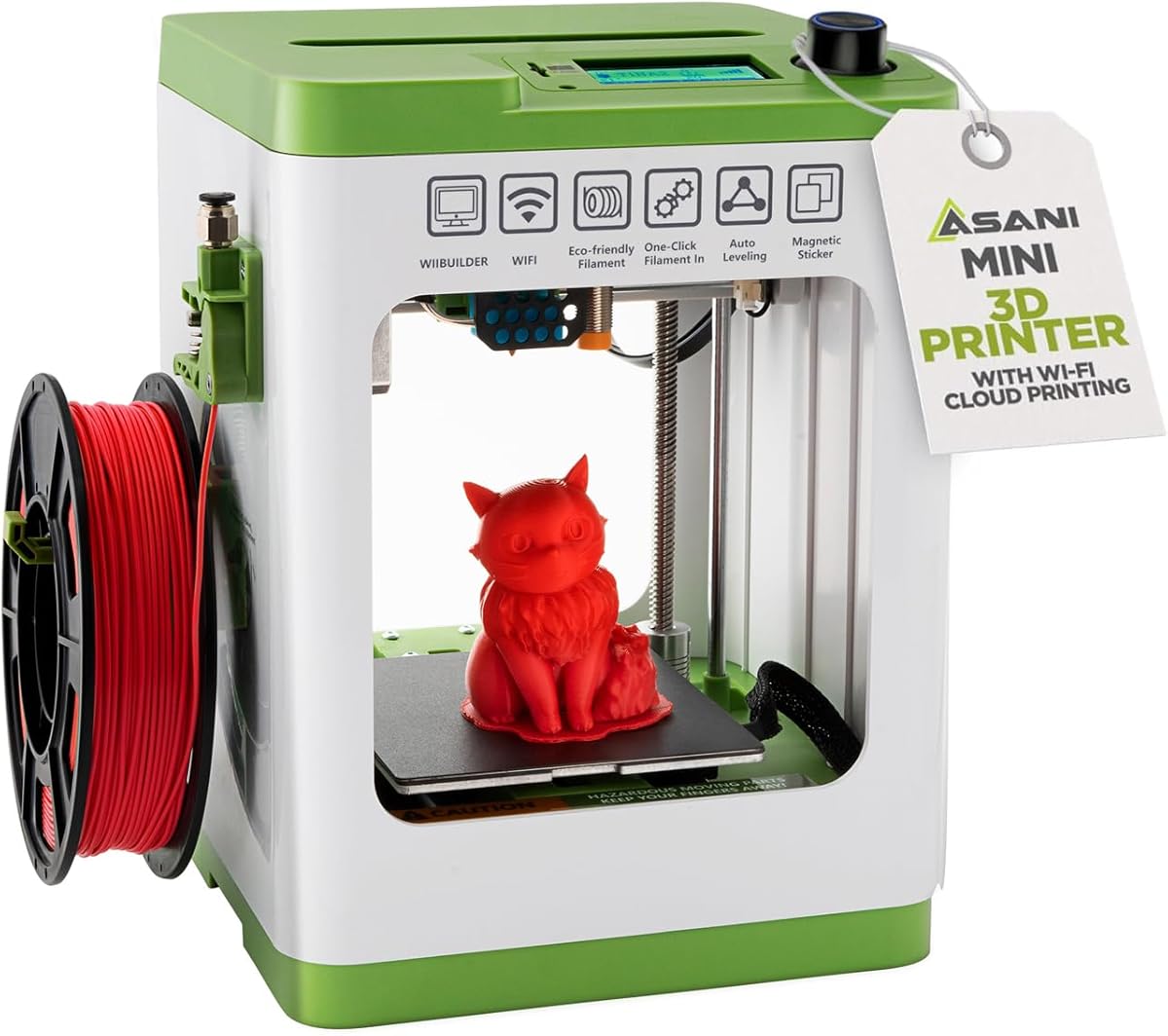
The TINA2S has a 4.6 rating, making it one of the highest-rated products in this roundup, and it arrives as a complete mini starter kit. The package includes the printer, 10 meters of PLA filament, a preinstalled microSD card with model designs and splicing software, and accessories. Fully assembled construction removes assembly uncertainty and makes setup attractive for children, students, and first-time owners.
We may earn a commission when you buy through this link, at no additional cost to you.
Its hardware simplifies common tasks. Automatic leveling supports a dependable first layer, a dual Z-axis rail supports precision, a 2.4-inch LCD provides local status information, and the flexible magnetic build plate helps remove finished models. One-touch loading and retraction simplify filament handling, while active pause and resume functions give users greater control during a job.
The TINA2S supports 1.75mm PLA, PLA Pro, and TPU. Its Wi-Fi connectivity and compatibility with Mac, Windows, Linux, WiiBuilder, Cura, Simplify3D, and Slicr3d provide room to move from bundled models toward independent slicing. A critical setup note is that the supplied TINA2S platform plate or a comparable magnetic metal plate must be used so the proximity sensor functions correctly.
This printer is well suited to a first compact project, classroom use, dorm rooms, and users who prefer a self-contained bundle. Its mini build volume rules out many larger models, and using an incompatible plate can cause malfunctions. With the correct plate and realistic expectations, it offers one of the most polished beginner packages in the guide.
Filament, a preloaded card, model designs, and accessories are included. That cohesive package lets a new user begin exploring without separately sourcing every basic consumable.
One-touch filament controls, a local LCD, and automatic leveling make the machine approachable. At the same time, compatibility with several operating systems and slicers means users can gradually move toward more advanced workflows.
We may earn a commission when you buy through this link, at no additional cost to you.
The Creality Ender 3 V3 SE is our Best Budget pick for buyers who want a recognizable, approachable FDM workflow without paying for advanced color systems or enclosed construction. It has a 4.1 rating and is explicitly designed around fast setup, with assembly in a few simple steps followed by CR Touch auto leveling and automatic Z-offset calibration.
We may earn a commission when you buy through this link, at no additional cost to you.
The Sprite direct-drive extruder supports smooth filament feeding across PLA, PETG, and TPU. Its dual synchronized Z-axis lead screws and precision Y-axis linear shafts work together to reduce vibration and Z wobble, while the 250 mm/s speed and 2500 mm/s² acceleration help suitable projects finish efficiently. These features give the machine useful capability without requiring a complicated configuration.
Comfort at home is supported by a 32-bit silent mainboard, which reduces operating noise compared with noisier designs. A flexible PC spring-steel build plate allows completed models to be removed with less effort. The trade-off is its open frame, which provides less environmental control than the P1S and does not make the machine a native multicolor system.
The Ender 3 V3 SE best fits beginners seeking straightforward setup, dependable material support, and a compact learning investment. It is a sensible starting point for common household and prototyping projects. Users who need an enclosure, built-in camera, color capability, or guided kids-oriented software should choose a more specialized machine.
CR Touch leveling and automatic Z-offset remove much of the manual setup associated with bed alignment. These features help beginners focus on model choice and material settings rather than repeatedly adjusting the build plate.
Synchronized Z-axis screws, precision Y-axis shafts, and a direct-drive extruder support dependable extrusion and layer alignment. The result is a practical foundation for learning PLA, PETG, and TPU projects.
We may earn a commission when you buy through this link, at no additional cost to you.
The Anycubic Kobra X has a 4.2 rating and is our Best Premium pick because it offers native four-color printing in a more capable, large-format package. Users do not need to assemble a separate multi-material arrangement for basic color work. The system can expand to 19 colors with four ACE 2 Pro units, although those units are incompatible with ACE Pro models.
We may earn a commission when you buy through this link, at no additional cost to you.
Its calibration and speed features support easy use. LeviQ 3.0 combines a 49-point calibration with automatic bed leveling and an advanced leveling algorithm. The printer can be ready to print 15 minutes after pickup, reaches a maximum 600 mm/s, and can complete the stated Benchy test in 14 minutes under suitable conditions. A hardened steel nozzle and vibration compensation support layer consistency.
The 260 x 260 x 260mm build volume is the largest listed in this guide, and the top-mounted spool holder helps release desktop space. The Anycubic app provides remote control, live monitoring, spaghetti detection, and foreign-object detection, while dual-band Wi-Fi and LAN connectivity support flexible access. The machine supports mixed rigid and flexible printing with PLA, PETG, TPU, PVA, and ASA at a 300°C nozzle temperature.
The important purchasing note is that filament is not included. The four spools and printed model shown in the listing are display items, so users must purchase compatible material separately. With that in mind, the Kobra X is ideal for creators who want striking multicolor projects, a roomy build area, and advanced monitoring without relying on an add-on color system.
Four native color channels make the Kobra X distinct from standard single-material machines. The expandable ACE 2 Pro ecosystem can grow the palette to 19 colors when the project and desk space justify the additional units.
A 49-point calibration process and LeviQ 3.0 leveling system simplify bed preparation. App monitoring, spaghetti detection, foreign-object detection, and multiple connectivity options help users identify issues and manage longer prints.
We may earn a commission when you buy through this link, at no additional cost to you.
The easiest printer is not always the one with the longest feature list. Choose by matching automation, size, material support, software, and special capabilities to the projects and environment where the machine will actually be used.
Beginner-friendly printers should handle the most common setup tasks automatically. Automatic bed leveling, Z-offset calibration, and nozzle-distance measurement reduce the likelihood that a new user will struggle with a poor first layer. The A1, Adventurer 5M, AD5M, Tina2C, TINA2S, Ender 3 V3 SE, and Kobra X all advertise automatic calibration features, although the exact process differs.
Automatic calibration is not a guarantee of a flawless print. Filament condition, bed cleanliness, nozzle condition, model placement, and material shrinkage still matter. Even so, it removes much of the repetitive adjustment that can make first-time users abandon a machine.
Build volume determines the size and shape of the objects you can produce. The A1 mini and Tina2C are compact choices for small models, while the TINA2S also uses a mini format. Full-size options include the Adventurer 5M and AD5M at 220mm per axis, the Bambu Lab P1S, and the Anycubic Kobra X at 260mm per axis.
Choose a larger machine if you expect to print enclosures, organizers, articulated figures, props, or functional parts. A compact printer may be better for desktop use, children's projects, and small decorative items. Always check all three dimensions, not just the advertised face width.
Open printers are straightforward, spacious, and often well suited to PLA. Enclosed models can create a more stable environment for advanced filaments and may help protect projects from drafts or temperature changes. The Bambu Lab P1S is fully enclosed, and the AOSEED AI 3D Printer uses an enclosed, pinch-resistant design intended for children.
An enclosure is helpful but does not make every filament appropriate. Review the manufacturer's material list carefully, ensure adequate ventilation, and never treat an enclosed printer as a sealed material cabinet. Start with compatible filament and move to specialized materials only when the machine, nozzle, and ventilation plan support them.
Easy use includes more than a simple control panel. Bambu products emphasize app-based management, MakerWorld, and connected workflows. The AOSEED focuses on AI creation, guided model access, and family controls, while the Tina2C uses Poloprint Cloud for guided setup and STEM modules. Flashforge and Anycubic provide remote monitoring and parameter controls, and the TINA2S supports numerous slicers.
Consider whether you want a guided environment or an open one. A structured app can help children and first-time users succeed quickly. A broad slicer ecosystem offers more control but introduces an additional learning curve. Check the software's operating-system requirements before choosing.
Maximum speed is most useful when paired with reliable motion, suitable materials, and realistic slicer settings. The Bambu Lab A1 lists 10,000 mm/s² acceleration, the P1S reaches 500 mm/s with 20,000 mm/s² acceleration, and both Flashforge models advertise up to 600 mm/s travel. The AOSEED can peak at 400 mm/s, while the Ender 3 V3 SE reaches 250 mm/s.
Fast motion is helpful for prototypes and repeated jobs, but print quality is not determined by a single number. Geometry, acceleration limits, cooling, extrusion flow, and slicer settings all matter. Treat maximum speed as a potential advantage rather than a promise that every model will print best at that setting.
Native color is simplest when it is built into the machine. The Anycubic Kobra X includes four-color capability and can expand to 19 colors with compatible ACE 2 Pro units. The Bambu Lab A1 and P1S can produce multicolor or multimaterial output through the Bambu Lab AMS system, but the appropriate unit must be connected. The AOSEED supports only one color at a time, and multicolor-looking models require separate printed parts.
Consider the additional material changes, purge requirements, setup complexity, and cost of accessories. Color is valuable for decorative objects, educational models, identification, and personalization. For functional parts, a simpler single-material printer may remain more efficient and dependable.
Beginner printers are easiest to use when paired with familiar materials. PLA is broadly supported, while PETG and TPU appear across several selections. The Bambu Lab P1S supports a wider range, including PVA, PET ABS, ASA, PA, and PC, although it is not recommended for carbon- or glass-fiber-reinforced polymer. The Anycubic Kobra X supports mixed rigid and flexible materials including PLA, PETG, TPU, PVA, and ASA.
Look for easy nozzle changes, flexible removable plates, self-cleaning designs, and automatic filament pause or recovery. The Adventurer 5M and AD5M feature quick-swap nozzles, the TINA2S uses one-touch loading, and both Flashforge models offer outage recovery. These features reduce downtime and material waste.
A home printer should fit the space and suit the people around it. The A1 uses active motor noise cancellation, the AOSEED and Tina2C are designed for quiet family use, and the Ender 3 V3 SE uses a silent mainboard. The AOSEED adds pinch-resistant construction and tested PLA, while the Tina2C uses rounded edges and integrated lighting.
Noise varies by filament, speed, cooling settings, and the model being printed, so published descriptions should be treated as design goals rather than a guarantee. Place the printer on a stable surface with adequate clearance, keep it away from children unless the design is intended for supervised family use, and avoid enclosing the machine in a space without adequate ventilation.
Begin with the printer's supplied instructions, remove all shipping restraints, and inspect the build plate, extruder, spool holder, and nozzle before adding material. Place the machine on a level, stable surface with space around moving components. Install the required filament, confirm the nozzle can reach the bed without scraping it, and run the manufacturer's automatic leveling or calibration sequence. Beginners should begin with a simple test model and recommended material settings rather than immediately attempting a complex design.
Prepare each print correctly. Clean the build plate according to its surface type, keep the nozzle free of visible debris, and verify that the model is positioned within the printable area. Use the printer's app, model library, or compatible slicer to orient the object, choose appropriate layer and temperature settings, and preview the result. For a connected machine, confirm that the queued job appears correctly on the printer before walking away, and use real-time monitoring or the included camera when available.
For care, unload filament when the manufacturer recommends it, and store filament in a dry, sealed condition to reduce moisture problems. Clean the exterior and build plate regularly, inspect the nozzle and printhead, and remove debris without using tools or techniques that could damage critical components. Follow the supplied instructions for lubrication, belt tension, and firmware updates. Do not ignore persistent layer shifts, repeated nozzle clogs, unusual noises, or failed first layers, because early intervention can prevent wasted filament and more serious maintenance issues.
The easiest model is the one that combines automatic calibration with a simple workflow and the material you intend to use. The Bambu Lab A1 is highly rated and automates key setup steps, while the TINA2S, Tina2C, and AOSEED offer more guided or kid-focused experiences. A first-time buyer should also consider available space, software support, and whether the starter bundle includes filament and accessories.
Most 3D printers require a slicer to convert a model into printable instructions, although some apps streamline the process with ready-to-print files and automatic settings. Guided systems such as the AOSEED, Tina2C, and Bambu ecosystem are especially approachable for new users. Those interested in advanced materials or customized finishes can learn slicer controls gradually while still starting with recommended profiles.
Yes, PLA is generally the most approachable starting material because it produces relatively little odor and does not require a high extrusion temperature. It is widely used with the beginner printers in this guide, including the A1 mini, TINA2S, Tina2C, and AOSEED models. Users should still follow the printer and filament manufacturer settings, and use a ventilated, well-managed workspace.
An enclosed printer can be beneficial if you expect to use materials that benefit from a stable temperature environment or want a more protected build area. It is not automatically easier, however, and a well-supported open printer may provide a simpler initial experience. The Bambu Lab P1S is the enclosed option here, while the AOSEED uses an enclosed design specifically focused on family and child use.
Automatic bed leveling measures the distance between the nozzle and the build plate at multiple points, then helps the machine establish an appropriate plane. This reduces the need to adjust leveling knobs manually. It cannot compensate for an unclean plate, a damaged surface, excessive filament, poor model placement, or every mechanical issue, so regular inspection remains important.
Mini printers are often ideal first machines because they are compact, affordable to operate, and focused on smaller projects. The A1 mini, Tina2C, and TINA2S are good examples, each offering guided app features or included creative resources. Their limitation is build volume, so consider the dimensions of your planned models before choosing one.
The Anycubic Kobra X includes native four-color capability, making it the clearest choice for color without adding a separate multicolor unit. The Bambu Lab A1 and P1S require a compatible Bambu Lab AMS system for multicolor or multimaterial output. The AOSEED can create multicolored-looking designs only by separately printing parts and assembling them.
Bundle contents vary significantly. The AOSEED listing includes eight rolls of PLA, the TINA2S includes 10 meters of PLA, and the A1 mini includes an LED lamp project kit rather than emphasizing a filament quantity. The Anycubic Kobra X does not include filament. Always review the current package details because included accessories and materials can change between listings or configurations.
The Bambu Lab A1 stands out as the most balanced overall recommendation because its 4.7 rating, automatic calibration, flow compensation, fast acceleration, quiet operation, and optional color system address the main needs of a new owner. The Creality Ender 3 V3 SE offers the clearest value-oriented path, while the Anycubic Kobra X is the premium choice for buyers who specifically want native multicolor printing and a large build volume.
Your priorities should determine the rest of the shortlist. Choose the Adventurer 5M or AD5M for large-format speed, the P1S for an enclosed Bambu workflow, the A1 mini for compact creativity, and the AOSEED or Tina2C for guided family learning. Match the machine to your largest project, supported filament, physical space, and preferred app before making a final decision.
After choosing, verify the current listing, package contents, filament requirements, and manufacturer guidance. Product configurations and prices can change, and accessory requirements can materially affect the total setup. Buying the machine that matches your actual project workflow will provide more satisfaction than choosing on speed or color specifications alone.