
PERLESMITH Long Arm Full Motion TV Wall Mount for 42–90 inch TVs
4.7Editor score
Supports displays up to 150 lbs
Extends 42.72 inches from wall
Retracts to 4.5 inches
Accepts VESA 200×100 to 800×400
Includes organized cable clips
A 180 degree swivel TV mount can solve difficult room layouts by bringing a television out from the wall and directing it toward the main seating area. The most useful models combine broad rotation, long extension, tilting, sturdy construction, and enough capacity for larger displays. A compact fixed mount cannot offer that flexibility.
This guide compares ten full-motion and long-arm TV mounts using the specifications and features listed for each product. We consider swivel range, extension, weight capacity, screen and VESA compatibility, wall requirements, leveling, installation details, and suitability for corners or divided living spaces.
Each review explains the mount's strongest qualities, limitations, and ideal installation environment. The top selections are recognized for overall balance, large-screen support, or practical value. Product details and pricing can change, so readers should verify current specifications, compatibility, and offers before purchasing.
4.7Editor score

4.8Editor score

4.8Editor score
As an Amazon Associate we earn from qualifying purchases.
The comparison below highlights the major differences in reach, rotation, load capacity, screen compatibility, and installation design. These factors matter most when choosing a swivel mount for a corner, divided living area, bedroom, or large home-theater display.
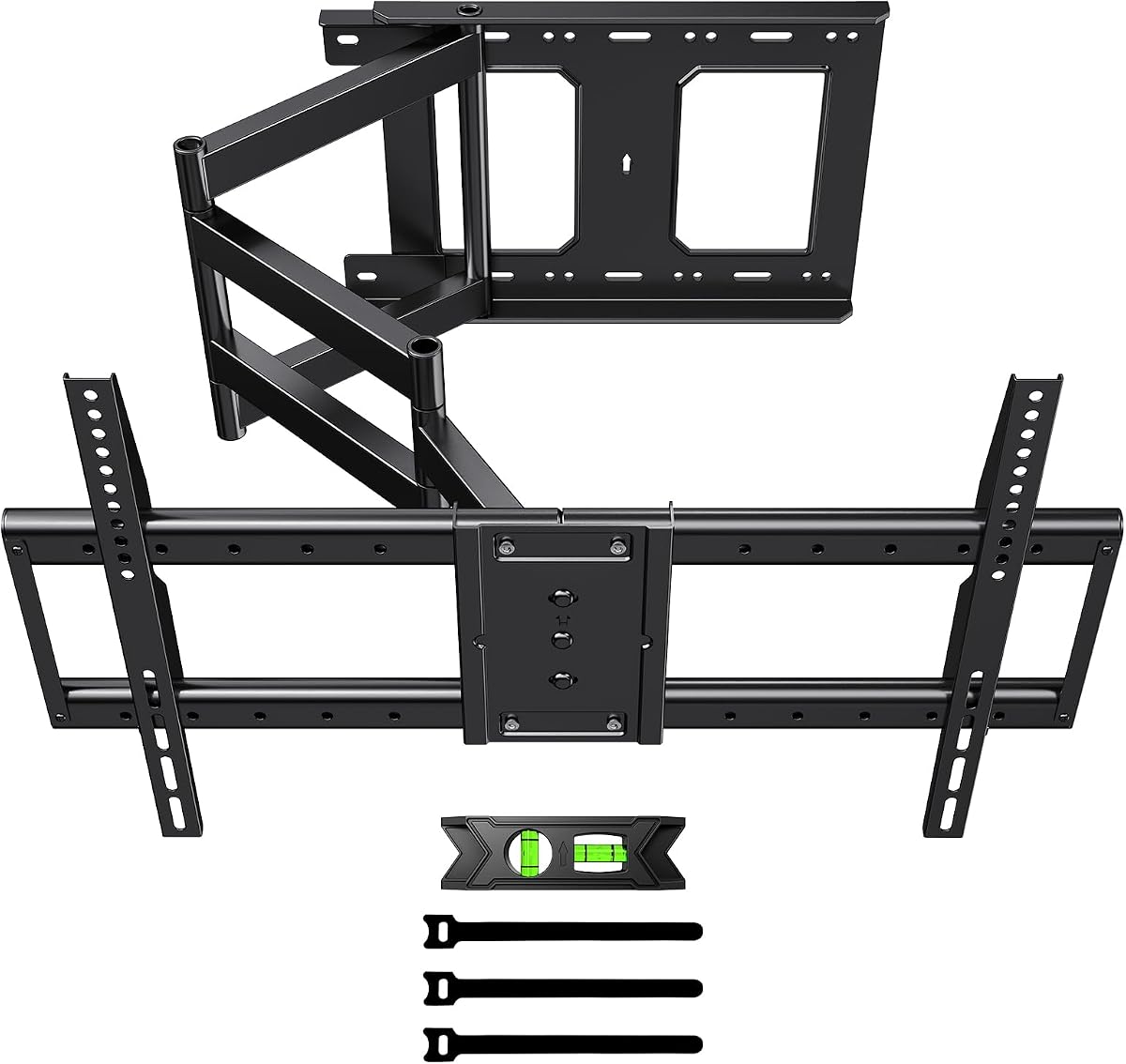


The Perlegear PGXLF02 combines one of the broadest compatibility ranges in this guide with a highly useful combination of extension, swivel, tilt, and leveling. Its 4.8 rating reflects a particularly attractive balance for buyers who need one mount to serve a large television, several seating positions, or an unconventional room layout. The listed capacity reaches 150 pounds, and the screen range extends from 42 to 97 inches.
We may earn a commission when you buy through this link, at no additional cost to you.
Its defining advantage is the unusually broad VESA range of 200x100mm through 800x400mm. That makes it relevant to many flat and curved televisions, including large displays whose mounting patterns sit at the outer limits of many articulating brackets. The cold-rolled steel construction, wide wall plate, 4x load testing, and 6,000-cycle testing add confidence for a product expected to support a large screen and move regularly.
The arm extends 40.1 inches from the wall and retracts to 3.7 inches. It provides ±90-degree swivel, +5/-15-degree tilt, and ±4-degree post-installation leveling. These movements solve several common viewing problems at once: bringing the display around a corner, redirecting it toward a second seating zone, reducing glare, and correcting alignment after installation. The pre-assembled construction is convenient, while the included hardware, drilling template, instructions, and bubble level support a structured setup.
The main trade-off is physical size. A mount designed for displays as large as 97 inches needs a substantial wall plate and should be positioned carefully, especially in narrow rooms. Buyers should also have a second person assist with installation. Despite those considerations, the PGXLF02 is the most complete choice for a demanding installation because it combines exceptional compatibility, reach, rigidity, and installation support.
Choose this mount when the television is large, the wall layout is unconventional, or there is a strong need to redirect the screen without replacing a fixed bracket. It is particularly appropriate for a corner, an open-plan living area, or a wall where furniture could otherwise obstruct the screen. For most buyers seeking one versatile large-screen solution, it is the strongest overall recommendation.
The 42–97-inch range and 200×100–800x400mm VESA coverage provide unusual flexibility. Verify the television's manual, rear mounting pattern, and weight before ordering, because physical screen dimensions alone do not establish compatibility.
The 40.1-inch arm reaches beyond furniture and around a corner, while ±90-degree swivel redirects the display toward separate viewing areas. Retracting to 3.7 inches restores a clean wall appearance when the extra reach is unnecessary.
We may earn a commission when you buy through this link, at no additional cost to you.
The PERLESMITH PSXLF01 is a premium long-arm mount designed for large flat-screen and curved televisions that need substantial reach. It carries a 4.7 rating and supports screens from 42 to 90 inches weighing no more than 150 pounds. Its 42.72-inch articulating extension is the longest specified among the products in this comparison, giving it considerable freedom around corners and across divided living spaces.
We may earn a commission when you buy through this link, at no additional cost to you.
The 200x100mm to 800x400mm VESA range is broad enough for a wide assortment of large displays. The mount also provides 90-degree movement in either direction, +5/-15-degree tilt, and +4/-4-degree leveling. That lets an installer solve glare, off-axis seating, and imperfect mounting alignment rather than relying on a single fixed angle. Heavy-duty steel construction supports the listed load rating.
This is more than a bare extension bracket. Cable management clips run along the arm extension, helping keep cords organized as the display moves. The arm retracts to 4.5 inches, which is not the shallowest profile in the guide, but it still allows the television to sit relatively close to the wall. The listed mounting surfaces include 16- to 24-inch wood studs as well as concrete and brick walls, and a template and hardware are included.
The trade-off is that its very long arm and four-and-a-half-inch retracted depth demand thoughtful placement. Pulling a large display far into a room can also create a larger lever arm, making correct anchoring and balanced positioning essential. Installation should not be attempted on unsupported drywall. Buyers need to account for their room dimensions rather than focusing only on screen size.
This is an excellent choice for a premium living room, corner installation, or home-theater arrangement where reach and smooth articulation are priorities. It suits buyers with televisions in the upper portion of the compatibility range and enough wall structure to support them securely. Among the options reviewed, it offers the strongest combination of long reach, refined cable handling, and broad large-screen support.
A 42.72-inch extension can carry the display beyond a nearby wall edge, cabinet, or seating zone. This is particularly useful in open-concept rooms where the television must serve viewers positioned at different angles.
Clips attached to the extension arm help keep signal and power cables organized as the mount changes position. The cables still require adequate slack, but the clips reduce the loose, tangled appearance that often accompanies long-arm mounts.
We may earn a commission when you buy through this link, at no additional cost to you.
The WHYFONE mount targets very large televisions and demanding installations. It supports displays from 42 to 90 inches, has a listed weight capacity of 165 pounds, and pairs a 43-inch extension with manual rotation between landscape and portrait orientations. Its 4.4 rating is the lowest among these selections, but the underlying specifications distinguish it as a heavy-duty option for suitably sized and weighted screens.
We may earn a commission when you buy through this link, at no additional cost to you.
The mount offers 90-degree swivel in each direction, +5/-12-degree tilt, and ±3-degree leveling. Its 43-inch reach can cross a corner or bring a very large screen forward from a recessed area. The manual 90-degree rotation is unusual among TV mounts and can suit vertical video, live streams, digital signage, and document browsing, provided the television and surrounding space allow the change in orientation.
Construction details are central to the design. The product information describes cold-rolled steel, solid rather than hollow forearm tubes, and forearm tube cross-sectional dimensions of 1.97 inches long, 0.79 inches wide, and 0.06 inches thick. A perforated mounting plate distributes load across four mounting points and offers multiple VESA positions. The stated 6,000 swivel tests support the product's durability positioning.
Its limitations are practical rather than fundamental. Two people are required for installation, and the instructions are expected to take under 30 minutes for an experienced pair. Rotating a very large display into portrait orientation needs considerably more room than landscape use, and buyers should check manufacturer guidance regarding rotating their specific television. The wide steel arm also needs solid wall anchoring.
Choose this mount for a very large, heavy display that genuinely benefits from portrait orientation, a commercial room, a villa, or a spacious home theater. It is less suitable for a compact room where the 43-inch arm and rotating screen would dominate the space. For those with the necessary room and weight, it provides exceptional capacity and unusual versatility.
The 165-pound rating is the highest listed in this guide, providing meaningful capacity for heavy large-screen sets. Actual suitability still depends on the manufacturer's weight and mounting specifications, not screen size alone.
Manual rotation can transform a large display into a vertical panel for feeds, signage, or documents. Measure the available clearance and confirm that the television manufacturer permits this orientation before installation.
We may earn a commission when you buy through this link, at no additional cost to you.
The Perlegear 26–70-inch mount combines a 4.8 rating with a practical set of features for bedrooms, apartments, and medium-size living rooms. It supports most flat or curved screens from 26 to 70 inches, provided the television's weight does not exceed 100 pounds and its VESA pattern falls between 100x100mm and 400x400mm. The lower capacity is reasonable for its stated screen range.
We may earn a commission when you buy through this link, at no additional cost to you.
Its 31.65-inch extension provides meaningful reach without requiring the enormous footprint of some 40-plus-inch arms. The mount retracts to 2.83 inches, giving it one of the cleaner profiles in the guide. A ±90-degree swivel allows the screen to turn around a corner or toward a second seating position, while +5/-15-degree tool-free tilt helps control glare. Post-installation leveling of ±3 degrees provides a final alignment correction.
The construction uses thicker heavy-duty steel, a reinforced wall plate, and a solid hinge pin. The product information specifically states that the mount can hold 100 pounds at full extension. It can be attached to a single wood stud or a solid concrete wall, and the package includes a detailed manual, drilling template, and labeled hardware. This makes it especially attractive for installations where full-stud spacing is inconvenient.
The main limitation is its 100-pound rating, which rules out many of the heaviest large displays. A single-stud design also demands accurate placement and secure fastening. It cannot be installed on drywall alone, so anyone in an apartment with unsupported drywall must identify a stud or suitable masonry structure before purchasing.
This mount is a strong value for buyers who need flexible positioning but do not need to support a 90-inch screen. It works particularly well in a corner, bedroom, compact apartment, or kitchen viewing arrangement. The combination of easy retraction, broad swivel, useful tilt, and a 4.8 rating makes it a sensible all-around choice for compatible midrange televisions.
The 2.83-inch retracted depth and single articulating arm make the mount practical where a full-length arm would be intrusive. A corner installation can keep the screen close to the wall while still allowing it to rotate toward the room.
Tool-free tilt and ±3-degree leveling simplify fine adjustments after the television is mounted. These controls help compensate for imperfect wall framing, glare, and the viewing height of different seats.
We may earn a commission when you buy through this link, at no additional cost to you.
The HCMOUNTING corner mount stands out for its ±180-degree swivel and center-aligned retraction. It supports most 26–70-inch flat-panel televisions, including popular 32-, 40-, 50-, 55-, 60-, 65-, and 70-inch sizes. Its listed 132-pound capacity exceeds that of several similarly sized competitors, while the VESA range begins at 75x75mm and extends to 400x400mm.
We may earn a commission when you buy through this link, at no additional cost to you.
The arm extends 30.2 inches and retracts to 2.68 inches. Its swivel mechanism rotates a full 180 degrees, allowing the display to turn between opposite viewing directions around a corner. The center-aligned design is particularly useful because the wall plate and VESA plate realign when the arm is pushed in, reducing the chance of a crooked or offset television in its stored position.
Additional controls include +5/-15-degree tilt and ±3-degree post-installation leveling. These features work alongside the swivel to handle glare, seating height, and alignment. The mount is described as a single-stud swivel design with dual-arm steel construction, and it is intended for wood studs and solid concrete or brick walls. Anchors, cable clamps, a template, and an Allen key are included.
Buyers should note that this is not a drywall-only product. Solid support is particularly important when a heavy screen is extended into a room. A two-person lift is recommended for 55- to 70-inch televisions, and the stated 10-year product support adds reassurance without changing the need to follow the installation instructions carefully.
This is a particularly logical choice for a corner where the television must serve two adjoining seating zones. It is also suitable for apartments, bedrooms, and open rooms where the screen should disappear cleanly when not in use. Choose it over less capable fixed mounts when full rotation and centered retraction are the main priorities.
A ±180-degree swivel can redirect the display between two areas rather than limiting movement to one side. This is useful when a living room opens into a dining space or when a corner has seating on both adjacent walls.
The self-centering mechanism helps the screen return to a neat, aligned position. That feature is especially noticeable in finished rooms where a visibly offset television would be distracting.
We may earn a commission when you buy through this link, at no additional cost to you.
The FORGING MOUNT full-motion corner bracket combines long reach, 110-pound capacity, and the ability to rotate the screen between horizontal and vertical positions. It is listed for most 32- to 75-inch televisions, with a VESA compatibility range of 100x100mm through 600x400mm. Its 4.7 rating indicates a well-received product among buyers seeking more than basic corner positioning.
We may earn a commission when you buy through this link, at no additional cost to you.
The arm extends 33 inches from the wall and retracts to 2.5 inches. It swivels ±90 degrees, rotates ±90 degrees, tilts from -10 to +5 degrees, and provides ±3-degree leveling after installation. The separate rotation function is the most distinctive element, allowing the display to become a vertical panel for social feeds, digital documents, or mobile-style games.
A commercial-grade steel construction provides the stated 110-pound support. This is adequate for many popular midrange and upper-midrange screens, though buyers with heavier premium televisions should confirm the individual model weight. The broad VESA range offers flexibility across brands, but screen dimensions alone do not guarantee that a television is compatible.
The orientation feature creates the main planning challenge. A television rotated vertically occupies a much different footprint, and the wall bracket must have enough clearance for the screen's edges and stand or attached components. A detailed manual, drilling template, and mounting hardware are included, making careful measurement essential before drilling.
Choose this mount for a flexible media corner, creative digital display, or room where both portrait content and conventional television viewing are priorities. It is less appropriate for a narrow alcove or a location where a rotating 75-inch panel could strike nearby furniture. For a buyer who values screen orientation and balanced articulation, it is a strong option.
Portrait rotation extends the mount's usefulness beyond standard television viewing. It can support vertical feeds, signage, and documents, provided the screen model and installation space are compatible with rotation.
Swivel, rotational movement, tilt, and leveling work together to fine-tune the display's position. This makes the mount useful in rooms where glare, angled seating, or an unconventional viewing zone complicates a fixed installation.
We may earn a commission when you buy through this link, at no additional cost to you.
This Perlegear model fills the gap between compact corner brackets and mounts designed for very large televisions. It supports most 32- to 65-inch flat or curved screens weighing no more than 110 pounds. With a 4.7 rating and a 37.4-inch extension, it offers more reach than many competing products without requiring a 90-inch display.
We may earn a commission when you buy through this link, at no additional cost to you.
The mount retracts to 2.6 inches and provides ±90-degree swivel, +5/-15-degree tool-free tilt, and ±3-degree leveling. Those adjustments allow a television to move out of a corner, face a different seating zone, or reduce window glare. The long extension also helps the screen clear nearby cabinets, walls, or other obstructions that would otherwise interfere with a fixed installation.
Its reinforced wall plate and solid central pivot are made from heavier steel, and the product information states that the mount can support 110 pounds at full extension. The VESA range of 100x100mm to 400x400mm covers many popular television sizes. Installation can be completed on a single wood stud or in solid concrete, and the package includes a detailed manual, labeled hardware, and a drilling template.
The limitation is its upper screen size. Although it can carry 110 pounds, the listed compatibility stops at 65 inches, so a heavier 70-inch model is outside the intended range. The product is also explicitly not intended for outdoor use, even though the long arm may seem useful in a covered patio. Moisture, temperature, and material exposure can undermine a mount not designed for them.
This is a compelling option for a 32- to 65-inch television in a corner, open-plan living area, or unusual wall layout. It suits buyers who prioritize reach, clean retraction, and a single-stud option more than compatibility with oversized screens. Its combination of useful reach, restrained wall profile, and straightforward adjustment makes it one of the most versatile mid-size mounts in the guide.
The 37.4-inch extension can move the screen around a protruding wall or past the edge of tall furniture. That flexibility is valuable when a conventional bracket would leave the television at an awkward angle.
At 2.6 inches from the wall, the mount preserves usable space when extended reach is not required. The same arm can then move toward another seating area or a corner installation as needed.
We may earn a commission when you buy through this link, at no additional cost to you.
The Perlegear PGXLF02 earns a 4.8 rating and provides a remarkably complete feature set for large-screen installations. It supports most 42- to 97-inch flat or curved televisions up to 150 pounds. The product is built around a 40.1-inch extension, making it useful for large displays mounted near corners, beside furniture, or in wide rooms with more than one viewing zone.
We may earn a commission when you buy through this link, at no additional cost to you.
Its cold-rolled steel wall plate, extension system, and pivot are designed for durability. The stated testing includes a 4x load test and a 6,000-cycle test, while the wide wall plate improves stability. Compatibility extends across 200x100mm to 800x400mm VESA patterns, one of the broadest ranges in the guide. The arm retracts to 3.7 inches when the extra reach is not needed.
Viewing adjustments include ±90-degree swivel, +5/-15-degree tilt, and ±4-degree leveling. These controls are especially valuable for larger displays because even a small angular difference can move the viewing position by several feet. The mount is pre-assembled and the included instructions describe a three-step installation process. A complete hardware kit, drilling template, and bubble level are also supplied.
A broad wall plate can be a disadvantage in a narrow wall area, and the manufacturer recommends careful positioning because a heavily extended 90-inch screen is a substantial load. The mount must be installed on 8-, 12-, 16-, or 24-inch wood studs, concrete, or brick, and never on drywall alone. A second installer is sensible for the largest televisions.
This is the ideal all-around choice for a buyer who wants a single mount to handle a large screen, a challenging layout, and frequent repositioning. It is particularly well suited to a dedicated media wall, a corner, or a room where furniture changes. The high rating, broad specifications, and installation support justify its place as a top selection.
The broad VESA and screen-size ranges reduce the likelihood of finding a compatible alternative. Check the television's manual because mount dimensions, weight, and rear hardware must all align with its listed specifications.
A stated 6,000-cycle test speaks directly to the durability of a mount expected to swivel regularly. The 4x load test and wide steel wall plate add further structural confidence for large installations.
We may earn a commission when you buy through this link, at no additional cost to you.
The Mount-It! 26-inch swing arm is built for demanding corner installations and heavy flat-screen televisions. It fits 43- to 70-inch displays and carries a listed capacity of 220 pounds, the highest rating among the mounts reviewed. Its 4.6 rating reflects a solid overall package for buyers who prioritize weight capacity, support, and a complete installation system over maximum extension.
We may earn a commission when you buy through this link, at no additional cost to you.
The arm extends from 2.25 to 25.75 inches and swivels 180 degrees, with 90 degrees of movement in each direction. Tilting up to 15 degrees up or down helps place the screen at a comfortable angle when it is mounted above eye level, near a fireplace, or tucked into a corner. The closer 2.25-inch retracted position also saves space when the display is not being viewed.
Its wall plate spans two studs on 16-inch centers rather than relying on a single-stud design. That approach can provide greater stability, particularly with a heavy television. The listed compatible surfaces include wood and metal studs, brick, block, and concrete. A bubble level and full hardware are included, and a second installer is recommended for safe handling.
The 25.75-inch maximum reach is shorter than that of the most capable long-arm models in this guide. It may still provide ample flexibility in a normal room, but a particularly deep corner or a distant second seating area could require more travel. Its two-stud requirement can also be restrictive in rooms where framing is difficult to locate.
Choose this mount for a heavy 43- to 70-inch television, especially when stability and long-term support matter more than maximum reach. Its stated lifetime warranty and US-based specialists also make it attractive to buyers who want established support. It is a strong choice for a traditional corner, elevated media wall, or fireplace-adjacent installation.
The 220-pound rating provides generous headroom for many large flat-screen televisions. Always compare the mount rating with the exact television weight, including any attached hardware, rather than relying on screen size.
A two-stud wall plate offers a substantial anchor pattern for a heavily loaded articulating arm. Finding two studs at the correct 16-inch centers is an important part of planning the installation.
We may earn a commission when you buy through this link, at no additional cost to you.
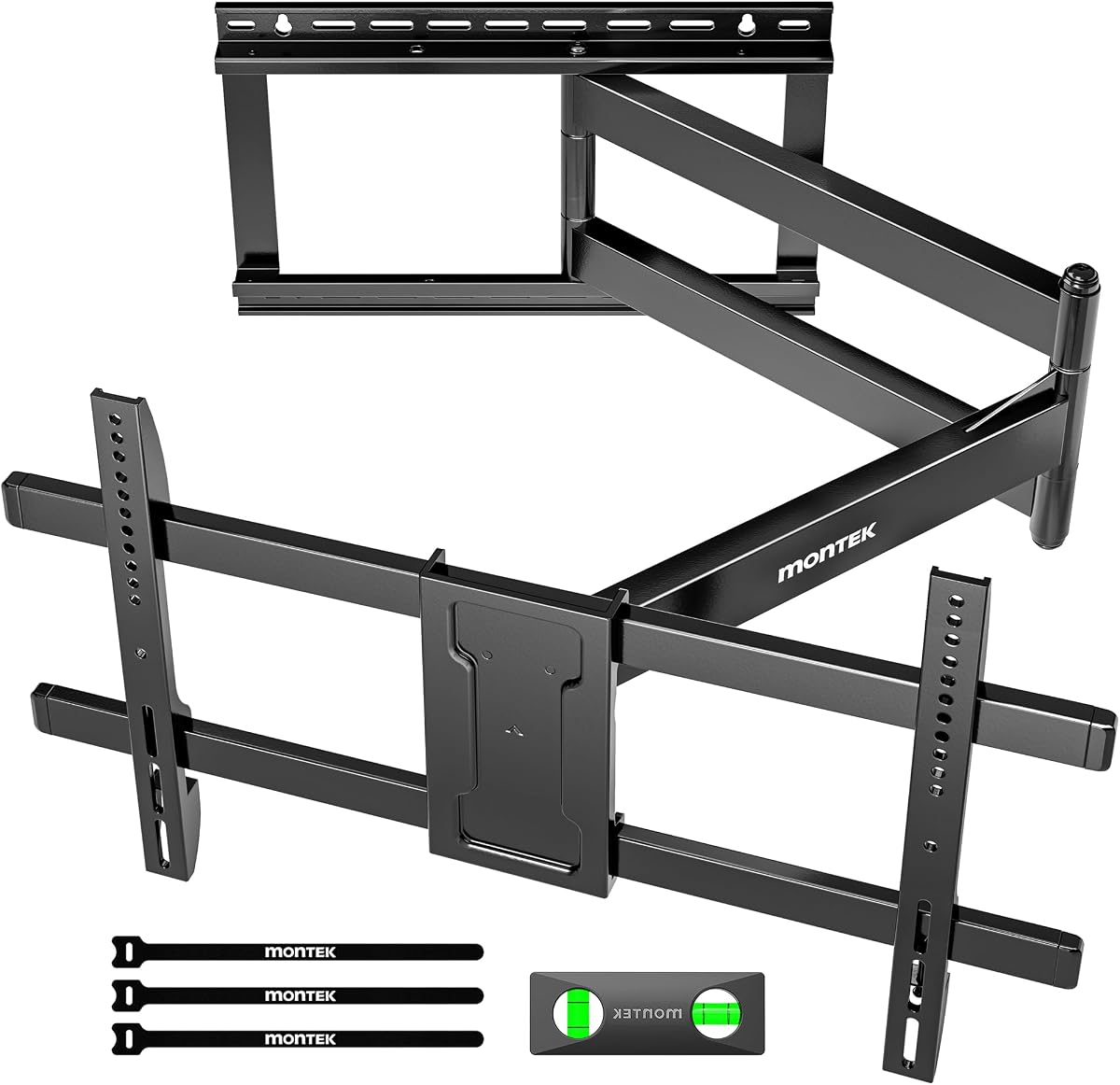
The monTEK mount offers a useful balance of very long reach, compact retraction, and broad swivel. It supports most 43- to 80-inch LCD, LED, OLED, 4K, flat-screen, and curved televisions with VESA patterns from 200x200mm to 600x400mm. Its listed load capacity is 110 pounds, and the product carries a 4.7 rating.
We may earn a commission when you buy through this link, at no additional cost to you.
The 42-inch extension can carry the screen around a corner, beyond nearby furniture, or toward another part of an open room. The arm retracts to only 2.4 inches, one of the closest profiles among these products. A full 180-degree swivel lets the screen turn toward opposite seating zones, while tilt of 10 degrees downward or 5 degrees upward and ±3-degree leveling handle glare and alignment.
Cable organization receives particular attention through built-in Velcro. This helps gather cords as the television moves and reduces visual clutter around a long articulating arm. The listed wall surfaces are 16- and 18-inch wood studs, concrete, and brick. A bubble level, mounting template, clear instructions, and labeled hardware bags support installation and setup.
The 110-pound rating is lower than the capacity of several large-screen alternatives, so a heavy 80-inch set may not be suitable even if it falls within the stated size range. The narrower 42-pound weight margin should be checked carefully. The listed stud options are also more limited than products designed for several common framing spacings.
This is a strong choice for an open-plan living area, kitchen, bedroom office, or corner where one screen must serve multiple positions. It is particularly useful when a long arm is essential but the television must still disappear close to the wall between uses. Choose it after confirming weight, VESA pattern, and available wall framing.
The 42-inch arm can move a screen from a wall position toward a kitchen island, adjacent seating area, or corner position. This makes it useful when a single television serves an open floor plan.
Built-in Velcro gathers cables as the arm extends or retracts. While cables still need enough slack to move safely, the system helps maintain a cleaner appearance than loose cords.
We may earn a commission when you buy through this link, at no additional cost to you.
The right swivel mount depends on television size and weight, available wall structure, room geometry, and how frequently the screen will move. Checking these factors before ordering helps prevent compatibility problems and ensures the arm operates as intended.
Short summary: Match both screen size, weight, and the precise VESA hole pattern before buying.
Short summary: Determine whether you need 90 degrees per side, a total 180 degrees, or portrait rotation.
Short summary: Measure the full path to the farthest seat, not just the screen's final viewing position.
Short summary: Favor a shallow retracted profile in tight rooms, while preserving rear and cable clearance.
Short summary: Use solid framing, match the required stud pattern, and never substitute unsupported drywall.
Short summary: Leave a sensible margin above the complete display and accessory weight.
Short summary: Prioritize useful tilt and leveling for glare control and a straight final image.
Short summary: Plan cable slack, use included alignment aids, and arrange help for large displays.
Begin by identifying the wall structure, marking the television plate, and installing the wall plate according to the manufacturer's instructions. Use the supplied template and a bubble level, confirm that all required anchors engage solid wood or masonry, and tighten hardware to the stated procedure. Keep the television disconnected while the articulating arm and VESA plate are being secured.
After mounting, move the arm slowly through its intended range. Watch for binding, cable tension, contact with walls, or insufficient space around the display. Set the swivel, tilt, and level adjustments for the primary viewing position, then check the screen from several seats. Allow the cables enough slack for full movement without pulling connectors or creating a trip hazard.
For routine care, inspect the bolts and moving joints after the first few weeks and periodically thereafter. Clean the mount with a dry or lightly damp cloth, avoid harsh chemicals, and keep dust away from the pivot and wall connections. Do not exceed the television's weight limit, avoid leaving a heavy screen fully extended without support, and consult the instructions before adding accessories that change the load.
A 90-degree swivel commonly means the arm can move 90 degrees to either side of its center position. A 180-degree swivel describes the full travel from one extreme to the other, or sometimes 180 degrees in each direction. Buyers should check whether the manufacturer treats the number as total movement or per-side movement, and should think about the room's actual geometry.
Most of the mounts in this guide specify solid wood studs, concrete, or brick and expressly warn against installation on drywall alone. A hollow wall can allow a heavy, moving display to pull the fasteners from the wall. Find the appropriate framing or masonry surface and follow the included instructions and anchor requirements before mounting the television.
The required reach depends on the corner angle, television depth, nearby furniture, and the position of the seats. A long arm can carry the display around the corner and toward the viewer, while a shallow retracted profile preserves the wall's appearance. Measure the complete movement path and leave room for cables and the rear of the television.
No. A mount may allow 90-degree rotation, but the television manufacturer must permit that orientation. Some displays have specific installation instructions, while others have sensors or software assumptions tied to landscape placement. Check the television manual, verify the clearances around the screen, and never force a rotation that the display or bracket does not support.
Choose a mount rated comfortably above the television's listed weight, preferably with meaningful margin for accessories and varied extension positions. A 70-inch screen can fall within a broad size range yet exceed the capacity of a smaller mount. Add the weight of a soundbar or other attached equipment when assessing the complete load.
No, but their tilt and swivel controls make it easier to position the screen away from reflections. Changing the angle can move the reflected light away from the viewing area, and repositioning the display toward a seat can also help. The best results depend on the room's light sources, the television's screen finish, and the available movement.
Leave enough room for the wall plate, arm joints, television housing, cable connectors, and movement throughout the swivel and tilt range. The stated retracted depths of the mounts range from approximately 2.4 to 4.5 inches, but the complete television may project farther from the wall. Test the clearance before fixing cables permanently.
Two people are strongly recommended for large televisions, and several manufacturers explicitly call for a two-person installation. One person should support the display while the other aligns and tightens the VESA hardware. Planning, correct anchors, and avoiding impact during installation are as important as speed.
The Perlegear PGXLF02 is the most complete overall selection because it combines a 4.8 rating, compatibility for screens up to 97 inches, a 40.1-inch extension, and a broad VESA range. The PERLESMITH PSXLF01 is the premium long-reach alternative, while the Perlegear 26–70-inch model delivers the strongest value-oriented balance for compatible midrange televisions.
Prioritize the constraints that cannot be changed: television weight, VESA pattern, wall structure, room depth, and corner geometry. Long extension, 180-degree swivel, tilt, leveling, and portrait rotation are useful, but they are most valuable when the mount fits securely and the screen can complete its intended movement without contacting nearby surfaces.
Specifications and offers can change over time, so confirm the current listing before buying. Recheck the exact television model, mounting pattern, weight, required wall surface, included hardware, and current product details. Those final checks will help ensure that the chosen 180 degree swivel TV mount performs safely and suits the room as planned.