
iFFALCON 65-Inch 65U85
4.3Editor score
Four HDMI 2.1 ports
Native 144Hz refresh rate
Dolby Vision Gaming mode
Built-in 50W audio
A great television for open-world driving games needs more than a large 4K panel. It should deliver fluid motion, vivid highlights, deep blacks, low input lag, and convenient connections for both PlayStation 5 and Xbox Series X consoles.
We compared ten televisions using the specifications and features listed for each model, focusing on refresh rate, variable refresh rate, HDR support, HDMI connectivity, smart-TV functions, screen size, anti-reflection treatment, and built-in audio.
The list includes affordable 4K screens, Mini LED and QLED options, premium gaming models, and different screen sizes for bedrooms and living rooms. Product ratings and configurations can change, so verify the latest specifications and current price before buying.
4.3Editor score

4.6Editor score

4.4Editor score
As an Amazon Associate we earn from qualifying purchases.
This side-by-side comparison highlights the panel technologies, motion performance, HDR formats, gaming connectivity, and smart features that distinguish each television for PS5 and Xbox Series X gaming.




The Hisense 65U7SG stands out as the most balanced option in this guide for a large-format console setup. It carries a 4.6 rating, the highest listed score among the ten televisions, and combines a native 165Hz panel with variable refresh rates up to 330Hz. Those specifications make it well suited to fast driving, action sequences, competitive shooters, and the kind of detailed open-world environments for which many players choose a PS5 or Xbox Series X.
We may earn a commission when you buy through this link, at no additional cost to you.
Picture quality is supported by Hi-QLED Mini LED Pro technology, thousands of precision backlights, and as many as 3,000 local-dimming zones. The listed peak brightness reaches up to 3,000 nits, giving the picture strong highlights while allowing darker portions to remain detailed. Dolby Vision IQ, HDR10+, IMAX Enhanced, and Dolby Atmos support broaden the format options, while the Hi-View AI Engine Pro automatically adjusts color, contrast, and detail according to the scene.
The model also addresses a common issue in gaming rooms through its advanced dual-layer anti-reflection treatment. That feature can be especially useful when a television faces windows, lamps, or other bright sources. The trade-off is its physical size: a 65-inch display requires suitable furniture and enough viewing distance. The sophisticated processor and gaming features may also make its menus less approachable for buyers who want a completely simple television.
This is the strongest general recommendation for players who want a large screen, fast motion, bright HDR, and effective dimming without concentrating on a specific ecosystem. It works equally well for PS5 and Xbox Series X owners, although the exact supported input modes and picture presets should be confirmed in the menus. Choose it when performance and immersion matter more than a compact footprint or minimalistic feature set.
A native 165Hz refresh rate gives this television more headroom for quick camera turns, rapid vehicle movement, and competitive action. Variable refresh rate support up to 330Hz can also synchronize the panel more closely with supported console output.
Fine local dimming, Mini LED backlighting, and high brightness work together to preserve contrast and bright highlights. The anti-reflection layer adds practical value in rooms where controlling ambient light is difficult.
We may earn a commission when you buy through this link, at no additional cost to you.
The iFFALCON 65U85 is the premium pick for console owners who prioritize physical connectivity. Its four HDMI 2.1 inputs reduce the need to switch cables or rely on an external switch, while two ports support 4K at 144Hz and two additional ports handle 4K at 60Hz. The television is explicitly positioned for PS5, Xbox, gaming PCs, streaming boxes, and soundbars.
We may earn a commission when you buy through this link, at no additional cost to you.
Its native 144Hz panel supports variable refresh rates from 48 to 144Hz and up to 288Hz, according to the supplied product information. FreeSync Premium Pro is included to reduce tearing and input lag, and Auto Low Latency Mode can switch the television into game mode automatically. Dolby Vision Gaming, Dolby Vision IQ, HDR10+, and IMAX Enhanced provide several ways to handle HDR content.
The Mini LED panel combines local dimming, up to 1,000 nits of HDR brightness, and a listed 7,000:1 contrast ratio. A built-in 2.1-channel system delivers 50 watts with Dolby Atmos and DTS Virtual:X, while eARC on HDMI 4 supports lossless audio to a compatible external soundbar. These features are helpful if you do not yet own a full home-theater audio system.
The set also includes Google TV hotel mode, an IR blaster, and IP control. Those features make it relevant to shared spaces and professional installations, although they are less important for a typical living room. Its broad feature set can also require more setup than a basic television. For console enthusiasts who want fast inputs, flexible high-refresh gaming, extensive HDR support, and strong built-in sound, the 65U85 is an excellent premium choice.
Four HDMI 2.1 ports make it possible to keep a PS5, Xbox Series X, gaming PC, and streaming device connected. The first two inputs provide the highest specified bandwidth for high-refresh console gaming.
The integrated 2.1-channel system uses dedicated tweeters, a woofer, Dolby Atmos, and DTS Virtual:X. It cannot replace every dedicated soundbar, but it provides a more substantial upgrade than standard television speakers.
We may earn a commission when you buy through this link, at no additional cost to you.
The Roku 65-Inch Select Series offers a straightforward route to a large 4K QLED television without paying for a Mini LED panel or 120Hz gaming specification. Its 4.4 rating is among the strongest in the list, and the simple Roku platform may appeal to players who want a television that is easy to operate for both games and streaming.
We may earn a commission when you buy through this link, at no additional cost to you.
The QLED screen and HDR10 support are intended to produce rich detail, bright and accurate colors, and improved contrast. Roku Smart Picture analyzes incoming signals, optimizes them, and selects an appropriate picture mode. That automation can make the television convenient for viewers who do not want to calibrate multiple settings themselves.
Gaming performance is the main limitation. The supplied specifications do not list a native high refresh rate, variable refresh rate, HDMI 2.1 bandwidth, or low-latency gaming features for the PS5 and Xbox Series X. A large 4K canvas still makes open-world games more immersive, but buyers seeking competitive responsiveness should consider one of the explicit gaming sets instead.
The Roku platform is one of the strongest reasons to choose this model. It offers quick app launching, a simple home screen, voice search, personal shortcuts, automatic updates, a lost-remote finder, Apple AirPlay, and support for several voice ecosystems. It is a sensible value-focused pick for a large bedroom or family-room television where ease of use matters more than specialized gaming specifications.
Roku's uncluttered interface, quick application launches, integrated search, and voice remote reduce the learning curve. This makes the television easier to share among console players, movie viewers, and casual streamers.
A 65-inch QLED 4K panel offers an immersive canvas at a more approachable tier. The tradeoff is the absence of listed high-refresh gaming features, VRR, and advanced local dimming.
We may earn a commission when you buy through this link, at no additional cost to you.
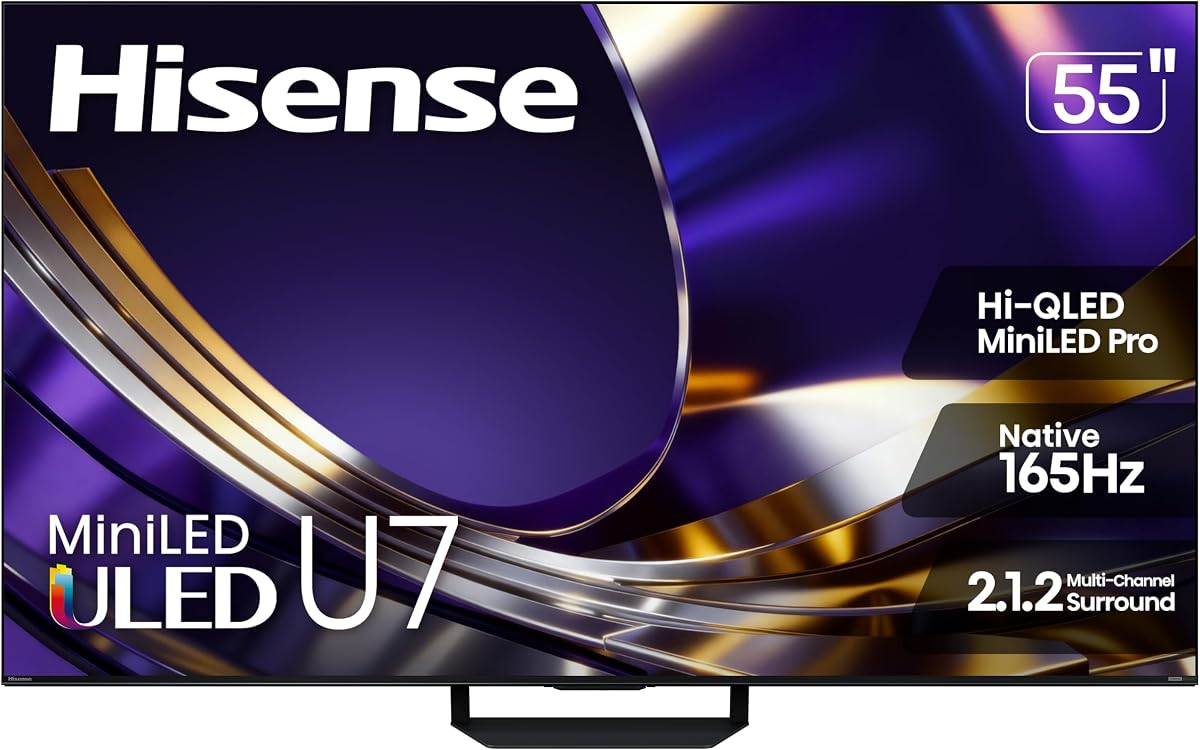
The Hisense 55U7SG provides the core performance strengths of the larger U7 model in a more manageable screen size. It features a native 165Hz refresh rate, variable refresh rate support up to 330Hz, Mini LED backlighting, and up to 3,000 local-dimming zones. These are meaningful features for a PS5 or Xbox Series X setup, particularly for action-heavy driving and exploration games.
We may earn a commission when you buy through this link, at no additional cost to you.
Picture processing is handled by the Hi-View AI Engine Pro, which analyzes scenes and adjusts color, contrast, and detail automatically. Dolby Vision IQ, HDR10+, IMAX Enhanced, Dolby Atmos, and the listed 2.1.2-channel audio configuration make it suitable for both games and cinematic content. Up to 3,000 nits of peak brightness can produce impactful highlights when paired with precise local dimming.
Its dual-layer anti-reflection treatment helps preserve clarity around windows and overhead lighting. The principal compromise is screen size: a 55-inch display is easier to place in a bedroom or medium-sized game room, but it offers a less expansive view than the 65-inch alternative. The supplied 4.2 rating is also slightly lower than the rating listed for the larger model.
Buy this television if you want high-end motion and picture features without moving to a 65-inch panel. It is a particularly strong fit for medium rooms, dedicated gaming spaces, and mixed-use households where a smaller footprint matters. Check the latest console compatibility information and game-mode settings before making the final purchase.
The 165Hz native panel and variable refresh rate support provide useful headroom for fast movement. These specifications help the television display action smoothly while reducing the chance of visual inconsistency between frames.
Thousands of Mini LED backlights and extensive dimming improve the balance between bright and dark areas. AI scene analysis further adjusts color, contrast, and detail according to the content on screen.
We may earn a commission when you buy through this link, at no additional cost to you.
The Samsung M70H Series is designed as a general-purpose 4K television for households that want a capable game screen and a broad entertainment platform. Its Mini LED processor is intended to produce brighter highlights and deeper blacks, while the Pure Color Spectrum and Color Booster technology emphasize rich reds, blues, and greens.
We may earn a commission when you buy through this link, at no additional cost to you.
For gaming, Motion Xcelerator and the listed 120Hz technology provide an improvement over basic 60Hz televisions. The Gaming Hub gathers games from consoles, cloud services, and gaming applications in one location. The supplied specifications do not explicitly list VRR, ALLM, or a maximum console gaming resolution, so buyers seeking detailed high-refresh features should verify them on the final model listing.
The television also includes more than 2,700 listed streaming options and over 750 subscription-free channels through Samsung TV Plus. Soccer Mode provides specialized picture and sound settings for football, while the Mini LED dimming and HDR processing aim to improve contrast during bright and dark scenes.
The Samsung M70H is best for console owners who also watch sports, streaming series, and free television throughout the day. Its 55-inch size works well in many living rooms without dominating the space. Confirm the exact gaming specifications, operating system features, and supported HDR formats with the retailer, since this list's information does not specify every input and latency detail.
Samsung TV Plus, the Gaming Hub, and extensive app access make the set useful between gaming sessions. Sports-specific picture and sound tools add value for viewers who follow fast-moving live content.
Mini LED local dimming gives the television stronger contrast than a conventional entry-level LED panel. The 55-inch format balances that capability with a more manageable cabinet size.
We may earn a commission when you buy through this link, at no additional cost to you.
The Samsung 50-Inch U8000H is a compact 4K option for gamers who want to play on a PS5 or Xbox Series X without installing an oversized television. Its 50-inch Crystal UHD display supports 4K content and uses upscaling to sharpen lower-resolution movies, shows, and games.
We may earn a commission when you buy through this link, at no additional cost to you.
Motion Xcelerator estimates and adjusts frame transitions in real time, with performance listed up to 4K at 60Hz. That is a practical baseline for many console games, although it does not match the 120Hz or higher refresh rates offered by several premium options in this guide. The absence of listed Mini LED dimming also means this model focuses on general picture clarity rather than advanced local contrast control.
As a smart television, it provides access to more than 2,700 streaming options, including over 750 subscription-free channels on Samsung TV Plus. Color Booster is available to add intensity to the pictured colors, and the processor is designed to enhance color and detail across 4K content.
This television is most suitable for a bedroom, apartment, compact office, or secondary gaming space. It can deliver a large 4K image and straightforward console gaming, but buyers who care about competitive response, high-refresh gaming, or dramatic HDR contrast should move up to a Mini LED or QLED model. Its value rests on practical size and useful 4K processing rather than elite gaming specifications.
The 50-inch screen is easier to position near a desk or in a bedroom than a 65-inch television. Up to 4K at 60Hz provides a clear image for mainstream console gaming.
Samsung TV Plus and the wider app catalog make the set useful for streaming and free television. Upscaling can improve the perceived clarity of content stored below native 4K resolution.
We may earn a commission when you buy through this link, at no additional cost to you.
The LG QNED73 combines a 50-inch Mini LED panel with several console-friendly features, making it an interesting compact gaming option. AMD FreeSync Premium and Auto Low Latency Mode are listed, both of which can help align the display with supported consoles and reduce the need to adjust game settings manually.
We may earn a commission when you buy through this link, at no additional cost to you.
Its A7 AI Processor Gen9 is described as improving brightness, sound, picture detail, and overall image processing. Dynamic QNED color technology is certified for 100% Color Volume, while HDR10 Pro dynamically adjusts brightness to reveal detail in both bright and dark scenes. Filmmaker Mode and Ambient Light Technology provide a more cinema-oriented alternative when a console is not in use.
The primary concern is the 3.7 rating, the lowest in this collection. The supplied information also does not list a maximum native refresh rate, HDMI 2.1 bandwidth, VRR range, or specific 4K gaming mode, making direct comparisons with the Hisense, iFFALCON, TCL, and Sony gaming televisions less straightforward. LG's Game Dashboard and Game Optimizer add useful control once the exact capabilities are confirmed.
Choose this model if you want Mini LED technology, a manageable screen, and smart gaming conveniences in a smaller television. It is especially relevant for PS5 and Xbox Series X owners who also watch films and want access to webOS, LG Channels, Google Gemini, and Gallery Plus. Verify the ports and gaming modes before purchase because the product data leaves those details unstated.
FreeSync Premium and ALLM are valuable starting points for modern console gaming. LG Game Dashboard and Game Optimizer provide additional control over picture and gaming behavior.
The 50-inch QNED73 provides finer backlight control in a television that is easier to accommodate than a 65-inch model. Its cinema modes also make it suitable for mixed entertainment.
We may earn a commission when you buy through this link, at no additional cost to you.
The TCL 65QM6K combines a large screen with several features normally associated with higher-end gaming televisions. Its QD-Mini LED panel combines Mini LED backlighting with Quantum Dot color, and the native 144Hz refresh rate is well suited to fast action, sports, and detailed console games.
We may earn a commission when you buy through this link, at no additional cost to you.
The Halo Control System is designed to improve local dimming around bright objects, reduce haloing, and preserve shadow detail. This can make nighttime scenes look cleaner while maintaining stronger contrast in daylight. Dolby Vision, HDR10+, HDR10, and HLG support give the television broad HDR compatibility, and Dolby Atmos with Onkyo audio adds a more dimensional sound foundation.
The listed 480 Motion Rate should be viewed as part of TCL's motion processing rather than a physical refresh-rate figure. Actual smoothness depends primarily on the native 144Hz panel, supported source frame rate, console mode, and game settings. The supplied information does not state a variable refresh rate range or HDMI 2.1 port allocation, both of which should be verified for the specific retail configuration.
This is an attractive recommendation for console players who want a 65-inch television, strong color, and high-refresh performance without moving to the absolute premium end of the range. It also works for sports and streaming because of its broad format support. Make sure the stand, cabinet, and viewing distance can accommodate its large screen, and confirm the final gaming specifications with the seller.
A native 144Hz panel helps render rapid movement with greater visual fluidity. Its large 65-inch format makes that improvement particularly noticeable when sitting at a suitable console viewing distance.
The Halo Control System targets the light spill that can surround bright objects on Mini LED televisions. Improved shadow detail and tighter local dimming benefit cinematic and nighttime console play.
We may earn a commission when you buy through this link, at no additional cost to you.
The Sony K-50XR30M2 is particularly well suited to PlayStation 5 owners because it includes dedicated PS5 picture features. Auto HDR Tone Mapping and Auto Genre Picture Mode optimize the display for compatible games and streaming content, while Game Menu gathers picture settings and assist features into one location. Xbox Series X owners can still use the television, but PS5 integration is a clear focal point.
We may earn a commission when you buy through this link, at no additional cost to you.
HDMI 2.1 support includes 4K at 120Hz, variable refresh rate, and ALLM. The television's enhanced 120Hz clearness and Motionflow XR are designed to keep fast action smooth and easy to follow. Dolby Vision, Dolby Atmos, and DTS:X provide strong cinematic support, while the XR Processor uses AI scene recognition to optimize color, contrast, and clarity.
Picture processing also includes XR Clear Image for restoring lost detail and reducing noise, plus XR Triluminos Pro for more than one billion colors. Unlike several Mini LED choices in this guide, the listed panel technology is LED, and no local-dimming specification is provided. This should temper expectations about peak contrast in dark scenes.
The 50-inch format makes this an attractive option for a bedroom or medium-sized gaming area, especially for PS5 households. Its minimalist Flush Surface design, Google TV platform, and Gemini integration broaden its appeal beyond games. It is also a sensible choice for Xbox Series X owners who prioritize 4K/120, VRR, and ALLM without needing a 65-inch display.
Auto HDR Tone Mapping and Auto Genre Picture Mode allow the television to adjust picture settings for recognized content. The dedicated Game Menu keeps the relevant controls in a single place.
HDMI 2.1, 4K/120, VRR, and ALLM cover the core requirements for modern high-refresh console play. The 50-inch screen is compact enough for smaller rooms.
We may earn a commission when you buy through this link, at no additional cost to you.
The Hisense 50E7SF delivers a strong combination of Mini LED picture quality, high-refresh gaming features, and smart-TV functions in a 50-inch format. Its 4.4 rating is tied for the second-highest listed score, while the native 144Hz game mode provides a useful foundation for action on a PS5 or Xbox Series X.
We may earn a commission when you buy through this link, at no additional cost to you.
The Hi-QLED Mini LED panel uses thousands of precise lighting zones to improve contrast, reveal shadow detail, and create brighter highlights. AI Picture analyzes content scene by scene and adjusts brightness, contrast, and color in real time. AI Smooth Motion with MEMC is also available for reducing blur and sharpening fast-moving content.
HDR support includes Dolby Vision IQ, HDR10+ Adaptive, HDR10, and HLG, while Dolby Atmos adds object-based sound support. Filmmaker Mode preserves the original aspect ratio, color, frame rate, and sound. The AI light sensor adjusts the backlight in response to ambient conditions, and a sports mode can identify sporting content and adjust picture and sound settings.
This is a versatile option for a bedroom, office, or medium living room where games and films share the screen. It does not list a variable refresh rate range, HDMI 2.1 port count, or high-bandwidth gaming mode, so those details deserve confirmation before purchase. Even so, the 144Hz panel and Mini LED backlighting make it a compelling compact option for both PS5 and Xbox Series X gaming.
The AI light sensor adjusts backlight output as room conditions change. Filmmaker Mode and AI Sports Mode preserve creative intent or emphasize the motion and clarity needed for live action.
A 50-inch footprint makes this model easier to place in a bedroom or compact gaming area. Its Mini LED lighting and 144Hz refresh rate retain more modern picture and motion features than a basic 60Hz television.
We may earn a commission when you buy through this link, at no additional cost to you.
The best television for your console depends on screen size, refresh capability, input performance, HDR support, and the amount of setup you want. These factors determine how smoothly a game appears and how immersive the image feels.
Refresh rate determines how many times the television updates each second. A native 120Hz or higher panel can display high-refresh console output more smoothly than a 60Hz television, while variable refresh rate allows the screen to adjust its timing dynamically when the console and game support it. Among these picks, the Hisense U7 models offer a native 165Hz refresh rate, the iFFALCON 65U85 and Hisense E7 offer 144Hz, and several others include 120Hz-related motion technology.
Choose the highest native refresh rate your budget and television options allow, but also verify the supported VRR range and the maximum resolution available with each input. A high refresh figure alone does not guarantee that every game, console mode, or setting combination will use it.
PS5 and Xbox Series X gaming benefits from modern high-bandwidth connections, particularly when using 4K at high refresh rates. HDMI 2.1 is therefore a priority for the iFFALCON 65U85, which has four such ports, and for the Sony BRAVIA 3 II, whose specification explicitly includes HDMI 2.1, 4K/120, VRR, and ALLM. If your setup includes a soundbar, streaming box, and two consoles, enough ports can prevent constant cable switching.
Check how many ports support the highest refresh rate rather than assuming every HDMI 2.1 connection behaves identically. Also confirm that the television includes Auto Low Latency Mode or a comparable automatic game mode.
A larger panel can make an open-world game feel more immersive, but the television should not overpower the room. The 65-inch Roku, Hisense U7, iFFALCON 65U85, and TCL QM6K are best suited to larger spaces, while the 50-inch Samsung U8000H, LG QNED73, Sony BRAVIA 3 II, and Hisense E7 are more practical for bedrooms, offices, and medium-sized rooms. Consider both the screen dimensions and the distance from your normal seating position.
Choose the largest screen you can comfortably view at your intended distance. Also make sure the furniture can support the television safely and that wall-mounting is possible if the stand arrangement does not work.
Mini LED televisions use numerous small backlights to produce finer contrast control, which can make dark scenes look deeper and bright objects more distinct. The Hisense U7, iFFALCON 65U85, Samsung M70H, LG QNED73, and Hisense E7 use Mini LED technology. QLED and Quantum Dot models add wider color performance through color-precise filtering, while standard LED sets can still provide an excellent 4K image but generally offer less local contrast control.
Mini LED is the strongest choice for dark gaming scenes and high-contrast HDR. QLED is attractive for colorful games and mixed streaming, while a standard 4K LED television may be sufficient when budget and room size take priority.
High dynamic range can improve highlights, shadows, and color when the console, game, and television all support the same format. Dolby Vision, Dolby Vision IQ, Dolby Vision Gaming, HDR10+, HDR10 Adaptive, and IMAX Enhanced all appear among the supplied specifications. The high-brightness Mini LED models can also produce stronger specular highlights, while local dimming helps keep neighboring dark areas from becoming washed out.
Prioritize broad format support and accurate automatic picture processing. In practice, a television with strong dimming and consistent brightness often creates a more convincing HDR image than one that merely lists a large peak-brightness number.
Low input lag is important for controls that demand immediate responses. ALLM can switch a compatible television into its game mode automatically, while AMD FreeSync Premium, FreeSync Premium Pro, VRR, and dedicated Game Dashboard or Game Optimizer tools help coordinate frame timing and simplify settings. The iFFALCON 65U85 lists FreeSync Premium Pro and ALLM, the LG QNED73 lists AMD FreeSync Premium and ALLM, and the Sony BRAVIA 3 II lists VRR and ALLM.
Look for automatic game-mode detection, adjustable motion and HDR settings, and clear status indicators. After installation, enable the correct input and game preset, then update the television and console software before fine-tuning picture settings.
A television can serve more than one console, so the smart platform may influence long-term satisfaction. Roku provides a streamlined home screen and voice remote, Samsung offers Samsung TV Plus and the Gaming Hub, Hisense models use Google TV, Sony includes Google TV with Gemini, and the Hisense E7 uses Fire TV. Apple AirPlay, Chromecast, voice assistants, and integrated app stores can also make everyday use easier.
Select a platform you understand and can navigate comfortably. If family members will primarily watch streaming, free channels, or live television between games, smart-platform convenience may be more valuable than additional gaming specifications.
Television speakers vary considerably, and open-world games often contain dialogue, music, traffic, and environmental effects simultaneously. The iFFALCON 65U85 includes a listed 50-watt 2.1-channel system with Dolby Atmos and DTS Virtual:X, the Hisense U7 models list 2.1.2-channel audio, and the TCL QM6K includes Dolby Atmos with Onkyo audio. For other sets, consider the size of the cabinet and whether a soundbar can be accommodated.
Built-in audio is useful for simple setups, but it does not replace a dedicated surround system or soundbar in a larger room. Check eARC support if you plan to send lossless audio from the television to external speakers.
After connecting a console, identify the HDMI input used for the PS5 or Xbox Series X and turn on the television's game-related features, including the applicable VRR mode, ALLM, high-refresh picture mode, and HDR setting. Keep the console and television on the same local network when using streaming features or account-based services. Update both systems before changing picture calibration, as firmware updates can affect input detection and supported modes.
For the best viewing experience, use the picture mode intended for games and avoid leaving an overly bright sports or vivid preset active during darker scenes. Set the console to output 4K, enable HDR when the game and television support it, and choose the highest stable refresh rate available at that resolution. If motion appears inconsistent, test with VRR disabled to identify whether the problem is related to synchronization.
Care for the panel by keeping the screen clean with a soft microfiber cloth, avoiding abrasive cleaners, and preventing pressure or impact against the display. Leave ventilation around the television and avoid placing it near heat sources. For long-term image quality, control glare, use sensible brightness settings, and keep firmware and picture processing updated so the television can adapt to changing content and console features.
A 4K panel, HDMI 2.1, variable refresh rate, and a 120Hz or higher native refresh rate are the most useful specifications. Low input lag and automatic low-latency mode also improve responsiveness. HDR support adds impact when the game and console output are configured correctly.
A 120Hz television is not required for a game to run at its intended frame rate, but it can make supported high-frame-rate output look smoother. The benefit depends on the game, console mode, television implementation, and viewing environment. A good 60Hz 4K TV remains a practical option for many players.
Compatibility depends on the television, its supported VRR range, the console output mode, and the game. Some sets provide different behavior across inputs or require updated firmware. Check the manufacturer's compatibility guidance and confirm that the selected HDMI port supports the required gaming features.
Mini LED is not necessary for 4K gaming, but it can improve contrast, shadow detail, and highlight control. That advantage is most noticeable in darker scenes and with HDR content. A well-configured QLED or standard LED television can still deliver an excellent image without Mini LED backlighting.
A 50-inch model fits many bedrooms and compact rooms, while 55 inches works well in medium spaces. A 65-inch screen offers a more expansive view for large rooms and longer viewing distances. Choose based on your room size, seating distance, furniture, and personal preference rather than screen size alone.
A soundbar is optional, but it can improve dialogue clarity, environmental effects, and overall immersion. The iFFALCON 65U85 and TCL QM6K include more advanced listed audio systems, while other models may still benefit from an external system. Check eARC support if you want a simple television-to-soundbar connection.
Use the mode that matches the television, console, game, and current connection configuration. HDR and high-refresh modes are usually best for games that support them, while Movie or Filmmaker modes may handle cinematic content more appropriately. Avoid unnecessary picture adjustments that reduce consistency between games.
Place the screen away from direct sunlight and strong reflections, close curtains or blinds during bright periods, and use controlled room lighting. The Hisense U7 models include a listed anti-reflection treatment, which can help in rooms with windows. Adjusting brightness is also useful, but avoid settings that unnecessarily make dark scenes look washed out.
The Hisense 65-Inch U7 is the strongest all-around recommendation, combining a native 165Hz panel, extensive local dimming, high brightness, multiple HDR formats, and anti-reflection treatment. The iFFALCON 65U85 stands out for four HDMI 2.1 connections and powerful built-in audio, while the Roku 65-Inch Select Series offers the simplest smart-TV experience for a large 4K display.
For buyers who need a smaller screen, the Hisense E7, Sony BRAVIA 3 II, LG QNED73, and Samsung 50-inch options provide different balances of Mini LED, gaming automation, picture processing, and smart features. Prioritize native refresh rate, variable refresh rate, HDMI bandwidth, input latency, and room size over secondary features or headline numbers that are not clearly defined.
Product configurations, firmware capabilities, ratings, and prices can change over time. Before purchasing, verify the exact console support, maximum gaming resolution, VRR behavior, HDR modes, port layout, dimensions, and current price on the retailer's listing. Those checks will help ensure the television you choose remains a strong fit for both PS5 and Xbox Series X gaming.