
MAGEX 10.1 Inch FHD Monitor
4.4Editor score
Full HD 1920×1200 display
Ten-point capacitive touch
Enclosed Pi-ready housing
A touchscreen can turn a Raspberry Pi from a headless computer into a practical control panel, portable workstation, learning device, or compact media system. The right display depends on screen size, resolution, touch behavior, connection method, operating system, and how you plan to mount and power the complete setup.
We compared ten Raspberry Pi touchscreens across the key factors that affect real-world usability. The list covers dedicated MIPI DSI panels and portable HDMI monitors, including compact 5-inch and 7-inch screens, larger 8-inch and 10.1-inch models, and a 14-inch option for larger workspaces.
Each review explains compatibility, connection details, display characteristics, and practical trade-offs so you can match the screen to your project. Product listings and availability change over time, so confirm the current specifications, included accessories, and latest cost before placing an order.
4.4Editor score

4.4Editor score

4.4Editor score
As an Amazon Associate we earn from qualifying purchases.
The table below summarizes the ten displays by size, resolution, touch capability, interface, and key project consideration, making it easy to compare compact DSI panels with larger portable monitors.



The Hosyond 7 Inch Touchscreen IPS DSI Display is a well-balanced dedicated Raspberry Pi panel, combining a useful seven-inch size with a direct MIPI DSI connection and a 4.4 customer rating. Its 800×480 IPS display, capacitive touch layer, and wide viewing angle suit dashboards, security panels, status displays, and portable projects where a compact screen is more useful than extensive desktop space.
We may earn a commission when you buy through this link, at no additional cost to you.
Its main advantage is the simplicity of the connection. The display connects directly to the Raspberry Pi's MIPI DSI interface, and the product information states that no additional connections or driver installation are required. It supports Raspberry Pi 5, 4B, 3B+, 3B, 3A+, and 2B models. Raspbian supports two-point zoom on older versions, while Ubuntu, Kali, and Windows 10 IoT are listed with single-touch operation. PWM backlight adjustment adds another layer of useful control.
The trade-off is the 800×480 resolution. It is enough for compact menus, sensor dashboards, and touch controls, but it will not offer the room or sharpness expected from a desktop workspace. This is also exclusively a Raspberry Pi DSI display rather than a general-purpose HDMI monitor, so it cannot simply be moved to a laptop, game console, or television without additional hardware and configuration.
Choose this screen when you want a clean, compact Raspberry Pi installation without a separate USB touch cable. It is particularly compelling for embedded controls, instructional projects, and portable builds where display size, reliable touch, and simple integration matter more than resolution. It is our best overall choice for dedicated Raspberry Pi use.
The direct MIPI DSI design removes much of the cable complexity associated with portable HDMI touchscreens. That makes the display especially suitable for builds intended to move between projects or be enclosed in a custom case.
A seven-inch capacitive screen is well suited to buttons, gauges, status menus, and home automation controls. The IPS panel and adjustable backlight help maintain visibility in different viewing positions.
We may earn a commission when you buy through this link, at no additional cost to you.
This 10.1-inch touchscreen monitor delivers one of the strongest feature sets in the guide, earning a 4.4 rating for its combination of 1920×1200 resolution, ten-point capacitive touch, built-in speakers, active cooling, and an enclosure designed to hold a Raspberry Pi. It is a particularly complete option for developers who want more screen space and a polished portable workstation.
We may earn a commission when you buy through this link, at no additional cost to you.
The glossy IPS panel offers a 16:10 aspect ratio, 400cd/m² brightness, 72% NTSC color coverage, and 178-degree viewing angles. Touch response is listed at 0.5 milliseconds, while support for ten points enables gestures such as tapping, dragging, swiping, and zooming. The detachable rear cover opens to a compartment where the Pi can be mounted, allowing cables and the board to remain protected and visually organized.
Connection requires HDMI for video, a supplied three-pin cable for touch on Raspberry Pi systems, and the included 12V DC power supply. The same display can serve laptops and desktops through HDMI and USB-C, while HDMI-only use works with other compatible devices. Compatibility includes current Raspberry Pi models, older Pi boards, Zero, several alternative SBCs, game consoles, computers, and TV boxes. Touch is disabled with iOS systems.
The integrated fan adds a small amount of audible activity, while the external power requirement makes the setup less minimalist than a DSI display. Even so, the enclosure, speakers, cooling, high resolution, and broad device support justify considering this model for sophisticated portable projects. It is the best premium choice for users who value a complete desktop-like experience.
The 1920×1200 panel provides substantially more usable space than the common 800×480 and 1024×600 alternatives. That makes the monitor practical for code review, multi-panel dashboards, detailed configuration screens, and simultaneous reference material.
Housing the Raspberry Pi behind the detachable cover creates a tidier result than attaching a bare board to an external display. The built-in fan can also support steadier operation during extended sessions.
We may earn a commission when you buy through this link, at no additional cost to you.
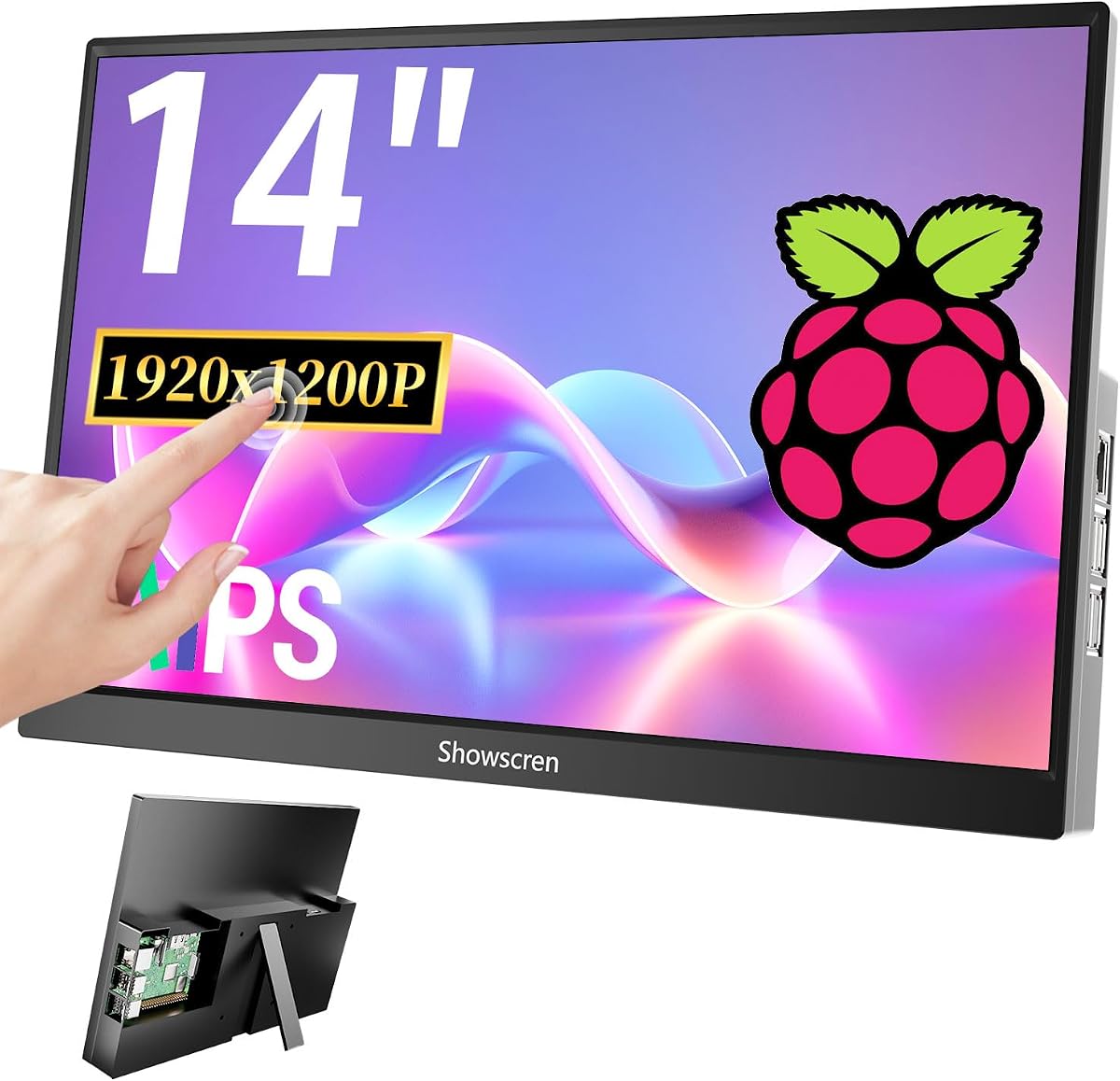
The 14-inch touchscreen monitor is aimed at users who want a Raspberry Pi to function more like a conventional compact computer. Its larger footprint, IPS panel, kickstand, cooling fan, and VESA mounting support distinguish it from the smaller dedicated displays, although its 3.5 rating suggests that some buyers may have found aspects of the overall implementation less satisfactory.
We may earn a commission when you buy through this link, at no additional cost to you.
The rear cover can hold Raspberry Pi 5B, 4B, 3B, and 3B+ boards, creating a self-contained mini-PC arrangement. HDMI and USB-C connections allow use with PCs, laptops, game consoles, TV devices, Raspberry Pi Zero, and other compatible sources. Multi-point touch is available for Raspberry Pi use when the USB-A cable is connected, while the listed game systems and MacBook do not support touch.
Its standout practical feature is flexible placement. The monitor can duplicate or extend a desktop, serve as a second screen, or switch between landscape and portrait. A built-in kickstand supports tabletop use, and a 75x75mm VESA pattern allows wall mounting. The cooling fan is useful for sustained workloads, though the product information notes that it produces some audible sound and can be used selectively.
This monitor makes the most sense when screen area is the priority and a Raspberry Pi 5 or 4 is being converted into a portable office, kiosk, or development station. It is less attractive for a small embedded panel or a quiet workspace. Check the connection requirements carefully because video and touch use separate paths.
The 14-inch panel offers a meaningful step up from 7-inch and 10.1-inch options. It can support expanded desktop layouts, documentation windows, and more detailed control interfaces without requiring a full desktop monitor.
The combination of a kickstand, landscape or portrait modes, and VESA compatibility makes the display adaptable to temporary workstations and more permanent wall-mounted installations.
We may earn a commission when you buy through this link, at no additional cost to you.
The Raspberry Pi Touch Display 2 is a 7-inch LCD designed specifically for Raspberry Pi boards, and it carries the highest customer rating in this guide at 4.5. Its defining specifications are a 720×1280 resolution, 24-bit RGB color, a black bezel, and responsive touch functionality designed to make interaction straightforward.
We may earn a commission when you buy through this link, at no additional cost to you.
The portrait-oriented pixel format is notable because it provides 921,600 total pixels while maintaining a compact physical size. That makes it potentially useful for vertical interfaces, menu systems, recipe displays, instructional panels, and other projects where a tall screen is preferable. The 24-bit RGB specification supports vibrant, detailed color reproduction for graphics and information-rich interfaces.
The supplied product information is concise and focuses on display size, resolution, color depth, compatibility, and touch response rather than connection methods or included accessories. As a result, buyers should confirm the exact port arrangement, ribbon-cable requirements, operating-system support, and included hardware against the current listing before committing to the product.
This is a good choice for buyers who prioritize a Raspberry Pi-specific touchscreen, a compact form, and strong color depth. The lack of detailed connection information and the unusual resolution should be weighed against the more extensively documented alternatives. For a dedicated control panel, however, its high rating and focused design are compelling.
A 720×1280 canvas provides more vertical space than conventional 800×480 landscape panels. It is well suited to lists, step-by-step instructions, vertical dashboards, and menu-driven appliances.
The display is explicitly designed for Raspberry Pi boards, which makes it a natural choice for embedded projects. Buyers should still verify the current connection details and software requirements with the seller.
We may earn a commission when you buy through this link, at no additional cost to you.
The Hosyond 5 Inch Touchscreen is the most compact option in the guide and a practical budget choice for small Raspberry Pi projects. It has a 4.4 rating, a 5-inch IPS panel, 800×480 resolution, capacitive touch, and a direct MIPI DSI interface that eliminates the need to install display drivers.
We may earn a commission when you buy through this link, at no additional cost to you.
Compatibility extends across Raspberry Pi 5, 4B, 3B+, 3B, 3A+, 2B, 1B+, and 1A+ models. Raspbian supports two-point page zoom on older versions, while Ubuntu, Kali, and Windows 10 IoT support single-touch operation. PWM backlight control allows the display brightness to be adjusted, which is useful in changing ambient light or for reducing distraction in a custom enclosure.
The small screen is the principal limitation. At 800×480, there is limited room for dense documents, multiple application windows, or complex desktop controls. It is better suited to a single-purpose interface, a status display, a compact menu, a sensor readout, or a small portable terminal. It also cannot serve as a general HDMI monitor without additional hardware.
Choose this model if your project needs a straightforward Pi-native display in the smallest available form. It is a sensible entry point for maker projects, custom appliances, and portable controls where a larger display would be unnecessary. Its combination of broad model support, driver-free installation, and a 4.4 rating makes it our best budget pick.
Five inches is most effective when the interface presents one task at a time, such as sensor readings, playback controls, temperature settings, or a compact navigation menu. Larger workspaces favor one of the 10.1-inch or 14-inch options.
The direct MIPI DSI path handles both display output and touch operation on compatible Raspberry Pi configurations. That reduces wiring and makes this display convenient for compact embedded builds.
We may earn a commission when you buy through this link, at no additional cost to you.
The ROADOM 10.1-inch monitor combines a 1024×600 IPS touchscreen with a 4.3 rating and one of the most complete accessory packages in the guide. It is designed for Raspberry Pi systems while also supporting Windows, Linux distributions, macOS video use, alternative single-board computers, game consoles, computers, and TV boxes.
We may earn a commission when you buy through this link, at no additional cost to you.
The IPS panel provides a 178-degree viewing angle, 300cd/m² brightness, and a 700:1 contrast ratio. Five-point capacitive touch responds in 3-5 milliseconds and supports tapping, zooming, swiping, and mouse clicks. Video travels over HDMI, while touch uses USB Type-C. A GPIO power cable can power the screen and Pi from one source, and the included package contains HDMI and Micro-HDMI cables, USB-A adapters, a power adapter, a mounting kit, and a manual.
The integrated housing combines the LCD, circuit board, and casing without exposed printed circuit boards or fragile exposed ribbon cables. Dual one-watt speakers add audio without requiring separate desktop speakers. An adjustable stand supports different height and tilt positions, while duplicate, extend, and second-screen modes make the display useful beyond Raspberry Pi projects.
The most important compromise is the 1024×600 resolution. Although it is clearer than 800×480 and well suited to dashboards, it cannot match the 1280×800 or 1920×1200 alternatives. The product also advises removing the pre-installed screen protector for the best touch experience. This is still a strong choice for a portable, self-contained Pi setup with a generous accessory bundle.
The supplied cables, adapter, mounting hardware, and manual reduce the need to source separate parts. This is particularly helpful for portable projects that must be assembled quickly and carried between locations.
Support for HDMI computers, TV boxes, game consoles, and multiple operating systems gives the display broader value. Touch behavior varies by platform, so confirm the required input and operating system before finalizing a project.
We may earn a commission when you buy through this link, at no additional cost to you.
The 8-inch touchscreen occupies an unusual middle ground between compact embedded panels and 10.1-inch portable monitors. With a 4.1 rating, a 1280×800 IPS display, five-point capacitive touch, dual speakers, and flexible mounting, it offers a useful balance for Raspberry Pi dashboards, portable work areas, and shared control displays.
We may earn a commission when you buy through this link, at no additional cost to you.
The glossy panel supports a 178-degree viewing angle, while touch responses are specified at two seconds in the product information. Video and power use HDMI and USB, and a separate USB connection is required to enable touch. The detachable backboard supports horizontal or vertical positioning and standard 100mm, 75mm, and 50mm wall-mount patterns.
Compatibility is broad across Raspberry Pi 5, 4, 3B+, 3B, 3B+, 2, and Zero models, as well as Octo Pi, Banana Pi, Retro Pi, game consoles, computers, and TV boxes. Windows, Raspbian, Noobs, Kali Linux, Debian, Ubuntu, and Kodi are listed as supported operating environments, although touch is unavailable on iOS.
This model is best for users who want more resolution than a 7-inch 800×480 display without moving to a larger 10.1-inch enclosure. Its limitations are the lack of a built-in Raspberry Pi compartment and the need for separate video and touch connections. Nevertheless, the mounting flexibility and compact dimensions make it appealing for custom installations.
At 1280×800, the eight-inch display provides more information than standard 800×480 panels while remaining easier to carry than larger portable monitors. It is a practical middle ground for status dashboards and compact desktops.
The removable backboard and support for several common wall-mount sizes make the screen adaptable to a custom enclosure, kiosk, or fixed control panel. Its video and touch connections must be routed carefully.
We may earn a commission when you buy through this link, at no additional cost to you.
The ELECROW 10.1-inch monitor is a lightweight, portable option with a 4.4 rating and a 1280×800 IPS display. At 521 grams and measuring 24 by 15.7 centimeters, it is well suited to mobile projects, temporary workstations, and compact installations that need more usable space than a small panel.
We may earn a commission when you buy through this link, at no additional cost to you.
Touch behavior depends on the operating system. Windows 11, 10, 8, and 7 support five-point touch, while Raspberry Pi OS, Ubuntu, Kali Linux, and Windows 10 IoT support single-point interaction. HDMI handles video and USB supplies power and touch connectivity. The product is compatible with Raspberry Pi 5, 4, 3, Jetson Nano, laptops, game consoles, Banana Pi, BeagleBone, PCs, and other supported devices.
A major advantage for maker projects is the set of four rear mounting holes. These allow the display to be attached to a wall, integrated with an SBC, or used as part of a custom project. The protective acrylic case adds physical protection while maintaining a relatively clean, portable profile.
The main limitation is that the 1280×800 canvas, while sharper than 800×480, offers less desktop room than 1920×1200 alternatives. Single-point touch on Raspberry Pi OS may also restrict advanced gestures. Choose this display when portability, simple mounting, and broad device support matter more than maximum resolution or a fully integrated Pi enclosure.
The stated 521-gram weight and compact dimensions reduce the burden of carrying a complete Pi setup. The protective acrylic casing helps the display withstand frequent transport better than a bare panel.
Rear mounting holes offer more freedom than a fixed stand alone. They allow the screen to become a component in a custom kiosk, robot, control panel, or portable workstation rather than a separate desktop accessory.
We may earn a commission when you buy through this link, at no additional cost to you.
The MAGEX 10.1-inch FHD monitor combines 1920×1200 resolution, ten-point capacitive touch, and a Raspberry Pi-ready enclosure to create one of the most advanced portable options in the guide. Its 4.4 rating reflects a well-rounded product designed for Pi 5, 4, 3B+, 3, 2, and Zero systems.
We may earn a commission when you buy through this link, at no additional cost to you.
The glossy IPS panel provides wide viewing angles, accurate full-color output, blue-light reduction, and flicker-free operation. Touch response is listed at 3-5 milliseconds, and the ten-point layer supports detailed gestures. The detachable rear cover reveals a compartment for directly mounting the Raspberry Pi, while the housing and internal cable routing help keep the finished system tidy.
Additional features make it more of an all-in-one workstation. Dual speakers provide audio, and a mini fan circulates air around the Pi for heat dissipation. Connectivity uses HDMI for display output and the USB touch port for input, with no driver installation required. The display also supports Windows, Raspbian, Noobs, Kali Linux, Debian, Ubuntu, and Kodi, along with several alternative SBCs, consoles, computers, and TV boxes.
Touch does not work with iPhones, iPads, or Macs, and the fan may create some background sound. These are reasonable limitations for a product focused on Raspberry Pi. With its high resolution, enclosed Pi mounting, clean wiring, and extensive desktop-like features, this is an excellent option for developers and advanced makers who want a finished portable station.
The 1920×1200 resolution offers roughly twice the pixel count of 1024×600 screens. That additional space supports more detailed dashboards, larger text, multiple windows, and more comfortable desktop navigation.
Mounting the Pi inside the case protects the board and hides much of the wiring. The result is closer to a finished mini-PC than a collection of loose components connected to a portable monitor.
We may earn a commission when you buy through this link, at no additional cost to you.
The ROADOM 10.1-inch HDMI touchscreen provides a 4.2 rating, a 1024×600 IPS panel, and a straightforward way to add an interactive display to a Raspberry Pi. It supports Raspberry Pi 5, 4, 3, Zero, and 400 systems, alongside Banana Pi, Retro Pi, Octo Pi, consoles, computers, and TV boxes.
We may earn a commission when you buy through this link, at no additional cost to you.
The display uses HDMI for video and MicroUSB for touch, with a 3-5 millisecond capacitive touch response and support for up to five points. It works with Windows, macOS, Raspberry Pi OS, Noobs, Debian, Ubuntu, and Kodi, although iOS touch is unavailable. The included GPIO power cable can provide a cleaner single-source power arrangement, while dual built-in speakers add audio for media and gaming.
The package includes the monitor, HDMI and MicroUSB cables, GPIO power cable, a 5V 3A power adapter, mounting screws, a screwdriver, and Raspberry Pi installation cables. The Pi can be mounted to the back, and cotton foam packaging is used for shipping protection. The integrated enclosure avoids the exposed electronics and exposed ribbon cables found on bare display boards.
This is a practical option for users who want an immediately usable 10.1-inch Pi display without requiring a high-resolution desktop workspace. Its 1024×600 panel and 178-degree viewing angle are suitable for dashboards, media, and kiosk-style controls. Compared with higher-resolution models, it trades sharpness and workspace for a simpler package and more accessible physical layout.
The supplied power, data, and mounting accessories reduce assembly time. The GPIO power option can also simplify cable management when the display and Pi are mounted together.
A 10.1-inch IPS panel is large enough for readable controls and media playback while remaining portable. The built-in speakers make it especially convenient for entertainment and demonstration systems.
We may earn a commission when you buy through this link, at no additional cost to you.
The most suitable Raspberry Pi touchscreen depends on how the Pi will be used, the available space, the operating system, and the importance of a clean finished installation. Evaluate interface, touch behavior, resolution, enclosure, power, and mounting before buying.
A dedicated MIPI DSI display connects directly to compatible Raspberry Pi models and is particularly convenient for embedded projects. It generally keeps the system tidy because touch and display functions are handled through the Pi's own display connection. An HDMI touchscreen is more versatile, however, and can also serve a computer, console, TV box, or other compatible source. The extra USB cable required for touch and external power should be included in your setup budget.
In short, choose MIPI DSI for a Raspberry Pi-only installation and HDMI for flexibility. Check the supported Pi model list before selecting either interface.
A 5-inch screen is best for simple status readouts and tightly embedded controls, while a 7-inch panel is more comfortable for menus and small dashboards. The 8-inch and 10.1-inch options suit mobile workstations, classroom use, and richer interfaces, while a 14-inch display is closer to a conventional compact desktop monitor. Touch targets should be large enough for the intended user, and the viewing distance should match the screen size.
Match physical size to the task rather than choosing the largest affordable option. A larger display is not automatically better for a single-purpose appliance.
Resolution determines how much information can appear without scrolling or shrinking. The 800×480 panels found on the Hosyond displays are simple and effective for dedicated interfaces, but they offer limited room for desktop work. A 1024×600 screen is more comfortable, 1280×800 provides a useful middle ground, and 1920×1200 is preferable for code, detailed dashboards, and multiple windows.
Prioritize resolution if the Pi will function as a desktop. For a fixed control panel, prioritize touch target size and readability instead.
Single-point touch is sufficient for buttons, menus, and basic navigation. Multi-point capacitive touch enables gestures, pinch-to-zoom, and more natural manipulation. Touch support can also depend on the operating system and connection method: several Raspberry Pi displays offer single-point operation in Raspberry Pi OS even when a portable monitor supports five or ten points on Windows.
Verify operating-system support before buying. Hardware compatibility alone does not guarantee that every gesture works in every environment.
A Raspberry Pi may be able to power a small display through a GPIO connection, while larger portable monitors often need a separate power adapter. Built-in fans can help during long workloads, but they add noise and another moving part. Integrated Pi compartments and concealed cables create a cleaner result, whereas bare screens and exposed boards are easier to modify but may require additional assembly.
Plan the power source before finalizing the enclosure. Choose cable management and cooling based on portability, noise sensitivity, and operating duration.
A kickstand is useful for temporary desktop use, while rear mounting holes or VESA compatibility make permanent installation easier. Removable back covers can support frequent transitions between a protected travel configuration and an open mounting configuration. Lightweight displays are easier to carry, but a larger screen with a built-in Raspberry Pi compartment may provide a more robust all-in-one design.
Decide whether the display is primarily portable, fixed, or adaptable. Confirm the included stand, screws, mounting pattern, and enclosure dimensions.
The best Raspberry Pi screen may also be used with Windows, Linux, macOS, game consoles, and alternative single-board computers. However, video compatibility does not guarantee touch compatibility. iOS and Apple mobile devices are commonly listed as video-capable but not touch-capable, and some game systems have no touch support even though their video output works.
List every device and operating system you plan to connect. Compare those requirements with the seller's compatibility notes before ordering.
Before connecting the display, power the Raspberry Pi down and identify the correct video, touch, and power connections. For a DSI panel, attach the specified ribbon cable to the compatible Raspberry Pi port. For an HDMI model, connect HDMI for video, use the designated USB cable for touch, and connect the required external power supply. Tighten connectors gently and avoid folding or sharply bending ribbon cables.
Power on the Pi with the display connected, then follow the seller's instructions for any required display settings or software configuration. Most products in this guide advertise driver-free operation, but compatibility can vary by Raspberry Pi model and operating system. Test basic touch input, screen rotation, backlight adjustment, audio, cooling, and every display mode before installing the screen permanently.
For a portable build, use the included stand or mounting holes and provide adequate ventilation around the Pi. Do not place the active display against a surface that blocks its fan. Clean the panel with a soft microfiber cloth and a small amount of suitable screen-cleaning solution applied to the cloth rather than directly to the display. Avoid abrasive pads, compressed air, and cleaning products that could damage coatings or the touch surface.
No. Compatibility depends on the display's interface, cable layout, software support, and the specific Raspberry Pi model. The Hosyond DSI displays list several supported Pi boards, while portable HDMI screens generally support a wider range because they use standard video and USB connections. Always check the model's current compatibility list before purchasing.
Most of the products in this guide advertise driver-free or plug-and-play operation. The Hosyond panels use the Raspberry Pi's MIPI DSI interface directly, while the portable monitors use HDMI for video and USB for touch. Operating-system images and particular Pi models can still introduce differences, so test the display with the Raspberry Pi OS version you plan to use.
A 7-inch display is more portable and better suited to embedded controls, status screens, and small menus. A 10.1-inch display offers more workspace and is easier to use for coding, media, dashboards, and general desktop tasks. Resolution also matters: two similarly sized screens can feel very different depending on whether they use 800×480, 1024×600, 1280×800, or 1920×1200.
The HDMI cable normally carries the video signal, while the USB cable carries touch input and may also provide power. Some models offer a GPIO power route for Raspberry Pi installations. Other devices may use USB-C for touch or an external power adapter, so the exact connection pattern varies by product and operating system.
Many HDMI models can display video from compatible computers and consoles. Touch support is less consistent and may be disabled on iOS, Apple devices, or particular game systems. The listed compatibility notes distinguish video compatibility from touch support, so check both requirements if you intend to use more than one source.
Glossy panels can look vivid and show reflections, while matte finishes can reduce glare in bright environments. The listed products primarily use glossy IPS screens, so placement and viewing angle matter. In a kiosk, dashboard, or classroom, position the display away from direct reflections and ensure the viewing angle suits users.
It depends on the model and connection method. Smaller DSI displays can commonly draw power from the Raspberry Pi, while several larger portable monitors specify a 5V or 12V adapter. HDMI models often provide a GPIO cable for Raspberry Pi use but still require external power in some configurations. Follow the supplied instructions rather than assuming every included cable is the power source.
Choose a model with rear mounting holes, a VESA pattern, or a Pi compartment in the rear cover. A kickstand is convenient for temporary use, while fixed mounting suits kiosks, robots, wall panels, and control stations. Confirm the dimensions, mounting pattern, ventilation, and cable paths before cutting holes or designing an enclosure.
The Hosyond 7 Inch IPS Display is the strongest all-around choice for dedicated Raspberry Pi projects because it combines native DSI integration, simple installation, broad model support, and a compact format. The MAGEX 10.1-inch FHD monitor is the premium option for high-resolution work, and the Hosyond 5-inch display provides the most space-conscious and budget-friendly dedicated solution.
For a portable workstation with more space, compare the 10.1-inch and 14-inch models based on resolution, size, enclosure, and cooling. Give priority to touch support in your exact operating system, the availability of video and power connections, and the amount of workspace your application genuinely needs. A simpler interface may be better served by a small DSI panel than by a larger general-purpose monitor.
Product listings, accessories, specifications, and costs can change, so confirm the current details before ordering. Check the latest compatibility statement, included cables, power requirements, mounting hardware, and seller documentation to ensure the screen fits both your Raspberry Pi and your intended project.