
HP OmniBook 3 17 inch FHD Laptop AMD Ryzen 5 8GB RAM 512GB SSD Silver
5.0Editor score
17.3-inch Full HD display
Wi-Fi 7 wireless connectivity
Up to 12-hour battery life
HDMI 2.1 and USB-C
A Laptop with WiFi 7 can provide a noticeable upgrade for people who work across crowded networks, move large files, stream in high resolution, or regularly connect through busy airports, offices, and shared home networks. The standard is most useful when paired with a compatible router, service plan, and nearby access point, so hardware alone does not guarantee faster internet.
This guide compares ten laptops spanning everyday, business, premium, and portable designs. We considered wireless standards, processor performance, memory, storage, display quality, battery information, connectivity, portability, and practical features such as touchscreens, privacy controls, backlit keyboards, and AI acceleration. Some selections use Wi-Fi 6 or 6E to provide useful alternatives when Wi-Fi 7 is not essential.
The rankings show why screen size, battery capacity, processing power, and connectivity requirements can matter more than the newest wireless label. The top selections range from a large HP OmniBook to a compact Apple MacBook Air and a feature-rich Dell model. Product availability and prices can change, so readers should verify current specifications, wireless support, and retailer listings before purchasing.
5.0Editor score

4.5Editor score

4.7Editor score
As an Amazon Associate we earn from qualifying purchases.
The table below compares the ten laptops by display, processor, memory, storage, wireless support, and major productivity features. It includes four explicit Wi-Fi 7 models alongside alternatives with Wi-Fi 6 or 6E for shoppers whose priority is balanced everyday performance.




The HP OmniBook 3 17 inch FHD Laptop is the leading budget-oriented option in this guide, combining a large 17.3-inch display with Wi-Fi 7 in an everyday configuration. Its supplied rating is 5.0, and the strongest attractions are the expansive Full HD IPS panel, 300-nit brightness, anti-glare finish, and generous physical connectivity for a home or office desk.
We may earn a commission when you buy through this link, at no additional cost to you.
Performance comes from an AMD Ryzen 5 4000-series processor with four cores and a stated boost clock of up to 4.3GHz. While that processor is not the newest centerpiece of this list, it should handle browsing, office applications, video calls, and ordinary multitasking. The 512GB SSD provides practical storage, while 8GB of RAM is the clearest limitation for users who routinely keep many browser tabs, large applications, and several communication tools open at once.
The laptop includes Wi-Fi 7, Bluetooth, a 1080p camera with a physical privacy shutter, dual microphones, HDMI 2.1, USB-C 3.1 with DisplayPort 1.4, and USB-A connections. Those ports are useful because a large display does not eliminate the need for a dependable wired setup. The stated battery life of up to 12 hours also makes it suitable for full lecture days or travel, although real results will depend on screen brightness, wireless conditions, and workload.
This is a strong choice for students, home users, and office workers who want the latest wireless standard without paying for premium processing hardware. It is less suitable for intensive video editing, large virtual machines, or professional software that demands more memory and processing headroom. For those who value screen area, everyday usability, and Wi-Fi 7 over maximum performance, the OmniBook 3 17-inch is a convincing budget-focused recommendation.
The 17.3-inch Full HD IPS display provides 1920 by 1080 resolution and a 62.5% sRGB color gamut. Its anti-glare treatment can make extended reading and classroom use more comfortable, while the large dimensions are helpful for spreadsheets, documents, and side-by-side applications.
Wi-Fi 7 can offer higher throughput and better handling of crowded wireless environments when the router also supports the standard. HDMI 2.1 and DisplayPort-capable USB-C ports also make the laptop easier to connect to a larger desktop monitor.
We may earn a commission when you buy through this link, at no additional cost to you.
The HP OmniBook 3 17.3-inch combines Wi-Fi 7, an Intel Core Ultra 7 processor, and 16GB of DDR5 memory in a large business-oriented design. The supplied data does not include a published rating, so this review does not assign one based on inference. Its appeal comes instead from a balanced specification set designed for productivity, collaboration, and multitasking.
We may earn a commission when you buy through this link, at no additional cost to you.
The Intel Core Ultra 7 255U AI Processor is presented as a capable option for business tasks, productivity applications, video conferencing, and everyday computing. Memory is a major strength: 16GB of DDR5 RAM gives users more room for numerous applications than the 8GB configuration in the first HP model. A 512GB PCIe SSD supports quick access to documents and applications, although a 1TB drive would be preferable for large media libraries or extensive local project files.
A backlit full-size keyboard, numeric keypad, precision touchpad, and 1080p privacy camera make this configuration well suited to long office sessions. AI noise reduction can help during remote meetings, while multiple high-speed ports reduce the need for adapters. The 17.3-inch Full HD IPS display provides ample workspace, although its size makes this a better home or desk laptop than a highly mobile travel companion.
The HP OmniBook 3 17.3-inch is a sensible match for office professionals, students, and hybrid workers who want modern processing power, sufficient memory, and Wi-Fi 7 in a traditional large-screen format. It is especially attractive for users who value a numeric keypad and backlit keyboard. The primary caveat is the lack of a supplied rating, so buyers should examine recent customer feedback and confirm current configuration details.
The 16GB DDR5 allocation gives this model better headroom for multitasking than an 8GB laptop. It is a more practical fit for spreadsheet-heavy work, numerous browser tabs, video meetings, and business applications that remain open throughout the day.
A backlit keyboard helps during low-light use, while the numeric keypad supports spreadsheets and data entry. The camera's physical privacy shutter provides a straightforward way to prevent accidental video capture.
We may earn a commission when you buy through this link, at no additional cost to you.
The HP OmniBook 7 AI Touchscreen is the most fully equipped Windows selection here, with a 5.0 supplied rating, Wi-Fi 7, 32GB of memory, a 1TB SSD, and an Intel Core Ultra 7 258V processor. Its 17.3-inch Full HD touchscreen reaches 400 nits, making it easier to view in bright surroundings than many conventional office panels.
We may earn a commission when you buy through this link, at no additional cost to you.
The processor includes an NPU rated up to 47 TOPS, supporting the broader Copilot+ PC concept and locally handled AI features. That is most relevant to users interested in AI-assisted workflows, efficient background processing, and modern Windows capabilities. The 32GB of onboard RAM is ample for serious multitasking, while the 1TB PCIe M.2 SSD provides room for substantial project files, media, and installed applications.
Connectivity is particularly strong. Thunderbolt 4 offers 40Gbps data transfer, display expansion, and one-cable docking, while the additional USB-A and USB-C ports, HDMI 2.1, and audio jack cover a wide range of accessories. A 6-cell 83Wh battery, 17W TDP processor design, 5MP IR camera, Poly Camera Pro, noise reduction, DTS:X Ultra audio, and dual speakers create a polished productivity and communication platform.
This OmniBook suits professionals, creators, and students who want a large, bright touchscreen, generous memory, and modern connectivity in one system. Its size and weight make it less suitable for people who travel with a minimal setup, and Windows Home is a consideration for organizations requiring certain centralized management features. Even so, it is a compelling premium pick for a desk-centered Windows workflow.
The NPU's stated capability of up to 47 TOPS adds dedicated hardware for compatible AI workloads. Combined with 32GB of RAM, the platform is well suited to multitasking and keeping demanding applications available without immediately exhausting memory.
The edge-to-edge glass, narrow bezels, and 400-nit brightness make the display useful for presentations, touch navigation, and shared viewing. The large 83Wh battery is designed to support extended work sessions between charges.
We may earn a commission when you buy through this link, at no additional cost to you.
The Acer Aspire 14 AI is a strong alternative for shoppers who prioritize mobility, battery life, and modern processing over the newest wireless standard. Its 4.4 rating reflects a broadly favorable product, while its Wi-Fi 6E connection provides high-speed wireless performance but does not meet the explicit Wi-Fi 7 requirement.
We may earn a commission when you buy through this link, at no additional cost to you.
The Intel Core Ultra 7 processor in Series 2 works with the Intel Arc 140V GPU and an NPU rated up to 47 TOPS. This combination supports productivity, creativity, security-oriented features, and smooth multitasking. The included 16GB of LPDDR5X and 1TB SSD provide a strong memory and storage foundation, while the 1920 by 1200 WUXGA display offers more vertical resolution than a conventional Full HD panel.
AcerSense gives direct access to settings and features for device management, video presence, and communication. The 180-degree hinge allows the laptop to lie flat, which is useful for different workspace arrangements. Acer also advertises up to 22 hours of battery life under specific video-playback conditions, making the lightweight aluminum design appealing for students and frequent travelers.
The Aspire 14 AI is a strong choice for mobile students and professionals who want modern AI hardware, a sharp display, and long battery potential. It is not the appropriate recommendation for someone who specifically needs Wi-Fi 7, although it is a well-balanced alternative when a compatible Wi-Fi 6E router and network are available. Software feature availability can also vary by device, market, and update schedule.
The advertised battery life of up to 22 hours is based on particular video-playback test conditions, so real use will vary. Even so, the efficient processor and low-power display design make this a compelling option for long days away from an outlet.
The CPU, GPU, and NPU combination is intended to accelerate compatible AI tasks while retaining efficient performance. The 180-degree hinge also makes the display easier to share or reposition for different tasks.
We may earn a commission when you buy through this link, at no additional cost to you.
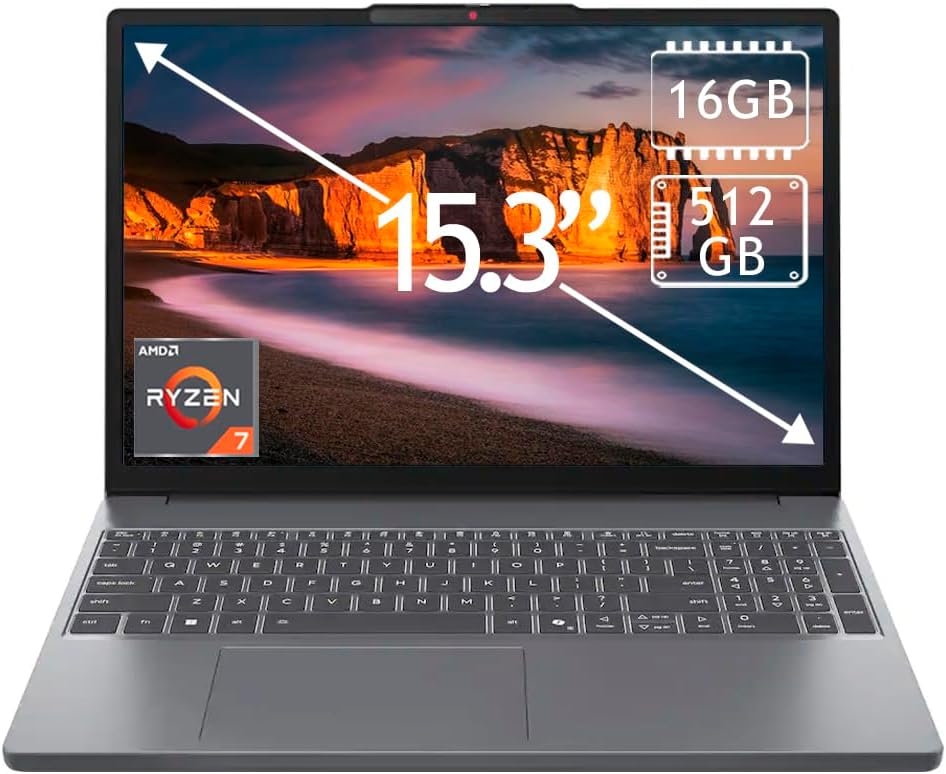
The Lenovo IdeaPad Slim 3 stands out for its 15.3-inch 2K touchscreen, a combination that can make documents, photos, and streaming look more detailed than on a standard Full HD display. Its supplied rating is 5.0, but the laptop uses Wi-Fi 6, so it is better viewed as a compelling display-focused alternative than a true Wi-Fi 7 recommendation.
We may earn a commission when you buy through this link, at no additional cost to you.
An AMD Ryzen 7 170 processor, 16GB of DDR5 RAM, and a 512GB PCIe SSD form a capable everyday platform. The memory is particularly welcome for users moving between browser-heavy research, communications, and productivity applications. Fast storage should contribute to responsive startup and file access, while the 512GB capacity is adequate for common documents, media, and a moderate application library.
The 2K touchscreen supports direct interaction with presentations, creative applications, and content. A Full HD webcam improves the quality of online classes and meetings, and Bluetooth supports convenient peripheral pairing. Windows 11 Home comes preinstalled, providing the familiar Microsoft interface, security features, and application ecosystem.
The IdeaPad Slim 3 is best for students, families, and creative users who want a sharp touchscreen without moving to a premium model. It falls short for buyers who require Wi-Fi 7 or a detailed battery specification. For general home use, schoolwork, media consumption, and touch-enabled productivity, however, its resolution and memory make it a well-balanced option.
The higher resolution provides additional sharpness for text, images, and detailed work. It also creates a more refined viewing experience when the laptop is used as a compact desktop display for school or creative projects.
Sixteen gigabytes of DDR5 is enough for many simultaneous applications, making this configuration more flexible than typical entry-level laptops. The PCIe SSD complements it with quick access to frequently used files.
We may earn a commission when you buy through this link, at no additional cost to you.
The Dell 16 Plus Touchscreen is the strongest all-around option because it combines explicit Wi-Fi 7 support with high-end processing, 32GB of memory, a 1TB SSD, a 16:10 touchscreen, and an extensive port selection. Its supplied 4.5 rating further supports its position as a well-rounded professional laptop.
We may earn a commission when you buy through this link, at no additional cost to you.
The Intel Core Ultra 9 288V vPro processor includes 12 cores, performance up to 5.3GHz, and an NPU rated at 12 TOPS. The Intel Arc 140V GPU and 32GB of LPDDR5X memory support demanding productivity, content creation, and multitasking. The 1TB PCIe NVMe SSD provides generous storage, while the 16-inch 1920 by 1200 touch display offers a roomy 16:10 workspace with ComfortView support.
Wireless specifications are particularly strong: Wi-Fi 7 with 2×2/160 Gig+ support and Bluetooth 5.3. Connectivity also includes USB-C with DisplayPort 1.4 and power delivery, Thunderbolt 4 with DisplayPort 2.1, HDMI 2.1, USB-A, and an audio jack. A backlit Copilot key, numeric keypad, fingerprint reader, FHD+ webcam, and AI noise cancellation support office and conferencing use.
The Dell is ideal for professionals who need modern wireless performance and have room for a larger 16-inch machine. It is less convenient for travel than a compact 13-inch laptop, and organizations may need to account for Windows Home when assessing centralized management. Despite those caveats, the combination of Wi-Fi 7, processing power, memory, storage, and professional connectivity makes it the most convincing balanced choice.
The 2×2 Wi-Fi 7 radio is designed for high throughput and dependable operation in busy network environments. Paired with the Intel Core Ultra 9 vPro platform, it gives professionals a capable combination for demanding office workloads.
The 16:10 touchscreen presents more vertical space than a traditional 16:9 panel, which helps with documents and side-by-side work. Thunderbolt 4, HDMI 2.1, and DisplayPort options make it easy to build a multi-monitor workstation.
We may earn a commission when you buy through this link, at no additional cost to you.
The HP 15.6-inch FHD Touchscreen is a memory-rich everyday laptop with a supplied rating of 4.0. Its defining features are 32GB of RAM, a 1TB NVMe SSD, and an AMD Ryzen 7 7730U processor with eight cores and 16 threads. The wireless standard is Wi-Fi 6, making this an alternative for shoppers who care more about performance headroom than Wi-Fi 7.
We may earn a commission when you buy through this link, at no additional cost to you.
The large memory allocation allows numerous applications, research tabs, spreadsheets, and meetings to remain open with less risk of slowdown. The 1TB storage capacity is also more future-friendly for extensive files. The processor provides solid multitasking capability, although it belongs to an older generation than several Core Ultra models in this comparison and may not match them in specialized AI or media workloads.
Its 15.6-inch Full HD IPS touchscreen supports direct interaction and provides clear visuals for classes, meetings, and streaming. A full-size keyboard with numeric keypad suits office work, and the HD camera includes a privacy shutter. USB-C, two USB-A ports, HDMI 1.4, and a headset jack provide the essential connections most users need.
The stated 3.52-pound design and battery life of up to 10.75 hours make this an approachable option for students, commuters, and remote workers. Windows 11 Pro may be useful for users who recognize its business and security capabilities. It is not the right choice for someone who specifically needs Wi-Fi 7, but its memory, storage, and portable form still make it a capable general-purpose machine.
The 32GB configuration is the standout feature, allowing heavy multitasking without the tight memory constraints common in less expensive laptops. It also provides useful headroom for virtualization, large project files, and future software updates.
The 3.52-pound chassis is easier to carry than many larger alternatives. A numeric keypad, privacy shutter, and stated battery life support commuting, study sessions, and hybrid office work.
We may earn a commission when you buy through this link, at no additional cost to you.
The Acer Aspire Go 15 AG15-42P-R917 is a mainstream laptop with a 4.4 supplied rating and a configuration aimed at work, school, streaming, and everyday computing. It does not support Wi-Fi 7, but its Ryzen 7 processor, 16GB memory, and fast storage create a solid alternative for buyers focused on balanced performance.
We may earn a commission when you buy through this link, at no additional cost to you.
The AMD Ryzen 7 7730U offers eight cores and 16 threads while maintaining power efficiency. Sixteen gigabytes of LPDDR4X memory supports responsive multitasking, and the 512GB PCIe NVMe SSD enables quick boot and application access. AMD Radeon graphics handle general visual workloads, making the laptop appropriate for productivity, media consumption, and light creative use.
The 15.6-inch Full HD IPS display has narrow bezels, wide viewing angles, and a comfortable size for work or study. USB-C, USB 3.2, HDMI, Wi-Fi 6, Bluetooth, and an HD webcam provide a practical connection package. The slim Pure Silver chassis also gives the system a more refined appearance than many basic office notebooks.
This Acer Aspire Go is a dependable choice for students, home offices, and employees who need capable everyday hardware without insisting on the latest wireless standard. It is less appropriate for buyers seeking Wi-Fi 7 or exceptionally broad port selection, and the 512GB SSD may need supplementing with cloud or external storage. For conventional productivity, however, the balance is solid.
Eight cores and 16 threads make the Ryzen 7 7730U capable of handling several productivity applications at once. Its power-efficient design also aligns well with a portable notebook used for regular travel or commuting.
The Full HD IPS panel offers clear visuals and broad viewing angles, while narrow bezels help the 15.6-inch display feel less bulky. It is a practical size for documents, streaming, and online classes.
We may earn a commission when you buy through this link, at no additional cost to you.
The Apple 2026 MacBook Air 13-inch is the compact premium choice, combining Wi-Fi 7, Bluetooth 6, the M5 chip, and an advertised battery life of up to 18 hours. Its supplied 4.7 rating places it among the strongest-reviewed products in the group, while its 13.6-inch form makes it far easier to carry than the larger alternatives.
We may earn a commission when you buy through this link, at no additional cost to you.
The M5 chip combines a faster CPU, unified memory, a powerful Neural Engine, and a next-generation GPU with Neural Accelerators. Apple Intelligence adds writing and task-oriented features, while the supplied privacy protections are designed to keep personal data secure. The 16GB unified memory and 512GB SSD provide a balanced configuration for general productivity, creative work, and smooth app switching.
The Liquid Retina display supports one billion colors, rich contrast, and sharp text. A 12MP Center Stage camera can keep the user framed during calls and share a top-down Desk View, while three microphones, four speakers, Spatial Audio, and Dolby Atmos improve the media experience. Two Thunderbolt 4 ports, MagSafe, and a headphone jack cover essential needs without compromising portability.
The MacBook Air is ideal for mobile professionals, students, and Mac users who want a compact premium device with modern wireless connectivity. It is less suitable for people who need numerous legacy ports, more than two external displays, or a large workstation screen. For macOS users who prioritize portability, battery life, and integrated hardware, it remains an excellent choice.
The thin, light design and stated battery life of up to 18 hours make the MacBook Air convenient for flights, commuting, and full academic days. Actual endurance varies with workload, display settings, and wireless conditions.
The Apple N1 wireless chip provides Wi-Fi 7 and Bluetooth 6, supporting modern network performance and accessory pairing in a tightly integrated platform. Its benefits are most apparent when paired with a compatible router and other Apple devices.
We may earn a commission when you buy through this link, at no additional cost to you.
The Acer Aspire Go 15 AI Ready is a practical conventional notebook with a supplied rating of 4.2. It offers a 4.3 rating in another separate Acer Aspire Go model, but this specific configuration uses Wi-Fi 6, 16GB of DDR4 memory, and a 512GB PCIe Gen4 SSD. Its strongest value is the combination of everyday processing, practical features, and helpful device-management tools.
We may earn a commission when you buy through this link, at no additional cost to you.
The AMD Ryzen 7 7730U supports responsive productivity and multitasking, while 16GB of memory is sufficient for standard office, school, and communication workloads. The PCIe Gen4 SSD provides quick boot and file access. Copilot in Windows and a dedicated Copilot key make generative AI assistance easy to reach, though the exact usefulness depends on the user's applications and workflow.
Its 15.6-inch Full HD IPS display has narrow bezels and supports Acer BluelightShield for users concerned about blue-light exposure. A full-function USB-C port, HDMI 2.1, and Wi-Fi 6 cover common daily needs. AcerSense provides a dedicated button for managing battery, storage, applications, and other device settings, while Acer TNR and PurifiedVoice support clearer virtual meetings.
This laptop is a sensible choice for home users and students who want modern Windows features, comfortable everyday performance, and simple maintenance controls. It does not meet the explicit Wi-Fi 7 requirement, and DDR4 is less advanced than the DDR5 used by several alternatives. If those limitations are acceptable, it remains a straightforward, functional AI-ready system.
Copilot in Windows places generative assistance close at hand, while the dedicated key reduces the effort required to begin a task. Users can use it across common applications without changing the entire way they manage their computer.
AcerSense centralizes controls for battery, storage, and applications in one accessible interface. Acer TNR and PurifiedVoice are intended to improve video-call clarity and presentation quality.
We may earn a commission when you buy through this link, at no additional cost to you.
The right laptop depends on how the wireless connection will be used, what applications must run simultaneously, and how often the device will travel. Wi-Fi 7 is only one part of the decision, so display quality, memory, battery design, processor capability, and ports deserve equal attention.
A laptop labeled as Wi-Fi 7 should be paired with a router, access point, and internet service that also support the standard. Wi-Fi 7 can improve throughput, responsiveness, and efficiency in congested wireless environments, but an older network or incompatible router may limit the benefit. Product listings can also mix Wi-Fi 7, Wi-Fi 6E, and Wi-Fi 6 models in the same search, so checking the exact model number and detailed specifications is essential.
Choose genuine Wi-Fi 7 when your network supports it or when you expect to upgrade soon. Otherwise, a Wi-Fi 6E or Wi-Fi 6 laptop can still deliver fast and stable everyday connections at a lower specification level.
Memory determines how comfortably a laptop can hold active applications, browser tabs, video calls, and background services. Eight gigabytes is workable for light productivity, but 16GB provides a better balance for students and professionals. The Dell 16 Plus, HP OmniBook 7, and HP 15.6-inch models provide 32GB, making them better suited to heavy multitasking and more demanding applications.
Choose 16GB for most modern work, 32GB for intensive multitasking or specialist workflows, and 8GB only when the budget and intended use are tightly limited.
Screen size affects portability, comfort, and available workspace. A 13.6-inch model is convenient for travel, 14 to 15.6 inches offers a balance of mobility and productivity, and 17.3 inches is preferable for stationary use, spreadsheets, and side-by-side work. Resolution and brightness should also be considered, as a higher-resolution panel can make text and images look sharper while a 400-nit display remains easier to view in bright environments.
Prioritize a 13-inch screen for mobility, 14 to 15.6 inches for general use, and 17 inches for a desk-based workspace. Add touchscreen capability only if touch interaction genuinely improves your routine.
The processor influences application performance, media handling, battery behavior, and the speed of on-device AI features. Intel Core Ultra 7 and Core Ultra 9 configurations provide more modern CPU, GPU, and NPU combinations, while AMD Ryzen 7 models offer capable everyday performance. Dedicated AI acceleration can be valuable for supported creative tools, calls, and Copilot workflows, but features vary by device, application, market, and software update.
Treat advertised TOPS figures as a measure of hardware capability rather than a guarantee of superior real-world results. Choose the processor primarily based on your applications, and view AI features as a useful secondary benefit.
A 512GB SSD can be sufficient for cloud-oriented users, while 1TB provides more room for large media, work projects, and installed applications. Fast PCIe storage improves startup and transfer times, but capacity still determines how much can be stored locally. Some laptops use onboard memory that cannot be upgraded later, making the original memory choice more important.
Choose 1TB when you keep large files locally or expect the laptop to last through several storage cycles. Pay special attention to whether memory is soldered before assuming the laptop can be upgraded.
Battery claims are often based on controlled testing and can differ significantly under real workloads. A lightweight 13-inch machine may be ideal for a full day away from an outlet, while a large 17-inch display can provide more workspace but is usually less convenient to carry. Display size, processor efficiency, battery capacity, and wireless activity all affect endurance.
For frequent travelers, prioritize weight, portability, and a stated battery figure. For desk-based use, a larger screen and extensive port selection may be more valuable than maximum mobility.
Modern laptops can require adapters for USB-A devices, external storage, displays, charging, and Ethernet. Thunderbolt 4 is particularly versatile for data transfer, charging, and display output, while HDMI simplifies connection to televisions and many monitors. A backlit keyboard, numeric keypad, and headset jack may matter more to office workers than an additional high-speed wireless feature.
List the accessories you use and confirm that the laptop includes the necessary connections. Choose USB-C or Thunderbolt for a modern desk setup, but keep a hub available if legacy peripherals remain part of your workflow.
Video calling and remote work place more importance on camera quality, microphone performance, privacy controls, and AI noise reduction. A physical camera shutter provides a simple, visible safeguard, while a fingerprint reader can make sign-in convenient. Windows Pro may offer additional management and security capabilities, while Windows Home is adequate for many personal and small-business workflows.
Look for a privacy shutter, dependable microphones, and secure sign-in options if you work remotely. Confirm the operating-system edition and organizational management requirements before buying.
After setting up the laptop, update Windows and the network driver before testing wireless performance. Connect to a compatible Wi-Fi 7 router or access point, select its network, and enter the correct security credentials. Placing the laptop near the access point can help during initial setup and makes it easier to distinguish device limitations from network congestion. A wired Ethernet connection is also useful for benchmarking, software downloads, and large transfers.
For the best results, keep the router firmware current and use a strong encryption password. Avoid public open networks for sensitive work, and use a trusted virtual private network when remote access is required. Wireless speed depends on the router, internet plan, distance, walls, interference, and service-provider equipment. Bluetooth accessories should be updated and paired only when their identity has been confirmed.
Maintain the laptop by keeping vents unobstructed, cleaning the screen with a soft lint-free cloth, and avoiding liquids near the keyboard. Check for operating-system and firmware updates regularly, keep free storage space available, and use a surge-protected outlet for long-term desk use. For battery health, avoid prolonged heat and use charging or power-saving modes when the task does not require maximum performance.
Wi-Fi 7 can deliver higher theoretical throughput and better performance in congested wireless environments. Real-world speed also depends on the router, internet service, distance, interference, and network configuration. A Wi-Fi 6E or Wi-Fi 6 laptop can still provide a fast connection, especially with a compatible network.
Yes. Wi-Fi 7 laptops remain compatible with routers and access points that support older standards. They will connect using the best mutually supported technology, but they will not realize the full potential of Wi-Fi 7. Upgrading the router may be worthwhile if the home or office network is congested or lacks capacity for modern devices.
No. The guide includes explicit Wi-Fi 7 models and several Wi-Fi 6 or 6E alternatives so the comparison reflects both the newest standard and practical competing configurations. Each product's wireless specification is listed explicitly. Shoppers who require Wi-Fi 7 should focus on the models identified with that standard.
Sixteen gigabytes is a sensible minimum for many modern users, particularly when running browser tabs, office applications, and video calls together. Thirty-two gigabytes provides more headroom for intensive multitasking, specialized applications, and future workloads. Eight gigabytes can work for lighter tasks but offers less flexibility.
It depends on the travel style. A 17.3-inch laptop offers excellent screen space but is less convenient to carry than a compact 13-inch or 14-inch model. Frequent flyers may prefer smaller dimensions and longer battery life, while students moving between classes can benefit from the larger display if weight is manageable.
Wi-Fi 7 and Thunderbolt 4 solve different problems. Wi-Fi 7 handles wireless networking, while Thunderbolt 4 provides high-speed wired transfers, charging, and display connectivity. Thunderbolt is valuable for docking stations and external SSDs, but it is not required to use Wi-Fi 7.
Look for the testing conditions, workload, and whether the figure represents video playback or heavier use. Real battery life varies with screen brightness, wireless signal, application demands, and power settings. For travel, use the published claim as a general indicator and keep a charger available when extended use is expected.
No. AI acceleration can improve supported features such as voice effects, creative tools, and Copilot functions, but the processor, memory, display, and battery still determine overall value. Choose AI hardware when a specific application benefits from it or when a longer software-support lifecycle matters to you.
The HP OmniBook 3 17 inch FHD is the practical budget choice for buyers who want a large screen, useful ports, and genuine Wi-Fi 7 without a premium configuration. The Dell 16 Plus Touchscreen is the most complete overall recommendation, combining Wi-Fi 7 with a Core Ultra 9 processor, 32GB of memory, a 1TB SSD, a 16:10 touchscreen, and extensive connectivity.
The Apple MacBook Air 13-inch is the standout premium portable, offering Wi-Fi 7, an M5 chip, a high-quality display, strong camera and audio features, and up to 18 hours of stated battery life. Buyers who do not specifically require Wi-Fi 7 should also compare the Acer Aspire 14 AI, Lenovo IdeaPad Slim 3, and other Wi-Fi 6 or 6E alternatives for their display, memory, and mobility benefits.
Before purchasing, verify the exact model number and current wireless specification, then check the latest retailer listing, component details, and customer feedback. Product configurations and prices can change over time, so the most suitable laptop is the one whose current specification still matches your router, software, display, and portability needs.