
Gigastone 1TB USB-C
4.3Editor score
Up to 1,050MB/s transfers
USB-A and USB-C interfaces
PlayStation 5 compatible
Three-year replacement warranty
A portable SSD can give a PS5 more room for modern games, archived PS4 titles, and other files without forcing you to delete favorites from the console’s internal drive. A good one should offer useful capacity, quick transfers, dependable construction, and clear compatibility with the way you play.
We compared ten storage options based on capacity, stated read and write speeds, interface standards, durability, platform support, physical design, and the product details provided by each manufacturer. The guide covers PS5-specific external drives, general-purpose external SSDs, and an officially licensed M.2 expansion option.
Each review explains what distinguishes the drive, where it fits best, and which compromises deserve attention. Ratings reflect the supplied customer feedback rather than personal testing, while technical performance can vary by console, port, format, and usage conditions. Product availability and pricing change over time.
4.3Editor score

4.8Editor score
4.6Editor score
As an Amazon Associate we earn from qualifying purchases.
The table below compares all ten options by their most important advertised traits, including capacity, interface, headline speed, and PS5 storage role, making it easier to identify the right drive for your console and routine.


The SanDisk Extreme 2TB Portable SSD for PS5 is a purpose-built external storage option with a 4.5 rating. Its most important distinction is not merely raw speed but the stated design, testing, and approval for PlayStation consoles. It combines 2TB of nominal capacity with advertised read speeds of up to 1,050MB/s, making it a natural fit for maintaining a larger personal game archive.
We may earn a commission when you buy through this link, at no additional cost to you.
The drive is intended to move games quickly between its own storage and the PS5’s internal drive. That workflow lets gamers keep more titles on the external device, copy selected games back when they want to play them, and avoid the need to permanently remove something from the console. A 2TB capacity also makes the drive useful for screenshots, videos, saved data files, and other storage that may sit alongside an expanding game library.
Its portability is supported by an IP65 rating and protection against drops of up to three meters, so it is better suited to travel and regular handling than a bare desktop drive. The trade-off is that this model is explicitly positioned for PlayStation use rather than as a universal multi-device drive. It does not claim that PS5 games can be played directly from the external storage, so buyers should understand the copy-back requirement before choosing it.
This is an excellent recommendation for a PS5 owner who wants a clearly game-focused, high-capacity archive and values physical resilience. It is particularly suitable for users with many digital purchases who regularly move large installs. Gamers who require direct PS5 game execution should instead look for a drive with the appropriate official compatibility language or an internal M.2 upgrade.
Keeping a two-terabyte drive near the console creates room for large game installs and useful backups. Players can organize the archive as their library grows, then transfer the games they currently want to play back to internal storage.
The IP65 rating and stated three-meter drop resistance improve confidence when the drive travels in a backpack or is moved between a living room, travel bag, and another gaming setup.
We may earn a commission when you buy through this link, at no additional cost to you.
The Seagate Game Drive for PS4 and PS5 offers 2TB of storage, official console licensing, and a distinctive blue LED accent. Its 4.5 rating reflects generally favorable customer feedback, while the product’s matching firmware is presented as a way to integrate smoothly with all PS4 and PS5 models. It targets gamers who value console-specific assurance over a broader collection of device compatibility.
We may earn a commission when you buy through this link, at no additional cost to you.
Capacity is the central benefit. A two-terabyte drive can reduce the need to delete, sacrifice, or repeatedly redownload games, allowing a larger collection of PS4 and PS5 software to remain on the external drive. The game-vault concept is especially relevant for digital libraries, and the matching firmware provides a clearer sense of intended console use than a completely generic external SSD.
The trade-off is the older USB 3.0 interface and the absence of a prominently advertised maximum transfer speed. Compared with newer USB 3.2 Gen 2, Gen2x2, and PCIe Gen 4 products in this guide, it may not offer the same theoretical bandwidth when moving large files. The blue LED lighting also adds visual character, but it does not contribute to performance or storage capacity.
Choose this drive if you want a straightforward, officially licensed game vault for PS4 and PS5 and appreciate its integrated lighting. It is a practical match for console-focused users who value clear support and useful capacity. Those who move exceptionally large game files frequently or want a drive for many other devices may prefer a newer interface and more detailed performance specifications.
Matching firmware and official licensing reduce uncertainty for buyers who want a drive designed around PS4 and PS5 storage rather than a general-purpose drive adapted for console use.
The lightweight enclosure and blue LED lighting give the game-storage concept a more distinctive appearance, while 2TB creates useful room for a substantial digital collection.
We may earn a commission when you buy through this link, at no additional cost to you.
The WD_BLACK SN850P 2TB is an officially licensed M.2 storage expansion for PS5 consoles. It carries the highest customer rating in this group at 4.8 and is the clear performance-led choice. Its advertised read speed of up to 7,300MB/s is far beyond the external USB options here, while the included heat-management solution has been designed specifically for installation in the PS5 expansion slot.
We may earn a commission when you buy through this link, at no additional cost to you.
Playing directly from the drive is a major advantage over a conventional external archive. Gamers can install eligible PS5 games onto the M.2 SSD, keep them ready to launch, and avoid repeatedly transferring large files between an external enclosure and internal storage. The product information also describes the drive as tested and approved for PS5 use, offering greater clarity than compatibility claims alone.
This is an internal upgrade rather than a pocketable external SSD. Installing it requires opening the console’s expansion area, and the unit cannot be carried between PS5 systems as easily as a USB drive. The 2TB model balances substantial storage with elite transfer performance, but users with multiple consoles or a preference for simple plug-and-play storage will find external options more convenient.
The SN850P is the premium recommendation for a PS5 owner who wants the fastest expansion path and direct game execution. Its 4.8 rating, official licensing, tailored heatsink, and stated PCIe Gen 4 performance make it a particularly compelling choice for users willing to install hardware inside the console.
Unlike a basic external archive, an internally installed M.2 drive can hold eligible PS5 games that launch directly from the expansion, reducing the need to move installations back and forth.
The combination of up to 7,300MB/s advertised read speed, PCIe Gen 4 support, and a PS5-optimized heatsink targets the console’s most demanding storage workloads.
We may earn a commission when you buy through this link, at no additional cost to you.
The Gigastone 1TB USB-C External SSD combines a 1,050MB/s stated transfer rate with both USB-C and USB-A connectors. Its 4.3 rating is the lowest among the listed customer ratings, but the product remains a versatile option for gamers who want one drive to serve a console, computer, tablet, phone, and other compatible devices. It is also the budget-oriented pick in this guide.
We may earn a commission when you buy through this link, at no additional cost to you.
The dual-interface design removes the need to carry separate adapters for many common devices. It supports file backup and the transfer of large photos, videos, and other content while also connecting to a PS5 for storage tasks. A three-year worldwide replacement warranty and lifetime technical support add reassurance for buyers who want more than a short-term storage solution.
PS5 compatibility needs careful interpretation. The product information says PS5 games cannot be played directly from this external SSD; files must be copied back to the console’s internal storage. PS4 games can be played directly after the drive is formatted on the console and connected through a SuperSpeed port. That limitation makes it more suitable as a transfer and archive drive than a direct-play expansion.
This drive is a good match for PS5 gamers who want a capable, multi-purpose external SSD and value connector flexibility. It is also attractive for students, travelers, and content creators who need to move the same files between several devices. The main decision is whether 1TB and copy-back storage meet your needs; a larger console-specific drive may be preferable for an extensive game library.
Having both USB-C and USB-A built in makes the drive convenient for modern and older systems, reducing dependence on adapters for routine file transfers and backups.
The drive is well suited to moving PS5 files into external storage, but eligible PS5 games must be copied back to the console before play, while PS4 titles support direct external play.
We may earn a commission when you buy through this link, at no additional cost to you.
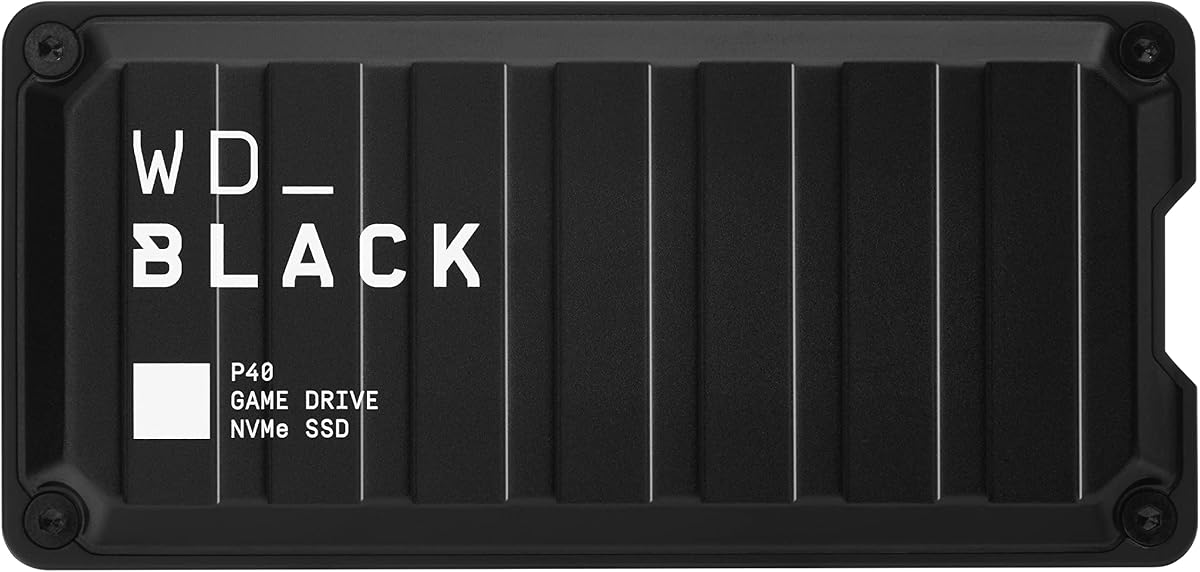
The WD_BLACK P40 2TB Game Drive combines advertised read speeds of up to 2,000MB/s with a USB 3.2 Gen2x2 interface. Its 4.6 rating places it among the strongest customer-rated options here. The drive supports a wide range of devices, including PS5, Xbox systems, PC, and Mac, while RGB lighting and a downloadable dashboard give it a gaming-focused identity.
We may earn a commission when you buy through this link, at no additional cost to you.
For PS5 use, the stated compatibility is specific: PS4 games can be played and stored directly, while PS5 games can be archived. This makes the P40 useful for maintaining a large PS4 collection and for temporarily moving PS5 titles out of internal storage. At up to 2,000MB/s, it also has the bandwidth to make large file transfers feel more responsive when the host and cable support the interface.
A 2TB capacity gives the drive a solid foundation for current and future game libraries. Its shock-resistant construction is rated to survive drops of up to two meters. The main trade-off is that the RGB customization utility is listed as Windows-only, so the full visual-control experience is not available on every platform. Its direct PS5 gameplay role is also limited compared with the internally installed SN850P.
Choose the P40 if you want fast transfers, PS4 direct play, PS5 archiving, and an eye-catching external design in one drive. It is especially compelling for owners who still maintain a large PS4 library or use multiple gaming platforms. Confirm that direct PS5 gameplay is not a requirement before purchasing.
The Gen2x2 interface and advertised 2,000MB/s read rate position the P40 for quick movement of large game files, provided the connected host, port, and cable support the required standard.
Customizable RGB lighting and dashboard support make the P40 feel at home beside a gaming setup, while broad device compatibility makes it useful beyond one console.
We may earn a commission when you buy through this link, at no additional cost to you.
The Verbatim Pocket 512GB External SSD emphasizes portability, straightforward USB-C connectivity, and up to 1,000MB/s read and write performance. Its 4.0 rating is the lowest customer rating in the group, so prospective buyers should weigh its compactness and practical design against the larger, more explicitly console-focused alternatives. It is best viewed as a small everyday drive rather than a major game library.
We may earn a commission when you buy through this link, at no additional cost to you.
The enclosure is small enough for a back pocket and includes a keyring plus a cable holder, making it convenient to carry between locations. A 512GB capacity is adequate for a selection of files, a modest PS4 game collection, or transfer and backup duties. Support for USB-C PCs, Macs, tablets, smartphones, and gaming consoles broadens its usefulness beyond PlayStation.
Its biggest limitation is capacity. Modern game installations can consume substantial room, and 512GB offers less breathing space than the 1TB and 2TB options in this guide. The absence of a specific PlayStation license or direct PS5 gaming claim also means buyers should verify their intended use. The included Nero Backup Software is limited to Windows, further reflecting its general-purpose design.
This is a sensible pick for gamers who need a small drive for travel, quick transfers, and a limited backup collection. It is less appropriate for someone building a comprehensive PS5 archive. Its appeal lies in carrying convenience and a clean USB-C connection, not in maximizing game storage or delivering console-specific features.
The keyring loop and integrated cable holder help keep a small everyday drive easy to carry, while the pocket-sized body is designed to move comfortably between gaming and computer setups.
512GB works well for focused backups and smaller collections, but gamers planning to archive modern titles will find more flexibility with a one- or two-terabyte drive.
We may earn a commission when you buy through this link, at no additional cost to you.
The Crucial X10 1TB Portable SSD delivers a combination of strong advertised performance, rugged construction, and broad compatibility. Its 4.5 rating reflects solid customer feedback, while the stated read speed of up to 2,100MB/s makes it one of the faster external options in the guide. The blue enclosure also gives it a distinctive appearance without relying on lighting.
We may earn a commission when you buy through this link, at no additional cost to you.
Compatibility extends across Windows, Mac, iPad Pro, Chromebooks, Android, Linux, PS4, PS5, and Xbox systems through USB-C and USB-A connections. That makes it useful for more than console storage: the same drive can hold games, photos, videos, backups, and working files. Its IP65 rating and stated resistance to drops of up to 3 meters suit travel and frequent handling.
The main limitation is its 1TB capacity, which is less generous than the 2TB choices. It also lacks the explicit PlayStation-specific licensing and purpose-built positioning found in the SanDisk Extreme for PS5. Buyers who need to understand exactly which PS5 games may be played directly should check current console requirements rather than assuming general compatibility provides direct execution.
The X10 is an attractive all-purpose choice for a PS5 owner who also needs a durable drive for work, media, and backups. It is well suited to users who prioritize portability, physical protection, and fast external access. A larger console-specific drive is the better option for a major game archive, while the X10 offers flexibility across several devices.
IP65 protection and three-meter drop resistance make the X10 a reassuring companion for travel, shared workspaces, and frequent connections to different devices.
Wide platform support and bundled photo and backup software turn the X10 into a general-purpose drive for games alongside photos, videos, project files, and system backups.
We may earn a commission when you buy through this link, at no additional cost to you.
The SanDisk Extreme 2TB Portable SSD combines 2TB of capacity, up to 1,050MB/s reads, up to 1,000MB/s writes, and a 4.6 customer rating. It is a rugged general-purpose drive that can serve as a PS5 transfer archive while also handling backups, media, and sensitive files. Its carabiner loop and strong physical specifications reinforce the portable design.
We may earn a commission when you buy through this link, at no additional cost to you.
The drive’s IP65 water and dust resistance and stated three-meter drop protection are particularly useful for users who take storage on the move. Password protection with 256-bit AES hardware encryption adds privacy for private content, while the SanDisk Memory Zone app helps manage files and automate space management. The updated firmware reference adds further distinction from earlier versions of the product.
Unlike the dedicated SanDisk Extreme model designed for PS5, this version does not carry an explicit PlayStation license in the supplied information. It also does not claim direct PS5 game playback. That makes it most appropriate as a large transfer and archive device rather than a console-specific expansion, and buyers should format and confirm compatibility according to current PS5 instructions.
Choose this drive when portability, capacity, durability, and secure file handling matter more than official console branding. It is a strong option for maintaining a portable backup or moving game files between a computer and console. For direct PS5 expansion, look to a model with explicit compatibility language or an internal M.2 drive.
Hardware-assisted encryption protects sensitive files, while IP65 sealing and three-meter drop resistance support use in travel, outdoor, and shared environments.
The Memory Zone app adds file organization and automatic space-management features, making the drive convenient for mixed game, media, and backup collections.
We may earn a commission when you buy through this link, at no additional cost to you.
The SanDisk Extreme 1TB Portable SSD for PS5 is a console-focused external drive with a 4.5 rating. It shares the same stated PlayStation design and approval approach as the larger two-terabyte model, along with advertised read speeds of up to 1,050MB/s. The smaller capacity makes it more approachable for gamers who want a dedicated archive without carrying as much space as they might not use.
We may earn a commission when you buy through this link, at no additional cost to you.
The drive is intended to expand storage for new and large PlayStation titles, transfer game files from the console to the external SSD, and keep more titles available without deleting them from internal storage. Its purpose-built design and five-year limited warranty give it a clear identity as a PlayStation accessory rather than a neutral storage device.
As with the 2TB PS5 version, eligible PS5 games are not represented as directly playable from this external drive. Gamers must copy game files back to the console’s internal storage before playing. The 1TB capacity may also become restrictive quickly for owners of several large current-generation titles, and no direct-play claim is included in the supplied product information.
This is a good choice for a PS5 owner who wants a compact, officially focused game archive and already knows that external storage will be used for transfers. Choose the larger model when preserving many current-generation games is the priority. This 1TB version fits best when the goal is lighter, organized storage for selected titles and related files.
Designing the drive around PlayStation use gives buyers a clearly stated purpose and removes ambiguity about its role as a game-transfer and archive device.
One terabyte can be a practical amount of space for selected games and related files, offering a simpler entry point than a larger archive while retaining the same stated durability standards.
We may earn a commission when you buy through this link, at no additional cost to you.
The new SanDisk Extreme 1TB Portable SSD raises the transfer-speed claim to up to 2,000MB/s and carries a 4.6 rating. It is described as nearly twice as fast as the previous generation, with an example of moving 1,000 high-resolution photos in under 60 seconds. The pocket-sized enclosure, IP65 rating, and three-meter drop protection make it a modern portable drive for demanding workflows.
We may earn a commission when you buy through this link, at no additional cost to you.
The 1TB capacity is positioned for high-resolution clips, edited photos, and downloaded creative content, while the higher transfer rate is useful for moving large files between computers, phones, and compatible devices. It also includes 256-bit AES encryption for password protection, adding security to the already rugged physical design.
The product information does not provide a PlayStation-specific license or explicitly promise direct PS5 game playback, so it should not be treated as a dedicated console expansion. Its 1TB capacity is also modest for a large modern game archive. The claimed 2,000MB/s rate may be limited by the host device, interface, cable, file sizes, and operating conditions, so it should not be treated as a guaranteed console transfer result.
This drive is best for PS5 owners who want a fast, secure, and durable general-purpose drive for backups, media, and transfer workflows, rather than a console-certified game vault. For direct PS5 expansion, select an explicitly compatible external model or the internal WD_BLACK SN850P. The new SanDisk remains a compelling modern portable SSD for everyday digital storage.
The stated 2,000MB/s transfer rate is a meaningful upgrade for users moving large photo, video, or game-file collections, although actual results depend on the full connection chain.
AES encryption protects private files, while a pocket-sized body, IP65 rating, and three-meter drop resistance balance security with portability.
We may earn a commission when you buy through this link, at no additional cost to you.
The right PS5 storage choice depends on whether you want direct game execution, a transfer archive, an internal expansion, or a portable drive shared across several devices. Capacity, interface, compatibility, durability, and intended workflow should be considered together.
The most important distinction is how the drive will function with your console. An internally installed M.2 expansion can let eligible PS5 games run directly from the added drive, while many external SSDs serve primarily as transfer and archive storage. Some external products explicitly support direct playback of PS4 games, but direct PS5 playback is a separate feature and should never be assumed from general console compatibility.
Choose direct-play storage when seamless access is the priority. Choose an archive when the goal is to move large games out of internal storage and copy them back when needed.
Storage needs depend on the number and size of installed games, saved data, media, and backups. A 512GB drive is compact and better suited to temporary transfers or a limited PS4 collection, while 1TB provides a more practical balance for portable use. A 2TB drive is better for current-generation libraries, archived PS5 titles, and users who dislike repeatedly moving files.
Match capacity to active usage rather than a future headline number. Remember that the actual volume shown by the console will be lower because formatting and operating-system overhead consume part of the nominal capacity.
External performance depends on the drive, console port, cable, host device, file sizes, and workload. USB 3.2 Gen 2 options are widely suited to console transfers, while USB 3.2 Gen2x2 can deliver substantially higher headline read rates when every part of the connection supports it. An internal PCIe Gen 4 M.2 drive occupies a different performance class and offers direct access to the console’s expansion slot.
Pay attention to both read and write speeds. A quick read can speed loading, while write performance matters when moving an entire game to the drive. Avoid treating a manufacturer’s maximum figure as a guaranteed result on every device.
Purpose-built PS5 products and officially licensed M.2 drives are designed with console compatibility in mind. That support can provide clearer expectations about formatting, storage behavior, and appropriate use. General-purpose drives may still work for transfers, but buyers should verify current PlayStation requirements and avoid assuming that a USB 3.2 label alone guarantees direct game execution.
Licensing is most valuable when you want confidence in a plug-and-play console experience. For a drive used mainly to move files, broad compatibility with a computer and console may be more useful than console-specific branding.
A portable drive travels, shifts between systems, and encounters more varied conditions than an internal component. IP ratings indicate protection against dust and water, while stated drop resistance provides additional reassurance. The SanDisk Extreme models include IP65 protection and three-meter drop resistance, while the WD_BLACK P40 is stated to withstand drops of up to two meters. These figures are useful differentiators but should be considered alongside careful handling.
Choose stronger physical protection when the drive will be carried frequently or used in travel, shared spaces, or outdoor settings. A protective case and responsible storage habits remain useful even for a rugged SSD.
A game archive may also contain screenshots, videos, personal documents, or other private files. Some portable SSDs include password protection based on 256-bit AES hardware encryption. This feature is separate from console compatibility and can help protect data if the drive is lost or borrowed. The SanDisk Extreme 2TB and new 1TB model both include this stated protection.
Encryption is especially useful for a multi-purpose drive kept in a backpack or used across several people and devices. Use a memorable password, keep a record of it securely, and confirm that the included management software works with your operating system.
PS5 storage should be connected through a SuperSpeed port for intended performance. A drive with both USB-C and USB-A can simplify connections to a console, laptop, tablet, and other devices, while a USB-C-only design offers a cleaner modern setup. Cables and intermediary hubs can limit transfer rates even when the SSD itself is faster, so matching the included or recommended connection is important.
Check every device you plan to use before buying. If you travel between console and computer setups, a dual-interface drive may save friction; if you only use modern USB-C equipment, a single compact connector can be cleaner.
Form factor matters when a drive lives beside a console, travels in a pocket, or becomes part of a visible gaming setup. The Seagate Game Drive and WD_BLACK P40 emphasize LED or RGB lighting, the Verbatim Pocket includes a keyring and cable holder, and the Crucial X10 offers a compact colored enclosure. Software support can also be useful for encryption, backups, file management, or lighting customization.
Choose the design that matches your routine rather than relying on appearance alone. Software support may be Windows-specific, so verify operating-system requirements if you use Macs, phones, tablets, or multiple platforms.
Before using an external SSD with a PS5, confirm that the drive is compatible with the console and connect it through a SuperSpeed port. Follow the current console instructions for creating or selecting the appropriate storage partition, and format the drive on the PS4 or PS5 when required. Formatting on the console helps establish a compatible file system and avoids setup problems that can arise from a drive formatted on another system.
For transfers, open the console’s storage interface and move eligible titles to the external drive. If the drive is intended for archiving, you may need to copy PS5 games back to internal storage before playing them. Treat the external drive as organized storage rather than an unlimited replacement for internal capacity, and leave enough internal space for the console’s system files, active games, and temporary transfer requirements.
Protect the drive by ejecting it properly before unplugging it, avoiding sudden removal during active transfers, and keeping the enclosure dry even when its product specifications offer water resistance. Use a compatible cable, avoid leaving the drive in extreme heat, and retain original packaging and documentation. For encrypted models, store the password safely, and use included management software to maintain files, updates, or lighting settings as applicable.
Yes, but only with a storage solution explicitly supported for direct PS5 game execution. The WD_BLACK SN850P is an internal M.2 expansion designed to run eligible PS5 games directly from the added drive. External SSDs vary: the Gigastone is explicitly described as requiring PS5 games to be copied back, while the WD_BLACK P40 supports direct PS4 play and PS5 archiving. Check the specific drive and current console requirements before purchasing.
A 1TB drive is a practical starting point for a smaller or frequently curated collection, while 2TB gives a large digital library more breathing room. Modern titles vary greatly in size, and the console reports less usable space than the nominal capacity because of formatting and overhead. Consider how many games you want installed simultaneously, how many you plan to archive, and whether you also need space for media or backups.
An internal M.2 SSD is generally better when your priority is direct PS5 game access and maximum transfer performance, provided you are comfortable installing it inside the console. A portable external SSD is easier to move, requires no internal installation, and can serve multiple devices. Many external drives also work as transfer archives, but that role does not provide the same direct-execution convenience as the WD_BLACK SN850P.
A Gen2x2 drive can offer faster advertised external read performance, but the full connection chain determines real results. Use a SuperSpeed port, a suitable cable, and a host device that supports the same interface. For routine transfers and archiving, a standard USB 3.2 Gen 2 SSD may still offer a practical experience. Higher advertised speed is most useful for large files, but it is not the same as direct game execution.
Follow the console’s current storage instructions and format the drive on the PS5 or PS4 when the manufacturer requires it. The Gigastone product information specifically says its external SSD must be formatted on the console before use. Formatting on the intended platform reduces file-system and partition compatibility risks. Avoid moving or reorganizing the dedicated folders created by the console after setup.
Yes, provided both the drive and the device support a common interface and file system. The Gigastone includes USB-C and USB-A connectors and is listed for phones, tablets, computers, and consoles, while the Crucial X10 supports a broad range of operating systems and devices. A single-format drive may be easiest to manage, so check your other devices’ requirements before committing to a partition scheme.
IP65 protection indicates strong resistance to dust and water, making rugged drives such as the SanDisk Extreme suitable for demanding travel conditions. It does not mean the drive is waterproof under every circumstance, and proper ejection, dry storage, and careful handling remain important. A protective sleeve can reduce the chance of drops, scratches, or cable damage during transport.
Encryption is useful if the drive will contain private screenshots, videos, documents, or backups in addition to games. The SanDisk Extreme 2TB and new 1TB model include stated 256-bit AES hardware encryption with password protection. Console-specific game drives may not offer this feature, and encryption does not increase capacity or speed. Decide based on what else you plan to store on the drive.
The WD_BLACK SN850P 2TB is the standout for direct PS5 game execution and high-end internal performance, while the SanDisk Extreme 2TB for PS5 serves as a rugged, purpose-built external archive. The WD_BLACK P40 adds fast Gen2x2 transfers, RGB lighting, direct PS4 play, and PS5 archiving, giving it a particularly well-rounded gaming identity.
For a more flexible approach, the Gigastone 1TB stands out with dual interfaces, while the Crucial X10 combines high speed, strong portability, and broad platform support. Smaller-capacity or more specialized needs may be served by the Verbatim Pocket, the regular SanDisk Extreme 2TB, or the new 1TB SanDisk model. Prioritize direct-play requirements, capacity, interface support, durability, and intended device range before choosing.
Finally, check current product listings, compatibility notes, included accessories, and pricing before buying. Console software requirements and package contents can change, and the best drive is the one that matches your library size, transfer habits, and preferred level of portability.