
Dell OptiPlex 3050 SFF
4.2Editor score
Compact 16GB DDR4 configuration
Fast 256GB SSD storage
Dual 4K display support
Keyboard and mouse included
A desktop computer can provide a straightforward, comfortable way to stay connected, manage household information, enjoy entertainment, and handle everyday tasks. For seniors, the most useful system balances a clear display, familiar controls, reliable connectivity, adequate memory, and enough storage without introducing unnecessary complexity.
The ten computers in this guide range from compact renewed business desktops to all-in-one models that combine the computer and display. We compared their processors, memory, storage, displays, ports, wireless capabilities, operating systems, and included peripherals, while also considering how easily each configuration fits normal home use.
Each review highlights the strongest reasons to consider a particular model, along with practical trade-offs. The guide includes renewed systems, standard desktop towers, and space-saving all-in-one designs. Product availability and prices can change, so readers should confirm the current listing and configuration before purchasing.
4.2Editor score

4.5Editor score

4.3Editor score
As an Amazon Associate we earn from qualifying purchases.
This side-by-side overview highlights the main differences in form factor, performance specifications, storage, connectivity, displays, and included equipment, making it easier to identify the most appropriate senior-friendly desktop for a particular home setup.





The Dell OptiPlex 7050 SFF combines a familiar small-form-factor desktop design with a generous 32GB of DDR4 memory and a fast 1TB SSD. Its 3.9 rating reflects a capable renewed configuration rather than a flawless retail experience. The most notable strengths for a senior buyer are the abundant memory, generous storage, Windows 11 Pro, and flexible support for two displays.
We may earn a commission when you buy through this link, at no additional cost to you.
Storage is particularly useful for families that keep photographs, scanned documents, video files, and several browser applications on one computer. A solid-state drive also provides quick boot and application access without the long delays associated with a mechanical hard drive. The included wired keyboard, mouse, wireless USB WiFi adapter, and power cord make the package relatively complete for setting up at a desk.
The trade-offs relate mainly to the age of the Core i7-7700 platform and the renewed condition. A seventh-generation processor may lack the efficiency and integrated graphics capabilities found in newer models, so buyers who need specialized creative software or demanding modern games should investigate compatibility before purchasing. Renewed systems also merit careful inspection upon arrival.
This is a strong choice for a senior who wants a conventional tower near the television, plenty of storage, and the option to use a larger second monitor. It is less suitable for someone seeking the smallest possible footprint or a new computer with the latest support ecosystem. For general communication, web use, documents, media, and light creative work, its generous specifications make it a practical option.
With 32GB of DDR4 memory, the system has considerable headroom for web browsing, messaging, document work, video calls, and media playback. The extra capacity also makes it easier to leave several applications open without making the entire workflow feel rushed.
The listing includes a wired keyboard, mouse, wireless USB WiFi adapter, and power cord. This reduces the number of separate accessories a buyer must identify, although an older wireless keyboard or mouse may be preferable for some users.
We may earn a commission when you buy through this link, at no additional cost to you.
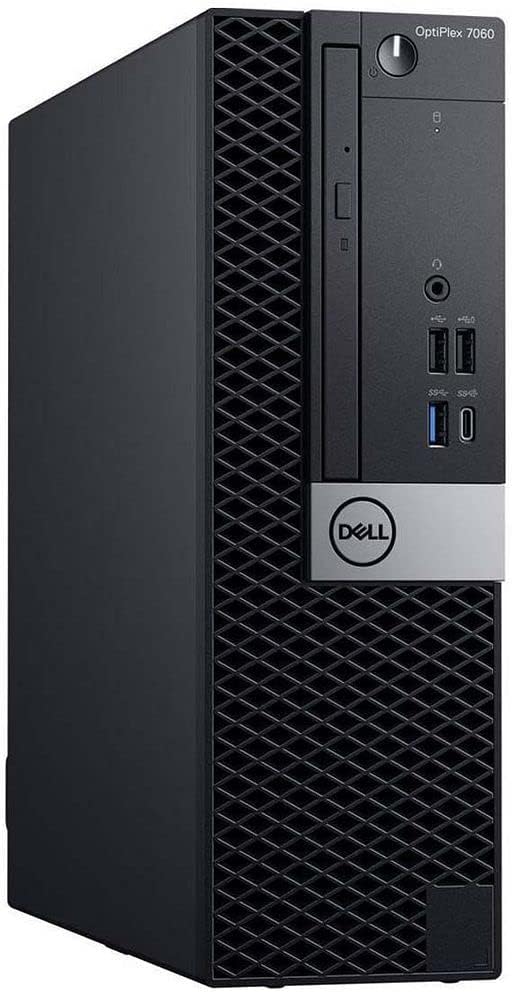
The Dell OptiPlex 7060 SFF is a balanced business desktop for users who want more capability than a basic compact PC without moving to a large all-in-one. It carries a 4.0 rating and pairs a six-core Intel Core i7-8700 with 32GB of DDR4 memory. The result is a configuration well suited to browsing, communication, office work, media, and several simultaneous applications.
We may earn a commission when you buy through this link, at no additional cost to you.
Its 512GB NVMe M.2 SSD supports fast boot and file access, while the spacious tower case offers room for expansion. Two DisplayPort outputs support dual-monitor arrangements, which can be especially useful for keeping a video call beside a document or web page. Five USB 3.0 and two USB 2.0 ports provide useful flexibility for peripherals.
The computer uses an older processor generation, and renewed status introduces some uncertainty about cosmetic condition and previous use. The listing also identifies the system as a desktop computer rather than a monitor bundle, so a display must be arranged separately. Older enterprise hardware may also require more attention to compatibility with current accessory standards than a new all-in-one.
This desktop is a good match for a senior who already has a comfortable monitor and keyboard, or who values upgrade flexibility over a compact footprint. It is especially attractive for households that want ample memory and dual-screen support. Buyers who need the computer and display as one coordinated package should look instead toward one of the all-in-one selections.
The two DisplayPort connections make it possible to extend work across two displays, mirror the screen, or use one display for communication and another for reading. Large text can be kept readable on one screen while other tasks remain visible on the second.
The NVMe drive provides a responsive starting point for Windows, web browsing, and routine file access. Its 512GB capacity is also more comfortable for families accumulating photographs and downloads than the smaller drives found in some entry-level systems.
We may earn a commission when you buy through this link, at no additional cost to you.
The Dell 27-inch All-in-One is the strongest general-purpose choice in this guide for a senior who values a straightforward setup and a large integrated display. It has the highest product rating listed here at 4.5 and pairs an Intel Core 5 120U processor with Windows 11 Home. The 27-inch FHD IPS panel is designed to make routine work, learning, and streaming more comfortable.
We may earn a commission when you buy through this link, at no additional cost to you.
Dell ComfortView Plus is intended to reduce harmful blue-light emissions during longer screen sessions, and the display supports 99% sRGB color coverage. A 5MP infrared camera can support video communication and includes a pop-up privacy design. The stand can tilt from 0 to 20 degrees, while the keyboard-storage area beneath the display helps limit cable and desk clutter.
Wireless Bluetooth speakers and Dolby Atmos spatial sound add convenient entertainment features without requiring separate desktop speakers. One year of Dell Onsite Service can provide in-person support for eligible hardware issues that cannot be resolved remotely, an important practical advantage for users who may not want to transport a tower. One limitation is that storage capacity is not stated in the supplied listing.
This model is ideal for a living room, bedroom, study, or home office where one large screen should handle communication, browsing, video, and light creative work. It is less appropriate for buyers who want frequent internal upgrades or need a computer case that can accept many additional drives and cards. For a senior-friendly, coordinated system, however, it offers an unusually convincing package.
The 27-inch FHD IPS display gives text, photographs, and video a large viewing area, while ComfortView Plus is designed to make long sessions more comfortable. Adjustable tilt lets a user choose a more natural viewing angle.
Combining the computer and display reduces the number of visible components and leaves more usable desk space. The pop-up camera can also be hidden when it is not needed, providing a straightforward privacy measure.
We may earn a commission when you buy through this link, at no additional cost to you.
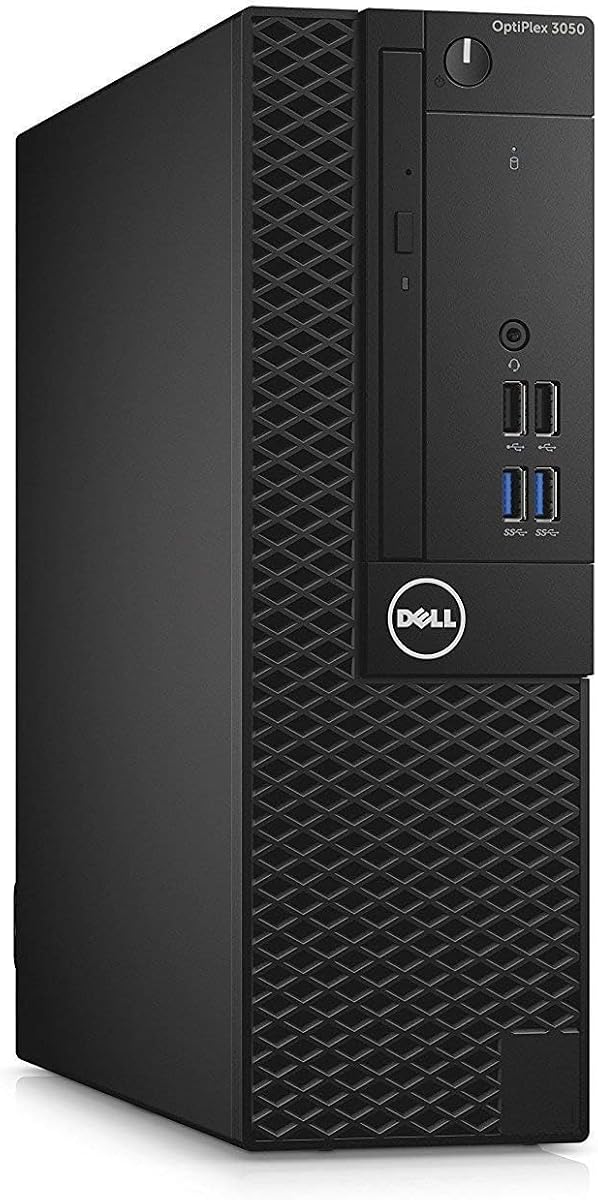
The Dell OptiPlex 3050 SFF is a cost-conscious desktop for seniors who need dependable essentials rather than maximum processing power. Its 4.2 rating reflects a favorable balance of compact construction, 16GB DDR4 memory, and fast solid-state storage. It also supports Windows 11 Pro and includes a USB keyboard, mouse, and WiFi adapter.
We may earn a commission when you buy through this link, at no additional cost to you.
The 256GB SSD is the most important limitation. It should be sufficient for Windows, essential applications, web browsing, and a reasonable collection of documents, but it may become crowded if a family stores extensive photo libraries or large video files. External storage or cloud services can supplement it, although those options should be planned before the computer is set up.
Its small form factor makes it easier to place near a television or on a modest desk. DisplayPort and HDMI outputs support dual-display arrangements, and the listing states support for 4K resolution across two displays. That makes it useful for separating communication, reading, and entertainment into different viewing areas.
The renewed condition and sixth-generation Core i5 mean this is not a modern high-performance investment. It is most appropriate for email, browsing, streaming, document work, video calls, and other familiar tasks. The included peripherals and compact case add convenience, making it a sensible starting desktop when a buyer wants less complexity and a smaller physical footprint.
The small-form-factor design occupies less space than a full-size tower and can sit neatly beneath or beside a monitor. It is well suited to homes where desk area is limited but an external display is already available.
Front and rear USB connections, DisplayPort, HDMI, and Ethernet provide useful options for accessories and displays. Dual 4K support can make text easier to view by providing a larger digital workspace.
We may earn a commission when you buy through this link, at no additional cost to you.
The Dell OptiPlex 9020 Bundle is appealing to buyers who want a computer, monitor, keyboard, and mouse gathered into one listing. Its 3.6 rating is the second-lowest among rated products, but the package includes a 20-inch monitor, an RGB keyboard and mouse, and Windows 11 Pro. The desktop has a quad-core Intel Core i5, 8GB of RAM, and 500GB of storage.
We may earn a commission when you buy through this link, at no additional cost to you.
This complete arrangement can reduce the difficulty of assembling a first home computer. A 20-inch display offers more screen area than a typical laptop, while the included peripherals remove the need to compare separate keyboard and mouse options. Built-in wireless technology and a network card provide connectivity for ordinary web and communication tasks.
The principal drawback is the use of a 500GB mechanical hard drive, which is much slower than an SSD for boot time, application loading, and opening large files. Only 8GB of DDR3 memory is included, and that older memory standard limits future flexibility. The RGB lighting may also be less important to a senior-focused buyer than a clear, comfortable display and simple controls.
The bundle is most suitable for someone setting up a straightforward secondary computer, learning center, or entertainment station with limited software demands. It is less convincing for intensive photo editing, heavy multitasking, or anyone who prioritizes fast response. Buyers should consider the total package and the convenience of a ready-made setup rather than expecting cutting-edge performance.
The inclusion of a monitor, RGB keyboard, and mouse creates a more immediately usable package than a tower-only listing. It can be particularly helpful for a first desktop purchase or a household that wants a separate computer station.
A 500GB hard drive provides more nominal capacity than many compact SSD configurations. However, it should be used primarily for documents, media, and archives when faster application access is important.
We may earn a commission when you buy through this link, at no additional cost to you.
The HP 22-inch FHD All-in-One provides a modern, coordinated desktop in a relatively compact format. Its 4.3 rating is among the strongest in the guide, and the listed Intel N100 processor belongs to the latest 13th-generation platform. The system also includes DDR5 memory, Wi-Fi, an HD webcam, HDMI, USB-C, and Windows 11 Pro.
We may earn a commission when you buy through this link, at no additional cost to you.
The N100 is a four-core processor with four threads, integrated Intel UHD graphics, a 6MB cache, and a maximum turbo frequency of 3.4GHz. It is designed around efficient everyday computing rather than demanding workstation tasks. For browsing, video calls, office applications, email, entertainment, and typical household use, that is a sensible foundation.
Its 8GB of memory and 128GB of storage are the main constraints. The drive can become limited quickly if the computer is used to retain many downloaded files, photographs, or applications, and cloud storage or an external drive may be needed. An all-in-one also offers less internal access than a conventional tower, making it a poor match for buyers who expect frequent upgrades.
This system suits a senior who wants a current-looking, space-saving computer for communication and routine digital tasks, especially where a webcam and modern ports are priorities. It is less suitable for large creative projects or a household that wants extensive local media storage. Compared with larger all-in-one models, it also offers a more modest screen size.
The 13th-generation Intel N100 emphasizes efficient performance in compact systems. It is a practical fit for routine household tasks where a simple display, quick communication, and low desk clutter matter more than heavy content creation.
The integrated HD webcam simplifies video communication without requiring a separate camera. Users should still check network quality and learn the relevant video-call controls before an important call.
We may earn a commission when you buy through this link, at no additional cost to you.
The Lenovo 24-inch FHD All-in-One combines a 23.8-inch anti-glare display with 16GB of DDR4 memory and a 256GB PCIe SSD. It runs Windows 11 Pro and includes a wireless keyboard and mouse. No customer rating is supplied for this listing, so the configuration and feature set offer a more reliable basis for evaluation than customer feedback.
We may earn a commission when you buy through this link, at no additional cost to you.
The 1920×1080 IPS panel, 250-nit brightness, and anti-glare treatment can make text and documents easier to view in a bright room. Its 99% sRGB coverage is suitable for general media use. A stand that allows the keyboard to be stored underneath the display also helps reduce visible clutter.
Wireless capabilities include Wi-Fi 6 through an Intel AX203 adapter and Bluetooth 5.2. The port selection includes two USB-A 2.0 ports, two USB-A 10Gbps ports, HDMI, Ethernet, and a 3.5mm headphone and microphone combination jack. The included keyboard is listed as a UK wireless keyboard, which is an important detail for buyers outside that layout.
This Lenovo is a strong option for a home office where memory, a tidy setup, and modern wireless standards are priorities. The N100 processor is intended for everyday tasks, and the 256GB SSD is adequate for many users but limited for extensive media libraries. Confirming the bundled keyboard layout and checking current warranty terms are sensible precautions before ordering.
The anti-glare IPS panel is useful in rooms where reflections could make text difficult to read. Its full HD resolution also provides a familiar workspace for web pages, documents, and video calls.
Wi-Fi 6 and Bluetooth 5.2 support current wireless peripherals and reduce dependence on cable connections. Ethernet remains available when a wired network provides a more stable or secure option.
We may earn a commission when you buy through this link, at no additional cost to you.
The Dell OptiPlex 5050 SFF is a compact renewed desktop that pairs a Core i7-7700 processor with 16GB of DDR4 memory and a 512GB NVMe SSD. Its 4.2 rating makes it one of the stronger-rated traditional desktops here. Windows 11 Professional provides a complete operating system, while the included wired keyboard and mouse help simplify initial setup.
We may earn a commission when you buy through this link, at no additional cost to you.
The NVMe drive is a major strength because it supports faster boot and application loading than a conventional hard drive. The small-form-factor enclosure is also more space-efficient than a full tower. A wired keyboard and mouse can be dependable and uncomplicated, although some users may prefer wireless peripherals that can be repositioned more freely.
As a seventh-generation platform, the processor is old compared with the current all-in-one models in the guide. Its Intel HD Graphics 630 is suitable for ordinary displays and media, not demanding modern games or professional creative workloads. The renewed condition also means buyers should inspect the machine and confirm the seller's warranty terms.
The OptiPlex 5050 is appropriate for a senior who already owns a suitable monitor and wants a fast, compact, expandable business-style computer. It is less appropriate for someone who wants a new system, a bundled display, or a highly mobile workstation. For general browsing, communication, documents, and entertainment, it remains a capable option.
A 512GB NVMe SSD provides a useful combination of responsive operation and local storage. Pairing it with a compact enclosure makes the system practical for desks where tower depth is inconvenient.
A wired keyboard and mouse provide straightforward input without wireless pairing or charging. They can be particularly useful when a buyer values dependable operation over flexible positioning.
We may earn a commission when you buy through this link, at no additional cost to you.
The Dell OptiPlex 3rd-Generation Bundle is a complete, monitor-equipped desktop with a 2TB hard drive, 16GB of RAM, Windows 11 Pro, WiFi, and an RGB keyboard and mouse. Its 3.6 rating reflects the broad package but also the age of the underlying third-generation Core i5 platform. The included 22-inch Full HD monitor has a 75Hz refresh rate and a 1920×1080 resolution.
We may earn a commission when you buy through this link, at no additional cost to you.
The 2TB hard drive is unusually generous for local storage, making the system appealing for large music, movie, and photograph collections. A full HD display offers a comfortable amount of visible information, and the monitor supports wide viewing angles, smart contrast, VESA mounting, and tilt adjustments. An RGB speaker and matching illuminated input devices complete the bundle.
The disadvantages are substantial for a purchase intended to last. A third-generation processor and mechanical drive are both much older than the other components in this guide, and the listing's wording alternates between Windows 10 and Windows 11 while the title identifies Windows 11 Pro. Compatibility with current applications and future Windows updates should be verified before purchase. The glossy monitor finish and RGB lighting may also be less important than basic clarity.
This bundle is most suitable for a buyer who values having a large screen and considerable local file capacity already assembled. It is a weaker choice for demanding applications, intensive multitasking, or a user who expects a modern support runway. Confirm the exact operating-system installation, monitor condition, and included accessories when ordering.
The 2TB drive can hold a large collection of photographs, music, and videos without constant cloud uploads. It is most valuable to users who prefer keeping media physically connected to the desktop.
The monitor, RGB keyboard, mouse, and speaker provide most of the visible components of a complete computer station. This can make initial setup easier, provided the buyer is comfortable with the included accessories.
We may earn a commission when you buy through this link, at no additional cost to you.
The Dell OptiPlex 3060 Desktop is a capable all-purpose system for communication, browsing, media, and office work. It has a 4.0 rating and combines an Intel Core i5-8500 with 32GB of DDR4 memory and a 1TB SSD. Built-in WiFi and Bluetooth are included, and Windows 11 Professional makes the computer ready for a wide range of household and business tasks.
We may earn a commission when you buy through this link, at no additional cost to you.
The combination of 32GB of memory and 1TB of SSD storage is particularly well suited to multitasking. It can hold many applications and files without relying on a mechanical drive for routine operation. The listing also describes 4K support, which can help make text and controls easier to see when connected to a suitably capable display.
Eight USB ports in total, DisplayPort, HDMI, Ethernet, and audio connections offer good peripheral flexibility. Three internal SATA connections are noted for expansion. As with the other renewed systems here, the physical condition, exact accessories, and warranty should be checked upon delivery. The computer is also a tower rather than a monitor bundle, so display costs should be considered separately.
The OptiPlex 3060 is a good fit for a senior seeking abundant memory, fast storage, and flexible connectivity without the fixed specifications of an all-in-one. It suits homes that already own a monitor and prefer standard USB peripherals. It is less appropriate when minimizing desk space or avoiding separate components is the highest priority.
The 32GB memory configuration is unusually generous for a home desktop in this guide. It leaves room for many browser tabs, a video call, document editing, and background applications at the same time.
DisplayPort, HDMI, Ethernet, audio, and numerous USB connections cover most common accessories. Built-in wireless connectivity adds convenience when running a cable to the network is inconvenient.
We may earn a commission when you buy through this link, at no additional cost to you.
The most useful senior-friendly desktop is one that feels familiar, remains connected, displays information clearly, and avoids unnecessary maintenance. Comparing form factor, specifications, included equipment, and support options is more useful than focusing on a single technical figure.
An all-in-one combines the computer and display into one unit, reducing visible cables and making desk organization simpler. It is often the most approachable option when the buyer does not already own a monitor. A small-form-factor desktop is smaller than a traditional tower but still requires a separate display, making it ideal for homes with an established computer station. A full-size tower can offer more internal expansion, though its footprint may be less convenient in a small room.
A larger screen can make text, menus, and buttons easier to identify, especially for users who spend significant time reading web pages or communicating by video. Full HD resolution is a useful baseline, while an IPS panel can provide more consistent viewing angles. Anti-glare or blue-light-reduction features may be beneficial in bright rooms or during long sessions. The best physical setup is still a large enough screen placed at a comfortable distance with system text scaling adjusted to the user.
Memory helps a computer manage multiple open applications, while the processor determines how efficiently demanding tasks are completed. For browsing, email, video calls, documents, and streaming, a modern efficient processor with 8GB or 16GB of memory is generally sensible. Larger memory totals provide extra comfort for heavy browser use, media editing, or several family members sharing the system. Older business desktops can remain useful for routine tasks, but demanding software calls for a newer platform.
A solid-state drive provides faster startup, application loading, and file access than a mechanical hard drive, making it preferable for the operating system and frequently used programs. Capacity matters as well: 128GB is modest, 256GB is reasonable for a lighter user, and 512GB or 1TB leaves more room for photographs and downloads. Households that already use cloud storage may need less local capacity, while large media collections benefit from a larger drive or external storage.
Wi-Fi and Bluetooth allow a desktop to work without a network cable and support compatible wireless peripherals. A wired keyboard and mouse can be easier to operate because they require no pairing or charging, while wireless models offer easier repositioning. Look for enough USB ports for a keyboard, mouse, printer, webcam, and other peripherals. HDMI or DisplayPort is needed for a modern display, and Ethernet can provide a stable wired connection for advanced networking setups.
Windows 11 Home is appropriate for typical personal use, while Windows 11 Pro adds business-oriented capabilities and may be preferable for a shared household office. The difference should be evaluated against the user's actual needs rather than assumed to be important. Older renewed computers should be checked for the exact Windows installation, compatibility with essential applications, and any restrictions associated with the hardware generation. A clean installation and current updates remain important regardless of edition.
Renewed desktop computers can offer capable business hardware at a lower cost, but their condition and support terms vary. Certified refurbishment generally involves testing, cleaning, inspection, and repackaging, with the listing for the OptiPlex 3050 specifically describing those steps and a minimum 90-day warranty. Other renewed listings mention seller warranties and technical support. Buyers should review cosmetic condition, included accessories, return terms, and coverage carefully.
Onsite service, remote assistance, and local technical support can be more valuable than small specification differences for a senior who is not comfortable transporting a computer. Some bundles include a wired keyboard and mouse, while an all-in-one may include a camera for video communication. Familiarity also matters: choosing an operating system and interface already used successfully can reduce the learning curve. Large text, a comfortable chair, good lighting, and an uncluttered keyboard should be considered part of the setup.
Begin by placing the computer on a stable surface with enough ventilation, then connect the display and peripherals before turning on the system. Arrange the monitor at roughly arm's length, raise it so the top of the visible area is near eye level, and adjust the text size in Windows until menus and documents are comfortable to read. If using an all-in-one, store the keyboard beneath the display when it is not needed to reduce desk clutter.
Keep the computer updated through Windows Update, install a current browser and essential applications, and save important files in more than one location. Automatic cloud backup can protect documents and photographs, while a separate external drive provides an additional local copy. Avoid deleting unfamiliar folders, and use clear folder names so family members can locate information without assistance. Strong, unique account passwords and multi-factor authentication help protect email and banking activity.
Clean the system gently with a soft, dry microfiber cloth, and disconnect the power before cleaning ports or the exterior. Avoid spraying cleaner directly onto the computer, display, keyboard, or mouse. Keep liquids away from the chassis, maintain clear airflow around vents, and schedule a restart periodically to clear temporary files and apply pending updates. If a problem appears, record the visible message, avoid repeated installation attempts, and contact the listed seller or the computer manufacturer's support service.
An all-in-one is often easier because it combines the computer and display in a single coordinated unit. It reduces visible cables, avoids the need to choose and connect a separate monitor, and leaves more desk space. A separate small-form-factor desktop can still be ideal when the household already owns a comfortable display and prefers standard replaceable peripherals.
At least 8GB is workable for basic web browsing, email, documents, and video calls, although 16GB is more comfortable when several applications or browser tabs are open. The renewed business desktops in this guide offer 16GB or 32GB, which provides useful headroom. Matching the capacity to realistic tasks matters more than paying for an amount the computer will never use.
Renewed OptiPlex systems can be effective because they use established business-oriented components and often include generous memory and storage. Their condition and support differ by listing, so buyers should review the refurbishment description, warranty, included accessories, and return policy. A careful arrival inspection and a period of testing are especially important for older models.
Yes, because an SSD generally starts Windows and opens applications more quickly than a mechanical hard drive. Shorter waits can make the computer feel easier and less frustrating, particularly for routine web and communication tasks. Capacity should still be considered, since a very small SSD can fill quickly, and a larger drive or cloud storage may be appropriate for larger media collections.
Windows 11 Home is suitable for most personal browsing, communication, entertainment, and productivity needs. Windows 11 Pro is more relevant for business management, advanced networking, or particular organizational requirements. The more important step is verifying that the computer's processor and installed Windows version are compatible with current updates and the software the user needs.
A 22-inch or 24-inch all-in-one is a practical starting point for many users because it offers more room than a laptop without taking up a full workstation's space. A 27-inch display can further improve text visibility and provide separate areas for communication and tasks. Screen size should be balanced with viewing distance, desk space, and the user's eyesight rather than selected solely by size.
That depends on the listing. The Dell OptiPlex 3050, Dell OptiPlex 5050, Dell OptiPlex 7060, and Lenovo all-in-one include keyboard and mouse combinations, while the OptiPlex 3050 includes a USB WiFi adapter as well. Several other systems are tower-only or all-in-one configurations whose listing does not explicitly confirm peripherals, so shoppers should check the package contents before ordering.
Inspect the exterior and screen for cracks, scratches, loose parts, or other damage, and confirm that the listed processor, memory, storage, ports, and operating system match the listing. Test the display, keyboard, mouse, network connection, audio, and USB ports. Finally, review the warranty and return deadline so any issue is reported promptly.
The Dell 27-inch All-in-One stands out as the most complete senior-friendly package because it combines a large display, Windows 11, a privacy camera, integrated audio, and onsite service. The HP 22-inch All-in-One offers a smaller contemporary alternative, while the Dell OptiPlex 3050 SFF is a practical traditional option for buyers who already own a display and prioritize a compact footprint.
Across the remaining selections, memory capacity, fast storage, monitor quality, and included equipment are the most useful differentiators. The OptiPlex 7050 and 3060 provide 32GB of memory and 1TB SSDs, the 7060 adds a newer six-core processor and NVMe storage, and the OptiPlex 9020 bundle includes a 20-inch monitor. For daily ease of use, prioritize a screen that is comfortable to read, peripherals that are familiar, and support that the household can realistically use.
Prices, stock, seller conditions, and included accessories can change at any time, so the final purchase decision should be based on the current listing. Review the exact configuration, warranty, return terms, monitor requirements, and operating-system compatibility before ordering. A desktop that feels comfortable, stays organized, and receives the updates and software the user actually needs will deliver more value than a faster model used only for a few basic tasks.